Integral V Series V2 Plus 512GB 2.5 Inch Internal Solid
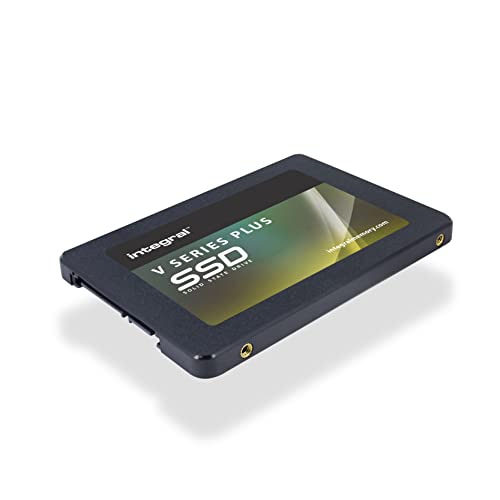
Integral V Series V2 Plus 512GB 2.5 Inch Internal Solid State Hard Drive (SSD), Read 550MB/s, Write 520MB/s, SATA Interface 6Gb/s | Black

Ultra-fast boot speed
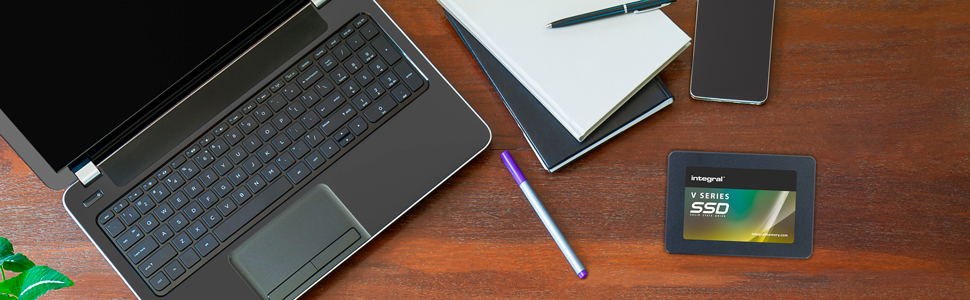
Make your desktop or laptop computer feel like new again with faster boot, load times and more reliable performance than HDD.
10 times faster than traditional HDD
With speeds up to 520MB/s* Read and 470MB/s* Write, the V Series 2 approaches the limits of the SATA III interface.
Boosted apps and games
All games and apps will benefit from much faster load times and more efficient multi-tasking.
Choose Integral for reliable memory
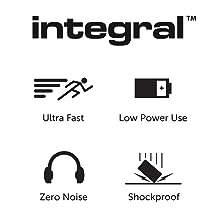
Integral solid state drives are hard-wearing, with extreme shock resistance, zero noise and no heat generation.
Disclaimer:
1GB=1,000,000,000 bytes. When formatted, actual user storage capacity is less. This is an industry applicable standard across all memory storage products.
Speeds based on internal testing; performance may vary depending on host device.
| Weight: | 50 g |
| Dimensions: | 6.98 x 10.02 x 0.7 cm; 50 Grams |
| Brand: | Integral |
| Model: | INSSD512GS625V2P |
| Colour: | black |
| Manufacture: | Integral |
| Dimensions: | 6.98 x 10.02 x 0.7 cm; 50 Grams |
Great produc
In a world of multi terrabyte NVMe drives this seems out of place but it’s a terrific substitute for an old spinning disk when paired with an adapter in a vintage computer. A brilliant little drive.
Loads storage!
Once you get into your laptop this is easy to fit. Close it up, format, mount it and away you go.
Brilliant!
Only drawback, no screw…..not in my laptop and there’s none in the kit!
Good job I had a wee screw of my own……
Genuine mSATA
Actual size is 476 GB. Why do manufacturers not quote the actual size for windows systems. They always quote and use103 to define a kilobyte (1000 bytes) while windows uses 210 (1024 bytes) Write/read speeds as described
Save your machine
My 9 year old ASUS machine had reached the point where booting up was so slow I was considering a replacement machine. As this SSD was so cheap I thought I would give it a try. The positive result is that my machine went from a 10 minutes start up and very slow rendering of browser pages to around 30 seconds for a startup and a thoroughly acceptable web browsing.
The negative side is that it doesn’t come with any software for transferring the existing boot disk and you will either need to source some software (I failed to find a good free solution) or reinstall from scratch.
If you are OK with that then this disk is great value and will postpone that windows 11 upgrade for a while yet.
Does the JOB !!!!
purchased to fit the Mac Mini Satechi base with built in USB and memory storage …..works perfectly just remember after installation go to the mac settings and install the memory otherwise it won’t be recognized, I found videos on YouTube to follow through and it was fairly easy
I have several pcs at home , quite old, and most of them have the hard drive about to fail or failed, and these were perfect items for backup. I used a backup program which copies your entire OLD failing hard drive to these SSDs, and now these SSDs are used in place of the old hard drives. Perfect. Not only that , but windows boots up in mega quick time too. These SSDs have so many uses, and these were a bargain for a pack of 5 too. Used in laptops and all sorts of backup scenarios. I am delighted with these, and they are so compatible in every way.
How to bring life to a Macbook 2009
I had a old macbook 2009 , very slugish, install this bad boy SSD. Now its turns from 1BHP to 2000BHP. Worth every penny. This helps climate change, in other words instead throwing away old hardware. Bring it back to life….
VERY FIT for purpose.
HP all-in-one PC became DREADFULLY slow over last few months. Seriously unusable. Suspected the 5200rpm HDD was the cause but could not prove it! Took a risk on a new SSD replacement. This one a real bargain. Cloned the HDD to the SSD using a USB3 External case, then replaced onboard HDD with the new SSD, and booted it up. Stunning improvement. Things now happen as fast (in fact much faster) than they used to a year or so back. One example is a Macrium backup. Used to take 20-45 minutes to back up daily to an external 4TB drive. Now it takes 9 minutes.
Plug and play
My 10 year old laptop hard disk(256GB mSATA) failed so I needed an equivalent replacement and purchased this like-for-like replacement Integral drive.
I am happy with this replacement drive.
This is how I installed this drive:
Having found the relevant star bit to remove the 10 small screws around the base of my laptop, I carefully removed the base then I located the old hard disk and removed the single cross head screw holding the drive in-place.
Only at this point did I order this replacement drive whilst I was 100% sure that my existing drive was mSATA as there are different drive sizes and formats.
Installation of the new disk was simply the reverse of the removal.
I did not have any operating system backup, just the data files backed up onto a USB flash drive but I was able to go to Microsoft and found a support article, “Reinstall windows 10 after hard drive failure and replacement.”
With the help of another blank USB flash drive and the help article above I was able to re-install Windows 10 onto the old laptop and the laptop was back up and running in about an hour.
I did not have to format the new Integral mSATA drive drive before use and in Windows the drive reports the capacity that I would expect and seems to work as fast as the previous one.
Now to recover the important data files that I have backed up previously and re-install the apps.
So far so good
Only had it a few weeks used it to put a bit of life into an old iMac, runs a lot snappier but still hangs which I think is a ram limitation more than the SSD.
Read reviews of many SSD’s giving problems after a few months, so far so good will update after 6 months
After suffering an ever slowing PC for years at the hands of a very old HDD I realised that my motherboard was compatible with SATA SSDs so took it upon myself to purchase one and this is the model I choose.
Very easy to install, I configured the drive easily in windows and then transferred my old 500GB boot drive to this SSD. Well the difference is quite amazing, previously my PC would take up to 10 minutes to boot up and then be usable, now it boots up to a usable state in around 54 seconds. For the price I cannot fault this product and would recommend it to anyone thinking of an SSD. This is a great piece of kit for a great price. Just remember to check your motherboard specs and connect it to a 6GB/s SATA channel rather than a 3GB/s one to get the maximum benefit from this drive.
I bought this SSD as a replacement storage device for a base model Playstation 4 (PS4). Like most SATA 2.5inch SSDs, installation was incredibly straightforward.
Several months (and lots of uninstalling and re-installing games) later, I’m still getting the level of performance one would expect with an SSD.
The performance improvement that comes with replacing the HDD that comes supplied with the PS4 with an SSD is remarkable, even with the base model. Loading times are reduced significantly, and in some games you may even notice a slight boost to frames per second.
All-in-all, Integral have been one of my go-to brands for SSDs for a while. I would fully recommend this SSD if you’re planning to swap out a PS3’s or PS4’s HDD with an SSD, but it would also work great inside a laptop or desktop.
I bought this as a backup disk. SSD is more reliable than Hard Disk Drives, and that reliability is something worth having in a backup environment. It’s performed flawlessly at that task.
It sits in an array in an enclosure on a external USB hub and that can inhibit speed. With decent backup software, that’s not a problem, it will throttle the speed to what the disk will deliver and check the integrity.
Would I use this type of disk for gaming? If I wanted the best performance, I’d be looking at an internal Nvme type drive. I’m not dismissing this. If my machine had an internal SSD slot of this type I’d be looking closely at what both it and the drive can deliver in a game. For many games a 520MBs read speed will not be shabby. I guess you need to check the game requirement and what your machine’s hardware will deliver.
Having already replaced the hard drive in my desktop and Dell E6400 with a SSD version, the results were impressive so having 2 more old laptops laying around I purchased this one for an Compaq Presario CQ62.
For some unknown reason I could not get the machine to recognise the drive and gave up with this one.
Fitted it into a Dell Vostro 1520 with no issues and it has transformed the machine. It loads Win10 much faster and while it is not “blisteringly” fast, it is defiantly much much faster than it was and now back in everyday use.
The old drive was very hot after a bit of use, the SSD almost stone cold, even after an hour. The fan on this Dell is quite noisy but with this hard drive running so cool the fan is not running full bore all the time, in fact its now almost silent for long periods.
The best 20 I have spent for some time, just hope it gives me the life span of the old spinning HD’s as in 25+ years never had one of those fail-now touching a big bit of wood.
I have kept all the old hard drives with everything loaded so if I have any issues, I can just refit the original drive and I am back in business.
Cheapest and easiest way to upgrade an old laptop with amazing results, very impressed.
Edit: the review below was written whilst I had issues with the drive. After spending a couple of days trying stuff out it seems the root cause of the issue was a faulty SATA cable. The drive itself was and still is perfectly OK. Having replaced the cable the drive is working perfectly and no data was lost.
Changed rating from 3 to 5 stars
—— End of Edit —–
Don’t use this product for any important data that you wouldn’t want to lose. I purchased 2 units around 6 months ago to replace on old and failing HDD in my desktop PC. They were both installed on the same date and setup identically using a GPT partition in Windows 10.
6 months down the road and one of the devices has failed. The PC is reporting a SMART failure on one drive (see photo) and within Windows the device is now showing as GPT Protective Partition which seems to mean my data is gone unless i want to throw money at buying dubious software that might be able to rescue my data, but no guarantees.
This drive is great for say putting your movie collection onto a second drive for a Raspberry Pi media center to take on holiday with you, but dont use it for anything that you cant afford to lose.
Reliability is a must with these types of devices. Have you heard the tales of people buying SSD’s only to find their data magically disappear into the ether? That is the reason I usually stick to the brands, but for the price and intended use, I decided to throw caution to the wind and threw a fist full of pounds at this one to see how I got on.
Since purchase, it has been deployed 247 in a powered SATA hard disk caddy attached to a Raspberry PI. The PI boots directly from, and is constantly reading and writing to it. I am able to utilise a 2GiB swap file to deal with the load imposed when firing up a number of docker containers as well as general use.
The SSD hasn’t skipped a beat for me so far, while serving a machine permanently on **fingers crossed**. I may even consider this brand to upgrade a laptop in future now.
On current evidence I can only recommend it. Should my future experiences reveal otherwise, I shall report them here.
It’s not the fastest drive out there but it will serve for resurrecting older hardware or acting as a backup drive or the like.
My only grumble and the reason I’ve removed a star is the screw holes (for the mounting screws). The are incredibly cheap and badly finished with metal burrs on the inner edge of the screw. This makes it hard (well impossible) to fully screw in the mounting screws. If you have freakishly short mounting screws then you’ll probably be OK but if you are reusing mounting screws from an older drive (as I was) you might find they don’t fit. I guess I could have run a tap through the screws to clear out the burrs but I should not have to do that (besides the screws are probably so cheap they’re completely disintegrate).
This review is for the 120GB V2 2.5 Inch SATA variant on this product page. I bought this to revive a friend’s laptop which had a painfully slow 5400RPM HDD which took 5 minutes to start, even with a clean Windows install. It was pretty much e-waste waiting to be thrown out sadly, so needed a small investment to give it some new life.
Delighted to report that this drive did the trick, making it startup within 10 seconds and wake from sleep in under 2 seconds. I can’t speak for the longevity of the drive (as this is a cheap drive, reliability is the first area to be compromised on) but will update this review later if any issues come to light later on.
At time of purchase, this was the cheapest SSD you could buy new on Amazon, at only 12 – you’ll be hard pressed to find anything cheaper – you could go second hand, but those will be a mixed bag with almost certainly no warranty backing it up.
My main piece of advice if buying this, would be to a) acknowledge it’s a cheap drive, so don’t expect much, and b) backup any important data on this drive elsewhere so you won’t be upset if/when it does die on you.
Otherwise, so long as you’re aware of the likely drawbacks of going so cheap for a piece of computer hardware, you really can’t go too far wrong spending just over a tenner on this drive. It’ll bring life back to otherwise barely usable computers, saving them from being scrapped for at least a little while longer.