LG UltraWide Curved Monitor 34WR50QC, 34 inch, 1440p, 100Hz
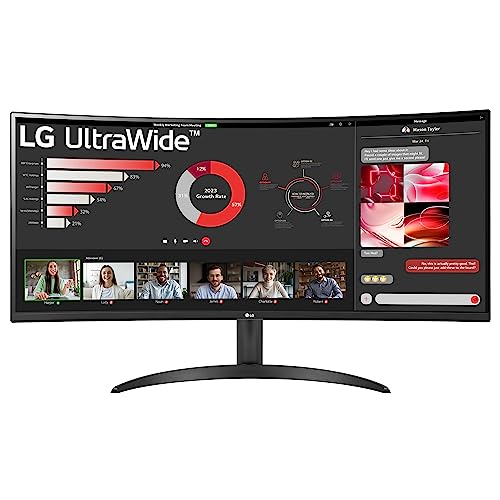
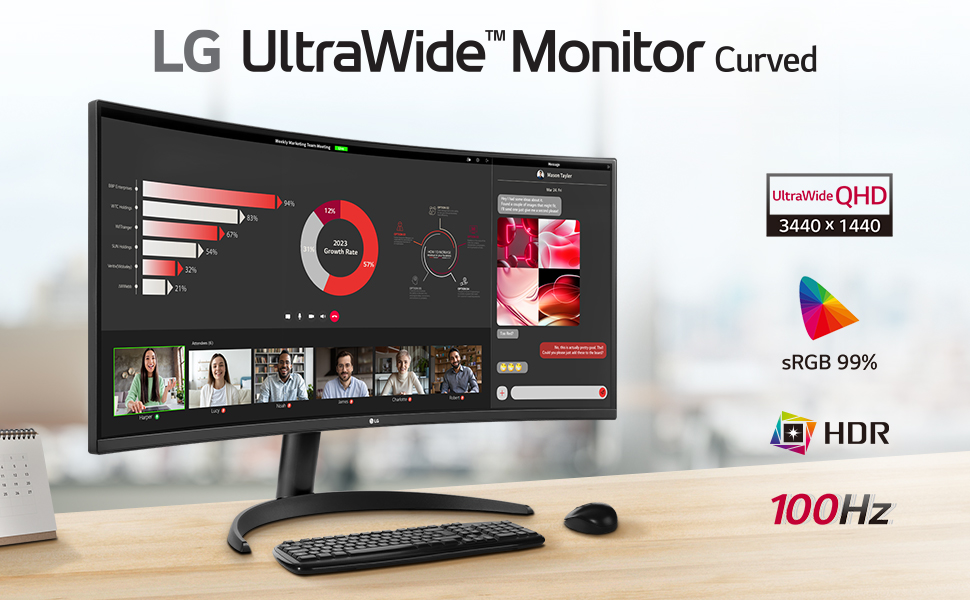
LG UltraWide Curved Monitor 34WR50QC, 34 inch, 1440p, 100Hz, 5ms GtG, VA Display, HDR 10, AMD FreeSync compatible, Smart Energy Saving, Displayport, HDMI
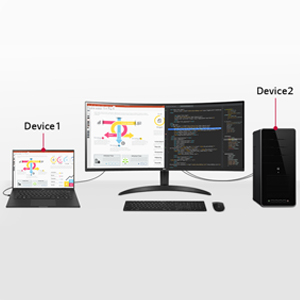
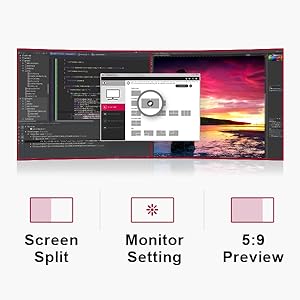
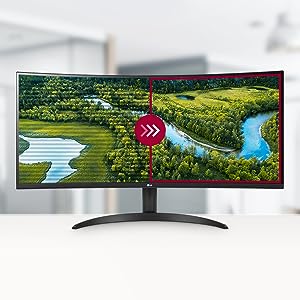
Easy and Comfortable
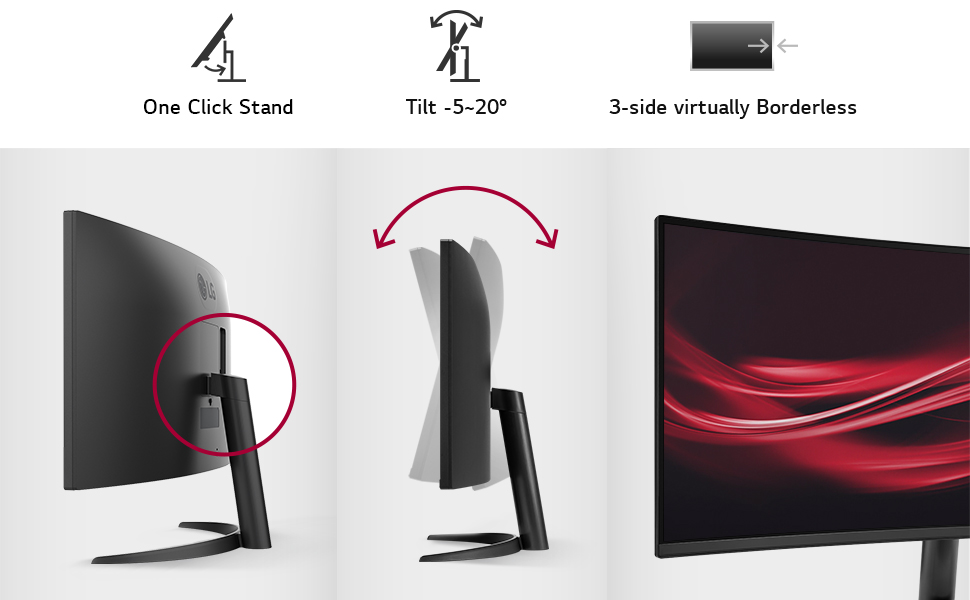
The One Click Stand makes it easy to install without any other equipment, and flexibly adjust the tilt of the big screen to position it in the optimal position for you.
| Weight: | 6.4 kg |
| Dimensions: | 9.15 x 80.9 x 35.89 cm; 6.4 Kilograms |
| Brand: | LG Electronics |
| Model: | 34WR50QC-B.AEK |
| Colour: | Black |
| Manufacture: | LG Electronics |
| Dimensions: | 9.15 x 80.9 x 35.89 cm; 6.4 Kilograms |
Gives plenty of desktop
My old monitor was good, but I needed something with a little more desktop area. For the price this is pretty good. Worked without any problems straight out of the box
Excelle
It was a present for my husband, who does 3D designing and plays a game or two on his PC. He used to use two monitors at the same time, but now he only needs one. He likes it very much.
Great value
Great value monitor, picture is great and monitor itself looks good.
Picture is clear for video/games and size is perfect to have side by side Excel/PowerPoint docs on screen art the same time
Point to note though is that it has no internal speakers so don’t expect sound unless you plug in headphones, slightly confusing as it does have a volume control which kind of makes you expect internal speakers, it’s just for the headphone output though.
I recently purchased this monitor (34″, 100hz | QHD, No speaker model) for 271.28 / 311.25, on the 3rd of October, it said it would arrive by the 10th-16th yet it arrived on the 6th (so 4-10 days early, UK to Ireland), personally for the current price of ‘379.42’, I wouldn’t recommend it, I’d wait for it to go on a discount so you could swipe one up for ~300 like me,
my first impressions were quite solid, easy installation, good brightness, screen area and colour accuracy, when I first turned it on everything was stretched which was normal, it took me a decent while to configure it, I needed to switch it to the recommended resolution of 3440×1440, set the refresh rate to 100Hz and in the downloadable onscreen control app set the brightness to 100 contrast to 60 black stabiliser to 0 and the Adaptive sync to either off, basic, or what works best for me visually; extended,
(This may vary depending on whether you’re using Windows like me or not)
keep in mind that changing any of the listed configurations may or may not result in screen stretching, black bars etc, just play around with the settings until you find the ones that suit you best, with my current config there is no screen stretching or low resolution
It came with a HDMI and Display port cable
for anyone with tight spaces, the full dimensions of the monitor are
Without stand: 81cm in length, 36cm in height and about 4cm in depth (screen curve accounted for)
With stand: 81cm in length, 48cm in height and 23cm in depth
note: some games may not support wide monitors like this one like GTA V, if you want a normal experience in GTA V, you will need to play on these settings:
Screen Type: Windowed Borderless
Resolution: 3440×1440 (will depend on what resolution you’re running at)
Aspect Ratio: Auto/What works best for you
Safezone Size: about less then half
Excellent budget monitor.
I’m a price-conscious consumer and I must say that I’m quite happy with this purchase. I do a lot of report writing and 3D CAD modeling, thus, my main criteria were price and form factor (ultrawide) and size (34”), and the LG 34WR50QC fit the bill perfectly. The colors are good, I’m not too worried with high frame rates (not a competitive gamer, 60+ is sufficient for me), but the 100 is quite satisfactory. Arrived well-packed and looked like it was handled with care. No dead pixels so far. I coupled it with a monitor arm, as I have a small desk, and to increase its adjustability. Overall, a satisfying purchase.
perfect as a second monitor for Windows desktop applications
purchased this as a second monitor with the intended purpose of using it as a desktop panel to watch youtube, cheat engine, visual studio, web browsing, discord ect while gaming/watching movies on my main OLED g-sync TV. no point spending a fortune on another 120hz g-sync panel for desktop applications. Ultrawide is ideal in this configuration; planning to wall mount my OLED and keep the LG on it’s stand directly below
The monitor’s display is great. However, so far, I haven’t been able to get the audio to work. From my experience with previous LG monitors, the audio is not great, so probably not a serious loss.
WOW WOW WOW !!!
I did not expect this display to be this good for 209 which is what I paid for mine on an offer brand new.
I saw Dell does a similar panel and that costs twice as much, also ViewSonic has one which costs 300. Which is just crazy!!
I wanted to try out Ultrawide so technically I downgraded from a 165hz 32 inch 1440p HP X32 display but honestly the image looks even better on this LG VA, not to mention gaming on this LG is so much more immersive. Also there is barely any ghosting or smearing. I don’t even notice much difference between 144hz and 100hz. Maybe my eyes are getting old??
Overall I would recommend this display!!
I recently purchased the LG UltraWide Curved Monitor 34WR50QC, and I couldn’t be happier with my decision. Here’s why:
Great Height & Lightweight: The monitor is perfectly elevated, making it comfortable for long hours of work or gaming. Plus, it’s incredibly light, making setup a breeze.
Plug & Play: I connected it to my MacBook Pro M1 through a docking station with a Display Port, and it was literally plug and play. No complicated configurations needed!
Stunning Resolution: The 1440p resolution is nothing short of amazing. The colors are vibrant, and the clarity is exceptional.
Fast Delivery & Excellent Seller: The seller was not only responsive but also ensured quick delivery. I was pleasantly surprised by how smooth the entire process was.
MacBook Pro M1 Compatibility: It worked flawlessly with my MacBook Pro M1, making it a versatile choice for Apple users.
In summary, this monitor has exceeded all my expectations. From its top-notch features to the excellent customer service from the seller, it’s a 5-star product all the way!
Title: Excellent Value for Money: LG Ultrawide Monitor Review
I recently purchased the LG Ultrawide monitor, and I must say that I am thoroughly impressed with this product. It not only offers outstanding value for the price but also boasts exceptional build quality. I wholeheartedly recommend it to anyone who juggles multiple windows or seeks an immersive viewing experience.
The first thing that struck me about this monitor is its affordability. Considering its wide array of features and capabilities, the price is a steal. LG has managed to strike an impressive balance between cost-effectiveness and performance.
In terms of build quality, the LG Ultrawide monitor is a solid piece of hardware. It feels sturdy and well-constructed, which is essential for a long-lasting investment. The stand is also highly adjustable, allowing you to find the perfect viewing angle with ease.
The main selling point of this monitor, of course, is its ultrawide aspect ratio. The extra screen real estate is a game-changer for productivity. It makes multitasking a breeze, allowing you to comfortably work on multiple projects or have numerous windows open side by side without feeling cramped. Whether you’re a content creator, a professional, or a gamer, the LG Ultrawide monitor enhances your experience significantly.
I also want to highlight the exceptional packaging and delivery service. The monitor arrived in pristine condition, thanks to the careful packaging and handling. It’s evident that the company takes great care to ensure that their products reach customers in perfect condition.
Lastly, I want to express my gratitude for a lighthearted and unexpected moment during the delivery. The courier actually danced the Lambada for me, which added a touch of fun and made my day. It’s these little moments of customer service that leave a lasting impression.
In conclusion, the LG Ultrawide monitor is a fantastic addition to my setup, offering excellent value, top-notch build quality, and a seamless multitasking experience. I wholeheartedly recommend it to anyone in need of a reliable and affordable ultrawide monitor. Thank you, LG, for delivering a product that exceeds expectations and adding a bit of joy to the customer experience with that dance!
I’ve never had a monitor like this before. Only recently at my job I was introduced to the concept of using a laptop connected to a second monitor for ease of use, and I wanted one for my home setup since I was getting a desk as a Christmas present around the same time and would no longer have to use my laptop sat on the floor lol. I have a gaming laptop that’s fairly powerful with upgraded RAM, if a few years old now, and this monitor just makes it feel like I have a proper PC which is awesome lol. It makes it 349586594 times easier to work from home and to do everything I need/want to do.
The cable for the mains plug was a little short at first, because I set it up on the floor initially before I got my desk because I couldn’t wait lol, but now I have an extension plug under my desk that it can connect to which makes it way easier, and I’ve had no problems at all.
My only complaint is that it has no speakers, and since there’s no aux port and finding speakers/a soundbar that connect through HDMI seems virtually impossible, I can’t have any sound when I connect my nintendo switch to my monitor to play. Which was a little disappointing, but considering the price of the monitor I can’t really complain much – I don’t have a lot of money and this thing makes me feel expensive even with my tiny setup lol, so I can deal with sound only coming from my laptop and having no sound for my switch for that price.
But yeah, for PC gaming I have no complaints whatsoever, I only took one star off of the gaming scare because of the whole ‘no sound when I wanna play my switch docked’ thing. Like I said, can’t complain with the price, but it technically does make the gaming experience slightly worse when it comes to my switch.
There’s also the thing it does where it’ll be like ‘monitor turn off in one minute, press any button to keep power on’ or something even when I’m using it or there’s a video playing on it. I think it does it every few hours, which I wouldn’t mind if it only did it when it wasn’t actively being used lol but it’s just regardless of use. A little annoying, but not really a real problem, honestly.
There are also small black bezels that appear around the screen, when turned off it looks almost bezel-less but when you turn it on the border of the screen stays black, but it’s not terrible or anything, just something that certain people might be bothered by. Doesn’t bother me tbh, I barely noticed it.
Overall though I freaking love this monitor. It’s one of the best things I’ve bought for myself in a while, it makes computer work so much easier and it feels cool being able to fit so many windows on my screen when I’m only used to having a single laptop screen lol.
nice device, shame there are no speakers
I love this monitor. the configuration is easy via a “one joystick” type device under the monitor. it’s nothing special as such, although it is a nice width (2560×1080 screen display) and having custom screen settings for brightness/contrast etc is a benefit. there a various options for the screen settings available via the menu including a “GAME” option although I’ve never used that so can’t give a true rating on how it handles games.
it has a nice headphone socket, which if your using HDMI seems to work without issue.
The size and shape of the monitor are slim with a relavitely small foot for the monitor to rest on.
I can recommend this monitor for video editors, and for photo editing also because with this screen size you get to see what your photo looks like in a more natural situation, with the menus being on the left or right (depending on your editor) – which you don’t really see on a 1920×1080 (or less) monitor.
The only things which let this down is there is no built in speaker , and the only connections are HDMI – of which there are two (excluding the headphone socket which I mentioned ealier)
Note I gave the game rating a 3 star, purely because I’ve never played any on it plus it seems to have a 5ms response time which seems very slow for gaming; for other media types it seems to be good.
One final thing I must say is “you get what you pay for”; if you need a state of the art 8k monitor for your art school photoshop project, then this isn’t the monitor for you. however, if you do a lot of photo or video editing then jump in, I’m confident this display will give you what you want, especially with the larger display.
25″ Review
Let me start by saying this is the best monitor I have ever owned. The colours and depths of this monitor bring games to life so much that im playing games I've not touched in years because they feel so refreshed.
The Matt finish on the display is flawless and the picture is sharp and clear without any glare. I don't have the best eye sight and my eyes get tired rather easily when staring at a screen for long periods of time, however, with the crystal clear clarity of this monitor and it's gentle backlighting, those problems are non existent.
Onto the wide screen aspect. The monitor runs at 2560x1080p resolution. 21:9 ultra widescreen as opposed to the standard 1920×1080 16:9 widescreen. This lets you have alot more horizontal screen space. For games that natively support this, its a game changer. I play alot of mmorpg's, currently im playing Final Fantasy XIV Realm Reborn and Guild Wars 2. Both games support this resolution and look superb, after having the extra visibility and more screen space to assign hot bars, extra chat boxes etc, without cluttering up screen space yet STILL being able to see so much more and it feeling more immersive, I really couldn't go back to a normal monitor. If your an mmo gamer then this is the monitor for you. Playing world boss events or world vs world on guild wars 2, or large raids on realm reborn are a delight when you can see so much more of what's going on.
Other games also benefit immensely from the extra screen space, from having the extra field of view to see enemies In battlefield or call of duty, to fitting more units on your screen in age of empires 2 HD, even rocket league benefits from being able to see a larger play area at one time and seeing when the opposition are on your tail.
All in all its a beautiful crisp clear monitor with an incredible range of colours, which with its ultra widescreen aspect ratio, will make you fall in love with gaming all over again.
HOWEVER, there are a few reasons I just can't give it 5 stars.
First of all, even with the game setting on, blacks can be way too dark. When night time approaches in games or you enter a dark cave for example, a lot of game detail can be lost in shadows and dark areas. Ive worked around this by setting the monitor to game mode and changing the black correction slider from 50 to 75. This fixes the problem In 90% of games but some may need an additional boost in gamma in the games 'in game” settings, mostly horror games. Whilst the picture quality is still incredible after these changes it's a shame to see a slight degradation in colour with some games.
My second issue is game support. Whilst this doesn't directly reflect in the monitors capabilities itself, it can be a very frustrating issue.
Most games will support the 2560×1080 resolution natively and work flawlessly, but you will no doubt have some games that don't. You can either run these games at 1920×1080 windowed to avoid stretching, which would be liked playing on something like a 20″ monitor with the screen space you'll get, OR if your a bit more techy, there are third party mods for most games.
Whilst these mods can make games playable and enjoyable, don't expect them to be perfect.
The main games I've had issues with are actually all Bethesda games, Skyrim Remastered, Fallout 4 and Evil within. All games I've got running near perfect, but needed mods having only minor HUD problems which are not bad enough to ruin gameplay or cause any real issues.
So should you get this monitor? YES!
BUT! Do a bit of research first at which games you plan to play on it to see if they support 21:9. Most newer games coming out will support 21:9 out the box but if your planning on playing games that were released during the ps3 or xbox 360 era, then bare in mind these games whilst released on PC too, will most likely be console ports and were originally designed with a standard 16:9 screen aspect for T.Vs. so may not work without some modding or just being run in a 1920×1080 window.
Also make sure your graphics card is up for the additional resolution. Most games I've tried have taken a 15-20% performance hit since coming from 1920×1080. However my gtx 780 and i5 4570 still bring in 50-60 fps with most games maxed out at this resolution without exceeding the cards 3gb memory.
Owning the 25″ version of this screen I've also found anti aliasing isnt necessary because of the pixel density and having AA on can actually make games look worse. Turning this setting off in most games will also save you a few fps.
Thanks for reading, I hope this helps!