MSI PRO MP273A 27 Inch Full HD Office Monitor – 1920 x 1080
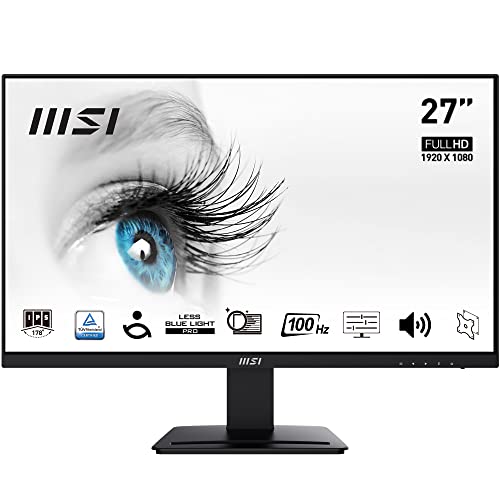
MSI PRO MP273A 27 Inch Full HD Office Monitor – 1920 x 1080 IPS Panel, 100 Hz, Eye-Friendly Screen, VESA Mountable, Built-in Speakers, Display Kit Support, Tilt-Adjustable – HDMI 1.4, DP 1.2a, D-Sub

Superior 100Hz Refresh Rate
A 100Hz refresh rate (5ms GtG response time) offers significantly better performance compared to generic 60Hz monitors, and sets new standards for both performance & affordability.
VESA Mountable
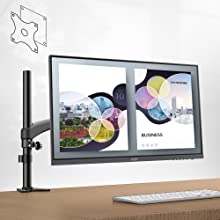
The MSI PRO MP273 Series supports a standard 75mm VESA-mount*, and is compatible with the MSI Cubi Series mini-PC for an invisible desktop setup. *Enjoy a cleaner desktop and superior cable management with the MSI VESA Arm MT81 (not included).
Tool-Free Design
The monitor is tilt-adjustable -5°~20° and includes a Kensington lock.
The stand and panel can be assembled or disassembled easily thanks to a no-fuss, tool-free design.
The front of the base features a convenient accessory slot for an MSI Pen stylus or use as a smartphone support.
Built-in Speakers
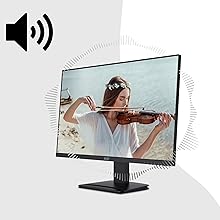
Two built-in speakers (3W) provide convenient audio output for sound/music files, attending online conferences, or video editing without requiring external speakers or headphones.
 |  |  |  |  |  | |
|---|---|---|---|---|---|---|
| Display Size | 23.8″ (60 cm) | 23.8″ (60 cm) | 23.8″ (60 cm) | 27″ (69 cm) | 27″ (69 cm) | 27″ (69 cm) |
| Panel Type | VA | IPS | IPS | IPS | IPS | IPS |
| Native Resolution / Aspect Ratio | 1920 x 1080 (FHD) / 16:9 | 1920 x 1080 (FHD) / 16:9 | 1920 x 1080 (FHD) / 16:9 | 1920 x 1080 (FHD) / 16:9 | 1920 x 1080 (FHD) / 16:9 | 2560 x 1440 (WQHD) / 16:9 |
| Refresh Rate / Response Time | 75 Hz / 8 ms (MPRT) | 75 Hz / 5 ms (GtG) | 75 Hz / 5 ms (GtG) | 100 Hz / 1ms (MPRT) / 4ms (GTG) | 75 Hz / 5 ms (GtG) | 75 Hz / 1ms (MPRT) / 4ms (GTG) |
| Image Brightness | 250 nits | 250 nits | 250 nits | 300 nits | 250 nits | 250 nits |
| Image Colour Gamut DCI-P3 / sRGB | NA / 105% (8-bit) | NA / 99% (8-bit) | NA / 99% (8-bit) | NA / 106% 8-bit (6 bits + FRC) | NA / 100% (8-bit) | NA / 102% (8-bit) |
| Anti-Glare, Anti-Flicker & Less Blue Light Technology | Yes | Yes (Less Blue Light PRO) | Yes (Less Blue Light PRO) | Yes (Less Blue Light PRO) | Yes (Less Blue Light PRO) | Yes (Less Blue Light PRO) |
| Additional Features | Display Kit (Colour/Display Mode, Split Window) | Display Kit (Colour/Display Mode, Split Window) | Display Kit (Colour/Display Mode, Split Window) | Display Kit (Colour/Display Mode, Split Window) | Display Kit (Colour/Display Mode, Split Window) | Display Kit (Colour/Display Mode, Split Window) & Eye-Q Check (via Screen Assistance) |
| Adjustable Stand | Tilt: -5°~15° (VESA Mounting: 75mm) | Tilt: -5°~20° (VESA Mounting: 75mm) | Pivot: -90°~ 90°, Tilt: -5°~20°, Swivel: -30°~30°, Height: 0~110 mm (VESA Mounting: 75mm) | Tilt: -5°~20° (VESA Mounting: 75mm) | Pivot: -90°~ 90°, Tilt: -5°~20°, Swivel: -30°~30°, Height: 0~110 mm (VESA Mounting: 75mm) | Pivot: -90°~ 90°, Tilt: -5°~20°, Swivel: -30°~30°, Height: 0~110 mm (VESA Mounting: 75mm) |
| Connectivity | 1 x HDMI (1.4b), 1 x D-Sub (VGA) | 1 x HDMI (1.4, HDMI-CEC), 1 x DP (1.2a) | 1 x HDMI (1.4, HDMI-CEC), 1 x DP (1.2a) | 1 x HDMI (1.4, HDMI-CEC), 1 x DP (1.2a), 1 x D-Sub (VGA) | 1 x HDMI (1.4, HDMI-CEC), 1 x DP (1.2a) | 2 x HDMI (1.4b, HDMI-CEC), 1 x DP (1.2a) |
| Weight: | 3.9 kg |
| Dimensions: | 18.2 x 61.35 x 46.25 cm; 3.9 Kilograms |
| Brand: | MSI |
| Model: | PRO MP273A |
| Colour: | Black |
| Manufacture: | MSI |
| Dimensions: | 18.2 x 61.35 x 46.25 cm; 3.9 Kilograms |
Excellent apart from setup.
Great quality, wish I had got a slightly bigger model as these new one’s have very little “edging”. My old monitor has large edges, but then – it is 12 years old.
The only thing I hate about this are the setup/on/off and adjust keys. VERY awkward to access/use at the rear as opposed to the side.
Classy
I purchased a number of these for use in my companies office. In total, I purchased 12. The order came the next day, extremely well packaged if lots of protection, but also unlike some of the other items bought from Amazon perfectly fitted into a box with no unnecessary packaging.
In terms of the units themselves again, while packaging the individual boxes with minimal, but perfect packaging to protect the monitor.
The monitor itself is lightweight and the quality of the screen. The responsiveness et cetera is great for office environments and also for gaming. There’s lots of talk over the milliseconds and milliseconds. This is perfect for all my gaming needs.
I’ve used all the screen side-by-side and there is no colour different as you do get with some other models.
The screen themselves have options of different VESA connectivity but easily mounted on our existing dual monitor brackets stable picture and connection via the various leads for our purpose. We are using HDMI.
The price is fantastic for model of this quality and it really elevates the office.
I will certainly be buying from this seller, and this company agai
Amazing portable scree
I recently added the MSI PRO MP161 15.6-inch Full HD Portable Monitor to my setup, and it has become an invaluable asset for both work and entertainment.
The Monitor has exceeded my expectations in terms of design, performance, and portability. Whether I’m on the go or setting up a dual-monitor workspace at home, this monitor consistently delivers quality visuals and enhances my overall computing experience.
Great curved monito
Really happy with this monitor.
I’m using it for general computer work and a bit of CAD.
The picture quality is good and responsive.
The built in speakers are nice to have, but don’t expect much on the quality side, they do work fine, just your typical built in monitor speakers…tinny.
Great value but lacking quality
4/5 based on the low price. Would have given it a 3 it was any more expensive.
Looks great but horrifically poor quality and low volume audio means the speakers are pointless. My laptop ones are 10x better so should have just got the non audio version.
Picture quality is very low too by modern standards. The curve is very nice though.
Very useable as a second display for work.
MSI PRO MP161 - not exactly as expected
I’ve only used the product briefly, just to confirm its not DOA…It does display a picture from thunderbolt ports so that’s a (half) tick in a box.
I’ve only used it enough to become aware of some problems. Whether they are issues for you depends on your needs.
The issue most likely to affect people. Connectivity
* Samsung S10+ : It does not work (not a problem for me so I didn’t try to trouble shoot)
* Samsun A52 5G . Doesn’t work. Again, not something I care about.
* Old PC (windows 10) with USB3 only : no joy
– The MSI website shows no USB driver downloads)
– was this a power deliver issue? I stuck a power brick on the second USB input, no change.
* New intel PC (windows 10) with USBC ports : YAY, I got a picture!
– bright enough (I’m indoors)
– also sharp enough for me.
– using Youtube didn’t produce lag.
– As you’d expect the audio is ‘good enough’ but doesn’t have any ‘depth’.
* New AMD PC (windows 11) with USBC ports : No picture.
– The ports on the AMD PC just say SS (superspeed). the intel PC showed a display next to the USB port (so maybe it was a thunderbolt port??).
– It’s the same for the USB3 ports.. NOT working!
* Dell Intel laptop (windows 10, this only has thunderbolt ports) : detects and configures instantly.
– on connecting the laptop started ‘screen mirroring’. 4K down to 1080p looks soft/awful
– manually ‘extend’ your screen and use the native resolution and it looks OK again.
– despite the automated connection on this device, auto rotation wasn’t a thing (I didn’t think it would work), so expect to be setting this manually
– getting my best audio requires me to switch the audio output back to using the laptop speakers..
So, usability is ‘spotty’ at best and seems to rely on thunderbolt being available.
For me that’s not unexpected and the reason why I picked something with a mini HDMI port (I’ve not tested this as I assume it ‘just works’)
For me the next issue is why I’m disappointed, but in fairness, it is quite solvable.
The kickstand is *almost* total rubbish (for portrait mode). Which is very unexpected after watching the “Concentrate on Portrait Mode” section in the marketing video. Lol, Expect to start carrying a can of beans in your backpack!!
OK, so I’m doing a demo soon that requires a second screen in ‘portrait mode’ . It’s the only reason I bought this device. The product video led me to think this would be ‘perfect for the job’. They made setup look simple and the outcome good. The simple part isn’t completely untrue, the outcome though, that was a lie. See my pictures.
Unlike the video the most stable view configuration (sans a can of beans) gives you a 45 degree angle, so it’s basically pointed at the ceiling! As long as you’re OK using ‘something’ to prop it up you can get reasonable a angle to view the screen.
Valuable
I bought it today. Working from home, I needed an extended monitor to read my documents. I found this affordable choice within 2 days of research. I am satisfied with my choice with its portability and good screen quality. Regardless the branding, I would highly recommend this monitor for someone who’s working from
Home or even a research student.
Most importantly, I love how they include the stand attached with the devise in which saves a lot of money without needing an external one.
Excellent value for money
I recently purchased this monitor as a replacement for our old one. The picture quality is first class. The sound output on the speakers is poor but plug in some headphones and it great. This monitor does not have VGA connection but functions well with HDMI connection. Very good value for money.
Really great quality monitor for a good price – I bought two as I have a side-by-side extended display set-up for translation and editing work. Wasn’t sure about the curved shape for this as hadn’t had this before but works really well even with two. Easy to set up, stylish, good quality – and I don’t think the speaker quality is bad at all considering some of the other reviews. You won’t be disappointed.
well i brought 2 27″ of these monitors to replace the old TV i was using. they are great for picture and multi tasking but as of the built in speakers well its a good job i have my own speakers as i couldn’t hear people speaking even on max volume. they are a reasonable price. and very easy to set up but of people that with bad eye sight where the power button and other buttons they are on the back and not easy to see which can also be a pain for getting to i.e if they are wall mounted and MSI could of put them all on the front . i have blocked out some part of the picture for the fact it was people i was on a video chat program with other people.