USB 3.0 HDMI KVM switch 2 Monitors 2 Computers 4K@60Hz KVM
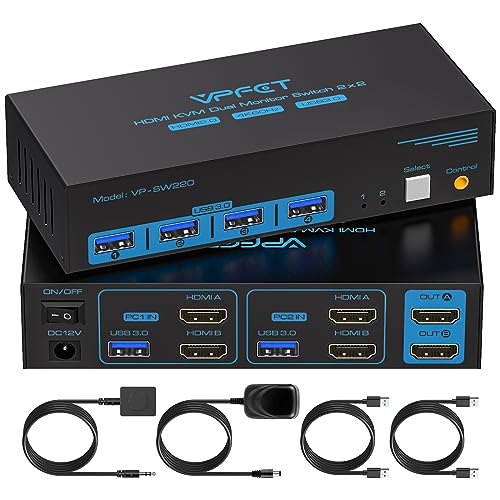
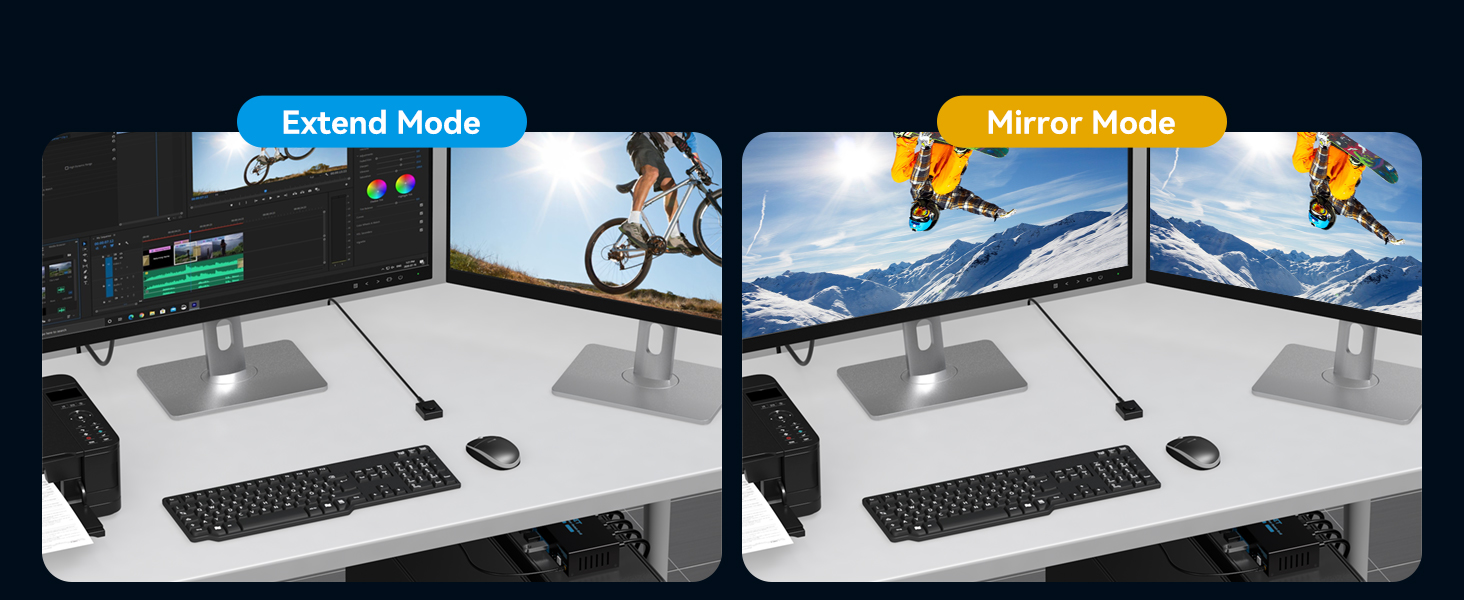
USB 3.0 HDMI KVM switch 2 Monitors 2 Computers 4K@60Hz KVM Swticher 2 Port for 2 PC Share Dual monitor and 4 USB Devices Support Extended/Copy Mode Wired Controller DC Adapter 2 USB Cables Included
| Weight: | 454 g |
| Size: | 4K HDMI 2 PC 2 Monitors |
| Dimensions: | 14.73 x 6.35 x 3.3 cm; 453.59 Grams |
| Model: | SW220 |
| Part: | SW220 |
| Batteries Required: | No |
| Batteries Included: | No |
| Manufacture: | CMSTEDCD |
| Dimensions: | 14.73 x 6.35 x 3.3 cm; 453.59 Grams |
| Size: | 4K HDMI 2 PC 2 Monitors |
Good KVM - works with 2x4K screens, has remote control and is tough enough to take a load of cables
The first thing that you notice about this KVM switch is that it is quite heavy – which immediately gives the impression of it being well build and tough (and probably accounts for why it comes with a 2 year replacement warranty). However the weight is more important that that – if you have a small device on your desktop that could have anything up to 12 cables plugged into it then you need something that will be heavy enough to stay flat on the desktop and not just be pulled and lifted all over the place because of the pressure/weight of a load of heavy cables.
This is pretty much a future/expansion proof KVM Switch (Keyboard/Video/Mouse Switch) as it gives you the opportunity to share your USB printer, USB drive, USB keyboard and USB mouse (or, say, a USB barcode scanner etc.) plus HDMI Monitor (even 2 HDMI Monitors!) with two computers .. in my case with my Mac mini M2 and an old PC for when you just have to have access to a PC and Mac emulation is just too much messing around!
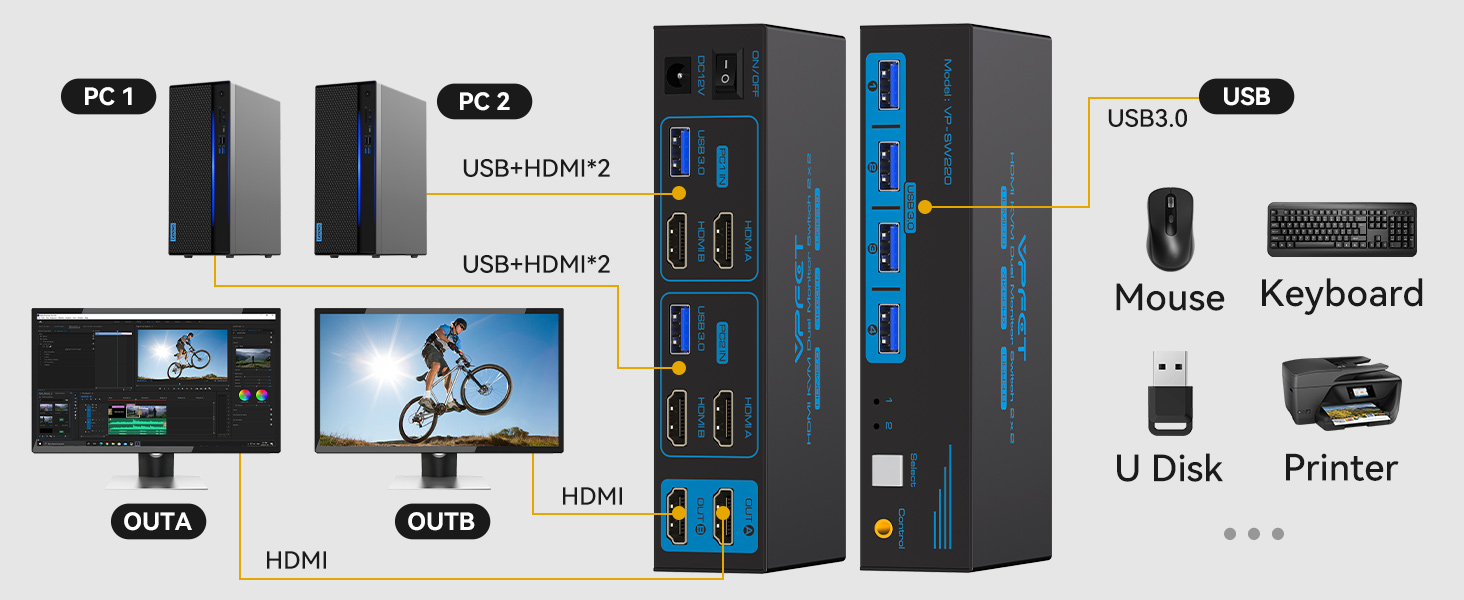
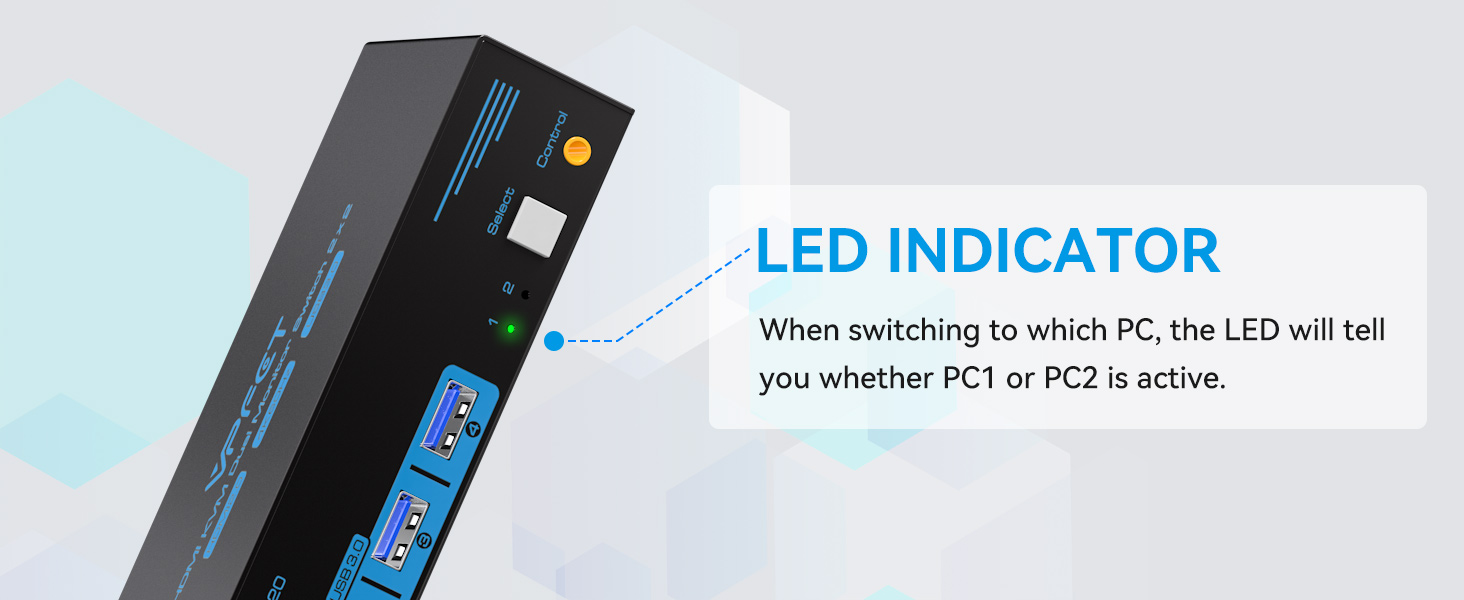
You simply plug this KVM device PSU into a mains power source, plug in your keyboard, mouse, printer etc into the USB 3 type sockets in the “front”of the device and then plug your existing monitor (or monitors) into the “rear” of the KVM device “Out” HDMI sockets. Next you connect a USB lead from your computer into the “In” USB socket (any USB connection from your computer should be OK – this device is actually a hub that shares one of your computer USB sockets with all (up to 4) of your USB devices, and then plug in your monitor (or monitors) to the HDMI “out” sockets. Check that everything is working as it should making sure that you have used the button on the “front”of the KVM to select the correct input channel (there is a little LED that lights up to show which channel is live) and then once everything is working OK you can plug in your second computer USB and HDMI leads. Press the “select” button again and the second channel LED comes on and your monitor shows the second computer and you are sharing your keyboard/mouse etc with it.
If all or most of your accessories are wireless bluetooth devices then this is probably not going to work for you – I got fed up of my wireless devices running out of charge when I most needed them and so have reverted to wired USB items and so this sort of KVM works well for me. I have even tried it with a Raspberry Pi that I occasionally need to fiddle with and it works fine. It works with 4K HDMI and so should be good enough for most uses.
It comes with a couple of USB 3 to USB 3 leads (but no HDMI leads), a mains power supply and a remove push button lead that you plug into the front of the KVM unit .. which allows you to switch channels via the push button lead just in case you have to mount the KVM in a difficult to access place on your desk.
It’s a good KVM – does exactly what it should do, works at 4K, is quite heavy and so should take the strain of a load of cables being plugged into it, it can be activated remotely via the lead push button, and if you usually work with 2 monitors then it’ll work perfectly for you.
Fantastic product!
I’m impressed. It lets me control two computers with one keyboard and mouse setup, and I can share USB devices and monitors between them easily.
The visual quality is outstanding, supporting 4K resolution.
Plus, the USB 3.0 ports are super fast for transferring data. It’s easy to switch between modes, and the external power adapter keeps everything running smoothly. Overall, it’s a fantastic product, does the job well and smoothly.
Works perfectly
I have this in my offivce to switch between my Macbook Pro and my desktop PC – it works flawlessly and is much easier than messing around with the different monitor controls and having multiple cables strewn across the desk. It’s very neat and tidy and works perfectly.
Useful.
I haven’t used a KVM since the late 90s, early 2000s, and this one is much smaller.
Whilst it still has a fair number of wires coming out of it, it’s now only 2 per computer (as opposed to 3) and the wires are much less bulky than the VGA cables I used to use.
So that’s an improvement, as is the ability to share USB devices.
Caution needs to be used not to share hard drives or any USB storage using a KVM tho – unless you like data corruption.
The switch between computers, using either the remote button or the one on the KVM, does take a few seconds, which surprised me as I don’t remember such a delay with KVMs I have used before.
The KVM works well, nice quality picture and USB devices plugged in to it get transferred between computers properly.
All in all a nice little tool to have back in my toolkit.
Happy to give it 5 stars based on using it, and it being flawless, for a month or so.
easy setup
This KVM switch effortlessly allows me to share one monitor and up to four USB devices between two computers. Whether I’m working on my desktop PC or my laptop, I can smoothly switch between the two with the push of a button. It’s very convenient and has helped me streamline my workflow significantly. The image quality is very good, with vibrant colours and sharp details that make my work look better than ever. Setting it up was super easy-no complicated software or drivers needed. Just plug everything in and it works straight away. Plus, it comes with a power adapter and two USB cables, so I had everything I needed right out of the box.
A really good KVM switch. Solid build & very useful design as you can share peripherals as well
I had an older version of a KVM (Keyboard, Video, Mouse) switch I had to eventually throw out as it was built for the days when all the monitors had VGA connections and no HDMI ports. Thankfully this new one has HDMI ports so it allows you to control two PCs with only one keyboard, one mouse and one monitor. If you are old school and still have VGA cards for your PCs then this is definitely NOT for you. Neither is it for people who are using the display ports on their monitors and PCs. This is only for people who have HDMI connectivity to their monitors
What I like about this is that is fairly simple, even though it might look a bit daunting when you see all the cables. You don’t really need to read the user manual. The labels on the device itself guide you where everything goes, or have a look at the pictures and you can work out from that where everything goes.
One of the good things about this KVM, which not all KVMs have unfortunately, is that this has a remote control. You might be thinking that the distance is not far, why would I need a remote. I have my KVM hidden away in a cabinet with closed doors, so without the remote control I would have had to go into the cabinet every time to change from 1 PC to another and vice versa. With the remote control I can not only hide the switch itself out of sight but I can also hide all my cabling. The only cable that comes up to the desktop is the remote control switch – unfortunately this is still wired and it would have been great if that was infra-red or preferably wireless and that would have reduced the cables even further.
My favourite feature on this is the fact that they have thought ahead a bit and not only have the provided USB ports so that you can share your keyboard and mouse, but it has a total of 4 USB ports on the opposite side of the HDMI connectivity, allowing you to share any other device you want, for example a shared hard drive, a memory stick, printer, etc etc.
Overall, a very useful bit of kit that helps reduce the clutter of cables and make efficient use of your peripherals, and to allow you to control two PCs fro one keyboard, mouse and monitor. A very solid build that is easy to use, and can be hidden away in a cabinet and still be used thanks to the remote control feature.
Versatile unit.
I’ve tried a few of these to make the best use of my monitor as a joint laptop and steam deck screen without having to faff about with swapping cables for the monitor and keyboard/mouse.
Picture wise there’s no noticeable difference in quality to plugging devices directly into the monitor. I really like the way it’s designed so that you can plug in a keyboard, mouse and printer so that switching the monitor over also switches those devices over, it saves SO much time.
It’s also a solid little unit in a metal case and feels like it can stand up to some punishment. It has no grips or anything so I’ve had to secure mine down with bluetak for the time being, but I’m sure there are more clever ways to secure this in place.
I think this is a great bit of tech for the price, and I wasn’t expecting it to be as useful as it has been.
Works perfectly
This worked perfectly straight out of the box. The HDMI cables plug in one side together with USB cables leading to each PC. The individual devices, mouse, keyboard, external drive etc. plug in on the other side. A third HDMI cable connects to the monitor.
A nice touch is the control button on its own cable. This means that you can tuck the wired unit behind the monitor and switch between machines using the button.
The only disappointment is that no HDMI cables are included. USB cables are.
A Well Made Full KVM Switch with Power Supply and Wired Remote for Neat Installatio
Unlike some other models that claim to be KVM switches, but miss off the vital “V” video channel this Vpfet is the real deal. It selects between two computers and connects HDMI video and USB 3 from each to a common monitor and four USB 3 ports, to which, a keyboard, a mouse, printer and many other shared peripherals can be connected.
It is tempting to add storage as one of those peripherals, but before pressing the change-over switch remember to dismount any drives so you don’t loose data or damage them.
The KVM switch is well made and is housed in a strong steel case that has black satin paint with the sockets clearly marked with blue lettering.
My only gripe with the case is that it didn’t come with four rubber feet to protect the desk, but this did allow me to use neodymium magnets to attach it firmly to the side on my PC as an alternative.
I am going to use this when I start experimenting with a Raspberry Pi 5. It will enable me to share my PC’s monitor and Logitech Desktop with the Pi, allowing me to swap between the PC and the Pi at the press of a switch.
My setup will be temporary until the Pi is fully operational, but for more permanent arrangements the ability to hide the KVM switch out of sight and control the change-over with the remote button is a big plus point. I remember the old days where a KVM switch came with three attached VGA cables for the monitor and six attached PS2 cables for the mouse and keyboard – what we used to call a rat’s nest. This modern incarnation is a great improvement over what we had to use in the past.
Very versatile produc
As someone who switches between machines a lot over the course of the day, something like this is a wonderful addition to my setup. The four USB 3 ports are great and more than enough for the peripherals I need between my work machines and home machine, and there’s enough bandwidth for a mouse, keyboard, mic, and webcam.
The HDMI is decent enough to run my 4k monitors with no noticeable issues.
The addition of the TRS switch too at least means that this fairly large solution can easily be hidden away.
Very good product - remote switch enables the device and cables to be hidde
Summary
I was up and working in a couple of minutes.
Set up
This is straight forward to set up. The outer casing is well marked with clear functions for each port. The remote button is connected to the main unit via a 3.5mm cable and the supplied power supply gives me confidence that the switching is reliable as it doesn’t have to rely on USB power.
Value for money
The KVM switch works very well and switchover takes around one second, although this could be influenced by the age of the PCs – one of mine is 10 years old. At 32, I think this is good value.
Very convenient way of sharing a scree
With more people working from home with work laptops, something like this switch is a boon. Just plug both computers and the screen in, and you can effortlessly switch inputs between the two computers without being limited to the laptop screen size.
Works perfectly
A good unit to switch between 2 PCs which have HDMI as outputs.
The unit also allows audio to be transfered along with video on the HDMI cables.
Good product and easy to setup and install. Also comes with a wired remote to allow switching at a distance.
Switching is done instantly.
Good solid switche
This is a good solid Switcher.
It works great and almost everything is supplied, just add HDMI cables and you’re off. All the cables supplied are good quality and a good length. I like the remote switch so you can hide it away if you don’t want to clutter up your desktop. To be honest though this is a good looking bit of kit so I’ll just leave it on my desk. This is a handy device if you want to control two PC’s from one screen.
My only small niggle is it seem a little on the pricey side.
Good quality KVM switch
The build quality of etc KVM switch is very good. If feels very solid and comes with cabled remote switch button to toggle between etc connected devices. I really liked that this has a rubber coating making the button nice to press. Its comes with 2x USB-A to USB-A cables for connected to devices and while the quality is good they are not the longest cables. I connected a MacBook and a windows desktop and was Abel to switch between the two with no issues. Overall a really nice KVM switch.
Works great, just add HDMI cables and you're good to go...
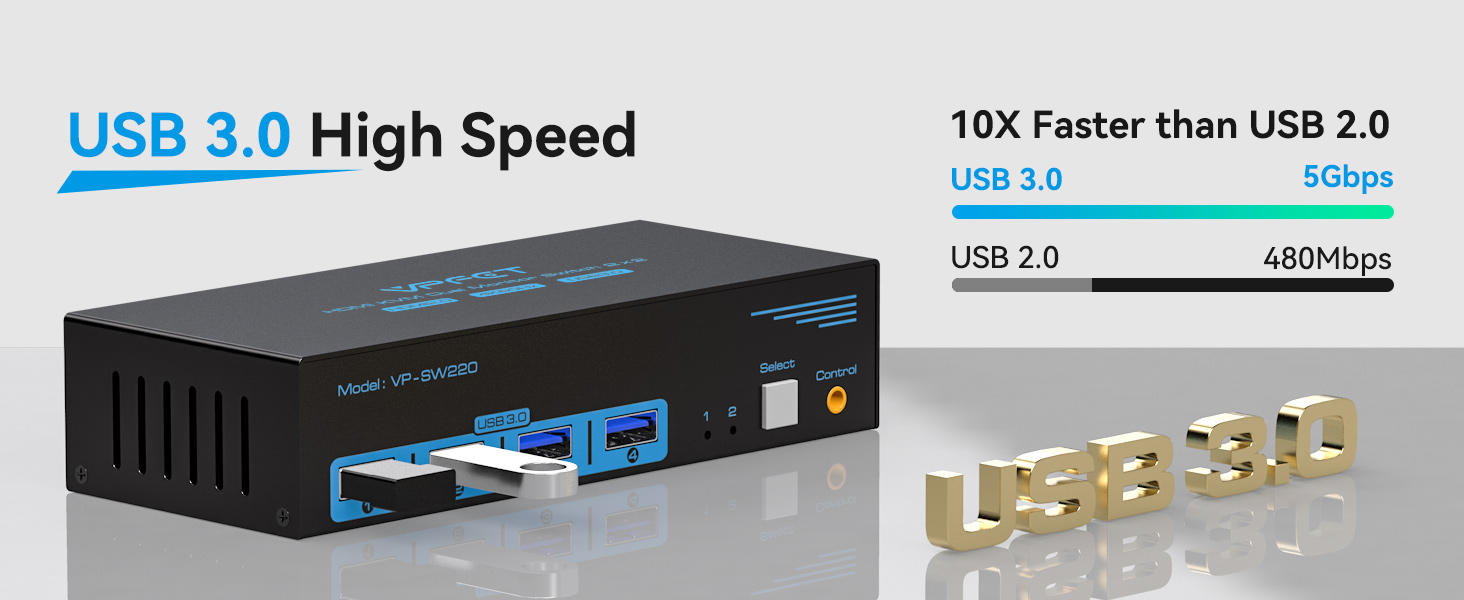
Great to have USB3 on ALL the sockets, as I’ve been using a KVM switch that only has 1 at this rating, the other sockets being USB2.
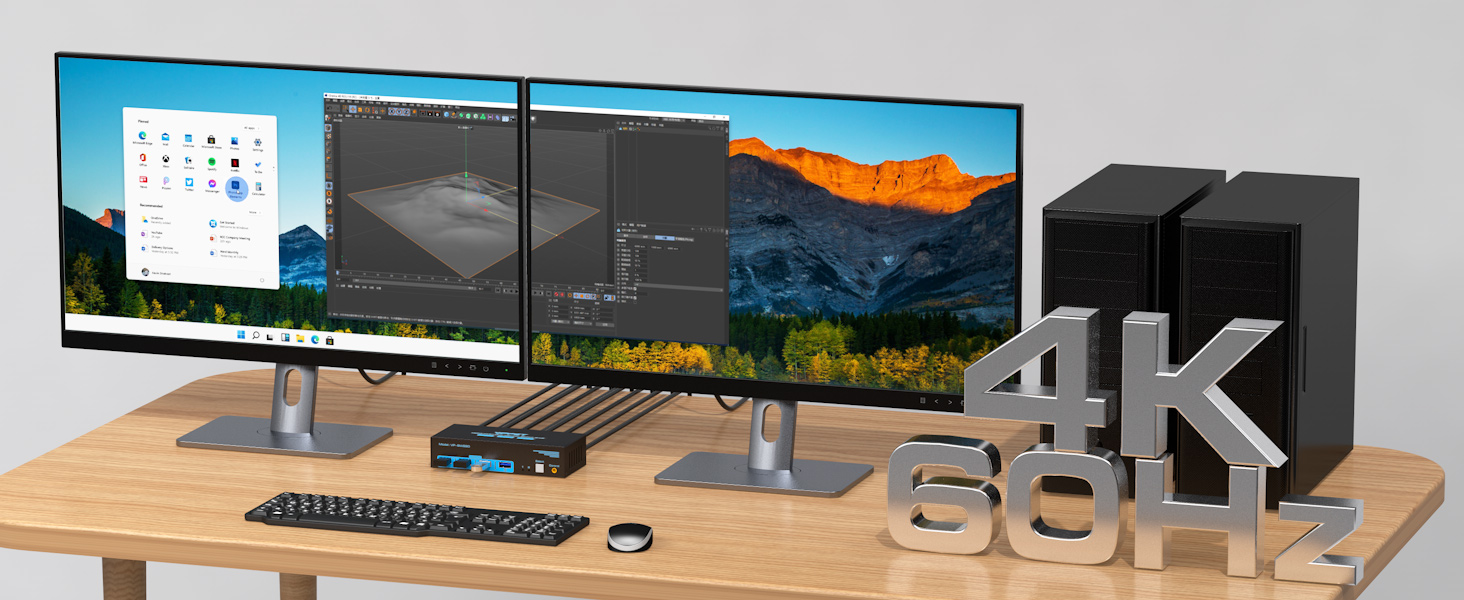
The 4K@60Hz spec is plenty for my needs, as the current setup is definitely in the ‘workshop’ category as opposed to any gaming/high-speed graphics requirements.
Apart from HDMI leads, everything you need is included in the kit, together with a 12vDC adaptor which I can confirm has a UK plug fitting (not obviously apparent in the listings’ pics).
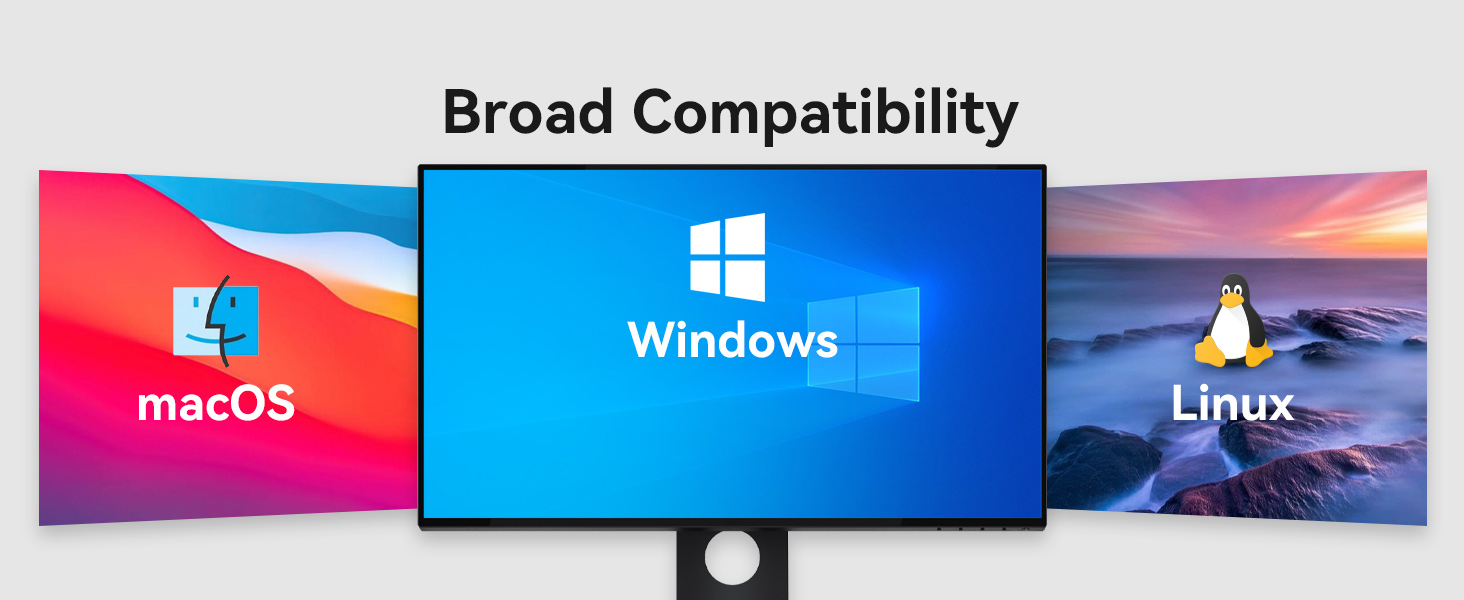
Connected up to a tower PC and a mini-PC (both on Win11), everything runs fine, with no glitches/freezes which I had with a very early incarnation of one of these types of switches.
Something I’ll be adding myself are 4 round silicone feet for the base of the main box.
Don’t know why they (the manufacturers) don’t fit these as standard, or at very least include a strip-of-4 in the box so you can attach them yourself if you want them.
Anyway, the main thing is that it works great, no problems at all in my setup, so can recommend it… if the specs are good enough for you, go for it.
On a quality/value-for-money basis… 5-Stars.
Plug and play
This product does exactly what it says on the tin. It works flawlessly and I was able to use three monitors as advertised, be aware two are DP connections but as all modern cards now have this output it shouldn’t be an issue.
You can connect four usb devices and even split these with a splitter where needed. The switch will allow you to control each system and can be manually changed to the specific one needed.
There’s one HDMI C standard input as well as USB 3.0 for linking too.
Supported max resolution is 8k 60hz or 4k 120hz.
Good quality and easy to use KVM switch
This is a great quality, substantial and solid feeling KVM switch unit. It’s pretty easy to set up and workes well with my 3 monitor set up. Really like that you can use a single keyboard and mouse and it you can easily switch between up to 3 monitors.
Incomes with 2 USB cables but no HDMI cables, so might need to invest in those depending on your set up. It also has a remote, so you can tuck it away out of sight, but still switch between monitors. Overall, I’m very happy with this switch unit and think it’s well worth the price if your after this type of set up.
Quality bit of kit.
This is a well made switch. The quality of constructions gives confidence in its durability and hopefully the internal components are up the the take and match the exterior quality. Surprisingly smaller than I expected so it’s easy to place in your set up.
Great for setting up a dual screen set-up which I am looking forward to committing to once I have all the gear in place.
Very pleased with the item.
Reliable for work and entertainme
I’ve been using this KVM switch in my home office, where I regularly switch between two computers. It’s simplified my workflow tremendously. Sharing three monitors and multiple USB devices between computers is seamless. The ability to extend displays across three screens is particularly useful for multitasking. The switch’s performance is reliable, with no noticeable lag or connectivity issues. It’s a valuable tool for anyone juggling multiple devicesandmonitors.
Quick and easy to set up
If you need to use two different PCs with the same keyboard and monitor, then a switch like this one is really handy. This was really easy to set up, but quite a few cables were involved. The kit includes two USB cables to connect your PCs to the switch box, but you may need to add in extra DisplayPort or HDMI cables as these are not included.
The box has 4 USB ports (type-A) on the front so you can connect keyboard, mouse and anything else you want to share between the two PCs.
There is also a remote switch – which is great if you want to hide the box and some of the many cables under your desk!
The manufacturer offers different products with different combinations of DisplayPort and HDMI connections – so worth double checking that you order the right version for your setup.
This particular KVM switch is quite pricey – it’s only worth going for if you need the multi-monitor setup. If you’re looking for something to share a single screen between a laptop and desktop for example, then there are much cheaper options available.
Very well built and works flawlessly
Mine is connected to two computers, one running Windows 10 and one running Windows 11. There are no software or drivers to install, it just works out of the box. I’m glad I bought this one and not the UGREEN one everyone buys because that one is plastic and this one is extremely well made and solid metal. The two USB cables that connect to the computers are also solid and have a premium quality. VPFET look like they specialise in audio and video equipment.
Works well
Plugged in, used immediately.
Happily switches a mouse, keyboard, USB speaker and a 7-port USB hub between two Win11 boxes.
No glitches, no loss of connectivity. It also remembers the last input selected, even after a power loss through disconnection.
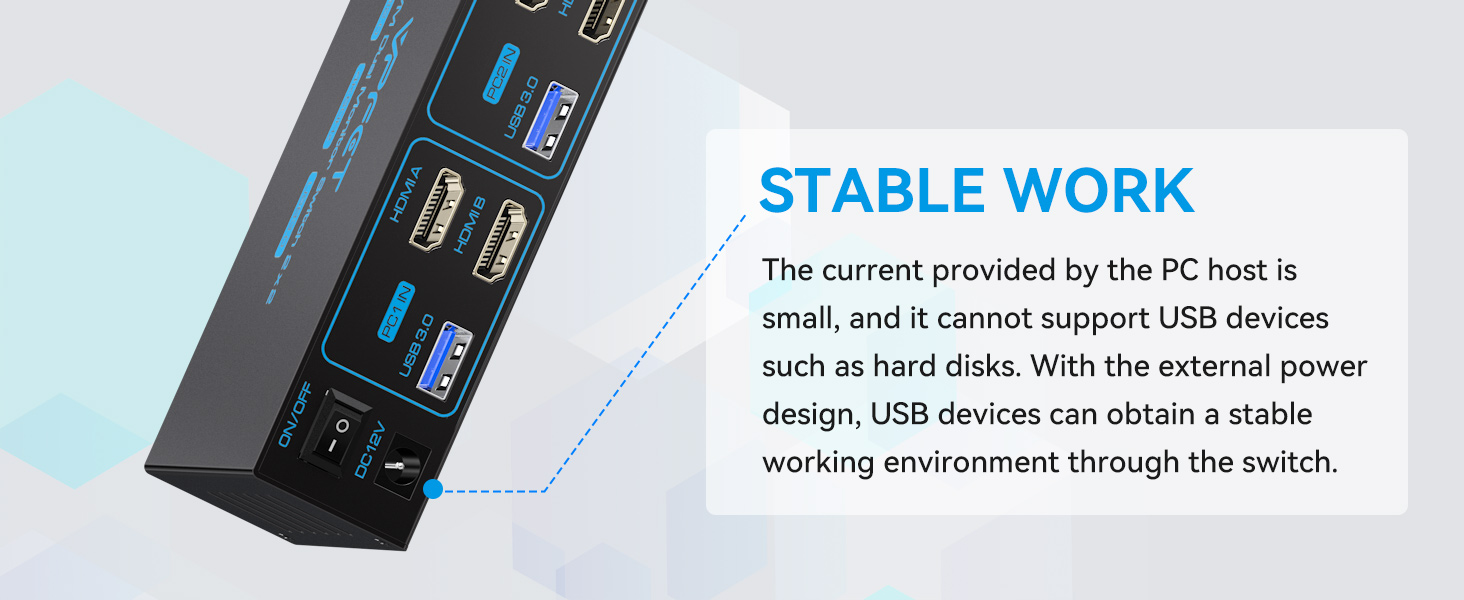
No external power is required for those typical devices but others may need it. A power source isn’t supplied, but any 5v micro USB device will do – often as supplied with mobile phones and probably tucked away in a ‘spares’ drawer.
The external button is also useful, allowing the switching unit to be tucked away out of sight.
I bought this as I use 2 computers for work and need to switch between them regularly. Each has it’s own monitor, but the desk was cluttered with keyboards and a mouse for each, so I wanted to be able to use just 1 keyboard and 1 mouse. The switch arrived during a Microsoft teams meeting and I was able to set it up with no disruption to the meeting or either computer. It is plug and play and switches almost instantaneously with no issues. It is unobtrusive on the desk. I have to needed to plug it into the power supply so far. I haven’t finalised it’s position, so do not need to use the remote button, but have tested it and it works excellently. I can strongly recommend this if you need to switch keyboard and mouse.
Computer hub works perfectly
Having changed our router, our wireless connections to a printer and scanner no longer worked, so bought this usb hub to connect two laptops to a printer and a scanner. Have been very pleased with this product and have had no problems, but you do have to use the switch supplied with the hub to switch between the laptops.
Great 2.0 hub, mediocre 3.0 suppo
I experience a lot of USB SuperSpeed resets when plugged in to a logitech brio with a usb 3.0 cable – these issues show up both when using the micro-usb power and without it (this could potentially be an issue with the cable I already had but it’s unlikely). When switching to a 2.0 only cable I don’t experience these resets, which are only noticeable as a lot of windows usb disconnect sounds. Otherwise the switching speed is good and the extension button is good.
Internally the unit I got has a GenesysLogic USB3.1 Hub (idVendor=05e3, idProduct=0626)
TL:DR It works. Buy it.
I have a typical set up that requires this USB switcher – two laptops, an additional large screen monitor and one keyboard and mouse and a bunch of other USB peripheral devices. I acquired this device as it was well reviewed and was at a great price – 20. It’s perfect for me, with a single button press (via the include wired “remote” button) I can toggle between the two laptops, and all the USB devices (keyboard, mouse and so on) automatically work with either laptop. One unexpected bonus is that to move a file from one laptop to the other is now simple – I just have a USB thumb drive attached this device, drag and drop the file to the USB thumb drive, press the button and (hey presto) the drive is now connected to other laptop and I can drag and drop to it.