USB C to Ethernet Adapter, uni RJ45 to USB C Thunderbolt
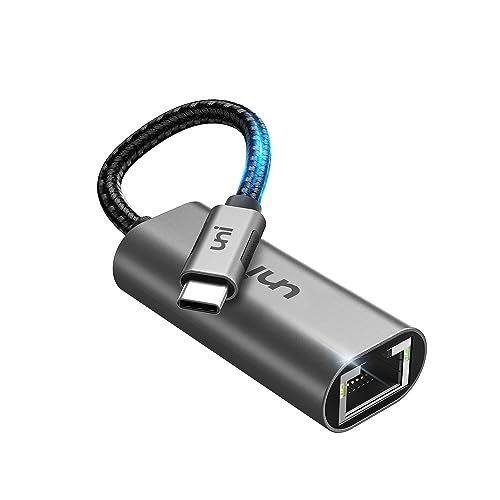
USB C to Ethernet Adapter, uni RJ45 to USB C Thunderbolt 3/Type-C Gigabit Ethernet LAN Network Adapter, Compatible for iPhone 15 Pro, MacBook Pro, MacBook Air, iPad Pro/Air, Dell XPS etc. – Gray

Secure, Reliable and Stable
Stay connected to wired networks with the speed and reliability of Gigabit Ethernet.
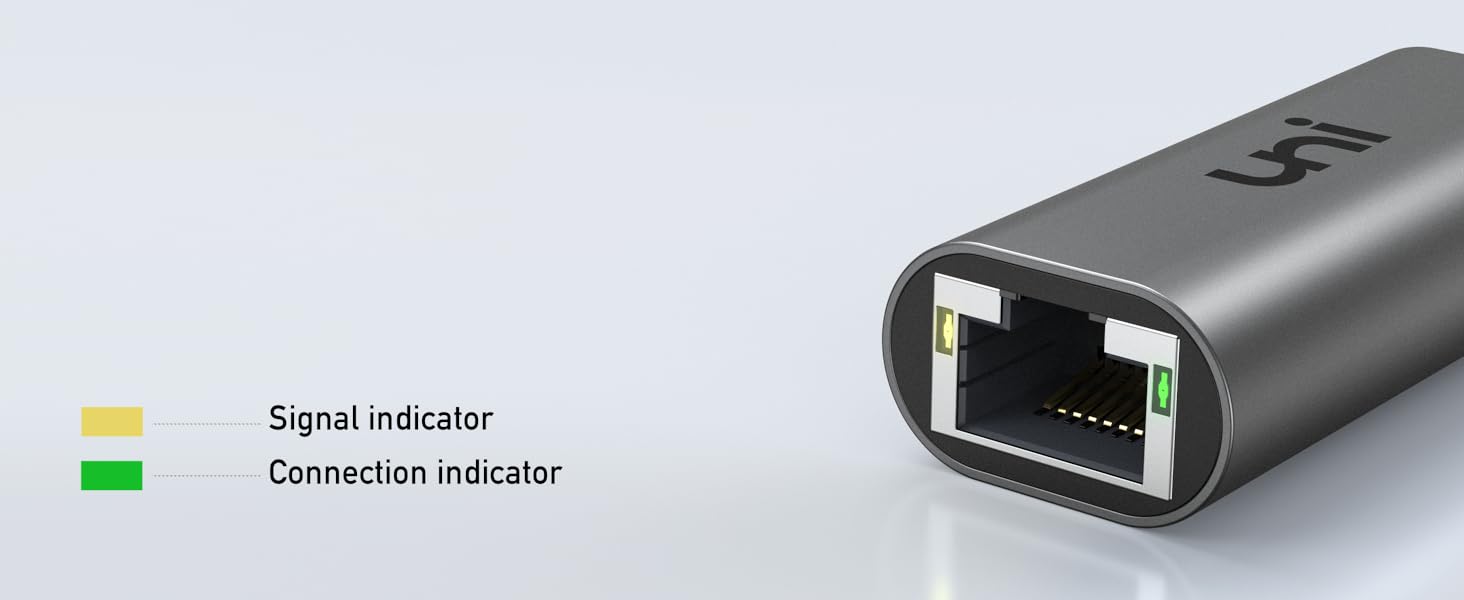
LED Link Lights
Flashing link lights for status indication and diagnostics
Plug and Play
No driver, software, or adapter needed – just connect and enjoy full-speed internet surfing.
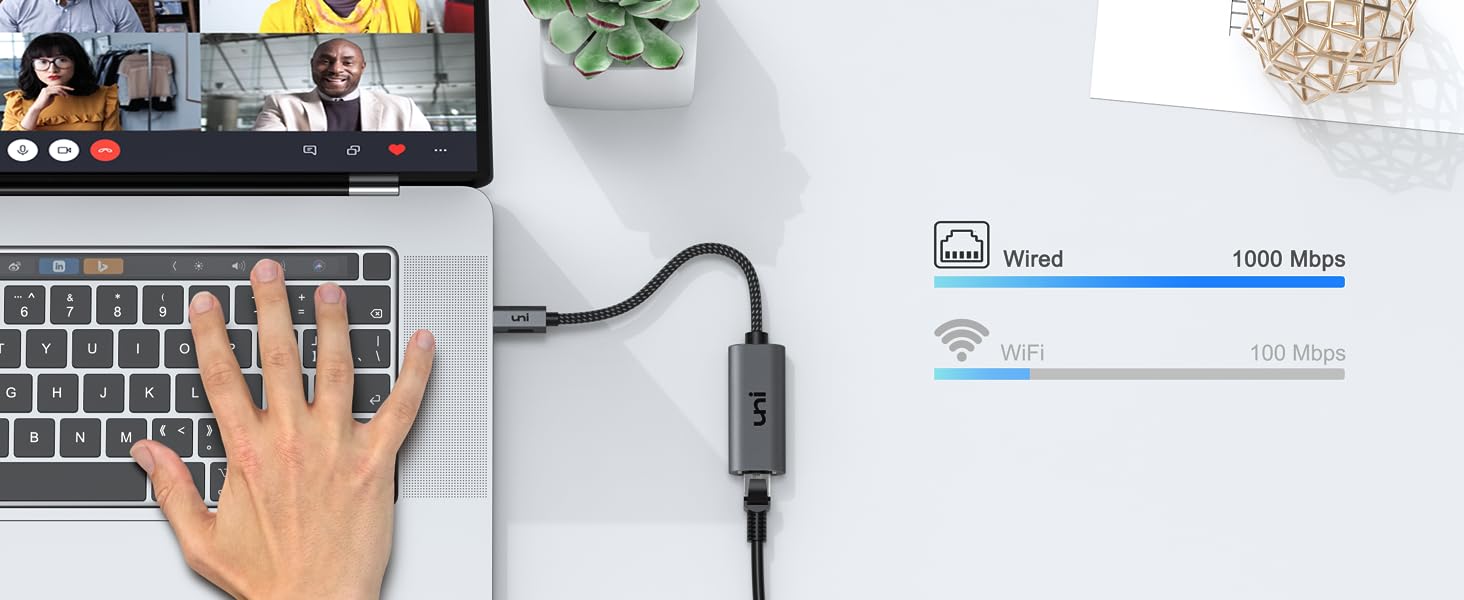
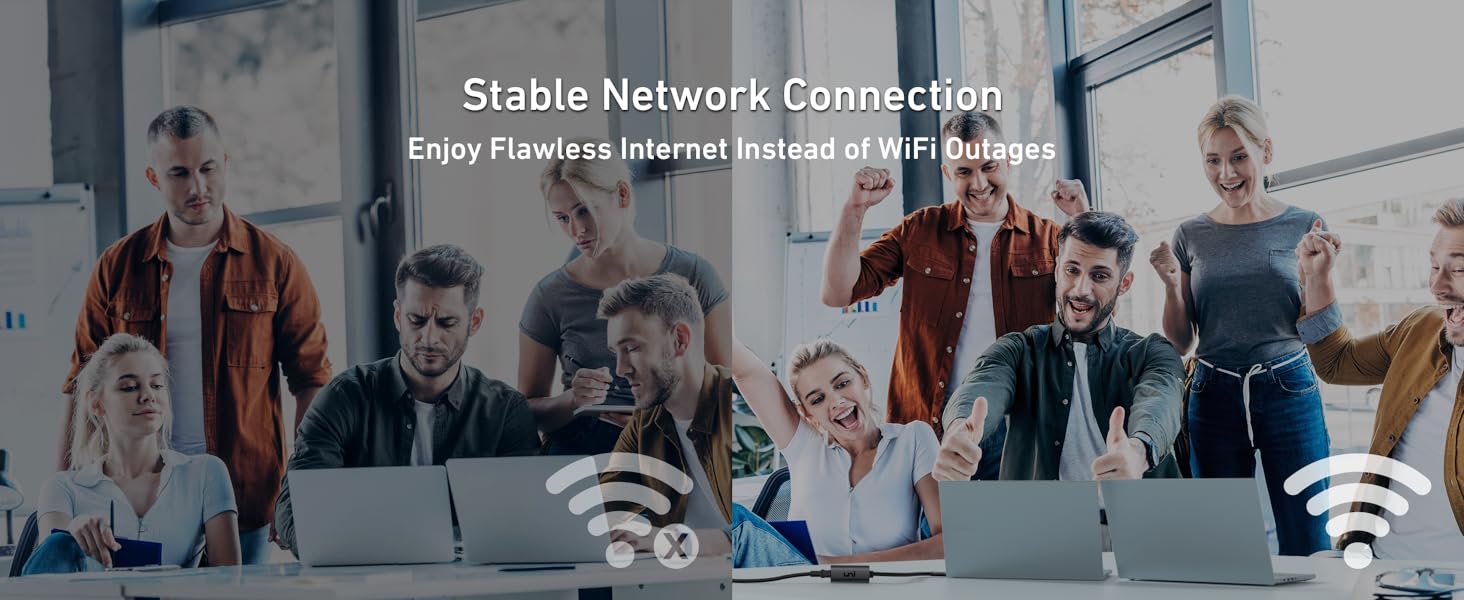

1Gbps Stable Internet Speed
Is Office WiFi disabled for security?
uni USB-C RJ45 adapter provides a secure network for offices.
Lag-free Network
Freezing online classes due to WiFi lag?
uni USB-C RJ45 adapter, no delay in online classes at home.
Stable and Fast Internet Speed
allows you to get the chance and see your favorite stars.




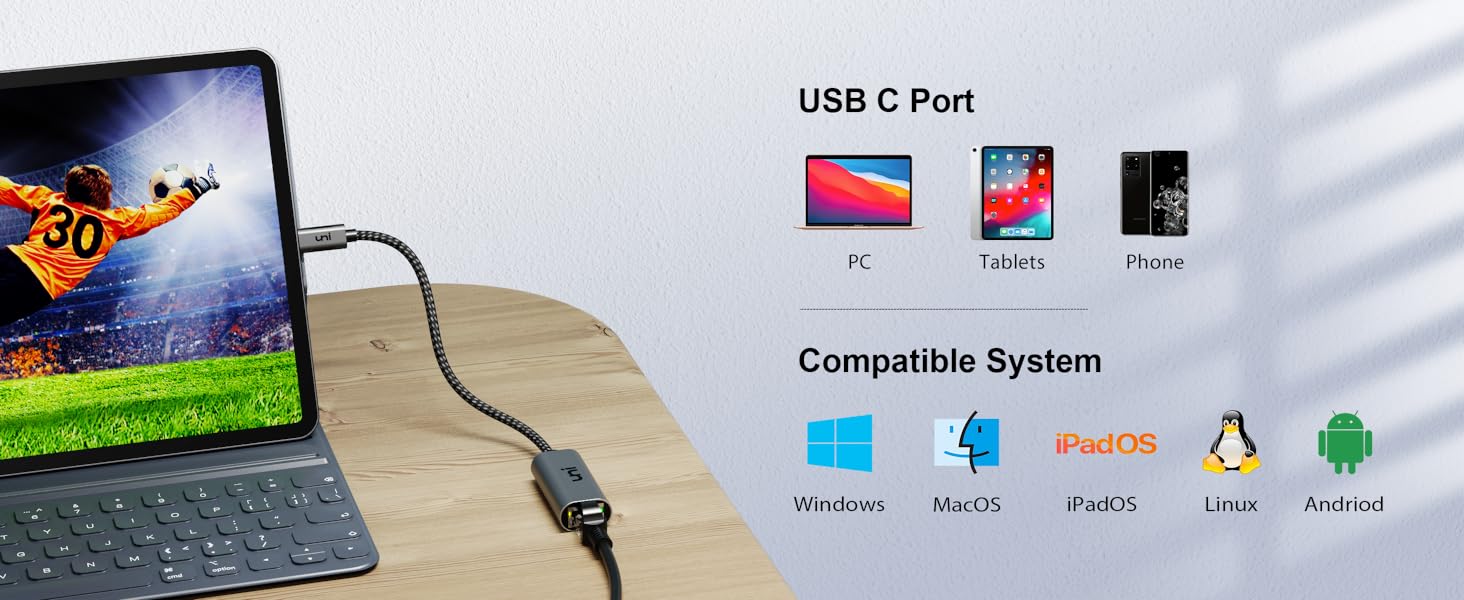
✔ Compatible with (Not a full list)
| (✔)Mac | Compatible with MacBook Pro (Late 2016 and newer); MacBook (Early 2015 and newer), MacBook Air (Late 2018 and newer); iMac (Mid 2017 and newer), iMac Pro; Mac Mini (Late 2018 and newer) |
| (✔)PCs | Compatible with Microsoft Surface Book 2; Surface Go, Google Chromebook Pixel (2015); Pixelbook; Pixel Slate, Dell Latitude 7373 / 5570 / 5490 / 5400 (2019); XPS 13 / 15, Alienware 13; m15; m17; Razer Blade Stealth series and more |
| (✔)Tablets | Compatible with iPad Pro (3rd generation and newer) |
| (✔)Phones | Compatible with Samsung Galaxy S21 / S20 / S20+ / S20 Ultra / S10e / S10 / S10+, Samsung Galaxy Note 8 / 9; S9 / S9+ / S8 / S8+ and more |
| (✔)Systems | Compatible with Mac OS; Windows; Chrome OS and Linux |
| – | – |
| Quick User Guide | To reach 1Gbps, make sure to use CAT 6 & up Ethernet cables. |
| (✘)Not compatible | (✘)Not compatible with Switch.(✘) |
uni More opportunities for you
 USB-C to Ethernet Adapter |  USB to Ethernet Adapter | 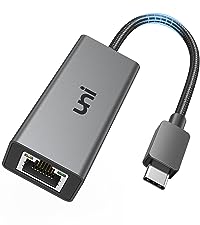 Switch Ethernet Adapter | 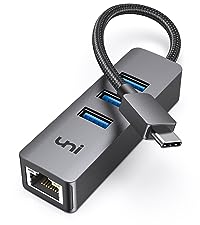 USB-C to Ethernet Hub | 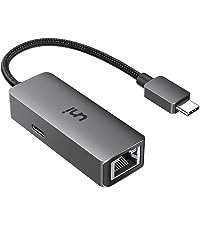 USB-C to RJ45 Adapter | |
| Highlights | 1 Gbps High-Speed Internet | 1 Gbps High-Speed Internet | 1 Gbps High-Speed Internet | 5Gbps Data Transfer & 1 Gbps | 1Gbps High-Speed+100W Charging |
| Source Interface | USB Type-C Male | USB Type-A Male | USB Type-C Male | USB Type-C Male | USB Type-C Male |
| Interface | Ethernet Female | Ethernet Female | Ethernet Female | USB A & Ethernet Female | Ethernet Female |
| Ethernet Cable (recommend) | CAT 6, CAT 7 & up | CAT 6, CAT 7 & up | CAT 6, CAT 7 & up | CAT 6, CAT 7 & up | CAT 6, CAT 7 & up |
| Nintendo Switch | ✘ | ✘ | ✔ | ✘ | ✘ |
| Charge | ✘ | ✘ | ✘ | ✘ | ✔ |
Feels high quality, plug and play
Adapter feels premium and high quality. Doesn’t feel like it is going to just fall apart at any moment. With my 2019 Macbook Pro it is plug and play. Attach the dongle, attach the ethernet and it was picked up instantly with no problems or issues. Just worked as intended out the box with decent speeds being picked up too.
Works better than expected
I paired this with a cat 8 Ethernet cable and there are only minor drop (5-6 Mbps) of speed but overall it’s good.
Original speed: 150 Mbps
Speed via product: 145 Mbps
Distance: 20 Meters
Cable: CAT 8
It works!
Does what it says on the tin, USB C to RJ45 ethernet adapter. Worked well, used on a 500mbps connection without any issues or drop in speed from the hub to the laptop. Seems well made, only had it for a few days so can’t comment on the longevity.
Just the ticket!
I never knew until a few days ago that Type-C connection were so versitile in the uses they have. To have BBand via Type-C is awesome. Im not sure about ther speed u get as some laptops are maybe limited, so you have to check the specks for the lappy. A GRAND BIT OF KIT, and well made too & as an engineer, i find the build quality very good………
My router is currently at the far side of my bungalow from the master bedroom and so the WiFi is very unreliable. As soon as I plugged this little gem in my Samsung Z-Flip phone, the LAN icon was there and although the download speed isn’t much different to the WiFi download speed, nonetheless it will mean that my connection will be more stable. I use the TP link powerline adapters to send my Internet through the house.
It works but it's noisy
As an adapter is does what it’s supposed to do, I can get my full 950MB/s – 1GB/s internet using it, no problems there, but it produces a high pitch whine as it operates which is noticeably louder than the new MBP which is whisper quiet. Probably fine for most people, but I find it irritating if the room is quiet.
Works, reliable, easy, recommended
Works straight out of the box. No issues.
Literally plug and play and a connection is established three seconds later. (Windows 10 laptop).
The WiFi with Windows 10 is automatically dropped, which shows clearly. No more WiFi again! Hurray!
First they got rid of dial up modems built into laptops, then DVD drives, then the ethernet ports.
It will take up a USB port, but this little adapter, with two quick connections (ethernet from router or Powerline socket to adapter, adapter to laptop) immediately restores things as if you had an ethernet port again.
Higher speed internet to laptop via USB C than via WiFi and no ongoing WiFi EMF going everywhere in the home. Excellent.
Thank you.
Does what it is meant to do
With apologies to people who make these things, I don’t want to notice my network adapter. I want to plug one end into the computer, one end into the cable, and forget all about it. And this is scores pretty well for that.
With Windows 10 there is no need to add any drivers. I plugged it in and connected the cable, after a couple of seconds the LEDs started flashing and off we went. Copying between two machines I could get about 400MBit/sec one way and 600MBit/Sec the other way which is roughly the limit of two hard disks (one is slowed more by Anti-virus scans than the others). So the trough put is as expected.
It seems well made (plastic, but not cheap and nasty) we’ll see how long it stands up. But taking takes less time to set up than to read this review is why I give it top marks overall.
Edit.
I bought it intending to use it with the Surface Studio Laptop I had on order and which was delivered yesterday. Whether it’s the surface hardware or Windows 11 I don’t know but the device was not happy – reporting USB device failures – until I updated the driver for it from Windows Update. Since then (touch wood) it has been happy again and giving peak throughput of over 900Mbit/sec. So not quite as trouble free but on the plus side changing the driver gave much better speed
Excellent after-sales customer care!
Having ordered the “USB C to Ethernet” 1Gbps Adapter, I found on receipt that it was only negotiating at 100Mbps on my Macbook Pro 2019 16-inch. So I contacted the support address on the product packaging to see if they could help.
I received a swift and polite response with some troubleshooting options to try. After going through these and still not resolving the adapter speed negotiation issue, I was immediately issued with a replacement device which resolved the issue.
I now have three separate UNI devices. A USB-C to HDMI adapter, a USB-C to VGA adapter and now, a working USB-C to 1Gbps Ethernet adapter!
Great customer service and great products! I always try and find a UNI device for all my USB-C accessories first and foremost. Highly recommended.
NOT SURE (problem solved)
EDIT: uniAccessories support team responded to me and offered a free replacement, which did in fact solve the issue once I got it. Changed my rating to 5 stars and a special star from me to the awesome customer support 🙂
Three things could’ve been the culprit behind my issue, and I’m not sure if this is the one. I do think it’s the most possible one though.
What’s the issue? When connected via ethernet, I would randomly, sometimes quite often, get a 1 second if not shorter loss of connection. The best reason for that I could come to was that it gets hot, as pointed out by the seller. However I would believe it would disconnect for longer if not completely with that being the case, plus it sometimes happened right off the bat (still room temperature), after booting up my laptop.
Anyway, I’m not entirely sure if the adapter is causing it, and I don’t see others complain about this particular issue, so I’m not gonna rate it any less than 4 stars. It does its job and it does it well.
A quality product with great customer service
I have been using my RJ45 to usb-c adapter for a month now and it works perfectly.
When it ‘stopped working’ a few weeks in, I thought it was the adapter. But it turned out to be the usb-c port on my laptop, following a BIOS update. Another BIOS update later sorted this out.
Unaware at the time that it was a problem with my laptop, I got in touch with Uni Accessories. It was fairly straightforward to do this through their website.
They were very prompt and courteous in getting back to me, and very helpful throughout. True to their word regarding the lifetime warranty, I was offered a replacement, all costs covered by them.
This is so rare to find these days. So my five star rating is for both the product and the customer service. Well done guys!
Sturdy and reliable piece of kit!
I’ve had this product for almost a year and it is invaluable when you have products without Ethernet ports. Being a fan and Kickstarter backer of Uni’s other products (the USB-C Hub), I knew this was a solid purchase.
Admittedly, I don’t tend to use this day-to-day, but when you need to troubleshoot network issues (like the Wi-fi not working!) then having something portable that you can move around with a laptop is really needed, and this fits the bill.
No degradation in line quality, the same transfer rate as my Cat6 standard cables. Would recommend highly for anyone needing a semi permanent or transportable USB-C Ethernet plug. It’s sturdy and reliable.
Works on my M1 MacBook Air, but not at full gigabit upload speeds
It works on my M1 MacBook Air, no reboot needed (unlike Apple’s own USB Ethernet adapter, oddly enough). The speed is not incredible, though, on my gigabit ethernet network if manages 980Mbps down (only 660 if WiFi is also running), 750 Mbps up (282 Mbps with WiFi running) using Librespeed on a local server to test, whereas the same adapter on my Linux-powered LG Gram 17 gets a full 985Mbps both ways, so there seems to be an upload bottleneck in Apple’s drivers. It’s clearly not the manufacturer’s fault, but if you are a Mac user, I’d suggest you look elsewhere if performance matters to you.
Also, the product description is misleading, this is a USB-C adapter, not Thunderbolt.
Another Great quality item from Uni
I’ve bought a new Surface Pro, which is a great machine. However, my Wi-Fi connection is so bad that I cannot use it, unless it had an Ethernet connection. And it doesn’t. This is where this adapter jumps in. I own several products of Uni, so I had to look no further.
The adapter feels great. The braided cable looks premium and seems that it will last for many years. The mat finish aluminum casing makes the adapter robust, giving the necessary confidence when you take it on and off the USB C port.
The speed offered is excellent. And most importantly the adapter doesn’t get hot, even after long sessions.
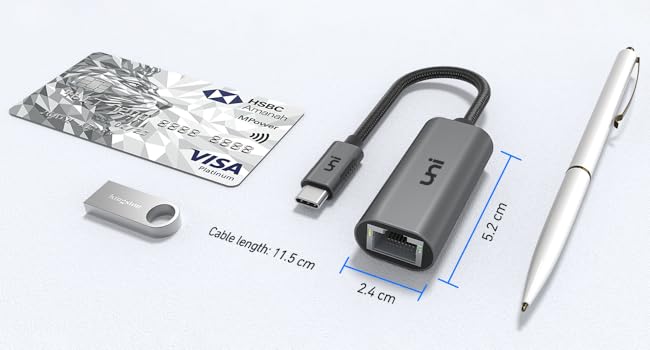
If I could find something negative for this adapter is that the cable could have been a bit longer, but again this hasn’t created any problems for me since the Ethernet cable I use is longer than it has to.
If you want a USB C to Ethernet Adapter, stop looking and buy this one. The included pouch just sweetens the deal.
Getting max 400mbps on a 1000mbps connectio
The device came well packaged and with a little pouch. The cable feels strong and durable. I tested it with my Dell XPS 15, 9570. Using the TB16 Dell dock I get 980mbps download speed from my gigabit FTTH connection. However, using the uni USB C to Ethernet Adapter I have only managed to get max 400 mbps. In reality I will only use this when I am travelling so no big deal, but still worth noting that you do lose over half your speed. Overall, it will do the job for me, and it was well priced. but for full marks I would be expecting better speeds.
Works out of the box - not getting gigabit speeds
This little dongle is awesome. It allows you to connect to your network using ethernet as opposed to using WiFi making for a much more reliable network experience. That being said, my particular device has not been able to achieve Gigabit ethernet speeds even though it is being recognised as a Gigabit capable device by MacOS.
I tested this using 3 devices, a PC (plugged into my switch via Cat 6 ethernet), a raspberry Pi (plugged into my switch via Cat 6 ethernet) and my 13 inch 2018 Macbook Pro (plugged into my switch via Cat 6 ethernet using the Uni Ethernet adapter). I used iPerf3 in running in docker on all 3 devices. Between the PC & Raspberry Pi, I was able to consistently get 935+ Mbits/sec, between the Macbook Pro and the Pi I was getting ~ 300 Mbits/sec and between the Macbook Pro and the PC, I also got ~ 300 Mbits/sec.
I tried 3 different ethernet cables into the mac, tried using all the thunderbolt 3 ports, tried using 2 different Macbook Pro’s, and tried removing all other connected devices. None of these changes were able to impact the speeds I was getting, leading me to conclude, it can only be the Uni Ethernet adapter that is causing the slowdown as every other variable had been accounted for. I started this testing because I thought my NAS was too slow and was thinking of buying a new NAS, turns out I’m not getting Gigabit speeds out of my laptop. I’ll contact their support and see what they have to say and will update this review if there are any changes.
EDIT:
A quick word about the support from uni. They were absolutely first class and handled my issues . Amended the rating from 2* to 4* to take this into account. I can only imagine I was an unlucky customer and that most people will be absolutely fine with this product. Even if you’re not fine, the lifetime support/warranty from uni will make things right for you.
I have to say I had my doubts about this – it is the first USB-C component I have ever purchased.
Anyway, I plugged it into my BT router (I used a Sat6 Ethernet cable) then into my Galaxy S10+ phone (I also remembered to switch off my WiFi)…and everything worked fine, no fiddling with setting any menu choices or confirming anything, I just hit the email button on my phone and everything was there. FAST.
Same with browsing the web, it appears to be the same speed as my office PC upstairs – which may say more about the BT Broadband connection but at least there is absolutely no decrease in speed that I can tell.
I’m very happy with the choice I made – there are similar- and cheaper items out there but this component looks well-made and sturdy.
Good sturdy, well-designed stand
Really nice sturdy and stable stand for my MacBook Pro. Bought this as it’s adjustable and folds up very neatly. The little case for it is also great. However, just be aware that when the stand is at maximum height your laptop screen will be tilted at a slight angle towards you – this is because of how far a MacBook opens up – so while not actually a a problem with the stand itself, you need to get used to the screen feeling like its coming towards you.
Durability – I give only 4 stars as it’s not possible to say after a few days use!
Price – it seems slightly pricey however it’s better quality than the lower priced stuff.
Slow speed test (Faulty)
Purchased this Ethernet adaptor to use with my iPad Pro 11″ as it had a USB-C on it, I have an adapter but that has a standard USB 3 on it so couldn’t use it on the iPad. When it came I thought it looked and felt really good quality so was looking forward to testing it out.
I connected it to the iPad Pro 11″ then connected the LAN cable. I ran the speed test and found I was only getting 95 Mbps download I have half a gigabit connection so was quite surprised that it was that slow, I wondered if it was something to do with the iPad that Apple have limited it down unless you buy their products. So not giving up on it yet I ordered a USB to USB-C connector to test my other Ethernet Adapter that I have had for quit some time and know that runs at full speed.
The USB to USB-C connector arrived so I could use the other Ethernet Adapter I have, connected it to the iPad and then again connected the LAN cable and ran the speed test, I found that the test was successful and I got full speed.
So I have returned the product as I would want it to run at full speed, if your not to bothered about that than this product will be great for you
Update to the review i posted
UNI contacted me asking about the slow speed i had been getting with the device, i explained to them about it and they decided to send me another on to try. it arrive pretty quick, i ran the speed test on it and i got full speed so i presume that the previous device must of been faulty. i have updated my star rating to 5 now
Purchased this for the iPad Pro 11 2018 as I replaced my laptop for it and needed something that could connect directly to router when I need to do any network related tasks.
I never knew I could use Ethernet with the new iPad Pro 2018 so when I found out, I thought I’d check on amazon for what I could buy and looked at this brand as I have other items from them.
It arrived nicely packaged and it was very simple, plug it in and you’d notice a new ‘Ethernet’ menu item appears under the Wi-Fi item in settings. Plug in the Ethernet cable and everything works as you’d expect. The Wi-Fi logo disappears from top right (if it was connected previously), yet you still have full access to the internet.
The adapter has 2 lights, one to indicate it’s connected and the other flashes when traffic goes through like normal Ethernet plugs.
It supports gigabyte too!
To finish it off, it comes with a nice little pouch to store it when it’s not in use.
Overall, great product and it does the job needed.