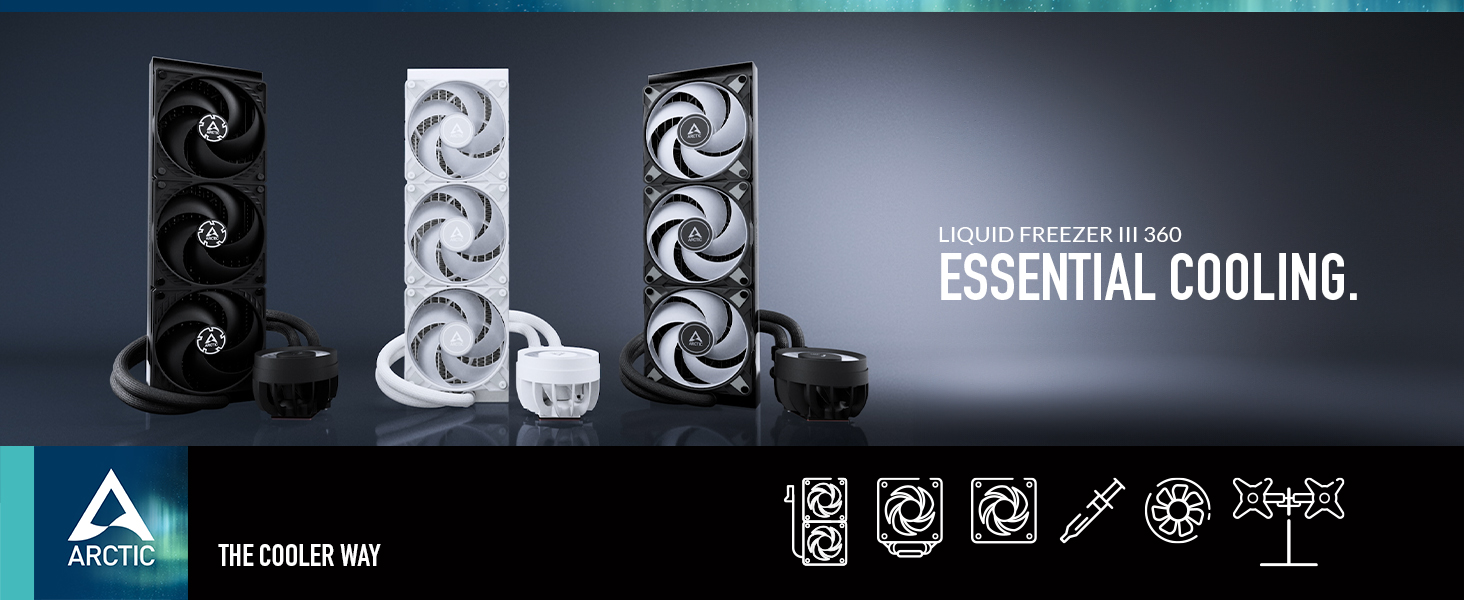
ARCTIC Liquid Freezer III 360 – Water Cooling PC, All-in-One
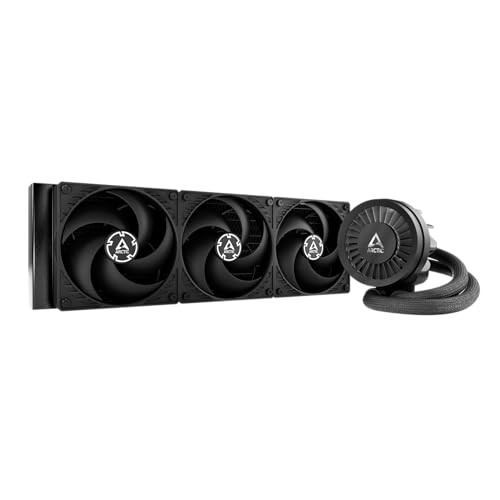
ARCTIC Liquid Freezer III 360 – Water Cooling PC, All-in-One CPU AIO Water Cooler, Intel & AMD compatible, efficient PWM-controlled pump, fan: 200-1800 rpm,LGA1851 and LGA1700 Contact Frame – Black

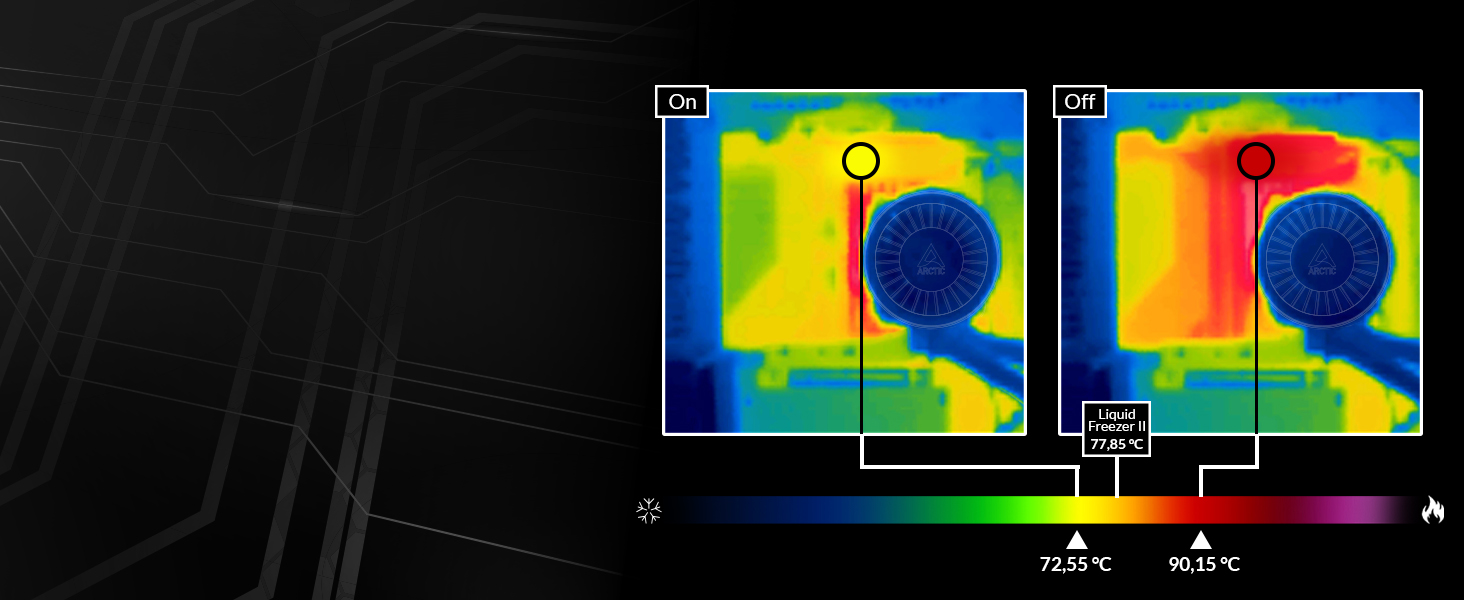
60 mm fan in CPU block
Active cooling in the socket area
Enables a continuously higher load and a longer service life of the voltage converters.
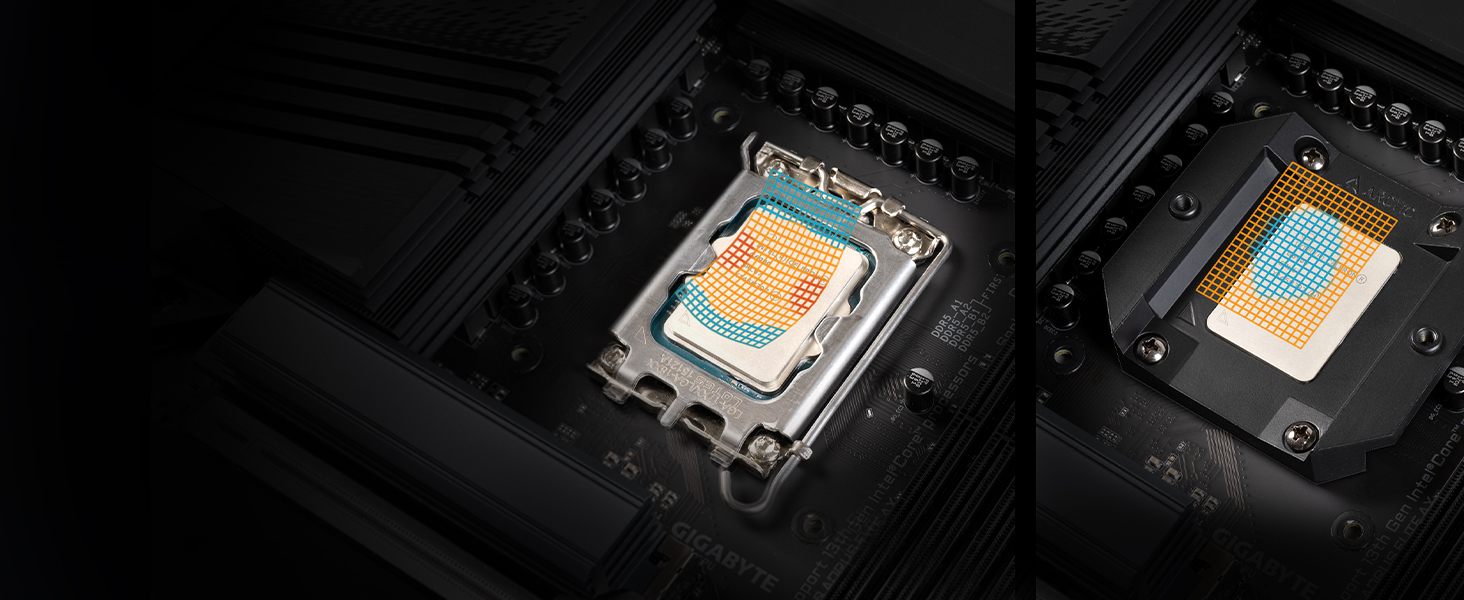
Replaces the standard ILM
Contact Pressure Distribution LGA1851 | LGA1700
Minimal mechanical stress on the CPU and mainboard and improved cooling efficiency.
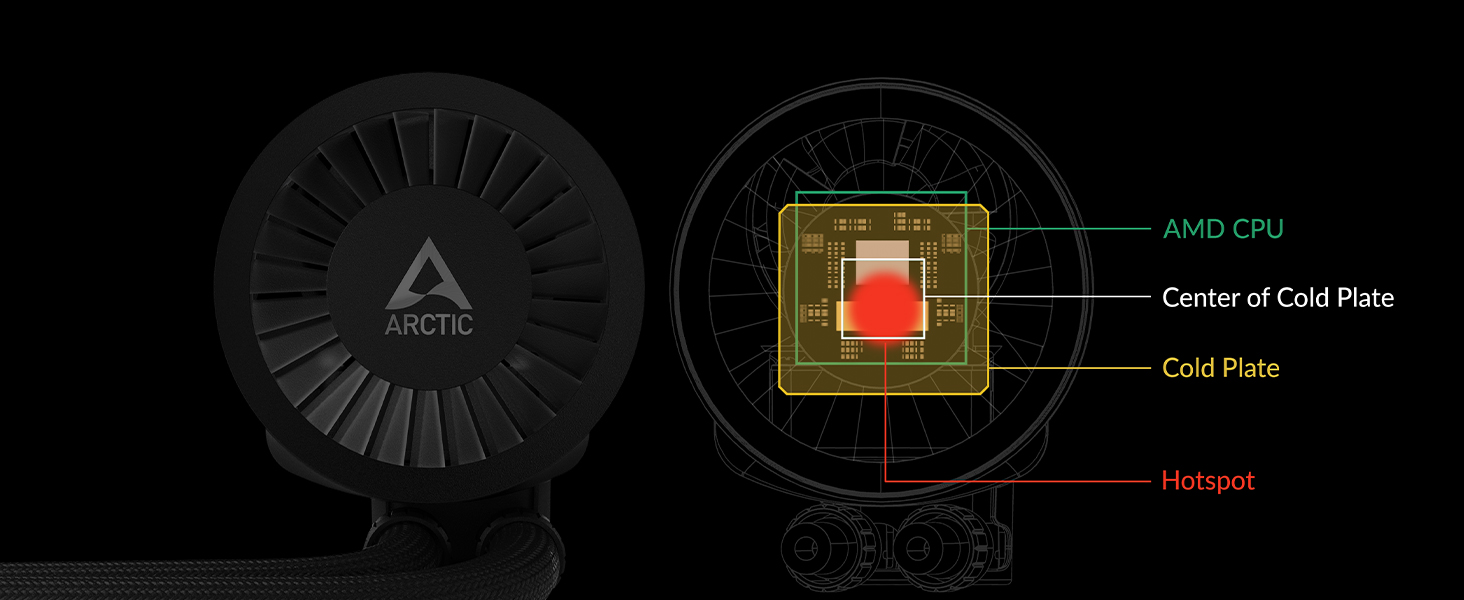
5 mm offset coldplate
Centring on CPU hotspot
Better temperatures on AMD’s multi-die chip design thanks to vertically offset mounting.
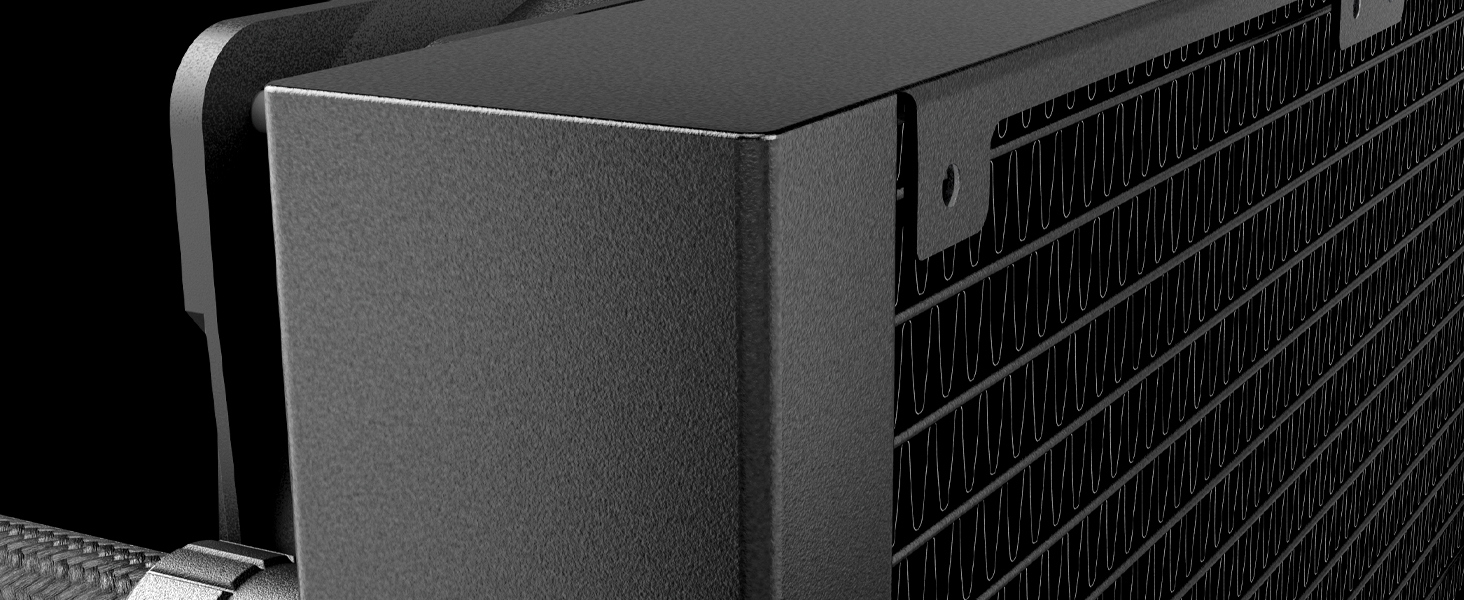
23 % larger finstack
More surface area – more power
Consistently lower temperatures due to optimisation of the internal structure of the 38 mm radiator.
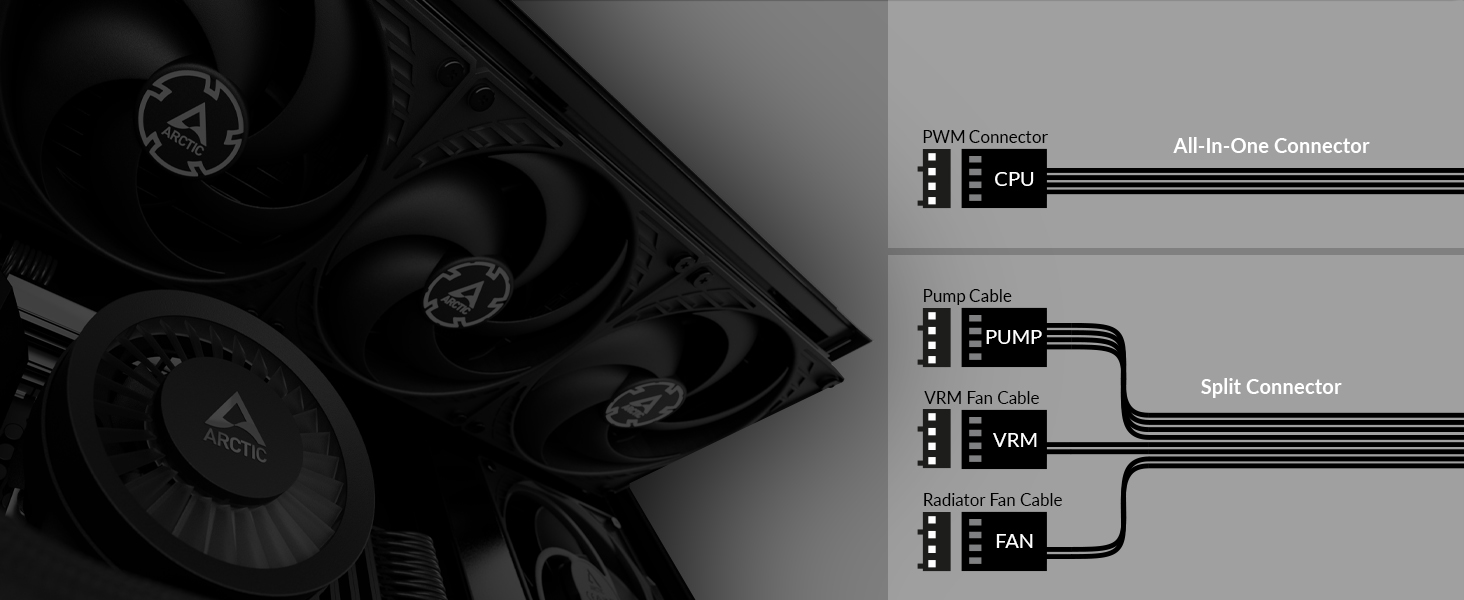
Two control modes
Complete control or simple control
Individual control of pump/VRM fan/radiator fan or all via one connection.
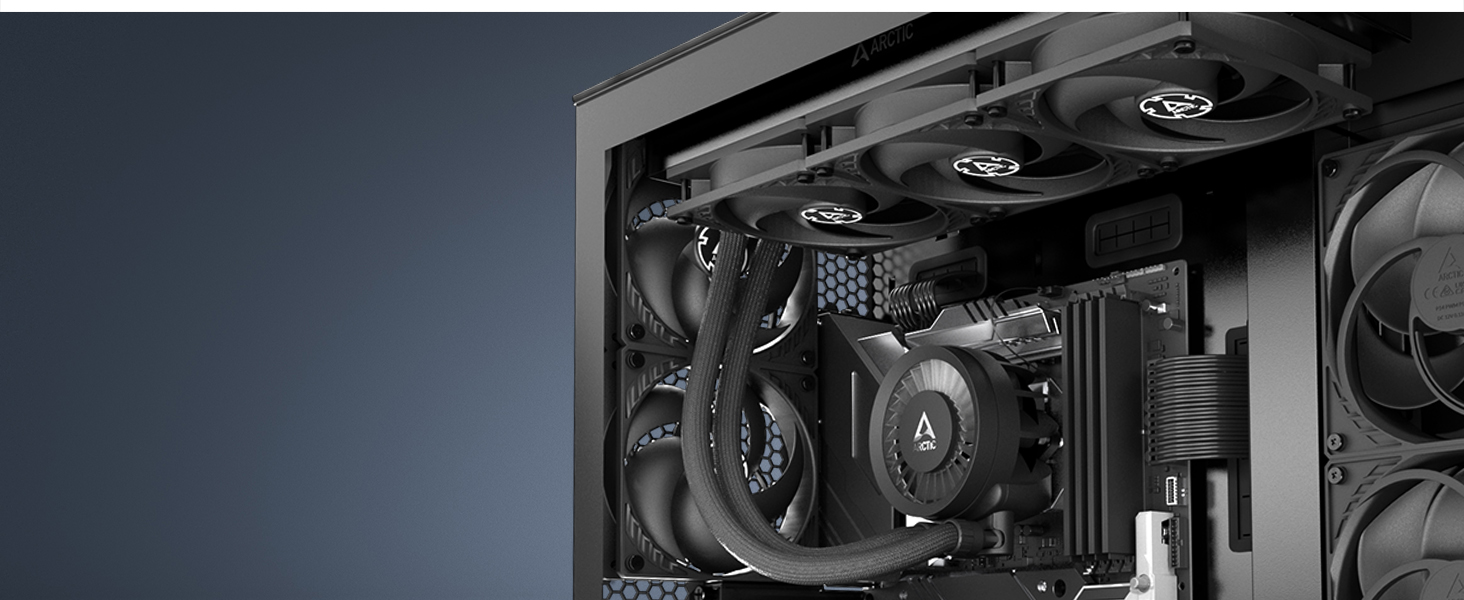 Fabric-Covered Premium Tube
The fibre-reinforced 45 cm long tubing of the Liquid Freezer III enables installation even in large cases and effectively prevents evaporation of the coolant.
” data-position=”triggerHorizontal” />Proven Fans with High Static PressureEquipped with award-winning P fans. These fans are particularly characterised by their outstanding performance on heat sinks and radiators with a high fin density.
” data-position=”triggerHorizontal” />Technical Specifications
| Compatibillity | Intel Socket: 1851, 1700; AMD Socket: AM5, AM4; Promise: 6 Years; Operating Ambient Temperature: 0-40 °C |
| Pump/Cold Plate | VRM Fan: 400–2500 rpm (PWM controlled); Pump: 800–2800 rpm (PWM controlled); Cold Plate: Copper, Micro Skived Fins; Thermal Paste: MX-6 (0.8 g) |
| Fan | Fan: 3x ARCTIC P12 PWM (black); Fan Speed: 200–1800 rpm (PWM-controlled) (0 rpm below 5% PWM); Fan Bearing: Fluid Dynamic Bearing; Current: 0,10 A | 12 V DC; Airflow: 56.3 cfm | 95.65 m³/h; Static Pressure: 2,2 mmH₂O; Connector: 4-Pin PWM-Connector |
| Size & Weight | Radiator: 398 (L) x 120 (W) x 38 (H) mm; Tube Diameter: Outer: 12,4 mm | Inner: 6,0 mm; Tube Length: 450 mm; Weight: 1840 g |
Liquid Freezer III Series in comparison
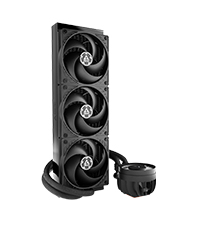 LF III 360, black | 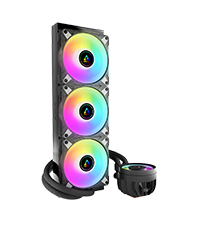 LF III 360 A-RGB, black | 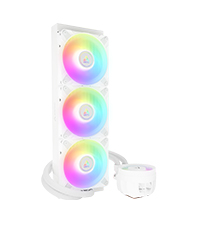 LF III 360 A-RGB, white | 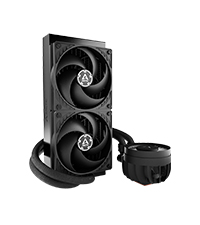 LF III 240, black | 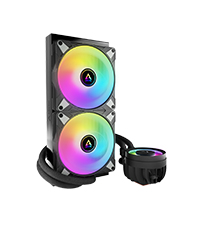 LF III 280 A-RGB, black | 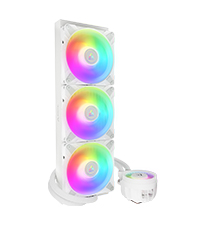 LF III 420 A-RGB, white | |
| Customer Reviews | 4.7 out of 5 stars 1,273 | 4.5 out of 5 stars 1,246 | 4.5 out of 5 stars 1,246 | 4.6 out of 5 stars 3,685 | 4.4 out of 5 stars 536 | 5.0 out of 5 stars 1 |
| Price | £66.98 | £76.99 | £76.99 | £53.89 | £71.60 | £84.69 |
| Intel Socket | 1851, 1700 | 1851, 1700 | 1851, 1700 | 1851, 1700 | 1851, 1700 | 1851, 1700 |
| AMD Socket | AM5, AM4 | AM5, AM4 | AM5, AM4 | AM5, AM4 | AM5, AM4 | AM5, AM4 |
| A-RGB-LEDs | / | 12x per fan 12x VRM module | 12x per fan 12x VRM module | / | 12x per fan 12x VRM module | 12x per fan 12x VRM module |
| Fan | 3x ARCTIC P12 PWM | 3x ARCTIC P12 PWM A-RGB | 3x ARCTIC P12 PWM A-RGB | 2x ARCTIC P12 PWM | 2x ARCTIC P14 PWM A-RGB | 3x ARCTIC P14 PWM A-RGB |
| Fan Speed | 200 – 1800 rpm | 200 – 2000 rpm | 200 – 2000 rpm | 200 – 1800 rpm | 200 – 1900 rpm | 200 – 1900 rpm |
| RGB Connector | / | 3-Pin A-RGB-Connector | 3-Pin A-RGB-Connector | / | 3-Pin A-RGB-Connector | 3-Pin A-RGB-Connector |
| Tube Length | 450 mm | 450 mm | 450 mm | 450 mm | 450 mm | 450 mm |
| Dimensions (Radiator) | 398 (L) x 120 (W) x 38 (H) mm | 398 (L) x 120 (B) x 38 (H) mm | 398 (L) x 120 (B) x 38 (H) mm | 277 (L) x 120 (W) x 38 (H) mm | 317 (L) x 138 (W) x 38 (H) mm | 458 (L) x 138 (W) x 38 (H) mm |
| Weight | 1840 g | 1870 g | 1870 g | 1460 g | 1765 g | 2325 g |
| Weight: | 1.84 kg |
| Dimensions: | 39.8 x 12 x 3.8 cm; 1.84 Kilograms |
| Brand: | ARCTIC |
| Model: | ACFRE00136A |
| Colour: | black |
| Batteries Included: | No |
| Manufacture: | ARCTIC |
| Dimensions: | 39.8 x 12 x 3.8 cm; 1.84 Kilograms |
Great and sile
Works brilliantly and replaced my old Watercooling aio with a fail pump, Kraken Z73. Silent and temps are 10C lower at idle and on average 5-8C lower during load. Very good and silent once fan curve set in bios.
Definitely worth the money
be careful as the radiator is thicker then mos
works well , easy to install , but be careful if you are using in the top of your case as the radiator is slightly thicker than most , I couldn’t fit it with the standard fans as the space between the top of my case & the motherboard wasn’t enough ( by only about 2 – 3 MM ) luckily artic do the same fans but the slimline fans which solved the problem
Heat? Whats that?
With my experience in coolers for the cpu, this is by far one of the better ones. I have not once heard this struggle, or seen my temps go up using this cooler. Very easy to fit, and if your unsure, watch a youtube video! Its easy as anything!
Amazing value for money!
My temperature was about 78C while gaming with my big lump of an air cooler, after I installed this , it doesn’t go over 65C, absolutely amazing.
Also not being a massive air cooler like the one I had before, there is less stress on the CPU socket.
Please measure your case and see if it fits, mine didn’t, but I have manufactured some brackets and made it fit.
I am over the moon with the performance.
I don’t know about noise, since my other coolers in the case and the GPU fans drown any other noise coming out of the case.
Easy, reliable and performa
This is the third Arctic Freezer AIO I’ve bought – growing in size from a 120, 280, and now the 360, to deal with different build configurations.
This one runs an AMD 7950X3D, and keeps temps in the 40-50 degree range, even while gaming.
All are incredibly easy to install (assuming you have a reasonably designed case), and none have ever failed even at 24×7/365. I wouldn’t ever consider going back to high-end air cooling.
Warning about fan flow
Installed these in my system added extra p12 for push – pull configuration. It seems that the flow direct setup was push on the cooler the direction indicators seem so small and hard to find wondered why system was cooling down. So by default fans are in push configuration so be a where
Reduced temps compared to older Corsair H150i Pro 360mm coole
Lowered temps from about 85c to 80c going from an old Corsair H150i Pro to Arctic Freezer III, with slightly higher clocks too on my 5800x3d. Seems very quiet and easy to manage in bios (I used the AIO cable).
Slightly difficult to install but that was mostly because I was out of practice rather than anything inherent to the cooler itself.
Price at 66 I paid is extremely competitive, there’s no reason not to recommend this cooler.
Quite chunky, cools like a beast.
Installed the aio in a phanteks eclipse 360a. I wanted to install it in the top position but couldn’t because the aio was too thick and it covered part of the ram slots. It works really well in the front position and on a ryzen 7 3800x it sits at 25 degrees on idle. and after some heavy gaming it peaks around 75. For comparison this replaced an msi coreliquid 360r that idled at 60ish and hit 95 in games. It’s quiet as well. All round I’m pretty impressed with it, only downside is the size as it will restrict where it can be installed, I had to buy a new case to accommodate it.
Oversized and quie
First off, let’s start with the 2 big cons with this AIO liquid cooler. 1) Installation is a bit of a pain until you’ve done it the first time. First up, like some cheaper coolers, on AMD you have to place 4 plastic standoffs, then rest metal plates onto these, before screwing all of this into the sockets from the motherboard backplate (the ones that come ready fitted on AMD motherboards, obviously you have to remove the plastic lug system before starting this, but that is easy using the included tool). Needless to say, often the standoffs refuse to stay put, and you end up having to put them back and start again with this. Better is the method used on the Deepcool AIOs where you just screw metal standoffs into the backplate, even if they combined this with a mounting plate it would be easier to use. Then you come to actually installing the CPU block. It attaches using 2 screws captive in a sprung plate, thing is that once you get the one in just a little bit, the 2nd becomes very difficult to coax in due to the spring mechanism. I much prefer individually sprung screws in the 4 corners to this method honestly. Then you finally get the block installed, having followed the instructions, to realise that the instructions skipped the step of installing one of the 2 control cable options, which plugs into the CPU block, and threads through a slot in the very bottom of the plastic cover right at the very bottom by the motherboard, and you can’t do this now without uninstalling the CPU block again, then doing it all over again, so yeah the instructions are missing a step as well, take not of this and installing your chosen cable BEFORE you install the block.
The 2nd con is also a pro. This AIO is oversized in many ways. The radiator is VERY VERY thick. I thought I would have more than enough space in my case (a Gamemax Infinity dual chamber model), and also my motherboard only has a small VRM heatsink at the top. However the fan screws are literally pressed against the VRM heatsink, and the cables from the CPU power connectors at the top of the board have a LOT of pressure on them from the fans too. This is with an offset placement in a fairly large mid tower case… If you have something smaller, or a motherboard with big heatsinks, this cooler is not going to fit, end of. Then there’s where the pipes exit at the bottom of the CPU block/pump. The pipes are larger than usual, I had to remove my vertically mounted GPU before I could install the block at all, and now I have to have it mounted closer to the side window to give the pipes clearance as they come out of the block, these pipes also sit right over my top M.2 slot, so if you have an M.2 drive with a tall heatsink on it, be aware of this also, as again you are going to have issues.
Onto the pros. No, this isn’t going to give you temps lower than say a DeepCool LS720 (I literally compared it, and got roughly identical temps), what it WILL do however is give you the same temperatures QUIETER. I’ve been able to change my case fans over to monitor motherboard temps rather than CPU temps, leaving only the fans and pump on the Liquid Freezer 3 set to monitor CPU temps (and these fans are fairly quiet and efficient ones), meaning that the case fans never have to spin up as high as they used to, but I am still getting the exact same temps under load in Cinebench R23. Thus making for MUCH quieter operation of my PC, whilst maintaining sub TJmax temps on my Ryzen 7 7800x3D CPU. My wife is much happier now, as she kept complaining about the hurricane on her side of my PC whenever my CPU was under heavy load (I didn’t like to point out that the fans on that side are intake fans, so if anything they’d be pulling not blowing.. lol)….
TLDR; Awkward to install, seriously big for a 360mm liquid cooler, but nice and quiet way to get decent temps on hot running CPUs, at a really fantastic launch price right now that won’t last forever.
Great AIO cooler!
One of the best and most cost efficient AIO in the market, quiet and efficient. In an averagely ventilated case and cooling AMD Ryzen 7800X3D, idling at 35-40 deg, full load around 80 and 65-75 while gaming. Just be aware that the radiator is around 1cm thicker than the other brands, so check compatibility of your case before purchase!
A no-brainer unless on older Intel platforms
I recently purchased a Liquid Freezer II 360 with the intention of installing it on my 13900K main system here, but a month later still not got round to doing so, when Arctic launched this week their updated Liquid Freezer III AIO at an unbelievable price. The price alone for the LFIII 360 was what made me purchase it in all honesty, even if I have an unopened LFII sat here, but I am glad that I did!
No longer do I need to undervolt the CPU or restrict power limits to the CPU to keep temperatures under control (although if you play games that use the Unreal Engine 5, you may still want to do this).
Running Cinebench R20 (which puts a load on the CPU much higher than what 99% of applications or games will) on the 13900K will almost automatically send the temperatures up to the thermal throttle limits within a few seconds of starting the test, but with the Arctic LFIII installed, temperatures have not even approached anywhere the thermal limits of the CPU, therefore it does not throttle & stays at full turbo speed for longer. With the CPU overclocked to 5.9Ghz all P-Cores & 4.4Ghz all E-cores, a maximum temperature of 82C has been experienced with no throttling what so ever. Before with a Noctua NH-D15 (one of the very best air cooling solutions available), 100C+ could be reached within 2-3 seconds of starting the test causing the CPU to throttle back by upto 300Mhz during the a single test run or more if you are running it for a longer period of time.
During game sessions, I have yet to see the CPU temperature on any core get higher than 63C and not had the fans spin up any more than about 40% of their maximum speed (no change in noise basically with the fan curves I have set).
There is one drawback though which stops me from buying more of the LFIII units & that is that it is not compatible with ANY other Intel sockets than LGA1700 (12-14 gen) or the upcoming LGA1851 that is going to be used with newer generations. That means if you have a i9 9900K/10900K/11900K (or any older socket platform), you cannot make use of this cooler. I feel Arctic are losing out on sales because of this as it is obvious that the cooler can be used with the more traditional style mounting solutions as they use this with the supplied AM4/AM5 mounting kit. For the sake of an extra 2-3, Arctic could have provided a mounting solution for LGA115x/2011 and still be cheaper than virtually every other AIO brand on the market. Same applies with the tiny amount of MX6 thermal compound supplied with the cooler. This is a one time application and with contact frames having to be torqued correctly to make sure that all memory channels are present (if overtighten the screws or not provide even pressure on all sides when tightening it down for the contact frame you run the risk of some pins not making a good contact with the CPU) & if you find after installing the cooler that half your memory is not available or system is unstable because of this, you will need additional thermal compound to be able to remove the cooler, reseat the CPU & frame, then reattach pump block. Putting a 2g syringe of MX6 in (3 if sold separately) still will have the package much cheaper than other available (this is something that should be aware of & have to hand just in case if you have not fitted a 3rd party contact frame before or seen any of the YouTube videos talking about them). In short, tighten the screws 1 turn at a time working in a X/star (top left, bottom right, top right, bottom left, repeat) pattern until the thread bottoms out under 2 fingers turning the screwdriver – DO NOT OVER TIGHTEN!
I haven’t even mentioned the other benefit of having a fan mounted on the block that cools the VRM’s on the motherboard as well which is silent even at full speed. Unlike other similar VRM cooling solutions built in to an AIO, if it fails, it it can be easily replaced without having to dismantle the whole system & pump block by simply lifting off from the pump as is connected by 2 magnets. Power to the VRM fan is provided by pogo pins on the pump itself that make connection to the fan motor when the magnets engage. You also get a choice of mother board connections as well – two cables are provided – one with a single 4 pin PWM connector that powers the main fans, pump & VRM fan together with a single PWM curve or a 3 way PWM cable (fans, pump & VRM fan) for setting individual PWM curves for each part individually (ie run the pump at 100%, steeper curve on VRM fan & a flatter/steeper curve on the main fans). Regardless of which solution you choose to use, the 4 pin ribbon cable is the same size for ease of cable management.
Other than the 2 minor issues that buyers could run into, every thing else I don’t think can be beaten for performance, let alone the price, unless you go full custom loop water cooling (which is going to cost a LOT more than the LFIII does!). For any new machines that I build going forward, the Arctic LFIII will be my first choice of cooler for them as you get all the benefits of a top end liquid cooled cooler at the price of a mid-priced air cooler. If you want/like RGB, then there is also an A-RGB version available for roughly 10 more than the non-RGB version, which when compared to other AIO’s available is still around half the price of other brand equivalent in performance!
Efficient Cooling with Installation Cavea
The ARCTIC Liquid Freezer II 360 stands out as an efficient cooling solution with a few noteworthy considerations. Here’s a detailed review, including both its strengths and a notable installation caveat:
Efficient Cooling Performance:
The ARCTIC Liquid Freezer II 360 excels in its primary function — keeping your CPU temperatures in check, even under heavy workloads. The 360mm radiator, coupled with high-quality fans, efficiently dissipates heat, ensuring optimal thermal management for your system.
Packaging and Design:
Upon unboxing, the ARCTIC Liquid Freezer II 360 impresses with its well-packaged components and sleek design. The packaging reflects the brand’s commitment to simplicity and functionality. However, one notable aspect worth mentioning is the absence of a physical manual, replaced by a QR code for an online manual.
Installation Experience:
While the installation process is generally straightforward, some users may encounter challenges. In particular, attaching the bracket to the AIO for mounting onto the CPU socket may present difficulties. In my experience, one side of the bracket did not accept the provided screw, necessitating the use of an alternative screw from another CPU cooler. Fortunately, this substitution resulted in a secure fit and did not compromise performance.
Quiet Operation:
One of the standout features of the Liquid Freezer II 360 is its whisper-quiet operation. Even under full load, the fans produce minimal noise, contributing to a more enjoyable computing experience.
Build Quality and Durability:
ARCTIC’s commitment to build quality is evident throughout the Liquid Freezer II 360. From the durable tubing to the robust radiator and pump unit, each component feels well-made and designed to withstand long-term use.
In summary, the ARCTIC Liquid Freezer II 360 offers efficient cooling performance and impressive build quality. However, potential buyers should be aware of the installation caveat mentioned above. Despite this minor setback, the AIO cooler delivers on its promise of effective thermal management, making it a compelling choice for those seeking reliable cooling solutions for their systems.
Very good
Performs very good, although I ended up returning it and getting a different size. Easily handled my 7700X running at 160W.
Having the AIO mounted at the front with the tubes at the top will usually cause liquid trickling sounds. I had intended to mount it on the top of my case however it was slightly too long, something I should’ve checked beforehand. I really couldn’t get my head around the sounds, but I can see that most people probably wouldn’t care
I love the offset mount for Ryzen processors
Looking forward to getting my 240mm version instead.
Additional word to note, don’t run fan control in DC mode, and instead use the recommended PWM mode. The pump will not work under 40% voltage and will constantly cause temperature spikes and constant revving of the fans.
Great cooling, however…
You get a shrapnel bag of screws and fittings, you have to organise them yourself and on top of that, the two screws that are supposed to go into the cooling block don’t go in fully. I substituted those with 2 silver screws that are rightly the same size and thickness.
Monster of an AIO
If you base it on performance alone there’s not much that can beat this AIO. It’s so quiet and keeps the CPU nice and cool. The installation is fairly easy, the brackets are good quality and the AIO comes with thermal paste pre-applied. The pipes are nice and robust, so you can move them into place in confidence. The fans could do with having a bit more length on the wires, but other than that, nice and simple.
Hail the king of all AIOs
This is by far the best 360mm AIO cooler I’ve ever purchased! It’s keeping the temps of my 13700k below 34c on idle and low 90s on maximum load without even undervolting my cpu. Add to that it looks really pretty on my setup, no weird rgbs or shapes! Really happy with this purchase
best cooler for the money
I have a 5800x and was annoyed at the 60c idle temps with a corsair h100, this cooler keeps it at high 30’s low 40’s idle and 60ish gaming, a little bit fiddly to install on am4 but its solid, be aware this is a thick cooler just about squeezed it i
High end CPUs, both AMD and Intel run very hot, and a decent AIO cooler is a necessity these days. I currently have the ARCTIC L.F. II 360 cooling my Ryzen 7800X3D and I love it. let us count the ways…
SIZE MATTERS: I initially got the big brother of this cooler, the ALF II 420. If you were considering that vs this one, know this: the 420 is an absolute behemoth! Couldn’t fit it into my Full Tower case any which way. Sent it back, got the 360 instead. Length and width are comfortably in the Goldilocks zone for mid sized case or larger. Check your clearance for the reassuringly thick radiator + fans if hoping to cram it into something smaller.
INSTALLATION/DESIGN: This does not come with any instructions. Instead, Arctic’s website has videos on how to install for both Team Red and Blue CPUs. Whilst this is certainly better than those perplexing fold out diagram sheets that some others provide, I’m obliged to point out one IMPORTANT CAVEAT: The AMD video ONLY applies to AM4 series motherboards. If you have an AM5 series, as many considering this cooler probably will, then DO NOT follow that video as the AM5 installation differs. Dropped the ball at bit there Arctic! I found a YouTube video showing the correct AM5 installation… which, due to posting rules, I cannot link. It’s in Czech. Don’t worry if you don’t speak it, just watch what he does, it’s very clear. Once you know which way around the clips go, it’s very easy. In fact, this is the easiest AIO I have ever fitted – and I’ve fitted a good few.
Unlike so many AIO’s, this one can be installed straight out the box. The fans are already attached to the radiator and the fans are daisy-chained together. Instead of multiple leads for fans and the pump, there is just ONE connection for everything And, it runs discretely from the pump block to the CPU Pump Header nearby. Simple and tidy. Excellent design. If only all AIOs were like this.
PERFORMANCE: The attached Radiator fans are decent quality and very quiet. On first installation I had to look to check that they were spinning! As I write this they are at a leisurely 600rpm, and totally silent. CPU is 35 degrees.
When gaming–so far played Starfield, Stranded:Alien Dawn and some Kenshi–my modal CPU temp is around 55 degrees, and still, I cannot hear the fans. I do hear the pump whirring, quietly now and then, but only if the room is quiet. Setting the fans to turbo in the BIOS, they are certainly audible then, as you might expect. But… if they need to be on full speed to keep your CPU at a reasonable temperature, something is probably wrong. I have mine set to Standard – PWM in the BIOS. IIRC they only really ramp up at 70 degrees, which my CPU never seems to reach. So, very cool, very quiet.
PRICE: Despite it’s excellent design, easy installation and exemplary cooling, this AIO is somehow much cheaper than it’s competitors, making it even better value. Price, evidently, does not always equal performance. Some competitors go for as much as 175 and don’t perform as well. No additional cost or RGB here either as there is none. A lot of AIOs market their pretty coloured fans and lovely pump block display but don’t compete where it matters most, cooling, and this is where the ALF 2 shines brightly and quietly. To my mind this is the best AIO you can buy, bang for buck.
Unbeatable performance for the price
Arrived a day later than expected with the box open but the contents inside were sealed and new. There was one slight dent on the side of the radiator but it’s only cosmetic and can’t be seen once installed. The cooler is easy to install and only needs one 4 pin CPU fan header to power the entire unit. The lack of RGB LEDs on this model can only be seen as a positive for an adult’s system.
Unbeatable value at 61.99 for a top performing 360 AIO CPU cooler.
First I will start with the worst part and why isn’t a 5 Star
Box came unsealed and opened and badly damaged and no sign a seal stickers so idk how new the aio really is.
On top of that they just put it in a Amazon paper bag , horrible choice because the box was fully opened and everything came out and only the universe knows why isn’t damaged or why parts wasn’t missing.
Shipping wise came 2 days early which was a blessing because my old aio was on the last leg of being alive.
Product, the aio works like it truly does, idle the temps are around 20-23 degrees a i7-12700k.
Stressed testing 1h max was 87 but the average high was 80 no thermal throttling.
The average temps while under testing was 66.92 degrees Celsius.
Windows settings was on ultimate performance, Cpu minimal clocks was 4.55ghz with 100% usage for 1h.
I used the included mx-5 thermal paste , in a X pattern,I received Revision 7.
Problems with installation and you should be aware ,I have a Cooler Master MASTERBOX TD500 MESH , MAG Z690 TOMAHAWK WIFI DDR5 Morherboard with Corsair DOMINATOR PLATINUM RGB RAM.
Now Arctic Freezer radiator is much thicker then you average aio and because of that I wasn’t able to install it on top of the case which would had been the most optimal for performance because it was hitting the RAM.the ram are high profile sticks aka tall boys and because the radiator is also thicker they was hitting each other with no way to fix the problems so the only place to install it was the front.
So be aware of that before you buy it.
BUT even installed in the front it still tamed the beast.
With that all said if you have a i7 gen 12+ I recommend this AIO.
Bought this after the recommendation from GamerNexus.
FIRST OF ALL I CAN CONFIRM THAT THIS 360 VERSION IS THE “REV 3.0” MEANING IT HAS THE NEW MOUNTING MECHANISM AND IS BETTER THAN THE REV 1 OR 2.
It is worth every penny.
I will just bullet point this cause its going to be a long wall of text so I will get to the point:
POSITIVES:
> It performs better than other AIO with RGB that cost 70 more, I used to have a 280mm Corsair H115i and cooling a 5800X. With this Liquid Freezer at the same settings my 5800X is 10 Degrees Celsius cooler. And it is wayyyyy more silent.
> The Radiator is a 360 and its thicker than the other competition
> The fans are High pressure fans designed for Radiators and even under load it is very quiet.
> Rev 3.0 mount is Better (can still be impoved though as the mounting bracket on the socket is cutting close near my Mobo’s VRMs/chokes
> Honestly the cpu block design is a love and hate. I wanted to get the rgb bling bling but instead tried this one.
It has no RGB but wow, it actually looks good.
The block looks mechanical, robotic ish, like a transformer robot. It is not bad at all.
> Tubes are sleeved and long. And the wires from everything are hidden inside the sleeved cable. It makes it very clean and no spaghetti wire monster.
Also you only have one wire to hide. The 4 pin CPU Fan wire which you attach to the mobo cpu fan header.
> The VRM fan on the cpu block is small and is not loud. Its only loud at start up but under normal operation you cannot hear it.
> The price is insane. Not only does it outperform EVERYTHING. It is 60-70 GBP cheaper than the others!
> The cooler fans are pre-assembled, saves you the work!
> Guide on how to install is on their website or in youtube!
Okay as for the downsides. There is only one thing really:
The downside really is the Bracket install.
Even though they now added REV 3.0. It is very easy but maybe not so much for new builders.
It can be annoying to install the block alone because even if the backplate is now held by the stand off’s.
The blackplate has 6mm play and goes down. So if you only have 2 hands, it can be hard to screw the 4 thumb nuts when installing your cpu block to the bracket.
That is it really!
The Solution?
Solution #1 :
Tape the stock backplate at the back, making sure that the backplate is fully pushed into the motherboards back. This will keep the stand off’s from going back wards, making it easy to install the block.
REMOVE THE TAPE AFTER INSTALLATION!.
Solution #2 :
Just have someone push the backplate into the back of the motherboard, while you are holding the block, pushing it into the CPU with one hand and 2nd hand screwing the thumb nuts.
Overall, Highly recommend if you are not into much RGB.
Seriously it performs very well. And you can learn to love the CPU Block design.
You can save 70 and use it for maybe getting a better CPU, GPU or RAM.
A serious bit of kit.
Recently upgraded my i4670k to a 5800x. An h100i had served me well on the Intel with max temps of ~60C with Linpack, but when used with the Ryzen it was sometimes over 90, which didn’t fill with me confidence if I wanted to dabble with some overclocking. (AMD recommended 280mm rads at least, so the h100i is underspecced in that department, and so this isn’t a dig at the h100i)
So I upgraded to the 360mm version of this. Installation is a more fiddly compared to the h100i, partly because of the sheer size of it, but also the AMD spacers that screw into the backplate are narrow, and don’t secure the backplate tightly until the cooler is screwed on, so that threw me slighty as the manual talks about motherboards with non-compliant backplates and I was worried something wasn’t quite right. But got there in the end.
Now it’s on I’m very pleased. I’m using it on the top of a 750d, exhausting, and using ML120s fans (for my red theme!). Peaks at round 70 in Linpack/IntelBurnTest now.
Very minor gripe is it could do with some small eye-holes on the sides for a twist-tie/zip-tie for a bit of cable management when replacing the stock fans (which have very short cables) with custom fans.
This beast is definitely beast cooling option for your PC. I cannot really hear fans spinning, it cool down my 3700x to 30 degrees if I put it on max, but with my fan curve I am letting it go to 40 celsius on idle. If I put benchmark and make processor go to maximum it stays at 67 celsius and that is still with fans not spinning at 100% as there was nearly no difference in temp if I try on max or if I leave them on 70%. It is amazingly good value for money, who cares about RGB when you have your CPU cooled like this. Negative on this thing is that it is huge, like really really big. Radiator is massive, and then you have to add on it also 3 fans. Because I already knew I will not fit it on top of my case which is just cheap corsair spec 05, I decided to put try to buy this if I can fit it to the front. I was succesful with that, it little bit push on some cables and I cannot screw the top screws of radiator to the case, but otherwise all fine. Top screws are no issue at all as radiator is not moving. I reversed fans on it so air can come freshly inside through the front and then I put two fans on top and one at the rear to blow out the air. All work fine, my case is very bad for cooling but is really enjoying all this air inside and I saved a lot of money. Definitely BUY!
he Arctic Liquid Freezer II 360 it’s nothing else just PERFECT ! This is not an exaggeration! It’s powerful ! It’s silent ! easy to install and looks nice !
i saw a lot of coolers and even more reviews . could not beat any of them the Arctic LF II 360 in performance, silent, or price !
Performance : on my i5-9600KF overclocked to 5 Ghz on all cores.
ADVICE !!! — if you install this cooler vertically with the tubes down you gonna get better (lower) temperatures
Gaming (cpu load 40-70 %- 40-47 C. )
Stess tests on 5 Ghz, 25 min each test, 22 C ambient (Cinebench R15 benchmark (58-63C), AIDA 64 (55-62 C), OCCT ( 53-60 C ), Prime 95 small FFTs no AVX (65-70 C) Prime 95 small FFTs AVX enabled 74-79C), Intel Burn Test on Maximum 75-79 C ). VRM fan also makes my VRM-s 10-15 c lower than other AIO s without VRM fan.
Noise : its silent while Gaming, I can hear the fans only on stress tests Intel BT, and Prime 95!Pump and VRM fan are both silent. For example the regular HDD or GPU or Case fans or PSU generates a lot more noise than the cpu cooler!
Price : you can’t find a 360mm AIO for this price on the Market !
240 and 280mm versions — I did nor try them , but based on my experience with 360mm version and on the YouTube reviews and other tech journalist reviews I 1000% sure they will beat any other AIO on the market on their category or even higher category.
Installation : Very easy to install. just follow the manual or YouTube guides. Takes max 10 mins just make sure your case compatible with the cooler size. Fans are preinstalled with a pretty nice cable management !
Customer service: HONESTLY I never had better experience with any other customer service in my life!
CONCLUSION : I don’t write reviews often , but i felt I must share my experience with this cooler.
The Arctic makes the BEST AIO on the market. Their cooler beat all the other AIOs or Air coolers on the market in Performance, Price, Noise level and the design looks pretty nice, clear, elegant and black ! I 100% recommend this product !
PS : Please Arctic make multi-compatible GPU water cooler AIO as well 😀 We need that ! 😀
Lets get this off the chest. I would have given 5 stars, if the AM4 installation kit would have been the same as they do with Intel. Intel has its own backplate and mounting kit, it would have been a breeze when Arctic had shipped their cooler with custom AM backplate. Instead, you have to use AM4 motherboard stock mounting plate. And It was a 2 person installation job for me.
TIP: Before mounting the 360mm rad to the top of the case, first mount the CPU block to place. For me it was the other way around, I mounted the radiator and then started with the block. Much more hassle.
Performance wise: Very good! Super quiet, even at full speed it does not get annoying, but You can hear it.
I am using it on B450 Tomahawk MAX and AMD Ryzen 5 3600x CPU. With 50% fan speed and stock CPU profile (quite high stock cpu vcore: 1.45v) it idles around 34C-41C. Which for me is quiet. I do have a Fractal Define R6 case without window panel, but with noise dampening mats.
I had a custom EK watercooling loop for CPU (Ryzen 5 1600) and my Vega64 before, with 1x360mm radiator and 1x280mm radiator. But I installed this AIO, because it is much less hassle to maintain.
I know I maybe losing some few degrees, but its worth it to me.