Avigers USB C Hub, 7-in-1 USB C to HDMI Adapter with 4K
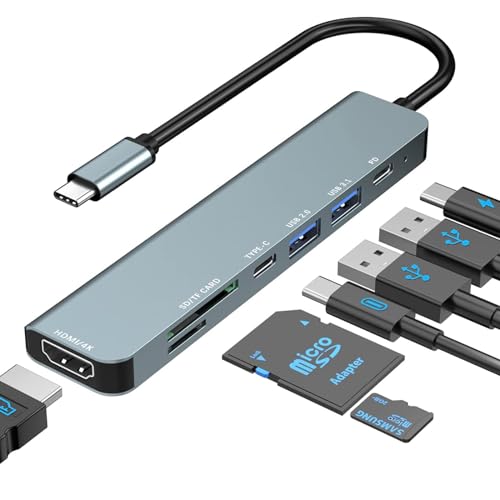
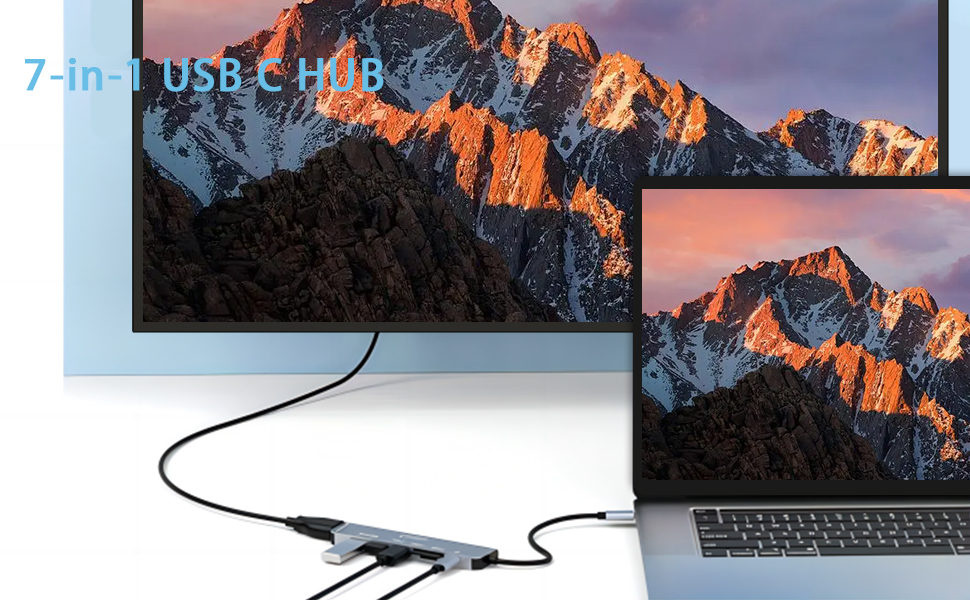
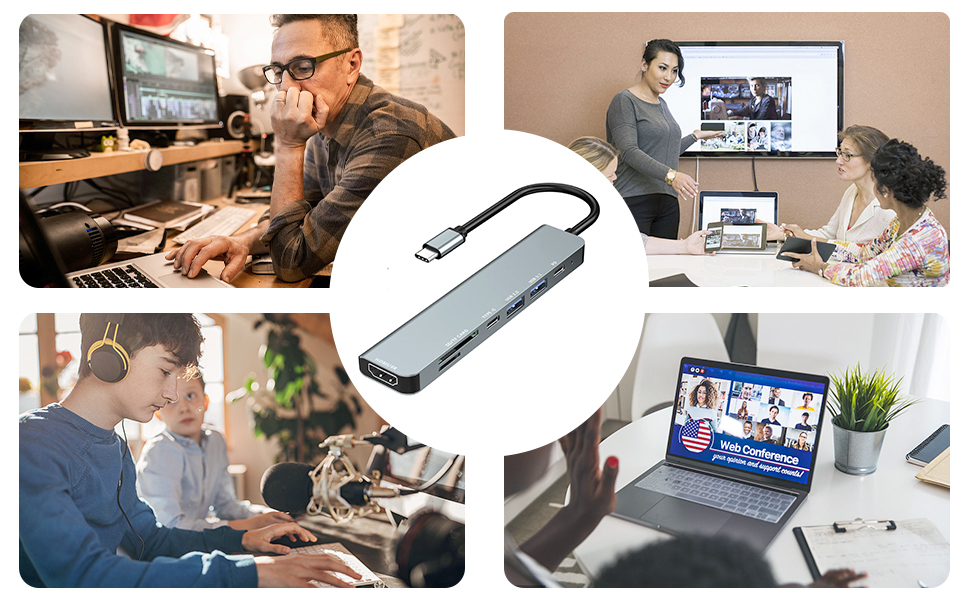
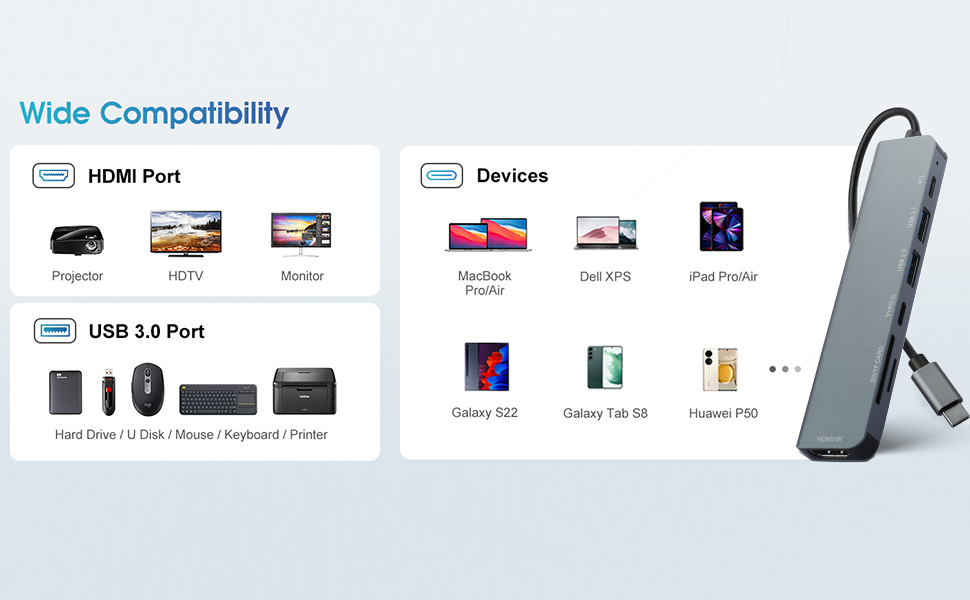
Avigers USB C Hub, 7-in-1 USB C to HDMI Adapter with 4K HDMI, 100W PD, USB 3.0, USB 2.0, USB-C Data Ports, SD&TF Card Reader, Type-C Multi Adapter for MacBook Air/Pro,iPad Pro,Huawei,Dell,Samsung etc
Works great with my Samsung phone
I got this specifically to use with my old Samsung S8.
I’ve been meaning to root it for some time. but as it has 100GB of precious videos and photos of my family and with no quick way to back it up to the cloud (as I have slow 20mb internet), I looked into backing it up to a USB Drive.. the problem is that I don’t have any USB Type-C drives!
Along comes this very handy hub. It’s plug and play, so as soon as I connected this to my phone, and then connected a hard drive to this hub, it was picked up by the phone as removable storage.. perfect!
I ended up having to use a portable 160GB mechanical hard disk drive as I didn’t have any USB sticks above 64GB. The problem with this is that traditional mechanical HDD’s are quite slow compared to flash-based drives, so the 100GB of data would take many hours to backup. The phone’s battery lasts maybe an hour, but fortunately, you can plug in a USB Type-C cable into the port labelled “PD” (power delivery) on the hub to ensure the phone is kept on charge during the entire process.
With that problem solved, I was able to backup without any issues; no disconnections of any sort, and was done on my very first try. Perfect.
My Favourite Hub
I recently upgraded my workspace with the USB C Hub, and I must say, it has significantly enhanced my productivity and connectivity options!
First and foremost, the versatility of this hub is truly impressive. With its 7-in-1 design, it covers all the essential ports I need for seamless multitasking. From the 4K HDMI port for high-quality video output to the USB 3.0 and 2.0 ports for connecting peripherals, this hub has everything I need to stay productive throughout the day.
The 100W PD (Power Delivery) feature is a game-changer, allowing me to charge my devices at lightning speed while simultaneously transferring data or streaming content. It’s incredibly convenient, especially when I’m working on multiple devices and need to keep everything powered up and running smoothly.
I also appreciate the inclusion of SD and TF card readers, which come in handy for quickly transferring files or accessing media from external storage devices. The Type-C data ports offer additional connectivity options, ensuring that I can easily connect my MacBook Air/Pro, iPad Pro, Huawei, Dell, Samsung, and other compatible devices without any hassle.
In terms of build quality, this hub feels robust and durable, with sturdy connectors that provide a secure and reliable connection every time. Its compact size makes it perfect for on-the-go use, whether I’m working from home, the office, or a coffee shop.
Overall, I couldn’t be happier with my USB C Hub. It’s a versatile and indispensable accessory for anyone looking to expand their connectivity options and maximize their productivity. Whether you’re a professional or a student, this hub is sure to streamline your workflow and make life a whole lot easier!
Does what it says
There are quite a lot of these available in slightly different configurations, but for the price this one is decent enough. All the sockets on it did what they were meant to do, and the laptop it was plugged into charged at the correct rate. As always, a longer cord would be nice so I could use with desktop but I knew before purchase that it wouldn’t be. Would recommend.
Compact and versatile hub
This hub offers a variety of connectivity options, all accessible from a single USB-C port. As laptops become more compact, they increasingly rely on devices like this. The hub boasts a sleek, professionally built design, being made of aluminium, which allows it to dissipate heat effectively.
One word of caution, though, for those glancing over the picture: only one of the USB-A ports is USB 3.1—this is labeled. However, both ports are blue, which usually highlights the USB 3 standard. On a more expensive hub, I would have deducted a star for misrepresenting a standard. But at 7.99 at the time of review, I still feel this is a fantastically priced hub with a great array of features.
Really a must have for laptop users
This is an excellent little hub. It is only 122mm long and 27mm wide and 10mm thick. It is finished in a pleasing bluish silver coating that makes it look modern and way more expensive than it actually is. It honestly feels high quality.
My work laptop, which is getting quite old, has more sockets than more modern units but still not really enough for my needs. This adaptor helps a lot. Ok you use one of your type C sockets but in return you get 2 type C’s essentially 1 additional. One of these is a high power charger for say your phone. You also get a USB 3 and a USB 2, which I have used for my keyboard and mouse and you even get a 4K HDMI and card reader slots. I do not have admin rights for my work PC and still had no trouble connecting and using this.
All sockets seem to work fine on my Dell Laptop running windows.
I now have finally got enough PC sockets and if I ever ran out I could even add another one of these.
Seriously useful and excellent little adaptor in my view.
I do think this is also excellent value for money because individual socket adaptors could cost this much.
A valuable addition to my MacBook Pro setup.
I recently ordered this USB C Hub, and I’ve been quite impressed with its performance. The 7-in-1 design offers a comprehensive range of ports, including 100W PD charging, 4K HDMI output, USB-C and USB-A data ports, as well as slots for SD and TF cards.
The hub’s build quality feels sturdy, and the connections are reliable without any noticeable dropouts. I particularly appreciate the 100W PD charging capability, which ensures fast and efficient charging for my devices while using other peripherals simultaneously.
The HDMI port delivers crisp and clear 4K resolution, making it ideal for connecting to external displays or projectors. The inclusion of both SD and TF card slots is also convenient for transferring files quickly.
Overall, this USB C Hub offers excellent value for its versatility and performance, making it a valuable addition to my MacBook Pro setup.
Lots of ports!
This is really useful and versatile for different purposes. It has 2 USB A and 1 USB C port (maybe another C would be helpful) for connecting devices like mouse, keyboard etc. SD card slots are perhaps not going to be used that often but handy to know they are there when needed. HDMI is helpful to connect to a monitor and the passthrough charging power is decent. The hub is metal and feels good quality, it’s also a bit thinner than other similar hubs I’ve used. No problems so far with the different uses I’ve tried, connections all seem good. This is a decent product for 10.
Perfec
This hub looks and feels to be good quality, with an aluminium housing on both the hub itself and the plug. I would have preferred a braided cable for longevity rather than the plastic covered cable, but that is a minor point.
It has a good range of sockets given the price. The inclusion of an RJ45 network socket and a 3.5mm audio output would be nice, but would inevitably push the price up.
I firstly used the hub on my Samsung S10 phone where I was was able to simultaneously connect a monitor, keyboard, mouse and external storage whilst still charging the phone via the hub PD socket. Samsung Dex worked fine with this configuration. Both TF and SD card reader worked well, although its worth noting that they cannot both be used at the same time.
I also used the hub on my Alienware 15 R3 laptop which had a thunderbolt compatible USB c socket. Again, I was able to simultaneously add external monitor, keyboard, mouse and external storage. The PD socket was not needed in this case, as all power was supplied by the laptop itself.
Overall, this hub is excellent value and highly recommended.
Versatile hub
This hub works really well, giving multiple options to connect various devices, lacks Apples lightning connector input but has most other types of connectivity covered.
Data transfer speeds are good and being able to charge while connected is nice. I have not used the 4K port yet but will update in the future.
Would recommend for travel and home.
A good balance of expansion ports for bad laptops
Did you get a laptop that only has one or two ports? Can you not hook up your monitor, keyboard, mouse or insert an SD card? Then you need something that does this.
The product I got is Avigers USB C Hub, 7 In 1 USB Type C Multi Adapter with 100W PD, 4K HDMI, USB-C & 2 USB-A Data Ports, SD&TF Cards for iPhone 15 Series, MacBook Air/Pro, iPad Pro, Chromebook, Huawei, Samsung etc. I say this because I encountered a similar product that changed to a much more expensive one with different ports after it was reviewed.
So to be clear, this has a USB cable to plug into your laptop, gives you 100 Watt Power Delivery, a Type-C for data and two Type-A ports – a USB 2.0 one and a USB 3.1, as well as both Micro-SD and SD card slots.
This is a pretty good balance IMHO. I can plug in a mouse, keyboard and external laptop, as well as still deliver power through the PD port to the laptop. I can plug an external SSD or some other Type-C device in as well. That’s a useful set of features to me. There’s no Ethernet but for 9.99 that’s not something I’d expect – they have a slightly more expensive one which does have ethernet and more type-c and is probably a little larger. If you want to make travelling or even working at your desk a bit easier and are having to unplug things, or just can’t use them at all, you need something like this. If you want more ports for multiple displays, ethernet, more Type-C etc, it’s probably available it’ll just ramp up in price.
I’d be fine using more of their products in the future. Build quality seems good, it’s an aluminium chassis so it’s quite sturdy. The built-in cable isn’t too long or short so it’s not going to waste space, or be in the way of your laptop when you’re using it.
Good, but not perfec
This hub is pretty great on thow whole. It’s a good price, lightweight and it’s got plenty of connectivity. USB transfers via the USB 3.x ports are fast, SD cards read without an issue and the screen connected via the HDMI port was fine at 2560×1440 (I don’t have a 4K screen).
Out of interest, I plugged it into my iPhone 15 Pro Max and it also worked well, with storage devices being detected. The only issue was that the screen mirroring from phone to screen kept dropping out every 10 seconds or so. This didn’t happen with my laptop and the screen, so it may be an oddity of the iPhone.
If you’re after this to connect a phone then be aware that there might be an issue with the HDMI, but for a laptop it works great and for the price it’s fantastic.
A useful combination of ports
My laptop PC is somewhat lacking in ports and this hub has a useful combination — 1x USB C, 1x USB 3, 1x USB 2, 1x HDMI and a reader for SD and micro SD cards. It also has a USB C power pass through so that the laptop can be charged while the hub is in use.
The USB C cable is only 16cm long and I would have preferred it to be detachable so that I could use different length cables and have more options about where the hub is located.
The hub seems well made with a metal case which I assume helps dissipate any heat (although it didn’t get very warm in my tests)
The Amazon product description says that the hub doesn’t support charging. However it charges my phone fine, albeit at a relatively slow charging rate.
The two USB type A sockets have different speeds — One is USB 2 and one is USB 3. I tested them with a fast USB 3 thumb drive and the USB 2 port was noticeable slower. There seems no reason why both couldn’t be USB 3, so I’ve knocked one star off my review for this.
I tried the HDMI connection with an HD monitor and it worked well. The hub is described as being able to handle 4K video but I don’t have any suitable equipment to test this.
I tried the card reader with both SD and micro SD cards and both worked well.
Versatile and works well.
Having so many rechargeable devices, and equipment that works via some kind of computer lead or other, I am always on the lookout for any peripheral that will help me tidy up the viper’s nest of cables and chargers that I have lurking at the back of my table in my TV room. This 7 port adapter seemed ideal. The only questions were if it would charge all my stuff and if it would be reasonably fast at doing so. If it did then that would be a massive bonus as the listing states that the USB ports do not support charging.
The unit is well made and cased in aluminium which not only makes it tough but also helps with heat dissipation. It has an attractive gun metal fish. The USC C in cable is pretty short and I would have preferred it to be detachable which would have made the unit more versatile in terms of connector on the input side and also length, and that would have made positioning easier. As it is I had to connect an extender to enable me to place the unit in a convenient position. Also, with this unit, if the cable fails then the whole thing is finished and in that respect the protective collar, at the junction of cable to box, is very short and quite stiff. It is this junction that is typically the main cause of failure of cables as the repeated flexing stresses the sheath and causes cracking. In the absence of a more effective collar, with a bit of give in it, I think a more durable braid would have been a good idea instead of the PVC type covering that this cable has.
In use I firstly tried my rechargeables, including phone, neck light, torch, hand warmers, and wireless earbuds. I am happy to report that all charged , at at a reasonable rate and without any ill effects that I could discern. I must say though that you use this device to charge at your own risk , in view of the statement in the listing saying it does not support charging.
For pass through of data there were, as expected, no problems and as stated was purely plug and play. I do like components that don’t require a degree in computer science in order to get them functioning and this was just that. It is very difficult to be sure how speed of transfer compares to other devices due to the high number of variables but I can say it is no slouch.
Value wise I feel that 9.99 is a very fair price to pay for something that works as well as this and has such versatility. If it had been made with a detachable cable then it would be close to being ideal. As it is it only just fails to get a five star recommendation from me.
A nice mini docke
The shell of the hub is metal, which adds to the initial feel of quality when you unpack it. There is a small blue power LED next to the incoming USB C cable.
The power delivery port functions as expected, allowing for charging of the device whilst the hub is in use, this was tested on a MacBook with a standard Apple charger.
The product states that it doesn’t provide downstream PD support on the USB sockets, so you can’t do fast charging of phones and tablets via the hub, they will simply charge at 4.5W, so 0.9A, which is the maximum from USB without PD support.
The display adapter works as expected, allowing screen extension from the Mac to a 4K display. I had a little issue with the screen dropping in and out at random points, but this proved to be a problem with my HDMI cable and once replaced, the problem was resolved. I also noted that a change in power, such as unplugging the charger or plugging in the charger, resulted in a similar situation, where the screen blanks for a couple of seconds, then re-establishes with battery power. I’m guessing this is when the power direction swaps between the hub and the, so this makes sense.
The SD/TF card slots worked as expected as did the USB sockets. Its notable that there is one socket marked as USB2.0 and the adjacent one is marked as USB 3.1, yet both are fitted with Blue connectors, implying that they are both USB3. I moved the hub to a Windows 10 PC and tested read/write speed with Crystal Disk Mark 8 and confirmed that the USB2 socket is indeed USB2 as it has a slower data rate than the USB3 socket.
Windows 10 did not detect the video adapter in the hub, so I can’t verify the claims of support for Surface, Dell XPS or HP devices. Perhaps Windows 11 is required ? Perhaps someone else could test this aspect and confirm in another review.
Overall, I’m very happy with the hub, it performs well and looks to be good quality and is very good value (9.99 at the point of review). It would be nice if the USB2 socket was correctly colour coded in BLACK, but it seems a little unfair to mark the product down for this little issue, given all the good things it provides.