Elgato Facecam MK.2 – Premium Full HD Webcam
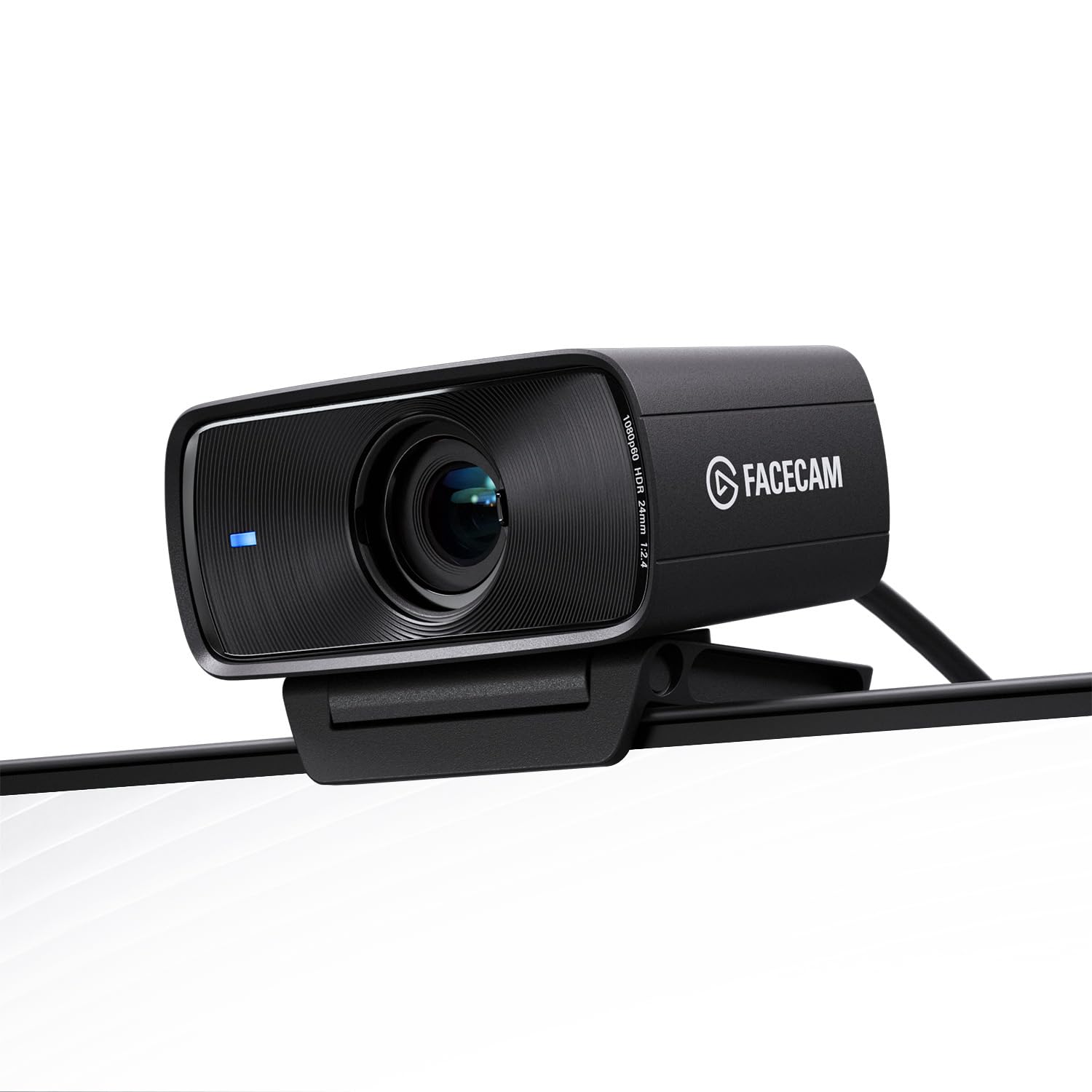
Elgato Facecam MK.2 – Premium Full HD Webcam for Streaming, Gaming, Video Calls, Recording, HDR Enabled, Sony Sensor, PTZ Control – works with OBS, Zoom, Teams, and more, for PC/Mac

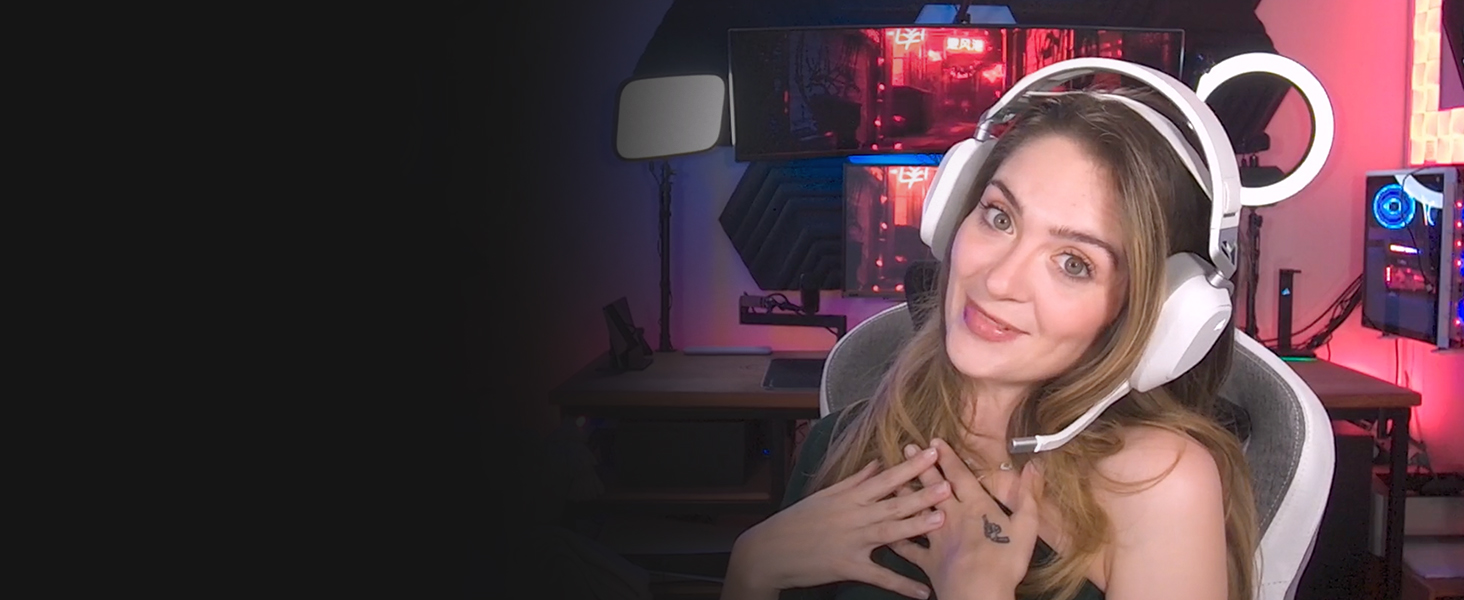
LOOK TRUE-TO-LIFE IN VIVID COLOR
Capture true skin tones. Facecam brings accuracy and depth to color reproduction, immersing your audience in the moment.
LOOK YOUR BEST IN FULL HD
Facecam records in sharp 1080p at 60fps, ensuring clear facial expressions for viewers with minimal motion blur.
LOOK HIGH FIDELITY IN ANY LIGHT
No matter if you’re gaming in a dim room or burning the midnight oil at the office, you won’t be lost in shadows.
LOOK CLEAR AT THE PERFECT DISTANCE
Facecam keeps you in focus even in extreme settings, without ever needing to sacrifice framerate.


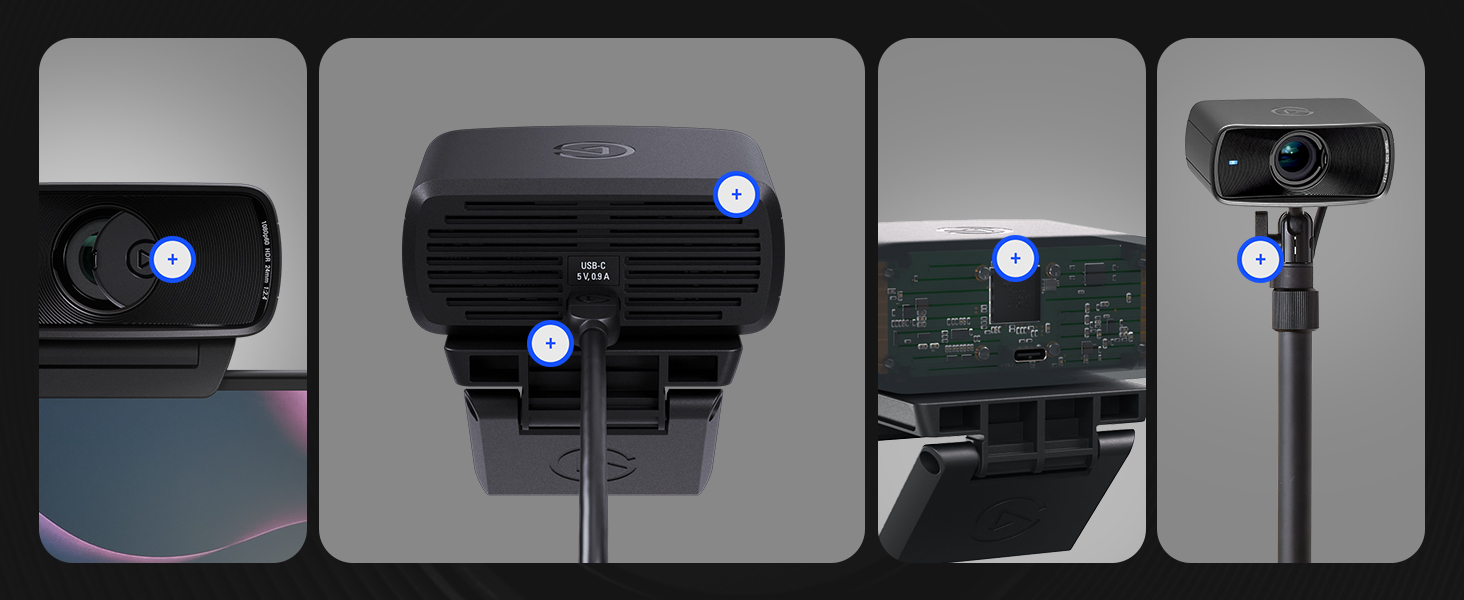 CUSTOM HEAT SINK ” data-position=”triggerHorizontal” />ROBUST IMAGE ENGINE ” data-position=”triggerHorizontal” />
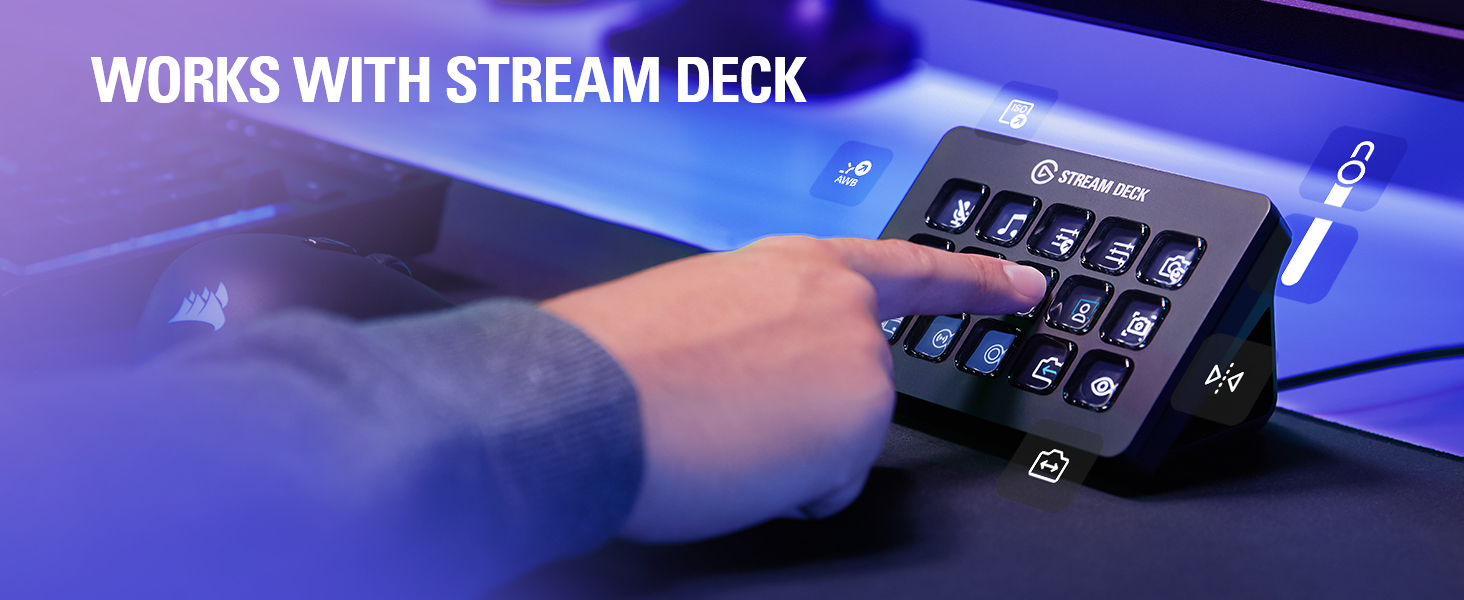
Zoom in. Adjust exposure. Toggle effects. All with a key press or a dial turn, without taking your eyes off camera.
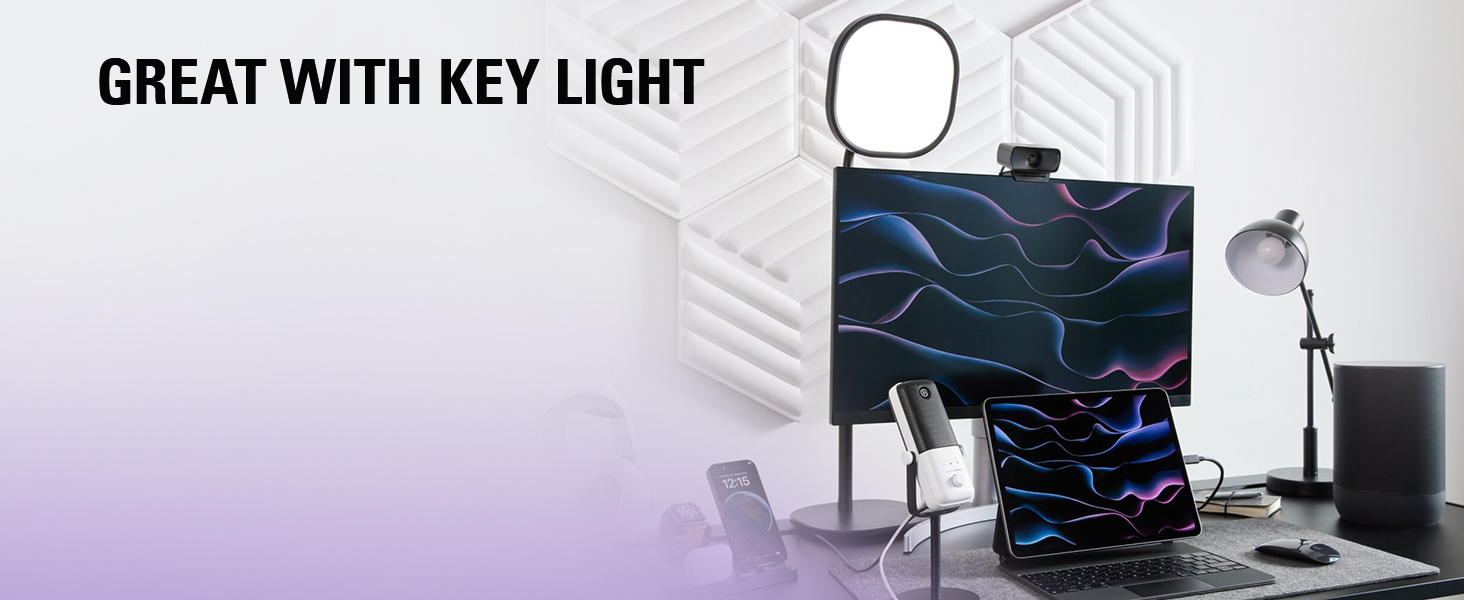
Remarkably bright yet so soft it’s certified for eye comfort. With next-gen connectivity that gives you snappy control from your favorite devices.
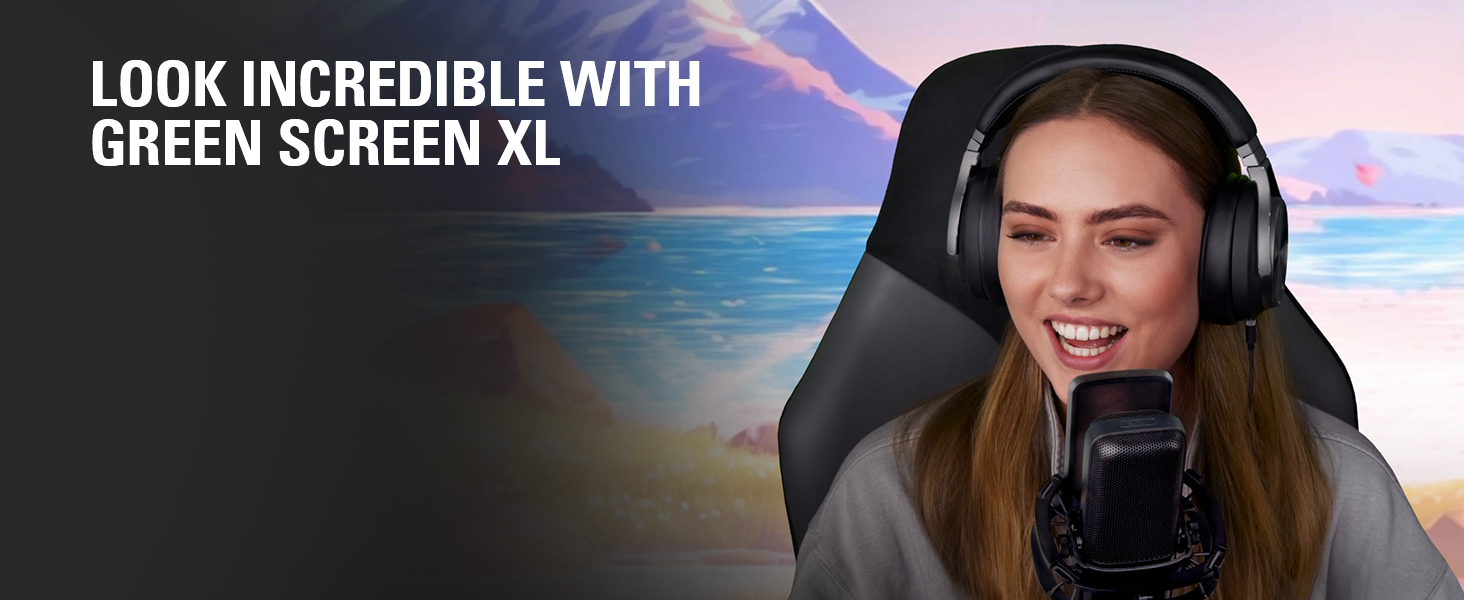
LOOK INCREDIBLE WITH GREEN SCREEN XL
An extra-wide, portable green screen optimized for webcam background removal.
Technical Specifications
Supported resolutions 1080p60, 1080p30, 720p120, 720p60, 720p30, 540p120, 540p60, 540p30 (uncompressed*) Optics Elgato Prime Lens (fixed focus) Focus range 30–120 cm (11.8–47.2 in) Aperture f/2.4 Focal length 24 mm (full-frame equivalent) Field of view 84° Sensor SONY STARVIS CMOS sensor 1/2.5″ Connection USB Type C Mounting point 1/4-inch thread USB video class UVC standard v1.5 Dimensions W 84 x H 38 x D 61 mm | 3.3 x 1.5 x 2.4 in (without mount) Weight 90 g | 0.2 lb (without mount), 136 g | 0.3 lb (with mount) System requirements Windows 10 (64-bit) or newer, Intel or AMD CPU / macOS 12 or newer, Intel or Apple CPU / USB 3.0 Type A, USB 3.0 Type C (with adapter, not included) / USB 2.0* Type A, USB 2.0* Type C (with adapter, not included) / *Connected by USB 3.0, otherwise MJPEG
| Weight: | 145 g |
| Dimensions: | 16 x 9 x 10 millimetres |
| Brand: | Elgato |
| Model: | 20WAC9901 |
| Part: | 10WAC9901 |
| Colour: | Black |
| Dimensions: | 16 x 9 x 10 millimetres |
Bought this to replace my logitech streamcam. Instantly better picture quality and apps are much less annoying. Still need decent lighting for a quality picture but its a solid upgrade for cheaper price.
Bought this to replace my logitech streamcam. Instantly better picture quality and apps are much less annoying. Still need decent lighting for a quality picture but its a solid upgrade for cheaper price.
Has been great no issues and is even a upgrade to a c920. Has everything I need and my presets can be saved to the Webcam. This is a big hit for me.
Has been great no issues and is even a upgrade to a c920. Has everything I need and my presets can be saved to the Webcam. This is a big hit for me.
The Elgato Facecam MK2 is an impressive web camera with outstanding image quality, making it perfect for streamers and content creators. Its advanced settings and easy customization options allow for crisp, professional-looking videos right out of the box. Even if you don't have a good light in the room, the videos will look great.
The Elgato Facecam MK2 is an impressive web camera with outstanding image quality, making it perfect for streamers and content creators. Its advanced settings and easy customization options allow for crisp, professional-looking videos right out of the box. Even if you don’t have a good light in the room, the videos will look great.
Increíble cámara!
La pill para stream y aunque al principio se ve un poco apagada, configurndola puede dar una calidad visual muy buena. Estoy muy contenta con mi compra. Ligera y se puede poner en un trpode de cmara con rosca, no es necesario ponerlo encima de la pantalla.
Veramente Ottima
Dopo aver provato diverse webcam di fascia alta devo dire che Elgato e questa webcam sono il top. Le immagini sono chiare e ben definita e il software in dotazione molto pratico, utile e facile da usare. Sono possessore della Facecam MK2 che della Pro . Le uso per registrare i miei contenuti da caricare nel mio canale YouTube, per webinar, Live e videochiamate. Super soddisfatto. Consiglio vivamente l’acquisto.
I've done some researches of this camera and I guess in short you could say "I got what I was looking for". So I'm satisfied that the real product wasn't too far from my expectations. I like the part where I can change the light settings in their application that you could download. Has come handy.
I’ve done some researches of this camera and I guess in short you could say “I got what I was looking for”. So I’m satisfied that the real product wasn’t too far from my expectations. I like the part where I can change the light settings in their application that you could download. Has come handy.
Webcam qui fait le taf
a faisait bien longtemps que je n avais pas achet une webcam et pas du des rglages qu elle propose.
Bien-sr il faut un bon clairage mais la qualit est l et trs agrable le 60 ips, trs fluide.
Also ich muss sagen das diese kleine Cam von Elgato eine wirklich gute Bildqualitt mit einem guten Rauschfilter liefert. Ich hatte vorher eine Creative Live Cam. Fr Webcam Telefonie war sie wirklich ausreichend. Auch fr Microsoft Teams war sie vollkommen okay, doch fr Livestreams auf Twitch war sie durch die geringen Einstellmglichkeiten und dem nicht gerade sehr hochwertigen Sensor eine kleine Entuschung. Daher habe ich mir die Facecam MK2 von Elgato, aufgrund mehrerer positvier Testberichte auf Youtube, geholt. Die Elgato Cam Hub Software lsst sehr viele Einstellungen wie ISO Wert, 1080p 60Hz oder 720p 120Hz, HDR und noch einiges mehr zu. Ich empfehle die Cam, trotz Abwrtskompatiblitt auf USB-2, an USB-3 zu nutzen. Im USB-2 Modus ist nur eine komprimierte MJPEG bertragung mglich. Es sieht vom Bild zwar gut aus, lsst aber einige Details vermissen. Im USB-3 Modus hat man dann ein unkomprimiertes Detailreicheres Bild. Auch sollte man den HDR Modus nicht unbedingt verwenden. In diesem Modus verwendet die Cam ein dunkles Bild und ein helles Bild, um dann ein gut ausgeleuchtes Zwischenbild damit zu berechnen, was auch gut funktioniert, aber… dadurch werden eure Kopfbewegungen unnatrlich “verschmiert” dargestellt, wenn das aufzunehmende Bild nicht sehr gut ausgeleuchtet wird. Ebenso solltet ihr, wenn ihr euch damit nicht auskennt, die Finger von den ISO Einstellungen lassen und das die Cam automatisch regeln lassen. Das funktioniert auch sehr gut. Die Privacy Klappe ist jetzt an der Cam fest verbaut und kann nach der Benutzung einfach zugeschoben werden. Der Gummistopfen der MK1 war nicht gerade eine gute Lsung dafr, da man den auch sehr leicht verlieren konnte. Der Rauschfilter leistet schon auf der mittleren Einstellung, bei ausreichend Licht, sehr gute Arbeit. Man braucht also keine Flutlichtanlage um das Gekrissel aus dem Bild zu bekommen. Leider hat die Kamera auch keinen Autofokus. Der ist fest und ich kann aber sagen das der Bereich des Fokus ausreicht. Und man kann seinen kopf tracken lassen. Die Cam folgt dann deinen Kopfbewegungen. Theoretisch kann die Facecam MK2 alles was auch die Facecam Pro drauf hat, auer 4k und Autofokus. Wer also eine Streaming Webcam mit 1080p 60Hz sucht (4k ist bei Twitch ja so ziemlich Sinnlos), kann hier Bedenkenlos zugreifen. Preis-Leisung finde ich fr die gebotene Qualitt sehr gut. Klar DSLR Kameras sind natrlich um einges besser, aber die werdet ihr nicht mal annhernd in dieser Preisklasse finden.
Incredibly good camera!
very good web cam, but sometimes has small issues, sometimes video freezes, it happens rarely, like one time a week, then need to plug it in to another usb port and it works with no issues again, I may need to update drivers of my bios to make sure it is working properly, anyway I didn’t had serious issues with this web cam, and the amount of effects you can use in the elgato camera hub app is just incredible! Quality is superb! Really worth the money! If you have rx2060 or higher end graphics card, then you can use even more effects like different backgrounds when you have video calls. Highly recommend! A+++
The best facecam Elgato has done
I was someone who had several issues with the first facecam due to it freezing often & especially having a strong blue filter. Once I heard about Facecam receiving a new updated model, I did some research before buying and found some really good reviews so decided to give it a try. So far I do not regret my purchase. Facecam Mk 2 is 10x better than the original facecam. The colours look more natural, the quality is crazy good for 1080p footage. The lighting is also amazing with the new facecam – both day and night! I’m impressed with the quality of this facecam especially the fact it’s the same price as the original one (if you have prime). If you had issues with the first facecam or the firstcam pro – just try the Mk 2. I find it fixes a lot of problems.
Mit der Facecam Mk.2 hat Elgato sich selbst bertroffen. Die allgemeine Bildqualitt ist absolut berragend und schlgt, meiner Meinung, jede andere Webcam auf dem Markt.
Was erwartet euch also bei der Facecam Mk.2 in Kurzform?
– 1080p bei 60 FPS
– HDR
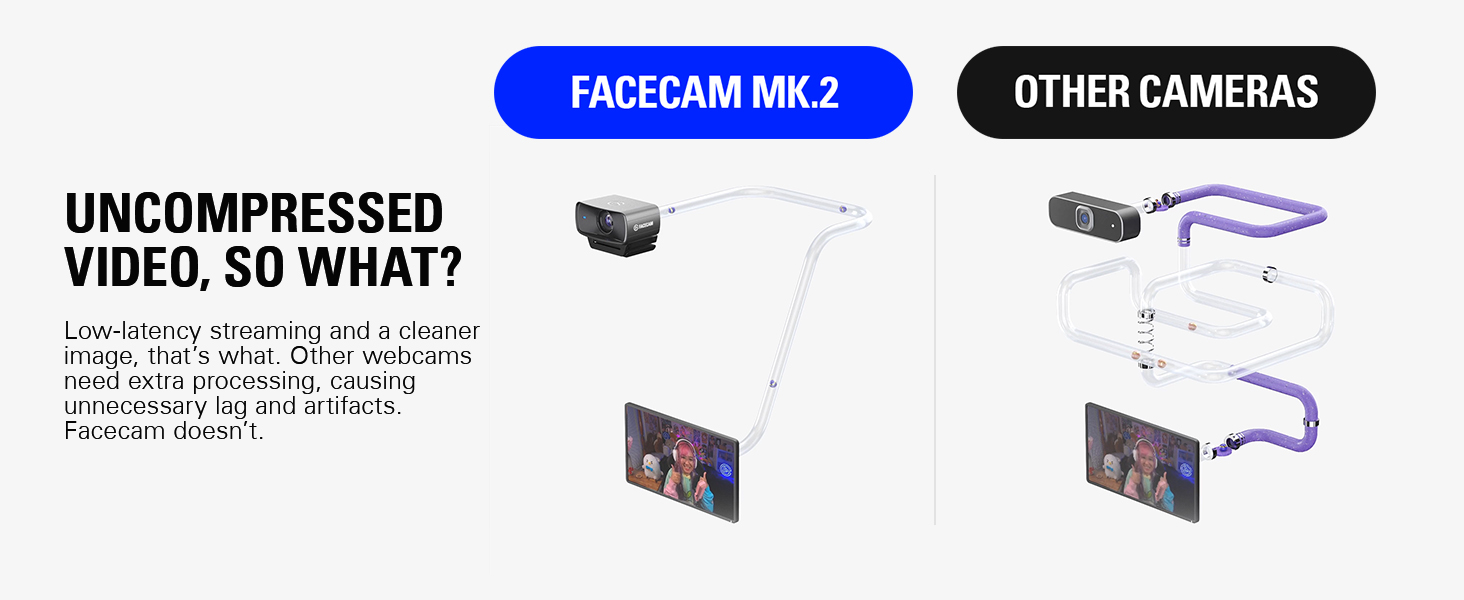
– Uncrompressed Video
– Bis zu 120 FPS bei 720p
– Unvergleichlich natrliche Hauttne
– Integrierter Privacy Shutter
– USB 2.0 kompatibel
– Selber Preis von 150 UVP wie beim Vorgnger
Wer Details mchte, kann nun mein Ausfhrliches Review durchlesen:
Jedes Produkt hat auch ein zwei kleine Mankos. Dazu spter mehr, erstmal das positive:
– Bildqualitt
Wie bei der originalen Facecam erhalten wir 1080p bei 60 FPS. Somit der mindestbentigte Standard einer Webcam heutzutage abgedeckt. Besonders fr den Creator Bereich. Fr ein wenig slowmo Spielerei knnt ihr die Cam auch auf auf 720p und 120 FPS stellen.
WICHTIG fr alle Creator Kollegen:
Wenn ihr die Cam in OBS konfiguriert, achtet darauf, dass ihr in den Eigenschaften von “Gertestandard” auf Manuell umstellt! Also stellt hier manuell die Auflsung auf 1080p 60 FPS. Sonst erhaltet ihr nicht die volle Bildqualitt.
Womit die Facecam Mk.2 am meisten berzeugt, ist die unfassbar gute Darstellung von Hauttnen und Farben. Diese sehen extrem natrlich und originalgetreu aus. Hier knnt ihr euch ein direktes Bild machen mit dem angehngten Vergleichsvideo zur Facecam Mk.1.
Auch die Lowlight Performance ist im Vergleich zum Vorgnger extrem. Statt zu tiefe und zu dunkle, kontrastreiche schwarztne haben wir bei der Facecam Mk.2 immer ein schnes helles Bild.
Einher mit der guten Lowlight-performance kommt jedoch ein relativ kontrastschwaches Bild. Das kann man aber sehr leicht in der Software (Camera Hub) im hoch drehen. Somit erreicht man trotzdem einen guten Kontrast.
– HDR
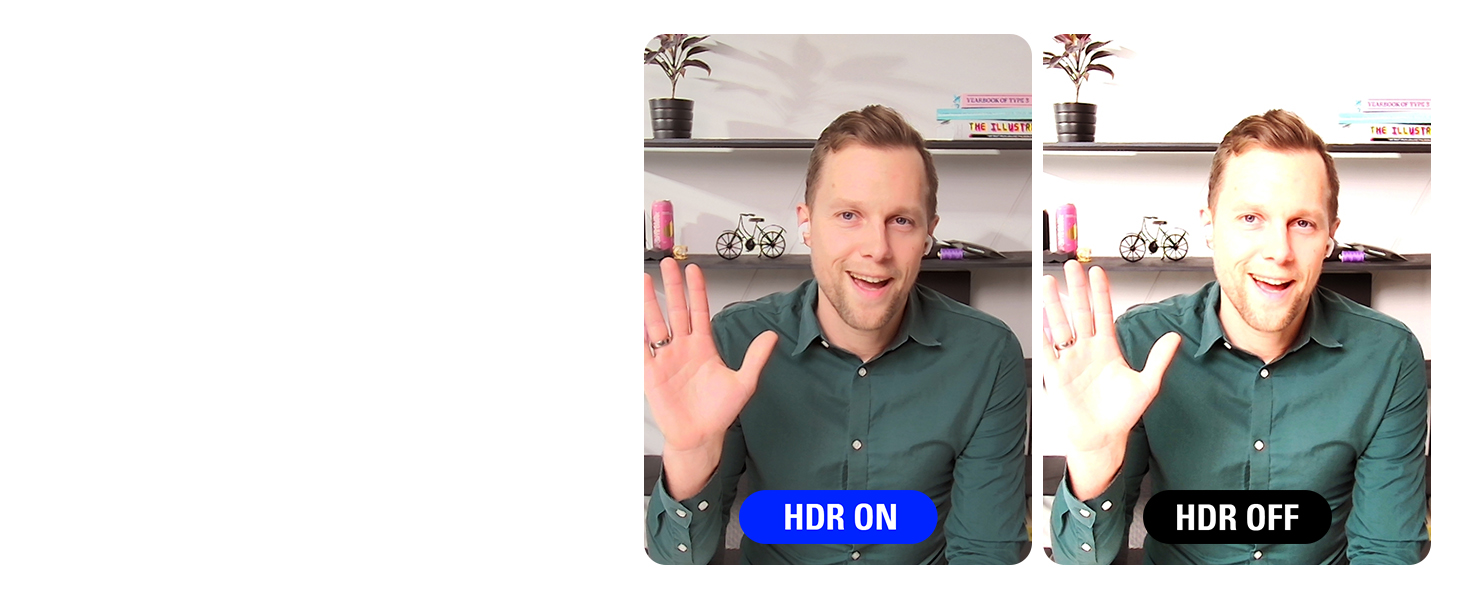
Die Facecam Mk.2 bringt HDR mit. Was fr den Preis absolut Wahnsinn ist. Mit HDR bekommt man selbst bei direkter Sonneneinstrahlung immer noch ein gutes und nicht berbelichtetes Bild. In Camera Hub kann man zwischen SDR (bzw. Standard) und HDR jederzeit wechseln.
Die Vorteile von HDR sind klar. Ich denke auch, dass jeder HDR kennen sollte, dennoch ein kleines Beispiel:
Hat man z.B. Fenster hinter sich, welche im Kamerabild zu sehen sind, sind diese in nahezu jeder Webcam am Tag vollkommen wei und berbelichtet. Schaltet man nun HDR ein, ist sogar ein Fenster und was man dadurch sieht, klar erkennbar.
Sitzt man in sehr hellen Rumen mit viel Lichteinstrahlung ist HDR auch ein riesen Vorteil. Whrend sonst besonders Gesichter oder weie Wnde bei Sonneneinstrahlung gerne berbelichten, kann man dies mit HDR und einem niedrigen ISO Wert sehr leicht kompensieren.
Womit HDR jedoch nicht klar kommt, sind bunte Lampen. Das Beispielbild z.B. wurde in SDR aufgenommen, da die lila Lampe im Hintergrund bei HDR nicht korrekt dargestellt werden kann.
– USB 2.0
Was ein riesiger Vorteil der Facecam Mk.2 ist, dass sie auch beim Einsatz eines USB 2.0 Kabels ohne Probleme funktioniert. Durch den MJPEG Standard schafft es Elgato trotz einer langsamen USB-Verbindung ein 1080p Bild bei 60 FPS auszugeben. Sogar mit HDR mglich. Und was mich absolut beeindruckt hat: sogar 720p bei 120 FPS funktioniert per USB 2.0.
Klingt alles belanglos, da ja das korrekte Kabel beiliegt, es gibt einem jedoch nochmal deutlich mehr Flexibilitt.
Kommen wir zu den zwei (ein halb) Mankos der Facecam Mk.2. Diese sind jedoch absolut keine Dealbreaker.
Privacy Shutter
Hierzu braucht man nicht viel sagen. Die Facecam Mk.2 hat einen eingebauten Privacy Shutter. Einfach die Linse verdecken, falls man sich beobachtet fhlt. Der Vorgnger hatte sowas auch. Aber dies lag lose bei der Webcam bei und konnte so leicht verloren gehen. (Ich glaube ich habe meinen nach dem Auspacken nie wieder gesehen)
Manko 1: Darstellung von Lampen
berbelichtung mancher Lichter:
Trotz, dass ich eben so toll ber HDR gesprochen habe, hat die Facecam Mk.2 Probleme gewisse Farben von Licht darzustellen. Wodurch es, trotz der HDR-Mglichkeit, zu berbelichtung kommen kann.
Wenn man sich das Vergleichsvideo ansieht, erkennt man, dass die lila Lampe im Hintergrund bei der Facecam Mk.1 deutlich besser belichtet ist. Kein berbelichten und kein scharfer Rand zur Tapete.
Bei der Facecam Mk2. Ist die Farbe jedoch ausgebrannt und berbelichtet. Zwar ist die Farbtreue bei der Mk.2 grundlegend besser. Aber “echter” durch sieht es bei der Mk.1 dennoch aus, da es hier nicht berbelichtet.
Leider kann man dies (bei genau dieser Farbe) auch nicht mit HDR beheben, da dann das Bild nur schlimmer wird.
Allgemein hat die Facecam Mk.2 es ein wenig schwerer Lampen an ihrer Helligkeit gut darzustellen. Ich denke dies liegt jedoch an dem allgemein etwas helleren Bild, welches aber auch die gute Lowlight Perfomance liefert.
Manko 2: Rauschen
Aus dem selben Grund wie vorher, dem grundlegend hellen Bild der Cam, bringt dieses gleichzeitig ein vergleichsweise starkes Rauschen mit sich.
Elgato ist sich diesem zu 100% bewusst, denn Camera Hub bringt die Mglichkeit einer wirklich SEHR guten Rauschunterdrckung mit. Diese kann man zwischen leicht, mittel und stark einstellen.
Whren “leicht” nahezu nichts verndert erkennt man bei “Mittel” den besten Effekt. Das Rauschen verschwindet nahezu komplett, sodass man dies bewusst suchen muss.
Natrlich wird durch eine Rauschenunterdrckung das Bild allgemein ein wenig weicher und in den Details leicht unscharf. Dies ist aber der natrliche Effekt einer Rauschunterdrckung und muss mit gerechnet werden.
Manko 2.5: Das Kabel
Das beigelegte Kabel ist mit einer Lnge von 2 Metern VIEL zu kurz. In einer Zeit in welcher Kabelmanagement bei Creatorn immer mehr in den Vordergrund tritt und PC’s teilweise sehr weit weg von eigentlich Setup stehen, ist ein 2m Kabel deutlich zu wenig. 3m whren hier meiner Meinung nach das absolute Minimum.
Das ist jedoch nur ein “0.5” Manko, da das Kabel nicht fest montiert ist. Man kann sich also jederzeit ein lngeres Kabel zulegen. Dennoch wre ein lngeres Kabel angemessen.
– Fazit:
Die Facecam Mk.2 bringt einem, zum Zeitpunkt dieses Reviews (26.04.2024) das natrlichste Bild von einer Webcam auf dem gesamten Markt. Selbst die Elgato Facecam Pro kommt nicht auf eine derartige Farbtreue.
Durch HDR sollte jeder zu jedem Zeitpunkt ein Bild hinbekommen, welches fantastisch aussieht und nicht berbelichtet.
Der integrierte Privacy Shutter ist perfekt fr jeden, der sich einfach ein wenig Sicherer fhlen mchte.
Mit der USB 2.0 Kompatibilitt ist man maximal Flexibel und kann die Cam auch unterwegs mal mitnehmen, ohne zwangsweise das richtige Kabel zu haben. Denn es sollte fast jedes ohne Probleme funktionieren.
Alles in allem finde ich, dass trotz der kleinen Mankos das Bild der Facecam Mk.2 derzeit das BESTE und natrlichste Bild auf dem Webcam Markt bietet.
Bei 150 UVP haben wir nicht die gnstige aller Webcams, dennoch ist sie ihren Preis mehr als nur wert und sollte jeden Kufer zufrieden stellen.
Da die Mankos marginal sind, direkt einen Fix in der Software haben und das Bild einfach absolut berragend ist, gebe ich dennoch 5/5 Sternen.
I’ve been using a Logitech Streamcam since its release and have mostly liked it. It works great in good conditions, but shifted to a more enclosed area with very little natural lighting. And ever since doing that, I’ve had trouble with it washing out the picture if there’s artificial light, or being too dark if there’s not. I have a mostly Elgato lighting set up (2 key lights and a light strip) as well as a stream deck. The Logitech has never had good software, but that wasn’t a big deal until recently.
Given the streamcam was good enough. I am teach undergraduate and graduate students almost entirely online, so I wasn’t needing a professional setup, just for meetings, zoom, and recording videos (using xsplit with a small video of me in the corner of a presentation). Recently, the lighting frustration bothered me more and more and I saw this Mk.2 release. I decided to try it out and see if it was an improvement.
Yes, yes it was very much. While the lighting isn’t perfect, the overall quality is so much better I have no regrets at all about shifting to a similar range alternative. The low light works great, the overall image and recording is better, and the software is far and away more user friendly. I can control many functions through my stream deck, making for more dynamic adjustments on the fly in presentations, online live sessions, etc.
Comes with a pretty thick 3.0 USB cable, but if you have a USB C slot in your computer you’re wanting to use you’ll need to buy your own. Which I did. But having only the 3.0 makes this useable for even older setups.
I was previously using the original Elgato Facecam. After seeing a friend upgrade to this, I was convinced to try it myself.
The quality out of the box is INCREDIBLE. Huge step up from the original Facecam! Tinkering with the settings (ISO, Exposure, Sharpness, etc.) helped me find my ideal look for my content. VERY easy to use! If you don’t know what the settings do, a quick YouTube search will get you the knowledge you need 🙂
The face tracking, blurred backgrounds and other AR effects you can utilize are also VERY nice. My favorite feature is being able to save settings, so you can adjust your settings for a new, one-time situation and it’ll reset the next time you load your PC.
If you’re beginning to take content creation seriously, Facecam Mk. 2 is absolutely worth the price. I have zero regrets. I used the original Facecam since it’s release, and I can see myself doing the same with the Mk. 2.
In my quest for enhancing the video quality of my streams and video conferences, the Elgato Facecam Pro has emerged as a surprisingly effective solution, offering compelling value when juxtaposed against the hefty investment of a high-end mirrorless DSLR.
It also works brilliantly with my Elgato TelePrompter.
It bridges the gap between affordability and performance with commendable finesse. The Facecam Pro delivers crisp, vibrant visuals that significantly elevate my online presence, a feat that, until now, I assumed only a pricey DSLR could achieve.
Certainly, a mirrorless DSLR might offer superior sensor size and lens quality, enabling exquisite detail and performance in low-light conditions. However, this comes at a substantial cost, not just in terms of pounds, shilling and pence; but also in complexity and the need for additional gear like lenses. In contrast, the Facecam Pro integrates seamlessly into my setup, requiring minimal adjustments to produce a clean, professional-looking video. Its software, while offering depth for those who wish to dive into customisation, remains accessible enough not to intimidate the less technically inclined.
Moreover, the practicality of the Facecam Pro cannot be overstated. Its plug-and-play convenience, combined with Elgato’s user-friendly software, means I spend more time creating and less time tweaking settings. This ease of use, coupled with the noticeable uplift in video quality over standard webcams, makes the Facecam Pro a wise investment for improving video presentations without breaking the bank.
The value proposition of the Elgato Facecam Pro becomes even clearer when considering the total cost of ownership and learning curve associated with a mirrorless DSLR. For creators, streamers, and professionals seeking to enhance their video quality without the complexity and expense of DSLR setups, the Facecam Pro stands out as a smart, effective choice. It offers a balance of quality, convenience, and affordability that’s hard to beat, making it a preferred option for those looking to make a significant impact on their video content without the hefty investment of a mirrorless DSLR.
They may not be cheap...
They may not be cheap…but dam they are impressive. I bought two of these and the image quality is mind blowing. One is running through a USB hub with no issues. Now have a super high fidelity overhead shot, and a very impressive frontal camera. Just plug and play. Changed all my frame settings in OBS. The software that works with these cameras is getting amaizing review. I was honestly gobsmacked when I plugged them in. The best tech I have bought this year regarding streaming tech. Will buy into this company again. Also bought a Stream DECK XL in the boxing day sales. Very happy Youtuber. Thanks.
Je suis vraiment impressionn par l’Elgato Facecam Pro ! C’est la meilleure webcam que j’ai jamais utilise pour le streaming, le gaming et les visioconfrences. La qualit d’image en 4K60 est incroyable, et je peux voir tous les dtails avec une clart exceptionnelle grce au capteur Sony.
L’une de mes fonctionnalits prfres est la correction de lumire avance. Elle ajuste automatiquement l’clairage pour que je sois toujours bien clair, mme lorsque la luminosit ambiante est faible. Cela signifie que mes streams et mes runions en ligne ont toujours l’air professionnels.
Les commandes reflex sont galement trs pratiques, car elles me permettent de personnaliser les rglages de l’appareil photo en temps rel, sans avoir quitter la vido. Et le grand-angle est idal pour montrer mon environnement tout en restant net et clair.
Je suis ravi que l’Elgato Facecam Pro soit compatible avec OBS, Teams, Zoom, et qu’elle fonctionne la fois sur mon PC et sur mon Mac. C’est une webcam polyvalente qui rpond tous mes besoins en matire de vido en ligne. Si vous cherchez amliorer la qualit de vos vidos et de vos runions virtuelles, je vous recommande vivement l’Elgato Facecam Pro. C’est un excellent investissement !
Waay Better then logitech brio. 4k60 pro
Needed a better quality webcam and this thing sure delivers. The software is really good and works well with stream deck, i’ll most likely invest in 2 more in the future.
Cons with logitech, there software is laggy, cuts out and never turns on first go plus shoddy material’s that scratch easily on there cams.
When i brought the brio it was good but after a couple of months, thats when all the problems started. I’v had friends with elgato standard cams and no complaints so went for the 4k60 version. Unless your going to do full streaming or sw content or stuff like that, probably save some $ and go for a cheaper cam. The quality on this thing is amazing even when full zoomed in.
But if you have made your mind up to buy this, this is a good higher tier before DSLR territory which requires extra things to run. but make sure your pc is beefy enough to use this cam. Its next level!
Does exactly what I need on budge
Can’t afford a good camera setup. I needed a cam without autofocus as it’s not pointed at my face but at a workbench where it will only show my hands. An autofocusing webcam will constantly try to subtly find a face, so even if you switch off the focus it will still make minute adjustments via hardware.
This one did hte trick, shows my hands perfectly, shows enough on the finder details of my projects. I highly recommend this as a mid-range if you can’t afford a proper camera setup for project work that doesn’t point the cam at the face.