TONOR USB Conference Microphone for Laptop, Adjustable
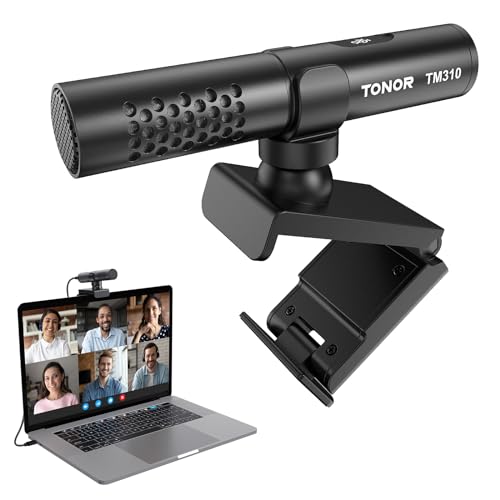
TONOR USB Conference Microphone for Laptop, Adjustable Computer PC Mic with Mute Button & LED Indicator for Video Call Meeting, Microfono for Desktop Zoom Skype YouTube, Plug-Play for MacOS Windows

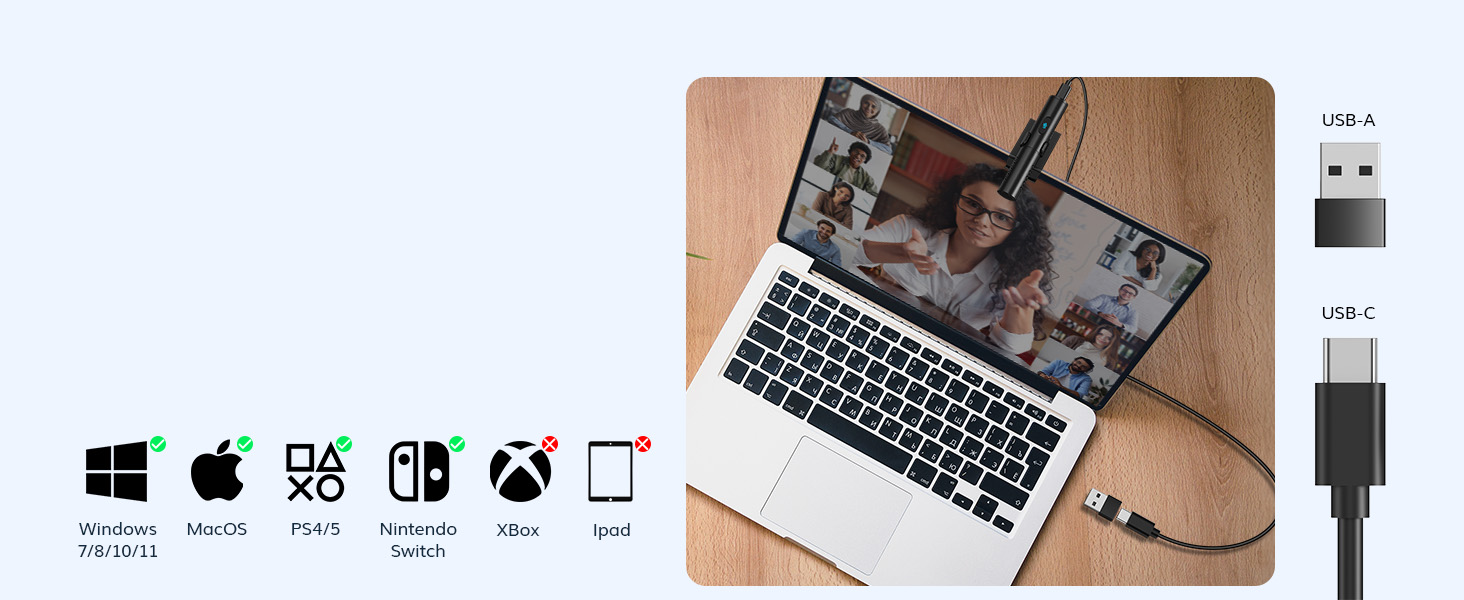
Plug and Play
No drivers required, with two types of connectors, compatible with multiple devices.
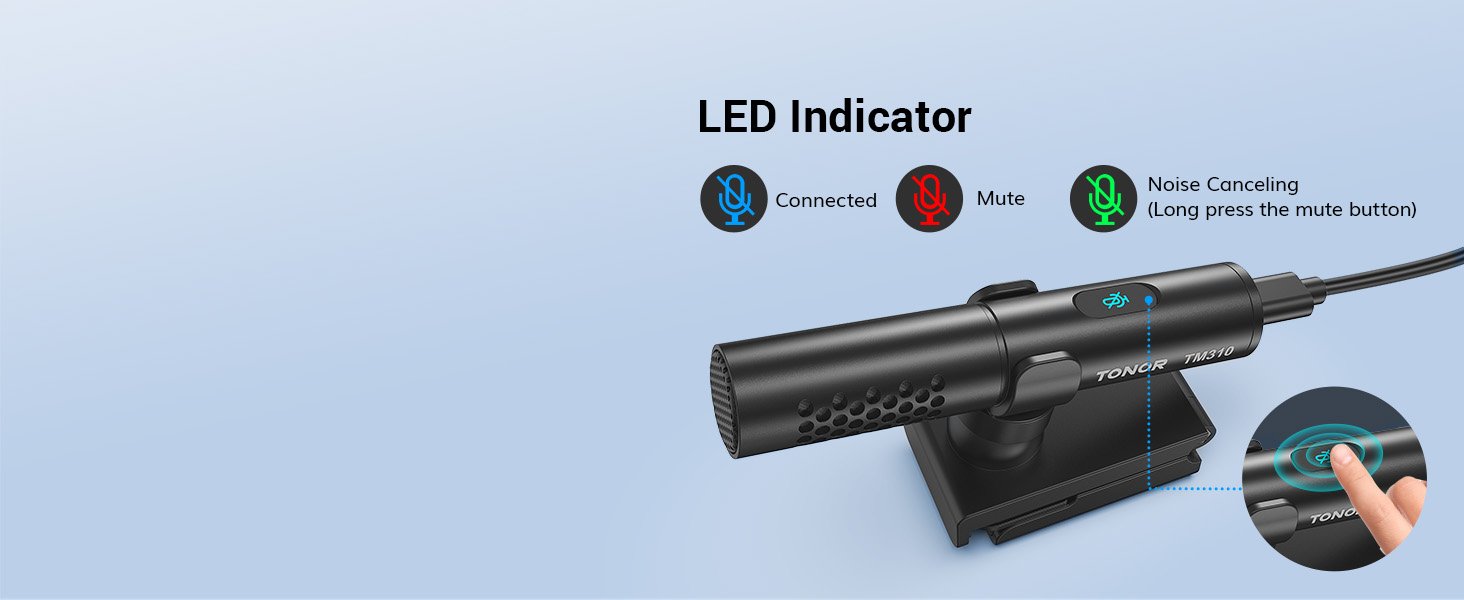
Mute & Reduce Noise
One-click mute/noise reduction function with LED indicator displaying microphone status.
Portable Kit
Weighing only 33g/0.07lbs, it is perfect for on-the-go office use.

Clamp Structure
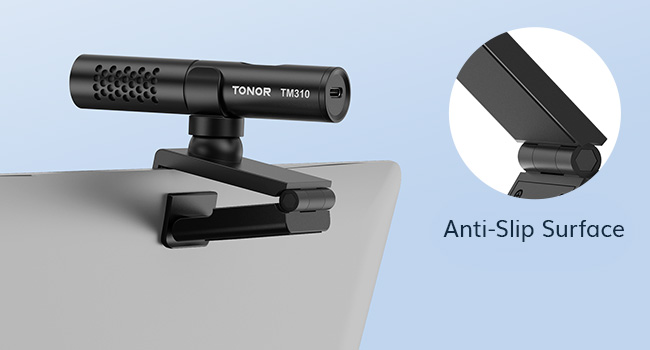
Preset damping ensures stability at adjustable angles, with an anti-slip surface protecting the screen from scratches.

Is it compatible with the Mac OS operating system?
Compatible with Windows (7, 8, 10, and 11) and macOS. Comes with a Type C to USB A adapter for plug and play functionality. Not recommended for use with smartphones.
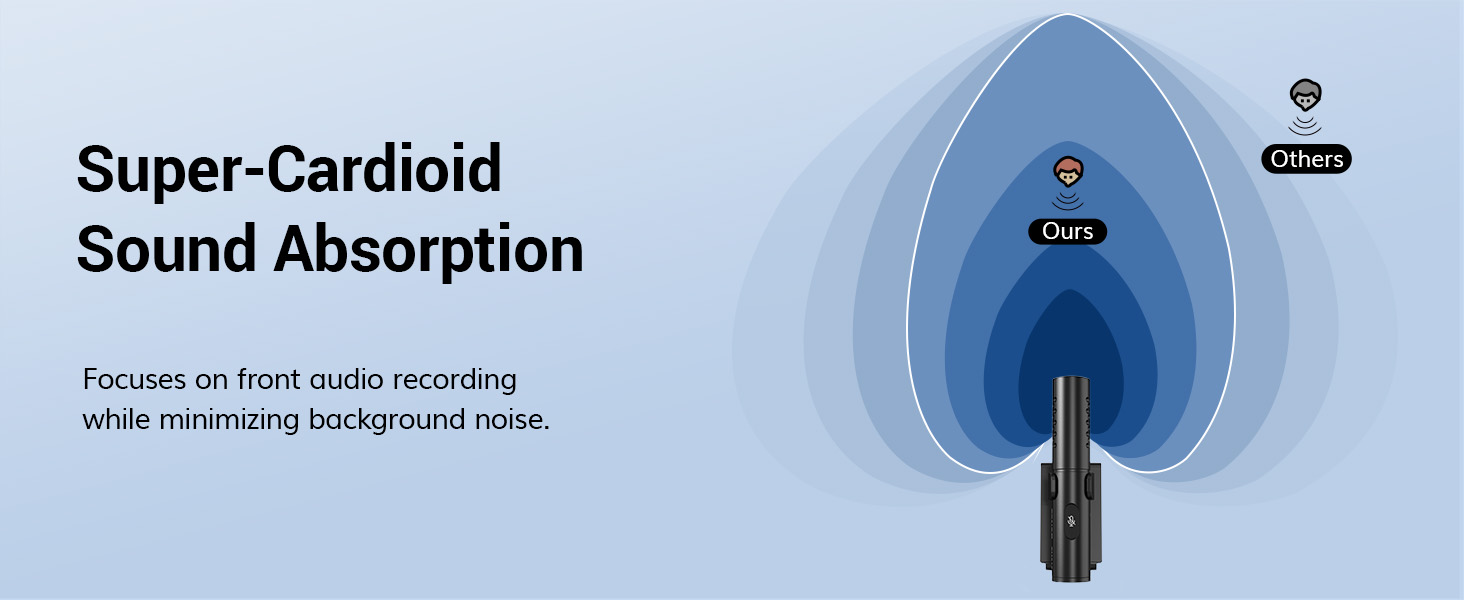
Can the shotgun condenser mic completely isolate the noise from the mouse and keyboard?
The shotgun condenser microphone features a heart-shaped pickup pattern that focuses primarily on the front, effectively reducing noise from mice and keyboards. However, it does not isolate all sounds.
Is the microphone clamp securely stable?
The microphone clamp has a unique clamping structure with preset dampening for stability at any angle. Made of strong material, it can withstand repeated adjustments and provides a reliable grip.
What material is the microphone made of?
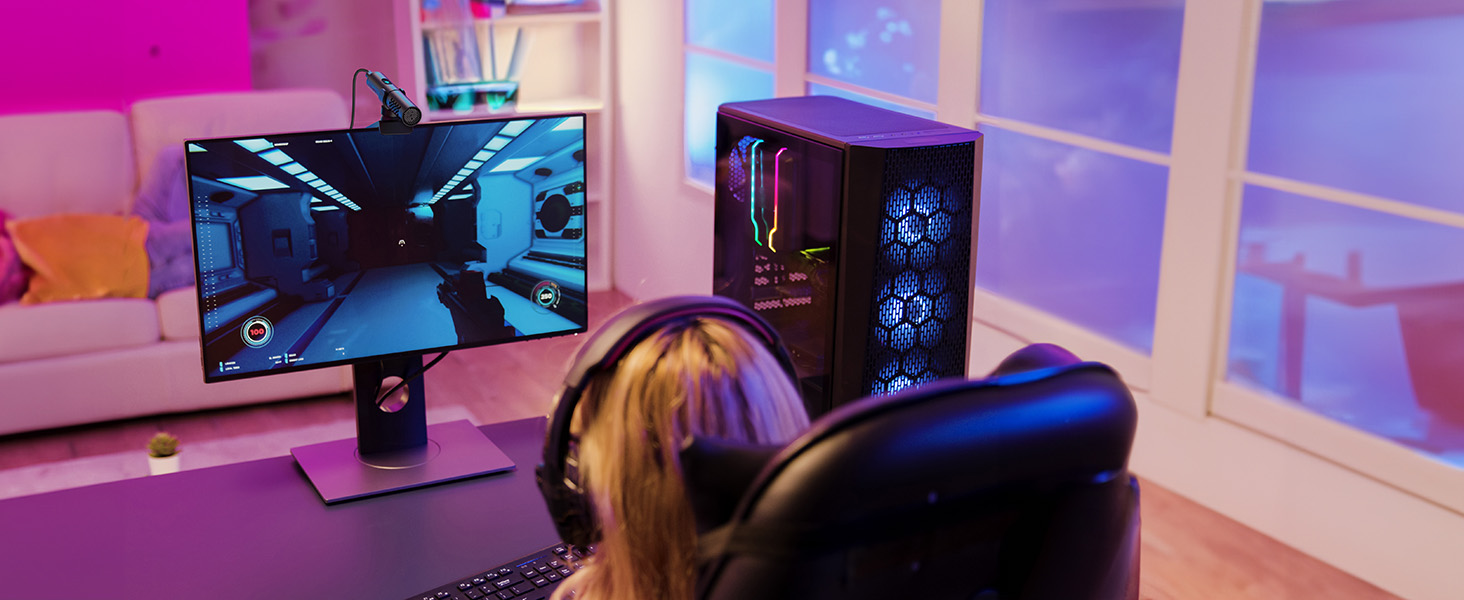
The microphone is made of high-quality metal. Ideal for video conferences, game streaming, business trips, and chatting in various scenarios.
Is it possible to adjust the volume?
The microphone volume can be adjusted through the computer, and it features a one-click mute/unmute button. There is also a built-in LED indicator to indicate its working status at any time.
Microphone for PC
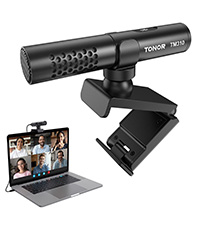 Conference Microphone | 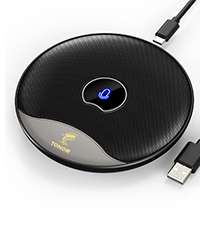 Conference Microphone | 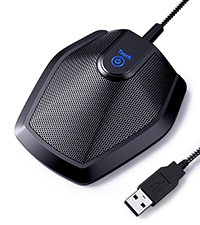 Conference Microphone | 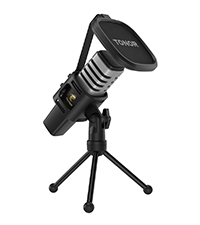 Computer Microphone | |
| Customer Reviews | 4.5 out of 5 stars 31 | 4.2 out of 5 stars 1,572 | 4.3 out of 5 stars 3,467 | 4.4 out of 5 stars 20,219 |
| Price | £29.99 | £32.99 | £24.99 | £26.92 |
| Power Source | Supercardioid | Omnidirectional | Omnidirectional | Cardioid |
| Connectivity Tech | 80Hz-20kHz | 20Hz-20kHz | 50Hz-16kHz | 50Hz-20kHz |
| Connector Type | “-36dB±3dB ” | -38dB±3dB | -38dB±3dB | -38dB±3dB |
| Plug&Play | USB A & Type C | USB A | USB A | USB A & Type C |
| Mute Button | ✓ | ✓ | ✓ | ✓ |
| Smart LED Indicator | ✓ | ✓ | ✓ | — |
| Pick-up Pattern | ✓ | ✓ | ✓ | — |
TONOR Microfono USB TM310
Il microfono ben fatto, ha la cover metallica ed di dimensioni contenute. Il supporto in dotazione lo rende utilizzabile sia appoggiato sulla scrivania sia sul monitor del laptop. La quealita audio percepita molto fedele.
No es 100% de escopeta a larga distancia
La calidad de audio es buena el problema es que por el formato que tiene puedes pensar que capta sonido desde lejos pero no, un micrfono real de condensador tipo escopeta puede captar audio desde lejos, este no lo hace incluso ponindolo enfrente de la laptop como a 60 CM de distancia suena distante, no me mal entiendan la calidad es muy buena pero de cerca como a unos 15 CM, si lo quieres para crear contenido con tu celular te puede servir ya que no necesitas tener el micro tan lejos.
– 5 estrellas, Calidad del audio
– 3 estrellas, Distancia para buen sonido (no es de escopeta real)
– 5 estrellas, versatilidad para conectar por USB normal y USB c
– 3 estrellas, Cancelacin de ruido activa como que le cambia algo a la voz
– 5 estrellas, botn capacitivo para mutear responde bien
Le dara 5 estrellas en general pero me molesta que en las fotos sale la persona usndolo a una distancia considerable pero realmente no es para eso, tienes que acercarlo ms para sacarle todo el potencial, por el precio est bien.
Excellent Microphone, Not the Best Noise Cancelling Though
I recently purchased the EMEET SmartCam S600 Camera, and unfortunately, it has been a huge disappointment, particularly because the built-in microphone is essentially garbage. The camera itself is subpar, but the real dealbreaker is the microphone, which barely works. The audio quality is so poor that it renders the camera almost unusable for any serious communication.
To remedy this issue, I decided to buy the TONOR USB Conference Microphone, and the difference is night and day. The new mic is fantastic—clear, crisp, and reliable. While the noise-cancelling feature isn’t amazing since it doesn’t use advanced algorithms, it first compresses the audio quality and works by opening the mic when you speak (unfortunately capturing ambient noise) and closing it when you don’t (canceling room noise). I ended up turning off the mic’s noise cancelling and using the built-in noise cancelling in apps like Discord and Zoom, which are much better.
The microphone mounts well to the top of my desktop monitor. The audio output is a bit low so you need to turn up the level in the computer. The sound quality is quite good. Be aware that the microphone will pick up slight vibrations in the desktop area and they come out as low pitched noise in the audio output. This happened to me with the mic mounted on my monitor or sitting on the desktop. So you might need to work out some mounting isolation. I plan on experimenting with a shock mount.
The microphone mounts well to the top of my desktop monitor. The audio output is a bit low so you need to turn up the level in the computer. The sound quality is quite good. Be aware that the microphone will pick up slight vibrations in the desktop area and they come out as low pitched noise in the audio output. This happened to me with the mic mounted on my monitor or sitting on the desktop. So you might need to work out some mounting isolation. I plan on experimenting with a shock mount.
Un micro d'appoint très qualitatif
Microphone offert pour complter un trs bon casque audio ne disposant pas de micro pour le jeu en ligne. Impression de solidit, assez qualitatif d’extrieur. Installation facile, plug and play. Le son est de trs bonne qualit pour le prix avec une bonne restitution de la voix qui est nette. Le caractre unidirectionnel avec attnuation de voix peut poser problme pour des enregistrements 360 mais ce n’est pas sa vocation.
Le micro n’est certes pas professionnel mais il remplit sa part du march.
Gute Mikro für Kleines Geld
Ich habe das TONOR USB Konferenzmikrofon fr meine Home-Office- und Online-Meeting-Bedrfnisse gekauft und bin insgesamt sehr zufrieden mit der Leistung dieses Mikrofons. Hier sind meine Eindrcke:
Positive Aspekte:
Klangqualitt: Die Klangqualitt ist beeindruckend klar und deutlich. Mein Gegenber kann mich ohne Hintergrundrauschen oder Verzerrungen hren, was die Kommunikation in Meetings erheblich verbessert.
Plug-and-Play: Die Installation war ein Kinderspiel. Einfach das USB-Kabel anschlieen, und das Mikrofon wurde sofort von meinem Computer erkannt. Keine zustzlichen Treiber oder Software erforderlich, was sehr benutzerfreundlich ist.
Winkelverstellbarkeit: Das mehrfach winkelverstellbare Design ist sehr praktisch. Ich kann das Mikrofon in die fr mich bequemste Position bringen, was besonders ntzlich ist, wenn ich zwischen Sprechen und Tippen wechsle.
Design und Verarbeitung: Das Mikrofon hat ein schlankes, modernes Design und fhlt sich hochwertig an. Es passt gut auf meinen Schreibtisch und nimmt nicht viel Platz ein.
Negative Aspekte:
Empfindlichkeit: Das Mikrofon ist sehr empfindlich und nimmt manchmal auch unerwnschte Hintergrundgerusche auf. Ich musste ein wenig mit der Positionierung experimentieren, um die besten Ergebnisse zu erzielen.
Kabellnge: Das USB-Kabel knnte etwas lnger sein. In meinem Setup musste ich ein Verlngerungskabel verwenden, um das Mikrofon bequem platzieren zu knnen.
Fazit:
Insgesamt bin ich sehr zufrieden mit dem TONOR USB Konferenzmikrofon. Die hervorragende Klangqualitt und die einfache Bedienung machen es zu einer groartigen Wahl fr Online-Meetings und Konferenzen. Trotz kleinerer Nachteile wie der Empfindlichkeit und der Kabellnge bietet dieses Mikrofon ein hervorragendes Preis-Leistungs-Verhltnis. Ich kann es definitiv weiterempfehlen!
Qualità audio non il top
Ho dovuto smanettare un po’ per poter settare al meglio la qualit della ricezione dell’audio. Sicuramente comodo il fatto che si possa attaccare al monitor ma chi mi ascolta su discord ha avuto problemi. Dopo molti tentativi di sistemare l’audio sono riuscita a farlo andare bene
Micro à réduction de brui
Ce micro tonor est vraiment top pour vos visio confrence.
Le son capt est trs bien rendu, mais il faut bien se mettre en face car sa forme canon et son ct technique est conu ainsi.
le rglage est plutt faste car il n’y a qu’un seul axe de rglage et je trouve cela un peu dommage.
ce point ne dnote pas la bonne qualit de cette marque qui conoit de bonne chose et de bonne qualit.
vous pourrez aussi l’utiliser pour vos jeux vido sur PC ou console.
la mise en fonction est trs simple et ce micro remplacera sans souci votre micro intgr votre webcam.
l’annonce du vendeur est claire, prcise et dcrit bien le produit.
je conseil vraiment tant personnellement que professionnellement.
I have been using the standard laptop built-in microphone and found that the sound quality had significantly diminished over the past few weeks. I have recently installed a fan cooled laptop stand which has greatly improved the performance and stability of my LT but has resulted in the built-in mic to become scratchy for those on the receiving end of my audio transmissions. The mic works great and filters out the fan noise from my stand as well as my desktop fan. No more complaints. Simple to install, adjust and works with my built-in laptop controls for muting.
I have been using the standard laptop built-in microphone and found that the sound quality had significantly diminished over the past few weeks. I have recently installed a fan cooled laptop stand which has greatly improved the performance and stability of my LT but has resulted in the built-in mic to become scratchy for those on the receiving end of my audio transmissions. The mic works great and filters out the fan noise from my stand as well as my desktop fan. No more complaints. Simple to install, adjust and works with my built-in laptop controls for muting.
Excellent audio quality
Clipping the microphone to my computer is incredibly straightforward and stable. The sound quality is superb, with clear audio capture and minimal background noise. The wide compatibility and plug-and-play functionality make it hassle-free to use with various devices. It’s a great addition to my setup for video calls and recordings.
Micrófono direccionable para PC con reducción y optimización del sonido
La utilizacin de dispositivos externos a nuestro equipo es la mejor forma de aumentar la calidad y rendimiento en nuestros trabajos o tiempos de ocio. Y uno de ellos es la instalacin de un micrfono direccionable para llamadas por video o grabacin de audios en nuestro ordenador.
. El micrfono est diseado para instalarlo y utilizarlo en una posicin frontal a nosotros, donde pueda recibir de forma directa nuestra voz o los sonidos que queremos registrar. Para ello se ha puesto en valor la captacin en ese ngulo y se ha utilizado reduccin por hardware de ruidos externos o de fondo. Mejorando la nitidez y calidad de todo el audio recogido.
. El micrfono utilizado presenta una calidad MUY ACEPTABLE, con un rango de frecuencias bastante bueno de captacin, aunque destaca sobre todo en el rango de la voz donde mejor se comporta.
. El conjunto nos ofrece una pinza de agarre de este, con diversas posiciones de agarre y de uso del micrfono. Por ello podemos casi colocarlo en casi cualquier punto de nuestra mesa de trabajo y que recoja con calidad nuestra voz o los sonidos a grabar.
. La instalacin y conector de este es por USB C, disponiendo de adaptador a USB A, y por tanto solo ser necesario conectar al ordenador y listo. Todo transparente y sin necesidad de drivers adicionales. Y que har que aparezca de inmediato como un micrfono nuevo como fuente de sonido disponible.
. Dispone tambin de un solo botn con las funciones de silencio o activacin de la reduccin de ruido, por lo que solo comprobando el led superior sabremos si estamos activos o en qu estado funcionado. MUY SENCILLO y de fcil compresin para el uso por cualquier persona.
Por sus caractersticas estamos ante un micrfono sencillo de captacin de audio adicional para nuestro ordenador. Una forma econmica de mejorar el audio en llamadas o video llamadas o si queremos realizar narraciones de video y grabar un audio adicional.
Es importante su uso en la direccin frontal para lo que se ha diseado y por tanto est limitado para grabaciones de ambiente. Aunque no es su uso principal y debemos tenerlo en cuenta ya que est enfocado a la voz y en un rango de distancia bastante cercano.
Y es que, aunque he podido probarlo y alejarme del mismo para comprobar hasta que distancia se captaba con claridad, me ha sorprendido por superar metros y metros y conseguir una buena calidad. Aunque a partir del metro o metro y medio, notamos un volumen y ganancia ms baja y que nos hace reajustar todos los niveles de captacin.
Para uso en llamadas ser ms que suficiente y con una calidad muy superior a micrfonos de auriculares o de capsulas ms pequeas y limitadas. BUEN PRODUCTO
Small and easy to use
This microphone is a big upgrade to both my inbuilt laptop microphone, and also much better than the microphone in my webcam. It’s not at the quality of a proper condenser microphone, but I don’t expect it to be .
The mic is small and easy to use. Plug it in and it just works. I like the mute button on the top, and that it has a light so it is easy to see if it is on or not.
Decent quality small mic
This is a decent quality, highly directional small microphone, ideal for adding to a device where the existing quality is low, or else there isn’t one. Instructions are minimal but it’s pretty much plug and play, with a mute control and limited noise cancelling capability. On test calls I found this to be very good quality. The price is fair, too, All in all it’s a straightforward installation and a solid performer. Good stuff.
Tengo muchsimas reuniones durante el da y ahora mismo estoy usando un micrfono de condensador que se escucha muy bien. Sin embargo, tengo que mantenerlo cerca de la boca para que se escuche correctamente, y eso resulta muy incmodo si tengo que hablar durante mucho tiempo. Es por eso que me interes en este micrfono, ya que tiene una captura del sonido direccional y no necesito tenerlo pegado a la boca.
A continuacin, voy a comentar las caractersticas ms destacables del producto, detallando tanto sus ventajas como sus desventajas:
Descripcin:
El micrfono viene en una caja pequea donde, por un lado, est el micrfono y, por el otro, el cable de conexin y el soporte que se utiliza para engancharlo al monitor. Para hacerlo funcionar, no es necesario instalar nada, solo conectarlo mediante el cable y ya funciona perfectamente, ya que el ordenador lo identifica. Adems, viene con un adaptador para poder usarlo en un ordenador con tipo C o con tipo A.
En la parte superior, el micrfono cuenta con un botn tctil y retroiluminado para silenciar el micrfono si se desea que el sonido no sea capturado por el mismo.
Caractersticas:
– Compatibilidad: Linux, Windows y Mac
– ngulos: Se puede ajustar desde -25 a 10
– Entrada: Tipo C-Tipo C o Tipo A-Tipo C
– Longitud del micrfono: 10,6 cm
Ventajas
Tipo de micrfono: Al tratarse de un micrfono supercardioide, captura nuestra voz como si estuviramos muy cerca de l, lo que permite captar los graves de la voz y escucharse como si estuviramos muy cerca.
Silencio: Me gusta que se pueda silenciar con un simple botn, ya que ayuda a mantener la privacidad y a evitar que el software del ordenador pueda acceder al sonido del micrfono.
Claridad: Para ser un micrfono de este precio, se escucha muy bien y con mucha claridad, lo cual es especialmente importante en reuniones donde es crucial que se escuche la voz de forma clara.
Desventajas
Telfonos: Aunque es compatible con telfonos, no es cmodo utilizarlo con ellos, ya que el micrfono tiene que estar en un sitio fijo, y cualquier movimiento distorsiona el sonido y hace popeos.
Reduccin de ruido: El micrfono necesita ser utilizado con aplicaciones que permitan la cancelacin del ruido, ya que por defecto, al tratarse de un cardioide supercardioide, captura muy bien la voz, pero tambin capta todos los sonidos del entorno. En mi caso, se escucha muy fuerte el teclado cuando estoy hablando y usando el micrfono.
En resumen, es un micrfono muy completo teniendo en cuenta que tiene un coste bastante bajo. Sin embargo, solo es til para usarlo en reuniones. Para grabar en el exterior o para grabar canciones y dems, no es la mejor opcin entre todo lo que hay en el mercado.
Espero que mi resea te haya sido de ayuda!
Better than the laptop microphone. great stand clip.
Well packed in the box and the build quality is amazing, feels really solid.
Plugged it into my PC and it was instantly detected and started working.
The included cable is nice and long, but a bit stiffer than some USB-C ones are.
I like how versatile the stand is i use it on the desk angled up toward my face and it works well, easily adjusts to any screen thickness, from the tops of laptops to my rather thick and curved main screen.
Cheaper than a Jabra, better than your inbuilt microphone
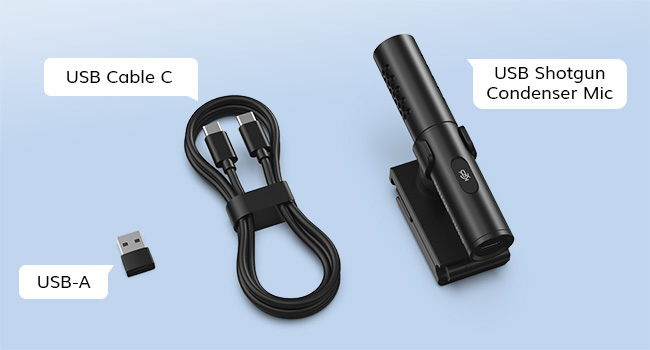
The pack includes the microphone, adjustable clamp, USB A lead with type C to type A adapter and the manual.
Microphone features a mute button on the top of the device. It is plug and play and is a step up from the internal microphone built into laptops.
Used on works laptop for Teams calls. I’ve connected it using the supplied USB-A cable which is plenty long enough to reach from the top of my laptop screen to my USB hub on the desk. I listened back to the recording of one of my meetings and I was loud and clear.
It will reduce background noise if you speak directly towards it, though that is easier said than done for a two-hour meeting. However, when I was directly in front of it, I found it could pick me up clearly even if I was seated a couple of metres away. Once clipped to your screen there is loads of horizontal movement available. There was less vertical movement but it was more than enough. I think the vertical range was 25 degrees.
Years ago, I had a Jabra which was brilliant for Skype calls. This probably isn’t up to that level but it is a cheaper upgrade to the pitiful microphone you normally get built into a laptop.
Crystal Clear Audio with Unmatched Convenience
In today’s digital age, clear and crisp audio is essential for effective communication, especially during video calls and virtual meetings. That’s why I’m thrilled to share my experience with the TONOR USB Conference Microphone. This sleek and versatile microphone has revolutionized my video conferencing experience, delivering professional-quality sound and unmatched convenience for all my virtual communication needs.
But what truly sets this microphone apart is its exceptional audio quality. Equipped with advanced noise reduction technology, it effectively eliminates background noise and echoes, allowing your voice to shine through with clarity and precision. Whether you’re hosting a virtual meeting, conducting interviews, or recording podcasts, this microphone delivers professional-grade sound that rivals even the most expensive studio setups.
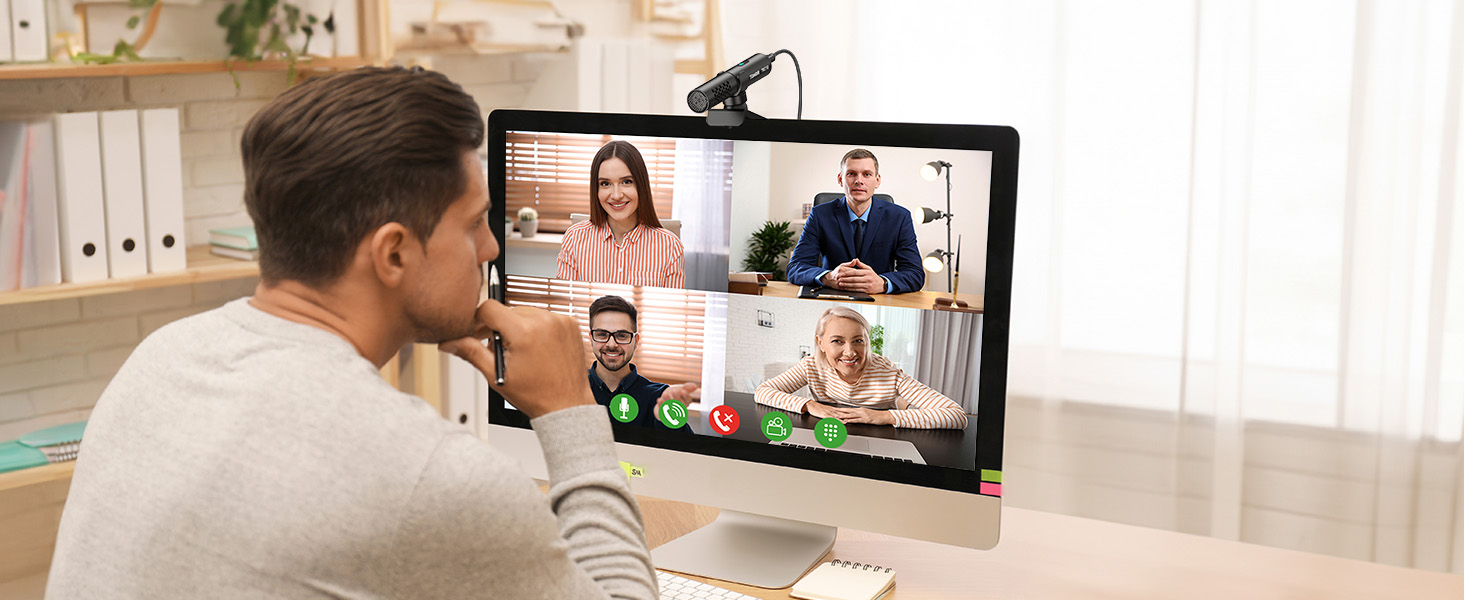
Convenience is another standout feature of the TONOR USB Conference Microphone. With its plug-and-play functionality, it’s compatible with both MacOS and Windows operating systems, eliminating the need for cumbersome drivers or software installations. The integrated mute button and LED indicator offer added convenience, allowing you to easily mute and unmute the microphone with a simple touch, without interrupting your workflow.
Clear sound and convenient setup
I tried out the microphone, and I’m impressed! The supercardioid pickup design ensures clear sound by minimising noise interference. Its unique clip-on structure securely attaches to my computer monitor, saving desk space. Plus, the wide compatibility and plug-and-play setup make it hassle-free. The adjustable angle and mute button add to its versatility. Highly recommended for anyone looking to upgrade their audio experience!
Plug and play
Nice microphone that works well sound wise- it seems decent quality when i’ve used it on a video call. My colleagues could everything perfectly clearly and it filtered out background noise well. It’s quite fiddly to adjust the clips to to right angles so it’s aimed right and won’t fall off the screen, but it doesn’t need to be lined up as accurately as a camera would so it’s fine. It has a USB C and A option to connect to laptop, although the cable is not super long so bear in mind if you are connecting it to a dock/hub. It has a mute option but realistically it’s probably easier to reach for the keyboard button that up to the microphone and risk knocking it off.
CONFERENCE MICROPHONE
Perfect for laptops or computers monitors this comes with an adjustable mount which will grab to any screen size and lock into place (between use you can either leave on or quickly take off to store in your desired location). Very simple setup and connects via Bluetooth to your device. Very good to pick up the whole room during conference calls so everybody can be heard more easily. Set at a value for money price overall and arrived well packaged with clear setup instructions.
Micro supercadioide : il faut parler deva
Micro USB pour Windows ou MacOS ;
Livr avec un cble USB-C vers C (et un adaptateur C vers A), un support et un mode d’emploi en anglais uniquement.
Design et finitions
Le pied est tout en plastique et ne pivote que sur un seul axe. Je trouve donc le positionnement assez malais mais on y arrive quand mme. Comme le pied dispose d’une rotule, cela permet d’orienter le micro sa convenance.
Le micro est en alliage d’aluminium et adopte un design tout cylindrique en canon.
Compatible Windows et MacOS et plug&play
Il suffit de le brancher sur une prise USB de votre PC ou Mac et de slectionner ensuite le micro “Tonor” dans les paramtres si ce dernier n’est pas dj par dfaut. Dans mon cas, le micro Tonor tait dj mis slectionn par dfaut et je n’ai rien eu faire
Supercardiode : limine les sons provenant des cts
J’ai superpos 2 diagrammes d’attnuation d’un cardiode (en rouge) et d’un supercardiode (en noir). On voit bien que le supercardiode capte moins sur les cts (115 contre 130 pour un cardioide) et plus sur le devant, mais aussi un peu en arrire. Il capte aussi un peu moins loin qu’un cardiode. Il faut donc parler vraiment devant le micro pour que ce dernier capte correctement. L’avantage est qu’il ne captera que trs peu les sons provenant des cts (66% de moins qu’un micro omnidirectionnel). Vous n’aurez donc que peu de parasites.
Fonctions de rduction de bruit et de mute
Il existe un bouton tactile sur le dessus du micro. Par dfaut, il s’allume en bleu, dit mode normal. Une lgre pression (c’est tactile, pas mcanique) permet de le mettre en mute : le bouton s’allume alors en rouge. Une pression longue (> 3s) permet d’activer la rduction de bruit.
J’ai test avec le micro au dessus de mon cran et tapant sur le clavier. Avec la rduction de bruit, on n’entend quasiment plus que la voix, le bruit du clavier est trs attnu. C’est plutt pas mal. La voix n’est pas coupe, contrairement ce qu’on lit dans certains commentaires et est bien restitue.
En conclusion
Un micro supercardiode qui oblige donc parler assez prs (moins d’un mtre) et dans l’axe du microphone pour une bonne prise de son. Il faut donc le positionner correctement. Il permet de compenser le micro omnidirectionnel du PC qui capte beaucoup trop de bruits ambiants et c’est plutt pratique dans les visioconfrences, si on ne veut pas mettre de casque sur la tte.
Ich behaupte, dass das Mikro mit der Technik fr 85% aller NutzerInnen die deutlich bessere Wahl ist und absolut ausreicht.
Das Tonor wird auf dem Monitor wie eine Webcam befestigt, es ist ein Kleinkondensator-Richtmikrofon und ist auf einen Abstand von ca. 30-50cm zum Mund ausgelegt. Ja, der Klang ist nicht “HighEnd-Stereo” und ganz so tiieeeeff, aber sehr gut und schlg um lngen jede Webcam und jedes verbaute Mikro. Auch klingt das Teil besser, als jedes Bluetooth-Headset. Das Mikro ist als Superniere konstruiert. Zusammen mit der “AMD Audio Noise Supperssion” hrt man selbst meine mechanische Tastatur nur mit sehr, sehr viel Mhe. Das Tonor hat auch ab Werk eine intern verbaute Geruschreduzierung, die ist aber nicht ganz so gut. Meine Stimme wurde von Kollegen als sehr natrlich beschrieben und absolut klar. Auch wenn die Lautsprecher in einer Videokonferenz direkt neben meinem PC stehen und laut sind, gibt es keine Rckkopplung. Dadurch, dass das Teil am Monitor wie eine Webcam befestigt wird, ist der Schreibtisch frei und Schallimpulse der Tischplatte werden auch nicht bertragen.
Das bedeutet, eigentlich ist das Teil fr alle die keine Podcaster oder Youtuber sind, die bessere Wahl.
Zum Thema, groe Kondensatormikrofone sind “besser”: Ja, leicht voluminser, aber nur, wenn das Mikro ca. 5-15cm vom Sprechenden entfernt ist, alles darber klinkt unspektakulr bis schlecht. Und es gibt mehr Nachteile. Grokondensatormikrofon sind praktisch immer im Bild zu sehen und mssen eigentlich vor einer Tastatur stehen. Beim Sound hab ich im direktem Vergleich ein Marantz Professional Tischmikrofon, das Marantz ist nur minimal besser und nur bei optimalem Sprechabstand. Das ist auch nur im direktem Vergleich mit Audacity hrbar. Das “hoch gelobte” Sennheiser Profile Streaming Set hab ich direkt zum Hndler zurckgeschickt, weil bei 30cm Abstand zum Mund der “Cain” so hoch gedreht werden musste (Verstrkung), dass wirklich alles im Raum aufgenommen wurde. Deshalb ist in den meisten Fllen ein Grokondensatormikrofon bei VKs, Zocken, (egal ob Tisch oder am Boomarm) einfach drber. Wer alleine vorm Rechner sitzt, der braucht sowas in der Regel nicht. Vor allem, wenn man bedenkt, was ein halbwegs vernnftiges USB-Grokondensatormikrofon kostet (>50) + Mikrofonarm (>50), wenn das Teil nicht auf dem Tisch stehen soll. Und in sehr vielen Fllen wird das Ergebnis nicht besser sein, als der Klang des Tonor.
Fr 29 Euro, defintiv eine Empfehlung.
A versatile good quality microphone
I got this microphone because my laptop’s built-in microphone was poor, even the sound quality of mic’s which are built in to external webcam’s isn’t great, they sound hollow, echoey and pick up lots of noise around you.
The build of the Tonor is all metal and comes with a very long USB-C cable and converter to USB-A, making it easy to plug in to any device. It comes with a really handy bracket that you can use on the desk, or on a monitor, it swivels around and allows you to very easily point the microphone in all directions. The bracket also comes with velvety padding to stop it sliding around and make good contact with any surface. The touch sensitive switch on the microphone lights up in Red (muted), Blue (ON) or Green (Noise reduction) – a quick touch and it mutes, a long touch and it toggles between normal and noise reduction modes.
The noise reduction is quite effective, useful in noisy environments such as the office, caf etc. It reduces the background sounds and focuses in on your voice.
I compared the sound quality of the microphone with my more expensive permanent microphone at home, it did well, just a little quieter. If required, you can increase the loudness of the recording – gain – by going in to the microphone settings.
If you are in need of a better microphone, particularly for home and portable use, this is a great option- if it is for permanent home installation I would go with other options. A great conferencing Mic option.
Very impressed, much better than I was expecting!
I was expecting this to be a small, cheap, mic but I was very much mistaken. Build quality is really good and everything feels very sturdy and well made. I wanted to save some desk space and do away with my larger mic that sits on my desk. This is perfect and sits on top of my monitor and doesn’t get in the way at all. Picks up my voice really well and is easily as good as my more expensive desk mic, the mute button is very handy. Very impressed.
Good quality mic
This is a really nice, well made mic (metal construction with touch sensitive on/off illuminated button on the top). I tested it with my Android tablet, it worked well and as a shotgun mic would suggest picked up sound from a distance between rather than the inbuilt tablet mic that only picks up sounds close to the mic. The sound quality was good. I also tried tried mounting it on my thin laptop screen with the clip included, which worked well and is probably the best clip I’ve seen of its kind. The set also comes with a USB-C to USB-C lead which is 178cm in length and there’s even a USB-A adapter included.
This mic works well and I was pleased to see that it worked with Android as well as Windows, I cant check Apple (macOS).
The mic is only mono, but does that well and is ideal solution for picking up what an internal mic with its shorter range might not.
Good For A laptop.
This arrives in a box which contains the shotgun microphone, a mounting bracket, a USB C to USB C lead, a USB C to USB A adapter and instructions.
This was recognised immediately when connected to my Windows 11 PC. The initial microphone volume setting was quite low on my PC so I increased it to 100%. The microphone has a touch sensor on the top which you touch to mute or to turn noise the cancelling feature on. The one problem with this is with your finger on the top for a long press you cannot see the colour of the light, you can only see the colour when you remove your finger and only then do you know if you have turned noise cancelling on. It would have been better if they had a separate indicator light. I also think they missed a trick by the mounting bracket not having a standard 1/4 inch thread as then it could be mounted on a tripod or boom arm.
The microphone itself is compact and does not sound bad, it is very sensitive though. I have attached a video of the microphone sound. The video was recorded using OBS and there were no filters applied to the input. You could probably get it sounding better with the use of filters, like a noise gate, equaliser and compressor etc.
In conclusion I think this would be good for a laptop setup as it should be better than the internal microphone. For PC though I think there are better options available for creating YouTube videos, albeit some options costing a lot more. I will play around with this in OBS adding filters to see if I can get it sounding better, if so, I will use it as a simple option to add voice overs to videos.
I hope you found this review helpful.
A High Quality Microphone that Isolates and Focusses on the User’s Voice
This condenser shotgun microphone is supplied in a plain brown cardboard box surrounded by dense foam to protect it from damage. It comes with an adjustable stand, a USB-C lead and an adapter from USB-C to USB-A. The microphone is made of black anodised aluminium and looks and feels solidly built.
Connection to recording devices, in my case an iPad Pro, and Windows PC, is made using the USB cable and if necessary, the included USB-A adapter.
The black plastic cable supplied with the microphone is stiffer than I would like and when I tried replacing it with a more subtle alternative I learnt how important it was to use the original. I tried six different leads ranging from the one made by Apple that came with the iPad, to a 240W 40Gbps Thunderbolt interconnect and only one, a skinny cheap thing, worked.
Initial setting up was simple. The iPad Pro just recognised the microphone and substituted it for the built in ones whenever an application required a voice input; FaceTime, phone calls, Voice Recorder and even dictation into this “Pages” document switched to it seamlessly.
My Windows 7 PC required the USB-C to USB-A adapter and plugging it into a USB-2 port triggered the machine to download a pair of drivers, one of which was specifically made for this microphone. Following the installation of the drivers the microphone could be selected as a “recording” device where it could be set as default and adjustments made to the gain.
Initially I mounted the microphone on top of my monitor, but I found the distance resulted in the sound level being too low and it also picked up electrical interference from the display. Relocated to the desktop, just behind the keyboard, allowed me to reduce the mic gain, whist still achieving a satisfactory volume and the interference disappeared.
The adjustment in the stand allowed accurate positioning when it was mounted on both my iPad and monitor, but although it held it in exactly the correct position on my desktop, the microphone would benefit from a different stand with vibration isolation if it is to be permanently used in that position.
There is one control on the microphone; a touch sensitive pad awkwardly positioned on the top surface. Unfortunately there is no other place to put it and if the indicator light was replicated on the front it could cast colours on the user – so, difficult as it is to touch and see, on top it must stay.
When the indicator glows red the microphone is muted, a quick touch changes this to blue indicating normal operation and a green light, activated by touching the pad for a few seconds, indicates the noise cancelling mode. When unplugged and reconnected the microphone always comes on in normal (blue) mode, but after selecting mute it reverts back to the previously chosen setting, normal, or noise cancelling, when the button is again touched to unmute it.
The first page of the instructions headline this as a “USB Shotgun Condenser Mic”. The description “shotgun” refers to its super-cardioid polar response where the sensitivity is focussed to a narrow heart-shaped (cardioid) area directly in front pointing down the barrel (shotgun). Shotgun microphones are generally a lot longer than this one and have a very directional response pattern, more suited to nature filming than in an office environment, but this one seems to have got the balance right.
As mentioned above the cardioid response only picks up sound from the front. Sounds from the rear and sides are steeply attenuated which of course is a very effective noise reduction system. This microphone attempts to go one step further, in green mode, with additional noise suppression using electronics, but I found this introduced “pumping” in to the audio which reduced the quality; the cardioid response is good enough on its own.
The microphone is very sensitive to the distance between it and the user. Two feet seemed too far and six inches too close; the Goldilocks separation is twelve to fifteen inches.
This microphone works very well for the purpose it was made – separating the voice of a fairly close speaker from their surroundings. It sounds better than most of the “computer” and web-cam microphones I have used and beats the ones built into the iPad when it comes to close speaking. I haven’t tried it, but I doubt whether it would be good as a video microphone. Other reviewers might have more helpful experience with this.
I have added a video which was recorded using this microphone; firstly on an iPad Pro and towards the end on a Windows 7 computer. Although the microphone is shown lying on the iPad’s keyboard this is just to illustrate the colours of the indicator light. The actual recorded sound was made with the mic in the correct position fastened to the top of the screen.
Could this microphone be made easier to use if the cable had been ditched in favour of Bluetooth, or the noise cancelling circuitry tuned to be more effective and less intrusive, are possible questions, but I liked the sound and performance well enough to recommend it and award five stars. Just make sure you don’t misplace its stiff black USB lead.
Neat And Effective External USB Microphone
This Tenor TM310 USB microphone arrives in a pretty plain-looking brown cardboard box with the barest details of what’s inside.
What is inside is the microphone head unit, and instruction guide, a lengthy USB cable, a monitor stand and a USB-C to Type-A USB adaptor.
The microphone is powered by the USB port of the host computer into which it is plugged. The microphone has a USB-C port on the rear which connects to one end of the supplied USB-C cable. The other end plugs into your computer. If you don’t have a spare USB-C port available, the supplied USB adaptor lets you plug into a Type-A USB port instead.
The supplied USB cable is pretty long and should reach most desktop monitors. If you’re using it with a laptop you might choose to find a shorter USB-C cable to avoid having too much spare wiring to deal with.
When plugged in, the microphone symbol on the top of the unit’s body illuminates in a blue colour. This is a dual function touch button which both acts to mute/unmute the microphone and, when pressed and held, activates a noise-cancelling mechanism which helps to remove extraneous ambient noise. The button lights up blue when unmuted and in normal mode, red when muted and green when in noise-cancelling mode.
The microphone is designed to mount on top of a monitor or laptop screen. The supplied mount clips onto the microphone’s body and then has a hinged mechanism to clamp onto the top of a monitor or screen. It has padded sections on the top lip and back clamp to ensure you don’t scratch anything. The microphone holder is mounted on a ball joint, allowing you to rotate and tilt it so it points at you mouth without getting in the way of any camera device.
When plugged in, the microphone immediately appeared as a Tenor TM310 USB MIC and functioned straight away. No additional drivers were needed for a Windows 11 laptop and the microphone was automatically selected over the in-built microphone array.
The instructions are mostly superfluous but guide you through the basics if you’re unfamiliar with setting it up.
The audio was a little low level by default, so we had to increase the level in Windows, after which it was fine. The noise-cancelling mode was moderately effective in removing ambient sounds, at the expense of a slight decrease in vocal quality. It wasn’t a disturbing effect at all, but we’d probably leave the function off unless working in a particularly noisy environment. It’d good to have the option there though.
Overall, the Tenor TM310 is a well-made and effective external microphone, It’s small enough to keep with your laptop for those instances where a more focused pickup is needed. A small bag or pouch to keep everything in would be the only thing we’d added to the equipment provided.
Good choice Step up microphone from a headset or your computer microphone
The TONOR USB Conference Microphone arrives with a clip-on monitor stand and a 2m long usb-c cable. The monitor stand is good; and the microphone mount has a rotation feature that lets you adjust the angle it points towards.
It’s a highly directional (super cardioid) microphone; I found it to be very good and picking up sound from the front; even when there is loud noise behind it the Tonor hardly any of the background noise being recorded. If you speak from the sides, it picks up some voice but border line noise rather than recognisable speech. From about 45 degrees in front, you get clear audio. You could use it on a small meeting table if you placed it at one end; but its far better for It works fine from one meter away with your voice being picked up. From 2 meters through 4 meters; increasing the gain on the sound settings on my computer allowed voice to be captured, though after 3m there was noise from the amplification.
There is a mute button on the microphone that works fine with calling apps; but on the voice memo app it doesn’t work. but on my mac and iPhone this doesn’t seem to have an effect.
The microphone worked fine with my mac, work pc and iPhone. If you long press the microphone button it goes green for noise reduction mode; this doesn’t work as well as the noise reduction in teams; it does tighten up the audio field some though.
I was happily surprised how well this worked on all my devices. If you don’t like wearing a headset; and your speakers are behind your monitor the microphone doesn’t cause echoing on calls. If the microphone is in front you will get the echo. For recording audio for non-live stream, the microphone is a big step up from the one built into my laptops. Its good value device: the stand could be better; or adapt to use with a phone but aside that its very good.
Clear Sound
This microphone is great for my Lenovo setup for online lectures and classes. It’s a small device that gives very clear sound, making it easy to talk during sessions. I really like the mute button; it is very useful for quickly turning off any background noise if needed. The TONOR USB Conference Microphone is simple to set up and use on both MacOS and Windows, and you can adjust it easily. It also has a light that shows when it’s on, which is great for using on different online platforms like Zoom
Good value condenser microphone for video calls and gaming
This USB condenser microphone performs very well as demonstrated in my video. The voice is clear with good pickup at 2 feet away. The stand can be mounted on a desk or on top of a monitor giving the microphone a range of tilt around 45-degree span.
Its directional as my voice sounded dimmer when I rotated the microphone around. It doesn’t reduce surrounding noise at a great level but sufficient for the voice to dominate.
Good value. Top marks.