AKNES Gulikit Hall Effect Joysticks for Steam Deck OLED
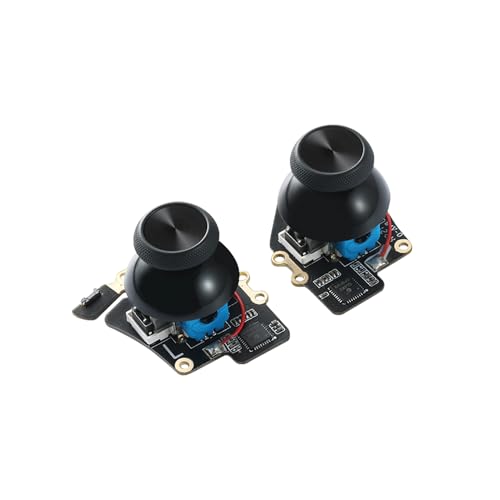
AKNES Gulikit Hall Effect Joysticks for Steam Deck OLED, Left/Right Thumbstick Replacement with Original Touch Sensing for Steam Deck OLED – Electromagnetic Joystick with Caps, No Soldering

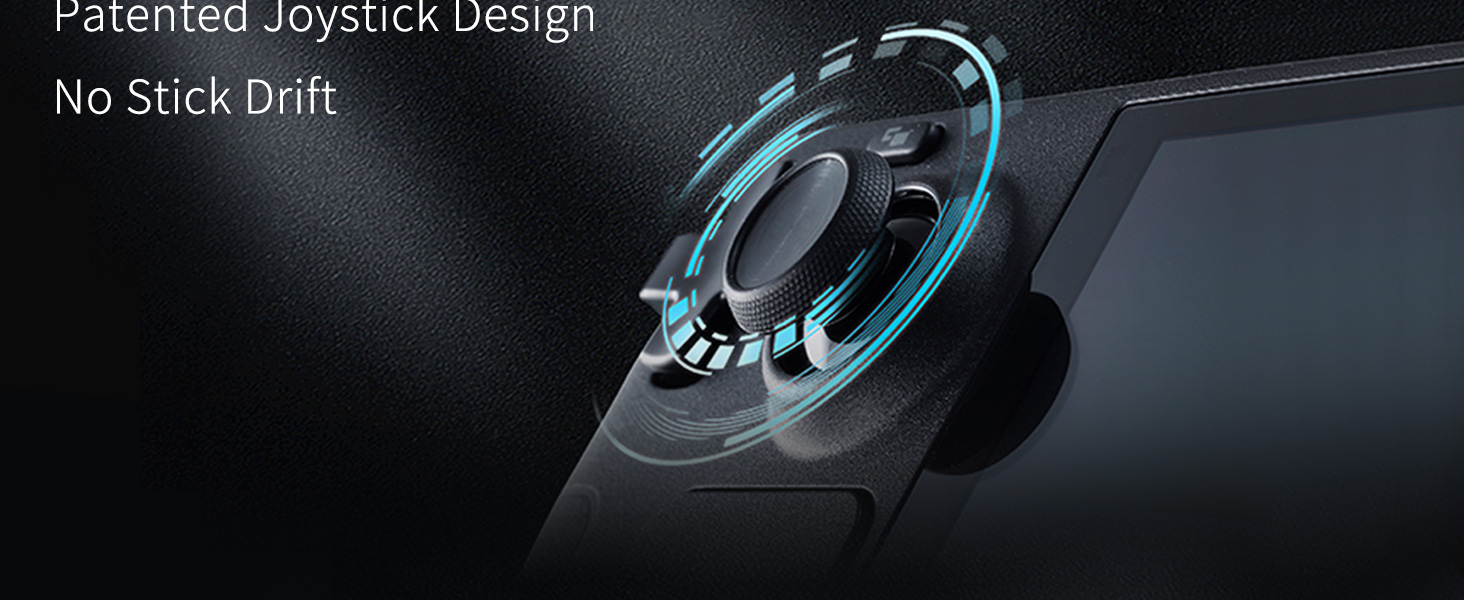
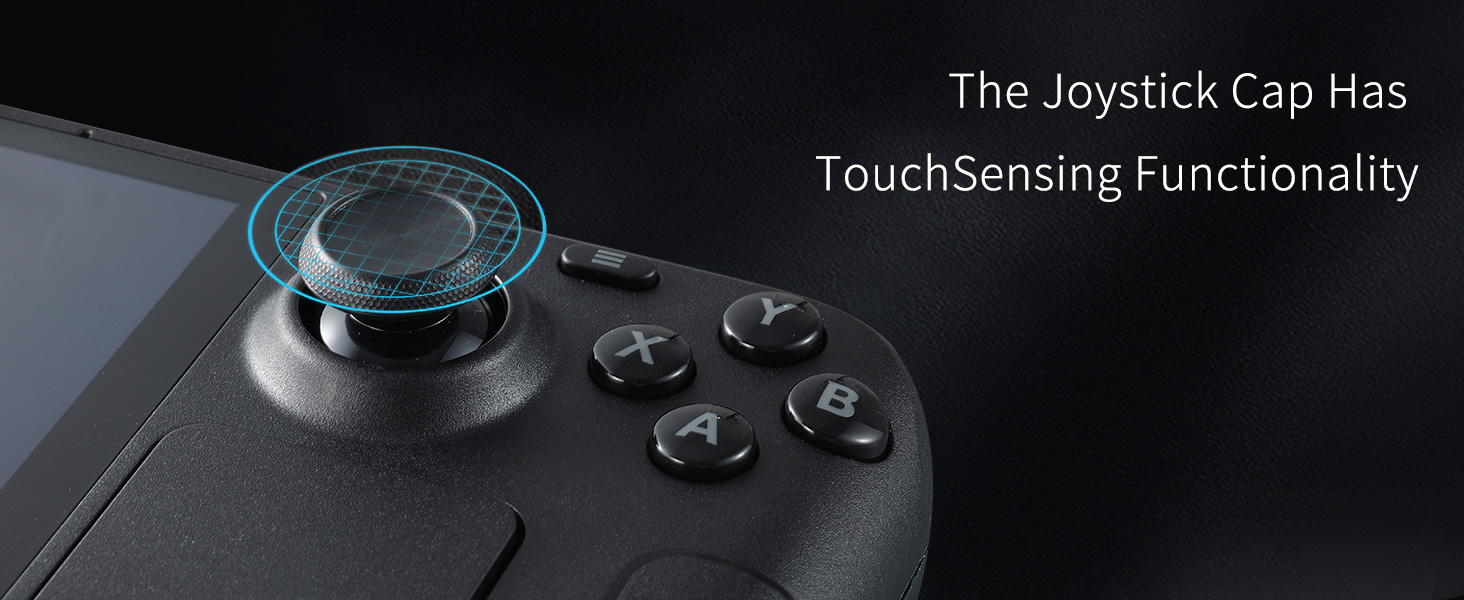
Why does the joystick cap feel misaligned or make abnormal noise?
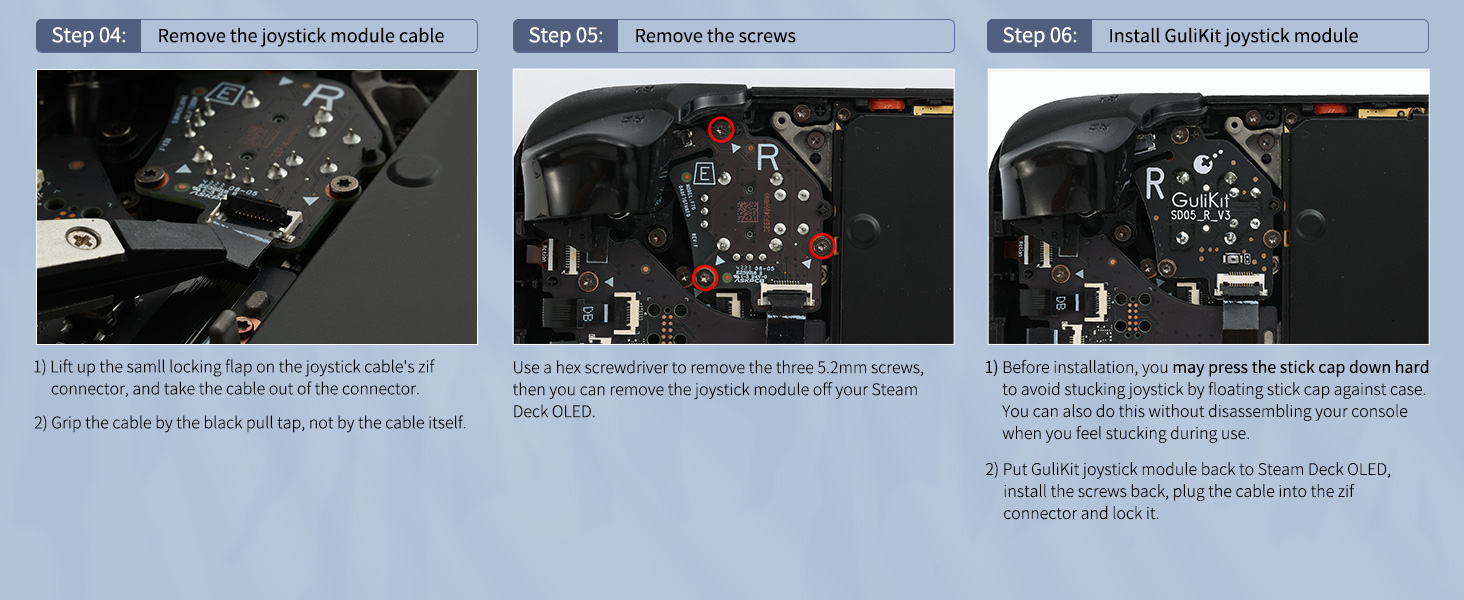
Please press the stick cap down hard to avoid stucking joystick by floating stick cap against case.
Why are the dot of joystick slightly uncentered in the joystick calibration page?
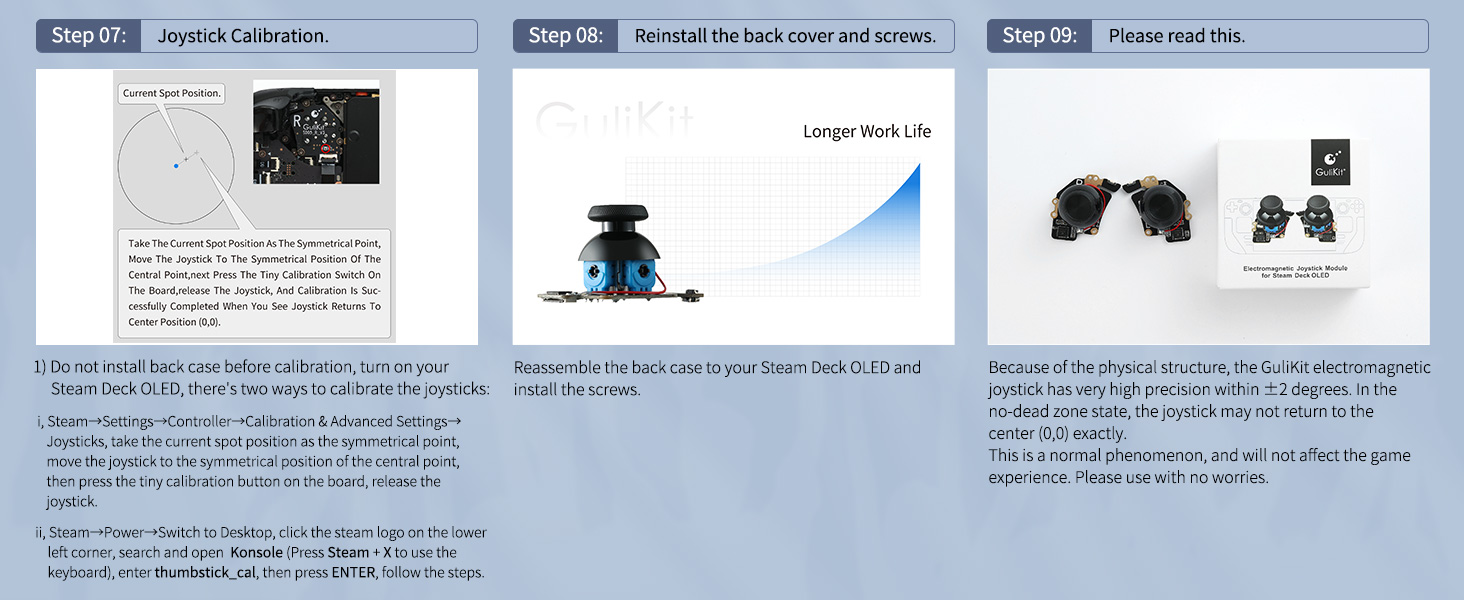
Because of the physical structure, the GuliKit electromagnetic joystick has very high precision within ±2 degrees. In the no-dead zone state, the joystick may not return to center(0,0) exactly.
What should I pay attention to before installation?
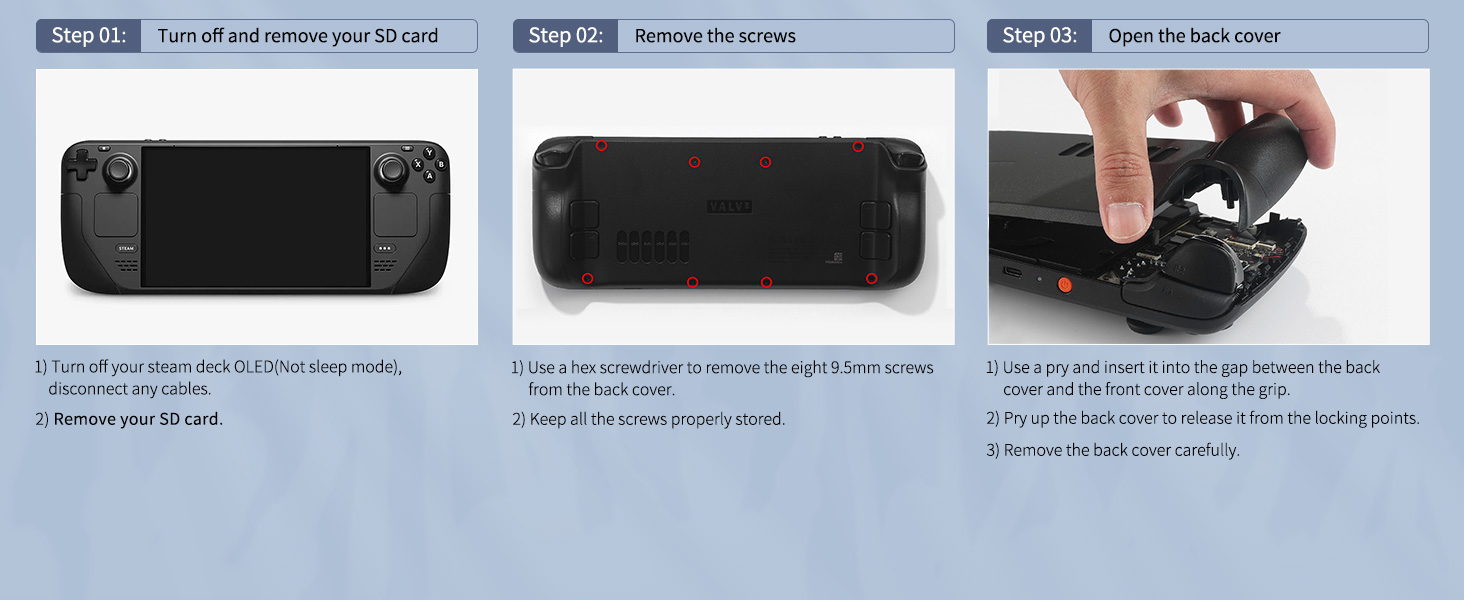
1, Discharge the Steam Deck OLED battery to below 10%
2, Remove the SD card.
Why do I hear a clicking sound when I make a full circle?
This is due to the entanglement between the wire and the base of the joystick. Try to bend the contact point between the wire and the base to avoid it.
If it still happens after this, please find us for after-sales support.
What is the relationship between GuliKit and AKNES?
We are the exclusive agent of GuliKit.
There are different sellers currently selling.
AKNES, focusing on the products we provides, also attaches great importance to buyer services. You can search (AKNES) everywhere to see what we’re doing.
AKNES GuliKit products related to this item
 Steam Deck OLED Joysticks |  Steam Deck Joysticks | 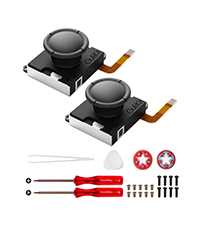 GuliKit JoyCon Joysticks | 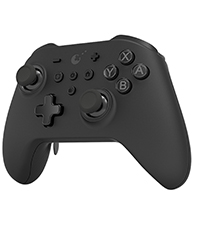 GuliKit KK3 Max | 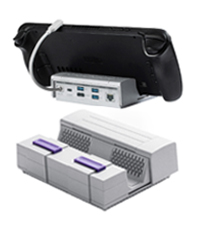 GuliKit Docking Station | 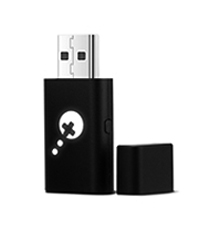 GuliKit Goku Adapter | |
| Customer Reviews | 4.0 out of 5 stars 8 | 4.3 out of 5 stars 230 | 4.2 out of 5 stars 735 | 3.9 out of 5 stars 281 | 3.7 out of 5 stars 5 | 3.2 out of 5 stars 47 |
| Price | £29.70 | £29.70 | £19.99 | £64.59 | £49.99 | £22.70 |
| Brand | GuliKit | GuliKit | GuliKit | GuliKit | GuliKit | GuliKit |
| Hall Effect Sensor Joystick | ✔ | ✔ | ✔ | ✔ | ✘ | ✘ |
| Product Type | Replacement Joysticks | Replacement Joysticks | Replacement Joysticks | Multi-Functional Controller | Docking Station | Controller Adapter |
| Compatibility | Steam Deck OLED | Steam Deck | Nintendo Switch JoyCon | Switch/PC/Steam/Android/iOS | Steam/ROG Ally/AYANEO/Switch | Xbox/PS4/Switch/PC/iOS/Android |
| Colors | — | — | — | Black/White/Grey | — | — |
AKNES Guliki
Habe mir das Kit geholt, da einer meiner Sticks nach kurzer Zeit immer wieder geklemmt hat und Gerusche gemacht hat.
Bevor ich das SteamDeck deswegen einschicke wollte ich die lieber direkt tauschen.
Habe die Sticks erst relativ spt eingebaut da es mich auch nicht so doll gestrt hat.
Leider habe ich wie einige andere auch Probleme mit dem linken Stick.
Das Kabel scheint etwas zu kurz zu sein, habe es dann mit Gefhl etwas lang gezogen.
Leider ist es nicht viel besser geworden.
Werde das Kabel wohl etwas verlngern, obwohl das nicht Sinn und Zweck sein kann.
Daher von mir nur 4 Sterne.
Absolute must update
Upgrading the joysticks to the Gulikit one is really simple and with the new calibration through the konsole. It’s become way easier. I would easily recommend that way instead of manually clicking the button on the back while adjusting it.
El compañero que siempre necesito tu Deck OLED
He de decir que ya tengo unos en otra Steam Deck OLED y no tengo ms que maravillas que decir de ellos, creo que este tipo de joystick Hall Effect debera ser must have, se mueven como la crema la sensibilidad es una gozada y van superfinos, por ponerle pegas tal vez dos; una es que es un poquito engorroso el tema de calibrarlos porque tienes que tener la parte de atrs de la deck abierta, pero una vez ya hecho no tienes que preocuparte ms y ya van de fbula. No vas a notar mucha diferencia salvo que se mueven ms suaves y con ms precisin, pero donde si vas a ver un salto grande es en juegos tipo carreras donde la milsima importa.
El porqu le pongo cuatro estrellas? Sinceramente porque me parece que el packaging deja mucho que desear, hubo una caja triste de cartn sin ni un solo libreto informativo ni algn accesorio para desmontar la consola. Pero an as recomendadsimos y ms de esta marca que es bien conocida en el mundo de los mandos.
Way better than the originals
With my current joysticks starting to show their age on my steam deck I jumped at the opportunity to review these superior hall effect joysticks. The build quality is just as good as the original factory ones, the lack of soldering is awesome (I’m pretty bad at it) though it was a little challenging to open my steam deck but thanks to the guides from valve and I fixit I made it through properly. Once installed and I reassembled my deck I calibrated the joysticks and they are brilliant virtually no friction and it’s nice knowing I’ll never have to worry about stick drift.
Adiós al DRIFT.
A pesar de que no he tenido problemas con los joysticks de mi DECK OLED originales he obtado por comprar estos por si en un futuro me sale drift poder ponerles estos.
A pesar de que no los he probado, ya anteriormente he adquirido unos parecidos para mi DECK LCD y funcionaron perfectos.
Gulikit es una marca que nunca falla, recomiendo su compra.
Easy to fit, fiddly to calibrate…
One quick YouTube tutorial and I had the back plate off the deck and these stick units installed. It’s a simple process, even if you’re not well versed in device disassembly.
However, tapping the incredibly small button on the board of the analog stick unit (inside the deck) while gauging the calibration onscreen was quite tricky and fiddly. The button only registering now and then made things difficult and it’s such a small thing to press on the circuit board that you really have to take your time.
Once calibrated though the sticks performed really well and act as a great alternative to the standard ones. The elimination of drift and the zero dead zone make these above and beyond the stock sticks. Just be sure to breathe deeply while fitting and calibrating them and you’ll be fine
Bought these to replace the stock thumbsticks in my steam deck OLED.
Upon receiving them, I unboxed them to make sure there was no damage incurred during shipping & to ensure the caps were on securely.
Installation was extremely easy, took about 25 mins for me to replace both my thumbsticks.
Once I replaced the thumbsticks & put the back plate back on, powered on the steam deck and calibrated the thumbsticks.
The thumbsticks were working immediately after calibration. Both thumbsticks returned to center with absolutely no problems.
In conclusion, this is one of the first upgrades I got for my steam deck and I can safely say it is the best money I have spent on my steam deck OLED.
Ottimo come ricambio, ma non come upgrade
Il kit arriva all’interno di una scatolina contenente solo i 2 analogici, non sono presenti istruzioni o attrezzi di alcun tipo.
Vista l’assenza di manualistica ho fatto alcune foto per spiegare in modo semplice come sostituire gli analogici, questa guida vale solo per la versione OLED, in quanto la standard ha piccole differenze. In sintesi basta rimuovere le 8 viti cerchiate in rosso e una volta rimossa la cover posteriore (che oltre le viti ha anche un meccanismo ad incastro) basta rimuovere il cavo piatto (alzando prima la linguetta nera) e le 3 viti che tengono in posizione ciascuno dei 2 stick (N.B. le viti della scocca sono differenti da quelle degli stick analogici, non mettetele quindi insieme), per montare gli stick sostitutivi basta ripetere la procedura al contrario.
N.B. Consiglio di appoggiare la consolle sulla custodia della Steam Deck per lavorare in modo comodo ed evitare di danneggiare gli stick o la console.
Nonostante la sostituzione sia semplice e richiede un solo cacciavite a stella si tratta comunque di intervenire sull’hardware, quindi sconsigliato farlo se non sapete cosa fate.
Gli stick sono praticamente identici a quelli originali e presentano tutte le funzionalit (touch incluso). Nonostante siano di ottima fattura, non presentano grandi migliorie rispetto a quelli standard l’unica differenza che ho notato l’assenza di gioco nei piccoli movimenti. Chiaramente da verificare nel tempo se risolvono il problema di drifting in modo definitivo.
In conclusione si tratta sicuramente di un ottimo prodotto, ma lo consiglio solo se avete bisogno di sostituire gli stick e non come upgrade, avrei inoltre gradito la presenza di una guida e di un cacciavite. 4 stelle.
Easy Decision to Make
Took me just under an hour to install, just due to me taking my time, and getting hung up on how to remove the cables connecting the joystick modules without breaking them (lift up the lock flaps). After some calibration and testing in some of my games, I can safely say that the improvement is noticeable.
Movement feels much more slick and precise.
I also think the joysticks sit slightly lower than the stock ones, if that is something that is important to you, I just had to note it.
I didn't had any problems with the deadzone and they are noticably better than the stock ones, that is if you want to play racing games on it. Use the terminal command and do not touch the small back button tho, it is a pain to set up otherwise
I didn’t had any problems with the deadzone and they are noticably better than the stock ones, that is if you want to play racing games on it. Use the terminal command and do not touch the small back button tho, it is a pain to set up otherwise
Easy to install, calibrated on first try
If you’re a gamer that tenses up when playing with a controller in stressful gameplay scenarios (for me it’s apex legends in the later circles) there’s a good chance your death grip eventually translates to some form of calibration malfunction in your thumbsticks causing poor tracking, drift or they just stop working. I make a point of always having a set of spares for every controller/system I own because I’ve learned it’s better to be able to swap them out yourself quickly rather than risk rolling the dice and finding they’re not in stock or no longer available.
installing these on your OLED steam deck requires a few basic steps that are clearly outlined on the lower half of the product detail page so i would advise checking that you feel comfortable performing them yourself prior to purchase.
once installed calibration for me was simple though I see some other reviewers have had troubles. for me following the instructions seemed to be enough to sidestep any potential issues but be prepared for a little troubleshooting just in case.
in use I really like the feel and action of these thumbsticks and think they are a more than worthy replacement and could possibly be a valid upgrade for some depending on what you wish for in your thumbsticks performance.
the price is reasonable compared to other replacement thumbsticks i’ve purchased in the past and I have nothing negative to say about the product or my experience so two thumbs up from me.
worth it!
So glad i bought these analog sticks for the OLED steam deck, they feel noticeably better than the stock sticks, ..they feel stronger & slightly firmer and they sit just a bit lower which feels right to me (i felt the stock sticks were just a bit too tall/high). They have a strong premium quality feel to them, ..very happy with them and fitting them was easy
Better than stock. I think I had issue anyways but I got them because I have disposable income. And I’m a fan of hall effect sticks. Once again a personal opinion. Do you need to get these, Nope. They do seem to be an improvement over stock. And basically my deadzone is set to the lowest setting on the slider which I believe is 2000. Now install was a breeze. Calibration was slightly a pain. Because mine needed a little adjustment you have to press this small button to Calibrate them. While it was a pain I was obviously got them so my deadzone is completely set to the minimum level. So can you live without them yeah. If yours are broken then for sure go with these over stock. And if you just want them, I think they are a nice upgrade over stock.