Razer Viper V3 Pro – Ultra-lightweight Wireless Esports
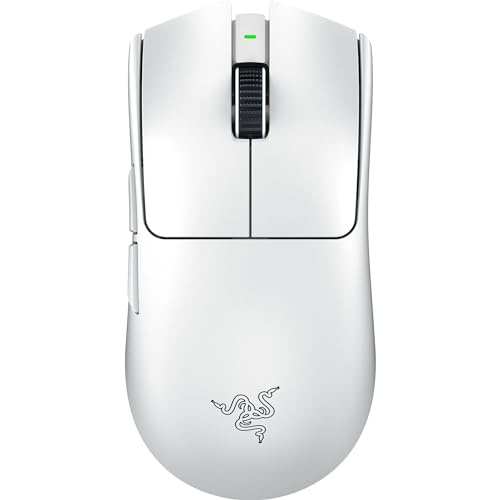
Razer Viper V3 Pro – Ultra-lightweight Wireless Esports Gaming Mouse (8K Hz HyperPolling, 55g Lightweight Design, Focus Pro Sensor 35K DPI, HyperSpeed Wireless, 95 hours Battery Life) White


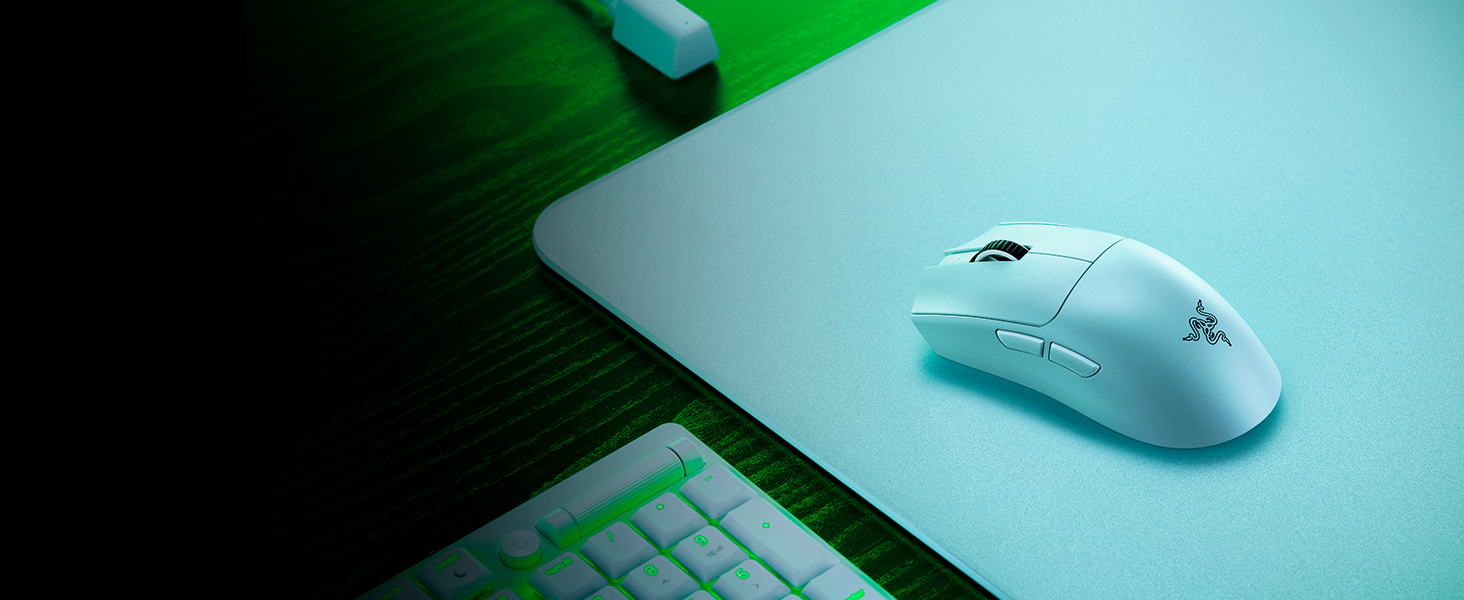
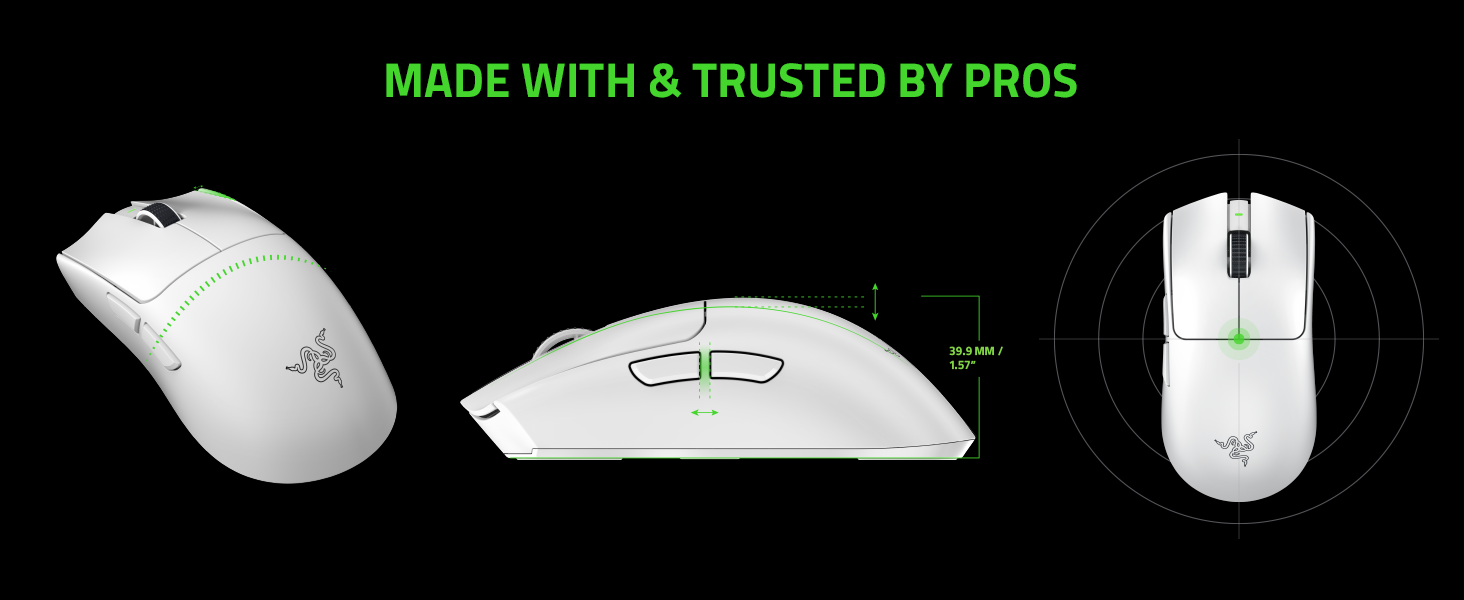
55 g Ultra-Lightweight Design
Designed with top pros to be perfectly balanced for swift, precise flicks
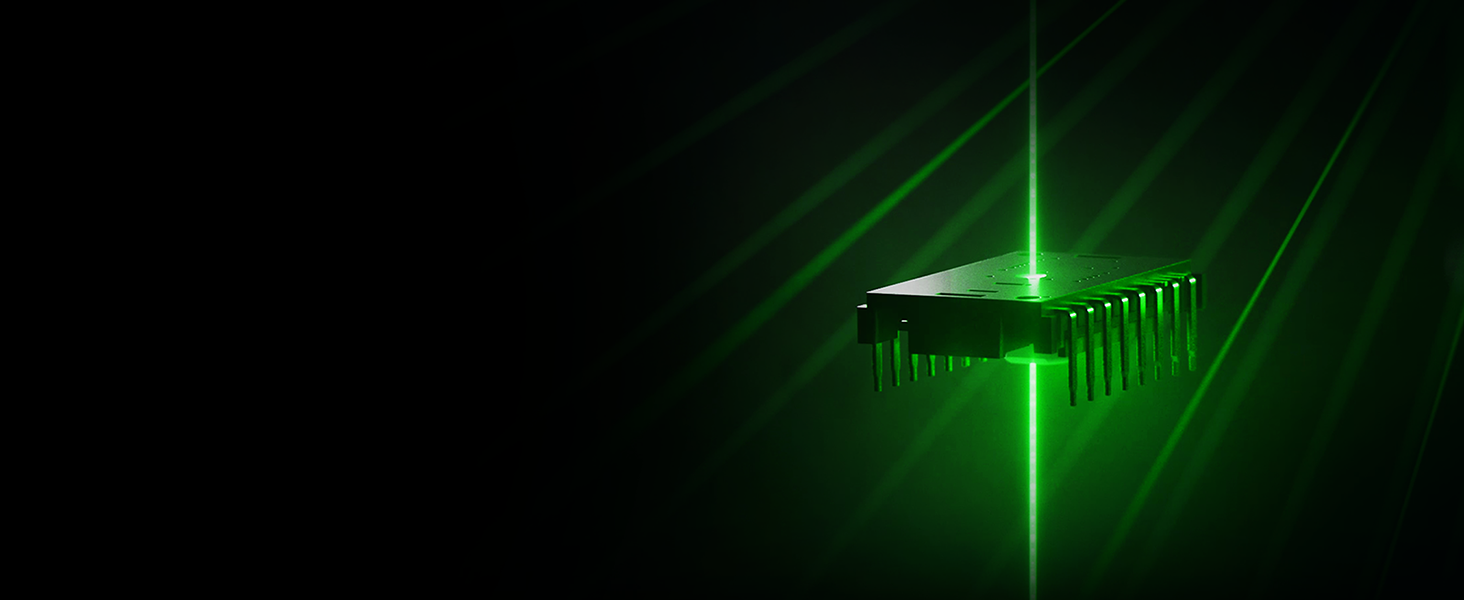
Focus Pro 35K Optical Sensor Gen-2
Fine-tune your aim with 1-DPI step adjustments and other intelligent functions
HyperSpeed Wireless & HyperPolling
React without delay with true 8000 Hz wireless polling rates
USB Type C Rechargeable
Enjoy up to 95 hours of high-performance competitive gameplay
Optical Mouse Switches Gen-3
90-million click lifespan with no debounce delay or double-clicking issues



 Updated Side Buttons
For improved accessibility
” data-position=”triggerHorizontal” />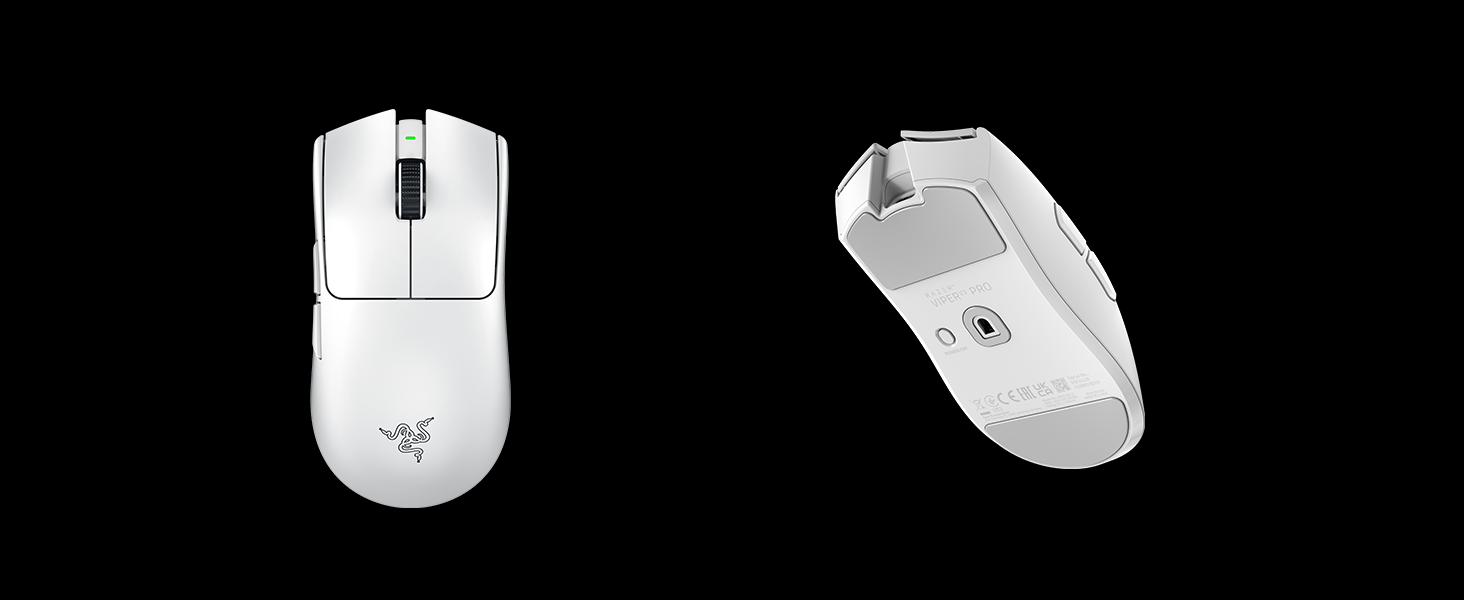 Razer Optical Mouse Switches Gen-3
90-million click lifespan
” data-position=”triggerHorizontal” />Onboard Memory ProfileStores your last used Razer Synapse profile, including settings such as DPI, polling rate, and lift-off distance
” data-position=”triggerHorizontal” />Larger Mouse FeetFor smoother glides, preferred by pros
” data-position=”triggerHorizontal” />For the Pro
Complete your competitive loadout with our best-in-slots – the weapons of choice for the world’s best players. Gear that’s designed, tested, and endorsed by #TeamRazer. Explore our esports line.
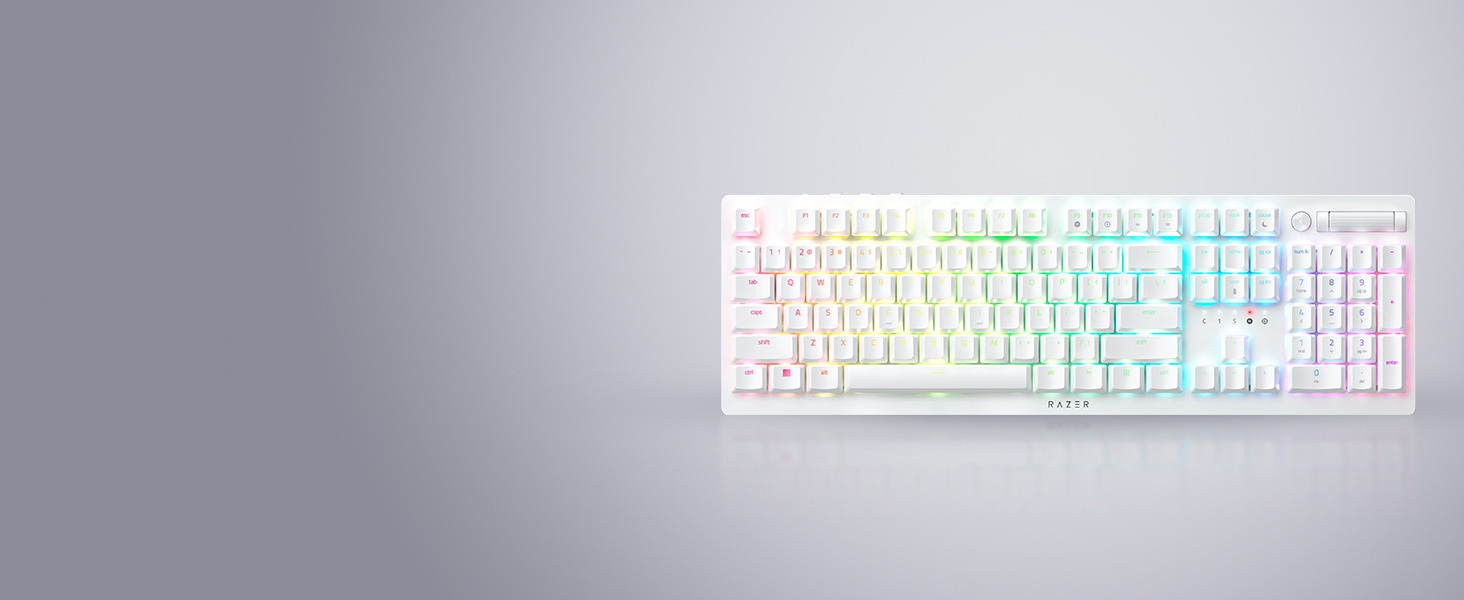
Razer DeathStalker V2 Pro
Meet the Razer DeathStalker V2 Pro—a wireless ultra-slim optical keyboard optimized for top-tier performance and durability.
Razer BlackShark V2 Pro (2023 Edition)
Designed to meet the needs of Team Razer’s finest, get the complete package of crystal-clear audio, advanced noise isolation, and all-day comfort with the multi-award-winning Razer BlackShark V2 Pro.
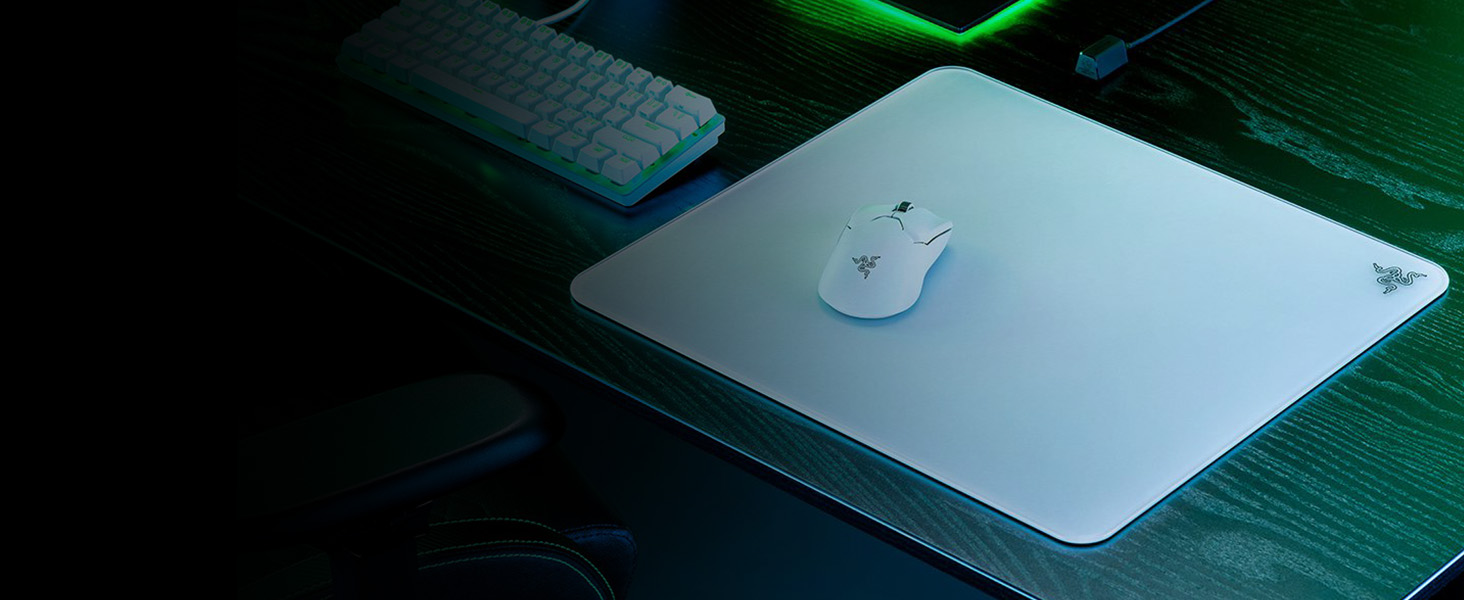
Razer Atlas
Zero in on a perfect aim with our first-ever glass gaming mouse mat. Built to last with premium tempered glass, stay in the zone with an ultra-smooth surface designed for flawless precision.
Compare Razer Mice
Viper V3 Pro
Viper V3 HyperSpeed
DeathAdder V3 Pro
Viper V2 Pro
Customer Reviews 4.5 out of 5 stars 20,760 4.5 out of 5 stars 20,760 4.5 out of 5 stars 27,842 4.5 out of 5 stars 20,760 Price £159.98 £54.99 £114.15 £113.49 Sensor Focus Pro 30K Optical Sensor Focus Pro 30K Optical Sensor Focus Pro 30K Optical Sensor Focus Pro 30K Optical Sensor Sensitivity (DPI) 35,000 30,000 30,000 30,000 Max Speed (IPS) 750 750 750 750 Max Acceleration (G) 70 70 70 70 Battery Life Up to 95 hours at 1000 Hz Up to 235 hours at 1000 Hz Up to 90 hours at 1000 Hz Up to 80 hours at 1000 Hz Programmable Buttons 6 7 6 6 Switches Optical Switches Gen-3 Mechanical Switches Gen-2 Optical Switches Gen-3 Optical Switches Gen-3 Click Lifecycle 90 million clicks 60 million clicks 90 million clicks 90 million clicks Approx. Weight 54 g (Black), 55 g (White) 109 g (Including AA battery) 63 g (Black), 64 g (White) 58 g (Black) , 59 g (White) Connectivity Wireless (2.4GHz) & Wired Wireless (2.4GHz, BLE) Wireless (2.4GHz) & Wired Wireless (2.4GHz) & Wired


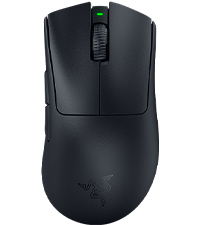
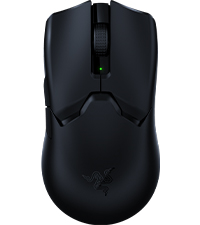
| Weight: | 55 g |
| Dimensions: | 12.71 x 6.39 x 0.1 cm; 55 g |
| Brand: | Razer |
| Model: | RZ01-05120200-R3G1 |
| Colour: | White |
| Batteries Included: | Yes |
| Manufacture: | Razer |
| Dimensions: | 12.71 x 6.39 x 0.1 cm; 55 g |
Grea
Can’t fault it, everything works perfectly, battery lasts for several days, and the passthrough charging is great. The cable is also top tier when you have to use it. Clicks are responsive, all great several months on.
exactly as described and very durable.
I bought this mouse after my last mouse broke. This mouse is so much better in overall quality super lightweight and durable. It comes with a charging cable, stickers and extra grips that you can put on and take off. I’ve been using for about 5 days and so far I’ve had no problems at all for gaming and every day use.
Endgame potential
Honestly, this is one of the best mice you can get at this price point. Simply an amazing product for what it is meant to be. Compared to other similar mice, most notably the GPX Superlight 2, it honestly tops the charts in all aspects. I’ve never owned the previous iterations of this mice, like the viper v2 pro, but you should probably just jump straight to this.
Best mouse on the market right now
Very light mouse coming from heavy one and battery holds for long time even tho the mouse is light and the texture and grip feels really good for FPS games and general use probably best mouse I ever had recommended it for this price range and make sure to download new beta razer software it’s much better than old one.
6 months of use
After 6 months of use, the mouse has served SUPER well, amazing price for such a good mouse, very comfortable for small – medium sized hands, not sure about larger hands, all buttons and scroll wheel feels great and it performs great, fit for competitive esports games too. Only reason I stopped using it was because I had to switch to wireless. If you’re thinking about buying, just go for it!
I’ve used this mouse for 3 months now and I really think this is the best mouse i’ve ever used for a number of reasons:
1. The Razer software is so easy to use and the UI is insanely user friendly.
2. Switching from wireless to wired is quick and easy using the dongle, I personally put the dongle on top of my PC and as soon as it was out of charge I could easily unplug the dongle and plug in the mouse using the same cable.
3. The mouse itself, its weight is not just light but really will distributed, its also feels nice to hold in my hand with the grip strips they provide.
4. The buttons are in a good position but sometimes do feel a bit too easy to press if you grip your mouse particularly hard. This wasn’t too much of an issue for me as I use a relatively loose palm grip, though I feel claw players my face a problem with this.
5. The scroll well is very well designed with substantial indented wheeling that lets you easily switch between weapons if thats your bind on games like Val and CS.
6. It fits well in my hands, I have medium to small size male hands and found its relatively low profile made it a feel like almost the perfect fit for my hand size.
7. Absolutely no performance drops or errors on 4 months of use (including hitting it on my desk multiple times). No QC issues whatsoever (unlike a certain other mouse company).
The mice i’ve used before are: Logitech g203 lightsync, then a Razer viper 8k then a G pro super light and now the Viper V2 pro. The reason I liked the v2 pro over the super light is because of the UI and the fact it fits much better in my hands.
(For reference I play Val, CS, Fortnite and a few other FPS games.)
Very comfortable and ligh
Great mouse, love the colour. very lightweight and ergonomic so makes it easy to use over longer periods of time. the battery life is amazing. i use it for a good few hours a day. and lasts me well over a week. the mouse comes with a usb Bluetooth receiver aswell as a charging dock and a removable charging cable if you dont want to use the dock, or if you just want to use it as a wired mouse. would highly recommend
Best on the markey
This is a fast, long lasting, light and precice mouse that feels more premium than other Razer offerings whilst also cutting out all unneccesary additions like RGB or rubber padding.
-The mouse feels comfortable for medium to large sized hands, can be used in a variety of grips and doesn’t feel slippery at all despite no grips.
-Buttons are very responsive and side-buttons don’t take too much effort to click, so won’t push your aim off
-The feet are fast and likely do not need extra skates even if you’re an avid FPS player
-The battery lasts ages and charges ultra fast.
After 1000 hours using this mouse, I am VERY happy with how it’s perfomed. I would buy whichever is cheaper between this and the Logitech X PRO Superlight wireless which seems to be it’s only real competitor.
Perfect shaped mouse
Before this mouse, I was using a much larger and heavier gaming mouse almost twice the weight. The switch to this was night and day. The shape is a neutral one, and I believe would fit most hand shapes and sizes. That being said, I have small hands and grip this with my full hand (palm grip) and have no troubles. The weight is a nice weight in my opinion at around 70 grams, and feels premium. The skates feel fast, and the mouse feels super responsive.
In terms of actual gaming, the mouse has a great sensor and tracking has not been an issue. It has been comfortable to use for hours, and the grips on the side have a nice texture making it nice to hold in the hand. The 2 mouse buttons are very clicky, making them feel responsive. This mouse might not be for those who are after super lightweight mice, for that I’d suggest xtrfy or pulsar, or even the viper mini. There’s tons of lighter mice out there and this isn’t for you if you prefer lighter mice. That being said, I prefer this weight, makes it feel more premium and less like I’m about to crush it. It’s also got a nice feeling and glide that creates a sense of control, even on faster pads – whilst still being extremely fast. Super good feeling using it in high paced shooters or battle royales.
In terms of lighting, chroma remains the best. It’s extremely bright, so much so that I’ve set it to 30% and it’s still very bright. The dock has a very nice diffused glow aswell and produces very accurate colours. Chroma has a lot of effects you can use, and they all work very well. Chroma also offers the ability to link lighting between all chroma supported devices which can create a nice unison between all devices of a setup, and helps clean up the aesthetic of a setup. For those that don’t like rgb, when turned off, the razer logo isn’t even visible – it just looks like a plain black mouse which I’m a fan of – you can take this around with you and not be stared at for having a gaming mouse with huge branding all over it.
Overall, a great fun mouse to use for those looking for a middle ground between heavy and lightweight mice, perfect for fast paced games and slower ones too – offers great control and speed.
Good hardware, bloated unnecessary software
I needed an ambidextrous mouse, and I had a Razer a few years ago, so I knew what to expect. The mouse itself is very nice. Fairly light, comfortable, with a quiet but tactile wheel. The main buttons are slightly loud but this might reduce over time. Precision seems excellent. There’s a button+light underneath to cycle through the different DPI settings, which is great. The lit logo defaults to cycling through RGB, which is a bit annoying – I would have thought a majority of serious gamers don’t actually want a flashing RGB thing in their field of view while gaming.
*However*, the software (Synapse) is dreadful. It spawns countless processes and takes hundreds of MB of memory, plus some CPU resources. For what? Having a massive app in memory & constantly running some services just to store a couple of mouse settings in the cloud is total overkill. It’s main function appears to be advertising other Razer products. Thankfully, the mouse polling rate appears to persist (confirmed using a simple freeware ‘mouserate’ app) so I just installed the software once, changed the polling rate, then uninstalled the software. As for the stupid bright logo, a bit of black electrical tape covers that nicely, and I’m done!
So, the Razer software is almost a deal breaker for me (thankfully it no longer insists on login, there’s a Guest mode). I really wish the CEO of Razer would take a step back and ask if this is what gamers really want. You could just have a polling rate switch underneath the mouse itself (like my Corsair keyboard), or some memory in the mouse to store settings, changeable via a simple (1MB) app. It would only add a few $ to the cost of the hardware, and you could make almost your entire Synapse dev team redundant, saving an absolute fortune and improving profitability.
Rant over, I’m off to CS2 to calm down.
*squeak*
Once upon a time in the land of Clicks and DPI, there was a mouse named Viper 8K Hz ESL Edt., who dreamed of being the best. It was dressed to impress, with sleek black and yellow accents that screamed “I’m too cool for school.” But alas, it harbored a secret — inside, it carried not the heart of a champion, but the heart of a runner-up, the second-best sensor in all the Razer land.
“130 euros for me?” it squeaked. “Surely, you jest! For I am but a humble rodent with aspirations of grandeur. I may not have the wireless wings to soar cable-free, but my 8K Hz polling rate flutters as fast as a hummingbird… even if no mortal can tell the difference.”
Weighing in at a not-so-featherweight 71 grams, our ambidextrous hero was light on its feet, yet not the lightest in the realm. It boasted side buttons that played hide-and-seek with your fingers, always there when you least expected them.
“Behold my cable!” it proclaimed. “So light and unassuming, you’ll forget I’m tethered to your desk. Am I wireless? Am I not? That is the question!”
And so, the Viper 8K Hz ESL Edt. wove its tale, a very good mouse indeed, with build quality as solid as the legends of old. But was it worth the king’s ransom of 130 euros? “Perhaps,” it mused, “for my good sensor and the mythical 8K Hz polling rate. But strip away the gimmicks, and I am but a plastic steed among many.”
Yet, fear not, dear gamer, for a discount as mighty as a dragon’s roar has brought the Viper down to a more mortal coil. At 60% off, it’s a steal — a bargain in the bazaar of button-mashing beasts.
Remember, dear friends, when you part with your gold, you’re not just buying a mouse; you’re buying a piece of the Razer empire. A brand that stands tall, casting a shadow over the land of peripherals. Is it fair? Is it just? That, my friends, is a tale for another day.
Razor Sharp
The Razer Viper Mini is a wired gaming mouse that packs a punch in a compact design. Its lightweight build and ambidextrous shape make it comfortable for long gaming sessions. The optical sensor delivers precise tracking, and the 6 programmable buttons provide customizable options for various gaming needs.The textured grips on the sides ensure a secure hold during intense gaming, and the durable switches offer a satisfying click feel. The RGB lighting adds a touch of flair without being overly flashy.Setting up the mouse is straightforward, thanks to Razer’s user-friendly software. The drag-free cord minimizes interference during fast movements, enhancing the overall gaming experience.For gamers seeking a budget-friendly yet high-performance mouse, the Razer Viper Mini is a solid choice that doesn’t compromise on quality. It’s a great addition to any gaming setup, especially for those who prefer a smaller form factor.
Nice light mouse but with a catch
This mouse is nice, it’s actually weird how I didn’t realise that having a mouse cable was a bit annoying until I used this.
There’s a big flaw though… the dongle that it is supplied with the mouse stopped working for me within 1 day of receiving it.
I looked online and this appears to be a very common problem with Razer’s “Hyperspeed” dongle that is supplied with the mouse… The option I have currently is to either return to Amazon or contact Razer support for a replacement dongle.
I decided to contact razer’s support and within 1 minute their automated chatbot immediately dispatched a replacement dongle to my home address (I assume they are fully aware of issues with these dongles and are sending out replacements).
I will try to update this review after I receive new dongle to report on it’s reliability…
UPDATE – I received the replacement dongle from Razer after about a week, told myself if there’s any issues at all with it after that it’s going straight back to amazon. I can report after using the mouse for well over a month now that I’ve had absolutely no issues with it and it’s a great mouse.
4/5 – for the fact that the default dongle that’s supplied with the mouse seems to be faulty. Mouse itself is great.
I bought the viper ultimate back in April 2021 with the charging dock. First things first, don’t think about the dock. The metal contacts on the base of my mouse (where it connects to the dock) got dirty and/or rusted within a few months rendering the dock effectively useless to me. I also have friends with this mouse who experienced the same issue. Charging with the cable isn’t a big deal to me.
The mouse itself is great. I play with a strange hybrid between fingertip and claw grip and its perfect for me. My hand only contacts the mouse via my fingertips and then the rear left of the mouse makes some contact with my palm for stability. The shape of this mouse is perfect for this grip as I’m able to move the mouse around a large amount horizontally/vertically with just my fingertips due to its small height. I’ve tried other mice such as the G PRO Superlight and found that the back of the mouse was too tall and bulky and therefore made too much contact with my hand for my grip style which reduced effective movement.
The mouse clicks are great, light enough to be easily spammable with no effort while also being heavy enough to never mis-click. There is no noticeable post or pre travel to these clicks so they feel super snappy. Side buttons are ok I guess, I don’t have enough experience with other mice to talk about placement, but they are fine for me. They feel good and you can definitely tell when you’ve clicked them so no uncertainty.
One thing I wasn’t a fan of was the rubber grips that come with the mouse. After a few months I ended up replacing my side grips with my own ones, before ultimately tearing them off entirely. I find that the raw plastic underneath the side grips is perfectly grippy and allows for a slightly closer grip which I really prefer.
If you’re in the market for a fingertip/claw grip mouse that allows for a lot of fingertip adjustment then this mouse is great. If you can get the Viper V2 pro for the same/slightly more expensive then I’d recommend that as afaik its just a lighter variant with some improvements. That said, if you can get this mouse for <100 pounds then its great in my opinion.
I am left-handed (as in I actually use the mouse in my left hand) and finding a decent left-handed gaming mouse over the years has been quite the task. The reality is that there are barely any true left-handed mice out there. Razer seem to be one of the very companies that actually cater to us southpaws and for that I give them a lot of credit, considering how few of us there are and thus I imagine they would be barely making much profit, if any at all.
They’ve released a true ergonomically left-handed version of both the Deathadder and Naga (both of which I’ve used) although they are both wired and I’ve been looking for a light wireless mouse to use for gaming (especially fast paced shooter games like Call of Duty Modern Warfare, where speed is very important) and I’m pleased to say that I am very happy with the Razer Viper Ultimate. There’s no noticeable lag compared to the aforementioned wired mice, which is a great thing for gamers.
The mouse feels extremely responsive and feels nice and light in the hand whilst it’s comfortable to use with a claw grip (can’t comment on how it is for fingertip or palm grip users). The design is truly ambidextrous, as in it has side-buttons on both sides, not just the left side like the majority of “ambidextrous” gaming mice. This means that as a leftie, I can make use of the buttons on the right side with my thumb. The buttons aren’t removeable like the ones on the original G Pro Wireless are, but this hasn’t really been an issue for me because they don’t stick out too much so I have never accidentally pressed the buttons on the other side.
The buttons feel nice to press, especially the primary and secondary mouse buttons which have a nice “clickyness” to them. I like the grip on the scroll wheel, it’s easy to press and comes in very handy as a keybind (such as a quick melee) when in intense moments in games. The texture of the mouse is nice, the top of it has a nice matte touch whilst the sides have a more grippy texture to them so there’s little chance of slipping and misclicking a side button.
I got the mouse with the dock and it is certainly very convenient. I leave it on the dock to charge when taking quick breaks and this pretty much stops it from ever getting low in battery. It was a bit awkward at first to position the mouse so that it connects with the magnetic pins, but after a few times I got the hang of it and now it fits on quite seamlessly.
Both the dock and the mouse have RGB which is nice if you’re into that. When the mouse is charging, it flashes a specific colour along with the dock to indicate the battery level which is pretty neat (e.g red if it’s very low, yellow/orange if it’s around the middle and green if it’s high). When they’re not charging, I have both of them as a matching static colour, but you can customise them a fair bit in Razer’s software called Synapse. In general, Synapse is very useful as it allows me to remap all of the mouse buttons. Being a leftie, I use the right-click as my primary button and the left-click as secondary. However I didn’t rebind them in Synapse, but rather Window’s own mouse settings so that I don’t have to wait for Synapse to start up every time I turn on my PC. I like that I can have different profiles in Synapse for my mouse (I have one for general use and one specifically for gaming, and I can link specific games to the latter profile). Each profile can also have their own DPI and RGB settings.
However Synapse is unfortunately not without its issues, like when booting my PC up it sometimes doesn’t connect to my profile automatically and keeps asking me if I want to use the cloud settings or the on-board settings of the mouse and I haven’t found a way to resolve this yet, but Logitech’s G Hub software never gave me any issues like this. I would have given this 5 stars if it wasn’t for the issues I’ve experienced with the software.
Overall, the mouse itself is pretty much the best wireless gaming mouse around at the moment if you’re left-handed like myself and I am very happy with this purchase. Razer are known for their expensive prices but luckily I got this in a deal with the dock included for 64.99. For all the flack Razer get in the gaming community, they genuinely are one of the very few companies that care about us left-handed gamers and hopefully continue to do so. If I was right-handed I probably would have gone for the G Pro X Superlight as it’s around 10g lighter, but that’s not to say that this mouse is bad in any means for a right-handed gamer, it’s still very light and comfortable to use and is certainly a solid choice.
Sorry for the long review but I hope this is helpful to anyone looking for a solid wireless gaming mouse that caters to both right and left-handed users.
I’ve used a number of mice over the past few years: Razer Deathadder, GPro Wired, Glorious Model O- & Model D.
I’m an FPS gamer mainly and play games like PUBG, CoD, etc.. have played FPS games since 2003 so I’d say my mechanical skill with a mouse is pretty good and I notice differences between all mice listed above.
It’s only been the past few weeks where I decided to go for the Razer Viper Mini and move away from the Model O-. Not because it’s a bad mouse but because ergonomically it feels a little too narrow for my hand and I noticed cramping and fatigue, which is not something you want as a gamer.
Ergonomically this mouse is really comfortable to hold. I use a hybrid palm/claw grip. It’s as small as the o- and nearly as light but the rear of the mouse it’s ever so slightly higher, which allows me to have contact with the mouse with my palm, which gives that bit of support.
The middle of the mouse isn’t as narrow either, so I noticed that my right ring finger is able to curl in naturally to hold the mouse which leaves just my pinky on the mat for tracking support – the model o- only allowed me to grip with the side of my right finger which again wasn’t the most natural position. The Model D felt a little too big for my hand although the curvature on the outside of the mouse felt grand, but adjustments I had to make were unnatural for ME and caused some cramping. I’ve yet to experience cramping with the viper mini. Thankfully.
The skates on the Viper feel very slick. This may change depending on the mouse pad you’re using. I tested it on my long time use QCK+ which seems to be a little slower than the MM350, which allows a really good glide and I’ve noticed tracking targets in PUBG is far easier – heads up this could be because my QCK has been used for so long that it’s built up sweat etc on it which has slowed it down – I’ll revise this again later once I’ve used my MM350 a bit more.
The buttons are a delight and extremely responsive but don’t feel flimsy. The Model o- & the GPro Wired had softer feeling buttons which made it feel like they were going to get pushed in and stuck (they never did of course, besides the middle mouse button on the GPro obtaining a double click after 5 months).
These don’t feel like that at all. I love them. Took me a few hours to get used to them because they were so responsive. Definitely the most responsive buttons I’ve ever used, which in FPS gaming is amazing. They’re absolutely fantastic.
The accuracy feels really good too. I loot pretty fast in PUBG and I definitely notice tab looting in PUBG to be much slicker, I don’t know if it’s a placebo or what but it feels good and I don’t doubt I’m missing anything.
The cable is flexible and doesn’t feel like it catches on the end of my mouse pad – I have a bungee too but I like an extra bit if slack and it doesn’t seem to catch or get mis-shaped from sitting in a certain position, which I’ve noticed with other cables.
The build of the mouse is really good too, there’s no creaking or flex to the body so it doesn’t feel like it’s going to crumble at any point which is great.
My pics are a comparison of all mice I have currently. The viper mini is in the middle. Hopefully this gives you an Idea of shape and size and side button position.
The only downside (of any razer product imo) is the Razer Synapse software, which I’ve never been a fan of.
It just seems like bloatware to me. I installed it used it for a few days but then uninstalled it again because it’s just a pain in the hole. Mouse works perfectly fine without it.
I would definitely recommend this mouse to anyone & for the price it’s absolute bargain.
Happy to answer any questions if anyone has any.