Trust Ody Silent Wireless Keyboard QWERTY UK Layout
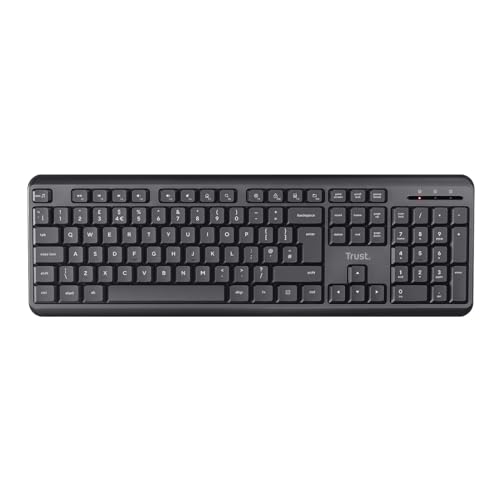
Trust Ody Silent Wireless Keyboard QWERTY UK Layout, Membrane Low Profile Keys, Spill-Resistant, USB Receiver RF 2.4GHz, Batteries Included, Quiet Computer Keyboard for PC, Laptop, Mac – Black
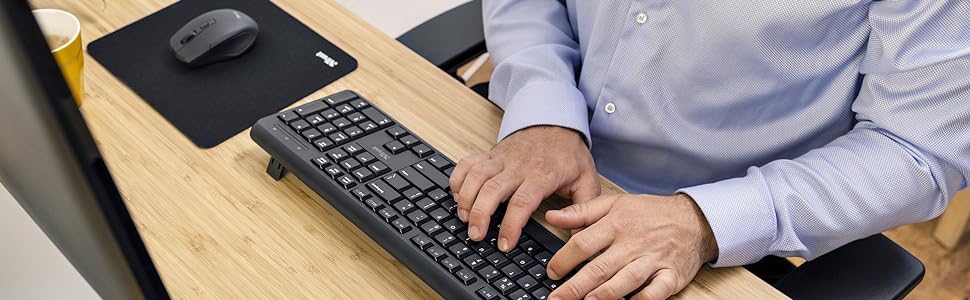
The keyboard that does it all
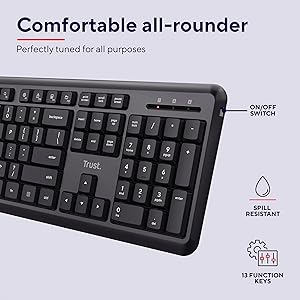
Everything you want in a keyboard, the Ody has. Height adjustable, spill-resistant, and complete with 13 function keys and an on/off switch, this keyboard is as comfortable as it is functional.
Smooth and silent
Noisy typing is out, silent typing is in. This full-size keyboard has low-profile keys for a soft and comfortable keystroke, so you can easily type without disturbing yourself and those around you.
Wireless, effortless
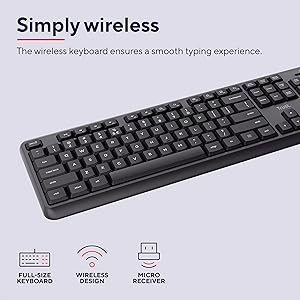
Simply plug the USB receiver into your device, and enjoy using the Ody keyboard from wherever you like. Office, home, bed? The choice is yours!
| Weight: | 560 g |
| Dimensions: | 44.2 x 14.2 x 2 cm; 560 g |
| Brand: | Trust |
| Model: | 24617 |
| Colour: | Black |
| Batteries Included: | Yes |
| Manufacture: | Trust |
| Dimensions: | 44.2 x 14.2 x 2 cm; 560 g |
wonderful keyboard
only took delivery today and in minuets very impressed, keys are very quiet not at all noisy which makes my wife very happy and myself last keyboard was so noisy it drove us round the bend pluged in the USB dongle and it set its self up in seconds love the function keys bet keyboard yet and well worth the money would highly recommend
Very quiet keyboard
I needed a wireless keyboard that was also not going to be clicky and clacky! This one is perfect! Always connects immediately, never experienced any drop in connection, and is very quiet when tapping away. For the price this one will be hard to beat.
Best keyboard I have purchased ye
I’m not sure why this keyboard is so cheap. When you receive it you will see that it has the feel of a 50 pounds keyboard. The keyboard works perfectly and it comes with a USB dongle (as opposed to being connected using the PC’s bluetooth which would be a major downside).
You cannot go wrong with this
Number keys are difficult to press
The typing is fine, but number keys are tough to press and often only register once when I press twice. They are almost too soft to know when you’ve registered a press. I’ll be returning for another keyboard as I can’t use this for coding.
The keyboard is smooth and silent to write on.
Its easy to setup. You just need to insert the USB that comes with the keyboard or the mouse (if you chose the keyboard + mouse set) and that’s it. You also need to make sure that the mouse and keyboard are on and the stripe that comes with both devices is pulled off.
The only thing that I did not like is that the wireless keyboard will assume your PC/ laptop special keys positions for its own. So, when you press on a special key like the asterisk ( * ) or the pound symbol ( ) and you get something else, look at your desktop/ laptop and see what it is in its place on the wireless keyboard. You will see that lots of things will start to make sense. I only realised this after I got a second one for my daughter (keyboard + mouse) and she was complaining that the keyboard was defective due to her laptop keyboard being more compact in comparison to the wireless one.