USB C to HDMI Adapter – Dual HDMI Adapter for 2 Monitors
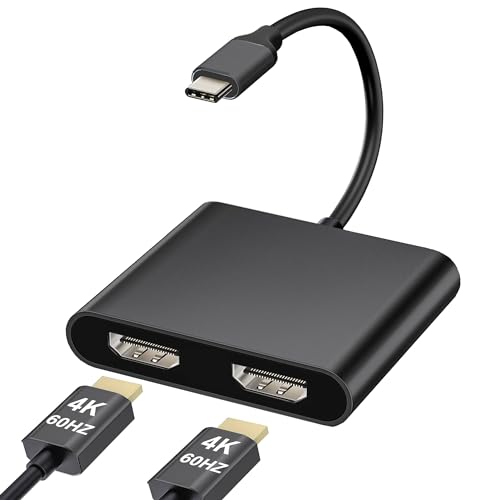
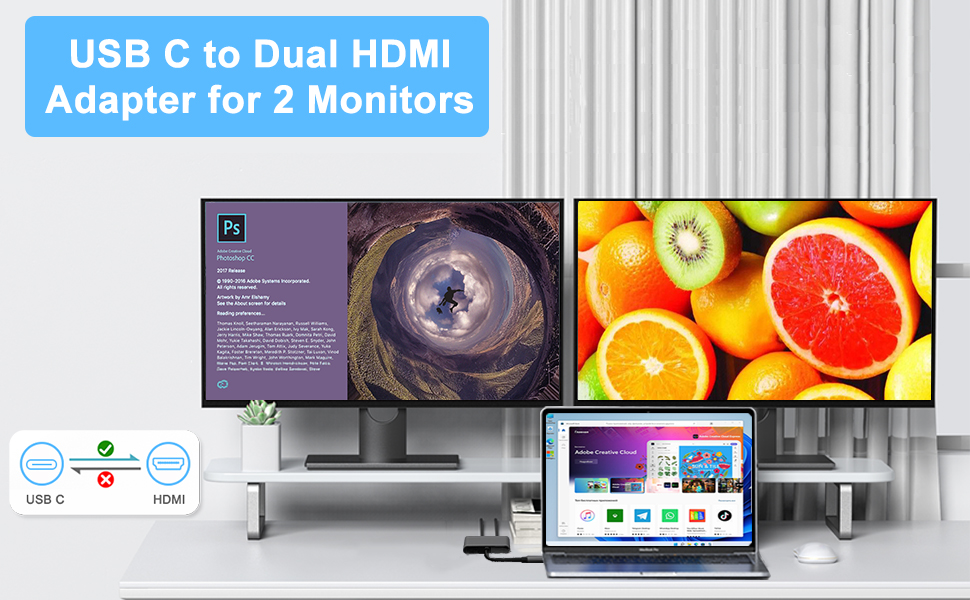
USB C to HDMI Adapter – Dual HDMI Adapter for 2 Monitors, 4K@60HZ, USB C HDMI Adapter for MacBook Pro (2016-2023)/Laptop/HP/Dell/Surface/Lenovo/MacBook (Black)
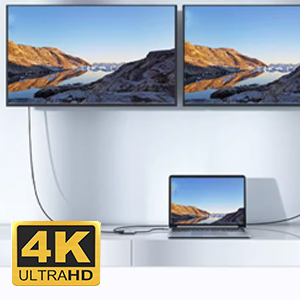
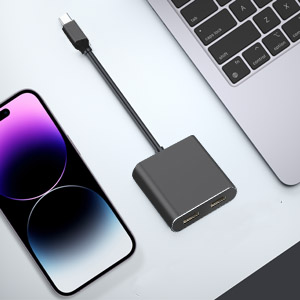
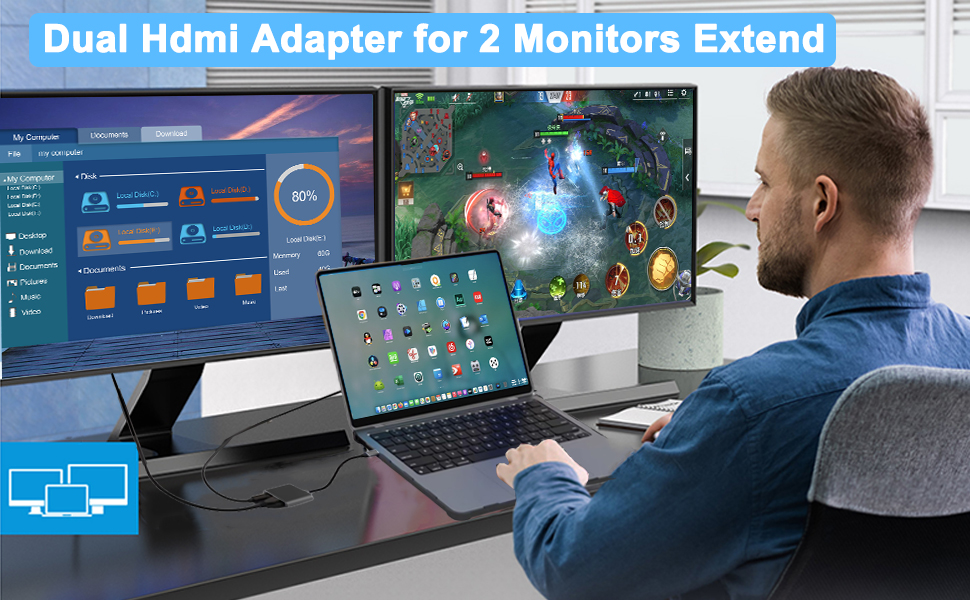
Read Before Use:
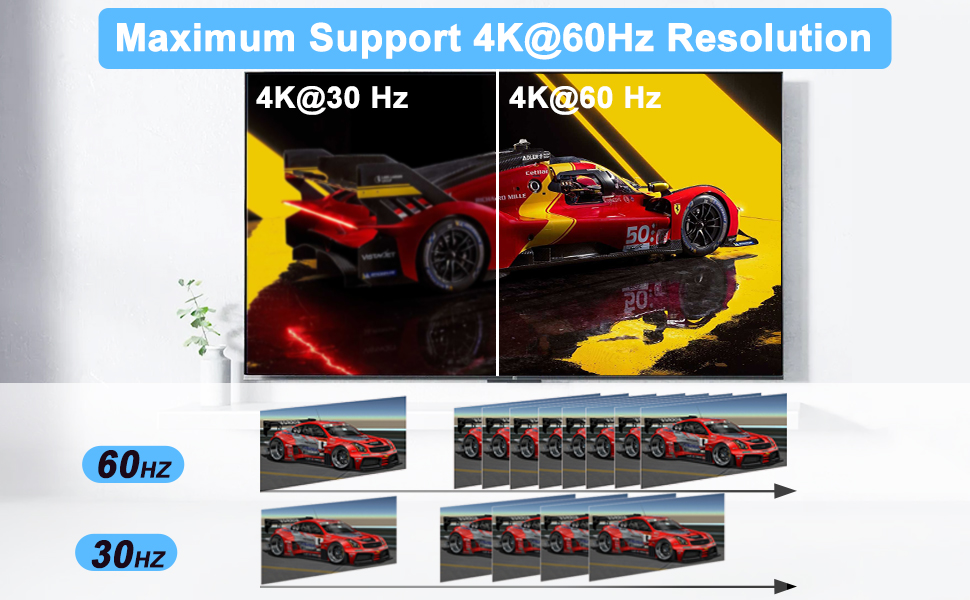
- To achieve the best 4K@30Hz (3840 x 2160) resolution, please use a 4K monitor and an HDMI 2.0 cable.
- It is normal for the dual-display HDMI adapter to generate heat after extended use, as the outer casing dissipates heat to protect the internal circuit board.
- When connecting it to a smartphone , two HDMI outputs must be connected .
Problem Diagnosis:
Q1.Why is the screen flickering or going black?
A1. Insufficient Power Supply. (Some devices may have a weaker power supply capacity for the docking station, which can lead to insufficient power and screen flickering. Therefore, it is necessary to connect the charger for power supply when using it.)
A2. Check HDMI Port Connection. (Due to the nature of HDMI interfaces, they do not have locking nuts like DVI interfaces, nor do they have locking mechanisms like DP interfaces. Therefore, poor contact can easily lead to screen flickering.)
A3. HDMI Cable Quality: Avoid using HDMI cables longer than 5 meters; Avoid using HDMI to VGA and HDMI to DP cables. (Longer cable lengths can result in more significant signal attenuation, primarily due to impedance and insufficient shielding. Additionally, using other adapter cables can affect transmission power, which constitutes a secondary conversion and can greatly impact stability.)
A4. Display Compatibility Issues. (You can try replacing the display to see if the flickering issue persists, as some displays with weaker signal reception may exhibit flickering.)
Q2. What should you do if your laptop fails to recognize the HDMI display?
A1. Ensure that your laptop’s USB C port supports DisplayPort/video output.
A2. Check your HDMI cable and monitor. (Try connecting the monitor directly to the laptop to see if it works.)
Excellent video quality
Using this adapter has made my work setup much more efficient. It allows me to connect two monitors to my laptop, expanding my workspace significantly. The video quality is excellent, with crisp 4K resolution that enhances my productivity. Setting it up was hassle-free, and it’s been compatible with my MacBook Pro without any issues. The adapter is lightweight and durable, making it a reliable addition to my tech accessories.
Quick and easy to use
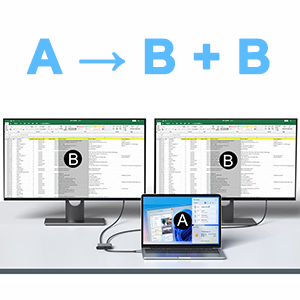
Laptop screens can be practical, but often too small for extensive work. Being accustomed to multi-screen setups, I found the USB C to HDMI Adapter – 4 in 1 HDMI Splitter for Dual Monitors 4K an ideal solution for connecting my laptop to two larger screens. This adapter is plug and play; simply connect it to your USB-C port (ensuring it supports DP Alt Mode) and attach up to two HDMI displays on the other side. For PCs, it offers three display options: A+A+A, A+B+B, and A+B+C, making it versatile for different work needs.
Quality 2 port HDMI adapte
Hxwlo Dual HDMI Adapter for 2 Monitors – Review
This HDMI adapter features a nice metal design. The ports on this adapter support up to HDMI 2.0 which is good enough for most users. This allows a maximum resolution and refresh rate of 4k@60Hz. During my usage, I didn’t notice any issues with picture quality or lag etc so the product is working as intended. For 14.90, at the time of review, this is a well-made, solid-performing HDMI adapter.
Great utilisation of this size of adapter by providing another two interfaces on the opposite side
What drew me to this dual HDMI adapter over others is it’s lovely black looks. When I got it out of the box it did look plastic but when I picked it up I realised that is was actually made of aluminium and it’s very light yet a nice solid build at the same time.
This is more than just a dual HDMI adapter as they have made really good utilisation of the size of the adapter. As they have two HDMI ports side by side then the adapter has to be a certain size anyway. With the microchips and other circuitry being so small these days there’s plenty of room inside this size of casing, and on the opposite side of the HDMI adapter to provide further connectivity. With the addition of a USB-A port and a power delivery USB-C port they have made this a very versatile adapter.
Using the two HDMI ports, you can either mirror the display over two monitors or extend it to give you that extra space. There is no additional software or drivers required for it to work. It’s true plug and play and pops up like any other external device would. I’m using this on a PC running Windows 10 in extend mode and it worked first time for me and I think it’s a brilliant bit of kit, that is fairly priced, and I would highly recommend it.
USB C to twin HDMI 4K out sockets
Works on my iPad Pro 4th Gen and Mac mini M2 pro as both have USB C 3.1 Out. Allows crisp, flicker free mirroring of display on to up to two monitors. The supplier provides helpful information on how to setup your Mac or PC to achieve the desired display configuration. Works straight from the box.
Well made lightweight aluminium body and robust attached 16 cm USB C cable.
As always understand exactly what you are looking for and read the supplied website information carefully before ordering.
Does what it says on the tin.
My PC only has one HDMI port and that is connected to my AVR. I needed a second outlet to feed a HDMI transmitter that will send signals out to a receiver that is connected to a TV in my gym room. I am keeping my fingers crossed that this combination of technologies will provide the functionality that I want.
The unit has an aluminium case but, despite this, does feel a little plasticky. It is very lightweight and so would be OK if you needed it on the move. The cable is fixed and has a bog standard PVC type sleeve. Personally I prefer braided cables for durability and a removable cable for versatility. In this case, if the cable fails, then the unit is rendered useless.
For the purposes of this review I linked the unit my two TVs and my PC and it worked flawlessly and was just plug and play. That will be a useful thing for me to do as , on occasion, I do like to compare the picture quality of different TVs and in order to do that you do need to have them playing side by side. I was able to play 1080p and also 4K movies with no issues and so I am very happy with the unit’s capabilities. Being able to also charge gadgets with it is a bonus as is the ability to transfer data from a USB device to the PC although I can do both of those things by different ways .
17.50 for a 4K capable unit with the functionality of this unit is not a bad price to pay but I wouldn’t describe it as fantastic value. Lots of cheaper units can be found but, of course, I do not know how good they are. I do know that this one does what it says on the tin!
Works very well with my MacBook Pro.
I got this product to be able to use with my MacBook Pro and see what I am doing on my laptop on my TV, so it is on a bigger screen.
Delivery of this product was very good, I ordered this product and it was delivered to me the very next day.
This product is extremely good quality, the adapter seems really strong and the cable is extremely thick, it’s made with a premium aluminum alloy case.
The cable on it is fairly short, but that’s not a major problem for me as I’d just use a longer HDMI cable.
The cable is extremely flexible and can be bent to be in a direction you’d like it to be in.
This product is extremely easy to use, it’s just a matter of plugging it in and it comes straight on, no software is needed to download.
It comes with instructions but I didn’t need this as the set up was extremely straight forward.
I use this with my MacBook Pro (2019 model) and it works extremely well, what I am doing on my laptop comes straight on my TV, I didn’t even need to go into my sources menu on the TV.
The quality on the screen is extremely good, seems to be quite a high resolution.
This has 2 HDMI ports on it, allowing you to display your device on 2 different screens.
This isn’t just suitable for MacBooks, it’s suitable for any device with a type C port on it.
This is really good if you’re watching a movie or playing games etc and would like it on your TV so it’s on a bigger screen.
This is extremely small and lightweight, weighing only 40g, meaning you can take this with you when travelling etc and it won’t take up much room in your luggage or won’t weigh you down.
At the time of this review, this product is 16.50, with a 5% off voucher, making this extremely good value for money at this very good price.
Overall, I highly recommend this product.