WARRKY 4K Loop Out Video Capture Card for Streaming, Work
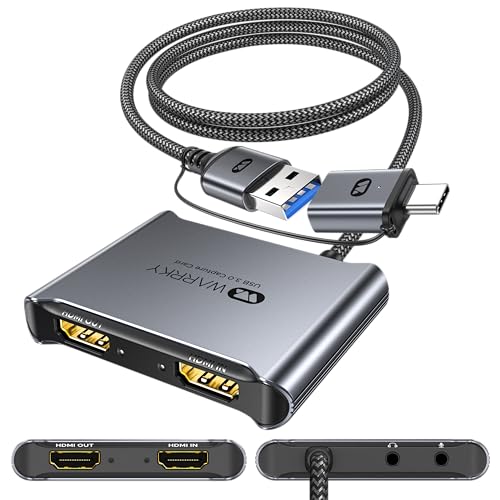
WARRKY 4K Loop Out Video Capture Card for Streaming, Work for PS4/PS5/XBOX/Switch/PC/Laptop/Camera/iPad, USB 3.0 to HDMI 1080P 60FPS Record Game Capture Card, Video Capture Device for Live
Far better than expected, especially for the price.
I’ll admit, I had only minimal expectations for this capture device. But it exceeded every last one.
What I _expected_ was to have to download obscure drivers from a janky website, to have to mess with setup and resolutions and refresh rates, and to get a crappy framerate and latency. What happened? Just the opposite.
* On my Windows 11 streaming box, I plugged it in to a USB 3.0 port. Moments later it appeared as an ordinary USB audio input device and an ordinary USB webcam. No driver install needed (or, more likely, Windows was able to pull down an approved driver directly from Microsoft).
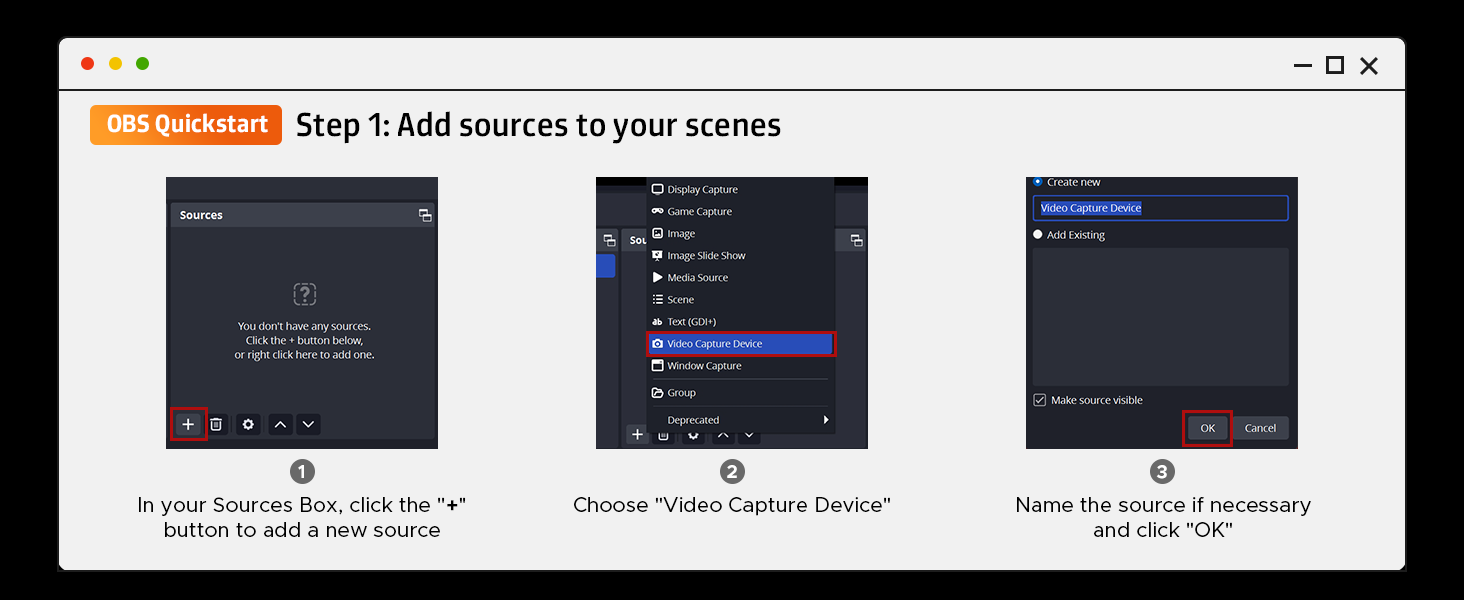
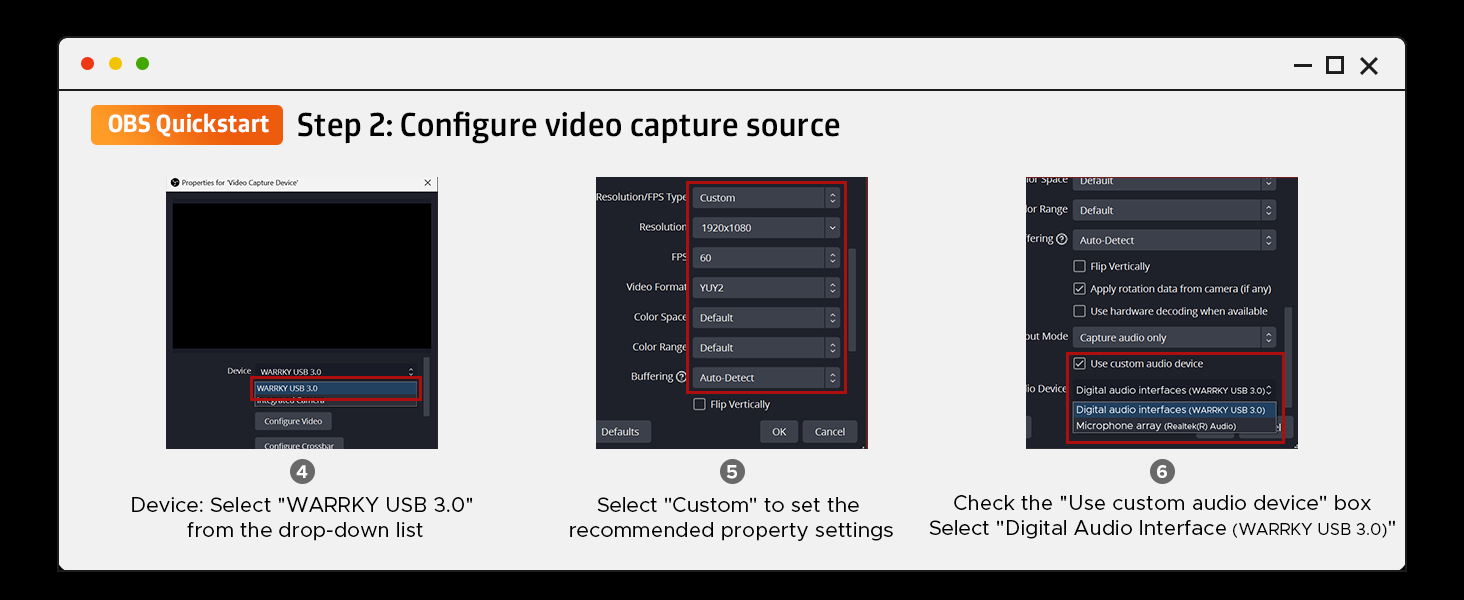
* In OBS (v30.1) it showed up as a Video Capture Device as “Warrky USB 3.0”. No plugin install needed.
* In OBS it also appeared as an Audio Input Device as “Digital Audio Interface (Warrky USB 3.0)”. No plugin install needed. (This captures audio as delivered over the HDMI input)
It seems stable, and though I haven’t tested it at input resolutions/framerates higher than 1080p60, it does that well. A couple of hints for those using this as an OBS input device:
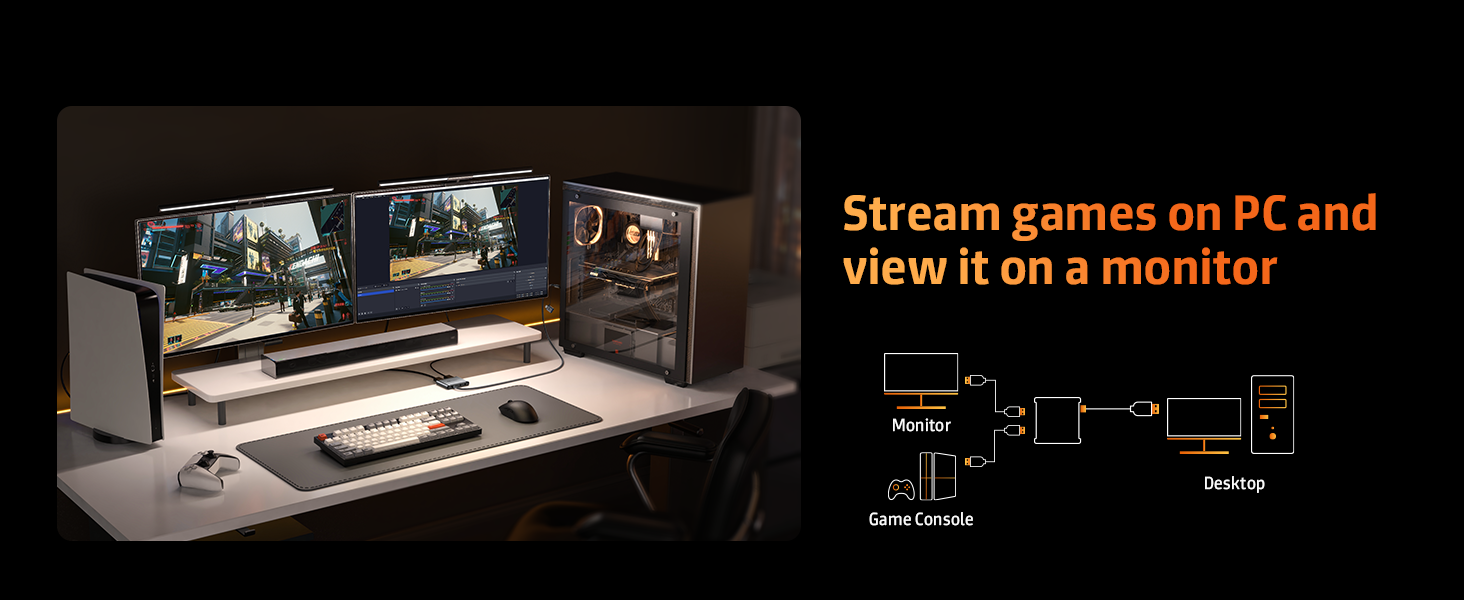
* Remember that you have to have a monitor connected to the capture device, or whatever you’re trying to capture from won’t know there’s something to mirror to. If you forget to do this, the capture device will still show up in OBS, it’s just delivering a blank screen because your console/laptop/tablet/whatever isn’t sending it anything to capture. I just connected it to the HDMI 2 input on my main monitor, problem solved.
* Remember to explicitly set the resolution you want to capture at in OBS in the device properties.
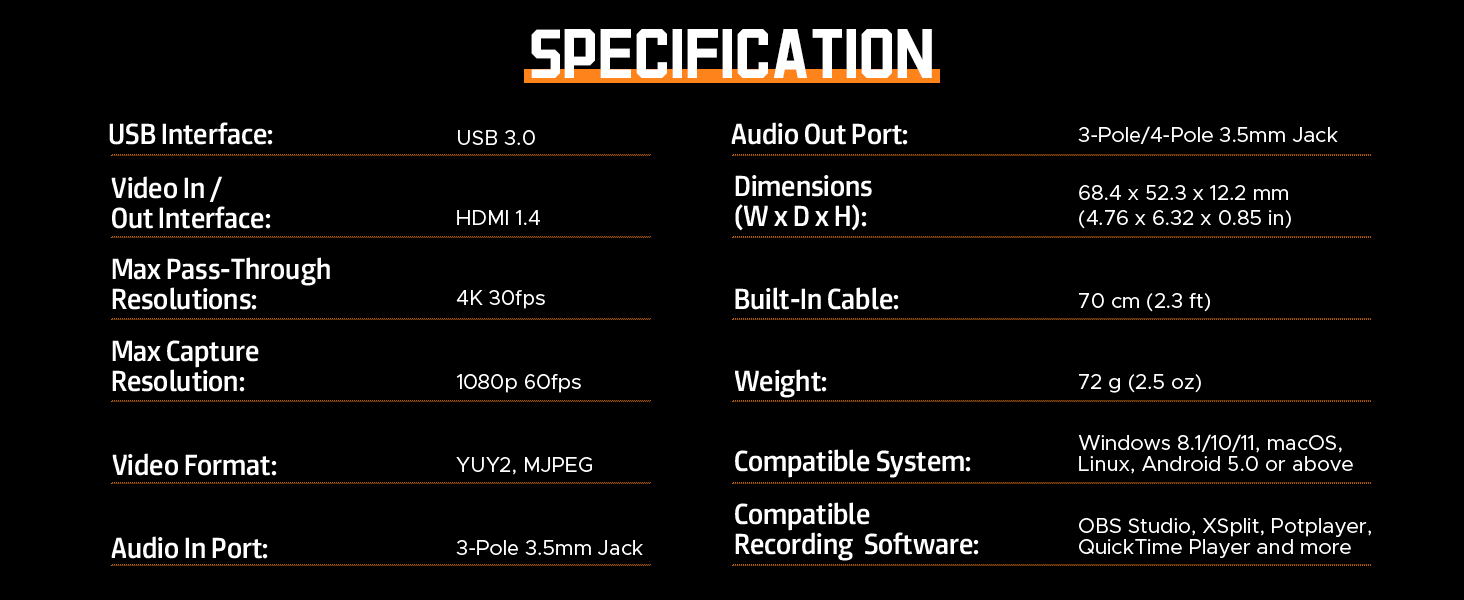
* Also remember that even if you feed it 1440p or 4k, the capture will be at 1080p60 at most.
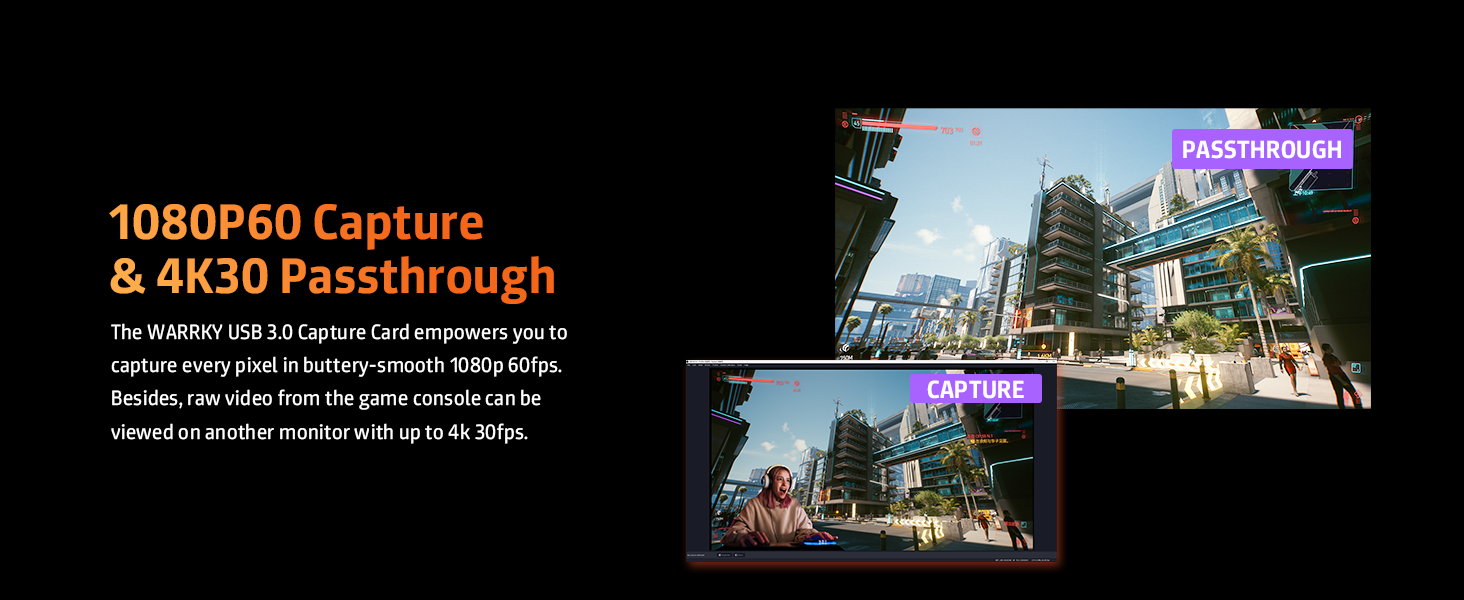
I haven’t tested to see if this can scrape audio from an HDCP-encoded HDMI input. Similarly, I haven’t tested 4k passthrough or high-framerate passthrough; I can’t say for sure if it will pass through 4k/120hz, for instance. My mission is streaming 1080p60, my inputs are 1080p60, my captures are 1080p60 and my passthrough is 1080p60. For all that, it’s excellent.
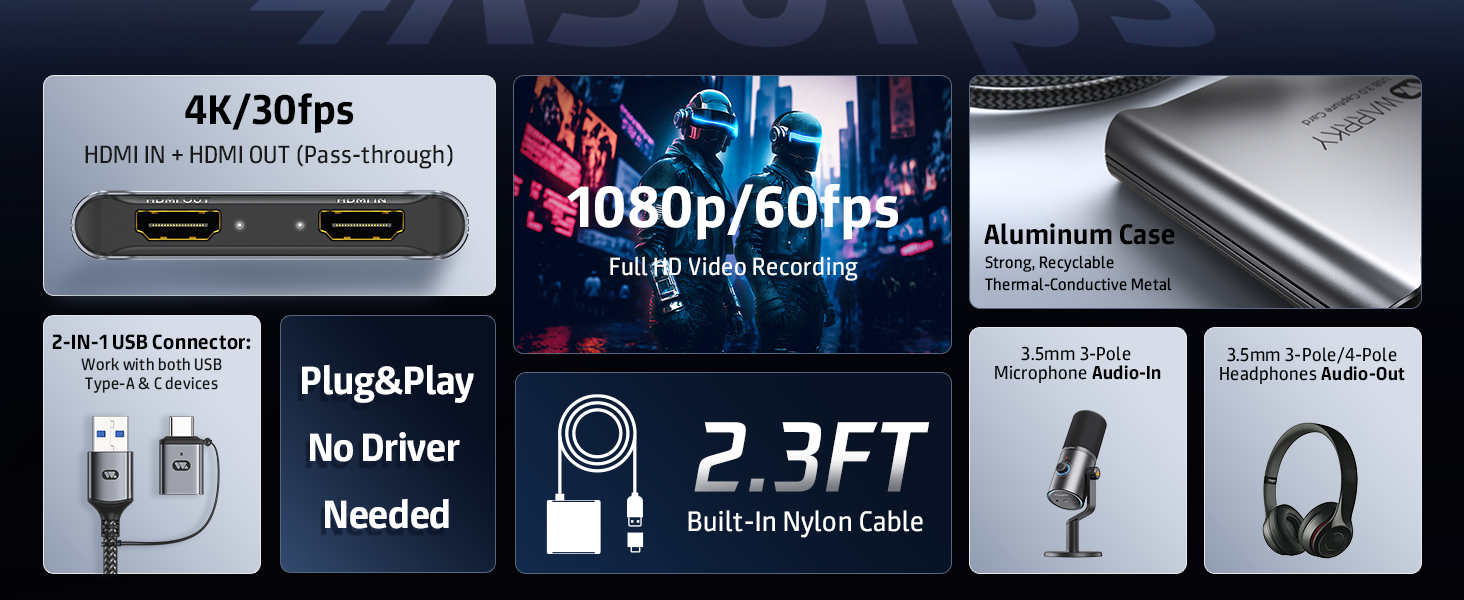
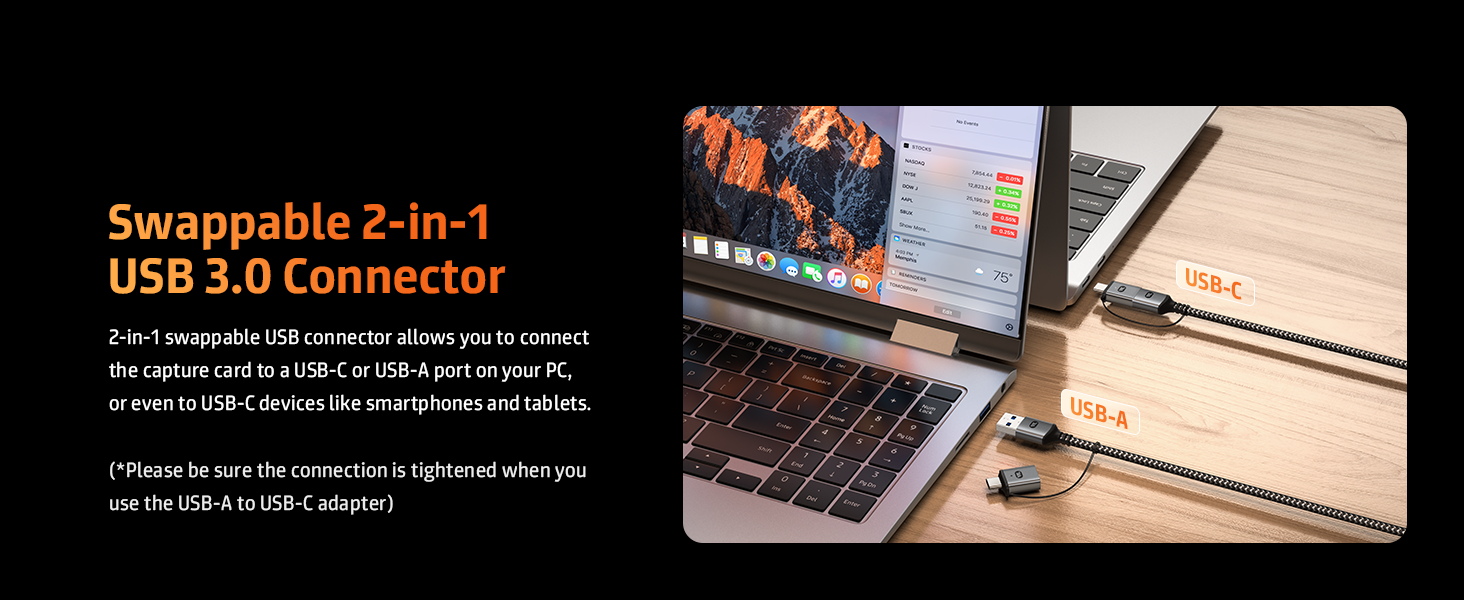
As for physical build quality, it has a very nice heft to it from the aluminum body. You’ll have to squint a little to read “HDMI IN” and “HDMI OUT” on the device, though, as the labels are very small and low-contrast. The USB cable is about two feet/60cm long and has a stiff nylon-braid. Should be plenty tough. The included USB-A to USB-C adapter works fine and can be used for other purposes if you don’t need it for this one.
All in all, this is a very serious bargain for people wanting to stream or capture on a budget, and it works flawlessly with OBS (at least, for me!). Recommended!
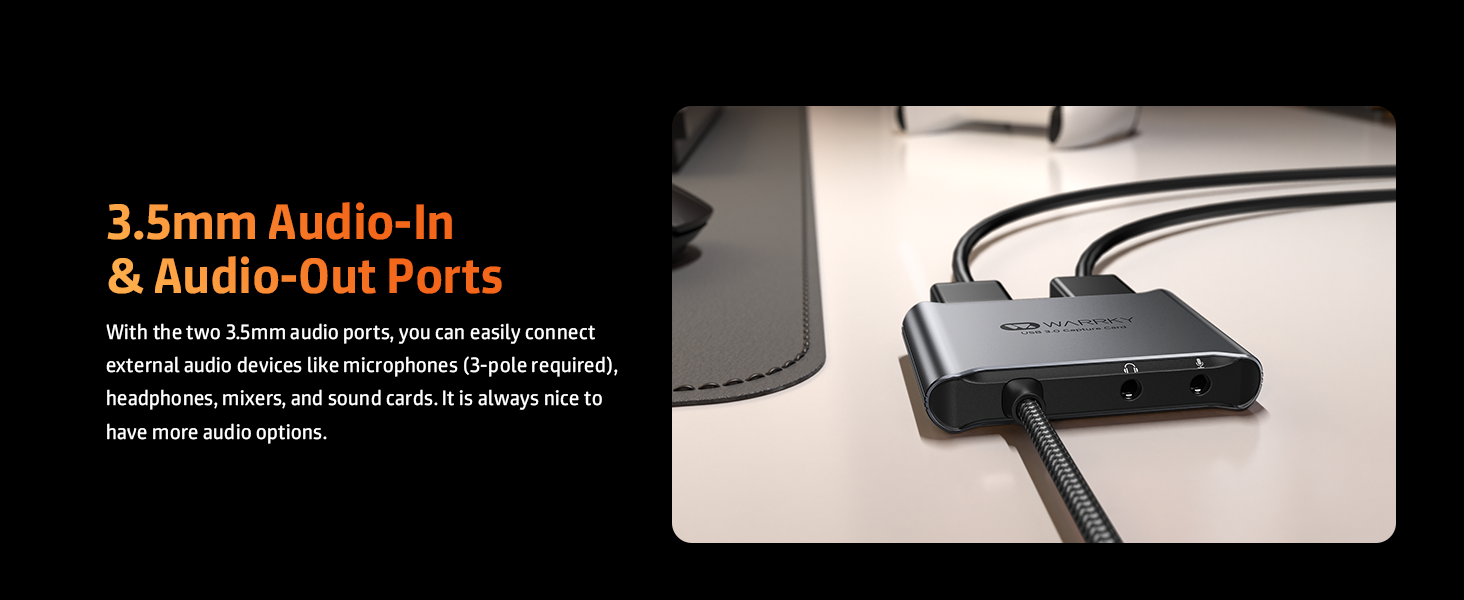
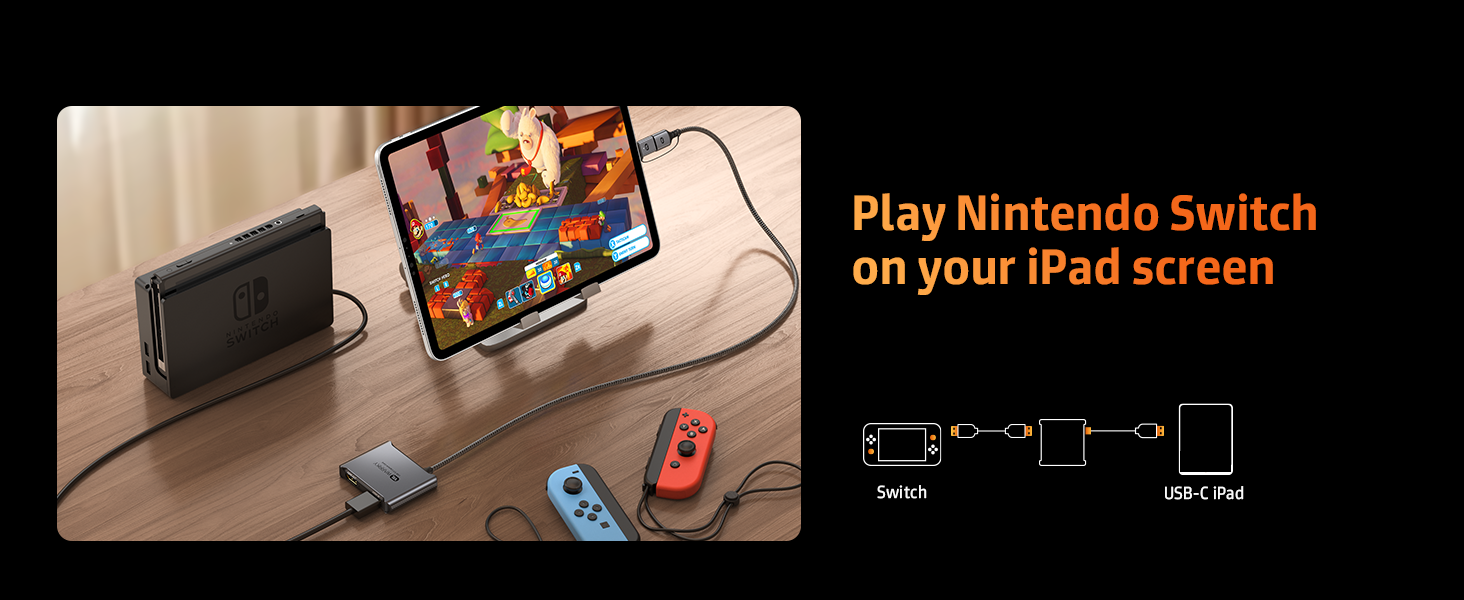
My daughter wanted a way to record herself playing on her Nintendo Switch and this Capture Card works well good for her. She hasn't had any issue using this for her needs. Includes an audio in and out which she likes as it allows her to use a mic and headphones. Able to capture 1080p/60fps which is perfect for her. Well built with a nylon braided USB-A cable with an included USB-C adapter. Good features for the price.
My daughter wanted a way to record herself playing on her Nintendo Switch and this Capture Card works well good for her. She hasn’t had any issue using this for her needs. Includes an audio in and out which she likes as it allows her to use a mic and headphones. Able to capture 1080p/60fps which is perfect for her. Well built with a nylon braided USB-A cable with an included USB-C adapter. Good features for the price.
Great for the price!
Outputs my ps5 footage on OBS at 1080p 60fps just fine. I did notice however there would be inconsistencies with audio. Popping and strong base comes out weak and sometimes the sound would randomly go out of sync (managed to fix by toggling the device on and off in the capture software)
Great produc
I conducted two tests on the Warrky USB 3.0 HDMI Capture Card, the first of which was to test the framerate and resolution of the capture card to see if it was optimal for recording gameplay and timelapses etc. The second test was to test the bitrate of the capture card to see if it could handle dark videos and many different things happening at once.
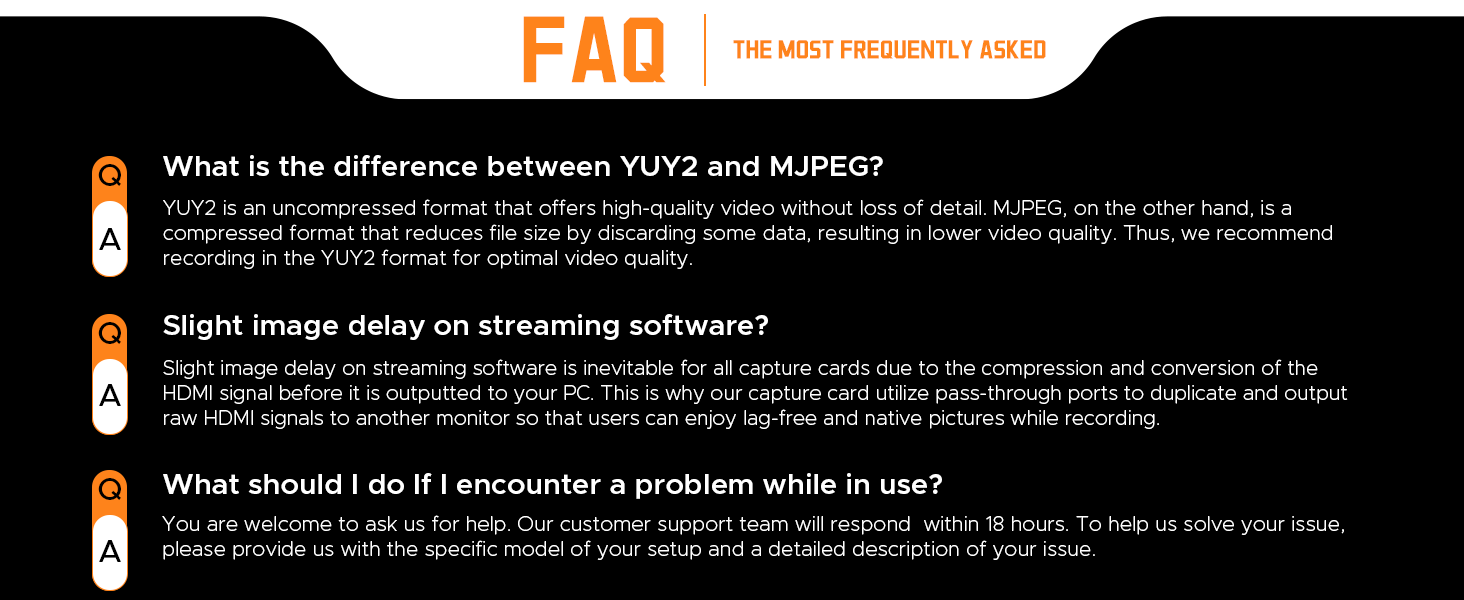
As I was setting up the capture card, the instructions could have been a little clearer when explaining the “in” and “out” HDMI ports but anyone with a even a little bit of knowledge with technology would be able to figure it out. after plugging the capture card into my pc and my graphic tablet into the capture card, I opened OBS and encountered my first issue, although it says on the instruction manual that you should set the FPS to 60 and the Video format to YUY2, the highest I could set the fps was 50 and the only video format available was MJPEG. after unplugging my graphic tablet, the YUY2 video format became available.
When I reviewed the recording for the first test for the capture card, I noticed that the fps was flawless all the way through the 10 minute video, and the bitrate was fine as well, overall the recording was smooth and clear.
I was setting up for the second test when encountered my second major issue, when using the YUY2 video format, the fps limit caps at 10 whereas switching to the MJPEG video format allowed me to record at 50. Upon reviewing the recording for the second test, I noticed that it can handle a lot of things happening at once the bitrate begins to decrease the darker the brightness of the game or window recorded.
Overall, I think that the Capture Card was able to hold up very well. in terms of fps and resolution I think they’re a very good choice for the price of the card with the max framerate being 60 fps, which is the standard framerate for monitors, and 1920 x 1080 resolution which is more than enough for a good quality video, in terms of bitrate I believe that as long as you don’t record windows that are quite dark the capture card will perform perfectly for whatever you’re using it for.
Great produc
It works so well. The picture comes out amazing definitely worth what it costs. I’d probably pay around 50 for this product. Easy to use and such high quality in sound and picture. Don’t bother looking at any others just buy this one you won’t regret it.
Easy to use, inexpensive capture card
The capture card works well, and I’ve noticed no quality issues. With the instructions provided in the box, the setup took less than 5 minutes to begin recording 1080p video. I can’t comment on how well it works for other consoles, as I’ve only used it for my Nintendo Switch.
This capture card didn’t add any lag to my game even while recording.
I’ve seen people commenting about being unable to get it to record at 60 frames per second. I originally had the same issue, but fixed it by plugging it into a USB 3.0 port. Personally, I wish it came with a bundled recording software, but it doesn’t take away from the unit’s quality.
Works perfec
For such a compact device, provided exactly what I needed without having to modify my PC internally.
The quality feels good. Product feels solid. Capture offers up to 4k I believe. But performs best at 2k which what my laptop outputs at. The picture quality is clear, it is easy to use as it’s plug and play. The company have been very responsive and offer a wide arrange of tech products that appear just as helpful and value for money as this product.
Works well with Nintendo Switch and OBS
I picked this up for a more portable solution for streaming via OBS to YouTube from my Nintendo Switch via a laptop. The adaptor was immediately picked up by Windows 11 when connected and appeared in OBS straight away. I’ve run some test recordings which have worked perfectly and expect no issues when I next want to stream while away from home.
great investment for the price
This device is a relatively small, about the size of the palm of your hand, and comes in an aluminum outer shell with a built in 2 1/2 ft USB-A cable with an attached USB-C adapter. If you are running a Windows system, no special drivers are needed. The unit does draw power from the attached system, so if you are using a laptop, make its plugged and you have an adequate power supply especially if you are planning on using it for long periods of time.
The product works nicely as advertised with simple ease to follow instructions. OBS Studio is a free download for Windows and works well. If you have any issues, just contact the seller, they are very responsive and knowledgeable and will help you work though any issues.
Where you are new to the video capture arena or just want an easy to use, portable capture card, you really can’t beat this one for the price, quality and support.
Superb entry level capture device
I have used many different capture devices in the past, from Elgato HD60S to the Razer Ripsaw and this device performs just as well as these top rated brands for less than a quarter of the price.
4k passthrough worked as expected and it connected easily with OBS to input the distributed feeds with ease into my scenes. I tested with a range of devices, (PS5, Xbox Series X, Series S, Switch and Steamdeck) and it pulled through audio/video with ease using the HDMI and 3.5 connectors.
The device itself is compact and robust.
If you are looking at getting into streaming, then this device is a cost effective and solid offering that stands shoulder to shoulder with the big boys. Well worth a purchase.
My significant other and I stream console games (mostly Nintendo Switch) on Twitch, and have tried out quite a few capture devices in the process.
We started with an ultra budget MacroSilicon 2109 solution. You may have seen them as the generic “Video Capture with Loop” devices. They’re USB 2.0, so the best you’ll get is 1080p @30fps, and you’ll get lots of visual artifacts due to the MJPEG compression. You might have audio issues, too (on Windows PCs, they might be detected as Mono 96 kbps, instead of the correct Stereo 48k).
I was then lucky to get an EVGA XR1 Lite on sale, and for the most part, it’s a great capture card. full uncompressed USB 3.0, 1080p @60fps game capture. It has its own problems though. The color settings just up and disappeared after a firmware update. System audio also gets choppy after I close my capture, and will be broken until I re-plug the XR1. Considering they cost $90 normally, I shouldn’t be having these problems at all!
So I looked for another good and fairly cheap option to improve her streams. I tried one that wasn’t MacroSilicon-based… it was awful. Everything looked over-sharpened and yellowish (and I assure you, we know how to set up OBS properly). Back it went.
I then found another one that was fairly cheap, and had a newer MacroSilicon 2131 chip. For a while it looked like a winner! No audio issues, and the video looked crystal clear with no weird post-processing. Problem was, as soon as it started warming up from regular use, the pass-through would give out. The monitor the output was connected to would go black and come back after a couple seconds. We never did send it back unfortunately, as I didn’t know the device was at fault until too late. Switching out HDMI cables didn’t fix the problem either.
Frustrated, I gave myself 2 options. Purchase a separate HDMI splitter, or find another capture card altogether.
That’s when I found the WARRKY.
I was hesitant to take the plunge after all we had been through, but it looked really really nice! I didn’t think it could possibly be any good when it’s so cheap (well under 30 bucks at the time of posting). I had to do something though, so I took a chance… I’m so glad I did!
The WARRKY is beautiful. It’s compact and made of solid aluminum.
We’ve used it on multiple streams now, without a single problem. It showed right up in OBS. We set it to 1080/60 with YUY2 (no compression), and made sure to match the Color Range in both OBS and in the Nintendo Switch TV settings. No video drop-outs, no audio issues. No artificating. Everything looks beautiful! We even capture the audio through the WARRKY to mix into our headset along with Discord and other system audio. There’s no audio delay whatsoever, and very minimal video delay. You should be using the HDMI output when playing, but you could easily play most games using OBS itself as a monitor – it’s that responsive!
It runs a bit warm when in use, but this is a good thing! It means the device’s shell is transfering heat away from the chip like it should.
This appears to use a MS2131 chip, which I’m happy to see. MacroSilicon is the best option for these devices.
We mainly use the WARRKY on our Linux PCs, but we tested it on Windows 10, and it works great. If we’re ever forced to use Windows for any length of time, we trust it will run fine there!
I almost knocked a star off because the cable is hard-wired and not replaceable, but I really don’t think that’s a problem. If it works, it’s likely going to work fine for the rest of your time owning the device. Treat it well and it’ll treat you well! Plus, it has a USB-C adapter included, and that IS replaceable.
I know I sound like an advertisement, but I’m very very happy with this purchase. I wish this was the first device we tried, because it would have been the only one! Buy it, seriously. Don’t spend more unless you need to capture 4K or something. For most consoles, this is ALL you will ever need.
Works great with OBS and a camcorde
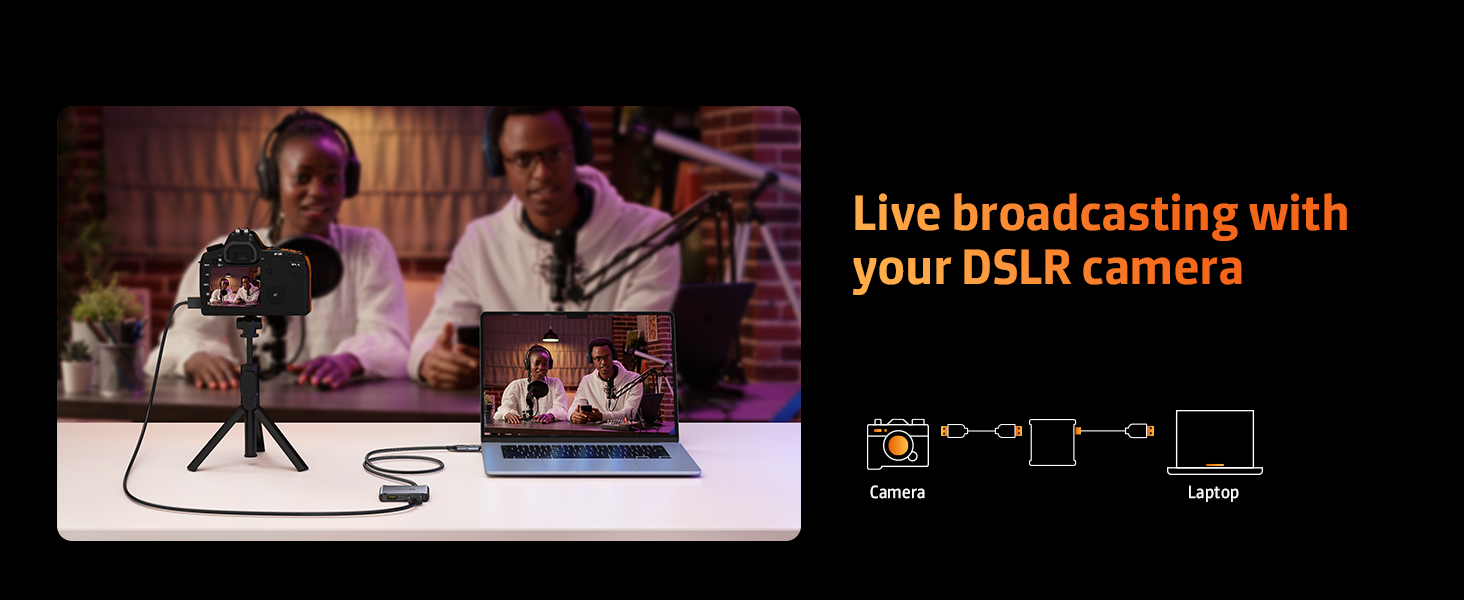
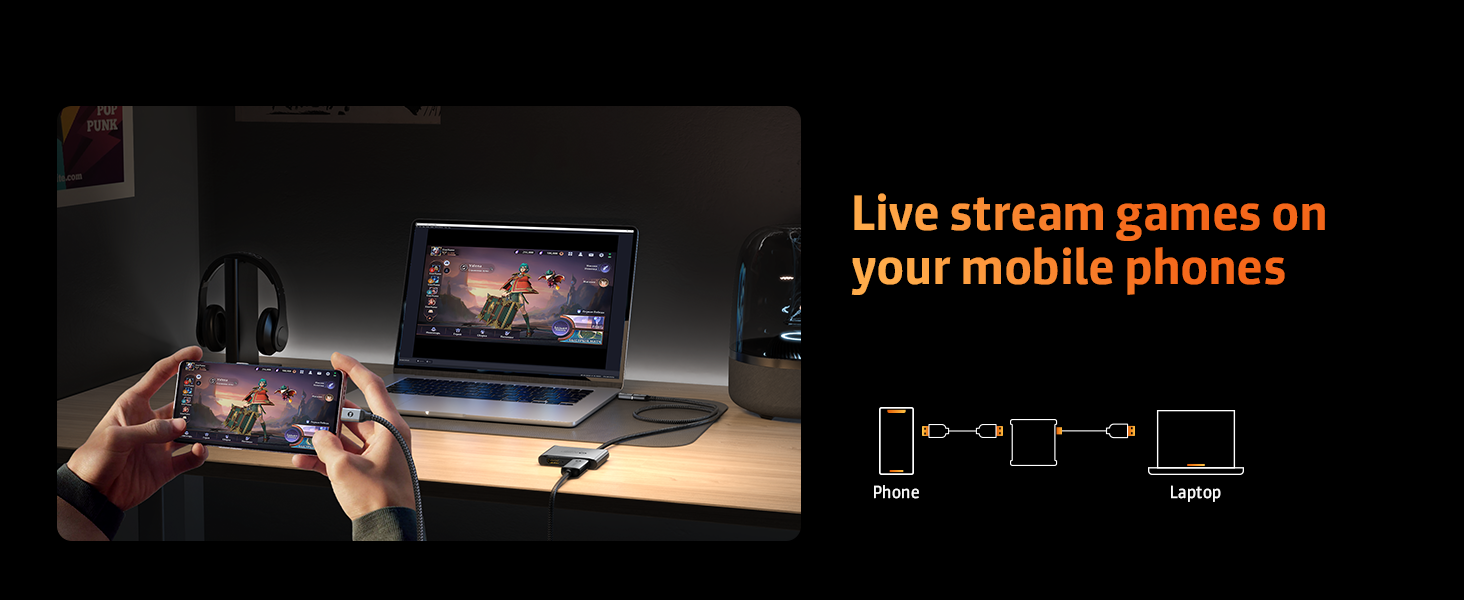
I use this to capture the live video from a camcorder for live streaming. The video quality is very good — comparable to an Elgato Cam Link 4K that I’ve got. I haven’t noticed any real difference in the stream output, but I tend to stream at fairly low bandwidth due to upload bandwidth constraints.
I’ve run into no problems whatsoever with this, which is more than I can say about the Elgato — the HDMI cable seems to have a tighter connection on this, but the Elgato is a bit older, so maybe that’s a consideration. I use the Type-A port, so I can’t say for sure how solid the Type-C adapter is.
I haven’t had a chance to try the audio in/out ports, but I really should. It would save me a USB port, since I have a Sound Blaster Play 3 for that. If I do that and it works well, I’ll update the review.
Hope this helps you make an informed purchasing decision!
I am able to capture from OBS without major issues
It has become much more affordable to record video game footage from a video game console thanks to the low cost of video capture cards.
Today, I am reviewing the WARRKY Video Capture Card with Built-in USB 3.0 Cable (and USB-C adapter).
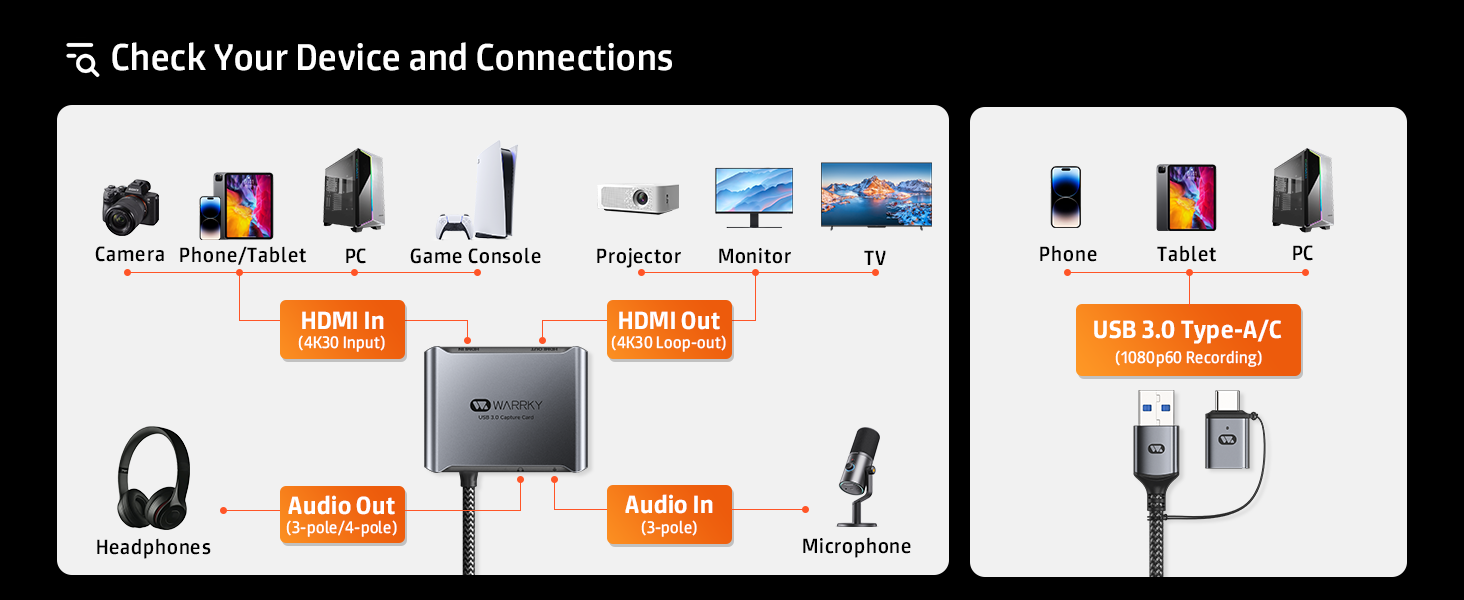
This little device records in 1080p 60 fps, 4K 30Hz pass through and has two audio ports for streaming.
So, how does it work? I’m using the free OBS Studio and I have my Nintendo Switch HDMI connected from the dock into this adapter. I then plug into my computer (or port replicator/docking station) and I add a “Video Capture Device”.
Similar to other video capture cards, it may be finicky at first, so you want to keep plugging the device in and out until you see “WARRKY USB 3.0” showing up on device.
The next step is getting the audio to work and that is making sure you add a new device and change it to Digital Audio Interface (WARRKY USB 3.0).
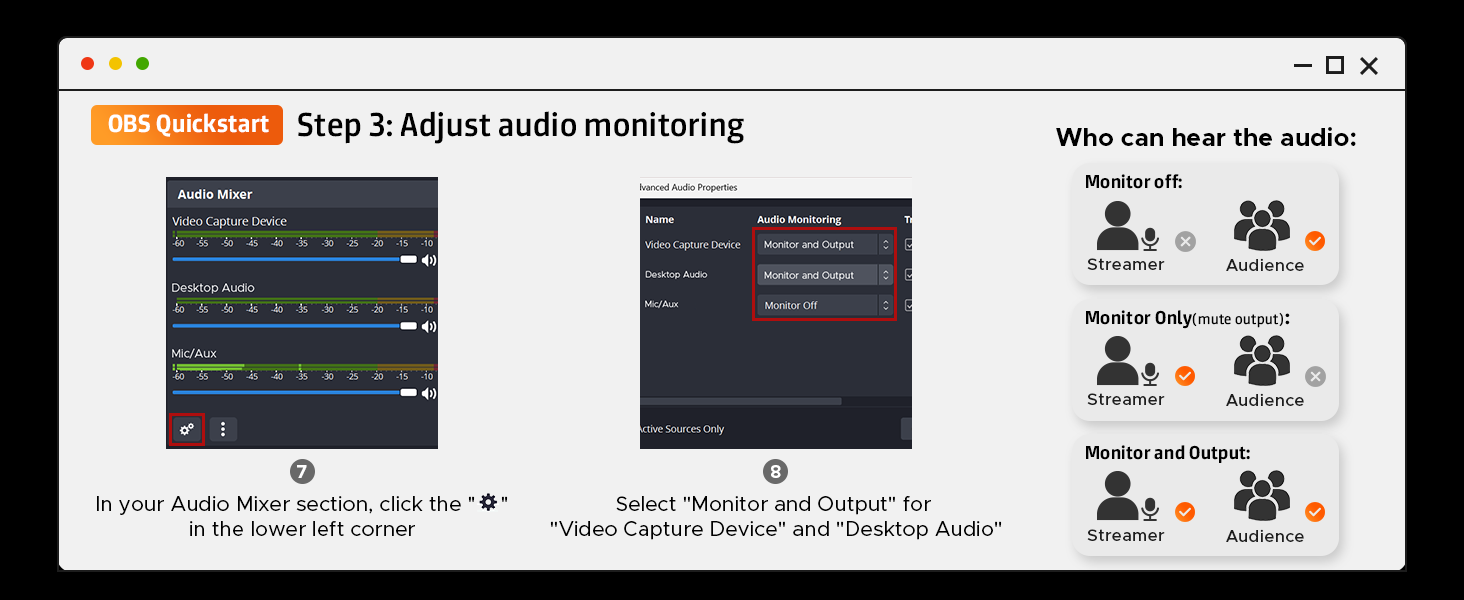
And the third and final step is going to the audio mixer and changing the Video Capture Device (by clicking on the three dots on the side).
And after you click the three dots, it will take you to the Advanced Audio Properties and for the Video Capture Device, you will need to change Audio Monitoring to “Monitor and Output”.
And that’s it, it will record audio from your console and it’s read to go.
Please do note though that the settings will not stay, once you power off or remove the Switch from the dock. You will have to do these three steps each time. So, delete the previous Video Capture Device from Sources and create a new one until the “WARRKY USB 3.0” shows up again.
But it works and for $34, its similarly priced with other competing devices. But the difference is this one includes an HDMI out and also includes 3.5 audio in and audio out ports if needed.
But overall, the WARRKY Video Capture Card with Built-in USB 3.0 Cable (with USB-C adapter) works very well. Sure, it’s finicky, but a lot of the cheaper capture cards are like that and takes a few times of plugging it in and out until the console is discovered. I do recommend it if you do not want purchase an expensive video capture device and want to keep things under $35.