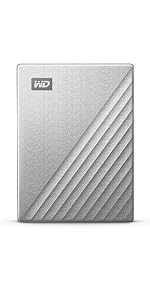
WD 5TB My Passport Portable HDD Works with USB-C and USB-A
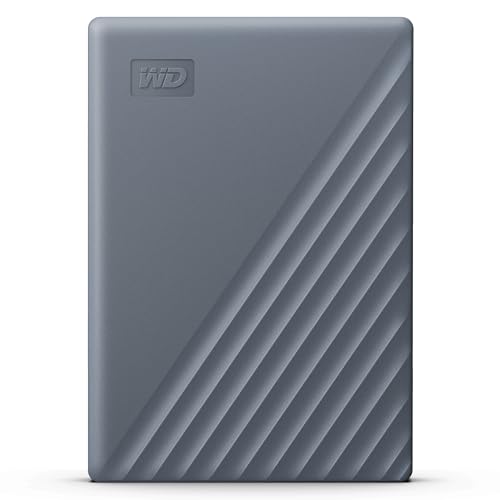
WD 5TB My Passport Portable HDD Works with USB-C and USB-A devices with software for device management, backup and pasword protection, Works with PC, Mac, Chromebook, Gaming Console and Mobile Devices

Hassle-free connectivity
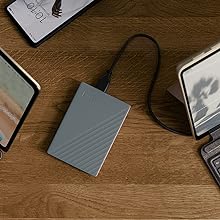
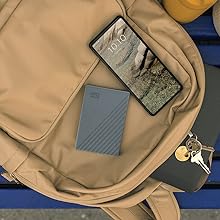
Connect to more USB-C or USB-A devices, including your Windows PC, Mac, Chromebook, gaming consoles, mobile phones, and tablets, without the inconvenience of switching cables
Friendly to your devices
Ready to use out of the box, the My Passport portable hard drive is compatible with your Windows PC, Mac, gaming consoles, and mobile devices, without needing to reformat your drive or buy additional software.
Incredible capacity for your content
Up to 6TB(1) of space to keep your important files, creative projects, school assignments, family photos and videos, and favorite games in one place.
Help safeguard what matters most
Use our included software(2) to back up your precious files with ease and add an extra layer of password protection with built-in 256-bit AES encryption.
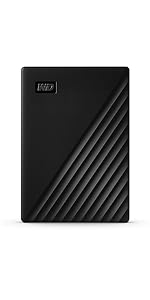 | 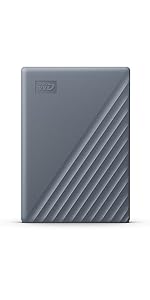 | 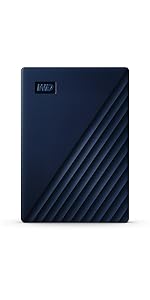 | 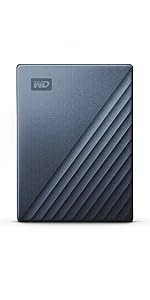 |  | |
|---|---|---|---|---|---|
| Customer Reviews | 4.5 out of 5 stars 121,144 | 4.5 out of 5 stars 121,144 | 4.5 out of 5 stars 121,144 | 4.5 out of 5 stars 121,144 | 4.5 out of 5 stars 121,144 |
| Price | £67.99 | £69.99 | £112.99 | £133.99 | £134.99 |
| Capacity(1) | 1TB / 2TB / 4TB / 5TB / 6TB | 2TB / 4TB / 5TB / 6TB | 2TB / 4TB / 5TB / 6TB | 1TB / 2TB / 4TB / 5TB / 6TB | 2TB / 4TB / 5TB / 6TB |
| Backup software(2) | ✓ | ✓ | ✓ | ✓ | ✓ |
| Device Management(2) | ✓ | ✓ | ✓ | ✓ | ✓ |
| Password Protection | 256-bit AES Hardware Encryption | 256-bit AES Hardware Encryption | 256-bit AES Hardware Encryption | 256-bit AES Hardware Encryption | 256-bit AES Hardware Encryption |
| Connector | USB-A | USB-A w/ USB-C adapter | USB-A w/ USB-C adapter | USB-C w/ USB-A adapter | USB-C |
| Colors | Black, Blue, Red | Silicon Grey | Midnight Blue | Metallic Blue, Metallic Silver | Metallic Silver |
| PC/Mac Ready | PC Ready | PC/Mac Ready (exFAT) | Mac Ready | PC Ready | Mac Ready |
Legal Disclaimers
1. 1TB = 1 trillion bytes. Actual user capacity may be less depending on operating environment.
2. Available for Windows 10+ and macOS 11+ devices only. Download and installation required. Terms and conditions apply. User account registration may be required.
WD, the WD logo, and My Passport are registered marks or marks of Western Digital Corporation or its affiliates in the U.S. and/or other countries. Windows is a mark of Microsoft Corporation. Mac is a mark of Apple Inc. Chromebook is a mark of Google LLC. USB-C is a mark of USB Implementers Forum. All other marks are the property of their respective owners. Product specifications subject to change without notice. Pictures shown may vary from actual products.
2023 Western Digital Corporation or its affiliates. All rights reserved.
| Weight: | 209 g |
| Dimensions: | 10.72 x 7.49 x 1.91 cm; 208.65 g |
| Brand: | WD |
| Model: | WDBRMD0050BGY-WESN |
| Colour: | HDD Grey |
| Batteries Included: | No |
| Manufacture: | Western Digital Technologies, Inc. |
| Dimensions: | 10.72 x 7.49 x 1.91 cm; 208.65 g |
Small and Powerful
This has helped free up loads of space on my laptop. I keep it plugged in and put all my data onto it, especially from my itunes items.No noise, low power packs a great punch with 5TB
Works on the tv also
Had just bought x2 5tb Seagates so I can put films on via my laptop, and also back up my folders, however they did not show up on my tv, which is the latest one out, so sent them back and got x2 WD 5tb, and they work perfectly fine on my laptops, and also my tv. Very happy with them both.
Best External Hard Drives
I have been using WD external hard drives for some time now. One can’t always rely on the ICloud or the internet to work when travelling. THey are compact at 5TB capacity hold a lot of info.
I have used other makes but I think WD are the best.
Good Storage
It took a little longer to be delivered than I expected, but once I got it and could use the drive it worked perfectly, I can free up my other external storage and have everything in one place.
Reliable and easy to set up and use
This is about my fifth WD external drive, of various capacities, that I have used for both home and work. They are easy to set up (plug and play) and come with the software available (both Mac and PC) on the drive instead of having to download anything. The software is useful for encrypting the drive and then unlocking it on your device. They last a long time and I’ve never suffered any data loss. Just the job!
Good for storage
I am using this for storage. So good value for what I need. (Photo storage).
For a 5400 rpm it is fine. Not the best spead, average of 45 MB/s (at least mine).
Small an easy to use.
A large memory in a small and portable unit similar in size to an iPhone.
I bought this unit to replace an obsolete WD product. Backup WD software already installed in my Mac works seamlessly. The hardware and your files can be password protected incase the unit is lost or stolen, or you have an option to recognise your computer automatically whilst locking if attached to another computer.
Overall good value and very compatible with my Apple network.
It’s amazing how much storage can be compressed into such a small space! Every time I buy external storage it comes in a smaller package. I’ve loaded it with a lot of data, it’s in use every day, and there is no evidence of any faults. Perfectly adequate speed for everyday use. Comes with a very short USB-C to USB-C cable.
A little slow but great capacity for the price
As is to be expected with a disk drive it’s a little slow when compared to and ssd, but for the money it`s great for storing files that don`t really need the higher speeds. I am using it to store 1080p video files, anything larger formats (1440p or 4k) may require something a little faster.
Fast and big storage.
This is my 3rd WD disc and definitely wont be the last. Price is good, performance top notch and so far oldest disc (about 5 years old) is still running perfectly. New one is flatter, which is a plus when you need to travel with it. Easy to use, just plug it in and laptop finds it straight away.
This is a great harddrive – not many for the price I paid at the time (95 – I think it was on sale) that have a USB-C connection with a 5TB capacity! I bought this harddrive to store all my Premiere Pro, After Effects and DaVinci Resolve files on, and use it when creating videos for my YouTube channel (same name as my Amazon if you want to check me out 😉 ). It runs really well, never slow loading and has been very reliable for over a year for me. It’s got a nice metallic design, and comes with a USB-A adapter. I would recommend this portable harddrive to anyone who’s looking for something great.
This is a great little backup hard drive.
Great capacity, small and easily portable.
It comes with a USB C to USB C lead and a USB C to USB A adaptor.
The adaptor connects to the end of the lead and this gives you the ability to connect the disk to a USB C or USB A port on your PC or Laptop.
Very easy to use.
If you are going to lug it around in a laptop bag then get a protective case for it to keep dust out of the USB C connection and to protect the hard drive from knocks
5TB is a HDD not SDD
Ordered the drive as my MacBook was out of storage and the only option was to either place my photo library on a separate drive or buy a new laptop (2019 MacBook drive cannot be upgraded). A new laptop was really expensive so have gone for the separate drive. Searched for SSD drive and this WD drive came up at a decent price, unfortunately what I did not realise was that when moving up the capacity from 4TB to 5TB when placing the order the specs change from SDD to a HDD. Not what I wanted and am lumbered with the drive. It works well enough so far so no issues. I will have to get another SDD drive to act as back up to this one, so in all this will be a very expensive purchase. Should have been more observant but the ordering process should also have had a warning.
For Mac -no it did not work straight out of the box
It did not work straight our the box. It was described as for mac. To make it work with time machine or accept files it needed work. Go find reliable instructions on internet to set up WD Passport for mac. Do not rely on my suggestion! Connect up, go to disk utilities in Applications. find the external hard drive and give it a name in the pop-up box. Select which form of recording you prefer. Apfs is current apple Ventura, options for encryption, beware if you forget the password you will not be able to access, then select erase.
There after access time machine as usual from top right bar. Check this from reliable sources on internet not what I have written.
Time machine now shows it has completed first back up. I hope it works as well as the Touro I used before with 16 year old Mac.
I have bought several external Hard Disc Drives over the years for backing up music projects. During this time the price of these has fallen and the capacity has increased.
This latest Western Digital 5TB disc crams a lot of capacity into a small portable size and is perfect for my needs at a decent price
The design is smart and functional and build quality is great for normal use (I wouldn’t necessarily trust to throwing it around – although why would you )
The USB connection to a Windows 10 laptop is recognised straightaway, fast and stable and In summary I can’t fault this as a file backup solution.
This review is for the My Passport 2 TB standard version (not Ultra) – I just got this drive yesterday, and I’m a bit wary of writing such a positive review so early on, but I know if I don’t do it now then I never will and I’ll forget all the details. I’ll definitely update it if I do start to have any problems with it later though. Be warned – this review might be very long, but there don’t seem to be that many reviews of this particular model so I’d like to cover everything that would have been useful to me in case any of it helps anyone else.
The reason I went for this particular drive is that I needed a portable drive of at least 2 TB, but wanted it to be as small and light as possible, so while 4 TB would have been nice, those seem quite a bit bigger and heavier and the reviews for them seem worse in terms of both performance and reliability, so decided to stick with 2 TB. All the drives I could find to have plenty of reports of them failing etc in the reviews, but the WD ones *seemed* to have less, and I get the impression that most knowledgeable people on other forums etc with experience of different drives tend to favour WD for reliability over other manufacturers these days. I almost went for the Ultra version, as my new laptop has USB-C and it does seem nicer than the extra-wide MicroUSB 3 connector, but I didn’t particularly want it to be made of metal (it’s just extra weight for me), and my laptop’s USB-C ports are usually taken up by the charger and a hub anyway. Plus lots of reviews say the USB-C cable that comes with it is really bad, and I didn’t like the choice of colours. So when I realised the standard version was 20 cheaper, available in black, and doesn’t seem to have any real drawbacks apart from the wider connector (maybe the performance is slightly worse, but I’m not sure because that’s not really mentioned anywhere) I decided to go for that one instead.
Amazon’s packaging of it wasn’t great – I saw other reviews saying to order other items at the same time as a hard drive so that they get packed around it in the box, so I did, but unfortunately that didn’t help because the packaging consisted of one small strip of the large air bubble type stuff placed on top of all the items, which left literally half the outer box empty for everything slide around in. Just picking up the box after it was delivered, everything loudly slid over and thudded into the other side of the box. It seems to have survived ok though (and of course it was in its own retail box which I would hope provided some protection). From looking into it I’ve found people saying that hard drives these days can survive huge forces as long as they’re not turned on at the time, so anything that was enough to damage it in transit would have caused visible damage to the casing too (in this case even the cardboard retail box it was in doesn’t have any signs of damage), and that it would be likely to not work properly at all straight away rather than just failing later. So I think it’s fine.
I currently have two similar-style drives – an older WD My Passport (Essential SE, apparently) 1 TB from sometime around 2010 which has a MicroUSB 2 connector, and a slightly newer Samsung M3 1 TB with MicroUSB 3 (same as this drive), so it’s interesting to see how this compares to those. The first thing I noticed when unboxing it was that it is considerably smaller than either of those (about half the height, despite having double the capacity), and also noticeably lighter. So I am impressed and pleased with that – it looks very sleek, and the casing feels solid, so definitely no complaints about the plastic of the drive itself from me. When plugged in and spinning, it is slightly noisier than my Samsung M3, but still pleasantly quiet (no noticeable seeking noises at all so far, just the constant spin). And this is with a Razer Blade Stealth (late 2019) laptop which is almost completely silent when not doing much, and the drive in front of it at the moment, so I probably wouldn’t be able to hear it at all if I wasn’t in such a quiet environment.
The cable that came with it seems to be working fine so far, but possibly is of similar bad quality to the USB-C version – it is quite stiff, possibly a bit wobbly when connected in the ports on both ends (although no loss of connection so far even when moving it) and is noticeably thinner than the cable (of the same type) that came with my Samsung M3 drive. So I might still get a better cable at some point, at least if/when this one starts to have any connection issues.
In terms of performance (which I’m surprised isn’t mentioned at all in the product details/marketing etc, other than I think I saw the USB 3.0 maximum speed of 5Gbit/s mentioned somewhere which is obviously ridiculous as the drive won’t be capable of anywhere near that), I’m getting maximum read/write speeds of 126/116 MB/s in ATTO Disk Benchmark, and sequential read/write speeds of 138/116 MB/s in CrystalDiskMark (just as it came, with NTFS formatting and nothing on it yet). My Samsung M3 (which I remember performance being a point of when I bought it, although I hadn’t been able to make full use of that until recently as my old laptop only had USB 2) seems to be maxing out at about 85 MB/s for both read and write (although with a lot more data on it, if that makes any difference), so I’m pleased with this.
One issue I have with my old My Passport drive is that it always seems to spin down (to a lower speed if not completely off, I’m not sure) about 20 seconds after it was last accessed, and then takes about 5 seconds to get going when something tries to access it again, which can get very frustrating. I’ve tried increasing/turning off the sleep timer in both WD Drive Utilities and the Windows Power Management “Turn off hard disk after” setting, but neither makes any difference, it seems to have its own fixed internal idle timer for some sort of low-power mode which even WD’s own software can’t change. Thankfully that doesn’t seem to be an issue with this new drive.
I’ve tried enabling the encryption on this drive to see if it makes any difference to performance – it doesn’t, but as the “encryption” process is so basic (it’s basically just setting a password on the drive in the “WD Security” software, and it seems to take effect immediately), I’m guessing the drive is actually encrypted at the hardware level all the time (as otherwise it would surely take time to encrypt/decrypt the existing data when setting/unsetting the password). So I’d say that’s a drawback as it means even if you don’t use the drive encryption, if the controller fails but not the drive itself, you can’t take out the actual drive and connect it up to something else, but on the other hand you apparently can’t do that with these particular WD drives anyway as the controller board is soldered directly to the drive rather than it using standard SATA connectors or anything. I’m not sure how the password system would work if you connect it to other devices such as phones/tablets etc (on Windows, the drive having a password set causes it to appear as a CD drive with an executable file on it which you run and enter the password into, which then causes the actual hard drive to show up as well), but if I wanted the drive encrypted I don’t think I’d rely on this as a solution anyway as WD’s system apparently has a lot of vulnerabilities.
I also tried enabling write caching for the drive in Windows (before trying the encryption), but it seemed to make barely any difference at all (write speeds very slightly higher, read speeds possibly actually lower, but probably all within the margin of error anyway) so I’m going to leave that off as it’s not worth the extra risk if the drive gets disconnected by accident (especially if the cable does become dodgy).
I think that just about covers everything I’ve thought of so far, so I hope someone finds it useful 🙂