FM Bluetooth Transmitter for Car, Wireless bluetooth car
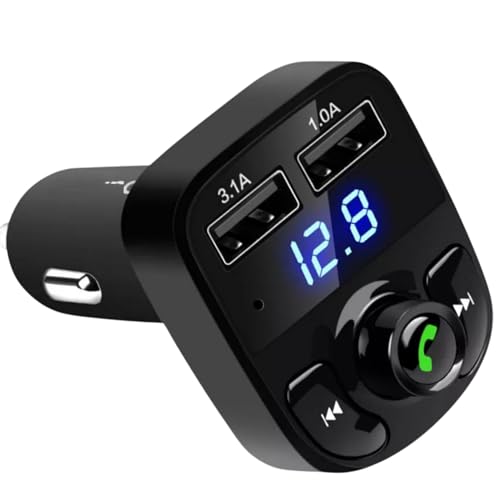
FM Bluetooth Transmitter for Car, Wireless bluetooth car adapter Dual Port Wireless Car Bluetooth transmitter MP3 Player FM Transmitter Hands-Free Calling, Music Player Supports TF Card & USB Disk.
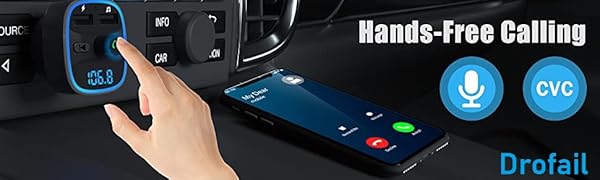
FM Transmitter
- Answer Call:Press the Answer key to answer.
- Reject Call:Press the Answer key and hold it for 3 seconds to reject.
- Hang up: While in the calling or dialing state, press Answer key to hold this call.
- Recall:Press twice to recall the number that called in/out last time.
Cheap Little Bluetooth MP3 Transmitter / Handsfree Ki
I already have an old MP3 transfitter – but it’s so old it doesn’t have Bluetooth and doesn’t provide hands-free functionality so considering the price I thought I’d upgrade to this one.
It arrived promptly in a small box which contained the transmitter and a small set of intructions Unfortunately the instructions are tiny and are sadly lacking in guidance on the funtionality of the device and how to use it!
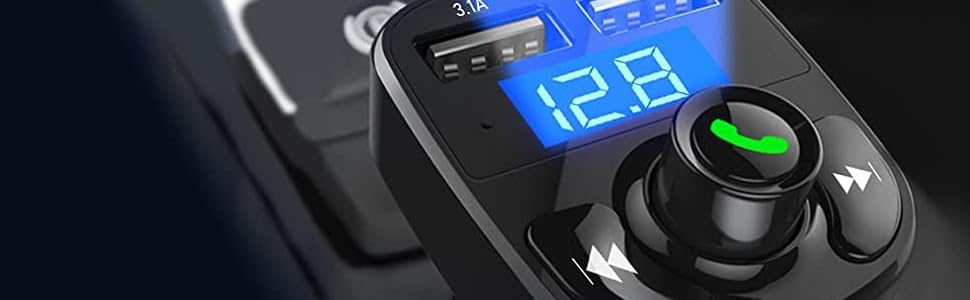
It is quite simple with one combined rotary knob / push button in the centre with the phone symbol embost on it with two buttons either side which appear to indicate fast forward / next track and skip backwards / previous track. There are also two USB ‘A’ ports above these buttons – the left indicated as 3.1A the right indicated as 1.0A.
There is also a small microphone hole on the front for the hands free functionality just below the left hand USB 3.1A socket.
Unlike the picture of the device, all the controls and labels have no colour to them amd are just embossed – the picture on Amazon shows a green phone symbol on the centre button and labels for the other buttons and indicated current rating for the USB ports in White – not the case with mine!
There is a Micro SD Card slot on the right hand side of the device just behind the fascia – the card slotting in with the terminals facing forwards and card label pointing backwards towards the device connectors. This is not indicated on the device so I was left to find this out but it will only go in one way.
The device transmits on an FM frequency which can be adjusted to suit a suitable blank station / frequency on your radio. The lowest frequency being 87.5 the highest being 108FM.
My old transmitter was set to 88FM so I wanted to set this device to be the same. However the intructions don’t tell you how to do this so when I plugged it in it was displaying 87.5FM and I had no idea how to change it! Luckily someone had provided instructions on YouTube for a very similar (almost identical) looking device so I followed the guidance from that which is to press and hold the central ‘Phone’ symbol button when the frequency displays on the device until it flashes then turn the same Multifunction button until the desired frequency displays, then either leave it a few seconds until it stops flashing or press the button again to set it.
I then inserted a Micro SD card with music on it which the device picked up and started playing. The central control acts as a volume control with a maximum volume indicated of 30. The best way to control the volume is by using your car stereo’s own volume control of course.
I was able to easily pair my Google Pixel 7a Smartphone with Bluetooth by adding the device which was really easy. I also tried transmitting music from my phone which also worked fine and handsfree calling was also successful.
Although the device works fine and is very reasonably priced, I have found it a little fiddly to use not helped by the very poor instruction manual (which you need very good eyesight to read!). Thankfully the guidance on YouTube proved to be invaluable.
As a budget Bluetooth FM transmitter / handsfree device I can recommend it but it may vary a bit in appearance compared to how it is portrayed on the listing and the included intructions are not really fit for purpose.