Kingston FURY Beast Black 32GB 6000MT/s DDR5 CL30 DIMM (Kit
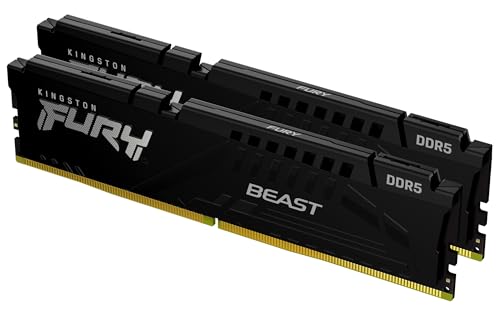
Kingston FURY Beast Black 32GB 6000MT/s DDR5 CL30 DIMM (Kit of 2) Desktop Gaming Memory – KF560C30BBEK2-32
Unleashing DDR5 performance
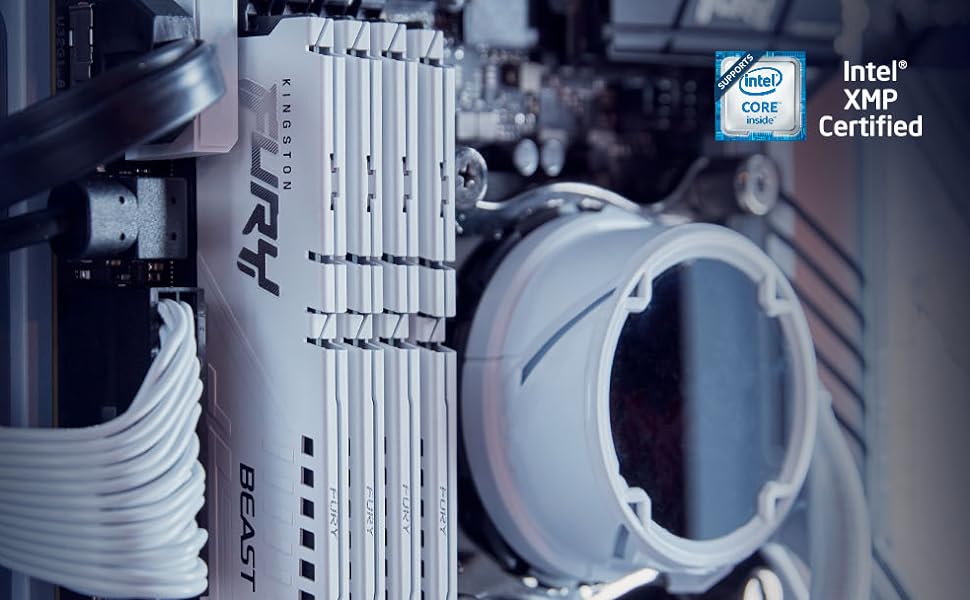
Intel XMP 3.0 certified
Advanced pre-optimized timings, speed and voltage for overclocking performance and save new user-customizable profiles utilizing a programmable PMIC.
- Learn more about megatransfers per second – MT/s denotes megatransfers (million transfers) per second and represents the effective data rate (speed) of DDR (Double Data Rate) SDRAM memory in computing. A DDR SDRAM memory module transfers data on the rise and fall of every clock cycle (1 Hz). Ex: DDR4-3200 (PC4-3200) Clock Rate: 1600MHz Data Rate: 3200MT/s Bandwidth: 25,600 MB/s (25.6 GB/s)
- Kingston FURY Plug N Play memory will run in DDR5 systems up to the speed allowed by the manufacturer’s system BIOS. PnP cannot increase the system memory speed faster than is allowed by the manufacturer’s BIOS. Kingston FURY Plug N Play DDR5 products support XMP 3.0 specifications so overclocking can also be achieved by enabling the built-in XMP Profile.
- Listed on the Qualified Vendor Lists (QVL) of the world’s leading motherboard manufacturers.
| Weight: | 37 g |
| Dimensions: | 13.34 x 0.66 x 3.48 cm; 37 g |
| Brand: | Kingston |
| Model: | KF560C30BBEK2-32 |
| Colour: | Black |
| Manufacture: | Kingston |
| Dimensions: | 13.34 x 0.66 x 3.48 cm; 37 g |
Beastly sticks
Click install, go to BIOS, activate the XMP status, you’re good to go. Quite like the sleek look myself. Memory is no joke, can’t go wrong with a set of Kingston.
I put this in an Asus ROG Strix B650E-E with the latest BIOS along with a 7700X CPU. This RAM is on the QVL so I hoped it would work at EXPO settings and it does. I see a lot of people commenting on tech posts saying they’ll never buy AMD again because they get BSOD all the time. To those people I say I can almost guarantee it’s your RAM causing it. Never underestimate the value of checking your motherboard’s QVL before buying RAM. An example is I took some Corsair LPX RAM from one motherboard where it had worked fine for 3 years and put it in another with the same CPU and got instant BSOD when running XMP. It was on the QVL for one motherboard and not the other.
Memory Upgrade
I already use a SSD with either Ryzen 5 or 7.. I say that because I was quite happy working with 8gig ram, and module was failing.. I splashed out on this, now I have noticed massive difference between then and with this 64gig pack.. amazing and required if you do anything intensive on computer from games to videos it can easily deal with your requirements. As an aside I note windows is now fully working within the memory and that helps the whole process, I will absolutely buy this again for other machines as I plan to separate the games and music onto other machines… Absolutely recommend
Unlike the previous Corsair RAM I bought that was for Intel and AMD, this RAM is 100% EXPO verified for AMD and runs at 6000MHz without a problem. Video enhancing is running faster than ever before.
These are very good ram when first installing it goes to 4800 but if you turn xmp it goes to 5600 however it can go even further on my build I got it to reach 6000 in over clocking on an i5 13600k processor and set the processor to 5.5ghz voltage at 1.200 it it works perfectly fine and very fast so if anyone is looking for say a 6000 ram just save your money and get these it pushes to 6000 and maybe even 6200 on some builds but 6000 is quite fast these ram sticks are very very good no issues at all fast boots fast rendering in video editing apps I will most probably buy another 2 to make my build from 64gb to 128gb at some point I would highly recommend this make and from now on in future builds I will only stick to this brand
When installing these sticks make sure they go into the correct slot on the motherboard. This means they do not necessarily go side by side but may have a gap between them. Each RAM (DIMM) slot is numbered 1, 2, 3 and 4 but they do not go in numerical order.
As another reviewer has mentioned – Took me extra force to install so do not fear breaking the stick. I installed it first time and the motherboard beeped multiple times and the PC refused to load. Powered down and tried again – removing the sticks and used force to ensure the sticks were properly seated into the board. Tried again and loaded perfectly.