MeLE Mini PC Overclock4C, Windows 11 Pro, 12th Gen
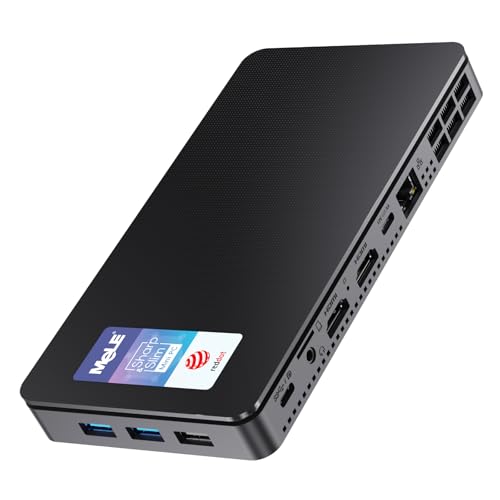
MeLE Mini PC Overclock4C, Windows 11 Pro, 12th Gen Alder-Lake N100 32GB 512GB, Triple 4K HDMI Display, USB-C PD3.0 & Video Output, Micro Desktop Computer on Home, Office, Industrial & Educatio
MeLE Overclock 4C Mini PC N100 32GB 512GB(256GB eMMC+256GB SSD)
| Processor | 12th Generation Alder-Lake N100 (4 Core 4 Threads, up to 3.4GHz, 6MB Cache) |
| Memory | Single-channel 32GB DDR4 3200 MHz |
| Storage | 256GB on board eMMC 5.1 (Theoretical data speed 400MB/s) + 256GB PCIE 3.0*4 M.2 Nvme SSD(Theoretical data speed 3940MB/s) |
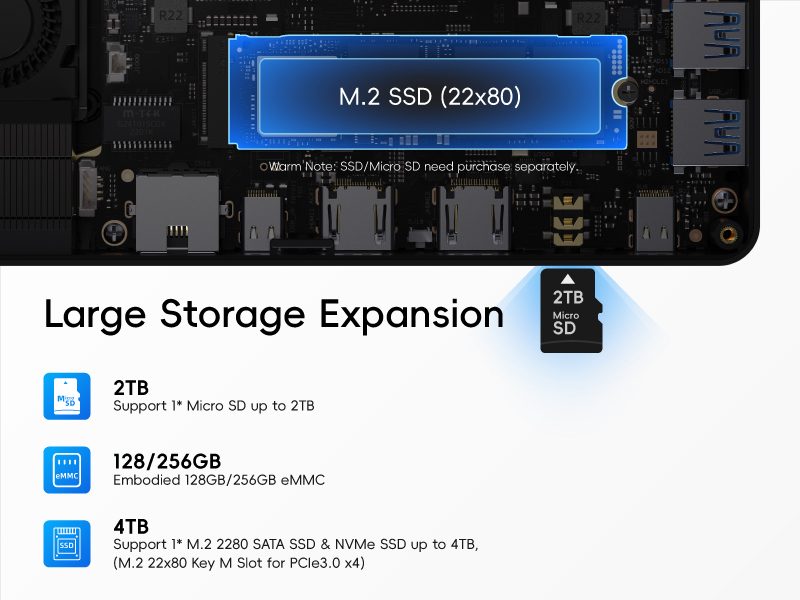
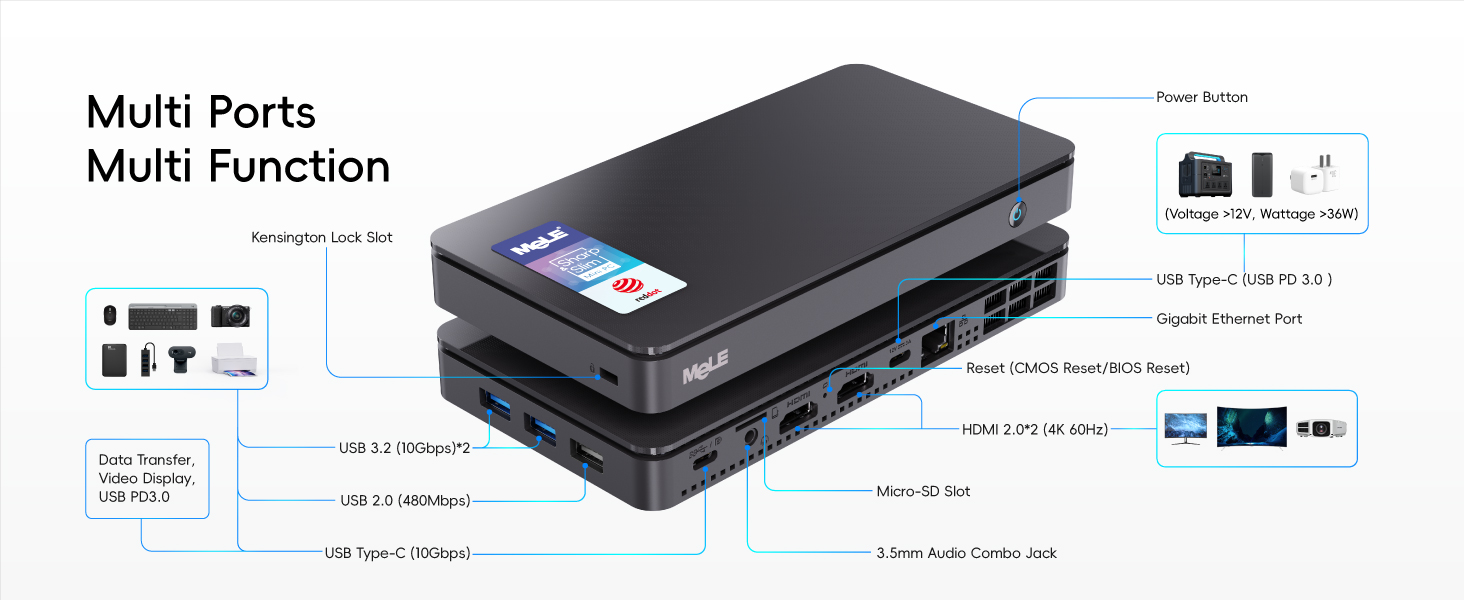
| Storage Expansion | 1 * M.2 SSD Slot (PCIE3.0 * 4, Support both Nvme and Sata SSD up to 4TB), 1 * Micro SD Slot (Up to 2TB) |
| Wireless Connection | Wi-Fi 5 802.11ac (Support MU-MIMO, 2.4Ghz, 5Ghz), Bluetooth 5.1 |
| Wired Internet Connection | Gigabit RJ45 interface * 1 |
| USB Ports | Full-functioned USB-C * 1, USB2.0*1, USB3.0 Gen2 *2, USB-C 3.2 Gen2*1 |
| Video Output | Full-functioned USB-C (Type C) * 1, HDMI 2.0 * 2 |
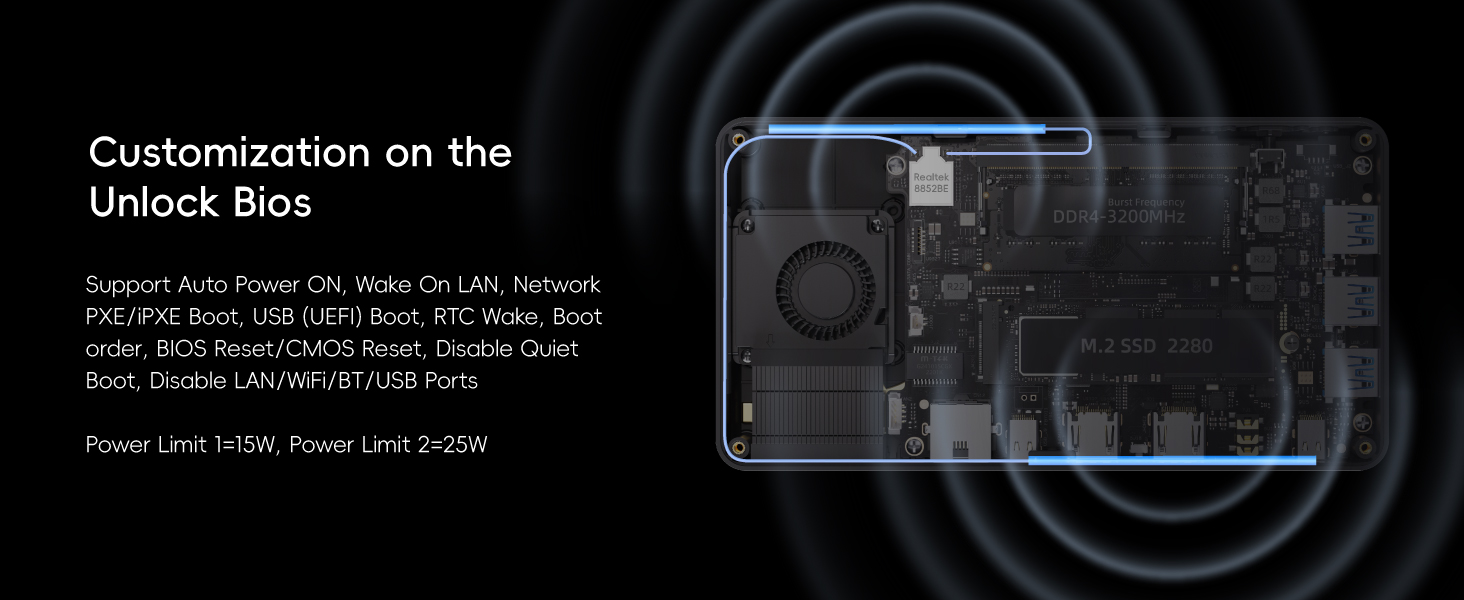
| BIOS Function | PXE Boot/ iPXE Boot, Wake On LAN, Auto Power On, Wake On Line .etc |
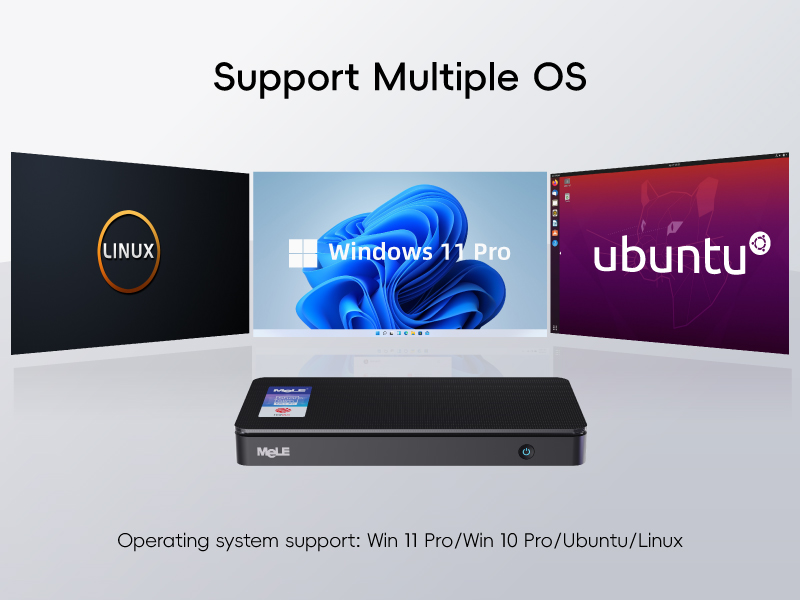
| Supported OS Systems | Linux, Ubuntu, Win 11 Home, Win 11 Pro, Win 10 Home, Win 10 Pro .etc |
-

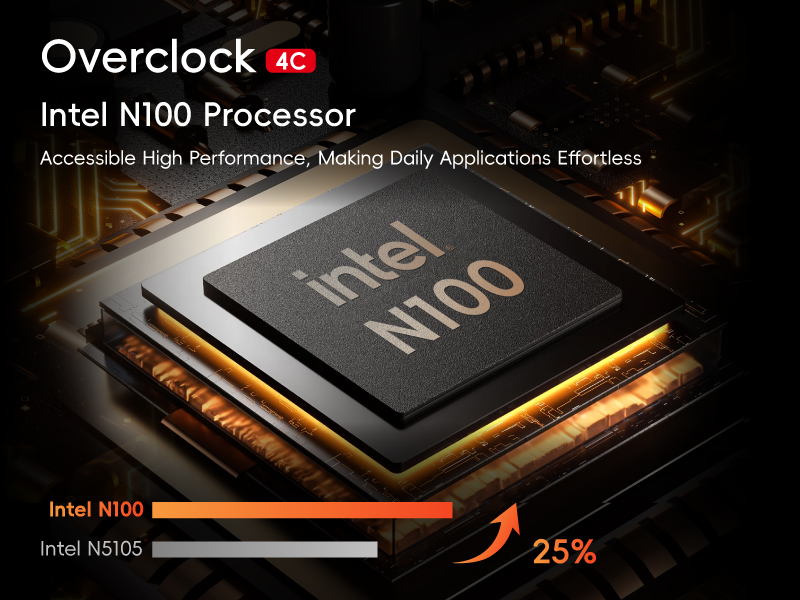
Powered by 12th GEN Processor Alder Lake N100
Up to 25% Higher Performance than N5105 Processor
Experience powerful performance with the mini PC, which boasts the latest 12th Gen Processor Alder Lake-N100. Its 10nm lithography technology and UHD Graphics deliver sharp visuals. With a TDP up to 15W and a turbo speed up to 3.4GHz, this energy-efficient device is perfect for light office and daily home use.
-
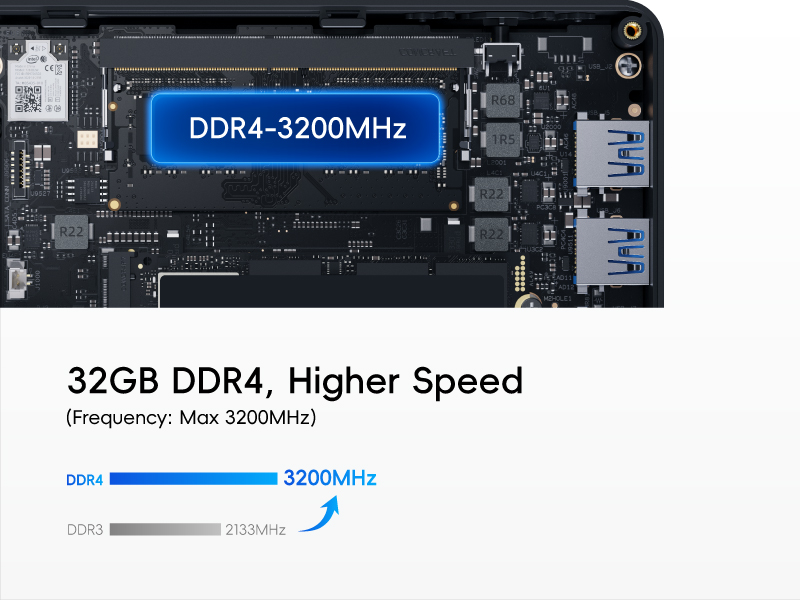
Single Channel 16GB DDR4 RAM (Max 3200MHz)
Original New DDR4 (SO-DIMM)
Original New and High-quality memory delivers stable performance. DDR4 runs 2 times faster than DDR3, making it ideal for memory-intensive applications and demanding workloads.
-
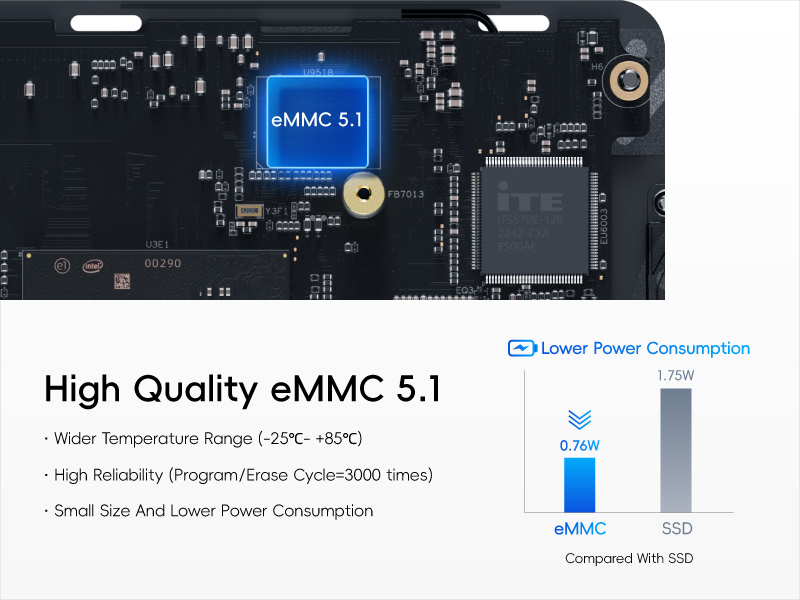
eMMC Storage Solution
Efficient and Reliable Low Power
Experience superior performance with our premium eMMC that boasts lower power consumption and higher temperature tolerance. Enjoy high-speed data transfer and seamless multitasking without compromising on durability and reliability.
I
-
Expandable Storage
Expansion Option for Large Storage Users
Experience large storage with a dependable 512GB (256GB eMMC+256GB SSD) capacity. Expand your storage options further with an integrated Micro SD card slot (up to 2TB) and PCIe3.0 x4 M.2 2280 SSD slot (up to 4TB). Capable of supporting both Nvme and SATA M.2 SSD, it’s perfect for large storage users and Dual OS Users.
-
Streamline Your Digital Experience
Windows 11 Pro with Pre-installed Multi-OS Support
Pre-installed with a genuine licensed Windows 11 Pro system and supporting various operating systems such as Windows 10/11 Home, Windows 10 Pro, Linux, Ubuntu, and Debian. Perfect for IoT users and tech enthusiasts, it even allows for customization with the option of a second OS.

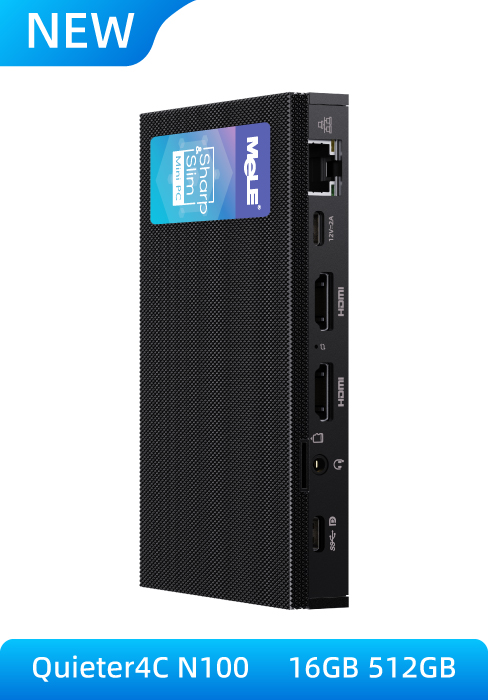
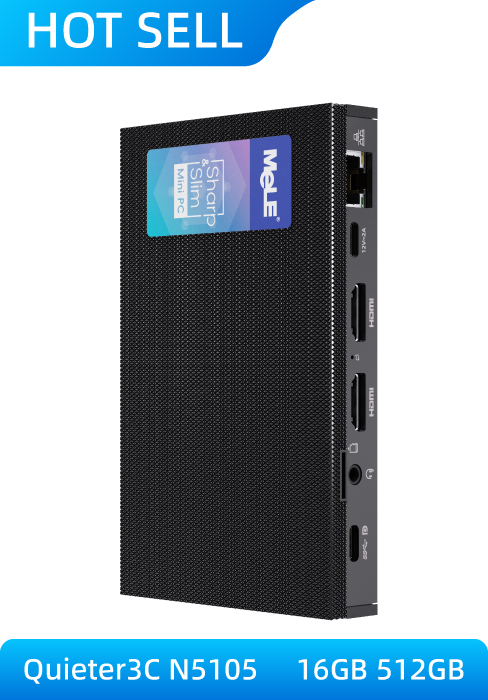
Overclock 4C Quieter 4C
Alder Lake N100 | Processor | Alder Lake N100 |
15W | TDP | 8W |
3.4GHz | Burst Frequency | 3.4GHz |
256GB eMMC+256GB SSD | Storage | 256GB eMMC+256GB SSD |
DDR4 (SO-DIMM) | Memory Type | LPDDR4x |
Wi-Fi 5 | Wi-Fi | Wi-Fi 5 |
| | Cooling Fan |
Alder Lake N100 | Processor | Alder Lake N5105 |
15W | TDP | 10W |
3.4GHz | Burst Frequency | 2.9GHz |
256GB eMMC+256GB SSD | Storage | 256GB eMMC+256GB SSD |
DDR4 (SO-DIMM) | Memory Type | LPDDR4x |
Wi-Fi 5 | Wi-Fi | Wi-Fi 5 |
| | Cooling Fan |
- Quieter 4C Fanless PC
- Quieter 3C Fanless PC
Can i upgrade more ram to the overclock4C?
Do I need to reinstall Windows 11 if I upgrade to an SSD with 1TB or more?
What is the difference between the two USB-C ports? does they function same?
does the mini pc supports dual boot? does it support boot from a usb stick? can i navigate bios with the mouse?
The usb ports are 3.0 or 3.2?
| Weight: | 816 g |
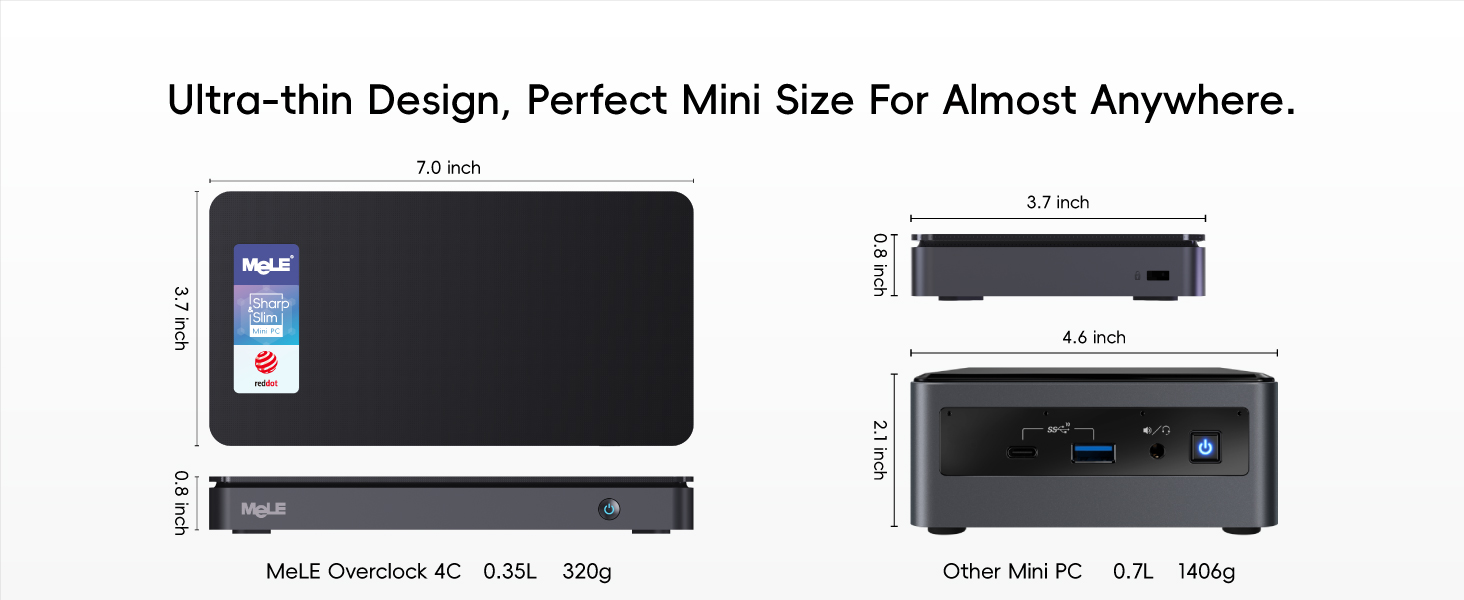
| Dimensions: | 21.89 x 12.4 x 7.11 cm; 816.47 g |
| Brand: | MeLE |
| Model: | Overclock 4C |
| Batteries Included: | No |
| Manufacture: | MeLE Technologies (Shenzhen) Co., Ltd. |
| Dimensions: | 21.89 x 12.4 x 7.11 cm; 816.47 g |
MeLE Windows Computer Size of a large phone
It is so handy plug in power HDMI cable keyboard and mouse and your off and running very responsive little computer with no noise of fans running can be fitted to the back of the monitor with bracket supplied only thing missing is built microphone.
Amazing and affordable Mini PC
I don’t often write reviews but this Mini PC has excellent specifications for the price. If all you want is a decent every day mini desktop PC, this could be it. It runs Windows 11 Pro very well, comes without any bloatware (other than what you get with Windows) and MeLe have lots of tutorials and support videos on YouTube.
This PC is very capable of office tasks, email, web browsing and video streaming/playing back 4K HDR video (just let it buffer for a few seconds first). Videos online suggest you can even game on it although I have’t tried that yet.
The only thing to consider before buying is where you will be using it in relation to your router as the wifi inside is only great if you are within a few metres of the router. Mine is about 8m away down the hall and the built-in wifi is so slow that I have had to plug in a USB wifi adapter. My mobile phone, laptop and other devices all connect to the network fine at the same location, so I can only think that the internal wifi is not very powerful.
All in all, for the price I paid (it was on sale, so not full price) I am very happy with it.
Great basic Mini PC
This is such a small package, we sell phone systems and this is perfect for the controller running SUSE Linux, smaller than 2 mobile phones yet has ethernet port and more than enough storage for all the data the phone system produces.
We have a customer who uses one to power a screen used for web browsing and order placement.
Perfec
Works brilliant when works, first one had some issues which were sorted quickly by the seller. So far had have no problem or issue. A must buy, I must say!
Worked great for 2 years but won't start now
It’s been perfect for 2 years in the same position on my wall, I use it for displaying CCTC feeds.
I press the button to put it to sleep each night and again to wake it up each morning, but the other morning it would not start – no LEDs active on the button. I have verified 12V is getting onto the PCB and the voltage level on the button toggles from 3V3 to 0V when I press the button and the coin cell is at 3.1V.
Is there anything else I can do? Any chance of getting a schematic of the power circuitry so I can debug it?
Impressive Mini PC
I admit I was sceptical buying this as I thought it would be just crappy. I was very wrong.
Came pre-installed with Windows 11 and for giggles I loaded it up to see how it ran, very well!
I am currently using it for Home automation, after loading on Home Assistant with HAOS. It’s running perfect, excellent power to run HA and does not over heat or even heat up much at all.
The amount of ports on it is more than I need but very handy to have. I powered a few USB devices off it which is saving me on some plug sockets.
I will highly recommend this mini PC.
Impressive little device
I am super impressed with this mini PC. I followed MeLe’s website and installed Windows 11 Pro on the SSD (not the eMMC part) and it runs very fast for common tasks.
It can get very warm but this is compensated with the lack of noise: no fan noises is a plus for my concentration as I can often get distracted.
I have tested all HDMI outputs as well as the USB-C Display port. It works as expected.
Bonus point: The USB-C supports display and power so it can be plugged to a monitor that can supply both. Also that same USB-C has DP so it works with Xreal Air AR glasses and similar (Viture, Rokid).
I’ve managed to play some light games like Minecraft and also some old classic like Command and Conquer and it was always fast and no lags, not even when it got warm. MeLe support says this is normal and we shouldn’t worry with performance issues due to warming of the backplates. Glad I never experienced any issues.
I recommend this device also for Astro Photography as it can be used with a usb-c powerbank that supports PD and has over 40watts.
Almost stellar product - big improvement over the Q3C and worth the upgrade
There are a few minor quibbles hence a 4 stars, although it’s more of a 4 stars at this price to be fair and the price has dropped a further 5 since buying it. I’ve also mentioned and compared against the Q3C I have in this review that uses the slower intel chip.
Let’s get the quibbles out the way early and why not 5 stars. Mele – why not sell a 16GB option without the additional 256GB SSD that I’ll replace anyway and simply collect dust? Not sure if the power envelope of keeping it below a max 24 watts power draw has resulted in one of the USB ports being downgraded to USB2 but it’s annoying, but nice to find one of the USB3 ports having 10GB transfer rates and 2 proper HDMI ports on the back this time around so a more balanced unit in terms of ports. Another possibility is double the hight of the heatsink on top to help passive cooling. And finally couldn’t you have also given both USB C ports the same ability, or at the very least allowed a USBC hard drive to attach to one while the other is getting power from and displaying to a monitor and ditch that USB2 port if you must, or just ditch the second USBC charge only port and give 3 USB ports able to give 10GB/sec transfer rates.
As I say minor quibbles and a big improvement over the 3QC even so.
While I like the Quieter 3C, there was 2 big issues I had with it.
It gets hot (and I mean significantly hot although it still worked when the room temp was averaging 25 degrees over the summer) but would be seriously thermal throttling and running under 2Ghz when pushed. Happy to report both using the microSD card reader and an added SSD didn’t suffer as a consequence when the unit gets hot and I’m sure the QC4 will be no different. The other was performance it was no better than a 2 core 4 threaded intel 5th gen i5 laptop at best, dropping to a 3rd gen i5 modelled laptop when seriously thermal throttled, becoming painfully slow, even if does have more graphics grunt.
The QC4, by comparison, should be no worse than 5th gen i5 laptop when seriously thermal throttled in a 30 degree C environment I’d guess, keep the room temp in check and you have something significantly better if your happy to tweak the CPU power setting and run a USB fan across it to keep it cool — 4th Gen intel i5 35W desktop power with more graphics performance.
Happy to report at default optimised BIOS settings the newer Q4C is 20% faster than the Q3C, while using slightly less power and above generates much less heat so more headroom before thermal throttling — Running Cinebench R20 had the unit very slightly warm scoring an average of 780 on 3 runs, the older unit scored 550 and becomes a nice handwarmer for several minutes afterwards on just a single run. Change the BIOS settings and increase the CPU wattage to 12.5W (see https://www.youtube.com/watch?v=56VG5RqF5tQ by RobTech for details how and how the more expensive unit fairs) and it’s scoring 1090 on the same benchmark (I had a standard N100 with DDR5 RAM, fan cooled, pulling far more wattage, significant BIOS tweaking to get it there — and that maxed at about 1070, typically scoring 1040 on average with the same benchmarking software!), but boy CPU temp for this Q4C model was in the mid 80 degrees C on a single run of Cinebench R20 at that setting you’d need oven gloves to handle it afterwards – never had the Q3C run that hot in a far warmer room than last night. Personally I’m going to run it at the default optimised settings myself I was just curious, although I may try tinkering wattage settings to the CPU to get an extra 5-10% more performance at the expense of heat in the cooler months of the year.
One thing I did notice using the same 30W folding USB C plug I have, is that the QC4 used 12Volts, rather than a much higher 20Volts that the QC3 pulled although it does have an SSD installed, but I have windows running from the eMMC chip, with the SSD used for storage which may have exacerbated the heat issue a bit and wattage usage. I’m a bit wary of using the supplied power supply for it (but I’m sure it’s fine — I just like a more compact folding charger) and being USBC powered you can choose something else or run of a power bank that can deliver 30Watts to be on the safe side.
Use cases:
You need a bit of general “windows” computing power on say a boat, tent, hill side with a portal monitor all charged through a power bank and 2 capable USBC cables. Not all Intel N100 power micro PCs can power of USBC, it’s a rare exception and certainly not this small; backing up photos & video from your phone and/or camera while on holiday where you have an HDMI input on a TV you can use (or brought with you along with a games console, TV stick to entertain the kids in an evening and the bigger kid and don’t want also a laptop) and are happy to taking a wireless keyboard and touchpad combo with you as well; something that can reliably run days on very low power acting as a file server (this can take an extra 4TB SSD, I’d recommend the Crucial P4 plus 4TB model if interested ) — mele are industry leaders in this regard for low power 24 hour computing – I had the 3QC running almost 4 days solid wiping numerous external SATA SSDs throughout the day and night without issue, the 4QC will be the same; as an emulation box, or running virtual machines (although I’d strongly recommend the 16GB model for that) I couldn’t run the original doom on a windows 2000 Pro VM Box with flawless sound on the Q3C it had garbled the sound and stuttered badly with slow frame rates, the Q4C I’m hopeful should be able to do that task flawless (I need to check). Will happily playback 4K 60Hz video without dropping frames and allow you to do something else on another screen within reason, compose an email, make notes. The QC3 is at its limit just managing the video playback aspect, don’t even think of adding an extra screen FHD on top of a 4K screen with a Q3C as it will drop a couple of frames with just that second FHD screen attached more so if you do anything else.
If you’re not sure whether to get the QC3 or QC4 — for an extra 20-40 it’s more than worth the extra.
I’d ignore the overclock 3C, the QC4 has far more advantages, including much faster and smaller, unless you need to use over 16GB of RAM in which case get the overclock 4C instead
The final option you may be given is the overclock 4C — I’m not sure I can recommend on paper except if you need 32Gb of RAM or have an existing 32GB 3200Ghz DDR4 RAM chip that you want to use instead of the supplied RAM for the 8GB model and save a bit of cash, and above all need a little bit more performance, use a lot more power and fan noise to boot.
Alas, why did you do it Mele, you opted for the higher wattage intel N95 chip option, given it a slower DDR4 RAM slot and limited the CPU temp to 18W due to the fan capacity. Personally a missed opportunity if you ask me, as I’m sure an N100 chip ran at 12.5W with a DDR5 RAM slot would have given slightly higher performance to make no odds with much lower fan noise and allowed the device to work better fanless as an extra option, although at a slower performance to the 4QC owing to that model having better passive heatsink capabilities. Alternatively Mele why didn’t you use the intel N97 or N200 chip instead for the overclock 4C and provided a bit more tangible performance difference (justifiably charging us an extra 30 for an N200 chip option), or is there an overclock 5C, even Q5C in the works with an N200 chip I wonder (just to slightly annoy me) and say 5 USB3 ports? It needs the 5 USB3 ports (2 being USBC variety).
Mele have listened and provided 2 different 4C options — silent and overclocked, and spent the time getting the product right rather than rushing it to market with poorly optimised BIOS settings that other manufacturers have done, in a far more pocketable device, with USBC power delivery, lower wattage and a full sized NVMe or SATA if you must SSD. Yes they cost a little more than the competition but also provide a far more compelling option rather than a rebadged OEM model that all behave and look the same.
Good hardware slightly compromised by setup
I bought the 512GB model – I say 512GB, but it’s actually a 250GB (eMMC) + 256GB SSD. This is fine – the overall capacity is basically what’s promised, it just isn’t in a single lump. What I found surprising is that the Windows 11 installation was to the eMMC and not the SSD – slowing the device down considerably. I would guess this is to save setup costs for Mele – the setup can be identical for all models, with SSD models simply having a formatted drive installed, lowering overall setup costs. The only downside to this is that considerable performance is being left on the table for the SSD models. If the Windows install had been to the SSD this would have received a five star review – given that I had to set it up from scratch again, changed it to four stars. Would still buy another though!
I love the size, no more massive desktops for me, best selection of connection ports that I have found on a mini, completely silent, only slightly warm underneath, top becomes hot but that is why it has all those mini fins on top so that it does not overheat.
I converted mine to run Linux Mint Mate, easy to install and set-up, delighted with the result
All Pros no Cons, could not find any fault, absolutely delighted 🙂
Excellent mini PC with some limitations
This is a handy mini PC that is perhaps best used for dedicated applications where you feel you need more than something like a Raspberry Pi or an Arduino or perhaps you don’t feel comfortable with an OS other than Windows. I bought it as an experiment so see if it would run standalone without a monitor, keyboard or mouse. It does and is accessible via RDP after you have initially configured it using a monitor, keyboard and mouse. I use it to run music generation software – Sonic Pi, Bespoke Synth and Wotja, which work as expected apart from with MIDI. I might try Nodal as well if I feel inclined. However, I have yet to get the PC to recognize some USB class-compliant MIDI devices plugged into its USB ports or accessible over Bluetooth. There’s probably some driver issue that I need to sort out. However, I’m prepared to tinker around until I find a solution. I’m not sending it back, but instead treating it as a challenge. It does run very warm though so I might have to consider adding some sort of air-cooled heat sink to the outside case. As I bought the 512 GB version, I have access to more than enough storage. If I need more, I’ll probably add an external SSD as I think the machine might well overheat fatally.
ETA: I added six 40mm square Tuloka heatsinks and an 80mm upHere fan to address the cooling issue. Those are so effective that the case actually feels cold to the touch. I haven’t solved the MIDI problem. I suspect it might be due to there being no onboard audio card, which makes little sense. Plugged-in class compliant devices show up in the devices list, but the OS software that should make them visible to applications is perhaps missing. I haven’t given up yet, however.
ETA2: After some googling for a solution, which suggested the problem might lie in the USB drivers, I deleted the USB Root Hub entry in Device Manager and rebooted to rebuild the USB configuration. I can now use Bluetooth to connect to a Widi Thru6 connected to a synth from both Sonic Pi and Bespoke Synth. Wotja, however just hangs. Still a work in progress. As I have Sonic Pi working though, I’m happy for now.
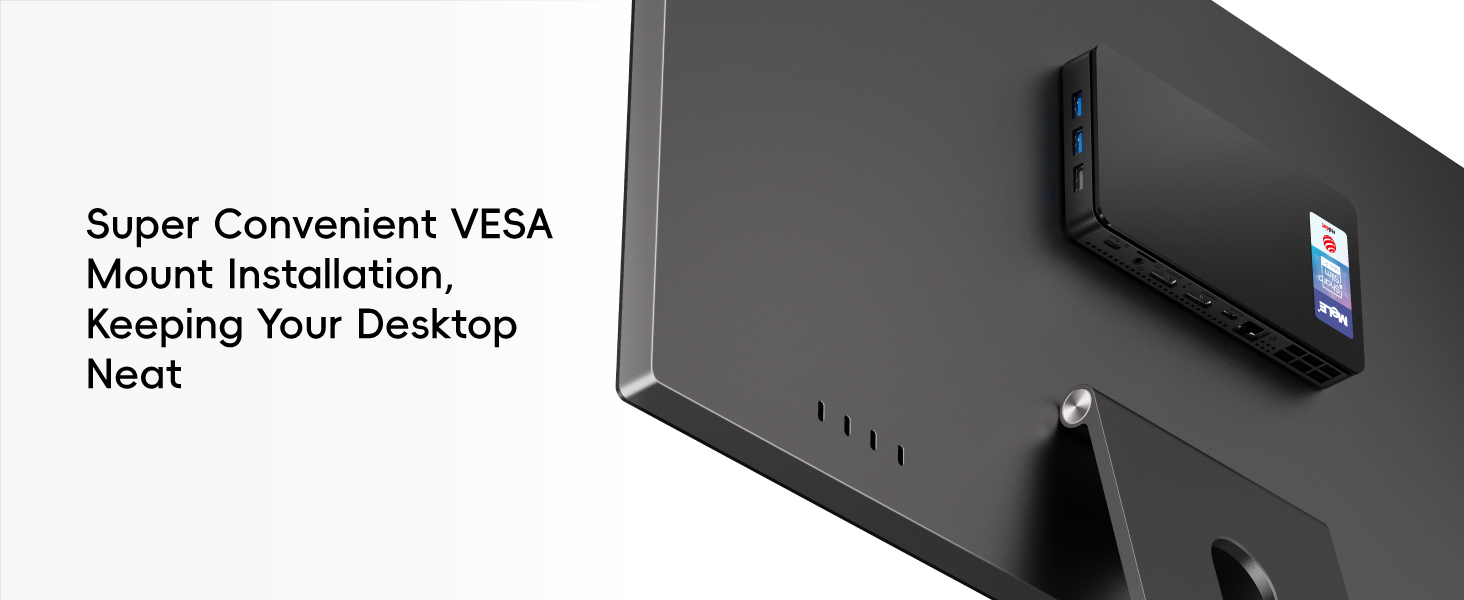
A great little device. Very pleased. Performance is great and now lives snugly on the back of my monitor! No more bulky cases cluttering up the floor! Surprsing how small it is and it does as much as my floor standing PC. I like the fanless design – late night writing sessions can be a little trying when the cooling fan steps up a gear.
Note that the W11 install on my device was over a year old so it’s likely you will need to update as soon as you run it. But W11 has moved on a bit since then and I had to make use of the Microsoft remote help (link at bottom of update page) because the updating just hung. Turns out there’s a whole bunch of old install files that needed to be cleared out. Eventually a clean download of the W11 ISO was required but that worked a treat and after a couple of hours the machine was good to go. The online MS agent was from Mumbai. He was brilliant – don’t you just love the Internet!
If you want a miniPC this is a good choice. It runs hot, but that is by design. I was on a tight budget but if you can stretch to more memory and storage it’s probably worth it.
Update: added a Crucial 1TB nvme ssd at the knock down price of 37 (from Amazon) and installed Ubuntu on a partition. That took some doing (I’m a novice) but finally got it going. Mele have been very helpful and responsive through the product support pages.
I repeat, this is a great little computer, already available with different specs, and does everything I need at a price and at a computing speed that is more than enough.
(Update not mentioned in the earlier review): Two of the larger USB3 A ports are actually 3.1/3.2 Gen 2, ie 10Gbs per second, not 5, with the third and the USB-C being 5Gbps! This is not mentioned on the advert, but a definate bonus!
This is a long review, party because I have noticed there is very little independent reviews on this particular version of the device on the broader internet (There are plenty for its earlier brother the Quieter 3Q, but very little for the Quieter 3C, which is the model I have). The 3C swaps one of the full size USB ports for a USB-C port ( 3.1/3.2 Gen 1 5Mbs) with DP and Power Delivery (can be powered by a PD USB power supply, power bank, or monitor/hub), and replaces one of the HMDI with a mini DP port. It can also drive three screens at the same time(HDMI, DP and USB-C) unlike the 3Q which can only drive 2 with its two HDMI ports.
Firstly, one of the very few external interviews suggest that their version of the 3C is slower than the 3Q (though they did have a pre release version). In my tests, and comparing with a friends 3Q, I didn’t see any difference in performance between the two practically (caveats later).
I purchased this device as a “second low power mini – PC” to use as an alternative to my Main Ryzen based PC, which whilst extremely powerful for gaming and productivity, uses a heap of power even when idle, or just browsing the web, and sometimes doubles up as a space heater.
I needed something small yet not a laptop for space reasons. It needed to be able to do Web browsing, watch You Tube, run office, and other “Home admin” tasks, yet still be capable enough to run some offline astronomy related analysis overnight.
Physical:
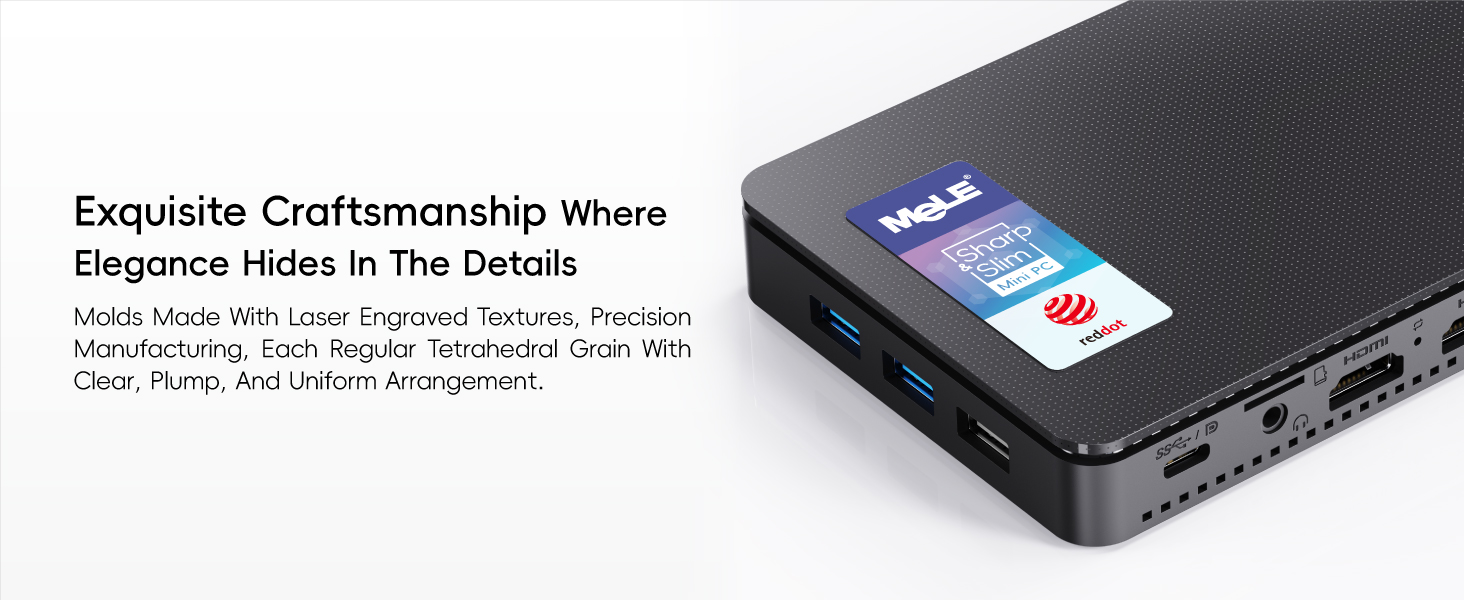
The device is small and very sleek, as can be seen from the description, its shape is a smaller than a large smartphone (such as the Note 10, or iPhone pro) and about as thick as a Tape Cassette case. Although the outer case is plastic, rather than metal (there is a steel frame inside) the “plastic seems to be made of a material that can dissipate heat well, far better than it looks on paper, though probably not as good as metal, however, the plastic does allow the internal antennae to work well. The top surface is ridged (it doesn’t have any holes, despite what it looks like in pictures) which does increase the surface area.
CPU:
The 4 core Celeron N5105 is not going to win any performance crowns, but it’s definitely more than ample for running Office, Chrome, Firefox and the usual medley of non-demanding apps, and even some less demanding games. It doesn’t feel sluggish in normal use. It’s definitely more powerful and yet more efficient overall than the J4125 usually found on these mini PCS. It handles 1080p videos extremely well. 4k can vary depending on the source, and I find most 30fps SDR streams play fine, but when you hit 60fps and HDR, some sources such as YouTube struggle, whilst many of my 4k HDR demo files in H265 seems to be fine.
Internal eMMC Storage:
Its internal eMMC is no way near as fast as an NVMe drive, and benchmarks slower than a SATA 3 SSD (more closer to a SATA2 interface I would suspect), but it is very power efficient, and in practise, with most applications its snappy enough. You CAN fit an NVMe drive into it (though bear in mind its PCIe 3, and only 2 channel, so no point putting in a super-fast super power hungry and super expensive PCIe 4 inside), and bear in mind that it will slightly increase the power usage.
Memory
It’s has 8GB Single Channel 2900 Mhz LPDDR4, soldered in and not upgradable. Not a lot, and may not benchmark highly but more than enough for its use case.
OS:
It comes with a very clean full version of Windows 11 Professional (not home), that does not have any bloatware installed just plain Windows, and surprisingly comes with a sensible OOBE experience with a lot of “default” windows phone home stuff disabled, including the requirement for a Microsoft account! It certainly does seem quite clean, with no “value added store apps”, I have checked for malware as well as any unusual network connections). I did blank and reinstall Windows as I wanted a clean H22 install, and found the “default” Microsoft experience as slightly worse in terms of the requirement for a Microsoft account, and additional MS store apps added like Microsoft Solitaire! The BIOS correctly contained the OEM license for Windows 11 Professional, and therefore the installer did not ask for the product key.
I have installed Linux MINT in a dual boot config with GRUB and it worked fine. It doesn’t default to Secure Boot (though can be enabled if desired)
BIOS:
Biggest Surprise, it’s a fully featured Bios with almost everything but the Kitchen sink in terms of settings and configuration. You could tweak this a lot, though the CPU does not offer much overclocking capabilities, and the hardware does have some protection to avoid some settings. Be very careful, as I don’t see any way of clearing the CMOS easily if a wrong setting locks up the POST.
Cooling:
This is passively cooled. As such it does get quite warm and under load can get very warm, though not too hot to touch. Under normal use (streaming, web, office). I have not seen any Thermal throttling from the CPU (using HWInfo). Under continuous sustained and heavy load the CPU package can reach 73+, which is still below the CPU thermal throttling, but the hardware may induce some power Throttling at this point as I see the CPU switch from boost 10W to 8W a little quicker (about 20 seconds) under sustained load than some other computers with the same CPU, regardless of thermals. However, I have not observed any runaway heat. I have tried placing a large finned aluminium heatsink and fan on top of the unit, and that did drop the temps significantly under heavy continuous load, but I don’t think it’s necessary for normal use cases. Also note it is possible to play around with PL1/PL2 and boost times in the BIOS, which you might want to try at your own risk as long as you have adequate cooling.
Power Usage:
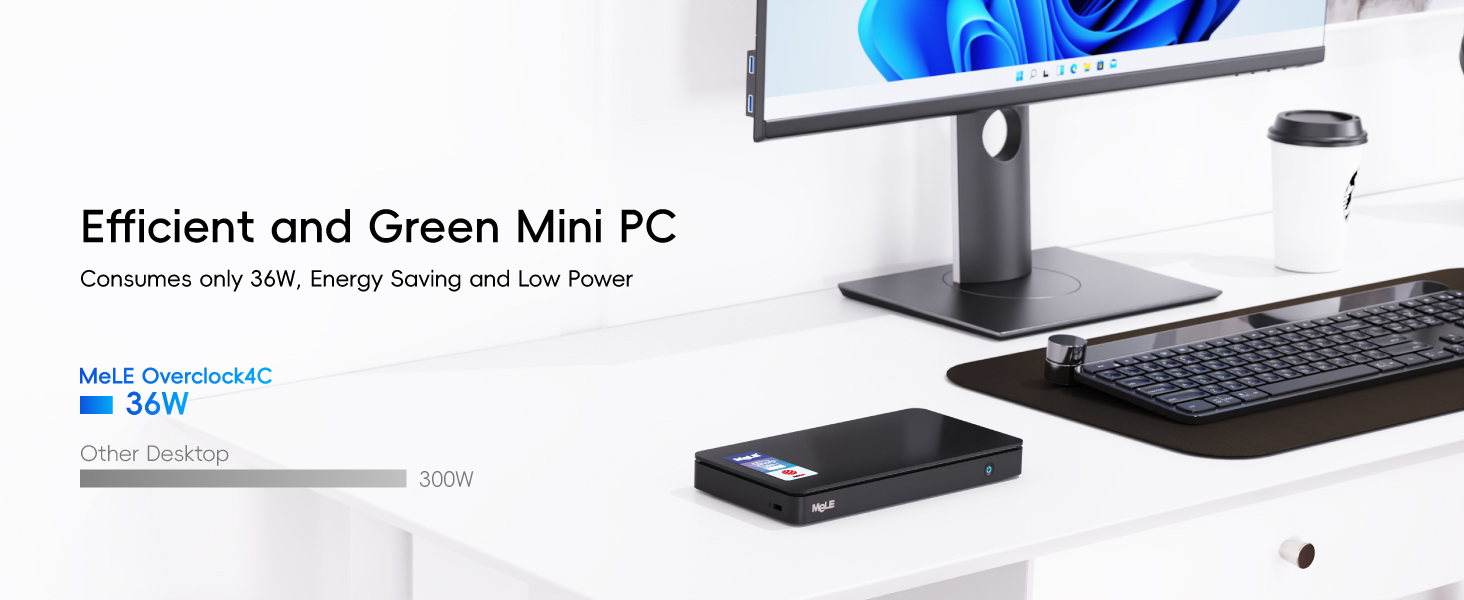
Using my Macbook Pro USB C power supply, I have a USB Ccable that can tell you the current power consumption via a small LED display on the Cable. It measured 3 Watts on idle, and 13 Watts under load, very respectable figures and is perfect for my use cases This is with 2 screens and the built in eMMC drive (no NVMe installed)
Conclusion:
A surprisingly good, reliable Mini Computer that is quiet and sleek, with Windows 11 Professional and no bloatware! Not the most powerful and not the most featured, but great for many people who need a PC for web/office/streaming, to hide out of sight.
I would have given it 5 stars, but I do feel it’s a little expensive for what it is, so giving it four stars, though its really more of a 4 and a half stars.
Already have a Mele “stick” PC. This is its big brother. The same footprint as a 2.5″ portable HDD (but thinner), still has room for an m.2 slot to add your own SSD and massively improve drive performance over the eMMC it comes with. Most stick PCs are powered using a standard 5V USB supply… This one uses a 12V 2A supply which gives it the oomph to power four USB3 slots (and an SSD). Dual HDMI sockets, Ethernet socket (in addition to Wi-Fi 6) and a headphone out socket. MeLe have even managed to squeeze in a microSD slot. All wrapped up in a reassuringly solid shell, and a VESA bracket if you want to attach it to a monitor. Windows 11 pro is pre-installed without any bloatware. Once Windows has been cloned onto an SSD, the BIOS allows the SSD to become the boot drive… The built in drive can even be disabled in the BIOS (kept as an offline recovery drive). Handles all the usual apps without any issues (MS office, firefox, krita, etc.) Along with streaming video services at 4K (Prime, Disney+). Even light gaming isn’t beyond it, but nothing more demanding than GTA3 or Angry Birds 2. Does get VERY hot if put under sustained load, but never slows down or becomes unstable. The sensors aren’t easily accessible to Windows but GPU-Z can report on CPU temperature… Tops out at c. 83C under full load, dropping to 53C if lying flat or 43C when stood on its end (in a vertical laptop stand) when idling.
Great little Fedora 35 Linux machine
Ok, so if you like Windows this is a fine little box, however if you prefer a proper OS then grab a usb stick, download Fedora 35 live image, insert the USB stick in the USB port, fire up the machine and hit delete a couple of times. This will take you to the BIOS, in the BIOS navigate to boot options and replace windows with USB at the top of the boot order. The machine will boot from the USB device, select run Fedora Live and the little box will boot from the USB stick straight into Fedora 35. Now I dont suggest you wipe out the Windows install, so you can run Fedora straight from the USB stick or install an M2 NVME SSD, up to 2TB drives are supported. There are some nice Western Digital fast SSD M2 NVME drives available on Amazon, I went for a 500GB drive as it seemed to provide the best value for money. Once installed (there are plenty of vids on youtube to help you here) you can install Fedora straight to the M2 drive and dont forget to change your boot order in the BIOS. In terms of supported drivers everything worked fine on first boot with Fedora 35, wireless was faultless and sound worked like a dream, power management was superb as well. Everything you need for a Linux desktop. I have not tried 4K yet but I hope this helps. Its a great little system for the money.
I’ve bought a fanless Atom compute stick from Mele before, years ago. From China. So I felt I could trust their design/product.
I’ve only had this a few days … but as I was confused from reviews and product descriptions about what SSD it can take, I wanted to say here I can use a 2TB NVMe drive … the socket’s keyed for NVMe … not SATA. On the model I bought anyhow.
I just wanted a “back-up” + “ancillary” machine. I tend to RDP Virtual machines running on slightly heftier though mobile-CPU based servers … I like small powerful devices that sip energy rather than gulp it. So as an “ancillary” machine, I have it plugged into a 13″ 1080p USB C powered touch screen … powering the screen from this PC via USB A port to USB C, which is also the “touch” connection, and using a full HDMI cable. I RDP my general VM for email etc. But I also have the Spotify App on there, and Plex client as I have a Plex server (I have a lot of personal “server” services running on other small machines in VMs/containers etc.). I can KVM to it with my mouse/keyboard, although I also use Microsoft’s “Mouse Without Borders” which works really well in Windows 10. I checked compatibility for Windows 11 before purchasing … I think this machine looks OK for that. Using Web browsers is fine too … and fine for other video streaming etc.
I’m an Office 365 account holder so I wanted to be able to store up to 1TB of OneDrive data on here too. I’m running Windows from the built-in eMMC though … it seems fast enough for that, but I have created a Windows page file partition on the NVMe SSD. And I wanted dual boot – though still to set that up, though left some space free for it. I leave some space … made some space on the eMMC, as I’m not sure how wear algorithms work on these chips and whether leaving some space might be helpful. I don’t know. Just belt & braces approach. Bitlocker runs just fine on it. I chose to bitlock the entire partitions in one go though … as I preferred to let it do it rather than possibly slow the CPU down a little more during operation later. I fitted a WD Blue SN550 2TB High-Performance M.2 PCIe NVME SSD from Amazon for 175 at time of writing which seemed the best bang for my buck from a reliable vendor, as far as I could see. This machine is unlikely to benefit from performance pedigree per se, but it’s the reliability and running cooler when maxing-out the data transfer rates, at a competitive cost, that interests me.
I’m using wired internet – not tested the WiFi or bluetooth yet. With the NVMe in, it gets a little warm if using the Plex client, but not hot. It goes to sleep nicely with a push of the front button. The sound is OK – using the wired socket. I use a USB powered Hart Just Mixer – mixer which is another product that I really like. (Though I use anti-ground loop thingies on a couple of the audio leads to get rid of hum/noise if powering the mixer, especially, from a USB source sharing a ground-plane with any of the audio inputs/outputs).
In every day use the machine, including web browsers, feels fast/responsive, even with multiple tabs and apps open.
—
As a back-up machine, I wanted the dual 4K option, because I like using at least 2x monitors for software development. One only 1080p landscape, but the other, a very wide screen, in flipped-portrait mode. And then I RDP my work VM. It’s a backup to my Dell XPS that’s my everyday driver, though it’s nice having an ancillary machine while my XPS focuses on work. This machine is plenty fast enough to not notice much difference for everyday tasks.
For back-up purposes, I can plug it into my “admin” vlan at home … and I also have edge, chrome and firefox installed with no issues and running well. I’m saying all this to highlight how versatile this machine is … as everyday computer, but also a handy thin-client and administrative machine. It uses so little power it could run on a decent UPS for ages! It doesn’t give off much heat.
I haven’t tried anything heavier on it … e.g. any Development / creative stuff. I’m sure it’ll run vscode … but I don’t expect it to be a great experience though perhaps adequate for light Dev tasks, and I don’t expect it to compile very fast. I don’t expect it to play games unless streamed games which I expect will run quite well on it (ToDo). Maybe if I had no choice but to run a Dev environment on it, my impression is that I could maybe get by very slowly (e.g. running Web API servers with debugger attached and maybe Node proxy / front end React server, refreshing (recompiling) the Node stuff on save etc. and maybe running a heavy-database like SQL Server … this sort of meatier load probably won’t run too well on this machine, and might even knock it over, but using vscode or similar (I’m mostly Microsoft based and creature of habit though migrating a lot of stuff to Linux actually) … anyway … using something like VScode … it could probably get by. If you’re a front-end Dev maybe and the backend/database is running somewhere else. Occasional Photoshop etc. might be OK if not doing any crazy rendering. It is a 4x processor machine so I imagine multi-threaded work will benefit from that … the J4125 does support VT-D … Hyper-V etc. if you want Microsoft’s Sub System for Linux and Docker desktop running etc. … I’m pretty sure it will be OK for light tasks using those sorts of technologies. I do actually have a J5005 based NuC running Open Media Vault (including with LUKs encrypted drives), Plex Server in a docker container, and quite a few other services in Docker containers including IoT etc. and OpenVPN in case my main router goes down etc. … and I have actually used an Ubuntu based container with a desktop, in the container, that I could RDP before too … so I suppose I shouldn’t be surprised at just how pleasantly powerful Intel’s more modern Celeron chips are.
This machine is a light duty machine. What’s amazing about it is just how good it is, for such little volume, and such little energy. And a reasonable price.
—
I had no issues finishing the Windows set-up and updating it to a more recent version. You can set it up with a local account if you like (while Windows 10 anyway … not 11). If you want bitlocker, you have to enable it. (It is Windows 10 Pro).
No crashes or freezes or anything so far.
The only caution I have is that the USB C power socket isn’t a Power Delivery one. There’s a sticker on the device warning you of this, advising a 26V max input limit, and advising to use the included 12V 2A plug. The plug doesn’t seem too cheap … happy with that. And I’m powering a monitor from it too, via USB on this machine. But still … I took the sticker off the heat sink facing, and I hope I don’t forget in the future. I wish it was a Power Delivery socket.
I’ve probably forgotten key things I meant to say that’s actually relevant lol. Oh well. My impression at least, is that machine is a very decent every day (modern Windows / Web / Streaming) PC that could hide behind your monitor and add maybe 25 per year to your electricity bill if maxing it out 24/7 all year. Or something like that. Maybe less if you have “economy 7” equivalents etc. It’s just amazing. Amazing.