Rii Gaming keyboard, Wireless Rechargeable Mechanical
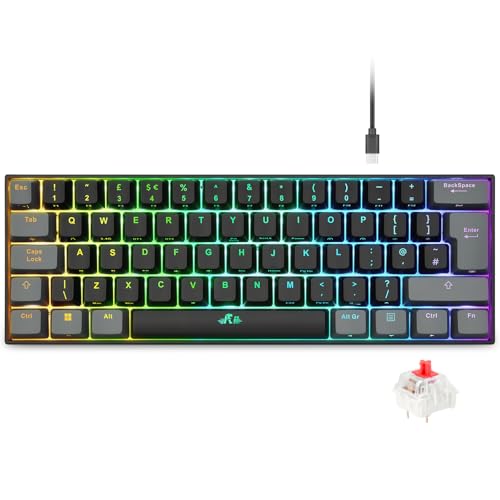
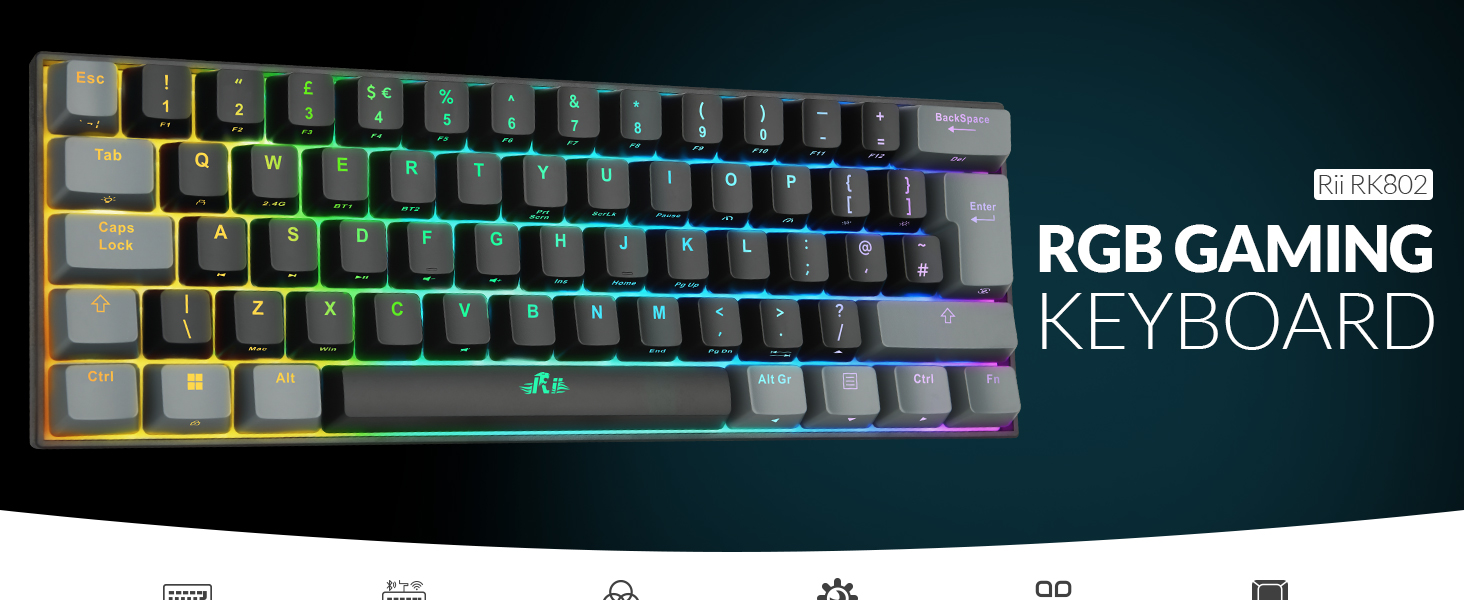
Rii Gaming keyboard, Wireless Rechargeable Mechanical Keyboard 60% UK Layout with RGB backlit Bluetooth/2.4G/Wired Red Switch Keyboard for PC Windows Mac
| Weight: | 620 g |
| Dimensions: | 30.2 x 27.2 x 3.9 cm; 620 g |
| Brand: | Rii |
| Manufacture: | Rii |
| Dimensions: | 30.2 x 27.2 x 3.9 cm; 620 g |
Excellent quality, typing feels effortless
I love this keyboard! It’s fully mechanical and rechargeable with just a USB and it connects to Bluetooth. Seriously one of the best keyboards I’ve ever had. It’s a joy to type on. I feel like I really know where the keys are and it’s so responsive. I can type a lot more effectively and efficiently on this keyboard and it improves my productivity at work. I also like the compact size which makes it easy to transport and use. It also feels very sturdy and solid and I don’t think it would break easily if dropped. It also has several RGB backlight settings, which is really nice and loads of easy function key shortcuts.
The only thing I don’t like about it is that due to its small size it doesn’t have proper arrow keys – you have to use a setting to toggle other keys into the arrow keys. This works ok for some things, but this is not good for programming because if you toggle the arrow key setting then you lose the ability to write forward and backslashes, so you have to toggle back to the original setting to use those and then toggle back again. So yes, for programming it’s not so great but for everything else it’s fine. As it is marketed as a gaming keyboard, I can’t mark it down for this – It is great for gaming with and I do think the pros definitely outweigh the cons so I highly recommend this device. I also think the value is great for a fully mechanical keyboard with these features.
Dece
This is a decent keyboard, that can be used wirelessly or connected to a computer with the USB to USB-C cable that comes with it (otherwise use this to charge the keyboard). The battery capacity is 1800mAh, which should ensure you don’t need to charge it that often. There is a USB wireless receiver/adapter attached the back of the keyboard, which you unclip to use. It’s not much bigger than a USB connector at the end of a cable. Pairing is simple and alternatively the keyboard works instantly if you use a wired connection to computer.
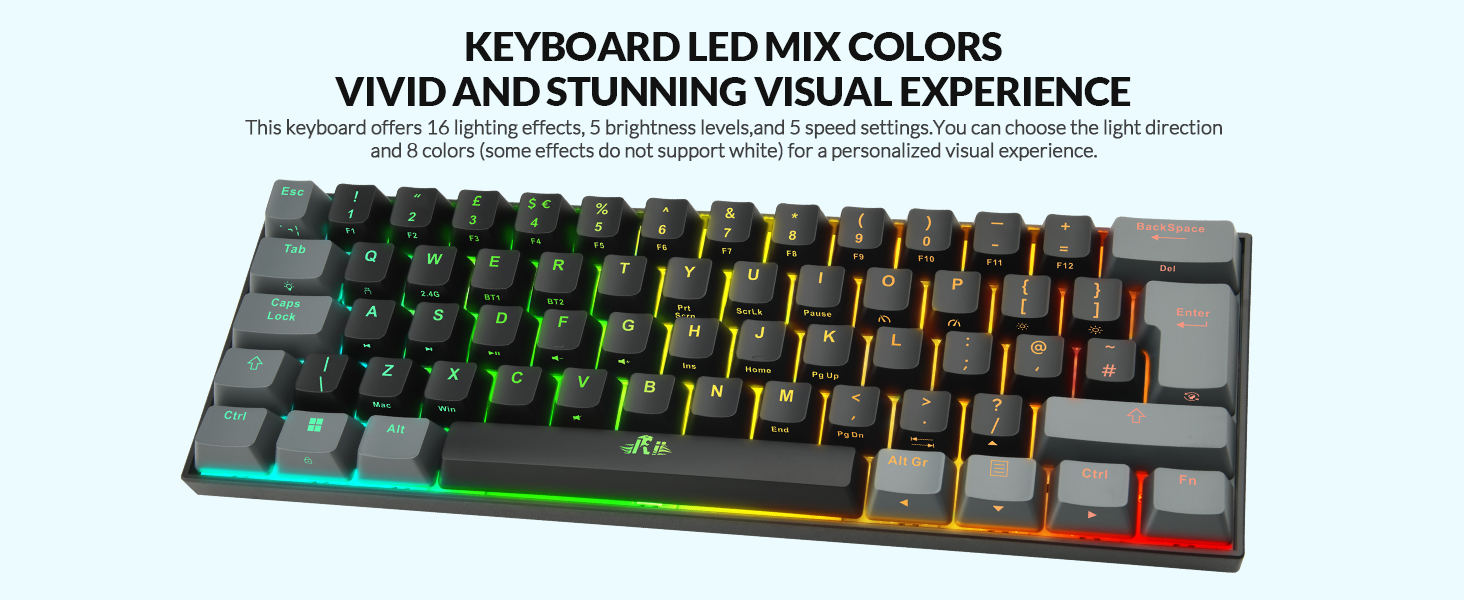
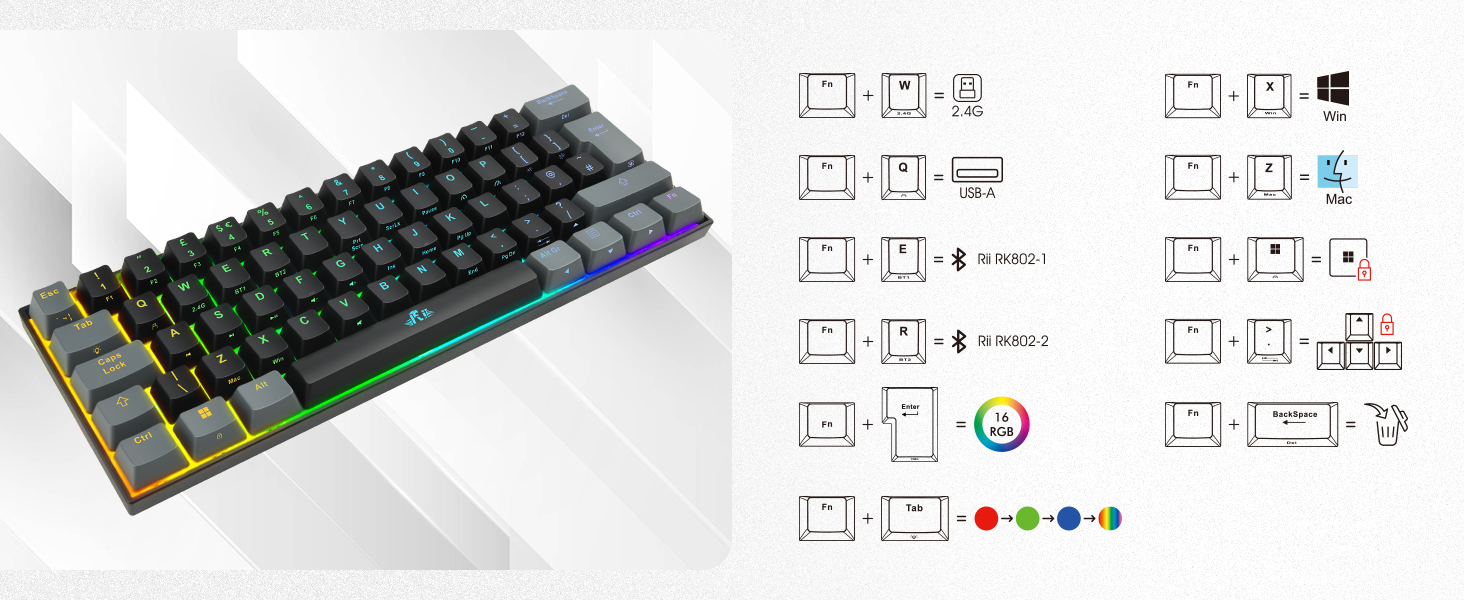
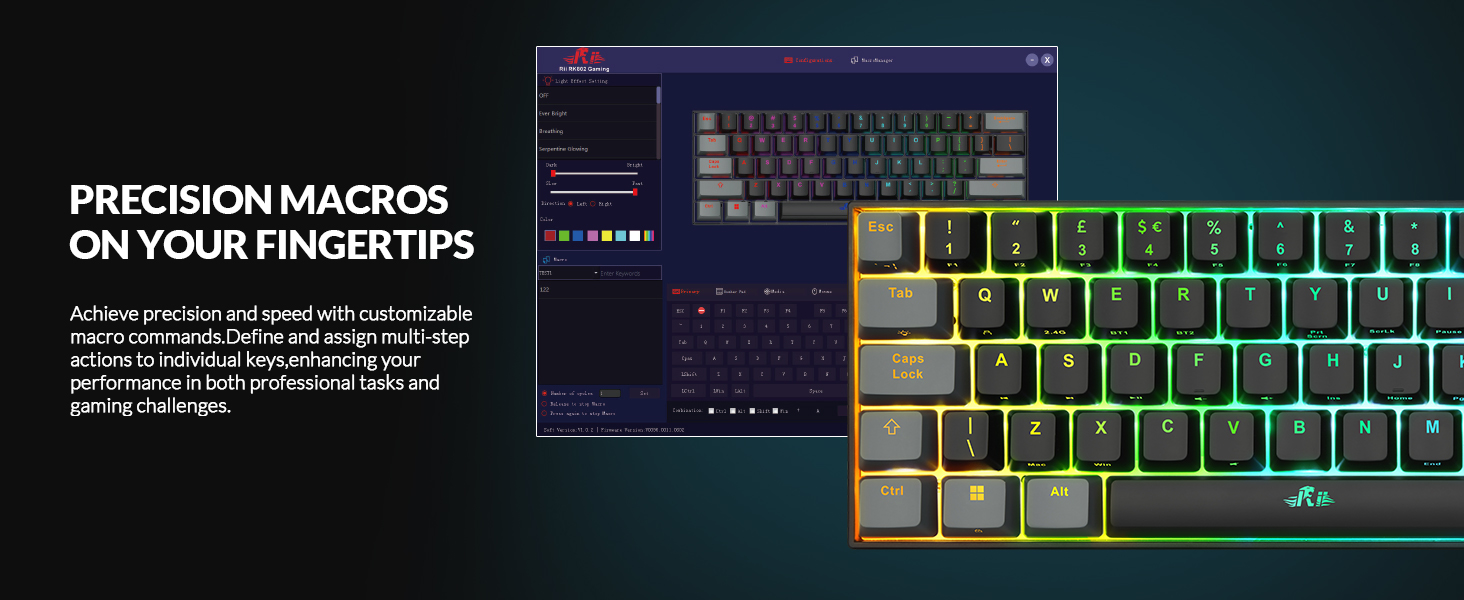
The default when you switch it on is for multi coloured back lighting. You can change this to red, green or blue only by pressing the function + tab keys together. All of this is detailed in the instructions. There are a number of other keyboard shortcuts specific to this keyboard, such as adjusting the brightness between the three different settings. The keyboard is missing the F keys and all of the other ones typically on the right-hand side of a full-sized keyboard. Shortcuts exist for most of these, you just tilt the keyboard back a little to see what they are as they are printed on the front side of each key. Fortunately the F keys correspond to the same number.
I’m using the keyboard to type this review, one of the first times I have used it. It’s a little clunky and the keys are slightly smaller than my regular keyboard and probably ever so slightly closer together. This is resulting is far more typos than usual from me, but already after a small amount of use I am getting used to having to type slightly differently.
This probably isn’t the best gaming keyboard ever, I have owned better ones, but it is decent and does what it should. I do like how it is lit up and it is nice and lightweight.
A very nice and compact keyboard
This is a nice little keyboard priced at 39.99 at the time of this review
it has a good weight to it which adds the the feeling of quality and the keystrokes feel solid and responsive.
Its a very compact keyboard, missing the usual numbers to the right hand side of the larger keyboards, which is fine if you dont use that number pad often (unfortunately on my works pc i use the number pad quite a lot so this keyboard will be used more on my music studio pc).
The keys all light up nicely which is very good for the ambience in my studio environment so another bonus there.
The keyboard connected straight away without any issues and i am very pleased with it so far (the last wifi / bluetooth keyboard i used induced a very annoying hum in my music DAW but i am very pleased to say this keyboard does not do that).
I would definitely recommend this.
+++AAA
Instructions need updating
This is a pretty reasonable little keyboard – It’s approximately the same size as the keyboard on my 15″ laptop, but with ‘proper’ clicky keyboard keys. The 60% sizing works great as someone with limited desk space, and the lack of a number pad isn’t noticeable as this is also consistent with my laptop keyboard which I’m used to.
The main selling point for me, aside from the compact size, wireless and rechargeable power, and tactile keys, is the backlighting on each key – that’s something my laptop does not have, and can be a real pain when I’m working in a low-lit room. This keyboard can do flashing, strobing, pulsing colour displays through every colour including rainbow – once you’ve worked out how to control it!
The included instruction manual lists the shortcut key combinations to use to control the keyboard lighting, BUT these shortcuts aren’t correct! The diagram of the keyboard showing the key shortcuts is laid out slightly differently, with a larger left Shift key, and shorter Enter key, and the | key swapped from one side of the keyboard to the other. In the instruction manual, the | key is used to control the lighting effects, but this is NOT the case on the actual keyboard.
Actual Keyboard Shortcuts:
Fn + Enter = change lighting mode (strobe, flash, solid colour, etc.)
Fn + Tab = change colour
Fn + | = Not Used
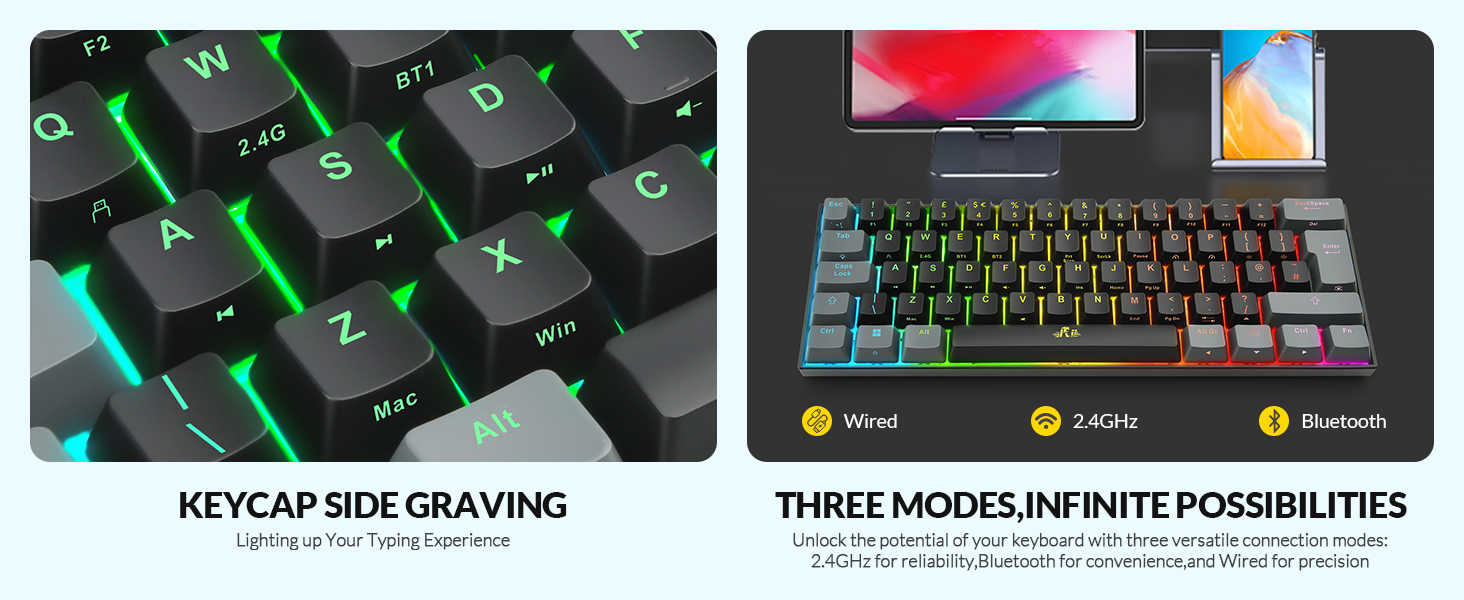
The front edge of most of the keys have a small symbol printed on them to use combined with the Fn key. Some of these are familiar (Prt Scrn, ScrLk etc.) whilst other symbols are less familiar but work as a reminder for the shortcuts you may need for things such as controlling the keyboard’s brightness.
The keyboard connects via bluetooth, or using an included USB dongle, or using a cable, so you have multiple options for connectivity. I am using it to type this review using the bluetooth connection which keeps my USB ports free and works perfectly.
Aside from the confusion trying to control the rainbow disco it started up with due to the error in the manual, it’s a great little keyboard.
nice action, flexible RGB functions, side-lit keycaps (secondary functions). No Mac software
PROS
-nice action to the keys, very positive end to travel
-most of the keys have side engraving, so you can see their secondary function (a nice touch)
-RGB effects a lot of fun
-battery lasts for days when used wirelessly (even with heavy RGB use)
-3 different connection types (versatile)
-connection dongle can nest in keyboard
-can be set to Mac or Windows keyboard layouts
CONS
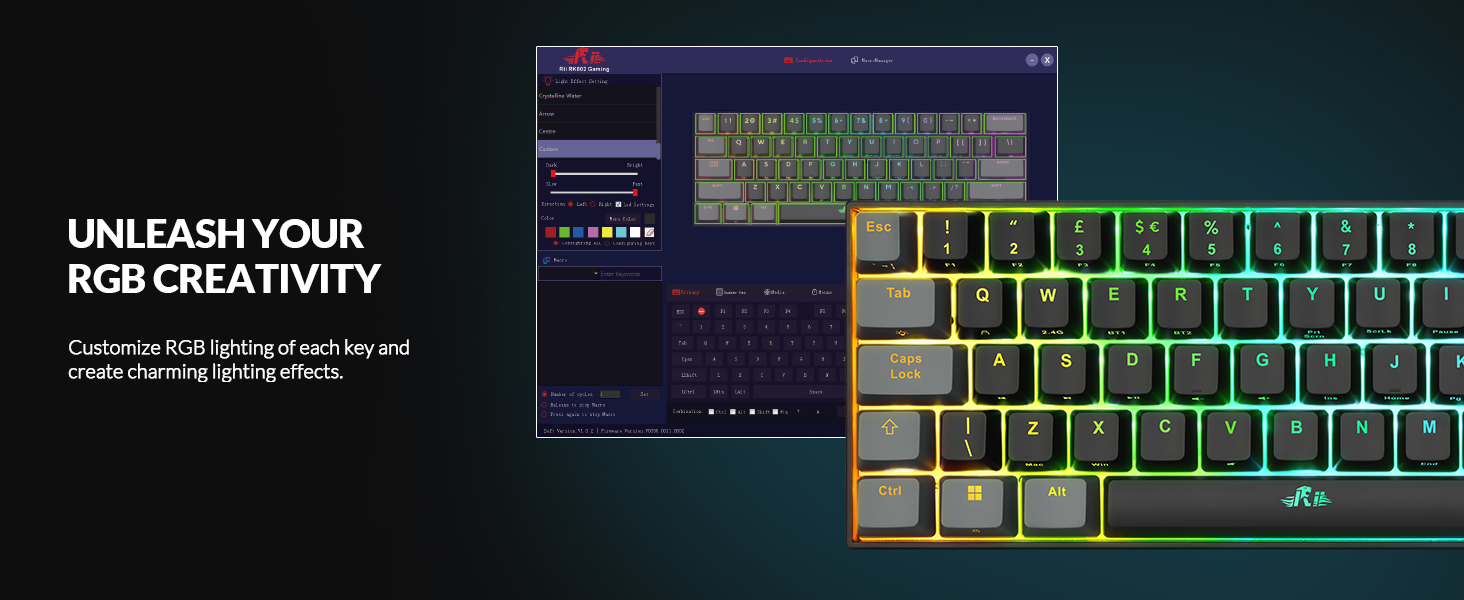
-a few RGB effects built in, but you need the software (Windows only) to do anything else. I use a Mac, so this is a big con for me, and I’m quite disappointed (I didn’t see any mention of this in the product listing)
-cable is a bit thick (it doesn’t like to straighten), I’ve swapped in a more flexible one
NOTES
-some will like the amount of travel in the keys (and the louder than average sound)
-a 60% keyboard is quite small, and so should be great for travel/portability, but this one is unusually heavy, for its size.
MY STAR RATINGS:
1* substandard, mostly cons
2** barely acceptable, cons outweigh the pros
3*** meets the basic requirements, cons balance the pros
4**** good product, pros outweigh the cons
5***** exceptional, all (or almost all) pros
Versatile connections and responsive keys.
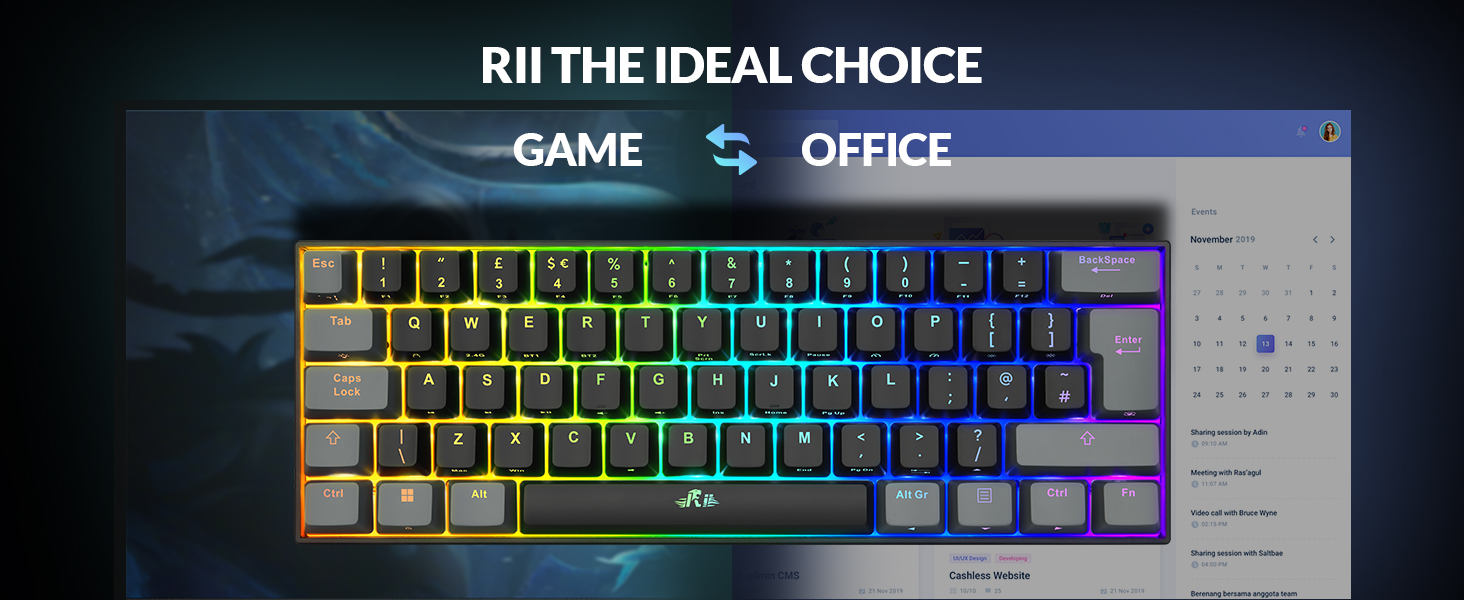
The Rii Gaming Keyboard is a versatile and compact 60% mechanical keyboard designed for gamers and typists alike. Its UK layout ensures compatibility with standard British typing conventions.
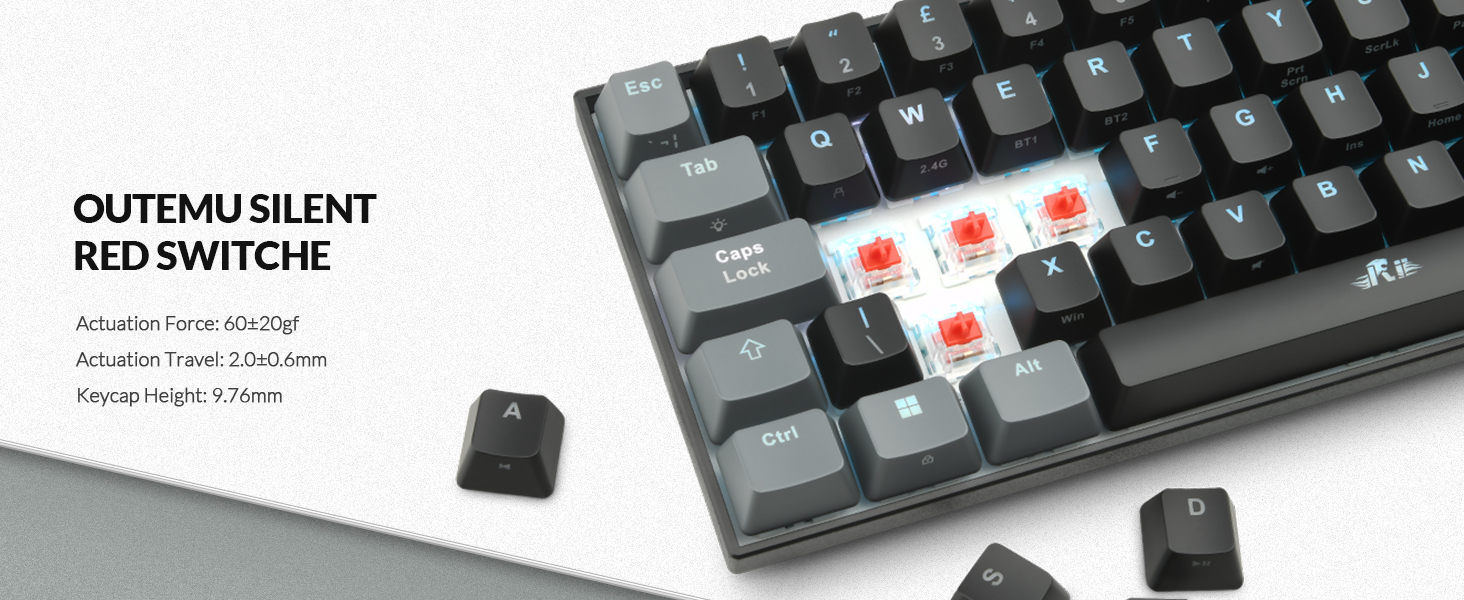
The keyboard’s 60% layout means it’s significantly smaller than a full-sized keyboard, saving desk space and making it highly portable. Despite its compact size, it doesn’t compromise on essential functions. The build quality feels solid, and the keys have a nice tactile feel due to the red mechanical switches, which offer a balance between responsiveness and quiet operation. All that’s missing really is the numpad section.
One of the standout features is its triple connectivity options. You can choose between Bluetooth, a 2.4G wireless connection, or a wired USB connection. This flexibility ensures compatibility with a wide range of devices, including PCs, Windows, and Mac systems. The wireless connections are reliable, with minimal latency, making it suitable for both gaming and productivity tasks.
The keyboard is rechargeable, and the battery life is impressive, easily lasting several days on a single charge with moderate use. The inclusion of a USB-C charging port ensures fast and convenient recharging.
The RGB backlit feature adds a customisable and visually appealing element to the keyboard. The lighting options are extensive, with multiple modes and colours available to suit individual preferences. It’s not just for aesthetics; the backlighting can also be practical for low-light environments.
The red switches are a highlight, providing a smooth and responsive typing experience. They are particularly well-suited for gaming due to their quick actuation and minimal resistance. However, they also work well for general typing tasks, making this keyboard a versatile choice.
Overall, the Rii Gaming Keyboard offers a fantastic combination of compact design, versatile connectivity, and excellent performance. Its RGB backlighting and rechargeable battery add to its appeal, making it a great option for gamers and everyday users who need a reliable and portable mechanical keyboard.
Effective Wireless Keyboard
This rechargeable keyboard from Rii Store comes with many features including a 2.4G dongle and charge lead included in the box.
The keyboard is compact measuring 29 cm in length and 10 cm wide with a UK layout and illuminated keys.
All the keys on this keyboard are Wired Red Switch keys and when using it gives a “Clicky” sound which is a little hollow rather than a “Thock” sound depending on your preference and is therefore slightly louder.
Connectivity for this keyboard is either via its 2.4Ghz dongle that can be stored under the keyboard which is useful.
The On/Off switch is also under the keyboard and is tiny and difficult to move if you have no nails like me.
A lot of the keys on this keyboard are FN driven such as if you wish to use the Function Keys the FN key and subsequent 1 – 0 key has to be pressed as well.
Response times with the keyboard are adequate although nothing ground breaking and so will work for games although not really fast response times if you are using it for competition gaming.
Overall this is an ideal server keyboard in data centres especially with its black and grey minimalist colour scheme looking professional and sharp.
Good for gaming, but don’t try to use it for anything else
This keyboard is great to use. The mechanical keys are very tactile and feel great. Touch typing is much easier than on my Apple keyboard.
However, there are some annoyances.
The instructions give a general idea of how to change the settings on the keyboard. Each of the keys that has a function has a symbol located on the side of the key. I ended up just holding down the function button (“Fn” in the right bottom corner) and going through the different settings to find the one I wanted.
I was able to set the backlight to a solid, white which was good for my use. But there are lots of colours and patterns to choose from, even without using the software.
This keyboard layout has been optimised solely for gaming. Do not try to use this as a typing keyboard. The buttons are mapped so that a lot of the regular typing functionality has been sacrificed, making it nearly impossible to use for writing. For example, to have use of the arrow keys means losing access to the ?/ button, because they have been mapped to the same key.
Unless I’m missing something obvious, I can’t seem to get both the work when the arrow keys are activated.
But for what it’s designed to do, i.e. be a compact, gaming keyboard, it does it well. Just don’t expect it to do anything else.
Heavy keyboard, loud keys, but very responsive via all connections
This is a chunky keyboard which cannot reasonably be described as portable due to its weight. It is easily 4 times the weight of my similarly sized, but non-backlit portable keyboard; I guess this is because of the rechargeable battery. It is excellent that the battery is rechargeable.
I found the instruction booklet very handy, even though I was not too keen on the huge fold-out poster design. It has since grown on me.
Connections via wifi and Bluetooth were swiftly established. The USB A to USB C cable is reassuringly solid: one of thickest I’ve ever seen for a keyboard! Very happy with this. No delay when typing in any of the connection modes, which is fantastic.
The keyboard is beautiful when backlit and it is great that the lights can be customised. The keys are firm, but they travel far which makes them clatter when you type. Did I say “clatter”? They are loud. The keys are NOT comfortable to type on by any means, which is a bit of a letdown.
The heaviness made me decide to keep it at home but I can’t see myself using it very much due to the uncomfortable keys and the noise they make as one types. Other than that, it is versatile, and will come in handy as a backup.
60% RGB backlit gaming keyboard... reasonable but nothing special
The keyboard is a UK layout 60% with ISO enter key and quotes and @ key ion the correct space with a on key 3 as expected.
60% has no dedicated arrow keys which are accessed using the left hand FN key and other keys in the same cluster so all on the left hand. F keys are also FN+top row but these are easily obtained as needed.
RGB backlight defaults to a windmill rainbow but can be toggled on the keyboard using Fn+Tab to cycle between red, green and blue but you’ll need the software to be able to do anything else. No solid colours without the software.
Switches are linear reds which have a clacky sound signatutre. There’s no “thock” here.
LEDs are north facing and the included Outemo red switches mean that you may be limited if you want to switch the included keycaps for Cherry MX profiles which risk interfering on the middle row with north facing LEDs.
The included 2.4GHz dongle has a small space on the rear of the keyboard to keep it to hand when not installed in your computer. Can also use Bluetooth connections to computer or mobile devices.
Ctrl-home and end are possible but I won’t be using this keyboard to type up your magnum opus as it’s a little more compact than I’m used to so it takes a little reprogramming of muscle memory to hit the right keys.
Media keys for play/pause/vol+/vol-/mute are also available.
The reds are a linear switch which is fine for gaming and I don’t have the kit to measure polling rate but good enough for me when connected using the included USB A-C cable which unfortunately suffers from extreme memory and won’t straighten.
Swapped the cables for a better quality one and it’s fine…
Overall this is a reasonable entry into mechanical gaming keyboards. There are better examples out there at similar price points so shop around.