MSI MAG 271QPX QD-OLED E2 26.5 Inch WQHD Gaming Monitor
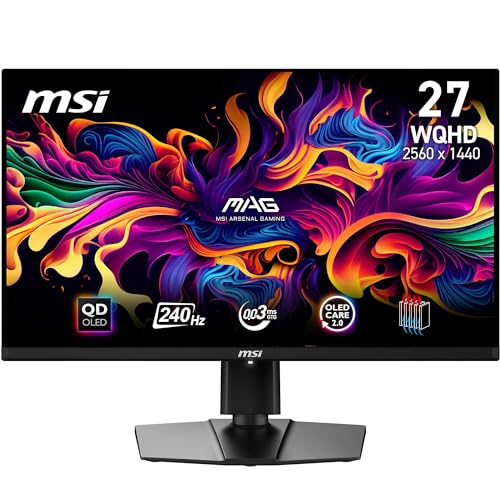
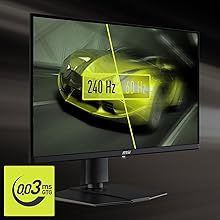
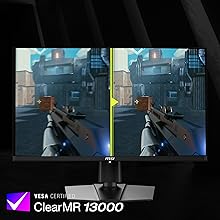
MSI MAG 271QPX QD-OLED E2 26.5 Inch WQHD Gaming Monitor – 2560 x 1440 Quantum Dot OLED Panel, 240Hz / 0.03ms, 99% DCI-P3 DisplayHDR True Black 400 – DP 1.4a, HDMI, USB Type-C


GRAPHENE FILM WITH CUSTOM HEATSINK
New QD-OLED panels feature Graphene film for exceptional thermal conductivity. With custom heatsinks, the monitor operates fanlessly, achieving efficient heat dissipation.
A premium pivot-, tilt-, swivel- & height-adjustable stand can be tailored to specific ergonomic demands (100x100mm VESA compatible).
MSI OLED Care 2.0
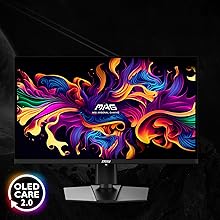
MSI OLED Care 2.0* provides several care services and significantly reduce the chances of OLED screen burn-in. (Boundary Detection, Taskbar Detection, Multi-Logo Detection)
Pixel shift (movement)
Panel protection (refresh)
Static screen detection (dim)
*OLED Care 2.0 expands on the original OLED Care with static Multi-Logo & Taskbar Detection, as well as Image Boundary Luminance Calibration.
4-Way Adjustable Stand
The monitor frame features a 4-way adjustable Stand:
Pivot: -90°~90°
Swivel: -30°~30°
Tilt: -5°~20°
Height: 0~110 mm
The MAG 271QPX QD-OLED E2 supports a standard 100mm VESA-mount*
*Enjoy a cleaner desktop and superior cable management with the MSI VESA Arm MT81 (not included).
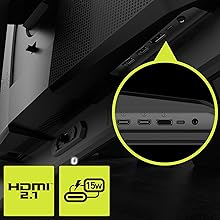
Premium Connectivity
Display Connectivity:
DisplayPort 1.4a: 2560 x 1440 (240 Hz max.)
2 x HDMI(Supports 2560×1440@240Hz as specified in HDMI2.1)
USB Type-C (DP alt.): 2560 x 1440 with 15W power delivery
| Weight: | 5 kg |
| Dimensions: | 61 x 42 x 25 cm; 5 kg |
| Brand: | MSI |
| Model: | MAG 271QPX QD-OLED E2 |
| Colour: | 240 Hz / QD-OLED |
| Manufacture: | MSI |
| Dimensions: | 61 x 42 x 25 cm; 5 kg |
Fantastic monito
I used to use 27″ 1440p 165hz IPS monitors for both gaming and productivity but picked this up on sale.
For productivity:
This monitor is the size of two 27″ monitors side by side. I assumed it would be like using a dual 27 setup, however I have found it to be something like using three screens, as without the bezel the space becomes much more usable and customisable. Because of this I tend to use fancy zones to split the display up into custom areas which really enhances multi tasking.
Worth mentioning that in teams or similar, you’ll need to share windows rather than your whole screen as otherwise the image will be strange for folks still on 16:9.
You also benefit from excellent connectivity – there is an inbuilt KVM and USBC which can do display, power, keyboard and mouse to your work laptop, and also switch everything over to your desktop or home gear easily without ever faffing around with cables.
Editing:
The colour accuracy is exceptional, so you’ll find less weird issues when printing your work.
Gaming:
OLED. Its fantastic. Games really look like on another level compared to IPS. 144hz is plenty enough for me combined with the instant pixel response times you get from Oled. Motion is super sharp, contrast is fantastic, colours, lights, shadow detail. It really does it all. Just be mindful that this monitor is close to 4k so driving it requires a beefy PC. I had a 3070Ti which was great on 1440p 16:9, but with this it was struggling in games light MSFS.
Sound:
Whilst there are no speakers, you can connect your speakers to the monitor and when switching between devices on the KVM, the speakers will pick up automatically.
Fully recommend this monitor if you’re looking for a treat.
I really like this monito
My main reason for buying this monitor is the 180Hz refresh rate because I’m sitting very close
So with this monitor I have no issues with headaches from flickering or like tiredness from like a 60Hz monitor.
My only issue is there’s a tiny blurry dead pixel or smudge/slight burnt pixel near the center
I cleaned and wiped multiple times my screen but it’s inside the screen
It’s not as bad as on my picture I zoomed in so if I watch a movie it’s not an issue at all but if I edit photos or using Ableton I see the “slight smudge” there.
I’m going on a holiday so I’m most likely not going to return it.
I don’t know I’ll see
Fantastic monito
Msi mag 274qrf QD E2, 238.
Quick review – for 238 it’s 10/10, looks great, great monitor arm like stand, bright, colourful and no dead or stuck pixels or noticeable backlight bleed.
Longer review – I wanted a monitor that to me is good value, looks good, bright, colourful,1440p and leaves no regrets after purchase.
Feel like I got exactly what I was looking for, actually really happy with this monitor.
I looked at loads of monitor reviews as my current 1080p one is 10 years old. I couldn’t find many reviews on this one as it’s quite new, ones I did find seemed positive, it’s also an upgrade to the first edition which seemed to be a decent monitor.
I did keep coming back to this monitor and to me this seemed to be the one that ticked the boxes.
The screen looks really good, in my opinion it’s really not much of a leap away from how my pixel 6a looks which is 1080p oled. That’s about the best way to describe it realistically as ive not got anything else that’s comparable.
The main thing I was most happy with actually was that the monitor came with 0 dead pixels, 0 stuck pixels and no noticeable backlight bleed, I even ran a monitor test just to check and it’s pixel perfect which was an unnecessary worry I gave myself from reading too many reviews.
The monitor stand it comes with is fantastic, you can move the monitor into all the positions, it has in my situation, saved me from buying a monitor arm.
I’ve added a few photos, white colour test one shows the no dead or frozen pixels, I would have added more but mobile pics of the monitor really don’t represent how good it actually looks.
Overall I feel it was the right purchase for me and do feel like it’s excellent value compared to other monitors in this price range.
This is my 3rd monitor.
The 1st one had very bad uniformity with yellow blotches all over the screen
The 2nd one had a diagonal black line across the screen
The 3rd one has no issues and is a great screen.
The curve is one of the largest you can get as can be seen from the photo. This is fantastic for gaming but some people may find it too sharp, it’s a personal preference
Response times are superb with no motion blurring when gaming
Colours are very vibrant and make games pop
Comes with hdmi, display port , usb cable.
The RGB lighting on the rear is sutle and can be changed using MSI control centre software to a number of different colours, cycling, breathing etc.
Build quality apart from the screen issues seems very good and the stand is heavy and sturdy.
All in all a great curved gaming monitor
Just be prepared for a panel lottery
Good all round monitor.
The monitor was easy to to install on the stand. When I had is set to fastest for response time the image get a little blurry on some fine detail in games but putting it on fast fixed that so no image quality issues. HDR is a good basic hdr so games look a bit brighter and darker depending on the game and your settings. I can get 170hz but my amd gpu driver and windows 11 have the driver issue when it’s set to 170hz, so it’s kept at 144hz which looks great and no issues at all. It gives off a fair amount of heat in HDR mode though, which will be fine in winter. The OSD menu is simple even to navigate and you can use whichever mode with a few clicks through the menu. Overall very impressed for the price I got it at on prime deal(190).
good value but poor HDR
Monitor works well but not a big fan of its settings menu.
It only comes with a DP cable, so purchasing HDMI is advised.
The stand needs to be screwed in and doesn’t come with any tool for that.
Overall, the picture quality is great and the high refresh rate is noticeable.
HDR is not great to use it makes the image look bad and some games don’t even recognise it as HDR compatible.
The games look great at 2K resolution and very low latency as specified.
The monitor is beautiful, it uses the same OLED panel as most of the other first generation OLED ultrawides (which are also great) but comes in at a reasonable price point. There’s also no fan in this panel unlike earlier OLEDs, which makes it run nice and quiet. OLEDs are truly unmatched in image quality compared to a typical IPS panel, games and movies which support HDR look lovely with the pure blacks and bright whites this monitor can display. I’ve been playing through Ori and the Will of the Wisps and it looks stunning.
There’s a few things to note coming from a typical LCD (not issues, but things to keep in mind);
– You’ll have to do some fiddling to get the brightness right for SDR content and the like on Windows, but otherwise just toggle HDR on and it looks great right out of the box with good colour accuracy.
– Some panel health features do not work with adaptive sync engaged which is a bummer for gamers, but some still work like dimming when the image hasn’t changed for a while and pixel shift, so it’s good enough.
– People have complained about text rendering with these QD OLED panels, but personally at an arms length viewing distance I can’t notice the difference.
– Linux support for these types of displays is also currently lacking (big surprise) so keep that in mind, you won’t get proper HDR compat, or SDR brightness in typical Linux use (with some exceptions depending on distro). I cannot speak for MacOS.
– The ports on the back of the monitor are also a bit too low down, meaning the included cables can and will slightly peak under the bottom of the monitor when plugged in. So you’ll want to get some right angled C14, USB B, and Displayport/HDMI adapters.
The only real major downside to this monitor is it’s driver package, when you plug this monitor in it will appear as a drive in Windows (a bit weird). Inside this drive is a link to the MSI software which allows you to control the monitors settings without using the physical nub on the monitor (cool). However, once you install this software it will hound you to install Norton (spyware you do not need and should not install under any circumstances) which is extremely offputting and dodgy.
The software also has pop ups to remind you to run OLED care (cool), but these reminders to run OLED care will appear every 4 hours even if you set it to 16 hours (not cool), the panel should take of these things itself and not hound the user, 4 hours is nothing at all for work, gaming, or general use.
This would be all fine, just don’t use the software, but the “drive” in windows will NOT disappear until it detects you installed it! Which is quite simply unfathomably stupid.
Thankfully it seems to go away after you install and uninstall the software, but that’s very annoying – the software should be linked in the manual, or on a sticker – not via the Windows drive menu.
tl;dr; Excellent monitor, but do NOT use the software.
I have been waiting a couple of years now to see how the PC QD-OLED monitor market would play out, so I decided the tech and warranties had advanced enough that I wouldnt have buyers regret once I purchased.
So I opted for the MSI MPG 491CQP 5120×1440 32:9, I had come from a Alienware AW3821DW (3840×1600 21:9).
According to the sticker on the back my display was built January 2024 and came with the FW.013 firmware installed which is the latest at the time of writing (27.04.24)
I’m running a 4090 RTX and 13900K both on a customer water and heavily overclocked in order to power these high res displays.
My use case is productivity and gaming. I work from home so having even more desktop real estate is awesome.
Rather than a huge wall of text I’ll list out the reasons why I ended up chosing this monitor over the current others.
KVM – Means I can have my work laptop & gaming PC connected to the display which handles where the keyboard/mouse input goes. Great no more external switch cluttering up my desk!
3 year burn in warranty – Coming from Dell/AW I always had their warranties so I was happy to see MSI offered 3 years, as a bonusw hen you register the product with MSI make sure to fill out the survey and you get an extra 3 months so make sure to take advantage of this. I think also you can chose to purchase a warranty extension with MSI Care Plus once that time is up.
OLED Care 2.0 Good to see these features from TV’s making their way into desktop displays. Lots of features to keep the monitor healthy and you can adjust them from the OSD/Desktop utility.
Sub Pixel Improvement – Previously I had tested some first gen panels and had issues with text on the screen due to the sub-pixel layout, the new panels have made some improvements on the arrangement and I’d say I’m happy enough with the improvement for it to be viable for me now. I think there can still be improvements both in the sub pixel layout and the software (TrueTypeFont, I’m looking at you Microsoft to support ClearType 2 or a Enhanced ClearType Tuner until further hardware improvements can be made)
Calibration Report – I thought this was a nice little touch, inside the box sleeve was a printout from the factory showing the calibration report for the monitor. Great as at a glance I could tell how much fiddling I might need to do. Considering its done on mass not bad for a factory cal.
PIP / PBP – Never had a gaming monitor that really properly supported this so its a nice extra luxury to have. Great when I’m doing builds/repairs for friends or want to plug the sky box in.
Lightweight – Holy cow this thing is light, seriously it weighs less than my old AW3821DW. I can lift it up with one hand and it makes moving it about so much easier. I’m quite a tall guy (199cm) so I think I might use a 3rd party display stand to raise it up a bit as at the distance I sit at it from my desk I am craning my neck a bit.
HDR Gaming – Destiny 2 is my goto game, being a 40 something family guy I can dip in and out of this with ease and when I do have the time to play I want it to be an amazing experiance. Sweet baby cheeses the game in HDR mode on an QD-OLED looks absolutly fantastic, so vibrant and those blacks are deep and inky. Obviously I am comparing QD-OLED DisplayHDR True Black 400 tech to the previous IPS/Edgelit/HDR on the AW38 so its a bit unfair but it is truly magnificient. CyberPunk also looks amazing on this display!!!
TFTCentral has an excellent video review on this display if you are looking for more indepth information.
The MSI MAG 323UPF is quite the impressive monitor. With its 4K UHD resolution and 32-inch display size, it offers sharp and detailed visuals that make movies and games look fantastic.
Under the hood, it’s equipped with AMD FreeSync Premium and NVIDIA G-Sync compatibility, ensuring smooth and tear-free gaming experiences. The 144Hz refresh rate further enhances the fluidity of motion, making gameplay feel incredibly immersive.
Connectivity-wise, it’s got DisplayPort 1.4, HDMI 2.0 ports, and a USB-C port for easy connectivity with various devices.
One standout feature is its HDR 400 certification, providing vibrant colors and deeper blacks for a more realistic viewing experience across different types of content.
Overall, the MSI MAG 323UPF is a solid choice for gamers and multimedia enthusiasts seeking impressive visuals and smooth performance in a monitor.
I’m very pleased with it, and I use it for gaming and browsing mostly. The brightness is also fantastic! Not much messing around needs to be done once it’s out of the box which is a rarity for most monitors, and the on screen display uses a 3d bezel to navigate, the best menu i’ve had the pleasure of using.
A real fan of MSI products going forward as they design their products well.