4K Webcam for PC, AutoFocus Web Camera for Laptop
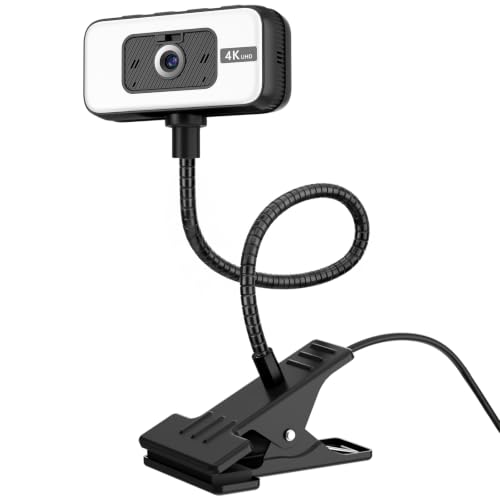
4K Webcam for PC, AutoFocus Web Camera for Laptop with Microphone | PC Webcam with Light, USB Plug and Play, FOV 80° Computer Camera, Webcam Ultra HD 4K for Live Streaming, Content Creatio
 The video showcases the product in use.The video guides you through product setup.The video compares multiple products.The video shows the product being unpacked.
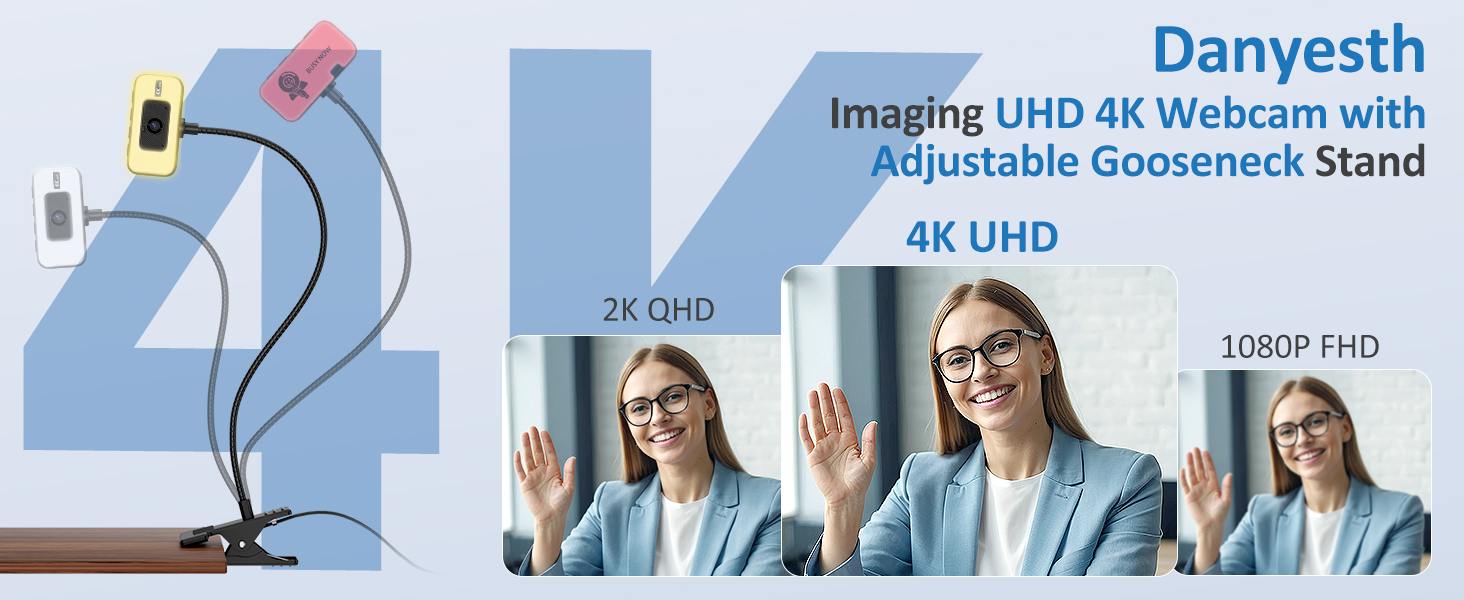
4k Webcam with adjustable gooseneck
PDAF AUTOFOCUS & REAL NOISE-CANCELIN MIC
4K WEBCAM WITH ADJUSTABLE GOOSENECK STAND FOR LIVE STREAMING, CONTENT CREATION
4 SMART BUTTONS-ADJUST WEBCAM IN ONE TOUCH:
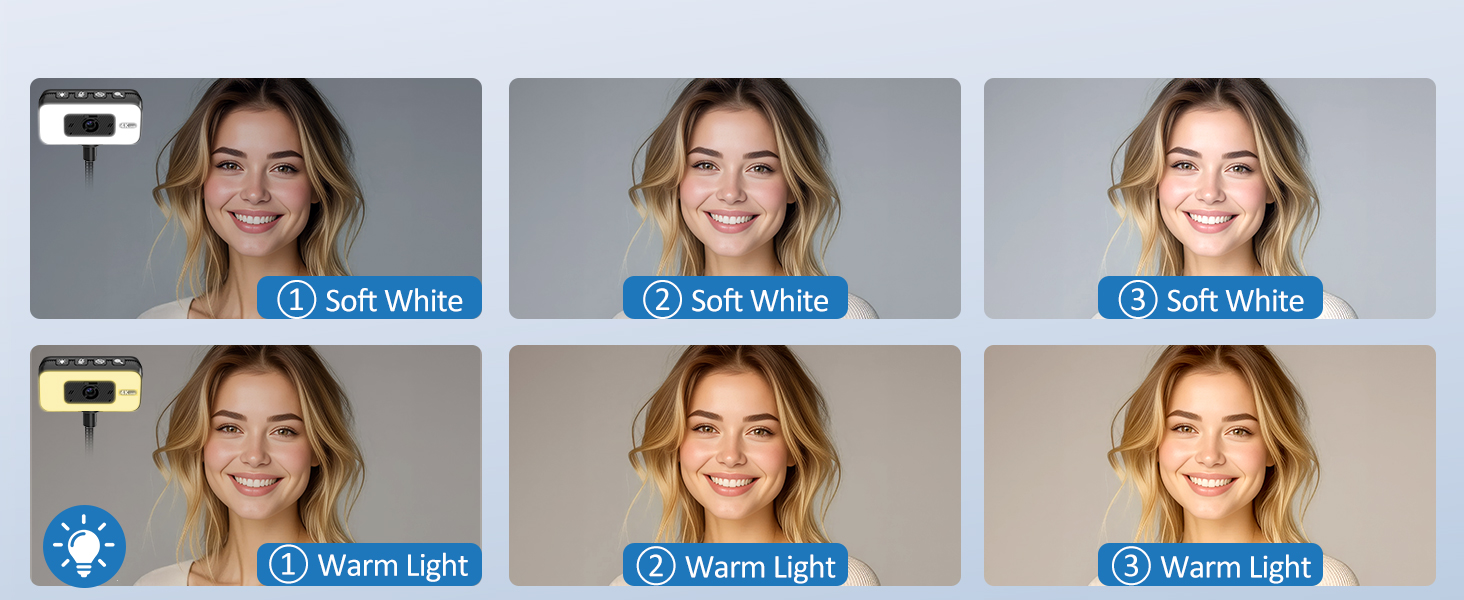
[ 6 Brightness Levels ] 3 warm light and 3 white light modes to ensure clear visuals in any environment.
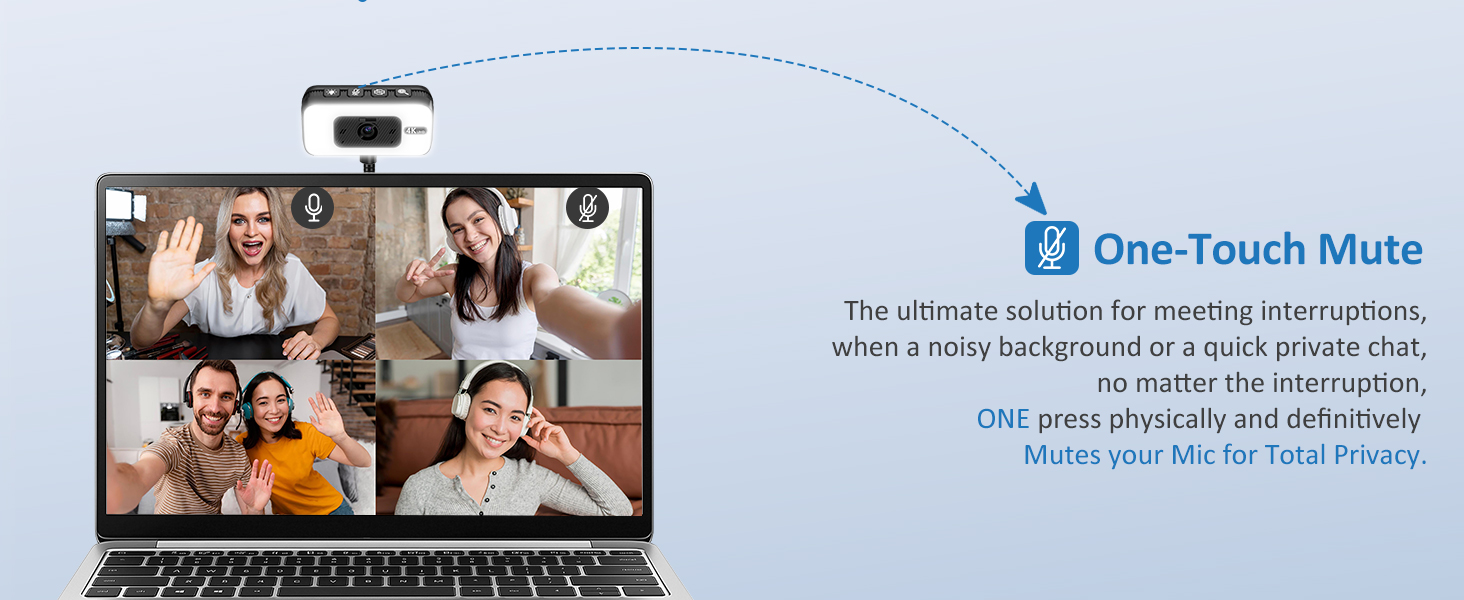
[ One-Touch Mute ] The ultimate solution for meeting interruptions, when a family entry/a noisy background, one press physically and definitively mutes your mic for total privacy.
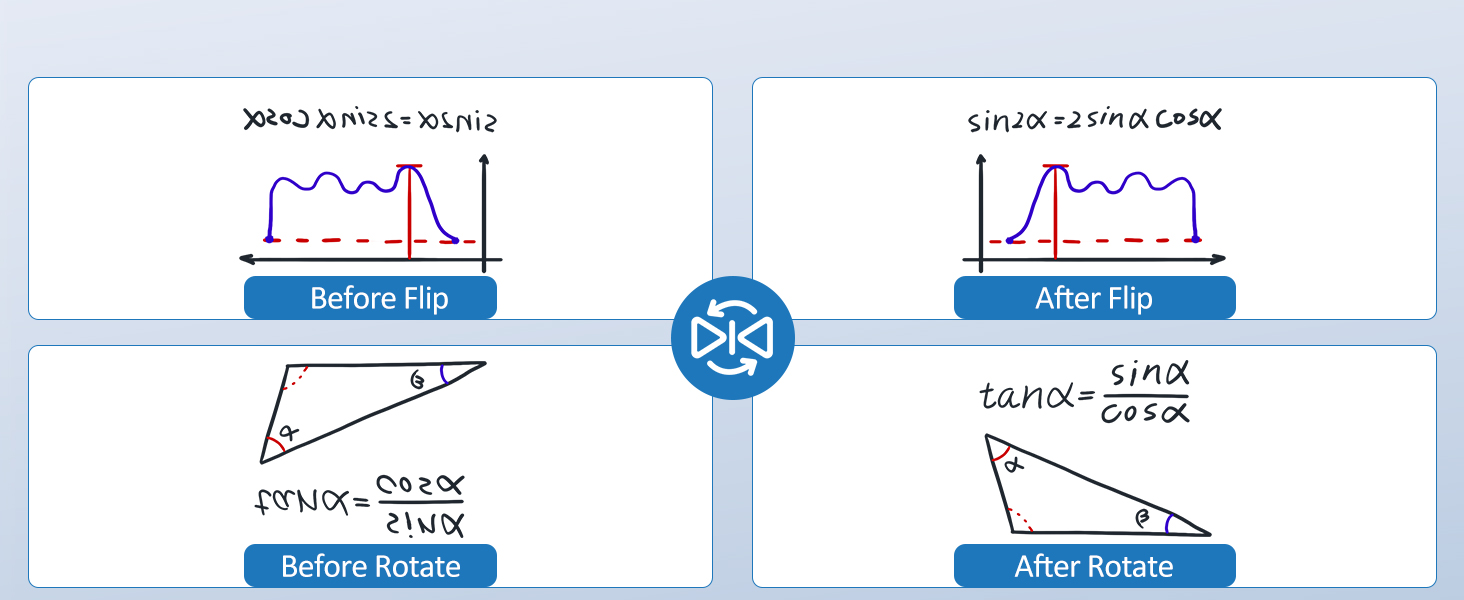
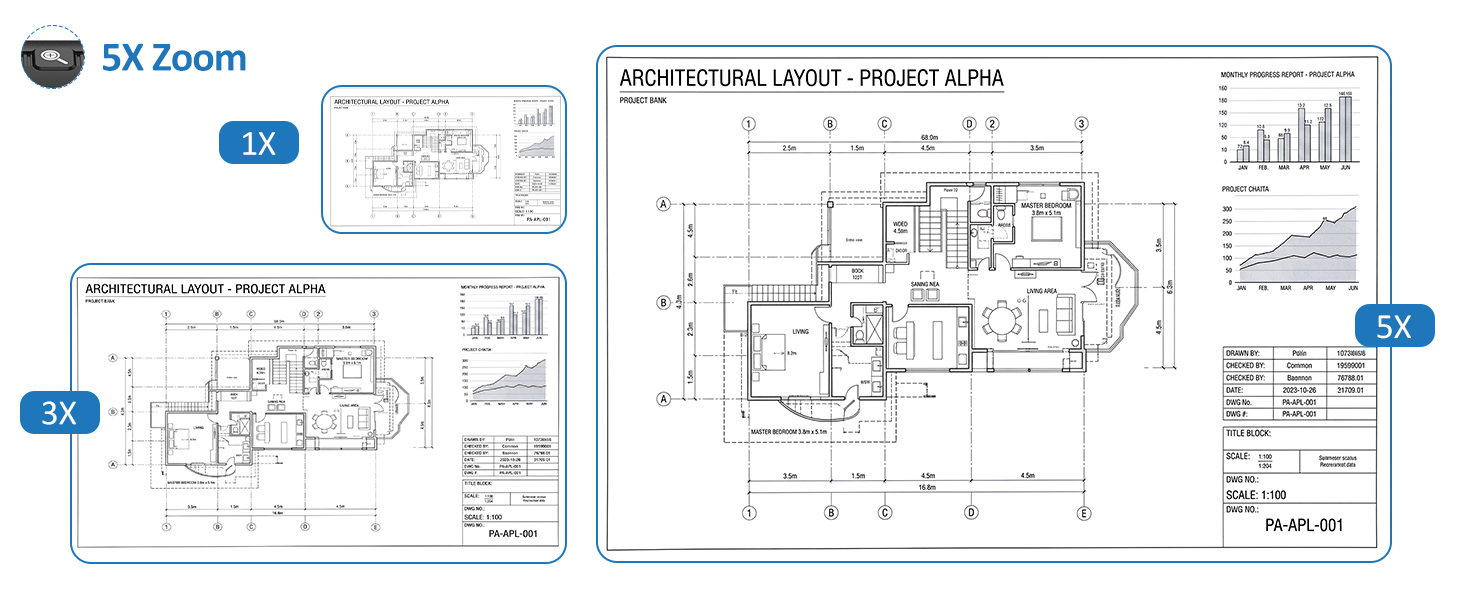
[ Image Flipping & 5x Digital Zoom ] It supports shooting from any angle. Ideal for document scanning, displaying hand-drawn illustrations or sharing teaching materials.

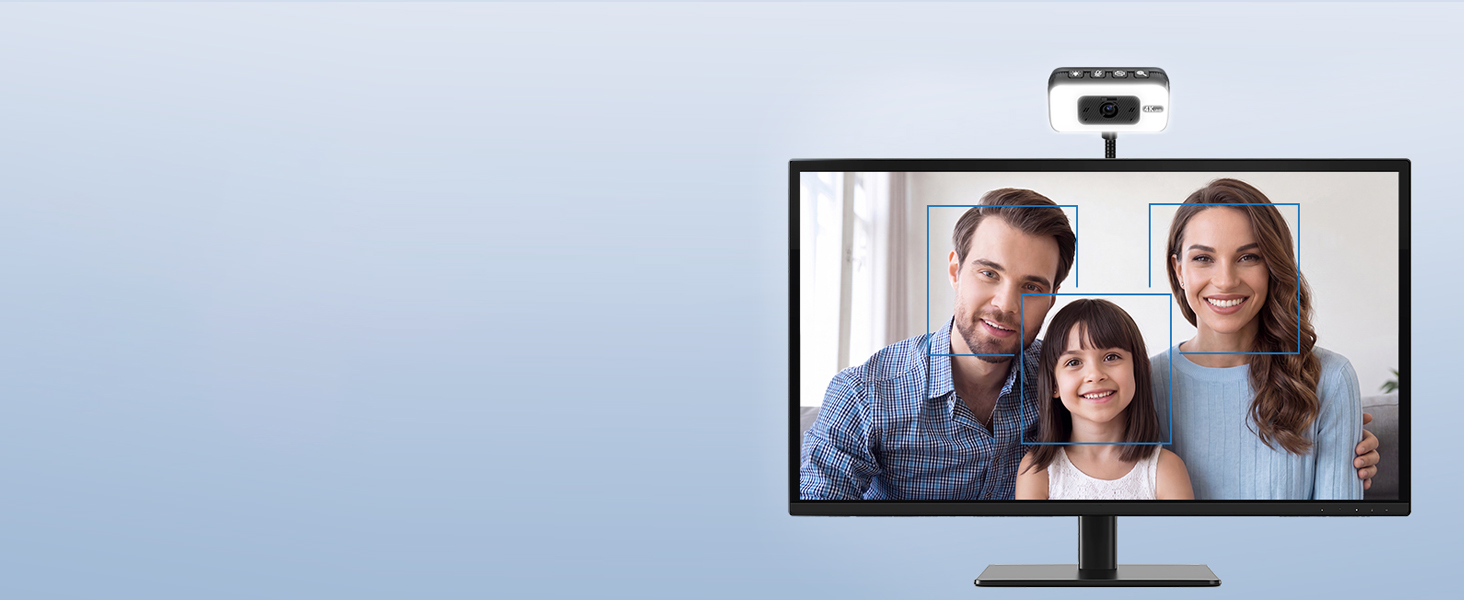
SEE IT CLEAR – FOCUSES INSTANTLY
Autofocus Always in Focus, No Matter How You Move
Danyesth 4K Webcam
Perfect for Live Streaming, Online Teaching, Content Creation, Demonstrations
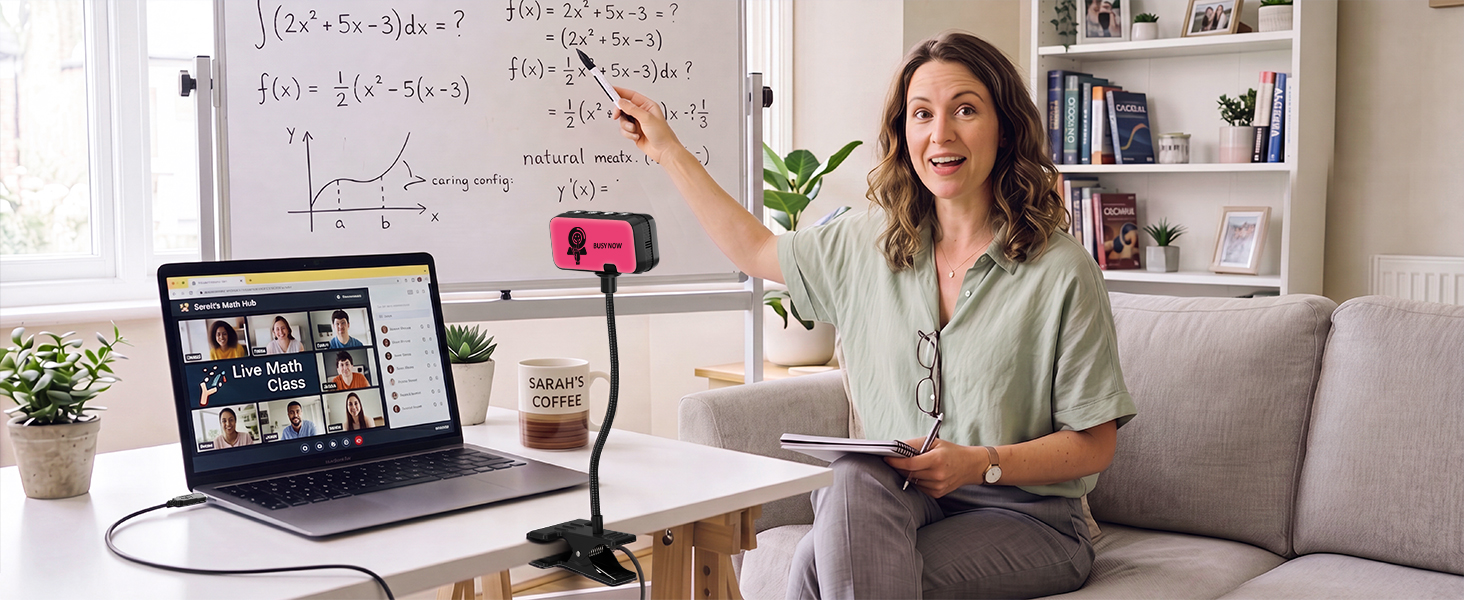
Danyesth 4K Webcam
Perfect for Showing Documents during Business Meetings or Video Conference

My webcam doesn’t turn on or get detected by the computer. What should I do first ?
Please Follow Steps :
1. Check compatibility and the type of USB interface ( Notice: When the webcam is active, The front Signal light will turn on )
2. Try a different USB port
3. Try the webcam on a different computer or laptop
Many webcams just clip onto the monitor and cause a small section to be hidden, what makes your Gooseneck so special ?
Featuring a flexible gooseneck with an integrated sturdy clamp, you can freely adjust the angle to frame the perfect shot. The webcam mounts easily on desks or shelves—or sits behind your monitor without blocking the screen.
I work from home and often have traffic noise in the background. Will this webcam make me sound unclear on calls ?
Our 4k webcam built-in noise-cancelling microphone is designed specifically for home office use. It actively filters out children’s voices, road noise, and other household sounds, ensuring your voice stays clear and professional on every call.
What’s the video quality of this webcam ? Can I use it for meetings ?
Absolutely, the Danyesth 4k webcam records in crystal-clear 4K QHD resolution, with 80° field of view, 5x Digital Zoom—ideal for online meetings and live streaming. Your image will look sharp and detailed.
| Weight: | 170 Grams |
| Brand: | Danyesth |
| Colour: | Black |
| Batteries Included: | No |
| Manufacture: | Danyesth |
| Origin: | China |
Offers an excellent combination of image quality, flexibility, and ease of use
I was pleasantly surprised by the quality of this Danyesth 4K USB Webcam. Setup couldn’t have been easier—it truly is plug-and-play. I simply connected it to my computer, and it was recognized immediately without having to install any additional software.
The 4K video quality is sharp and detailed, producing a clear, natural-looking image for video meetings, online classes, streaming, or recording videos. The autofocus responds quickly, keeping the picture crisp even when moving around or holding objects up to the camera.
One of my favorite features is the flexible gooseneck. Unlike fixed-position webcams, this one lets you easily adjust the camera to the perfect angle without having to move your monitor or stack books underneath it. It’s especially useful if you need to point the camera at your desk for demonstrations, crafting, or showing documents.
The built-in noise-canceling microphone also performed well. My voice came through clearly during video calls with very little background noise, eliminating the need for a separate microphone for everyday meetings.
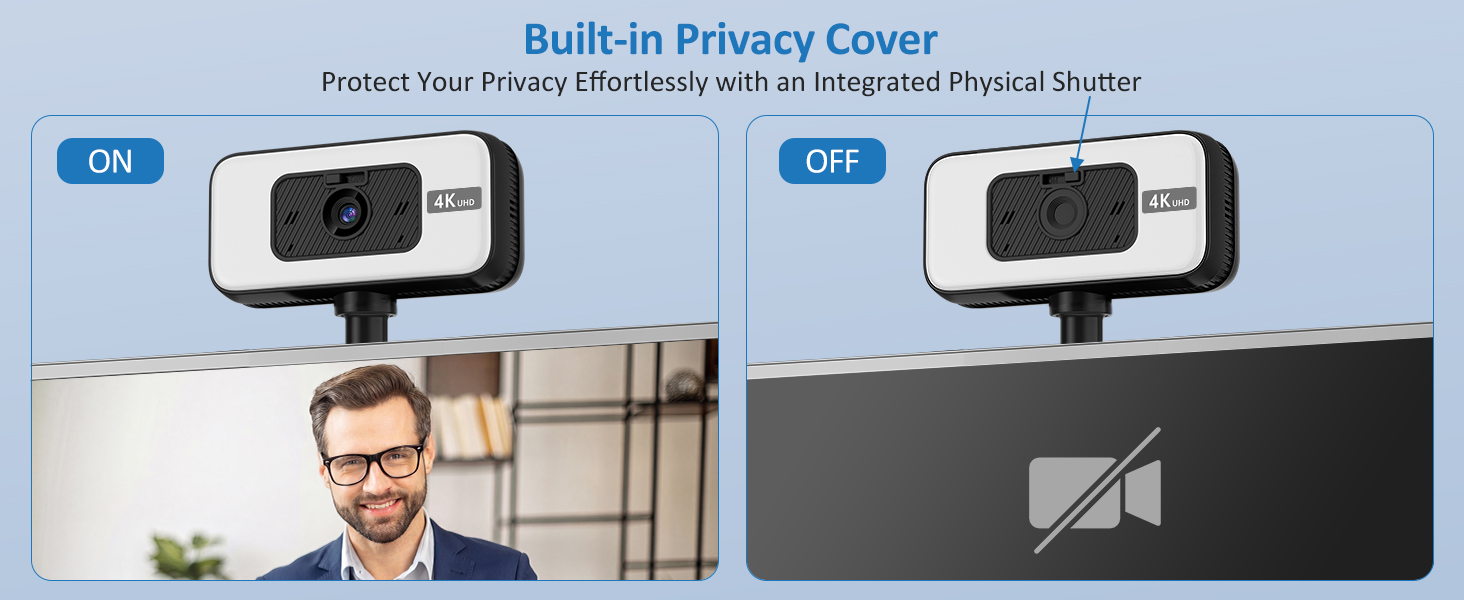
I also appreciate the included privacy shutter. It’s a simple feature, but it provides extra peace of mind when the camera isn’t in use and protects the lens from dust.
Overall, this webcam offers an excellent combination of image quality, flexibility, ease of use, and privacy features at a very reasonable price. Whether you’re working from home, attending virtual meetings, teaching online, or chatting with family, this webcam is a great value and one I’d happily recommend.
Very clear and high resolution webcam
This 4K USB Webcam was a huge step up from my laptop’s built-in webcam and another 1080P USB webcam. It came with a small user manual that instructs you how to set it up and install it. The webcam has a clip that has very good grip in order for it to be placed just about anywhere you’d like it set it. The bendable neck is able to be moved and bent to fit whatever angle you need it to face. The quality is incredibly clear and sharp so the image shown on your display is very good. It has buttons on the top of the webcam housing that control the light with it’s brightness, muting/unmuting the built-in mic, what I assume is an image flip button, and a zoom button. All the buttons give you a lot of accessibility options to make using the webcam even easier. I just needed to plug the USB connector into my PC and it detected it without having to install any drivers.
This is a good quality webcam
Webcam has a very long flexible arm as well as offering built-in light and shutter as well as a built-in mute button and zoom comes with a USB a to USBC adapter so you can use it with multiple devices. The clamp portion allows mounting to a variety of surfaces, allowing you to capture whatever angle you’re trying to achieve
The Bendy Neck Hero I Didnt Know I Needed
I picked up this 4K USB webcam with the bendy gooseneck, and honestly, it’s doing a better job at life than I am most days. The picture is ridiculously clear, like “wow, maybe I should moisturize more” clear. The autofocus snaps in instantly, even when I lean in too close like I’m trying to smell the screen. And the noise canceling mic? It somehow ignores my pets having full emotional meltdowns in the background, which is honestly a miracle.
The flexible gooseneck is the real MVP. I can twist it, bend it, aim it at my face, my keyboard, or whatever random thing I’m trying to show on a call without stacking books like I’m building a shrine. It stays exactly where I put it, which is more than I can say for half the stuff on my desk. Plug and play setup too, no software tantrums, no “update required” nonsense, just plug it in and boom, you’re in HD whether you’re ready or not.
And the privacy shutter? Perfect for when I’m done being a functioning human and want to disappear without worrying, the camera is secretly catching me inhaling snacks. It’s a tiny piece of plastic, but it gives me peace of mind like it’s guarding Fort Knox.
Overall, this webcam is a mix of everything you actually want sharp video, fast autofocus, a mic that ignores chaos, a gooseneck that obeys, and a shutter that lets you hide. It’s a solid upgrade that doesn’t cause drama, which already makes it better than most of my electronics.
Crisp Image Quality and Versatile Lighting for Any Setup
This 4K Ultra HD webcam is an outstanding upgrade for video calls, live streaming, and content creation. It delivers sharp, clear video with natural color balance, ensuring you always look professional on camera.
The built-in ring light provides a huge boost in tricky lighting, easily brightening up dark rooms and eliminating harsh facial shadows without requiring extra desk lamps. With its 80 field of view, it captures a well-balanced frame that includes you and your immediate background without awkward wide-angle distortion. Setup is completely effortless thanks to true USB plug-and-play functionality, and the integrated microphone picks up clear audio for smooth, reliable daily communication.
Easy to setup and offers a good upgrade to most built-in laptop cameras
I ordered this 4K camera to install it onto an old MS Windows 10 laptop that had been upgraded to Windows 11. The upgrade meant the laptop’s internal camera was no longer supported sadly. This 4K webcam has solved the issue.
Installation was a complete breeze. No drivers to install, nothing to download from the net. Just plugged in and immediately recognised by Windows 11. Some apps required the newly installed camera to be selected as the system default camera and camera/microphone access was also required in the Windows privacy settings, but that was easy enough. Testing it out with Zoom proved the picture quality is very crisp and audio completely adequate. So much better than the old built-in laptop camera that worked under Windows 10.
The goose-neck mount is also so much more flexible (no pun intended) to use than the laptop’s old fixed camera position. The clamp attaches securely to the laptop (or a desk) allowing the camera to be pointed and positioned more easily than cameras mounted into laptop screens.
It has a ‘fill-in’ light feature that is useful when using the camera for conference calls in dimly lit room. Controlled by buttons on the camera, the fill-in LEDs intensity and warmth can be varied as well as additional buttons controlling ‘zoom’, microphone mute and mirror/flip (the image).
A privacy shutter is provided which is also very useful as many laptop cameras cannot be shut off except for taping over them.
It comes in a soft storage bag as well as a USB C adapter. The USB cable is about a metre long which is ideal for a laptop and a desktop PC.
I’m not convinced that this camera uses a real 4K sensor, but I’d definitely recommend this camera as an upgrade to most built-in laptop webcams as the image quality is so much better and the audio is much improved too compared to tiny microphones built-in to laptops. Currently, there is a voucher offer which makes it a good-value purchase. Recommended.
Okay, not sure its 4K though
I got this as the camera on my work laptop is not the best, I saw this and thought, with it being listed as 4K, it would be better.
Unfortunately, it’s not. I don’t feel like the quality of this camera is 4K. In terms of usability, it works and is easy to use. It comes on an adjustable holder that can be clipped where ever you need it.
It has a light function around the camera, it’s not the brightest but it does the job and there are various shades and brightness levels you can select. It has a zoom function button on top and also a button to nut the sound as well
All in all, it’s not a terrible webcam, it’s just not as good as I expected it to be.
Great little web cam
That gets around the age old problem of how to position it.
What you get – The camera on a flexible arm, a USB A to USB C adaptor, storage bag, cable tidy and printed instructions.
And I think as a whole it pretty much solves any external web cam requirements you would need at this price point.
The arm is very flexible and really does allow the camera to be placed at any height or position, coupled with the clip. The only issue I can see with the clip is if there isn’t actually anywhere to clip it to, such as a table edge, which would mean improvising an object as a stand.
Plugging it into a USB A cable on laptop using Windows 11 – it found it straight away and going in to Camera it asked me to confirm the access options and it was ready to use.
On the front are the camera, a lens closure slide and a green light when the camera is operating. The back has a novel Busy Now sign lit in red.
The top has control buttons for a front halo light that has multipress for differing white light colours and brightness, mic mute, rotate camera x and zoom. Magnify is amusing as you can zoom right in and fill the screen.
The picture – excellent. It is crisp and clear and documents can easily be read if held up to the camera. Sound.
Overall – a really great little webcam. Never having got around to buying one and only having ever had a low resolution built in laptop camera – between the picture quality, ease of positioning, ease of installation and features – at this price point – it does everything I would want it to.
eally good sensor. But it don't seem to be true 4k. I would recommed it!
I got this 4K USB webcam with the flexible gooseneck as a backup camera and also to use as a secondary angle. I’ve had an expensive well known webcam fail on me before, so I wanted something reliable without spending too much.
I’m genuinely impressed. This is one of the best budget webcams I’ve ever used. It uses a Sony sensor and the image quality is excellent the colours look natural and the built-in light gives a nice, even illumination. The red indicator light on the back is also a great touch to let people know the camera is active.
The flexible gooseneck works really well. I can easily point it down at my desk to show notes or items, then switch back to my main camera. The lens isn’t ultra-wide, but it’s wide enough to give me plenty of space on both sides without feeling too zoomed in.
The only real downside is the build. The camera is permanently attached to the gooseneck, and the cable is fixed too. I wish it had a detachable cable and some kind of magnetic base so I could easily move and mount it in different places.
The 4K resolution is a bit misleading. It’s not true 4K it looks like they’re using pixel doubling. I get the best results by just running it at 1080p, which still looks very good.
I mounted it by clipping the base under my monitor and bending the gooseneck straight so it sits nicely in front. It also has a built-in privacy cover, which is handy.
Overall, I’m super impressed with this webcam. For the price, it’s excellent and easily beats ALL other cheap webcams I’ve tried.
Surprisingly great quality for the price
(Final picture shows output quality from this webcam)
First impressions of this weren’t amazing, it comes in an unbranded box with the camera stuffed into a bag, then squeezed into the box. But using it was something of a revelation.
It’s very easy to get going, with no special software needed. Just plug it in to a USB-C or USB-A port on your computer and fire up your chat / meeting / video recording software, and it will appear as a source.
I used Quicktime on my MacBook to test the video and I was surprised just how much better it looked than the built-in webcam. It wasn’t quite as good as when I used my iPhone as a webcam, but it is certainly a step up from the built in cameras on most laptops. Plus it has some extra benefits too.
I really like the clip and gooseneck, meaning you can position the camera away from your screen, above it, or at any angle you want. There’s enough cable to move it around the desk, but I think you could also use a USB extension cable for complete freedom.
I also like the hardware buttons on the top. There’s a built-in camera light that helps a little (although I wouldn’t rely on it), and the back of the camera lights up red when it’s in use, which can be great for using it in an office environment. You also get physical buttons for rotating the image and zooming in, which are nice to have.
One potential downside of a camera like this is that the gooseneck can be susceptible to vibration, if you put your arms on the desk, the camera can wobble if it’s attached to the same desk, but you can limit this by attaching to something else, like a monitor or another piece of furniture.
Overall, I’m really impressed with this in terms of simple quality and value for money.