SONOFF Z-Wave 800 PoE Dongle Max (Dongle-MZG23
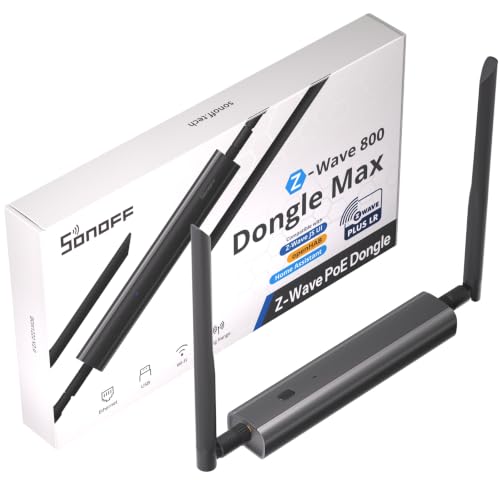
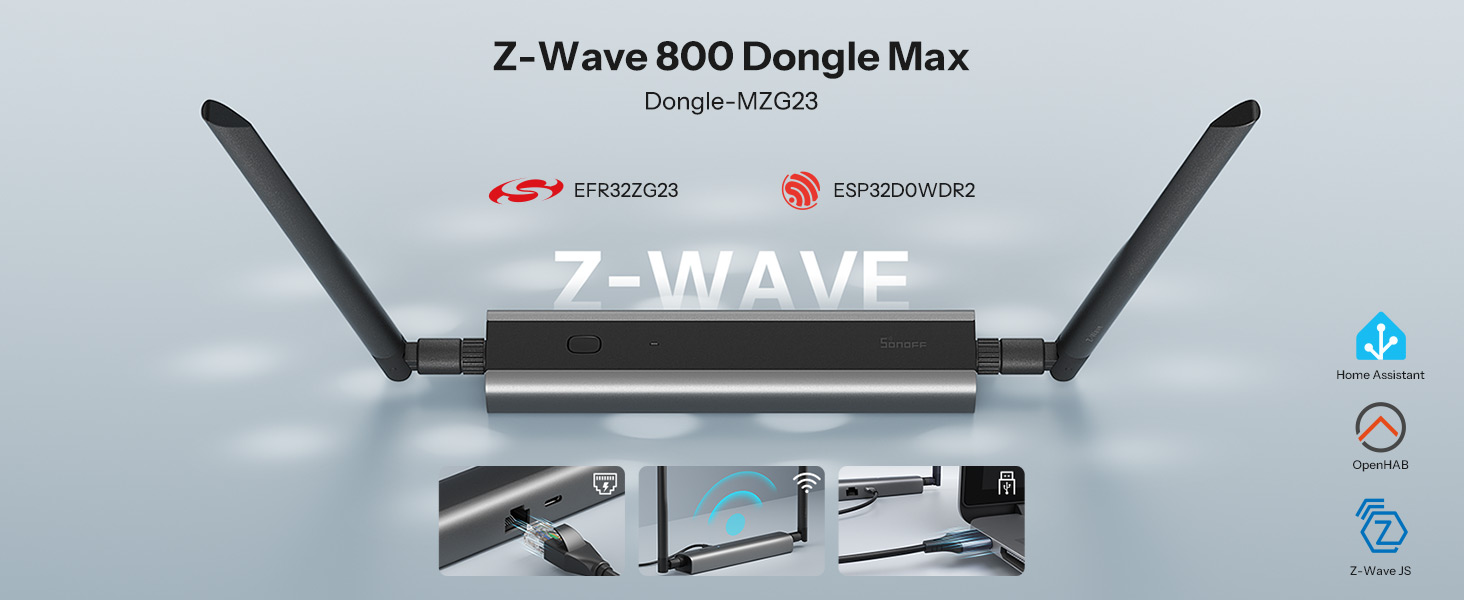
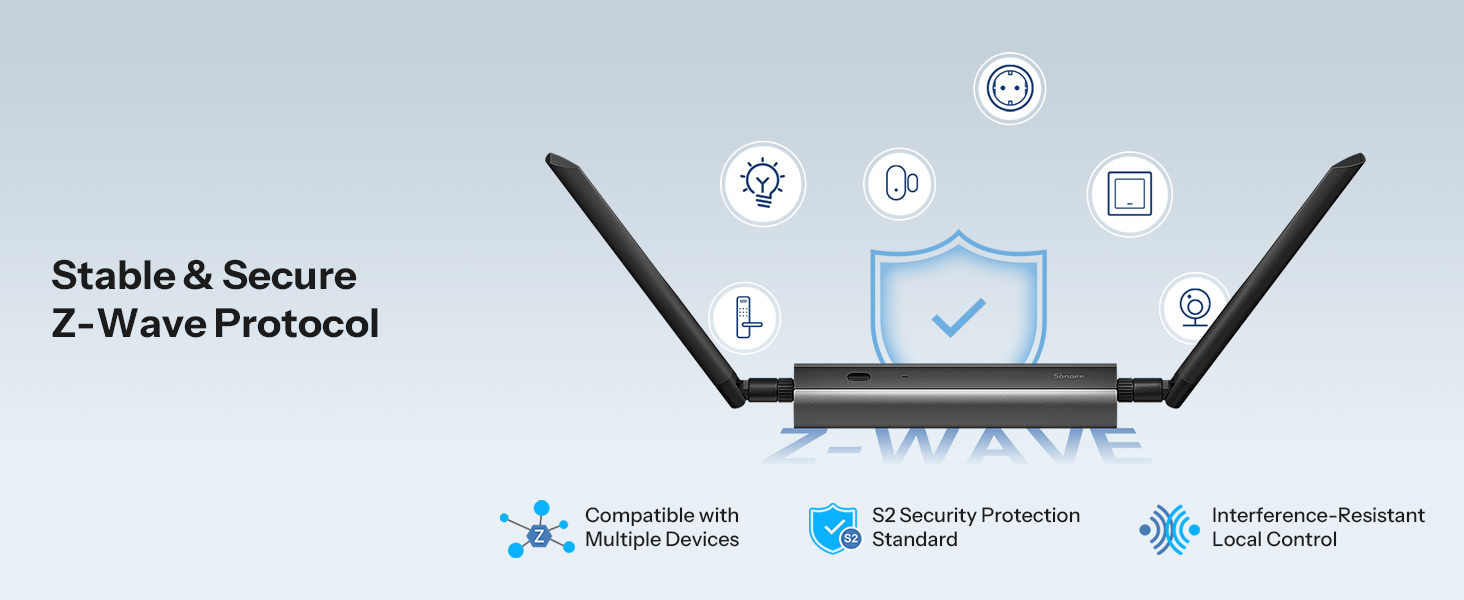
SONOFF Z-Wave 800 PoE Dongle Max (Dongle-MZG23) EFR32ZG23 & ESP32D0 Chip, Compatible with Home Assistant & openHAB, Z-Wave Long Range Control, S2 Security, USB/TCP Connected
| Weight: | 102 Grams |
| Brand: | SONOFF |
| Colour: | Black |
| Manufacture: | SONOFF |
Excellent Z-Wave 800 PoE Adapter for Home Assista
I love, love, love this adapter! I replaced my USB Z-Wave dongle with the SONOFF Z-Wave 800 PoE Dongle Max, and it has been a fantastic upgrade. Installation was easy, the web interface is convenient, and integrating it with Home Assistant was straightforward. It has been very reliable, and the PoE connection makes placement much more flexible than a USB dongle. The antenna provides coverage throughout my entire house, and I no longer have to deal with the hassles of having a USB dongle connected directly to my Home Assistant server. I liked this adapter so much that I also purchased the Zigbee model. Now my Home Assistant server has no USB devices, making it much easier to work with. If you’re using Home Assistant, I highly recommend this adapter!
A good first Z-Wave controlle
This is my first Z-Wave dongle, so I don’t have a lot of other hardware to compare it with, but so far it’s worked exactly as expected. I’m using it as a Z-Wave 800 controller and getting it connected was straightforward enough. The PoE/network option is particularly useful as it means the controller doesn’t have to be physically tied to the machine running the automation software. I’ve only got a limited number of Z-Wave devices here to properly test it with, but the ones I do have are behaving fine. So far, no complaints.
A great tool for z wave long range
We were really pleased with this dongle when testing it out, especially as we are relatively inexperienced with Z-Wave and those types of dedicated sensors for home automation. We absolutely love trying and testing new smart tech, even if it takes us a while to get around to a fully permanent setup, and this device has been brilliant to experiment with.
It is remarkably easy to setup and get running right out of the box. Usability is spot on, making it effortless to test across our various smart devices without getting bogged down in complicated configurations. In terms of overall performance, it worked exceptionally well with everything we tried. We have not tested it to its full range yet, though in everything we did it worked well.
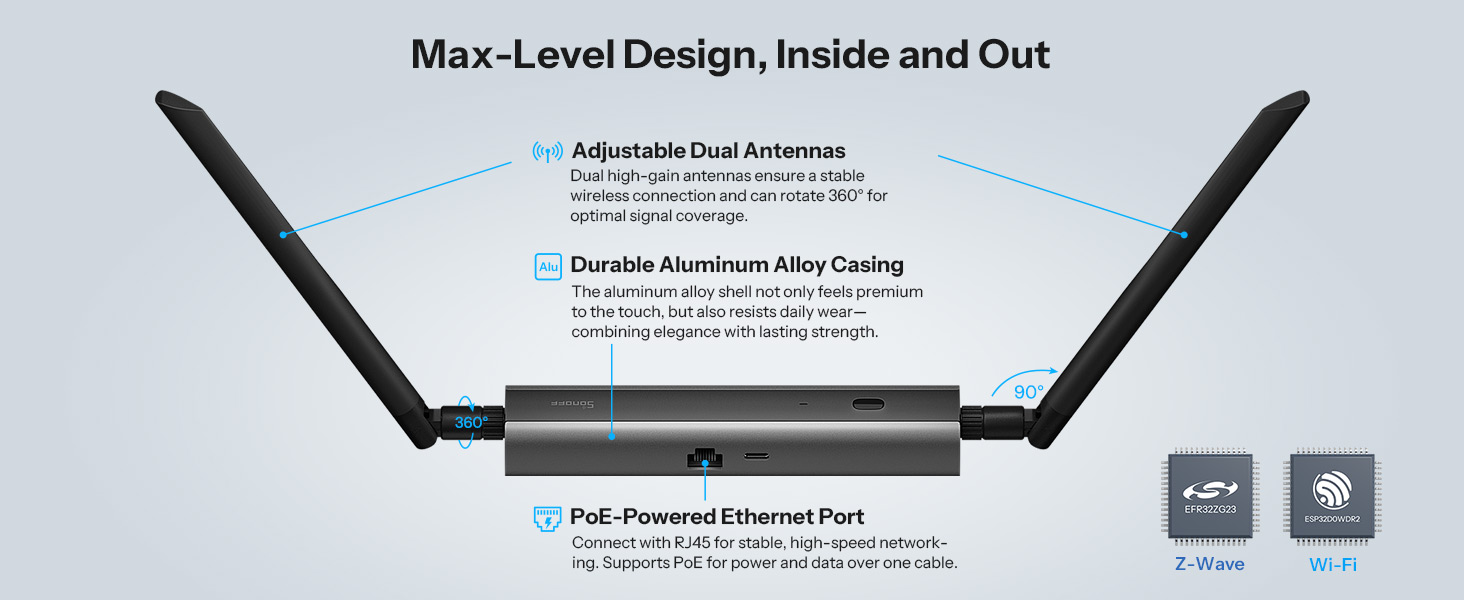
The key strength of this unit is its connectivity. Having the Ethernet connection means it can be placed wherever needed in the house to maximise wireless range, rather than being stuck plugged directly into the back of a server. The fact that it can be powered over PoE as well makes placement even easier and eliminates extra cable clutter.
The build quality feels solid, durable, and well made, with a neat finish that gives us total confidence in its long-term reliability. It is a fantastic option for anyone looking to dive into home automation, and it offers brilliant value for money.
I am running Home Assistant, and have been for a while, but I am constantly hitting a block when I try to connect items in my garage, as it is not close enough to the house. So I tried Z-Wave instead. Most of my system already runs on Sonoff kit, so this dongle from them seemed the obvious choice.
As this is PoE, I have been able to locate it as close to the garage as possible to help get the signal there. Just plug it in, then navigate to the built-in browser and add it to Home Assistant. Having it located further away also means the dirty signals from my Raspberry Pi do not interfere with the Z-Wave signal.
I was able to add a couple of buttons to HA using this dongle, and it has worked great. They have remained connected and just work every time.
The build is solid and feels robust, though it is unlikely to get handled a lot in normal use.
This is a really good extension to Home Assistant; the remote locating options make it even more useful.
Anyone who has run a smart setup for more than five minutes knows the USB coordinator curse. You plug a standard dongle directly into the back of your home server or NAS tucked away in a cupboard, and suddenly half your mesh drops offline because of severe USB 3.0 interference and thick walls.
That’s where this Sonoff PoE box earns its keep. The matte casing feels surprisingly robust in the hand,lightweight plastic, but dense enough that it doesn’t rattle when you tap it. The killer feature here isn’t just the newer EFR32ZG23 chip; it’s the Ethernet port. Being able to run a single Cat6 cable, power it cleanly over PoE, and stick this right in a central hallway or up near the ceiling completely transforms your mesh reliability. No awkward USB extension leads taped along the skirting board, and no dedicated mains plug eating up a socket.
Getting it talking to Home Assistant over TCP is relatively painless if you’ve handled networked coordinators before, though it’s not entirely plug-and-play for a novice. You do need to set a static IP on your router first, otherwise a reboot leaves your Z-Wave JS integration screaming into the void.
The external antenna collar is too flush with the casing, making it surprisingly fiddly to tighten with adult-sized fingers without accidentally twisting the internal lead. Once it’s threaded and locked down, though, the Long Range support punches straight through brick dividers and solid timber without a stutter. If you don’t run PoE, you can still power it via USB-C on a desk, but doing so misses the entire point of buying the network-tethered model.
The Verdict
If your server lives in a cupboard, basement, or a metal rack that kills radio signals, this is arguably the cleanest fix on the market. It rescues your Z-Wave network from the dead zones without forcing you to relocate your entire server setup. At around the typical Sonoff price point, it is brilliant value for money compared to buying an older USB stick and bodging network bridges together yourself. Just steer clear if you only have three smart plugs in a studio flat—a standard 15 USB stick will do you fine.
Works very well as a Z-Wave Dongle
I can’t vouch for its other features, but I have this set up in my garage/workshop to manage my external Z-Wave network, controlled using its inbuilt Serial-over-IP feature by Z-Wave JS. This works perfectly and recovers flawlessly from network glitches or software reboots. It also doesn’t seem bothered by the high summer temperatures out there. It was easy to set up using the built-in web interface.
The only minor issue I have with it is that the MQTT service that provides status information doesn’t use retained messages, so it may be necessary to reboot the ESP remotely to get fresh status information if the receiving client (in my case, Home Assistant) restarts, but as this is a minor flaw with an easy workaround, I still give it five stars overall.
Excellent product.
High Quality Dongle - Needs more Documentatio
This is less of a dongle and more of a wifi router for Z-Wave devices.
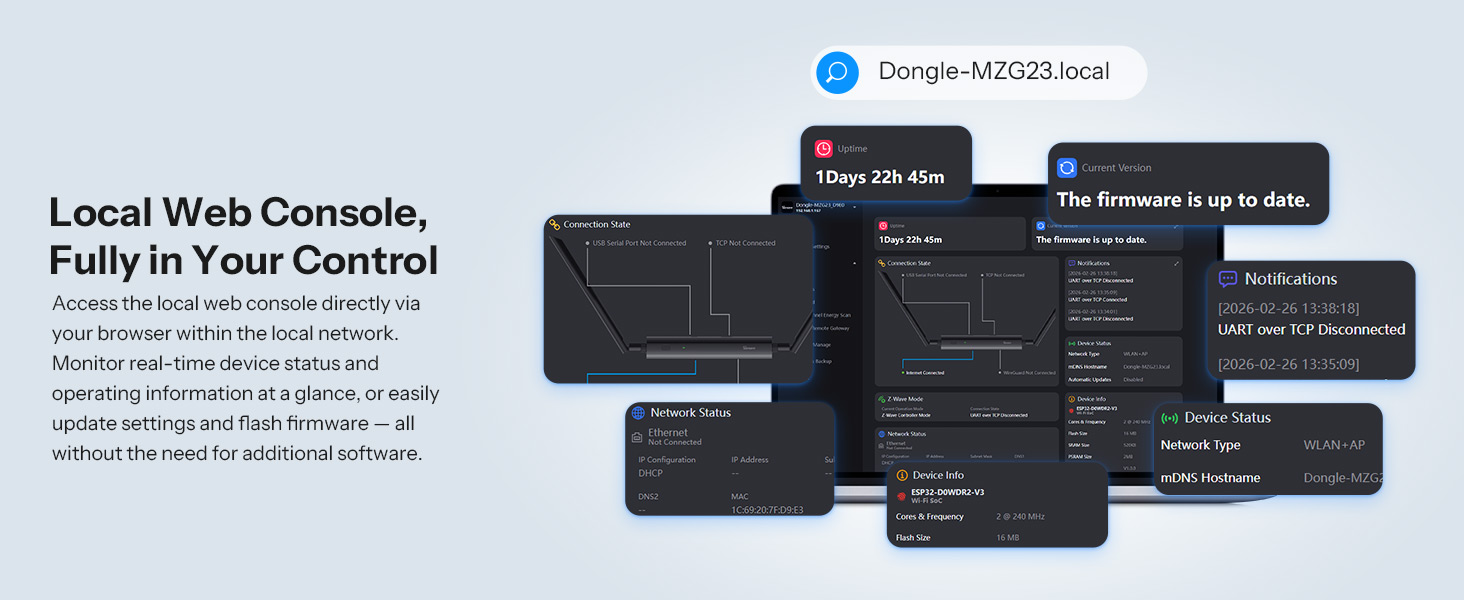
It has a full UI, and all the associated configuration options. The manual makes it sound easy.. Step 5 says.. Access the Web Console, and follow the instructions to connect to Home Assistant. Firstly there are no instructions I can find, and once I did manually plug in my MQTT details to connect to home assistant, which worked just fine and exposes all the settings etc.. I discovered the next issue.
I have no idea how to connect this to the Z-Wave integration/addon by ethernet or WiFi, all the options I have tried suggest doing it by serial, and even the multiple tutorials on the Sonoff help docs page which are very very detailed, all seem to be working with a ?USB over Serial connected device. I tested this and it works just fine, its just not what I need. I need it too work on a POE connection.
The UI mentions UART over TCP (as long as you DON’T have the USB connected to a PC) but I cant for the life of me find anything detailing how to get that enabled or connected. I think this would solve the problem entirely once I can figure it out.
Its a great bit of kit, It just could do with some more details on network connectivity adding to the help pages.
Ideal Solution if you lack USB ports!
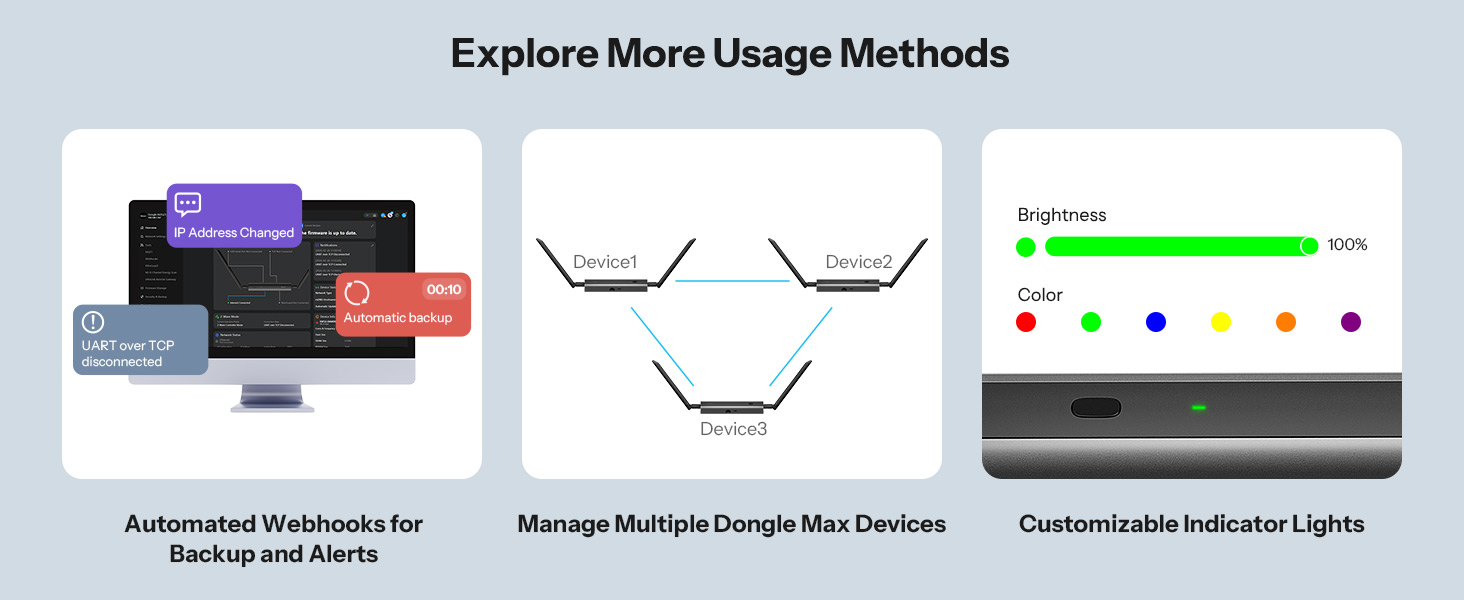
This Sonoff Z Wave dongle integrated easily into my home assistant setup using the POE connection. On my current setup i had no additional USB ports therefore to connect this up to my network switch via POE and have it talk to home assistant was brilliant! I have a few Z-Wave devices around my home and the dongle connected effortless to them – range seemed very good and there was no delay in data being transmitted/received despite not having a direct connection to my HA Server. The device is much bigger than conventional usb type dongles, however it looks stylish in it’s design and is compact enough to sit on a shelf (i have mine behind a picture frame) and not look out of place. The online web portal is well designed allowing for easy firmware updates and various config options. In summary i am impressed with this new sonoff dongle – it works well, looks great and provides excellent connectivity and easy config options. Value for money wise, i would be more than happy to pay the current listed price of 38.49.
A great Poe router for Z-wave.
I picked this up as I wanted to start adding some Z-wave devices for long range smart devices around our property that aren’t affected by the dense 2.4ghz network which Zigbee is on. I don’t have many devices yet but they do work over a much longer range than Zigbee which is great. This max dongle includes a low power WiFi chip which can be used to move iot devices onto freeing up other bands which is a very nice feature, especially as I’m running it over POE so I can place this where it gets the best signal coverage. I wanted to use it with home assistant and there are multiple guides on the website which seem to work well but they do require a good understanding of home assistant so not great for a beginner with the POE connection. Over usb it is easier as uses the built in apps. I do like how flexible the system is though. It can connect direct to the ewe-link app using the web app, I just had to check my router to find the ip address.
For 38 it’s very versatile and has multiple configurations. I have found the dongle gets very warm though which isn’t really a problem but it adds quite a bit of heat to the cupboard which I would rather avoid.
A flexible way to add Z Wave.
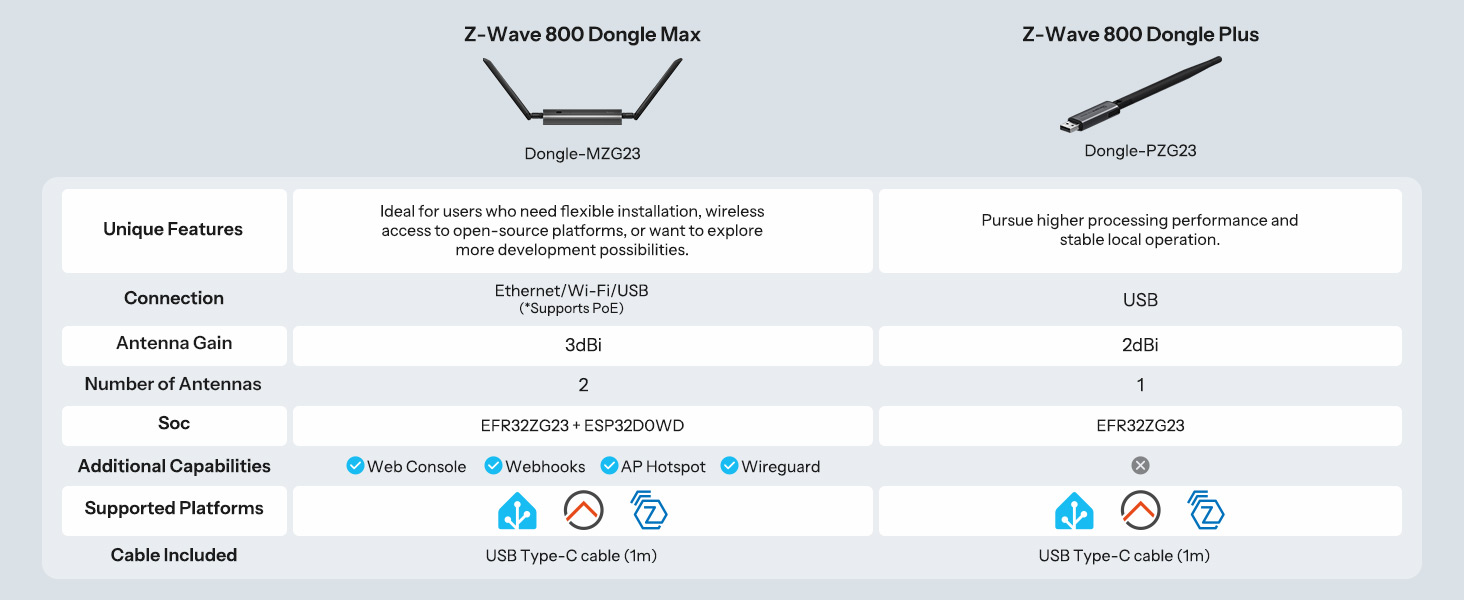
Most of my smart home already runs through Home Assistant, but Z Wave is one area I had not really explored. I wanted to add it without disturbing my existing Zigbee setup, and this has worked well for that. Sonoff confusingly uses the Dongle Max name for more than one model. This MZG23 is the Z Wave 800 model, while the similarly named Dongle M is for Zigbee and Thread, so it is worth checking the model number.
I connected mine by Ethernet and powered it from a PoE switch. For me that is the main reason to choose this over a normal USB dongle. The Z Wave controller does not have to sit beside the machine running Home Assistant, so I can put it in a more central position and run a single network cable to it. It can also be connected over WiFi or used directly over USB C if that suits the setup better.
The initial setup was straightforward. Once it was on the network I could open the local web interface in a browser, set the login password, check the connection and update the firmware. I then connected it to Home Assistant through Z Wave JS over the network. I much prefer having a local web interface for this sort of hardware rather than needing another phone app, especially as it gives me somewhere obvious to check what the dongle itself is doing if I ever have a problem.
The unit itself feels solid, with an aluminium body and two adjustable antennas. Sonoff also includes a small mounting bracket, so it does not have to be left loose on a shelf. My Z Wave device paired without any issues and has stayed responsive so far. I do not have a large enough Z Wave network to make any meaningful claim about the advertised Long Range capability, but being able to position the controller away from the Home Assistant hardware should be useful as I add more devices.
If your Home Assistant machine is already in the ideal spot and you only want a basic USB adapter, this is probably more hardware than you need. If you want Z Wave over Ethernet or PoE, being able to put the controller where it suits the Z Wave network rather than where your Home Assistant machine happens to be is the real advantage.