Thrustmaster TCA Officer Pack Airbus Edition: Ergonomic replicas of the world-famous Airbus sidestick and throttle quadrant – Compatible with PC
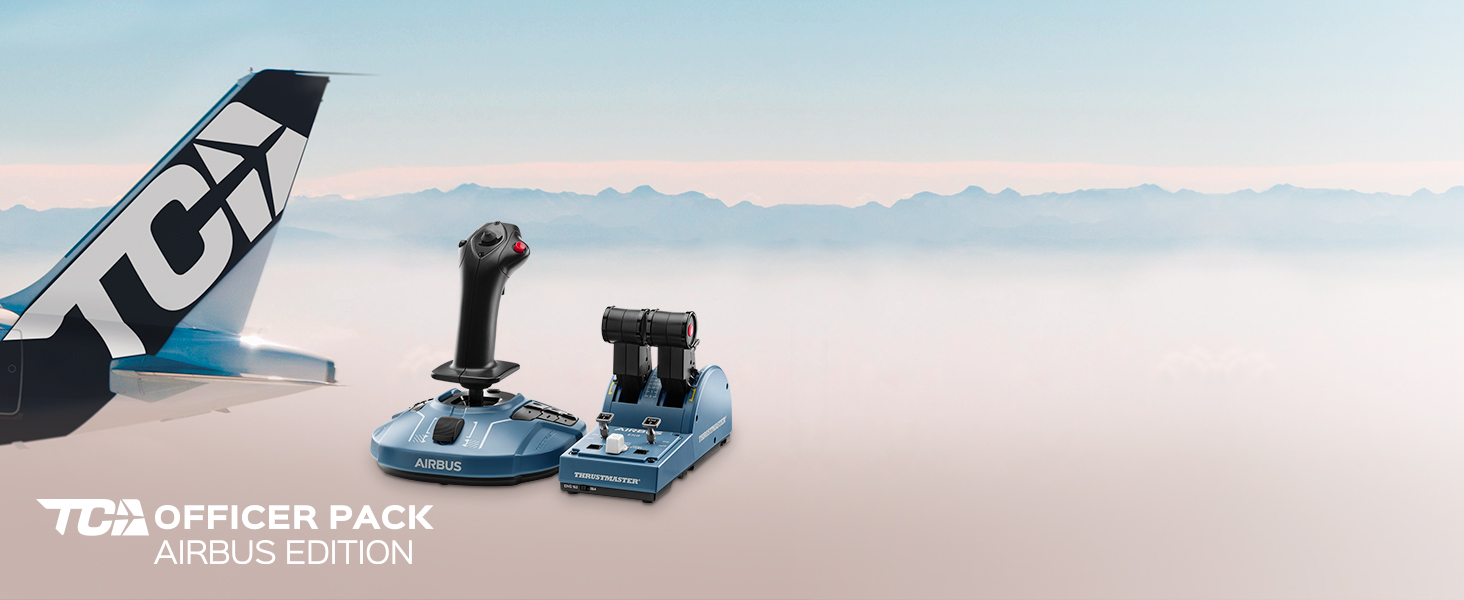
TCA OFFICER PACK AIRBUS EDITION
The TCA Officer Pack Airbus Edition includes the TCA Sidestick Airbus Edition and the TCA Quadrant Airbus Edition, for a complete civil aviation experience
-

INSPIRED BY THE REAL AIRBUS SIDESTICK
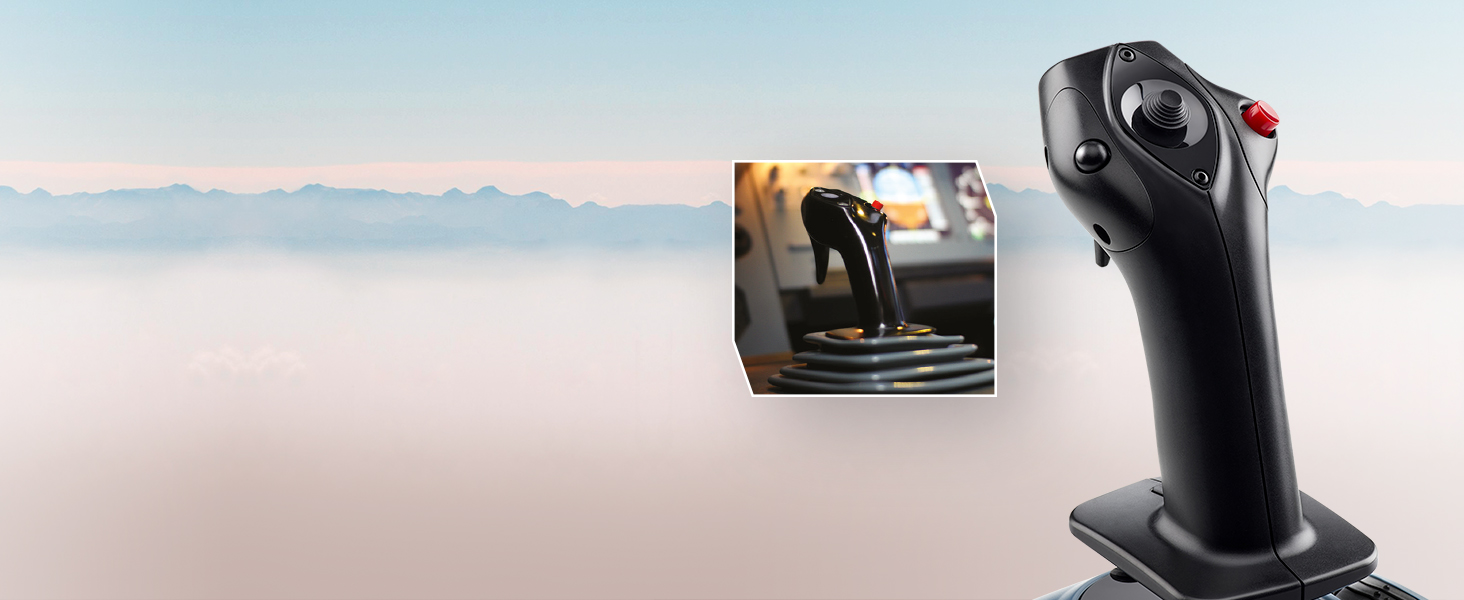
An ergonomic 1:1 scale replica inspired by the iconic Airbus sidestick, the TCA Sidestick Airbus Edition ensures unique handling.
-
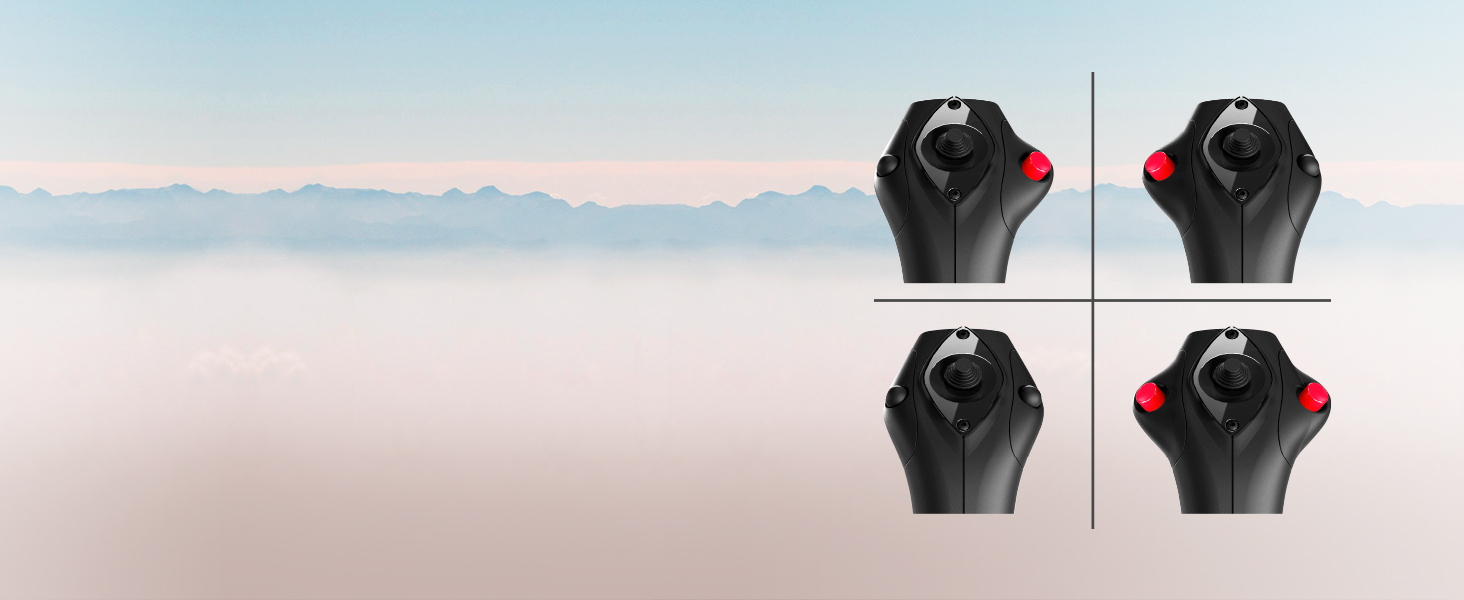
VERSATILE, MODULAR DESIGN
You can easily adjust the sidestick’s configuration before each takeoff, to meet your requirements: captain, co-pilot, or with the sidestick in the central position for solo flight.
-
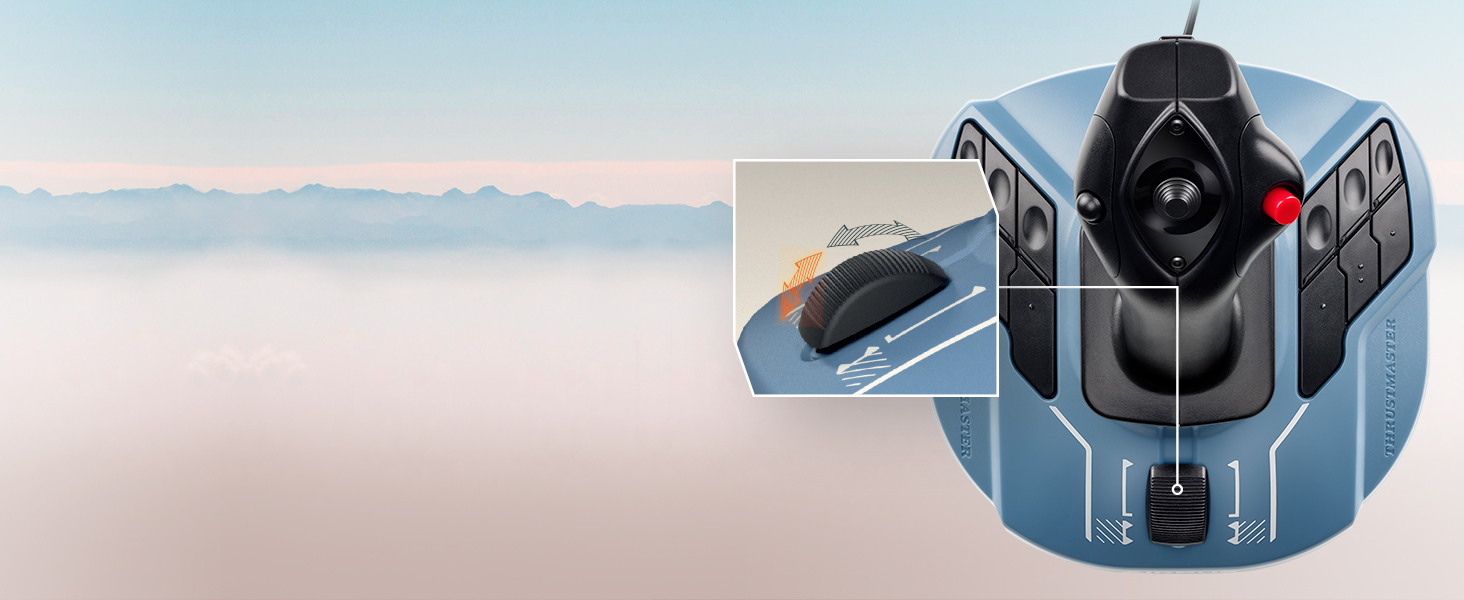
BUILT-IN THRUST REVERSER MECHANISM
The throttle built into the base of the joystick includes a thrust reverser function, a unique feature on airliners.
-
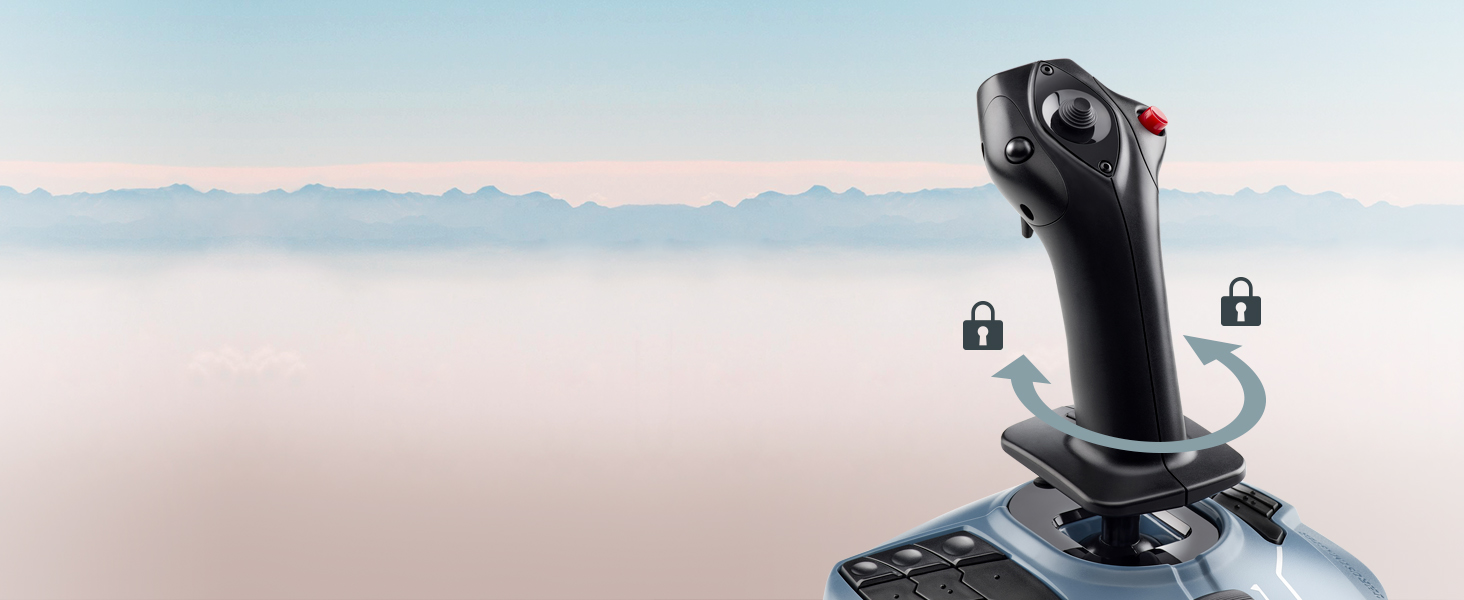
LOCKABLE TWIST RUDDER
The rudder can be used by rotating the sidestick’s handle, to make flying easier for multitasking pilots. This rudder function built into the sidestick’s handle also includes a locking system.
-
ICONIC AIRBUS CONTROLS
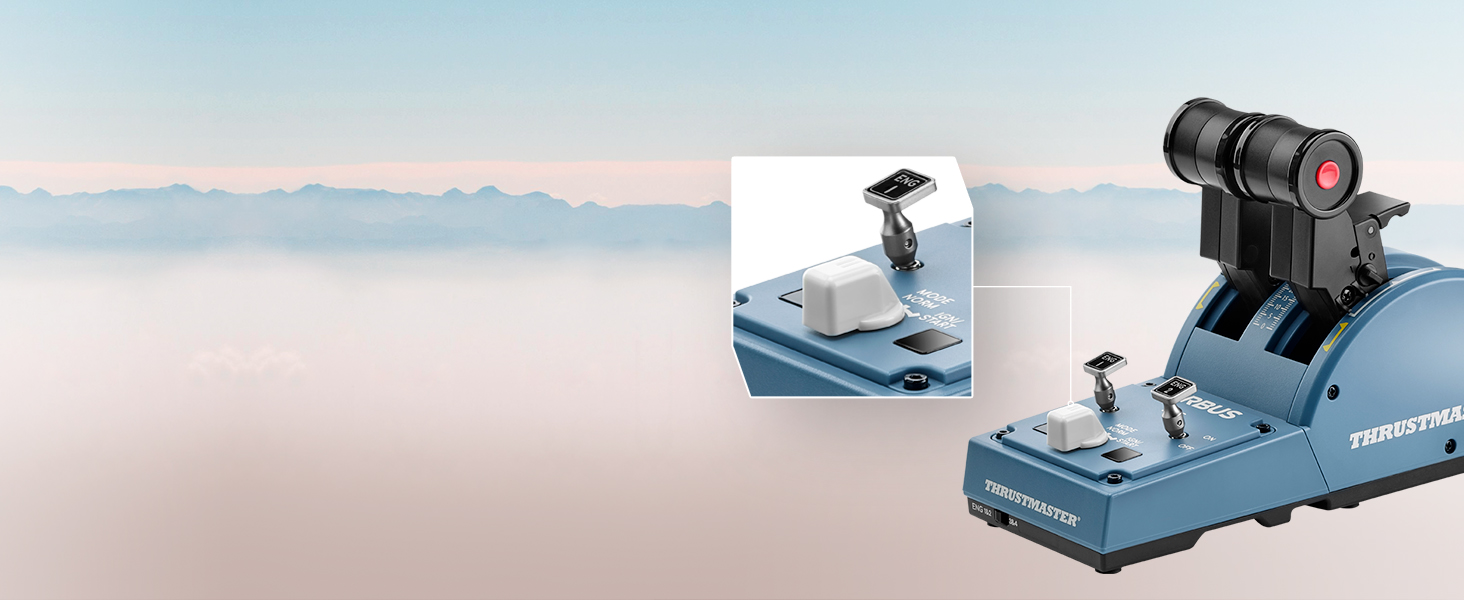
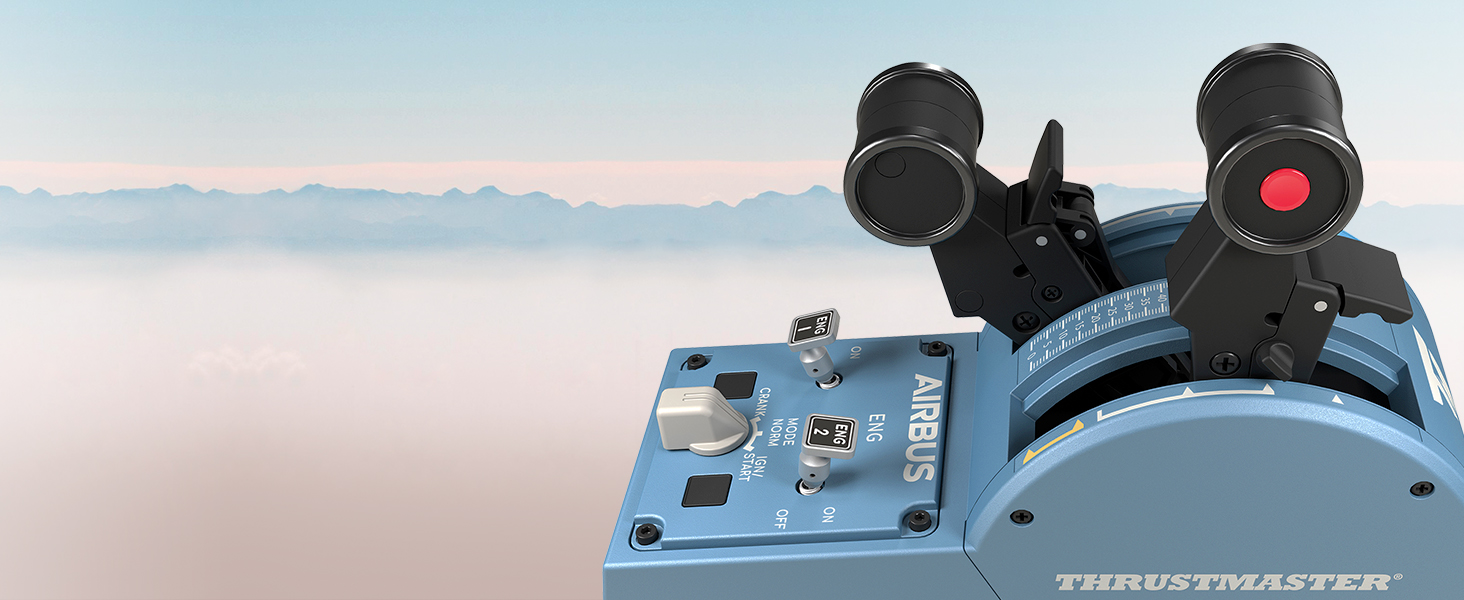
The TCA Quadrant Airbus Edition features 8 ergonomic physical action buttons (plus 8 virtual buttons on the thrust levers, for a total of 16), which are replicas of Airbus airliner controls.
-
DUAL THRUST LEVERS
The TCA Quadrant Airbus Edition features two separate thrust levers, inspired by their real counterparts found on Airbus airliners.
-
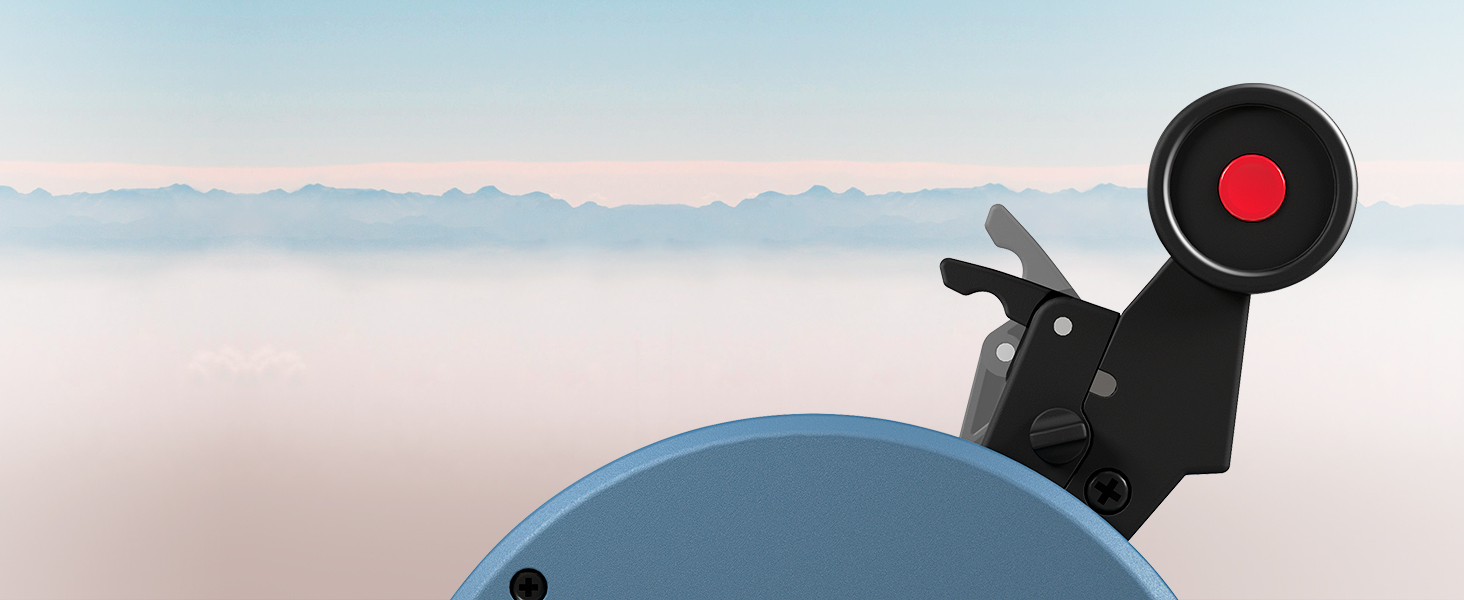
UNIVERSAL THRUST REVERSER
It includes a built-in thrust reverser mechanism, which is fully functional on airliners, light aircraft and transport aircraft.
-
PILOT ANY TYPE OF AIRCRAFT
Mechanical selectors let you disable the detents and thrust reversers (to switch to linear axis mode), for flexible piloting of any type of aircraft.

Default functions in Microsoft Flight Simulator 2020
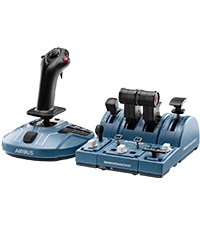 TCA Captain Pack | 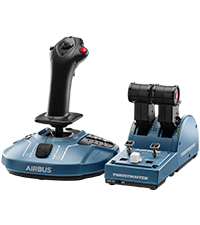 TCA Officer Pack | 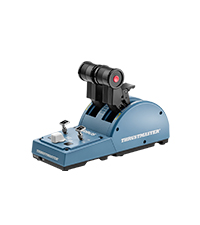 TCA Quadrant | 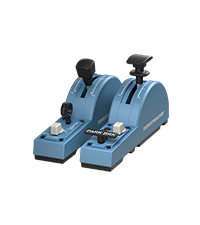 TCA Quadrant Add-on | 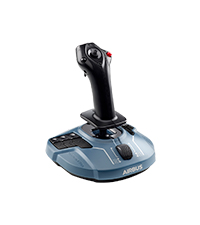 TCA Sidestick | |
| HEART Magnetic Technology | ✔ | ✔ | ✔ | ✔ | ✔ |
| Modular joystick | ✔ | ✔ | ✔ | ✔ | ✔ |
| Thrust reversers | ✔ | ✔ | ✔ | ✔ | ✔ |
| Flaps | ✔ | ✔ | ✔ | ✔ | ✔ |
| Airbrakes | ✔ | ✔ | ✔ | ✔ | ✔ |
| Landing gear | ✔ | ✔ | ✔ | ✔ | ✔ |
| Throttles | 3 | 3 | 2 | 0 | 1 |
| Dimensions: | 386 x 212 x 250 cm; 1.8 Kilograms |
| Model: | 2960842 |
| Origin: | China |
Present for family
Purchased as a present for family member who has really enjoyed the product for use with his compute
Makes flight sim experience more enjoyable
This is a great edition to your flight sim controls especially if you fly any twin engine jet or prop aircraft. Adds realism to the experience. Good quality and from thrust master it is a build quality that should last ages.
joystick makes landing on MSFS2020 authentic
if you are into aviation and play alot of XWINGS DCS world or MSFS2020 the sidestick is comfortable to use and smooth.
throttle quadrant starts out a little sensitive in MSFS2020 but can easily be adjusted. awesome for the Airbus A320NEO/A310
when flying the Boeing 747 the throttle quadrant will divide itself to allow control over all 4 engines
Brilliant totally recommended
Lovely piece of kit, joystick and throttle works amazing, I have been using it on MFS, absolutey no problems with sensitivity as some people had, I guess it depends on preference. Out of all the ones I looked at, I totally recommend this one!
Excellent, only one flaw
The sidestick and quadrant are excellent, they feel a good weight, the quadrant could have a bit more weight to the base but is just fine. All works very nicely. My only criticism is that the throttle range prior to the first detent is very small, which makes it hard not to spoil up the engines excessively when taxiing, but really very minor effect on enjoyment.
Great value for money
Great value for money.Very happy with it works great I fell like a real pilot.The item was packaged great. Built very well everything works very smoothly. Recommend this product a lot.
Excelle
Absolutely incredible hardware the airbus a320 is perfect for using the Boeing airbus
Nicely made item
Nicely made, seems durable and is compatible with most flight sims.
Fantastic quality
Loved It, the throttle quadrant works so well with other aircraft. Worth the money better than Logitech yolk and throttle.
Excelle
Brilliant realism addition for flight sim fans
Don’t hesitate to buy
Perfec
Bought for my son who uses it with Microsoft flight simulator. He has had no issues with it.
A good quality, handy throttle with some nice Airbus touches – works great on X-Plane 11 with my ToLiss A319/A321, and can be configured with any other aircraft in the X-Plane controller settings.
I’m aware it works with FS2020 also, although I haven’t used it much on that sim.
The thrust detents work great, although the manual thrust ‘gate’ is a fair bit smaller than on the real thing – although the quadrant on the whole is probably just over half the size, so this is to be expected.
My only minor criticism, is the resistance still feels a little too low, meaning the motion of the throttles is a little bit too loose, but still doesn’t feel flimsy or poorly built (remember this isn’t a professional 1:1 replica piece of hardware!).
Overall good value, for those looking for a handy throttle quadrant, which works especially nicely flying your chosen Airbus!
Met my expectations 100%
I bought this having looked at all the options in the price range and decided on this because of the Airbus branding. Don’t be put off by it thinking it’s style over substance, it isn’t and the product met my expectations 100%
Pros:
-Buttons feel quality
-Moving the stick is smooth and feels good with excellent return to centre system
-Set up was easy with windows recognising it and programing controls was easy (I use FSX)
-Although plastic it is of sturdy quality
Cons-
-Throttle is a nice feature but small and hard to use
Met my expectations 100%
I bought this having looked at all the options in the price range and decided on this because of the Airbus branding. Don’t be put off by it thinking it’s style over substance, it isn’t and the product met my expectations 100%
Pros:
-Buttons feel quality
-Moving the stick is smooth and feels good with excellent return to centre system
-Set up was easy with windows recognising it and programing controls was easy (I use FSX)
-Although plastic it is of sturdy quality
Cons-
-Throttle is a nice feature but small and hard to use
Great but probably quadra
Had this for a few month now and its working great, don’t know if its my quadrant unit but my thrust detents wont work properly no more and the left one does weird stuff. Other than that its grea
A must have for msfs2020 if you fly the airbus
Works perfectly out of the box. Adds to the immersion when flying the Airbus A320. Sturdy equipment from Thrustmaster as always. Perfect.
Solid bit of kit.
Product has a nice sturdy base. Inputs are accurate. Stick feels comfortable and semi-accurate to the real aircraft. Nice that it has many buttons and ambidextrous ability. Travel on integrated throttle is limited but I usually fly with a sepperate throttle quadrant. Definitely would recommend.
Funciona perfecto en Mac.
Funciona perfecto en Mac, a pesar de que solo se comenta que funciona para Windoes.
Flight Stick Which can be used Left Handed
I was using a Saitek-Logitech X52 Pro set up with MSFS2020, but although this has over 30 configurable, buttons, sliders, and knobs, it can only be used right-handed, and I am left handed.
So I replaced this with this Thrustmaster Flight Stick which has 16 or 17 configurable buttons and can be set for LH use.
The Thrustmaster was immediately recognised by MSFS2020, and basic configurations were preset. The actual joystick has a very smooth precise action, which made flying the sim’s planes easier.
In a previous review a customer complained of the poor detente on the throttle slider (activation for button 17). I too had this problem. I solved it by removing the unit’s baseplate and slightly loosening the screws securing the throttle slider. There is now a clear, positive detente on the slider, but, of course, opening the the unit invalidates any warranty, so this is a risk.
eine Herrausforderung
1.) es funktioniert!!!
2.) es kann tricky sein die “Kurvenverlaufe” im Setting richtig auf das eigene System (PC / xBox etc) einzustellen. Es erfordert Geduld und ein generelles Verstaendnis ueber die gewuenschten Ablaeufe.
Ich bin zufrieden !!
eine Herrausforderung
1.) es funktioniert!!!
2.) es kann tricky sein die “Kurvenverlaufe” im Setting richtig auf das eigene System (PC / xBox etc) einzustellen. Es erfordert Geduld und ein generelles Verstaendnis ueber die gewuenschten Ablaeufe.
Ich bin zufrieden !!
Fattibile?
Ho acquistato il prodotto per potermi immergere nella simulazione di Microsoft Flight Simulator nei migliori dei modi possibili, e cos stato. Non ho nulla da ridire per quanto riguarda la Sidestick, molto comoda e soprattutto molto maneggevole, ma ho qualcosina da ridire riguardo il Quadrant. Mi aspettavo qualcosa di decisamente pi “grande” e non qualcosa di queste dimensioni, non molto pratico il suo utilizzo e avvolte si fa fatica. A mio parare, il Quadrant doveva essere leggermente pi “grande” cos da evitare di avere una manetta che sembra quella per dar potenza ai motori degli aerei delle micromachines, per il resto: nulla da ridire.
Side buttons a bit awkward
Game recognised it straight away, buttons a bit awkward , good product for price
Side buttons a bit awkward
Game recognised it straight away, buttons a bit awkward , good product for price
Ottima replica Throttle
Ottimo prodotto della Thrustmaster , riconosciuto anche dall’Airbus, lo uso con x-plane 11.53.
Corrispondenza quasi perfetta con gli aerei Airbus del simulatore . Abbastanza facile da settare , per chi usa X-Plane ottima corrispondenza con gli airbus Toliss sia bi che quadrimotore, sia per quelli Jard che Flight Factor.
Consiglio vivamnete per una simulazione pi realistica
Génial et réaliste
Absolument gnial, aucun paramtre faire, tout se configure automatiquement et c’est prt l’emploi, juste brancher. Les commandes et le joystick sont trs ralistes au niveau, sonore, mcanique et finitions. Je recommande !
Fast wie "echt" - obwohl ich das nicht kenne....
Ich nutze den Flugsimulator vor allem um die Welt virtuell kennen zu lernen. Bisher, seit bestimmt 20 Jahren mit einem Minimal Sidestick, der allerdings durch den neuen Simulator hoffnungslos berfordert war. Habe nicht mal die Flugschule zufriedenstellend absolvieren knnen. Jetzt ist alles einfacher, vor allem durch die einfache Seitenruderbediening und das Sichtumschalten per Knopfdruck.
Fits the bill perfectly!
Being an enthusiastic flight simmer and retired Aeronautical Engineer I really appreciate the quality of this produc
Fits the bill perfectly!
Being an enthusiastic flight simmer and retired Aeronautical Engineer I really appreciate the quality of this produc
Fast wie "echt" - obwohl ich das nicht kenne....
Ich nutze den Flugsimulator vor allem um die Welt virtuell kennen zu lernen. Bisher, seit bestimmt 20 Jahren mit einem Minimal Sidestick, der allerdings durch den neuen Simulator hoffnungslos berfordert war. Habe nicht mal die Flugschule zufriedenstellend absolvieren knnen. Jetzt ist alles einfacher, vor allem durch die einfache Seitenruderbediening und das Sichtumschalten per Knopfdruck.
Arrivato puntuale funziona benissimo un ottimo aiuto per pilotare un a320
Per dare un tocco di realt in pi alla simulazione questo un oggetto da non perdere .
Buena relación calidad precio.
Esperaba que fueran las palancas metlicas. Me quedo desilusionado que no se puedan armar los spoilers, se pone un palanca que hace la mitad de su funcin, es como si en las palancas de motores no pusieran las reversa. Por lo dems, estn bien y funcionan bien, pero deberan cuidar esos detalles, por eso no le doy 5 estrellas
Muy buen dispositivo
Quitando que es todo de plstico, deberan de haber utilizado materiales metlicos en algunos casos. No entiendo como pueden pintar letras, nmeros y rallas y olvidar poner en los laterales de la palanca, las palabras IDLE, FLEX, TOGA,REVERSAS. Con hacer la superficie donde van las flechas de cada posicin, 3 milmetros ms anchas, tenan espacio para escribir. An sin hacerlo ms ancho tambin podran haberlo escrito. Por eso no le doy las cinco estrellas, por no poner los textos y no poner las palancas metlicas
AS GOOD AS NEW
This product is so overpriced but spotted a used AS good as new offer for just 88, the product really is AS good as new and was well worth the purchase to upgrade my throttle quadrant.
Great accurate stick
This stick is really comfortable, very accurate. I love the ability to change hand orientation.
A couple of things I would change; the throttle control is clearly an afterthought, no ability to reverse thrust. And the base could be a little heavier as achieving full deflection causes the stick to lift off the desk. Both these issues have solutions. Buy the throttle quadrant and screw the stick down via the threaded holes on the base. All in all, for the price, 100% recommend.
Parfait !
Maintenant je suis dot de tout le matriel me permettant de me poser sur tous les aroports du mooonde !
Excellent joystick for the price
This is a really good joystick, it has a smooth and firm action in all 3 axes with a medium strength spring. I am using it with X-Plane 11 with the B737-800 and had no issues installing and configuring it.
The only small downside as others have said is that the throttle slider came installed upside down on my unit, it was sticking out below the front of the unit at minimum throttle. Also the detent arm for reverse was not even touching the cut-outs intended for it so it had no feel at all. I fixed both these issues myself with little effort.
You can lift off the black plastic throttle button by carefully and slowly rocking it up and down as you lift. Then remove the screw holding the plastic detent arm and lift it off. Cut a couple of thin strips of electrical tape and place directly underneath where the arm sits, as close to the screw as possible. Replace the arm, press it down on the tape and tighten the screw. The arm ends should now sit about 2mm higher than before. Add another layer of tape if needed.
There is a very good guide on Reddit to do this, just google “Detent Fix for Thrustmaster Airbus Stick”.
I’m not going to knock off a star for this problem even though this should have been done correctly at the factory as it was a very easy fix and I otherwise love this joystick. Hope the above is helpful to someone.
TCA Quadrant Airbus Edition + Addons Flaps e Spoilers.
Funzionamento perfetto con X-Plane 11.55, velivoli A320 Flight Factor, A320 Jar Design, B737 Zibo, B737 Default di X-Plane, B737 Xproject. Devo ancora provarlo con Cessna 172 e gli altri aerei di X-Plane ma sono sicuro che funzioner. Usandolo con aerei che non siano gli Airbus bisogna ruotare gli inserti posti sul retro, operazione semplicissima, basta un cacciavite a croce. (ci sono le istruzioni sul libretto).
Working well
Working good with other thrustmuster equipment. Using for xplane flight factor A320
Quick shipping
Thank you
TCA Quadrant Airbus Edition + Addons Flaps e Spoilers.
Funzionamento perfetto con X-Plane 11.55, velivoli A320 Flight Factor, A320 Jar Design, B737 Zibo, B737 Default di X-Plane, B737 Xproject. Devo ancora provarlo con Cessna 172 e gli altri aerei di X-Plane ma sono sicuro che funzioner. Usandolo con aerei che non siano gli Airbus bisogna ruotare gli inserti posti sul retro, operazione semplicissima, basta un cacciavite a croce. (ci sono le istruzioni sul libretto).
Absoluter Traum
Das Spielerlebnis wird mit diesem Produkt immersiv gesteigert! Alle Tasten an der Schubreglerkonsole sind dank aktuellem Treiber fr den MSFS2020 bereits korrekt vorbelegt. Ich kann das Pack ausnahmslos weiterempfehlen!
Realtà aumentata
Periferica indispensabile. Una volta provata non si torna pi indietro. La gestione dei motori come nella realt di una comodit sorprendente. Assolutamente consigliato!!!
Value for money
I ordered this to dip my toe into Microsoft’s Flight Simulator (combined with VR). At the price point its a quality piece of kit and feels pretty solid with good buttons and a responsive stick with no dead zone. The throttle slider lets it down, it slides up and down smoothly enough and does the job but the plastic slider twists from side to side (almost feels loose) and the supposed detent to allow for reverse thrust is none existent, you just can’t feel it All that said I’m really enjoying using it and have no regrets buying it. I think to improve on this stick you would have to spend considerably more money.
Great quality, really impressed
It has a nice, solid feel to it. Really impressed, especially for the price. The throttle is not the best design, but I have a separate throttle so not worried.
ottimo per msfs2020
stick solido e robusto, adatto all’utilizzo con msfs2020, plug and play, avevo in precedenza un altro stick e con questo vi una differenza abissale, adatto per aerei ifr e vfr, super consigliato.
Molto bello, non realistico al 100%, non ancora totalmente compatibile con MFS2020
Esteticamente bellissimo, ben simulate le viti di ogni quadrante tipiche di Airbus.
Poco realistiche le posizioni delle manette. Sugli aerei le manette non hanno molle e tantomeno non scattano su determinate posizioni quando vi si trovano vicino.
Inoltre le distanze tra Idle, Climb, Flex e ToGa sono sbagliate.
Complessivamente, per una simulazione ludica, sono perfette
ottimo per msfs2020
stick solido e robusto, adatto all’utilizzo con msfs2020, plug and play, avevo in precedenza un altro stick e con questo vi una differenza abissale, adatto per aerei ifr e vfr, super consigliato.
Molto bello, non realistico al 100%, non ancora totalmente compatibile con MFS2020
Esteticamente bellissimo, ben simulate le viti di ogni quadrante tipiche di Airbus.
Poco realistiche le posizioni delle manette. Sugli aerei le manette non hanno molle e tantomeno non scattano su determinate posizioni quando vi si trovano vicino.
Inoltre le distanze tra Idle, Climb, Flex e ToGa sono sbagliate.
Complessivamente, per una simulazione ludica, sono perfette
I bought this for my son – who is rightly or wrongly following his dad’s footsteps into commercial aviation – as a Christmas present. It’s early days yet, but as his school has an A320 sim, and it’s training aircraft are all glass cockpit DA40/42’s, I thought this might be the most appropriate controller for his PC.
The Captain pack comes with the joystick itself, the thrust levers, and the flap/speedbrake attachments.
The joystick is very similar to the real thing, with a few extra buttons here and there, which you could assign within your sim of choice to various functions. One of the things I really like, is the ability to switch over the control from left-handed operation to right, and vice versa. With the autopilot disconnect switch and A.N.other (that doesn’t exist in real life) being swappable.
This is a major plus point, as not only does it allow you to fly an Airbus style aircraft from either seat, with the controls correctly laid out, but, in the case of my lad, he’ll do his initial training in the DA40 from the left seat, so being able to ‘fly’ with his left hand and operate the throttle and other controls with his right – later switching seats as he progresses to the end of the course. And this pack allows him to switch over ‘seamlessly’.
The joystick itself, and the whole pack, is made from plastic, but generally feels substantial enough to put up with the rigours of simming. If you don’t have rudder pedals, the joystick has a twist function to allow some form of rudder control. This can be locked out with a switch underneath the base of the unit.
The thrust levers are set up for Airbus flight straight out of the box, with ‘detents’ for CLB/MCT/TOGA almost like the real thing. The ‘detents’ can be removed, again, by accessing the underside of the unit. Reverse lock switches are in place, though the ‘lift’ to go through the gate actually into reverse isn’t there. Likewise the engine switches are straight forward switches, whereas in real life, they have a ‘lift’ over the gate to activate. A shame this wasn’t incorporated, but not a deal breaker.
Just below the engine switches are the two fire indicators – only they’re not – they’ve been replaced by push button switches – which I think is a good compromise, it ‘looks’ the part, while adding some extra functionality, as again, these can be programmed/allocated to your liking.
And in-between the ‘fire indicators’ is the engine crank/start-ign rotary selector – all present and correct, though again, there is no ‘lift’ required to activate it (you’ll see a common theme here)!
Either side of the throttle quadrant, are the speedbrake, gear, and autobrake controls to the left, and flap, rudder trim, and park brake to the right.
Starting with the flap selector, it looks like a scaled down version of the real thing (the whole of the thrust lever assembly is scaled down to around 1/2 real size (ish – it’s been a few years since I flew Airbus). But, as with all other controls some of the real life features are missing – in this case, the lever that you have to pull up to release and move the selector from detent to detent is physically in place, but it doesn’t move, or serve any purpose other than ‘looking the part’. The detents themselves are all there for Flap positions 1, 2 & 3, so again, a decent compromise.
Below the flap lever is the rudder trim, along with the rudder trim reset button, and below that still is the park brake – again a simple switch, which should have a lift gate to prevent accidental movement – but doesn’t. Both of these controls are on the real aircraft, though they’re not positioned where they are here – but we can easily forgive that, as at least they have been included – though it is a shame that they used a generic rotary switch for the rudder trim (the same as the engine start selector) instead of something that looks like the real thing. At least the park brake is an accurate, but smaller, copy of the real thing.
The speedbrake then is basically a repeat of the flap lever; I can see why they’ve done this, as it makes things a lot cheaper to mass-produce, but does mean it’s not quite accurate. It looks right, but has no ‘push’ to release function, nor does it have a ‘pull’ to arm function. Again, it’s an acceptable compromise to keep costs down I suppose. Where it does differ from the real thing, which could have been easily avoided, were the number of detents, which the real thing doesn’t have – in real life, there is a ‘soft’ stop at the halfway mark to stop you inadvertently demanding more than half speedbrake (there are limitation on it’s use – though generally the aircraft won’t deploy more than you’re allowed, it will ‘complain’ with a warning that you’re trying to deploy too much). The detents can be removed entirely with adjustment from underneath, but there’s no facility to just have a single detent at the halfway point.
Just below the speedbrake is the gear lever. A much smaller copy of the real thing, and again, for sake of something to include, it’s not in the correct place, but happy to have it. You know what I’m going to say by now – again there’s no ‘lift’ protection, which is there in real life.
And finally, the Autobrake selector. On the single-aisle Airbus, this is a combination of three lit push buttons, to select, Low, Med, or Max. I have to assume that this is a copy of the autobrake switch on the 350/380 series aircraft (maybe the 330, but I don’t know). It has a few more selections available, including BTV, which is Brake To Vacate – something not available on single aisle Airbus – we don’t even have it on the 787. Again, the switch isn’t protected by a lift, or push, function as it would be in real life – just a plain rotary switch.
Connecting up to a PC requires just a single USB connection, as the units all link together before running a single cable to the computer. Run the Thrustmaster setup, and then it’s automictically recognised and configured for you, with most major controls being correctly assigned (this was using MS Flight Sim 2020).
All in all, for a couple of hundred quid, if you’re serious about your simming, it’s probably one of the best value packs out there. While it’s definitely Airbus centric, it can certainly be used for other types too, and there are plenty of spare buttons on the joystick base to assign other major functions.
It loses a star simply because of the compromises that TM have chosen to make in the name of cost savings and convenience – namely the lack of any ‘lift’ protection function on any switch or lever which would have them in real life. I can accept it overall though – too many people out there wouldn’t know about said protections and TM would most likely have a a lot of returns from people then forcing, and breaking, switches – and likely blaming the product!
So am I being mean in dropping the star? Probably! If you think so, feel free to take my 4 star review as a 5 star review – just accept that it’s almost like the real thing – but not quite! 😉
Star Wars Squadrons
…gab`s umsonst und den Stick im Angebot…beides zusammen ein tolles Spielerlebnis und sehr przise. Qualitt is auch okay
Take command of the Airbus in MSFS
With twin notched throttles, spoilers and flaps at your fingertips, as well as engine starters, landing gear, hand brake, rudder trim and assorted configurable buttons. This is a great piece of kit. Of course it’s plastic and smaller than the real thing but it’s reassuringly heavy and a delight to use.
Guter Joystick zum Einstieg in die virtuelle Fliegerei
Hab mir den Stick fr den MSFS2020 gekauft. Funktioniert einwandfrei. Kein Drift o.. Bei dem Preis (um 50) macht man echt nichts verkehrt und braucht nicht mit Maus, Tastatur oder Controller rumtddeln.
Guter Joystick zum Einstieg in die virtuelle Fliegerei
Hab mir den Stick fr den MSFS2020 gekauft. Funktioniert einwandfrei. Kein Drift o.. Bei dem Preis (um 50) macht man echt nichts verkehrt und braucht nicht mit Maus, Tastatur oder Controller rumtddeln.
Fantástico
Fcil de configurar y funciona estupendamente. Los botones y palancas son de buena calidad, y la verdad es que ayuda bastante al no tener que usar el teclado para activar cosas en el simulador. Echo en falta que fuese un poco ms grande la parte del cuadrante de motores, pero las palancas de flaps y aerofrenos tienen posiciones intermedias que facilitan que se queden ah. El simulador detecta perfectamente la posicin de las palancas y los botones.
2 Cdes de gaz et reverses moteurs
J’avais achet un ensemble T16000 pour piloter sur l’ancien FS , mais il n’y avais qu’une seule manette pour
les moteurs,et pas de reverses programmables sur les manettes ( sauf sur clavier F2/F1 difficile utiliser lors
d’e l’atterrissage )… Mais la ,c’est mieux,il y a 2 manettes rotatives et deux reverses ,1 pour chaque moteur,
c’est idal pour piloter mon Airbus A 321 habituel … Sinon, le joystick est ,lui assez semblable au T16000 …
Hlas,ils n’ont pas amlior les 12 boutons poussoirs programmables,qui sont de mauvaise qualit, et pas ergonomiques!… Hormis cela,qui est repenser totalement ,les plastiques ont l’air de meilleur qualit…..J P.A
2 Cdes de gaz et reverses moteurs
J’avais achet un ensemble T16000 pour piloter sur l’ancien FS , mais il n’y avais qu’une seule manette pour
les moteurs,et pas de reverses programmables sur les manettes ( sauf sur clavier F2/F1 difficile utiliser lors
d’e l’atterrissage )… Mais la ,c’est mieux,il y a 2 manettes rotatives et deux reverses ,1 pour chaque moteur,
c’est idal pour piloter mon Airbus A 321 habituel … Sinon, le joystick est ,lui assez semblable au T16000 …
Hlas,ils n’ont pas amlior les 12 boutons poussoirs programmables,qui sont de mauvaise qualit, et pas ergonomiques!… Hormis cela,qui est repenser totalement ,les plastiques ont l’air de meilleur qualit…..J P.A
Si vola
Un passo avanti (almeno per me) nel mondo della simulazione. Comandi precisi ed affidabili. Lo uso da un paio di mesi e non ho avuto nessun problema ….. che dire … buon volo agli appassionati
El mejor joystick para simulado
Igualito al de Airbus (con botones extra). Gran detalle de incluir un control para la palanca de gases, muy basico pero en ausencia de una palanca viene muy bien.
Si vola
Un passo avanti (almeno per me) nel mondo della simulazione. Comandi precisi ed affidabili. Lo uso da un paio di mesi e non ho avuto nessun problema ….. che dire … buon volo agli appassionati