XP-PEN Deco Pro SW Drawing Tablet 9″ x 5″ Wireless Graphic Tablets with 8,192 Pen Pressure and 60 ° of Tilt Function for Sketching and Drawing, Supports Windows, Mac OS, Android, Chrome OS and Linux
Package Includes:
1 x Deco Pro Pen Tablet; 1 x Battery-free Stylus; 8 x Replacement Pen Nibs; 1 x Pen Holder
1 x USB-C to USB Cable; 1 x USB to USB-C adaptor; 1 x USB to micro USB adaptor; 1 x Drawing Glove; 1 x Quick Guide
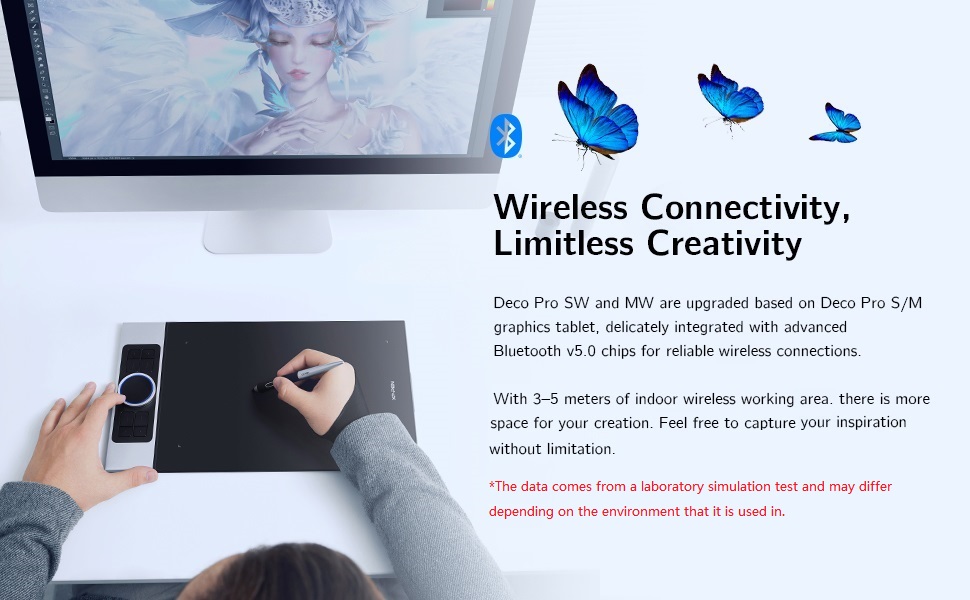
Level up the way you create
| | | |
|---|---|---|
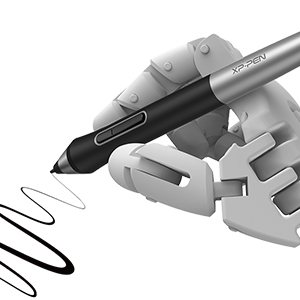
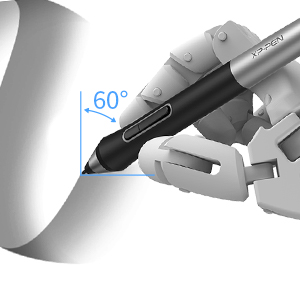
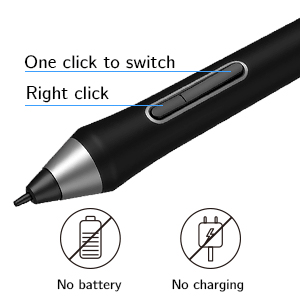
| 8,192 levels of pen pressure sensitivity With up to 8,192 levels of pressure sensitivity, the Deco Pro SW/MW graphics tablet provides you precise control and accuracy. Create fine lines in anincredibly natural and fluid experience. | ±60°tilt function The XP-PEN Deco Pro SW/MW supports up to 60 degrees of tilt function, quickly and easily responding to the way your hand moves, simply tilt to add shading to your creation. | Newly designed battery-free stylus The new PA1 stylus is battery-free, weighs only 13.3g, and featuresa nice black and silver design with a sleek pointed end. The one-click toggleallows you to switch between pen and eraser modes instantly. |
More Compatibility, More Possibilities
Bundle software for Deco Pro Series!
Enrich your experience and improve your creation skills, XP-PEN provides you with bundle software for different purposes.
- Explain Everything
- ArtRage 6
- openCanvas
How to obtain your software?
Step 1: Create or log into your XP-PEN account.
Step 2: Certify your purchase’s serial number.
Step 3: Select a software option, find the activation key of the software and visit the corresponding page to install it.
| | | |
|---|---|---|
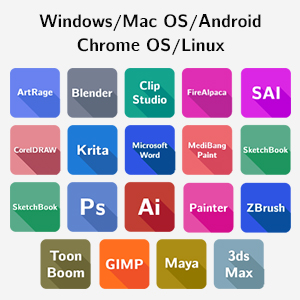
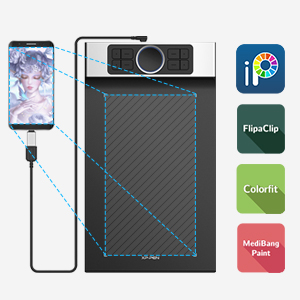
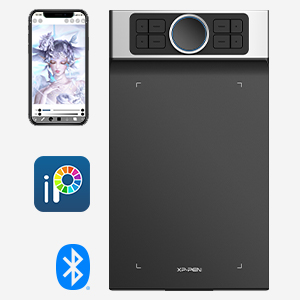
| The Deco Pro SW/MW drawing tablet supports Windows, Mac OS, Android, Chrome OS and Linux systems. It’s compatible with most drawing and design software, including Photoshop, SAI, Painter, Illustrator, and more. Empower your creativity with more possibilities. | It supports connections with Android devices(Android phones and tablets) 6.0 and above. Works with most major software including: ibis Paint X, FlipaClip, Medibang, Autodesk Sketchbook, Zenbrush, Artrage, and more. | Connect Deco Pro SW or MW to your iOS device and experience the ibisPaint’s abundant, easy-to-use features for drawing. New compatibility frees your creativity! * Deco Pro SW/MW only support ibisPaint iOS version 9.1.0 or later (in iOS 11.0 or later). |
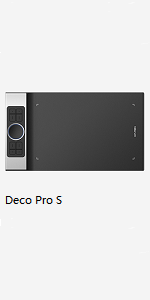 | 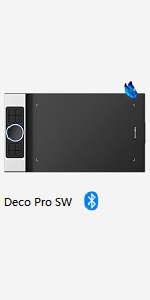 | 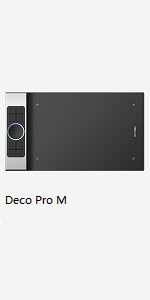 | 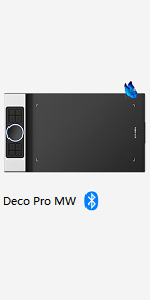 | |
|---|---|---|---|---|
| Dimensions | 350.8 × 199.5 × 16.5mm | 350.8 × 199.5 × 16.5mm | 399.7 × 227 × 16.5mm | 399.7 × 227 × 16.5mm |
| Active Area | 9"× 5" | 9"× 5" | 11"× 6" | 11"× 6" |
| Stylus | PA1 battery-free stylus | PA1 battery-free stylus | PA1 battery-free stylus | PA1 battery-free stylus |
| Wireless Technology | / | Bluetooth v5.0 | / | Bluetooth v5.0 |
| Reading Height | 10mm | ≥10mm | 10mm | ≥10mm |
| Power Key | / | 1 | / | 1 |
| Battery Capacity | / | 900mAh/3.7V | / | 1500mAh/3.7V |
| Continuous Working Time | / | >10h | / | >12h |
| Charging Time | / | ≤2h | / | ≤2h |
| Compatibility | Windows 7/8/10, Mac OS X10.10 (or later), Android 6.0 (or later), Chrome OS 88 (or later), Linux | Windows 7/8/10, Mac OS X10.10 (or later), Android 6.0 (or later), Chrome OS 88 (or later), Linux | Windows 7/8/10, Mac OS X10.10 (or later), Android 6.0 (or later), Chrome OS 88 (or later), Linux | Windows 7/8/10, Mac OS X10.10 (or later), Android 6.0 (or later), Chrome OS 88 (or later), Linux |
| Dimensions: | 41.8 x 23.1 x 4.8 cm; 1.52 Kilograms |
| Model: | Deco Pro SW |
| Batteries Included: | 1 Lithium ion batteries required. (included) |
| Manufacture: | XP-PEN |
Ottima tavoletta senza schermo
Buono il software a corredo, semplice da configurare se si ha dimestichezza. Materiali buoni, sia il metallo della scocca che i tasti in plastica, stabili e funzionali. Preziose le due ghiere, specialmente la touch interna. La penna leggera ma assolve il suo compito bene, specialmente se ben tarata con il driver. Al momento forse la tavoletta senza schermo con il migliore rapporto qualit prezzo.
Responsive and accurate
Not a picture of the Xpen but images of photoshop working with said Xpen
A cheaper one I had previously didn’t give me the thin strokes depending on pen pressure and angle. This one does, I’m very pleased with i
Pratica e di buona qualità costruttiva
Materiali buoni; solida e ben costruita.
Non ha lo schermo ma facile da usare.
Il cursore si vede sullo schermo del PC gi ad una distanza di 1 cm dalla tavoletta.
Presa per un regalo e quindi non l’ho provata a lungo.
Completer la recensione dopo che la persona a cui destinata mi riferir le sue impressioni.
Qualit complessiva e costruttiva comunque superiori alle mie aspettative.
Perfetta
Sono arrivato a questa tavoletta dopo vari passaggi in altre marche anche molto pi blasonate, che dire… per il mio utilizzo perfetta! Ho aspettato qualche tempo per scrivere una breve recensione, per provarla a fondo e devo dire che mi ha soddisfatto in pieno. Su Windows 11 stata riconosciuta subito, i driver sono stabili e funzionali, permettono di configurarla in modo ottimale in base alle proprie esigenze. A livello tecnico funziona perfettamente, legge bene la pressione, l’inclinazione ed molto precisa. Personalmente ho optato per la versione cablata, perch sono vecchia scuola e preferisco ancora avere tutto collegato con cavi, ma si tratta di una preferenza del tutto personale! Sia la tavoletta che la penna sono costruite con materiale ottimi e assemblate in modo ineccepibile, maneggiandole si ha la sensazione di prodotti fatti per durare nel tempo! Se siete alla ricerca di una tavoletta avanzata, e non avete bisogno di un pen display, mi sento di consigliarvi senza remore questa xp-pen, prodotto pro ad un prezzo molto valido!
Molto soddisfatto
Scrivo la recensione dopo alcuni mesi di utilizzo. Premetto che ho avuto un paio di tavolette grafiche “entry level” in passato, una della Wacom, usata per anni senza problemi. Mi sono deciso a comprare qualcosa di pi serio e devo dire di essere assolutamente soddisfatto della spesa.
Cerco di riassumere gli aspetti principali:
HARDWARE
Dal punto di vista del materiale mi sembra tutto molto curato, la superficie piacevole e la penna leggera e si impugna in modo confortevole, con i tasti ben raggiungibili. La punta scorre bene sulla superficie della tavoletta. Anche i pulsanti e la rotella sulla tavoletta sono ben disposti e funzionali.
SOFTWARE
Il software semplice da configurare e permette di customizzare ogni pulsante, salvando profili diversi in funzione dell’applicazione di utilizzo. L’ho trovato intuitivo da usare e non ho riscontrato problemi ad oggi.
COMPATIBILITA’
Ho utilizzato la tavoletta soprattutto con Rebelle 4 e con Photoshop 23.1.0 senza riscontrare alcun problema di compatibilit. A volte su Photoshop mi incarto fra la selezione dei tool con scorciatoia da tastiera ed il pulsante di switch fra pennello e gomma a bordo della penna. Ma questa pi che altro una questione di abitudine. Non ho riscontrato alcuna latenza fra il movimento della penna ed il tratto nei software.
CONCLUSIONE
Rifarei l’acquisto domani, a livello di controllo del tratto c’ un abisso fra questa e le mie precedenti tavolette grafiche. Chiaramente c’ anche una differenza di prezzo fra questo ed i precedenti prodotti ma secondo me questa tavoletta vale i soldi che costa. Sono stato indeciso a lungo se comprare questa o una tavoletta con schermo e devo dire che sono felice di aver preso questa. La sensibilit eccellente ed i tasti configurabili sono estremamente comodi. Nella mia esperienza basta poco esercizio per abituarsi a disegnare sulla tavoletta guardando il monitor.
Consigliata!
Presque parfaite ...
Aprs l’achat de la huion q620m pour remplacer ma huion q11k, j’avais des problmes de drivers et la tablette ragissait mal. Je l’ai chang par celle ci, qui une fois tout installer marche la perfection… ou presque ! Je m’explique ; une fois les drivers et Krita installer tout fonctionner au-del de mes attentes !
Mais une fois fini, j’ai tout dbranch et quand j’ai rebranch, a fonctionnait mal. Le bouton gomme me donner un autre brush, la pression du stylet pas reconnu bref le bordel ! J’ai donc tout dsinstall et rinstaller, et tout est rentr dans l’ordre pour le moment. Pour le reste la tablette l’air solide, en aluminium de trs belle qualit, j’en suis trs content, il faudrait juste que Xpen mette jour les drivers et le petit programme du pilote pour avoir quelque chose de plus “rcent”.
My first Graphics tablet and it’s great!
I wanted to use a graphics tablet(GT) for a retro game I am writing and I’ve now been able to use the retro software on my laptop with this GT. (zx-Paintbrush)
I’ve used the Clip Studio Pro trial and it’s lovely to use with the pen!
Still learning but so far so good!
Ottimo prodotto
Non conoscevo questo prodotto, mi sono fatto consigliare da un amico per mio figlio a cui piace disegnare, da un primo utilizzo la lavagnetta non sembra male, segue bene i comandi ed e’ facile da usare.
Ottima tavoletta grafica
Articolato arrivato nei giusti tempi.
Prodotto eccellente, l’inclinazione della penna ottimale come gli 8 tasti programmabili, la funzione rotella di una utilit incredibile. La tavoletta rispecchia le ottime impressioni avute, facile da utilizzare.
In conclusione decisamente soddisfatto dell’acquisto, ottimo il rapporto qualit prezzo.
My third tablet this by far the best I've owned
Upon opening The XP-Pen Deco Pro screams quality and it doesn’t disappoint it’s responsive and accurate, I use the tablet for Blender sculpting and I love the feel of this tablet I have one gripe and that’s the tablet software doesn’t seem to be letting me setup the hotkeys for Blender, I change them and and they tend to do the default settings when in Blender, for instance I wanted the middle mouse button as my lower pen button so I can rotate my model with the touch pad in the centre of the mechanical wheel and it just continues to see it as right click so instead of setting up the tablet for Blender I have to set up Blender hotkeys to mirror the software’s default settings but even with that gripe cos it may evolve with software updates I still give it 5 stars
So smooth and light to work with, great build quality
The build quality of this tablet is impressive, with a strong metal back and positive controls. The whole kit is very well presented, with the pen storage tube and holder containing ten spare nibs and nib extractor, together with two connecting leads and a USB adaptor.
I find that the lights at the corners of the active area are particularly reassuring to show that the setup is working. The matt surface of the tablet gives good control of the pen and the pen sits lightly in the hand for extended working periods. I found the pen and tablet combination very easy to use at the basic point and draw level. The pen moved completely smoothly from painting to mouse operation when operating outside the canvas, and for control of tools within the graphics program.
I used my desktop Windows 10 PC via the USB cable with the free graphics program GIMP installed. I got some great results but I had to set download the software from XP-PEN and then also chose the graphics tablet on the list of input devices under the Edit menu in GIMP. It took a few minutes but once set up everything worked brilliantly. Using the tablet through a Bluetooth dongle plugged into the PC resulted in a certain amount of latency.
Next I tried the tablet with a laptop running Ubuntu 20 and the results there were impressive too. After initial set-up the Linux graphics program MyPaint easily linked to the XP-PEN and provided all the expected tools.
I tried this tablet on my Android tablet, but I couldn’t get it to map to the screen. I think the drawing program I used was too rudimentary for the XP-PEN tablet.
There are many controls which I have yet to explore, but you can see the results you can get with a decent graphics program and just the basic pen settings. Having seen how good those are, the additional customisable buttons and the rotating dials will be a joy to use once I get the hang of them.
I am not a proficient artist and I am red-green colour blind so the Colour Picker tool is especially important to me. To create the image that I have included with the review I opened one of my photos in GIMP then added a new layer. On the second layer I sketched the outline of the main shapes of the image, then copied the new layer into a new file. From there I added all the detail and colours myself. It took me quite a number of hours to complete the picture.
Fantastic piece of kit.
The XP-PEN DECO Pro MW graphic drawing tablet is an excellent piece of kit. I got this for my university student son to try out and I can definitely say he was very impressed. I will base the next part of my review on his feedback:
The XP-Pen is a really lovely device, that is excellent for beginners in drawing and is especially a handy tool for those using it to make notes digitally on their PC. It comes packaged with a pen that has multiple replaceable nibs and it can connect via Bluetooth or USB-c cable. It also comes with an artist glove. As a budget option, I’d heavily recommend this option as it has many necessary features and is even more useful if you have the drivers installed which you can get online. I’ve been heavily using this product for months and have not once encountered an issue. I can definitely recommend this for beginners in digital art or those that want a more convenient method of writing notes.
This is an excellent product at a reasonable price. It comes in a nice box and all the items are very well packed inside.
Great tablet, but bluetooth doesn't work in Linux.
Over all a very impressive tablet. Unfortunately the company has not added bluetooth support for Linux, so I’m returning this item.
Wireless and wowsome
The graphic tablet is very easy to set up, I haven’t used a graphics tablet in a long time – and aside from the poor usability, it was very difficult to set up and came with a CD full of cryptic drivers. It was also not Mac compatible. This XP-PEN tablet is so much better in many ways. Setup was near-instant via bluetooth, and the unit itself is very slim and ergonomic. The drawing surface is a great size and does not feel limiting, especially for detailed graphic work or 3D designs. Windows ink is also surprisingly useful, another software I had not used before this. The deco pro software provides a lot more options for specific actions, and I would definitely recommend you install it. The included glove is a nice touch to prevent accidental jerking motions and ruin your lovely artwork!
Impressive Performance for Mid range table
This XP-PEN Deco Pro MW Graphic Drawing Tablet is a very convincing all rounder. It isn’t the best I ever tried but it definitely excels at every area and is one of the very appealing options in the mid range category.
Starting with the design, this tablet packs a convenient form factor and makes it easy for my main drawing hand to slide easily. The surface is smooth enough for me to move my hand without an issue. I used this for a 2 hour design session and it was ergonomically convenient since I didn’t feel any discomfort.
The performance is equally acceptable and the drawing area if pretty accurate once you spend some time with the tablet. I didn’t encounter accidental touches that would ruin my work.
I like that this can be used as a wired or wireless tablet. I use it wired on my desktop and wireless on my MacBook. So far connectivity seems flawless and response times are quite impressive.
I like that this comes with software support which would be helpful for beginners.
It’s been a while since I received this tablet and I used it three times. So far so good!
Versitile tablet but at a price.
This drawing tablet from XP-Pen is very well put together and, in the box, you get the Tablet, Pen, Pen Holder, Spare Nibs, USB-C to USB-A cable, Glove and Instructions. You do really need to download the free-of-charge XP-Pen software, which enables you to adjust the Work Area, Pen Settings, Shortcut Keys and Roller/Touch. It is very thin and lightweight, making it ideal for travel.
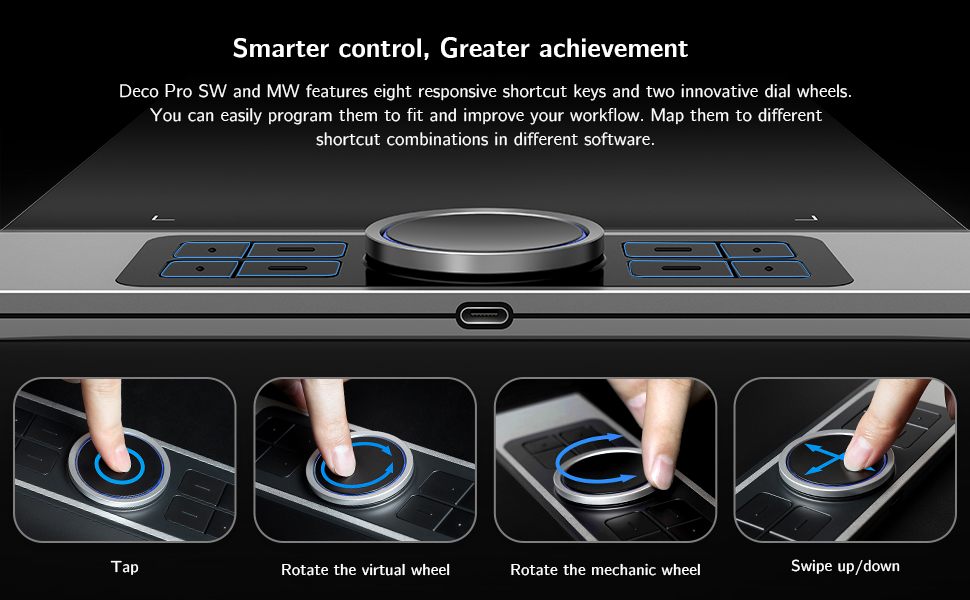
On one side you have a dual function wheel and eight shortcut keys. These keys, along with the buttons on the pen, can be set with a specific shortcut. Enabling you to tailor then to your own needs. These shortcuts can also be set by application.
You have a choice one one-of-three free software packages to download, these vary slightly in what they offer, and you can find the one that is best suited to what you want to do with the tablet.
I found drawing with this tablet to be very easy to do and it is very smooth. Latency is not bad, although it does increase the faster you draw. I did find myself pushing the pen buttons by mistake but that it most probably down to practice. You get plenty of spare nibs for as and when you need them. You do get a handy glove, that stops the tablet thinking your hand is the pen. This is soft and smooth and very comfortable to use.
This can be used with an android device, although you are restricted to portrait orientation only. Being left-handed, I was able to have the wheel and buttons and the right-hand side. This is since you can rotate the screen orientation between 0 and 270-degrees.
You do need to bear in mind that the performance of this tablet is going to be partly down to the laptop/PC you are using, and I have found that older tech is a bit slower and can struggle a little.
IF you have limited space and/or want to travel with your tablet, then this does tick a lot of boxes.
Overall, it is hard to fault this very good quality drawing tablet.
I hope you found this review & photos interesting, informative, and useful. Thanks for reading.
NB. For a sizing guide, squares in photos are 1cm.
Brilliant table
For a while I had been using the Deco Fun tablet for drawing, I liked it but it honestly wasn’t that great for anything other than simple use, I got this Deco pro because it looked exactly like what I needed, something big and quality with plenty of controls.
I mostly used this in Adobe Fresco, Photoshop, and Lightroom, it’s really nice to use and feels great, the pen comes with a little weighted stand for putting it in when not in use.
The tablet is wireless which I didn’t know about until I found the USB receiver in the pen case, works just as well as wired, no noticable delay whatsoever.
Definitely recommend!
Great replacement for a graphics display monitor!
When my Huion GT-220 V2 finally gave up on me I was looking at getting another display monitor, but after seeing all the great reviews about this tablet on Youtube I decided to give it a try.
Initially a was a bit concerned that I would struggle with hand-eye coordination when drawing but so far that hasn’t been a problem.
The tablet itself feels like it should cost a lot more than it does. With brushed aluminium and a decent weight, it feels sturdy and well made. The programmable hot keys are really useful in Photoshop when switching between tools and the scroll wheel makes zooming in and out a breeze. I don’t really use the track pad in the centre of the wheel but it seems to work well. The pen feels premium and it’s good to not have to worry about charging it.
The main thing that i’ve noticed, coming from a graphics display monitor, is that my posture has improved considerably and I no longer get pain in my neck and shoulders like I did before as i’m now looking straight ahead rather than stooped over a screen.
Overall I would recommend this tablet to anyone who needs one for graphic design or illustration work and I certainly don’t think i’ll go back to using a display monitor.
A really attractive alternative to a Wacom
This really surprised me at the quality and functions for the money. We have an older Wacom Bamboo laying around, and I remember the sticker shock I got when I saw what that entry level product cost. At the time of this review the XP-PEN was only 127GBP for the larger version, a real steal. Installation was simple and all the controls are easy to use. Some folks have found the stylus a bit large but I haven’t found that to be an issue at all. The stylus comes in a case that contains extra nibs and the top serves as a stand for the stylus which is kind of nice, but I think the case would be a bit bulky to carry around if you needed the whole thing to be portable. But those are nits– it seems to have good accuracy, works with GIMP, in general feels like a real deal.
I have been really impressed with this XP-PEN Deco Pro MW graphic drawing tablet, it has been one of the easiest to connect and set-up.
First off it comes nicely presented and looks very well put together. The drawing table has a very slim 7mm body and has a large 11″ x 6″ active drawing area.
After unpacking I unscrewed the base compartment on the pen holder and removed the USB Bluetooth receiver, also stored here is 10 spare pen nibs. The battery free stylus is housed at the other end of the holder under a larger screw on lid. I turned on the power switch on back of the tablet and the tablet’s rotatory wheel lit up blue, I then plugged in the USB Bluetooth receiver into my Windows 10 Pro PC and this got recognised and set-up instantly. I then open Windows Ink Workspace on my PC and tried the battery-free stylus, and to my surprise it was working. At this point I went onto the XP-PEN website and downloaded and installed the Windows 10 driver/software after restarting my PC I then had access to the DECO Pro MW software. This software lets you adjust work area size, all the pen settings, the shortcut keys for the tablet and the roller wheel settings. This also shows the battery charge level.
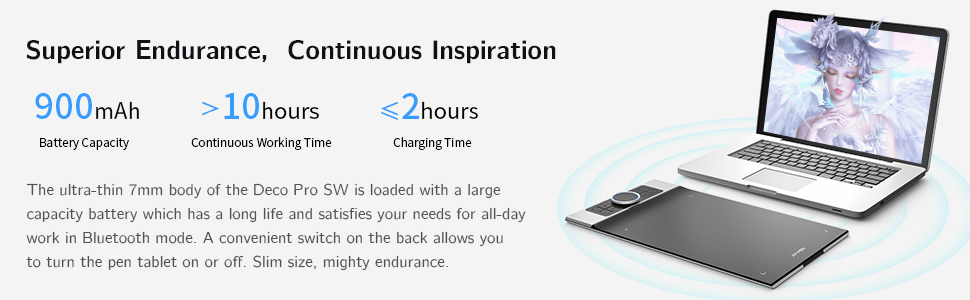
This tablet has a large 1500mAh rechargeable battery, and this is charged through a USB-C socket on the side. The tablet will go to sleep if not used for a period of time, it will also wake the PC when one of the buttons on the drawing tablet is operated.
I’m using the drawing tablet for projects within Adobe Photoshop Elements 12 and Windows Office PowerPoint.
I am now having trouble getting time to use the drawing tablet, as my daughter seems to spend a lot of time use it now. It’s especially useful for the kids PowerPoint school presentations.
Overall, this is a lovely looking well-built drawing tablet. Very easy to set-up and wonderful to use.
I hope you find my review helpful
Ala
This Graphic/Drawing tablet by XP-PEN is a versatile and very decent for beginners or intermediate users. This version of the product line has a focus on wireless connectivity and minimal hassle. The tablet has a built in 1500 mAh battery and can connect wirelessly over Bluetooth 5.0 with the included USB receiver. The stylus is also battery free and activates the immediately bringing it close to the tablet. If wireless isn’t required in your setup, you can plug in the tablet with a USB-C cable which will charge it and pass through data.
Inside the box you get quite a few different bits and accessories, 8x replacementpen nibs are included inside the pen holder, along with various cables (plus a handy micro-USB to USB-A adaptor for connecting an older phone) you might need for connecting and charging the tablet. Also included is a drawing glove which is a nice added bonus, it helps to reduce smudging and helps your hand glide smoothly over the surface whilst adding comfort and grip.
The tablet itself has a great build quality, the aluminium uni-body design makes it feel solid and durable. The tablet is slim and lightweight at 7mm and 860 grams. The pen holder that contains the USB receiver and spare nips is made of plastic but feels decent enough, it has a rubber grip on the top and bottom which is a nice touch. The only point to mention is I found it really difficult to get the stylus out of the pen holder, it sticks out but not enough to get a grip on and makes it tricky to remove, but this seemed to get a bit easier after a few times – the trick is to not push the pen too far in the holder.
The included instructions granted are not the best written, but it doesn’t take too much of a genius to set this up, as long as you have a bit of experience with these things you should be fine. XP Pen have drivers readily available for Mac OS which is what I am using, Windows and Linux operating systems (supposedly it also works with Android/Chrome OS, but I have not tested this). Included with the drivers is an application called ‘PenTablet’ that allows you to customise the tablets settings and macro key buttons. It has a fairly basic design but the software is intuitive, it has plenty of customisation options without it feeling too overwhelming or unfriendly to use. If you spend time tweaking and setting it up, you can get it to do pretty much whatever you’d like – for example you can easily setup the buttons to launch your favourite drawing app or set them to different shortcut keys. You can setup different hotkeys for the application you are in, but it’s important to know that these keys will only work if the PenTablet software is running in the background at all times.
One feature I didn’t realise immediately is that the dial wheel actually doubles up as a mouse which can be useful for quickly selecting another tool, or you can set it to roller mode for scrolling across large digital canvas’s which I found to be the most useful function. It also has LED lights built into the ring that shine blue when you are connected over Bluetooth – and there are some lights on the drawing surface itself that illuminate when you bring the pen close to it. The tablet has 8192 levels of pressure sensitivity which you can see being triggered in realtime in the PenTab software if you want to adjust the pressure curve. I find the placement of the 2 button toggles on the pen to be a little too easy to press, especially if you have larger fingers, it takes a bit of getting used to and you can disable the buttons if required in the software. The surface of the tablet has a matte finish which you can feel through the pen.
Overall its a nice piece of kit, certainly everything a beginner would need or an upgrade for a more intermediate user that’s at a sensible price point. The build quality and included accessories mean this should last a good while and hold up to a very fair amount of usage, and the software is very customisable and decent as well, plus it should get better with future software updates. Thank you for reading my review, if you found it helpful let me know below!
Wireless Digital Drawing
This is the first time I have used a wireless Graphics Tablet. It is really convenient and there is no noticeable lag between the Tablet and the PC. I set it up for my daughter as she had difficulties installing the Tablet. It was not being recognised so I had to remove the driver, reboot, and reinstall it to make it work.
She uses graphic software called Mediubang, which I have never used but was surprised to find that it is actually listed as compatible with this tablet.
Oozes quality ..
From the time you take it out the box you know that your hard earned cash is well spent. It is so well made from the fit and finish down to the choice of materials.
Setup is relatively easy (PC-WIn10) – I am assuming if you are spending this amount of money on a device like this then you should be relatively tech savvy.
Everything that XP-PEN provides seems so well thought out. Instead of telling you what’s included as the listing will tell you this, this is my experience with it.
The control software is simple to understand. Setup can take a while as you assign shortcuts and quick keys for the buttons on the side. Assigning function to control wheel and pad is also a must and again you’ll probably experiment with what you need the most – brush size or zoom or rotate – argghhhh !!! So many choices. It’s almost bad because it’s so customizable.
In use it’s good. Just plug in the BT receiver housed in the pen holder and turn on, pairing is instant. One thing I wish was provided is a proper desk pen rest and not just the lid of the pen holder.
Out of the box there was non need to adjust any of the parameters for pressure sensitivity. My use is photoshop, not for drawing but for clipping images for ecommerce. The large size of the drawing surface is nice, movements seem more like for like on the monitor instead of amplifying small movements. This gives better control and less stress on my arm for long sessions.
A stand is not included which I have show in my pictures but I prefer to use this slightly elevated instead of flat, just makes it more ergonomic.
So far after more than a week using this everyday for at least 4hrs each day I am quite settled and my older more mainstream branded tablet can finally be put to rest. The XP-PEN Deco Pro really is for professionals like me.
Excellent product, robust but responsive
A really good product this. I’m not interested at all in how something’s put together and the specifications, incidentally, I’m only interested in how it functions and whether it’s up to the job or jobs that it says it can do.
This does all of those, allowing you to do absolutely anything you want – to a top professional standard if you want – including very light-touch stuff but all of this within a very robust structure that feels like you could drop it from a building and it would still work (I wouldn’t advise actually doing that, by the way).
I lent it to a friend who does this sort of art thing in her profession and she was extremely impressed, which probably attests more to its excellence that my opinion but now you have both, so there you go.
Wireless and amazing!
This is an all in one bundle, and it won’t break the bank!
First off, the pad itself is strong, sturdy, and quality feeling. The aluminium backing plate really gives this a more expensive feel. You get various cables for connecting, multiple nibs, a pen case, a non-conducting glove (which also protects from hand oils), and a bluetooth dongle to connect.
This was SUPER easy to connect via the dongle. The sensitivity is amazing, and the added bonus of the smart wheel and shortcut buttons makes this so much more fun and efficient to use.
Changing the nibs is a doddle, and everything, including the dongle, is stored in the handy pen case.
Overall, this is an amazing tablet for the money, with so many features and ease of use.
Expensive but impressive quality and desig
This is a review if the MW tablet which measures 11×6 inches as there is also an SW version which is slightly smaller at 9×5 inches. It is supplied in an impressive branded box which contains the following; the Deco Pro Pen Tablet along with a stylus pen, 8 x replacement pen nibs, and a USB dongle which are all contained in a stylish cylindrical pen holder. Also included is a USB-C to USB Cable, a USB-C to USB-C cable, a USB to micro USB adaptor; a Drawing Glove; and a Quick Guide plus a 12 month warranty card.
The packaging as well as the tablet itself has a real feel of quality. It has a slim metal case with a smooth plastic work area. The scroll wheel rotates smoothly and seems to be accurate and the shortcut buttons are logically arranged and easy to operate. It needs to be powered using the USB-C socket in the side and it connects via Bluetooth using a dongle.
I used it with my Windows 10 PC which is especially useful as it doesn’t have a touch screen. It was recognised immediately and the correct drivers were installed from Windows. When the tablet is powered on there are blue lights around the scroll wheel which show it is connected. I tried it with Coral Painter and it worked well with this software, it should also be noted that the scroll wheel can be set to zoom which makes things much easier, especially as the middle is also touch sensitive and can be used for navigation.
The pen comes in a cylindrical case where both ends have screw caps, one extra tips and the dongle while the other houses the pen, which is a little tricky to remove at first, and also doubles as a pen holder. The pen feels nice to hold and supports X, Y, Z and Tilt functions as well as being pressure sensitive and having an action button on the body. The pen is comfortable to hold and feels well balanced and accurate to use, a key requirement for a drawing tablet.
When fully charged via USB-C the tablet offers a claimed 10 hours of use. I have not confirmed this but this sounds feasible. With its metal construction and internal battery the tablet is fairly hefty for its size weighing nearly 900g but it feels very solidly made and this weight actually adds to the feeling of quality. The stylus does not require power but is very accurate and responsive and you soon get used to drawing over the plastic covered working area. This offers more resistance than metal or glass but actually feels more natural in use.
It is also worth visiting the website to register your tablet. There is free software and training available to download as well as the full manual which is handy as the quick start guide is very basic. Overall this is an impressive tablet both in quality and design. If you are serious in using art packages to the full potential this is well worth considering and produces much better results than using a mouse or just a stylus. It is not cheap but has a real premium feel and demonstrates real thought in the design.
Deco Pro MW
Really good tablet. Bluetooth V5. Responsive with customised shortcuts. Really good quality and fair price for what it is. The remote is really nice. It’s a great feature that the pen doesn’t need recharging or batteries. It is battery free. Works with Android, Windows, MACOS, Linux and Chrome just make sure it is of a certain update ie Android 6 or later. So works with a vast array of devices. Includes a USB-C port. Overall I would recommend.
Definitely feels 'professional'. Many features, nice design and amazing build
This tablet is under the Deco Pro line. There are different lines such as the Deco line and Deco fun line. This is the pro line and from the initial impressions, lives up to the name.
First of all, the size of the tablet is 11×6 inches, which is larger than the usual 10×6, which allows for more precise movements. Although a little smaller than the size of an A4 page, the size is somewhat similar and so people who like to draw on A4 sized sheets may feel more comfortable.
The number one feature of this tablet is the wireless functionality. The tablet connects via Bluetooth using a dongle. It would have been nice to have the functionality to connect to the device without a dongle (just in case it gets lost), or the dongle to be a WiFi connection instead for a stronger signal, but this is more than enough for artwork. The reason why I regard wireless graphics tablets much higher than wired ones is because you are free to move them around – if you wanted to angle the tablet for certain strokes, or sit further back from the table, you can do so. This also means that you can just store it elsewhere when not using without needing to disconnect.
Everything about this tablet feels of amazing quality (other than the pen). The majority of the tablet is made out of metal, and of a decent thickness that when you touch it, it actually feels cold. The entire back is metal and the side where the buttons are also have the metal. The only place which isn’t of this metal is where the active surface is. The buttons are plastic, but do not rattle at all (like my Huion HS610) and have a noticeable bump helping to press the correct buttons without looking. Pressing the buttons are also softer and not as sharp which is more comfortable. The scroll wheel spins smoothly and doesn’t feel uneven or off-centre at all and is detentless (does not have the notches). The buttons are on a raised platform, and instead of making a step, they have curved the two heights making the surface more seamless.
The pen holder is something really impressive. The pen comes in a cylinder case where both ends have screawable caps. One end exposes extra tips, the dongle and a hole to help remove the tips, while the other houses the pen itself. It feels of good quality and very safe in there. Initially, I was quite disappointed as I thought “they spent all this effort designing this case but couldn’t design a pen holder”, but then looking at one of the caps and feeling that it had quite a bit of heft, I realised that the cap also functions as the stand for the pen. Very impressive! The caps also have a silicone/rubber base to prevent them slipping/damaging the surface underneath.
Turning the tablet on, you can see the blue lights around the scroll wheel. The lights are blue and function as a battery indicator and a connection indicator. Solid lights indicate connection. You can connect the tablet directly via Bluetooth or use the Bluetooth dongle. I find that if I connect devices using BT on my PC, devices become dormant after some inactivity and require waking up, resulting in me using the dongle. It would have been nice to have a WiFi dongle for stronger signal and higher refresh rates, but this is more than enough for artwork. I’d also imagine that you can get the full polling rate when connected via cable.
Another amazing feature that I have only seen on this tablet so far is the LED(s) which show the pen activity. Instead of a small, dim light that most tablets have, the corner markers, which are usually printings are actually lit up! When in hovering distance, the corners flash relatively slowly, and when the pen tip is depressed, the corners stay lit.
Inside the scroll wheel is actually a touch pad!
With a device like this, there are always some compromises. The main compromise here would be the weight. Being metal and housing batteries, this weighs considerably more than a plastic wired tablet of similar size – this one weighs around 860g. While this does not sound like much, it feels heavy due to the thinness. I personally enjoy the weight as it reminds me that this is a quality product.
Of course, the software is what really opens up the tablet’s ability. With the software, you can change the sensitivity, working area and program buttons. With a touchpad, you can use gestures to carry out different functions as well as navigate, and as you’d expect, software would be the limit to what you can do with this.
One interesting point to mention is what writing/drawing feels like. Other tablets such as the Huion HS610 has a matte texture which feels fairly rough, but feels like it glides over the surface so easily. This on the other hand feels a little different. While the texture may be a little smoother, it doesn’t feel like it glides as easily, but more natural. The sound is higher pitched, which is closer to that of a real pencil, and there is the occasional sharpness to the feedback which feels like the sharp edges you get when using a pencil. Overall, it doesn’t glide over as easily as I expected, but is much easier to control and feels more natural to me. The listing does not state this, but there is some angle detection in the pen. In addition to the two programmable buttons in the pen, there is also a grip which is made out of silicone. The silcone makes it more comfortable to use for extended periods, but does not feel as natural as a proper pencil. Looking at the pen, there are some differences between Huion’s pens, but they look suspiciously similar to each other.
I am really happy with this tablet. The design and build is beyond what I expected, even for the price. The fact that it provides a dongle is also really useful and even the thought that went into the pen case/holder is appreciated. The tablet is also slim and the idea of a touchpad is amazing. While there are some other graphics tablets which are wireless, I doubt that it’ll be easy finding something with better build quality than this. Unfortunately, my one had a scratch on the underside, but I’m willing to let that slide as I can’t see it when in use.
Hope this was useful.
Great tablet; drivers not quite perfect on a mac
The experience with XP-Pen Deco Pro starts with a delightful unboxing experience. The tablet itself has a lovely silver and black finish. The pen is a delight for me as its a nice and thick pen with a rubbery tip to make it easy to hold. The pen comes with a tubular pen holder that stores the usb radio adaptor and 10 spare nibs – so they expect this to last a long time. The build of the tablet is very nice; it has a metal base with huge long rubber strips to keep it in place – there is also an on/ off switch. The wheel spins nice and freely; and all the buttons have a nice positive click as you use them. This feels a nice quality device.
Using the pen on the tablet surface there is a nice paper texture – its not light writing on an iPad where the pen just slides around. It feels more like the paper and pencil you start out with. That is also a benefit as the pen gives very fine control; its easy to lasso around an object on screen with the pen with high resolution. That I took to using the pen immediately; and the relationship of the active area to my monitor was one to one it was a natural and i was instantly more productive when editing the images.
I used the tablet with my MacBook Pro; and that required using the usb-c dongle to attach the wireless transmitter when running in battery powered mode. Though on my desk its just as easy to plug the tablet into the computer and just run it in wired mode.
I particularly like that the wheel on the side also has a trackpad inside it; though there is no press to click function on that pad. You can use the pen as a mouse in the general operating system; and the button on the pen makes it easy to right click.
The driver install was easy; though i don’t know if it’s my M1 macbook or the drivers; i found that the customisation features didn’t work for me. Setting up two of the buttons to the square brackets [ and ] to let me adjust the brush size with the hard buttons didn’t work nor did zooming in and out with the wheel in zoom mode. This driver issue is disappointing as it reduces the benefit of all the buttons on the side of the device. It was possible to use the standard configuration; buttons in Photoshop and Lightroom though; so it may just be the keyboard emulation feature isn’t working.
Its a very nice tablet; and shows that you really don’t need one with a screen in it; the one to one mapping of screen to tablet. The thick pen really works for me; and i think the only thing they didn’t include in teh box that might be useful – i mean they include a pen glove – is a vertical store so you can get it out of the way when you don’t need it. 4* because of the driver app issues
Oozes quality.
This drawing tablet doesn’t skimp on features and quality, and it’s obvious before you unbox it that it’s going to be worth your hard-earned money.
The box came completely sealed, so you know it’s moisture-free and unopened. The lid has a nice soft interior to keep the tablet back safe during transit and it’s all well protected inside.
With the nice box you get the tablet, a tube containing the pen, transmitter and spare nibs, instructions, a drawing glove, USB adaptor and two USB-C leads (one is USB-C to USB-C for use on mainly portable devices and newer laptops, the other a USB-C to USB-A for desktops and older laptops). It’s better than having one lead and an adaptor.
The pen is contained in a heavy tube. Unscrew the top and take the pen out, and the top acts as a stand for the pen. The other end has the spare nibs and Bluetooth transmitter.
Setup was problematic at first. With the lead it was recognised and drivers installed immediately. Without the lead I tried to pair with my cheapo Bluetooth dongle and it crashed the driver. Killed the Bluetooth dead. Undeterred I went to their website and downloaded the newest driver – plugged in their dongle and I was working immediately. The newer driver was the key.
Operationally it’s exceptional. The pen works at all angles, has good pressure response and operates an inch or so above the tablet surface for guidance.
The controls on the side are sublime. The programmable buttons are really good (all 8 of them) but I just love the wheel. The shiny silver part is mechanical and glides around, great for zooming in and out. The inner part is a touch pad and works incredible well.
The tablet is a bit heavy to one side where the controls are, but that makes it easier to hold in one hand if not placed flat on a desk. It’s quite wide but that’s the price for having such a large drawing area that never makes you feel constricted at all. Battery life is really good and I’ve been playing with it for a few hours on the charge out of the box and it’s going strong.
Even the pen requires no batteries – it just gets better and better.
Excellent graphics tablet that is easy to set up and use
The XP-Pen Deco Pro MW graphics tablets is supplied in a very sturdy box with a fitted plastic insert and some further plastic bags and boxes (pic 1). It certainly looks like a quality item and the arrangement of the packaging has been well thought out. It is very well constructed and there is little flex in use. It comes with pretty much all you could need in the box and includes the thoughtful additions of a drawing glove and spare nibs. There are several ways of connecting your computer, tablet or phone to this XP-Pen depending on your needs and preferences. I have used it with Windows 10 and an Android tablet and in both cases connection was easy for me.
With Windows 10 I chose to use the Bluetooth dongle that lives in the tube case provided for the pen. It was simple plug and play and I was up an running in seconds. I followed the instructions in the quick guide and downloaded the latest driver for my device from the XP-Pen.com website. Again without a hitch. The tablet may also be linked to a computer or tablet via a wired connection and two cables and an adapter cover the most common configurations. So much so that I could connect all of my available devices should I have wished to do so. Finally, instructions are given to connect directly to a Bluetooth enabled device without the need for the dongle. Again I tried this, for completeness of the review, and found it was very easy to do and followed more or less normal procedure for such connections. So there it is all the flexibility and versatility one could ever need.
The tablet is just fabulous to use. I was only able to try it with Paint because my dedicated drawing Apps licence needs to be renewed and this has not been a priority recently. I must say I absolutely love it. I am not a great artist but I was able to quickly create some pleasing images and cartoons. All the functionality is there at your finger tips and it is very smooth, subtle and accurate. The pressure levels are just great. This is easily the best tablet that I have tried.
I love the controls and the way they are laid out. The scroll wheel, buttons and touch pad all work brilliantly. The subtle blue light effects both add to a ‘cool’ ambiance and reassure the uses that the tablet is working and the status is ‘A’ okay. I am really struggling to stem my hyperbole of praise and so far I have found very little to criticise. If it works as well with my now relicensed drawing App and I see not reason why it shouldn’t, then everything is indeed rosy.
At the current price of just shy of 150 it seems a bit of a bargain. It is less expensive that other offerings that have near corresponding functionality, it is well made and should last. In my experience it was a pleasure to set up and use. I would happily recommend this graphics tablet. My problem now is that I may have to get another one for my artist daughter before she comes home and ‘borrows’ this one.
Best One I've Found
This is a massive 11 inch graphics tablet, which is the number one reason it got me attracted to it.
The bigger the size the more precision you can have, which is where this tablet excels at.
Out of the box you have a couple of charging cables, a pencil case with the stylus several replacement nibs and a usb dongle, it’s super easy to setup as you don’t necessarily need any third party drivers or software for it to work out of the box, you can use it wired, wireless with bluetooth or with a usb dongle, so connectivity options are amazing, i’ve tested all of them and can safely say they all work just fine, no lag or any latency issues with any of them.
the tablet itself, although large, it’s also thin and portable, it’s not heavy at all, you have a usb c port on it and an off and on switch at the back, there is also 4 convenient shortcut buttons, there is a touch pad where you can actually use it with your finger and it acts as a mouse, there is a wheel that acts as a scroll whell.
The stylus does not need any batteries to operate, which is amazing and much better than my last one, there are 2 buttons on it which can perform different functions that you can change.
You can change all the buttons to make them do whatever function or shortcut you need, which is a great bonus.
The tablet itself is amazing, the surface as enough friction to feel like paper, it’s also extremely accurate, you can tilt the stylus and put pressure on it to see the different strokes, it works amazing.
Although you don’t need third party drivers to get it to work, it’s recommend in some cases as the compatibility may just be basic without them, i’m on windows 10 and it does have full capability to use it, but it all depends on what system you will be using it in.
Overall, you are getting quality here, if you are looking for a graphics tablet, this is the one, although it seems pricey, it’s actually cheap for what it does.
Recommended!
Brilliant tablet, well made, responsive and a joy to use
This is a really well presented drawing tablet, it is a solid unit and feels professional with an aluminium back. The tablet comes with everything you need including the pen, USB to USB-C and USB- C to USB-C leads, an OTG micro USB adaptor for mobile devices, extra nibs, a glove to stop smudging and a case for the pen and nibs.
The tablet was really easy to pair to Bluetooth on my pc, just hold one of the buttons down and it goes into pairing mode, it popped directly up on my computer as a device and connected without issue.
The tablet itself is really ingenious in that it has a circular trackpad, which can control your mouse pointer and a number of buttons which can be mapped via the downloadable software.
I think it can only work wired with Android, the instructions don’t mention wireless and when paired only the trackpad works, however as soon as I connected the tablet with the wire the tablet area sprung into action.
The drawing area itself has four lights, one in each corner which are off when the pen is out of the area, flashes when the pen is in the tablet field but not touching and a constant light when the pen is in contact with the tablet surface. I like this as it gives a nice indication of where you are in relation to the tablet.
The tablet surface is not smooth but has a matt texture to it, which you can feel as you run the pen over it, this gives you good control and means that the pen does not slip, it is very responsive even over wireless. The pen is light but nicely manoeuvrable, it is small but there is enough grip to be able to hold. On the pen are two buttons, which are customisable but out of the box one right clicks and one swaps between them eraser and pen.
I did find the position of the buttons a little too easy to press by mistake but you can disable them if this becomes an issue for you. The pen feels nice to hold and use, it is light but has a solid construction and I love the fact that it has a case to store it in. I also like the fact it has an on and off switch, this helps in saving battery life when not in use. The battery life is really good but it’s also handy to charge it with the supplied leads.
The downloadable software is nicely put together and simple to use, it enables you to customise the tablets buttons and functions and well worth downloading to get the most out of the tablet. There is also some art software that can be downloaded on registration, you can choose one of a selection of paid software.
The tablet is really comfy to use, the aluminium back means it is strong and feels solid, it can be used on your lap or a desk. This is an excellent wireless tablet for pc use, though the Android functionality is not quite as good, for me I will only be using with the PC. It’s a really well built and quality wireless graphics tablet that works a treat. I absolutely love it.
Pros:
– Solid construction
– Nice to use
– Ingenious circle touch pad
– Lots of customisable buttons
– Pen feels nice to use
– Matt surface means the pen does not slip on the surface
– Handy indication lights
– Connects to Bluetooth quickly
– Nice and responsive
– Case for Pen and extra nibs
Cons
– Pen buttons are in a place that it easy to touch them by accident
– No wireless with Android (well I couldn’t get it to work)
– Would have been nice to have a separate pen holder so you don’t have to keep screwing and unscrewing the top on the case if just putting it down for a while
Great Price For What You Get!
As an avid graphics artist I normally use a graphics screen but I was very eager to try this out as I started on one of these almost 10 years ago. Since then technology has improved massively. The tablet buttons were more than enough for what I use in Photoshop Corel Draw. I did not mess around with the pressure sensitivity since I prefer to have strict control of my brush sizes through the keyboard but the tablet app has a way to test and adjust it. After using the tablet for a couple of hours, I have programmed the buttons for what I need in Photoshop and rarely use the keyboard for any commands. The accuracy of the pen and the feel of running it across the tablet is precise and smooth.
You could almost say it is as precise as drawing on paper. It was very easy to set up and find the supporting software. The screen is very impressive you can feel the pressure sensors underneath as you draw. The pen tip also doesn’t appear worn at all and it will be awhile before I see myself using the 10 replacements! . The surface of the tablet doesn’t appear to have any scratches after 2 hours of continuous use either which was a main concern for me. I did add a lot of pressure to test this and all seemed fine.
Resting my palm on the tablet caused some condensation which did affect the smoothness of my hand motions but this is something that could be fixed if I wore the drawing glove that was provided. I have noticed occasional dropouts of the signal from the tablet to the computer, bit it’s only once is a full moon. Sometimes while drawing a line, the line will be go blank for just a bit, and then reappear a bit farther along. But this may just be a fault on my side of things.
I don’t see the need to spend hundreds of pounds on a device like this if options like this exist. Despite the connection drop outlive been experiencing I cant doubt for the price this is fantastic. The build quality is good and the pen strokes feel very satisfying. Overall a very nice piece of kit.
Pros:
– A Large drawing area allowing for precise work without having to confine the cursor to a small area.
– Detects pen tilt and rotation, not a universal feature among pen tablets in this price Range.
– Shortcuts can be assigned per-application.
– Android-compatible
– Price
Cons
– Not wireless, should be nowadays
– The scroll wheel and trackpad do not function while a shortcut button is depressed or pen pressure is being applied.
More than a standard graphics table
Really high quality graphics tablet with plenty of useful functions for general computer use when not image editing or drawing.
Nice sized graphics tablet to use it instead of a mouse, i find it more comfortable to hold a pen when browsing the net, and because it has programmable buttons i have two of them set up for left and right click, refresh and a couple of other well used shortcuts.
I am left handed so was very happy to see a setting to allow the buttons and scroll wheel to be useable on the right hand side. I dont do a lot of image editing but when i do i will use the wheel for zoom functions, it works really well.
The driver/app works well on a mac, it has a set of commands for the tablet and you can add different settings for different apps. The default setup allows set up of the tablet area to suit, the buttons on the pen can be set to work as you like, i have mine disabled to prevent accidental pressing as i hold it. Pen pressure can be adjusted to suit your drawing style, i havent done any drawing with is yet to set it up as i will prefer.
The 8 shortcut keys can be set to any mouse or keyboard command or they can open up any app, i think i will have to get my label printer to work and all labels for all the switches.
The wheel (roller) outside is also fully programmable, the default screen is preset to zoom, brush size, scroll or rotate, easily switchable using one of the buttons. Next time i run Final Cut pro i will set it up as a shuttle wheel, so useful. The centre of the wheel is a touch pad that can be like a laptop touchpad, or programmed to work like the roller, where you slide clockwise or anti-clockwise to make changes, again in Final Cut that will work great as a jog wheel.
The pen comes in a sleeve type holder, the top can be used as a pen holder, the rest of it houses spare nibs and a usb receiver for wire free use, i am using mine via the supplied usb-c cable at the moment.
Many of the graphics tablets i have tried end up back in the box between image edit jobs but i think this will remain on my desktop because of the other functions it has will come in useful for other uses.
Great hardware, poor instructions.
I’m a bit of a newbie when it comes to graphic tablets, and I found the provided instructions totally inadequate. The real issue is the multitude of connection options: USB cable, USB OTG (only MicroUSB, no USB-C), Bluetooth and a dedicated wireless USB receiver. The issue is, some connection methods only work on some operating systems, but the single page quickstart doesn’t go into any detail as to what the best way to connect us, depending on device or OS.
After several hours of trying, I gave up trying to get my Android device working beyond basic mouse mode, and moved to Wireless USB receiver, which worked correctly on ChromeOS and Windows. (I didn’t manage to work out how to customise the buttons on ChromeOS, but it did function as a proper pressure sensitive pen device). On Windows, I managed to get the full experience, after downloading the driver, and it then worked in Corel Painter. The manual really needs some serious work to make it when most devices have USB, Bluetooth, and you can connect, but it functions less than optimally by doing so, new users are going to get into the same troubles, I had.
Once I finally got it working with the Wireless USB dongle, on Windows, using Corel Painter, I was really pleased with the hardware. The pen is great to hold, and the movement and pressure is very precise (X, Y, Z and Tilt), and everything feels natural and fluid. The stylus has a storage pot, and there are spare nibs and USB storage in the cap. I did find it quite tricky to remove the pen from the storage, again a small niggle that really should have been spotted at the design stage.
The provided driver and app allow you to match the canvas size to either a monitor, full desktop, an app, or even a canvas within the app, which is nice. I also really liked the customisation abilities of the buttons. The best part for me, was the wheel control, which not only has a rotate (for zoom), but the centre is also a touchpad, so you get the best of both worlds here. Once I had figured out a setup that worked, I was up and away pretty quickly. I also liked how you can setup pre-sets per application (on Windows), however it would have been nice to have some common pre-sets for well known applications available.
Last but not least, there is free software to be had from the XP-Pen website. You get to pick 1 application from a list of 5 available pen applications, and they give a redemption code for a free version. This is really good, as not everyone has a full version of adobe illustrator to hand, and the free application I used (Art Rage 5) was actually pretty decent, for free. Make sure you pick the correct application for you, you only get the one application, and your choice can’t be changed. You might want to try the demo versions first!
Overall, a really good graphics tablet, one that is slightly compromised by poor documentation around connection options and OS support. I really hope they look into doing a better job of the out of the box experience. Better setup instructions, a USB-C OTG cable, and a redesign of the stylus storage pot would go a long way into fixing some of the rough edges in this otherwise decent product.
Nice machine!
Excellent functionality, quite easy to operate straight out of the box after installing driver.. only thing was that I wanted a wireless tablet, ended up returning it for that reason only… Nice unit though, touchscreen function on the jog dial is very cool!
Outstanding drawing tablet!
This is a fantastic drawing tablet and I am pleasantly surprised about how positive my experience with it is. It is extremely capable and configurable.
When you open the box, which is really sturdy so I would hang on to it for storing the tablet, the whole thing is well presented. The box contains the tablet itself, a case containing the pen, wireless receiver and spare pen tips. There is also a drawing glove, and USB cables (a C to C for connecting to a tablet computer and an A to C for computer connections). There is also a USB OTG adaptor to connect to older android tablets with micro USB. The end of the pen case unscrews to give you a pen stand while the pen case stores spare tips and the wireless receiver.
In use the first thing I noticed was how big the tablet was. Its nearly 40cm across, so it is really big. The drawing area is fantastic at 11″x 6″ (approx 28×15 cm), so it gives you a large area to work with, allowing you to make big dynamic natural movements when drawing with it without it ever feeling cramped or short on space. The corner markers on the tablet light up when the pen is in range of the tablet, and track really well. When making contact with the tablet, the full range of sensitivity of the pen is easy to use without having to exert a lot of force, and feels intuitive.
The control pad area of the tablet is simply fantastic to have. The controls are completely configurable with the software you can download from the manufacturers site, so you can change control assignment quickly and easily to what works best for you. I tweaked a few of these settings to represent things like undo/redo and some of the controls I use the most. Having a rotating control is great too, so setting things like brush sizes or zoom can be done intuitively. The area inside the wheel is a touchpad with options for virtual control wheel, and other settings. The flexibility in changing the controls is really useful to have because I dont use Adobe software (I use Affinity Designer and Photo mainly, and use other things like Krita). Once you have the tablet set up you can pretty much control almost everything you need to do from the tablet instead of having to reach for a mouse or keyboard, which is a fantastic thing to be able to do for productivity and keeping you in the creative zone.
Overall, I have found the tablet an absolute delight to use. Configurable in the ways I want it to be, intuitive to use, and it feels really nice to draw and write with with a comfortable pen and layout, and its always going to be great to not have more wires on your desk. I have really enjoyed using it, and it has easily become my go to drawing device when I need to create art or edit photos.
Simply amazing
This is a fantastic product, once you get to grips with it and set the buttons up how you like them you’ll be astonished how good this tablet is. I installed the ‘newer’ UI driver but it gave me problems so I switched to the standard one and it was ok from then on. I’m using Blender so I wanted the zoom and pan functions on the outer wheel and you’ve also space for three more functions, so I set pan up & down plus brush/tool size to another. The inner wheel isn’t as accurate as the outer so I’m not sure what I’d like feature wise, the default setting simulates a mouse pad but I’m not used to navigating a mouse with my left hand. The buttons are assignable to any combination you fancy including ‘hot’ keys which can be set quickly with the intuitive settings. I’ve also set one of the pen buttons to middle mouse and one of the pad buttons to Shift, I can move around my objects/drawings with ease. Be aware if you’re using Blender, the tablet will only be useful for Sculpting, Drawing and Texturing objects. But I’m happy using the mouse and keyboard for everything else.
Great for my 14years old boy
My son uses it for creating animation. It is easy to use, good quality
Très bon rapport qualité/prix
Excellente tablette graphique, service aprs vente courtois. Seul bmols : pas de variation de taille pinceau avec la touche alt sans avoir dcoch la case “Windows lnk”, connatre car mal document. La version bta du driver est agrable utiliser, mais la traduction est approximative : “Windows lnk” s’appelle “Encre Windows”. J’ai pass beaucoup de temps chercher la correction de ces bricoles. Mais appareil d’excellente qualit, trs agrable utiliser, trs. bon rapport qualit/prix. Enchant de mon acquisition.
War gu
Ich brachte dies fr Studium. Ich hab ich viel Zeit , also Passende gesucht. UND JETZT bin ich zufrieden. Aber brauche viel Zeit daran richtig gewhnen. Die Lieferung war schnell, aber eine Bemerkung! Die Pakung vom Gert soll im Folie sein ( das fr Verkufer) – wenn das nicht gebrauchte ist. Sonst habe ich keinen Anspruch. AMAZON forever….:)
All'inizio c'era solo Wacom
Sembra l’inizio di una favola in realt questo prodotto non ha nulla da invidiare a quelli blasonati di WACOM.
Qualit costruttiva, cura dei particolari e facilit di utilizzo.
Ottimo prodotto
Great value for money
Great product with lots of functions.great value for money compared to traditional alternatives
Per ora ottima.
Arrivata nei tempi previsti come sempre.
Installazione su Windows.
Utilizzo su Adobe Photoshop e Lightroom.
Premetto che l’ho installata ieri per cui mi riservo, tra qualche tempo e prove pratiche, di riprendere questa recensione.
Devo dire che gi l’imballaggio si presenta bene e, anche se molti non lo vedranno come un plus, per me importante.
La tavoletta mi ha piacevolmente impressionato per la qualit del materiale, l’ergonomia e il posizionamento dei vari tasti , (anche se 8 sono forse troppi per me), veramente ben fatta.
Ovviamente non riesco a fare paragoni con la pi blasonata e costosa Wacom perch arrivo dal modello Bamboo di quest’ultima che avr 10 anni; si parla di generazioni di tavolette grafiche di differenza.
Dimensioni:
Scelta dopo aver letto le pi che ottime recensioni prima dell’acquisto l’unico mio dubbio era: ” Modello S o M? Quale prendere?”.
Ammetto che mi sono messo, metro in mano, a valutare la grandezza dei due modelli e immaginarmeli sopra la mia scrivania e alla fine, pur sempre rimanendo nel dubbio, ho deciso di prendere la Small.
Ecco, devo dire che pur essendo “Small” la sua dimensione decisamente importante.
Qui devo dire che, se dovessi consigliare la “taglia”, la domanda che farei all’eventuale acquirente : “Come vuoi usarla? Come usi di solito il mouse?”. Cercate il minimo movimento con il braccio o siete quelli che hanno bisogno di dare le pennellate come se stessero disegnando su un formato A3? 😛
Bh, sappiate che in qualunque caso io non andrei sul modello Medium.
Il mio utilizzo prevalentemente su Photoshop e Lightroom, quindi non la utilizzo per disegnare per cui non so se cambia l’eventuale metodo di muoversi, e devo dirvi che ho impostato l’area di lavoro a 1/4 della sua dimensione effettiva. Forse dovrei rimpicciolirla ancora un po’ ma vedr durante nell’utilizzo.
Questo mi evita di muovere il braccio e utilizzare solo il polso per lavorare in tutta l’area di lavoro…una bella comodit.
Penna e sensibilit:
Provata su Photoshop con diversi pennelli mi sono trovato veramente bene. L’impugnatura mi piace e la sensibilit alla pressioni mi ha soddisfatto decisamente. La penna non ha batterie, non deve essere caricata e questo lo trovo fantastico.
Mi riservo comunque di valutarla meglio dopo un periodo di utilizzo, per ora ho fatto solo delle prove di scrittura e scarabocchi vari.
Controller, impostazione e tasti rapidi:
Prima cosa da dire che AMO la rotellina e il suo touchpad centrale. Poter zoomare con un semplice movimento della mano libera e avere il controllo del cursore nella stessa zona fantastico.
La gestione delle impostazioni devo dire che non immediata, ho smanettato un pochino per capire ma alla fine devo dire che molto rapido dare le varie funzioni dopo qualche passaggio.
Ecco, per impostare i tasti ovviamente dovete conoscere, o andarvi a cercare, la sequenza di tasti rapidi della funzione che volete dare a quel determinato tasto. La cosa bella che se utilizzate vari programmi ognuno avr la sua sequenza di tasti memorizzati.
Quindi queste sono le mie considerazioni dopo la prima installazione, l’impostazione e qualche prova.
Spero di essere stato utile.
Simply a well built, easy to setup tablet. Can't recommend enough
This product is great, the functionality is simply great. The 8k pressure points leave smooth lines and produce some lovely results. Have not tried it on android phone but if the results are anything like they are on PC it will be awesome. The drivers were quick and simple to install and the interface is much like any other tablet. The pen is light but feels solid and comfortable in hand. The whole unit feels solid and well built. A real jump from my old tablet. I can’t recommend this unit enough…
Super Teil
Super Qualitt. Es lsst sich sehr gut damit arbeiten, man muss sich natrlich etwas einarbeiten. Vor allem finde ich den beigelegten Handschuh eine ntzliche Beigabe. Ich habe noch nichts nachteiliges entdeckt.
Sehr empfehlenswert !!
Recommended!
It is a great tool! Now, i would recommend this product to professionals. the reason behind it has features that your average user would not make use of. Four the average user “beginner” a cheaper one would suffice.
La mia prima tavoletta grafica!
Essendo la prima che utilizzo non ho altri metri di paragone.
Sicuramente ci va presa la mano e non ha un manuale di istruzioni completo (ma possibile recuperarlo sul sito del produttore) tuttavia con la giusta pratica penso che sia un ottimo strumento per chi vuole disegnare, colorare, ritoccare immagini al pc o anche solo per chi vuole uno strumento diverso dal mouse per scrivere o prendere appunti!
Fantastic - so why 4 stars?
This is a brilliant well built product with programmable keys, two physical dials and a lovely responsive pen.
There are lots of people that use it for drawing and design but I actually use it for music and studio work. It is great to be able to edit using this system rather than a mouse.
The first unit arrived with a faulty dial unfortunately. However, I spoke to XP themselves and they sorted the situation out very efficiently – great customer service.
So why only 4 stars:
The software is not great. Not only is it ‘unfriendly’ to use, the profiles keep self deleting or don’t load up when you move from one software to another.
Also the pen button cannot be given a different function for each programme which is surely a really simple thing to implement.
This is a fantastic product and great customer service – improve the software and I would give it 6 stars!
Scarsa documentazione su programmi ed applicazioni
Bisogna farci la mano, ma dopo un po’ diventa abbastanza intuitiva. La documentazione a corredo scarna, ma su internet si trovano facilmente applicazioni e tutorial.
Phenomenal
I bought the XP-PEN Deco Pro Professional after HOURS of browsing through as many other graphics tablets in the same price range as I could find, both on Amazon and off.
The deal breaker that made me buy this one was the reviews from people who use graphics tablets for work rather than hobbyists. Claims from these people were made that THIS is the tablet that they’d been waiting for someone to produce.
I can’t say much more beyond the fact that it’s truly an epic piece of technology. It does everything that it claims to. The buttons are very intuitive and extremely useful. It’s super accurate when drawing, writing or even just using it as a mouse.
If like me you’ve been struggling to find the right graphics tablet for you, buy this one. You will not regret it.
Top kwaliteit tablet.
Tablet aangeschaft voor gebruik bij een Lenovo chromebook. Tablet is van topkwaliteit. Helaas zijn de instellingen onder chrome niet toegankelijk. Werking is helemaal afhankelijk van het gebruikte programma. Gewoon proberen. Sommige progs werken prima. Anderen slecht. Ligt dus niet aan de tablet. Hopen dat Chrome meer gaat ondersteunen, en vooral de instellingen toegankelijk maakt.
Maar de tablet is van topkwaliteit. Pen is wat “bulky”, maar door de rubber grip goed hanteerbaar. Hoeken werkgebied zijn verlicht. Navigatie ring werkt grandioos. Gehele onderzijde is van alumimium. Het werkvlak is iets geruwd, waardoor een gevoel van papier wordt gesimuleerd. De grootte (small version) is ruim voldoende. Past mooi in een 15.7″ laptoptas. Pen zit opgeborgen in een schokbestendige koker. Alles voelt kwalitatief erg goed, ook de kunststof onderdelen.
Conclusie: top aankoop, zeker gezien de prijs.
Super Grafiktable
das o.g. Grafiktablett ist sehr angenehm handhabbar, bietet eine groe Schreibflche und das Schreiben ist noch besser als direkt auf Papier. Die zustzliche SW vergrert enorm den Anwendungsbereich, von einfacher Schreibtafel bis zu knstlerische Leinwand. Kann dieses Grafiktablett wrmstens weiterempfehlen.
Prodotto Molto buono
Si tratta di una tavoletta grafica di buona qualit, precisa e fatti da materiali resistenti. Unica pecca secondo me sono i tasti sulla penna che si rischiano di premere troppo spesso, ma per fortuna sia i tasti della penna che quelli della tavoletta sono programmabili con l’apposito programma, perci il problema si risolve facilmente
Great value graphic table
Bought this for my art mad daughter & it was a huge hit. I’d done a lot of research before purchase & this was the top tablet in my price range. Instructions are sparse so we did spend some time working it out but there really are tonnes of helpful videos – all you have to do is Google the make & model. Once up and running with her preferred software it was amazing to see how quickly she was able to get amazing results having never used one before. We’ve been really impressed, the build quality is great, it’s light but not flimsy, the pen is great – it’s nice to hold. The sensitivity of it is really impressive & allows for great effects. It’s also a really good size. It seems to tick all the boxes. It was my 13year olds favourite Christmas present by far.
I am slightly miffed that the tablet is reduced considerably (40) just a week after I bought it! However, I guess my productivity has grown since I received the item and I’ve used it all week. It replaces on old Wacom Intuous 3, which was the best when I bought it many years ago. But sadly it was becoming a bit sensitive to WIndows 10, and needed a lot of babying to keep it working properly, and with some software it would not work properly at all. SO this was an upgrade, and it is lovely. I like teh XPen’s slim profile; it tucks under my laptop stand when not in use. I chose a wired tablet over the wireless versions because there is alway some lag on my laptop, and I wanted to minimise that. I use it with Affinity Designer, and Photoplus as well as other specialist textile software. It isn’t brilliant at segueing across to Word or non-graphics software, but it does work OK in them, just a bit of a lag. I chose this model for the double dial – as I use a specialist trackball for zooming and scrolling on textile software system alongside a tablet, and find it so easy to manouevre around the screen working in that way. I wish this dial allowed you to scroll all over, like the track ball, but I will get used to it I guess. The pen is a little lighter than the Wacom one. I’m not sure why it has 8 spare tips – that worried me slightly that they are not long lived? My Wacom one survived for years and years of use. Maybe it depends on how heavy handed you are with the pressure? The surface is quite rough, but this makes a good feel when drawing and aids accuracy for me. The software seems OK, lots of adjustments and options. I would like to be able to have different settings for different programmes though, like on the Wacom.
It came with 3 x usb connectors for phones ( not that I will ever use it on a phone), and long lead and a glove, which I really like to use – I think the rougher surface needs this, otherwise your hand sticks a bit.
I’d recommend this tablet, especially at the offer price (grinding of teeth).
Nearly there...
This is a good tablet. Sensitive and with tilt feature it makes drawing and painting a joy. So why only three stars? The settings program is the let down. You’ve got a wheel there which it would make sense to use to rotate your page – but you can’t set it to work with artrage 6 or krita 4. I reached out to the developers of these programs and they couldn’t help either, so it’s not just that I’m missing something obvious. The settings program is just a bit under developed to cope with the apps you’re likely to use it with. Fix this glitch and it will be a five out of five.
De primeras quera la mdium. Menos mal que no lo hice. Esta ya me parece bastante grande. Muy precisa y configurable.
la calidad
la estoy probando y de momento me parece bastante buena no soy un experto pero se ve que marcha bien la e pedido porque me gusta aprender y referente al pedido muy bien me a llegado antes de lo previsto en el cual lo valoro mucho la calidad precio a mi me parece buena para la tableta que es
I think this is very good
I have hesitated to write a review for this as I am far from an expert on graphics pads and have very little experience for comparison. However, based on it working very nicely for me, not having has any problems and its value for money I think it definitely deserves 4 stars.
The pad has a number of controls that can be configured and different configuration presets can be setup and selected when needed, e.g. one for Photo editor, another for Graphic Design etc. It is easy enough to select a configuration, but it seems the selection reverts the default setting on closing or minimising the control window, so I have to leave it open in the background – not a big issue be enough to limit my score to 4 stars. (If any can point out it is me doing something wrong, I’d be happy to have your advice)
Primo Acquisto
In attesa di provarla domani, posso affermare che la confezione giunta integra e ben protetta. Il contenuto era quello descritto e al primo sguardo si capisce che si ha un buon prodotto. Piacevole feedback bel tocco delle superfici, ring fluido. Manca solo la prova pratica per essere la prima tavoletta che compro
Excellent value
Pros: Excellent build quality, pleasant tablet surface, great feature set (particularly enjoy using the wheel), excellent price point, was able to make it work with all software I tried. Cons: whilst they are robust, I would have preferred an easier click to the side buttons.
very good quality and value
plugged in, downloaded software and using in lightroom straight away
Ik gebruik al jaren de Wacom Intuos Pro medium en ben hier heel tevreden van. Voor de laptop wilde ik een kleinere versie en heb gekozen om deze XP-Pen pro small als alternatief. Het grappige is dat het tekenoppervlak de XP-Pen small even groot is als de Wacom Intuos Pro medium. Wat me opvalt is dat het tablet heel professioneel oogt en heel goed is afgewerkt! Als voelt heel degelijk aan. De pen ligt goed in de hand maar het uiteinde van de pen heeft geen “erase” functie wat ik toch niet gebruik.
Het oppervlak is in vergelijking met de Wacom ruwer. Tijdens het tekenen schuurt de pen een beetje maar persoonlijk stoort het met niet. Wat vooral goed doordacht is bij de XP-pen is het wiel + touch oppervlak binnenin . Dit werkt fantastisch! Zie filmpje. De buitenste ring heb ik ingesteld als zoom functie en door met de vinger naar links of rechts te draaien op het zwarte gedeelte vergroot of verklein ik de brush grootte. Een andere leuke shortcut dat je kan toewijzen is B/E. Je kan dus door op dezelfde toets te klikken switchen tussen Brush en erase.
De software werkt goed maar is niet op wacom niveau. De functies knopjes op de pen zijn voor alle applicaties gelijk. Dus als je de rechtse muisknop toewijst is dit van toepassing voor alle software. Maar voor de rest kan je vrijwel alles goed instellen. Wat ook niet kan is b.v. een combinatie van rechtse muisknop en CTRL toets. Wel CTRL in combinatie met E. Op zich is dit niet direct een probleem.
Wat me echter wel een beetje zorgen baart is de samenwerking met Photoshop. Drukgevoeligheid gaat meestal gepaard met de Windows INK functie. In capture one werkt dit feilloos. In Photoshop werkt dit ook maar dan treedt er een enorme vertraging op wanneer je aan het brushen bent. Pas als je Windows INK in de XP-Pen software deaktiveert werkt het perfect maar dien je dus de wintab functie te gebruiken. (google naar PSUserconfig.txt)
# Use WinTab
UseSystemStylus 0
Net hier is Photoshop in hun laatste versie 21.2.2 de software aan het aanpassen. In hoeverre de wintab nog ondersteunt gaat worden blijft een vraagteken.
Momenteel gebruik ik enkel nog de XP-pen. Het gebruiksgemak van het wiel is een tweede natuur geworden. Ook snel de functie van het wiel kunnen wijzigen is een enorm voordeel. (kan ook op de wacom). Persoonlijk geniet de XP-Pen momenteel mijn voorkeur maar kan uiteraard niet inschatten hoe het tablet zal presteren binnen enkele jaren. Ik hoop dat XP-Pen de software blijft updaten en positieve zin.
De XP-Pen small kost 1/3 van de wacom intuos pro medium. Voor mij is het een aanrader.
Super Gerä
Hier stimmt so gut wie alles^^ Verarbeitung ist sehr gut, die Materialien sind hochwertig (Aluminiumrckseite). Die Tasten sind nach Bedarf belegbar, Das Rad auch. Die Arbeitsflche hat genau die richtige Gre (nicht zu gro war mir aus Platzgrnden wichtig).
Der Stift liegt sehr gut in der hand und alle Eingaben werden punktgenau und ohne Verzgerung erkannt.
Sehr toll fand ich auch, dass man beim Kauf von XP-Pen noch einen Key fr ein Grafikprogramm dazubekommt.
Klare Kaufempfehlung.
ant photographe amateur .
je viens de me lancer dans la retouche photo et la souris je trouve que c’est d’une ergonomie affreuse , je regardais les tests et celle ci revenais rgulirement .
produit bien finie , qualit au top , la sensation que c’est un produit milieu de gamme est l .
la possibilit de pourvoir l’utiliser mme pour les gauchers est vraiment un plus
la mia prima tavoletta grafica… Ero indecisa tra il leader Wacom e questa ma la qualit prezzo di Xp pen mi ha convinto ad acquistare questa. Fa il suo dovere, reattiva, esteticamente molto bella, leggerissima e davvero sottile. Comoda anche la penna e portapennino. La uso per lavoro, principalmente Photoshop e illustrator e mi ci trovo molto bene!
Great!
Purchased as a gift – the recipient is very happy with it!
Definitely buy this !
Definitely recommend this it’s very good quality and very easy to use . I use it for photo shop .
I can't believe I ever used a mouse
Firstly: quick delivery, no damage to the box.
Secondly: I cannot believe I ever used a mouse to make digital art. This is SO much better. Like, light years ahead of where I was at. I can now sell my art because it has taken such an enormous leap in quality. I highly recommend getting this pen. I did quite some research and found that the deco pro was the most affordable better pen: it has pressure sensitivity and this is necessary, without that I don’t think you would get as much out of it, especially your line work would suffer, but also blending colours and so on.
One of the best things I have ever bought.
I’m a professional designer and used Wacom tablets for many years but became disappointed in their attitude and steep prices, I took a chance on the XP-Pen Pro tablet after reading some positive reviews here and elsewhere.
After a month of daily use I can honestly say it’s a worthy alternative. Well designed with a good solid feel – it has an aluminium chassis and the four programmable button and wheel feel very positive. I’ve programmed the inner and outer wheel for zoom and trackpad – very useful in Photoshop.
The pen is quite light but very comfortable to use. It has a programmable toogle switch that I’ve set for left-click, right-click.
The Pen Tablet (Mac) software will be familiar to Wacom users and offers the high degree of personalisation. I’m left handed and easyily set the tablet orientation to 180 degrees with the pressure set to slightly harder than the default. Photoshop brushes work perfectly with XP-Pen with both size and paint reacting immediately to pen pressure changes.
The drawing surface is matt black with a very slightly rough texture. That took a little while to get used to but I like it. There are some that criticise that it’s not wireless but that really isn’t an issue for me; there’s no lag in pen reponse and it’s not a device that I’d carry around.
Conclusion: Well designed, good solid construction, very good driver software. Great price for such a well thought out piece of kit – you won’t be disappointed.
Devo dire che per il prezzo la DECO PRO veramente buona e anche durevole (scrivo la recensione dopo mesi di uso quotidiano).
Pregi:
– Costa pochissimo
– Ha molte funzioni (tasti ghiere)
– Assistenza veramente buona. nonostante non abbiano risolto il mio problema devo dire che non ho mai visto l’avere una persona disponibile e dedicata come con Xp-Pen (rispondevano dalla Cina in piena pandemia)
– Penna comoda e leggera
– Tasti personalizzabili per applicazioni una nature a dir poco fantastica, peccato limitata a 5 applicazioni.
Difetti
– Ghiera e zona touch non completamente controllabile su certe funzioni e con qualche difetto. Stesso difetto anche per alcune funzioni dei tasti penna. Dipende tutto da cosa si vuole impostare ma sta di fatto che quello che Wacom Senza problemi e in modo fluido la Deco PRO o lo fa male o non lo fa.
– Con mac sente poco “gli angoli” dell’Expos (funzione che non tutti usano ma io molto).
– La posizione dei tasti
– Aggiornamento software abbastanza scarso.
Giudizio finale
Dipende.
Per l’uso che ne faccio io (molti software per la grafica, molta gestione OS e uso intenso) si pu dire che l’intenzione c’ ma il prodotto non all’altezza del nome “PRO”. Se avessi potuto testarla credo che avrei cercato alternative o avrei preso la solita costosissima Wacom.
Per il disegno professionale non saprei dire ma se siete alla ricerca di una tavoletta onesta e piena di funzioni un prodotto molto molto valido a un prezzo veramente ridotto.
Fantastic product for on line teaching.
Accurate pen. Looks good and worked straight out of the box.
Genial! Empfehlenswert!SEHR!!
inklusive kostenlosen Down. eines 60 Zeichenprograms!! Guter Stift, Zeichenhandschuh und man untersttzt eine geile Sache!
Good featured graphics table
I wanted something not too advanced or expensive to try and this item fitted the bill well. Does take time to get used to after using a mouse, and not looking down at what you are ‘drawing’ is rather odd, but it does allow a more natural way of drawing with practice.
It works on Catalina OSX 10.15.5
Bought this XP-Pen to replace a Wacom Intuos Pro I’d bought 24 hrs before from another supplier.
The Wacom was seen by the OSX Catalina but installing the Wacom drivers was a nightmare. It just would not happen.
I spent so much time on trying to get the Wacom to work it was unbelievable.
The XP-Pen was simply easy in comparison and it works across two screens with no problem.
I haven’t found how to get it to start on boot-up yet but Iv’e only had it less than an hour.
Highly recommended and I couldn’t be more pleased.
Au lieu d’acheter un cran 3000 j’ai achet cette grande tablette avec un cran 4k LG (carte graphique RTX) et le rsultat est bleffant ! la qualit de ce produit est top ! depuis 6 mois je m’en rgale ! je prendrais la version compact 🙂
I haven’t owned a graphics tablet before but this purchase was definitely worth it! I spent a lot of time looking into various tablets and came across the XP-PEN brand. I knew I wanted a larger tablet for larger drawing and the layout of the buttons and scroller was a bonus for me.
I use this tablet with Adobe Creative cloud, mainly using adobe illustrator to start.
It is super easy to set up if you carefully follow the instructions, they also have lots of information on their website you can check out. Also if you register your tablet they give you a choice to download creative software for free!
You can also change the settings of the tablet and the functionality of the buttons, but I would recommend exporting your favourite settings- if you make a change in the settings you cannot figure out how to reverse, you can simply import the settings back.
I would say the tablet is fairly large, much larger than other tablets I looked at. If you want a larger tablet with larger drawing space, then this is for you but if you want something smaller, have a look at the smaller version of this tablet (I purchased the medium, there is a small version available that would be perfect).
The pen comes with multiple tips to exchange once worn down which I think is excellent as I never noticed this with other brands!
Overall extremely happy with my first graphics tablet purchase, definitely worth the money!
Ok
Ottimo rapporto qualit prezzo anche se meglio una con lo schermo integrato
It works
Exactly what was needed, windows 10 automatically downloaded the drivers needed and it works perfectly with blender gimp and CAD the buttons are easy to setup and the dial thing is a nice touch
I bought this after using a small Wacom as I wanted a bigger area to draw on – it is a much better size and less expensive. I did find that some of the options for the buttons on the pen/tablet aren’t as easy to set up as the Wacom stylus, and sometimes there’s a lag, but that doesn’t happen too often.
Overall I’m really happy with it.
Ottimo prodotto
Essendo la mia prima tavoletta grafica, non posso fare paragoni, tuttavia posso affermare che abbastanza facile da installare e utilizzare.
Personalmente, l’ho comprata principalmente per fare sculpting 3D con Blender, e funziona alla grande.
ottima anche per il disegno, sembra quasi di disegnare su carta.
Acquisto consigliato!
good produc
happy with the performance. bought it for a child and he is happy.
Love the look and feel of this Tablet. Got rid of my old Wacom tablet and researched well and came across this amazing piece of tech. Arrived as promised and on time. Very Well packed in a solid good looking box to protect the tablet and bits. As shown in the pictures the unpacking and the location of the tablet near my iMac 27″. This tablet is so good looking it is a Sin. Very well built and quality oozes with the tablet and pen and pen holder and even the USB lead is of very good quality. It is a bit of a bind trying to set it up, probably me rather than the tablet, but eventually getting there. It very easy to use once software installed and pen set up. It is 200% better than my old Wacom. It is a thing of beauty. Just can’t stop looking at it and using it. The wheel is so smooth and the express keys are very useful indeed. The pen is fully adjustable to suit your taste. I just can’t imagine ever stop using this tablet. It’s only early days but going from strength to strength. If anyone is hesitant, don’t be go ahead and get it , you will not regret it. Works well with my iMac on Catalina 10.15 and Affinity photo-software. There is free art software when you register the product. Being a photographer rather than artist, it is great to use as well as on the photo software. This tablet is not small as you can see near my 27″ iMac, it is perfect for me. Thanks XP-PEN and Amazon for timely delivery and an amazing product. Just love it. Very highly recommended indeed.
As a teacher, I purchased this to make my teaching easier for myself and my students. Very easy to set up and very easy to use.
What it is like for drawing a masterpiece, I do not know. Art is not my subject. But for teaching maths it is a perfect piece of kit.
xp-pen deco pro
Only had it for about a week but I am really pleased with itched a Wacom before this and this is definitely a better tablet, easy to use and set up,I am using an iMac running catalina with no problems.If you are thinking of buying a tablet get this one it is worth the extra money.
Works very well on a Macbook pro 2018 with Catalina. Had some trouble setting it up as the setup instructions were completely different to how I eventually figured out how to do it, the top listed driver on the support page did not appear to be for this model tablet either, so uninstalled that and used the driver listed under it which worked fine. Setup of buttons and the dial is easy. the pen is very responsive. For the price this a a brilliant bit of kit.
Super produi
Trs bon produit, adapt pour une utilisation pro. Vraiment trs esthtique sur un bureau.
Seul petit bmol, manque un lment pour ranger ou tenir le stylet quand on l’utilise pas.
Bon rapport qualité prix
Ma fille est trs satisfaite et l’a rapidement prise en main .
Easy to use and set up
This is my second graphics tablet.
Very easy to use. Good length on the USB cable and I did not realise how useful the dial would be until I started to use it.
Changes work flow so much and very useful
I’m new to graphic design, and very much an amateur, but I decided to look for a product like this. Having looked online at reviews, and waiting for Amazon’s Black Friday sale, I decided this was the one for me.
The install was very simple. My Windows 10 device detected it and installed the drivers speedily. The rest of the install went without a hitch.
I’m using this Affinity Designer and so far I’m enjoying using the product. The results seem excellent so far.
Worth for the price
Nice quality and ready to use right upon plug it i
Absolutely fantastic tablet. I was sceptical as I have been let down by non-Wacom tablets before, but this is perfect. The quality is obvious straight out of the box and it delivers once its plugged in. The buttons, trackpad and dial work flawlessly in Photoshop, the pen accuracy is exceptional. I cannot recommend this enough. Wish I had bought one sooner!
I’ve been using this since Sept 2019 almost continuously and am very happy with my purchase.
It has great resolution, tilt detection and is relatively easy to set up. It works with every software package I use, Photoshop, Affinity Photo and Artrage etc.
The quality of the build is second to none. With a 8x configurable buttons/dials you can set it up just how you like it.
A tip: once you have it configured how you want it save your config settings, they will be lost if you apply a driver update. If you save them you can restore your preferred settings once the new software/driver is installed. I learnt this the hard way!
The tablet area is huge however it’s therefore not easy to carry around with you. Not impossible, but you’d need a large bag and my worry would be it could easily get damaged in transit. If you are looking for portablity choose the smaller version.
I didn’t buy it for portability however so am very happy with it.
The settings can be fiddly to get right. I like the pen to be very sensitive so light touches make light marks. It took me a bit of time and experimentation to set the sensitivity and pressure just right.
On occasion the tablet has got out of synch with my monitor setup. To remedy I have unplugged it from my laptop and plugged back in again, and/or unplugged one of the monitors and plugged back in again and all has been good.
Overall a very high quality device at a very reasonable price.
(recensione fatta coi driver di settembre 2019, OS Windows 10)
Uso la tavoletta grafica principalmente come periferica di puntamento (quando ho il portatile collegato al monitor esterno), per scrivere appunti, e pi raramente per disegnare.
Prima di questa usavo una Wacom Intuos Draw e una Intuos S con connettivit Bluetooth, ho deciso di cambiare dopo l’ennesimo blocco del driver Wacom, un problema che ho da anni su due pc diversi e su entrambe le tavolette, non succede cos spesso ma la via pi comoda per uscirne riavviare il pc quindi parecchio fastidioso, e inoltre sperando di liberarmi di un altro bug che ho sempre avuto sulle Wacom: disegnando linee vicine in rapida successione spesso le estremit di queste linee vengono collegate, mi succede su tutti i programmi di disegno ed particolarmente frequente mentre scrivo appunti, dovevo tenere una mano costantemente su ctrl+z per annullare i tratti che presentavano questo problema.
Ho risolto entrambi i problemi con questa Xp-Pen Deco Pro, che si presenta ben costruita, solida, la penna decisamente pi grossa rispetto a quelle delle Intuos entry level, penso sia ispirata alla penna delle Wacom serie pro.
Ho impiegato un po’ di tempo ad abituarmi, soprattutto a scrivere, ma poi nessun problema, la sensibilit alla pressione mi sembra buona, pi controllabile rispetto alle mie Intuos, l’unica critica che mi sento di muovere riguarda la punta che mi sembra avere pi gioco laterale, nulla di grave, ma scrivendo caratteri di piccole dimensioni un po’ si nota che meno ferma.
Bene la presenza della USB C lato tavoletta, soprattutto perch possibile ruotare la tavoletta di zero, 90, 180 e 270 gradi (nessun problema quindi per i mancini), e la reversibilit dell’USB C consente di avere il cavo sempre rivolto nella direzione ottimale.
possibile assegnare una funzionalit specifica per ogni programma agli 8 tasti, alla rotella e al touchpad, mentre la funzione dei tasti della penna assegnabile globalmente, cos come la attivazione/disattivazione di Windows Ink che non impostabile programma per programma, questa era la cosa che pi mi preoccupava di questa tavoletta perch Windows Ink mi ha sempre dato problemi, in particolare volendo usare la penna come periferica di puntamento, quindi lo disattivavo su tutti i programmi eccetto Krita, il programma di disegno che uso, dove era necessario per avere la sensibilit alla pressione.
I problemi con Windows Ink si sono confermati anche con questa tavoletta, ad esempio:
* Spesso l’interfaccia di Vivaldi, il browser che uso, non registra pi i click, in passato avevo un problema simile su Firefox, che per non ho provato con la Xp Pen
* Assegnando il tasto destro ad un tastino della penna non funziona su Chrome e i browser basati su Chromium che ho provato come Opera e Vivaldi
* Passando da un programma all’altro la rotella impostata con funzione scroll a volte smette di funzionare, per “riagganciarla” al programma in uso devo cliccare col tastino impostato come destro
* Solito comportamento atroce dei programmi Microsoft che danno per scontato che quando l’utente usa la penna vuole disegnare, magari ha un po’ di senso su dispositivi tipo Surface mentre usando la tavoletta con monitor esterno fastidioso, ad esempio Windows Photos, aprendo una foto, va automaticamente in modalit di editing e non consente pi di scorrerle
Fortunatamente con questa tavoletta Krita funziona anche senza Windows Ink, rileva sia la pressione che l’inclinazione, quindi ho potuto disabilitarlo globalmente, e tutti i problemi sono scomparsi.
Un’altra cosa che inizialmente mi mancava rispetto alla Wacom era la possibilit di fare scroll dei contenuti premendo un tasto della penna e trascinandola, sulla Deco ho assegnato un tastino della penna a emulare il tasto centrale del mouse, non fa lo scrolling su tutte le app, ma funziona su Krita e il browser, in ogni caso di solito faccio lo scroll con la rotella, che merita una menzione d’onore, usarla quasi un esperienza onanistica tanto scorrevole, molto comodo anche il mini touchpad, possibile usarlo per controllare il puntatore oppure stile rotella, per inviare una combinazione di tasti o comando.
In conclusione, dopo il periodo iniziale di adattamento e personalizzazione, sono decisamente soddisfatto dell’acquisto, la ricomprerei sicuramente
Aggiornamento: a una decina di mesi dall’acquisto tolgo una stella perch mi sembra abbia qualche problema di affidabilit, per un certo periodo ogni tanto la penna registrava pressione anche quando non toccava la superficie, abbastanza irritante, veniva registrato come un click tenuto premuto e finivo col trascinare per lo schermo file e elementi dell’interfaccia grafica a seconda di cosa capitava a tiro sotto il puntatore quando accadeva il problema, dovevo sbattere la penna di lato per farlo passare, ora non accade pi ma in compenso ogni tanto impazzisce la rotella, invece di scorrere nella direzione voluta continua a fibrillare, un problema pu sempre capitare, due diversi lasciano pensare a una qualit costruttiva scarsa, forse dovuta anche al fatto di averla comprata appena uscita. Inoltre il supporto linux piuttosto carente, esiste un driver ma nel complesso quando sono su linux uso la vecchia wacom che ha un supporto migliore e integrato
Delighted with the product and service
After reading the reviews and watching u tube demos I decided to take the plunge and purchase the XP-pen Deco Pro Professional Graphics Drawing Tablet. This was to replace a wacom tablet that had given up on me after over 10yyrs. I use the tablet to create digital artwork with Corel Painter. I must say after downloading the new tablet driver etc this medium size tablet tick’s all the boxes , the zoom wheel is partially useful One happy Customer.
Absolutely brilliant responsive piece of kit for the price I’m so impressed
I heard of this new model pro drawing tablet in a review video on a well regarded YouTube channel. They loved it so much, basically it was the perfect non-display tablet. That got me real interested, so much so I invested in buying it!!
The build quality is superb – light and streamlined but solidly made – the underside and left panel are brushed metal, just lovely to look at and touch. Two discrete rubber strips make sure this tablet rests solid and doesn’t move when drawing.
The pen – the pen is just so perfect to hold, it is completely free of battery (no more charging) and feels so light but balanced. It has two programmable buttons (I always set one to “undo”) which are well placed and easy to access when drawing. It comes with a robust cylindrical pen carrier – which I thought initially was too big but it gives me full confidence when travelling- the carrier lid forms the perfect pen holder when it’s not in use.
Even when using Wacom tablets I’ve been frustrated by line “hooks” – annoying artifacts in strokes which you didnt intend … I have not experienced this at all with this tablet- which is huge plus!
The tablet wheel is just stunning – and I confess I’ve not decided whether to program for zoom or brush size.
There is real quality in the lighting – four corner indicators and wheel. I find them quite comforting.
The drawing surface just accepts the pen so beautifully – the pen moves freely but there is that little “bite” of resistance which replicates the surface of a satisfying quality paper grain.
The only thing I miss from a Wacom is the easy application specific profiles – being able to set up different hot-keys profiles for say Adobe Photoshop and Adobe Illustrator, bit I believe that is a software driver feature that XP Pen could develop to extend the near perfect functionality of this hardware?
The drawing glove it comes with is the nicest I’ve ever used, a touch of quality that a manufacturer could overlook or skimp on, but XP Pen did not!
This is a truly beautiful and superb to use product, and I believe any artist would be totally delighted with it. I’m still exploring it, but I find it just so responsive and a joy to use.
This “medium model” has ample/ generous drawing space, yet the unit is easy to take with me on my travels.
I am 100% thrilled and happy having purchased this quality digital art product. I believe this device is a game changer for me and other budding digital creatives who have a lower budget but who still dont want to be limited by lower quality, less responsive devices.
I believe I’ve yet only scratched the surface of what this tablet is capable of – I’m sure it will help me grow professionally!
I am very impressed with the design and quality of the tablet, the material is solid doesn’t feel like it was cheaply made. The trackpad has a smooth paper feel that feels just right. It has an easy to install drivers for different types of OS (including Linux). I chose XP-PEN as they have good customer service (fun fact: they are a Japanese brand, I mistaked them for a Chinese brand). This is also my first graphic tablet as I am just getting into digital art.