Noctua NH-U12A chromax.black, 120mm Single-Tower CPU Cooler (Black)

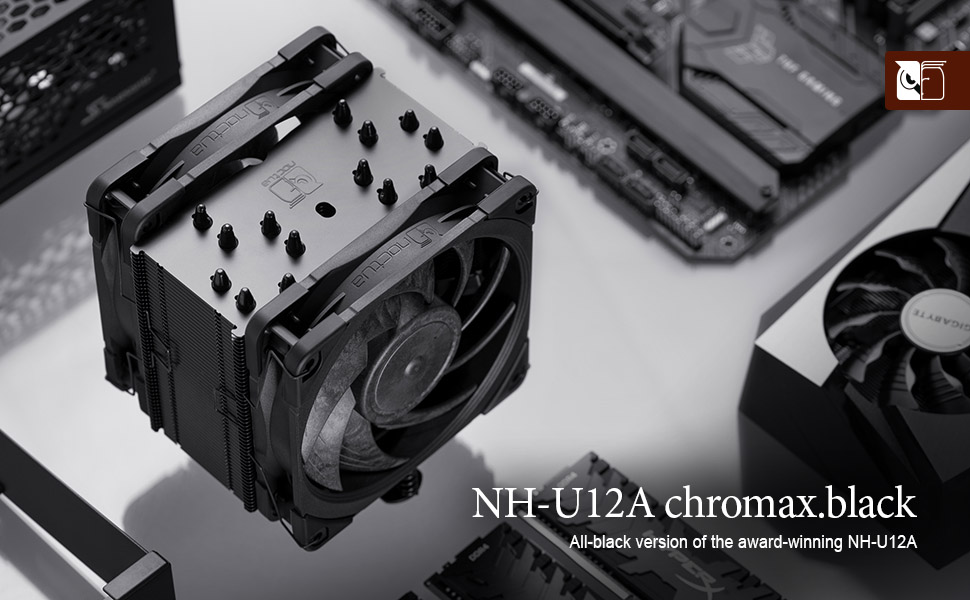
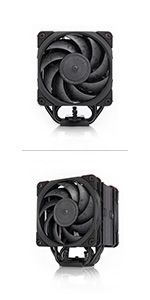
The NH-U12A chromax.black is an all-black version of Noctua’s award-winning NH-U12A premium-quality quiet CPU cooler. Thanks to the same proven asymmetrical single-tower heatsink design and state-of-the-art NF-A12x25 PWM fans, it stays true to the NH-U12A’s successful formula of fusing top-tier cooling performance with superb quietness of operation and outstanding RAM, case and PCIe compatibility. At the same time, the chromax.black version with its black fans and black coated heatsink combines these assets with a sleek stealth look. Topped off with the renowned SecuFirm2 multi-socket mounting system and Noctua’s enthusiast-grade NT-H1 thermal compound, the NH-U12A chromax.black is a deluxe choice for customers who seek a highly compatible 120mm heatsink that can rival the performance of 140mm units and looks just as great as it cools.
| | | | |
|---|---|---|---|
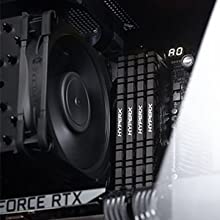
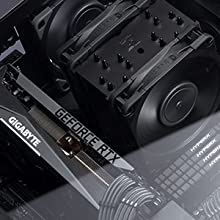
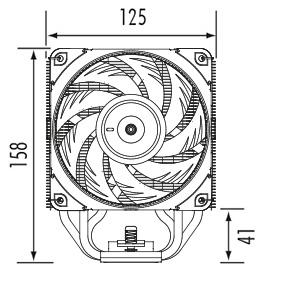
140mm performance in 120mm sizeThanks to its completely revised 7 heatpipe layout, 37% more fin surface area and a dual fan push/pull configuration that uses the new, state-of-the-art NF-A12x25 fans, the NH-U12A can actually match or even outperform many 140mm sized coolers. | 100% RAM compatibility on LGA115x and AM4Due to its asymmetric design, the NH-U12A does not overhang the RAM slots on Intel LGA115x and AMD AM4 based motherboards, which ensures easy access to the modules and 100% compatibility with tall heatspreaders. On LGA2066, the rear fan will overhang the RAM slots on the left-hand side of the socket, so RAM modules should not exceed 42mm in height.* | Classic 120mm tower size for excellent case and PCIe compatibilityStanding 158mm tall, the NH-U12A is short enough to fit most modern mid- or high-end tower cases. Measuring 125mm wide (including fan and fan clips), the cooler stays clear of the top PCIe slot on most standard ATX or Micro-ATX motherboards, ensuring optimum compatibility with multi-GPU setups. | Colour-customisableStanding 158mm tall, the NH-Using the optional NA-HC7 and NA-HC8 heatsink covers as well as the NA-SAVP1 anti-vibration pads (available in black, blue, green, red, yellow, white), the NH-U12A chromax.black can be fully customised to fit popular build colour schemes such as black and red or black and white. |
Measurements
- Height (without fan): 158 mm
- Width (without fan): 125 mm
- Depth (without fan): 58 mm
- Height (with fan): 158 mm
- Width (with fan): 125 mm
- Depth (with fan): 112 mm
Materials
Copper (base and heat-pipes), aluminium (cooling fins), soldered joints & nickel plating
Cooler Specifications
Scope of delivery
- Black NH-U12A heatsink
- NF-A12x25 PWM chromax.black premium fan
- NA-RC14 Low-Noise Adaptor (L.N.A)
- NA-YC1 4-pin PWM y-cable
- NT-H1 high-grade thermal compound
- Black SecuFirm2 mounting kit
- Noctua Metal Case-Badge
* In cases with more than 158mm CPU cooler clearance, the rear fan can be moved upwards to make room for memory modules taller than 42mm.
chromax.black design
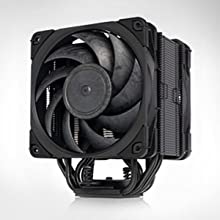
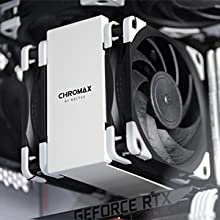
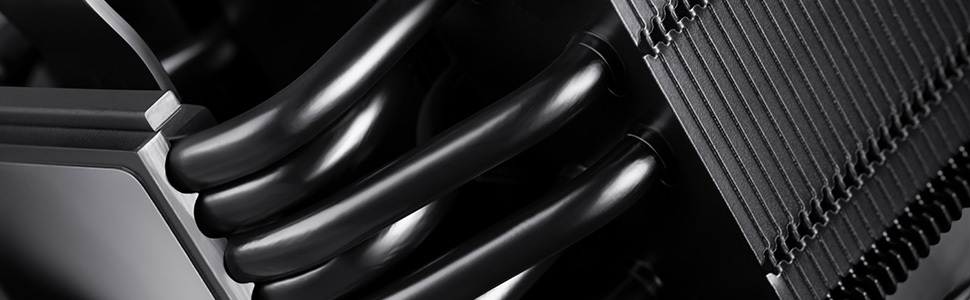
The NH-U12A chromax.black is black from head to toe: featuring a black coated heatsink, a black fan with black anti-vibration pads, black fan clips and black mounting parts, it’s right at home in all-black builds and easy to integrate with other colour schemes.
 | 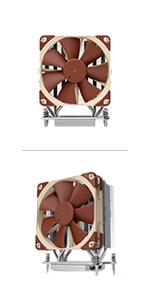 | 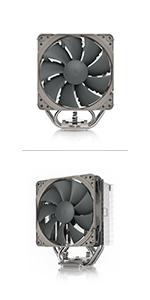 | 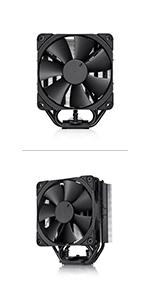 | 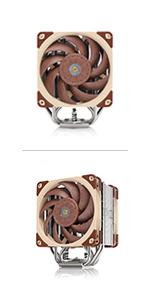 |  | |
|---|---|---|---|---|---|---|
| LGA2066, LGA2011-0 & LGA2011-3 | ✓ | X | ✓ | ✓ | ✓ | ✓ |
| LGA1700 | with NM-i17xx-MP78 | X | with NM-i17xx-MP78 | with NM-i17xx-MP78 chromax.black | with NM-i17xx-MP78 | ✓ |
| LGA1200, LGA115x (LGA1150, LGA1151, LGA1155, LGA1156) | ✓ | X | ✓ | ✓ | ✓ | ✓ |
| LGA775 & LGA1366 | with NM-I3 | X | with NM-I3 | with NM-I3 | with NM-I3 | with NM-I3 |
| Xeon LGA2011 Narrow ILM / Xeon LGA1366 & LGA1356 | X | X | X | X | X | X |
| Xeon LGA3647 | X | X | X | X | X | X |
| Xeon LGA4189 | X | with NM-i4189 | X | X | X | X |
| AM2(+), AM3(+), FM1, FM2 (+) | ✓ | X | additional backplate required | ✓ | ✓ | ✓ |
| AM4 | ✓ | X | ✓ | ✓ | ✓ | ✓ |
| sTRx4, sWRX8, TR4, SP3 | X | ✓ | X | X | X | X |
| Weight: | 1.22 kg |
| Dimensions: | 12.5 x 11.2 x 15.8 cm; 1.22 Kilograms |
| Brand: | Noctua |
| Model: | NH-U12Achromaxblack |
| Colour: | Black |
| Manufacture: | Noctua |
| Colour: | Black |
Habitu la marque Noctua depuis 15-20 ans, ce ventirad est dans la continuit des autres ventirads.
Je ne suis toujours pas prs mettre un watercooling, pour les problmes de pompe, de fuite potentielle, de bruit.
J’ai regard un tas de comparatifs avant de choisir celui-l.
Il est mont sur un Ryzen 9 7900 (non X), qui est 41 en Idle au bout d’une heure et demi de fonctionnement, mon processeur ne monte jamais au dessus de 60. J’ai une trs grande tour dans laquelle j’ai 7 ventilateurs donc cela lui facilite le boulot.
Comme d’habitude je suis satisfait de cette marque.
Excellent cooling and heat dissipation. Best in tier for air coolers.
This is an excellent air cooler for powerful processors on resources intensive tasks. Installed on i9 13900, that took 20 mins watching youtube video with plain instructions. Check the specs of cabinet to ensure no space issues. I have Corsair 4000D accommodating this cooler easily.
Results were astounding. On stress test CPU was stable at 80 degree Celsius and on ordinary usage it was below 35. Does the job perfect.
I was going to return this and actually started a return. But decided to cancel that return and ended up keeping it. On my 13700k it kept it in the 60’s and low 70’s during gaming. Not ideal for me coming from water cooling but not dangerous and in safe limits. The thing I didn’t like about it most was my 4090 couldn’t be vertical mounted with this air cooler. For some that’s okay but for me it raises my ram temps by 15 degrees c in games being the back plate is right under the ram and heat rises right onto the ram sticks and also my 2 of my 4 nvme drives went up over 10 degrees c average being the 4090 dumps it heat on the motherboard nvme 1 and 2 slot with it mounted in the pcie slot. Then my 4090 mem temps raised 15c also not being vertically mounted. Seems wild but if you have a 4090 try it. Might surprised with the results. But it raised my whole system temps up and had to adjust my fan curve to the point it was unbearable to me. So I went with a Corsair aio again and all my temps dropped again. Cpu is easily under controlled on water. Which is expected. But using this now with my wife’s system 10700k at 5.1ghz on all 8 cores to replace my old cryorig h7 lumi that was struggling at 5.1ghz. Easily keeps the 10700k in check with no problems. Plus looks so good doing so. I love air cooling but didn’t want to buy a bigger new case to vertically mount my gpu with a air cooler to keep other components cooler.
I was going to return this and actually started a return. But decided to cancel that return and ended up keeping it. On my 13700k it kept it in the 60’s and low 70’s during gaming. Not ideal for me coming from water cooling but not dangerous and in safe limits. The thing I didn’t like about it most was my 4090 couldn’t be vertical mounted with this air cooler. For some that’s okay but for me it raises my ram temps by 15 degrees c in games being the back plate is right under the ram and heat rises right onto the ram sticks and also my 2 of my 4 nvme drives went up over 10 degrees c average being the 4090 dumps it heat on the motherboard nvme 1 and 2 slot with it mounted in the pcie slot. Then my 4090 mem temps raised 15c also not being vertically mounted. Seems wild but if you have a 4090 try it. Might surprised with the results. But it raised my whole system temps up and had to adjust my fan curve to the point it was unbearable to me. So I went with a Corsair aio again and all my temps dropped again. Cpu is easily under controlled on water. Which is expected. But using this now with my wife’s system 10700k at 5.1ghz on all 8 cores to replace my old cryorig h7 lumi that was struggling at 5.1ghz. Easily keeps the 10700k in check with no problems. Plus looks so good doing so. I love air cooling but didn’t want to buy a bigger new case to vertically mount my gpu with a air cooler to keep other components cooler.
Super cooled my PC and relatively easy to install! Low 30s C for idle use, gaming stays below 90s C and averages about 75-80C! Worked better than my AiO
Super cooled my PC and relatively easy to install! Low 30s C for idle use, gaming stays below 90s C and averages about 75-80C! Worked better than my AiO
Professional Grade Results, Entry Level Price.
I am thoroughly impressed by the quality and performance of this cooler. Running a Ryzen 7 5700g, and upgrading from a coolermaster A17C (similar to stock), that idled/performed at 72/85c.
The NH-U12A is currently idling/performing at 36/53c!
With auto-overclocking pushing the processor past 4ghz, that is a monumental improvement, and far greater that I had ever dreamed I would get for the price. This is a small case sharing space with a 3090ti, 2xNvme, 2xSSD, and 2xHDD; so it already has it’s challenges, but even my PWM case fans are running 20-30% slower than before. Mobo and GPU temps dropped by 1-2c as result of lower ambient and probably better airflow in the case, overall.
The install used my existing AMD backplate, and the tower is offset to one side to allow for RAM clearance. I am running a micro-atx board in a somewhat cramped mid-tower case, and I was still able to install and work the fans in place fairly easily. Judging by the cramped conditions of my board, I would vouch for 100% universal RAM clearance, as the offset tower just does what it says it does; and the included fans are not thin by any means. As a bonus, the fans seem to be positioned just perfectly to draw intake air across the RAM an works well with my VR heatsink on the exit side of things.
The included fans are smooth as glass, and surprisingly quiet at full speed; but I had to manually run them to full, as the CPU wouldn’t heat past 53c (Fan RPM 1300’ish). Primo fans, no RGB, but that’s what I wanted for this rig. The wires are well sheathed in tubing and heatshrink- wire management approved.
If you’ve never dealt with this type of fan clip system, practice with them before you install the cooler. lol.
I bought the add-on, decorative cover NA-HC7, which looks amazing on the installed cooler, and requires less effort to install than removing the side panel to get to it. This add-on should be RGB, as the cutout design is just too perfect not to be backlit. This kit did add height to the cooler, and my case is fairly small, but the glass panel clears everything by about 2mm.
Everything came professionally boxed, shiny, and new; and you can just feel the care and quality in everything you touch, even the packaging.
I rarely write reviews, and I am rarely impressed; but I was on the fence for weeks about a cooling solution on this particular rig, and I wanted to ensure others in my position can absolutely trust this cooler.
Even versus watercooling, maybe. Dang.
It is 100% compatible with RAM (as I've read). It worked great, and cools great on a Ryzen 5 7600x. Idel temps are about 42 deg C. The Ryzen chips are designed to run at 95 deg C. There is a thermal limit built into the CPUS. Not sure if this is the case for ALL Ryzen CPUs. I think so. For my CPU it is.
It is 100% compatible with RAM (as I’ve read). It worked great, and cools great on a Ryzen 5 7600x. Idel temps are about 42 deg C. The Ryzen chips are designed to run at 95 deg C. There is a thermal limit built into the CPUS. Not sure if this is the case for ALL Ryzen CPUs. I think so. For my CPU it is.
I must say, the Noctua CPU cooler has genuinely impressed me with its remarkable performance. The installation was a breeze, and the packaging was top-notch, making it a worthwhile investment for anyone in the market for a new CPU cooler. My expectations were exceeded, and I am extremely pleased with my purchase. I highly recommend this product without any hesitation.
I must say, the Noctua CPU cooler has genuinely impressed me with its remarkable performance. The installation was a breeze, and the packaging was top-notch, making it a worthwhile investment for anyone in the market for a new CPU cooler. My expectations were exceeded, and I am extremely pleased with my purchase. I highly recommend this product without any hesitation.
You actually can't beat this cooler. It doesn't matter if you buy the largest multi fan 120 or 140, even from Noctua. This is the best of the best. Your only possible step up from this is water cooling. And the NH-U12A still beats a good number of those. Expensive? Yes but you get what you pay for. Quiet, built like a tank and looks as cool as it runs.
You actually can’t beat this cooler. It doesn’t matter if you buy the largest multi fan 120 or 140, even from Noctua. This is the best of the best. Your only possible step up from this is water cooling. And the NH-U12A still beats a good number of those. Expensive? Yes but you get what you pay for. Quiet, built like a tank and looks as cool as it runs.
Extrem gu
Auer dem Preis gibts da nichts zu meckern.
Kann einen 13700K locker khlen, in Games unhrbar und gut gekhlt.
Bei 250 Watt in Cinebench R23 wirds durch 2000 rpm zwar laut, aber schafft es bei mir die CPU bei ca. 80-85C zu halten.
Fr einen 120mm Luftkhler ziemlich gut.
Wer das ntige Kleingeld hat, auf jedenfall zu empfehlen.
Ottimo prodotto di qualità
Velocit e consegna eccellenti, come sempre Amazon al top!!! Per quanto riguarda il prodotto altrettanto ottimo, silenzioso e prestante, nessun problema di temperature alte, viene fornito con pasta termica di qualit e 2 cavetti noise reduction rinforzati+ 2 ventole da 140mm con antivibranti premontati 4 stelle solo per i 129 un tantino eccessivi (a mio parere)
Noctua rempli son job
Ayant eu du mal a reffroidir mon r7 5800x
Mm avec mon watercooling 240 mm j atteignais 88 a 90 degres et pas en ultra ici je suis a 75 voir 65 dans certains jeux et le plus gros jeux mal optimise comme star cityzen j atteins 80 degres gd max satisfait de ce noctua je dois encore paufiner certains reglage
Fan et ca devrait encore mieux alle
Ottimo dissipatore ad aria
Probabilmente non il migliore per rapporto qualit/prezzo, riesce egregiamente ad eseguire il proprio compito su un i5-13600K, mantenendolo al di sotto dei 70C in scenari realistici, sempre al di sotto dei 90C in scenari sintetici. Ventole udibili alla massima velocit ma non fastidiose (nessun rumore ad alta frequenza o ronzii). Completo di accessori, istruzioni semplici da seguire ed ottima pasta termica. Pure bello da vedere. pi grande di quel che sembra, controllate bene le misure. Lo consiglio caldamente a chi vuole un ottimo dissipatore ad aria e non ha restrizioni particolari di budget.
Sehr gut und teue
Der Khler ist groartig. Er ist relativ klein, die RAM Pltze werden nicht verdeckt, so dass man hier bei der Wahl vllig frei ist.
Tipp: Der hintere Lfter bringt nicht viel, wenn man noch keinen hinteren Gehuselfter hat, dann kann man den besser dafr nehmen.
Allerdings ist der Preis etwas zu hoch.
Why go with a AIO water cooler when you can pay less for just as much cooling with this. I haven’t tested the actual differences but I have to say it at least seems to be working better than an AIO water cooler. Plus I don’t need to worry about it ever leaking anything.
Eccellente
Qualit ed efficenza Noctua, allo stesso livello del NH-D15 Chromax black, ma con un ingombro molto inferiore. Montato tranquillamente nel mio Asus TUF GT502 per un Ryzen 7800X3D che non supera mai i 60 gradi. Per AM5 consiglio di comprare a parte il kit Noctua NM-AMB15, per una migliore dissipazione. Spero di esservi stati utili.
Montage socket am4 proc 5800xd3
Impeccable rien dire refroidit bien, je n’ai pas envie de passer le cap de l aio. Le ventirad est fiable dans la dure juste a changer la pte thermique tous les 5/7 ans… Est voil. Fait trs bien son djob. Prix un peu lev mais la qualit est l.
Great cooler!
I bought this cooler to replace a failed AIO which caused my i9-10850k to reach 80+C just by turning on the machine.
CPU temps since install have been great. Even in my small case, I’m seeing around 30-35C when casually browsing and 70-80C when playing AAA games with my case fans running on “regular”. I also only use a single fan on the cooler itself as I haven’t seen the need to add a second.
The cooler itself looks bland but I spiced it up by swapping the fan out to a Cooler Master fan to match the rest of my case fans.
It seems to be Collings my Core I9 11900 from 35 to 50 C at idle. When stressed the CPU ramps up to about 65 to 70 C which is ok for me. I have an Asus Prime Z 590 Pro which has Fan X pert on. This is a nice fan control utility which I’m still playing around with to tweak my system. At stock fan speeds the cooling was inadequate but Noctua’s fans are so good I can increase fan speed for better cooling with hardly any noticeable increase in noise.
It seems to be Collings my Core I9 11900 from 35 to 50 C at idle. When stressed the CPU ramps up to about 65 to 70 C which is ok for me. I have an Asus Prime Z 590 Pro which has Fan X pert on. This is a nice fan control utility which I’m still playing around with to tweak my system. At stock fan speeds the cooling was inadequate but Noctua’s fans are so good I can increase fan speed for better cooling with hardly any noticeable increase in noise.
Il miglior dissipatore ad aria sul mercato
Noctua e sinonimo di alta qualit in tutti i sensi e questo dissipatore ne la prova.
Performa molte bene sul mio processore Ryzen 7700x tenendo le temperature accettabili in situazioni di massimo carico dove le due ventole si fanno sentire appena.
Pienamente soddisfatto di questo prodotto.
je m attendais a mieux
je modifie mon annonce : fait le job sur un 17 13700k fait test occt 90 degr : normal en fonctionnement normal parfaitement silencieux ; en charge ; il est bruyant ; c est normal ; mais aussi puissant voir plus que le ak 620 pourtant plus gros ;
El mejor disipador del mercado
Excepcional. La calidad del producto justifica el precio.
Los ventiladores practicamente no se escuchan, y a plena carga tienen un nivel de sonoridad muy aceptable.
Buen producto
cumple con lo prometido. bajo 10 grados al I7 12700K. Lo unico malo es su precio.
Very impressed How Silent it is. My Asus ROG Temp went from 85+ degrees to a stable 40-50 degrees.
I know it’s been a few months since I installed this Bad Boy. I’m very impressed with this air cooled fan. & It’s Very Very Quiet. Only issue i have is that now I can’t close the side panel, because the fan it self sticks out about a quarter inch (1/4″). But it’s OK. I got rid of the originally Noisy fan that this ROG G15CE came with. My gaming rig wouldn’t restart before because it was getting too HOT. System was overheating bad. About 85+ Degrees. My RTX3080 was getting too hot also. Now its stable at about 40-50 degrees while playing battlefield or diablo (for hours). I Love it. We got a winner here. Thank you Noctua. 🙂 A+
This is the system I bought from Amazon that was overheating & Noisy. Now it’s soooo silent
Link to my Asus ROG: https://www.amazon.com/gp/product/B0BCM91X5N/ref=ppx_yo_dt_b_asin_title_o08_s00?ie=UTF8&psc=1
Installation facile, refroidissement impeccable.
Pour ce ventirad, dj l’unboxing, emballage nickel.
L’installation est trs facile, la notice est trs bien explicite avec des schmas trs clairs.
Le refroidissement est super efficace, je suis descendu de 73C 51C sans charge et en stress je ne dpasse pas les 82C avec le turbo fond. Mon processeur est un Ryzen 7 5800X. Je me suis amus faire un Cinebench avec mon ancien ventirad et le Noctua (11500 alors que maintenant je suis 13900 environ).
J’ai pu voir qu’avec mon ancien ventirad, le processeur tait brid 4.2 Ghz.
Le seul dfaut que je lui trouve c’est son prix certes un peu lev mais une qualit exceptionnelle.
Que du bonheur.
Kompakter High-End Kühler für Ryzen 7 5800x
Ich habe einen kompakten CPU Khler gesucht der einen Ryzen 7 5800x khlen kann, relativ leise ist, leicht zu montieren ist, gut aussieht und eine gute Qualitt hat.
Dies alles habe ich beim Noctua NH-U12A gefunden.
Die Temperatur ist mit prime95 nie ber 90 Grad C gekommen was fr den 5800x schon beachtlich ist.
Dabei waren die Noctua Lfter NF-A12 zwar hrbar aber immer angenehm. Bei normaler Benutzung sind diese nicht aus dem System raus zu hren.
Die Montage gestaltet sich, dank Noctua SecuFirm, super leicht dabei habe ich die mitgelieferte Noctua Wrmeleitpaste benutzt. Sehr empfehlenswert.
Die Qualitt des NH-U12A ist auerordentlich. Angefangen bei den Finnen, ber die 7 Heatpipes bis zum vernickelten Boden ist alles perfekt.
Zu guter letzt sieht der Chroma in schwarz mega geil aus.
Qualitt hat ihren Preis. Es gibt kein Essen umsonst.
Ich bin sehr beeindruckt von diesem Khler. 10 Sterne.
Excellent no-compromise cooler, though a little expensive.
Excellent no-compromise cooler for my i5-13600K, though a little expensive.
Had problems
I am sure this is a good fan; it just would not fit onto my motherboard. Not the fault of the fan, I was just unlucky that my motherboard only fits Intel fans. Live and learn. Put it back in the box and put in the loft, maybe it will come in handy in the future.
Mejor que mi anterior Liquida
Tenia una corsair de 1 ventilador, ya que en la caja no entraba ms. Y le daban unas ventoleras a la refrigeracin que no era medio normal. A parte con juegos que requeran de procesador pues tiraba a todo lo que daba y un ruido a turbina que pareca que estaba viendo la peli de Top Gun.
Por que cambie? Muchos videos de youtube y una fijacin por esta marca bsicamente.
Es bastante pasta por una refrigeracin por aire, pero se nota mucha calidad y que est todo muy pensado para que sea simple y efectivo.
Escuchas que est encendido claramente, pero es constante y muy bajo, asique no molesta para nada.
Overall it was a fairly simple job, but my recommendation is to read every line of the instruction guide to save yourself some headaches. Here are some issues that I ran into by not doing that.
My motherboard is an ASUS Prime Z390P.
1. When installing the backplate in Step 2, be sure to orient the bolts into the correct hole position on the plate, there’s a top and a bottom position based on your processor. I had one bolt in the LGA1700 position and the other three in the LGA115x, so the plate would not slide into the holes.
2. There are two different colored spacers depending on your processor.
3. Check the desired orientation of the fan BEFORE installing the mounting bars. Also note that one side of the heat sink is shorter.
4. If you are connecting both fans using the Y cable, plug the cable into the board before you reconnect the fans to the heat sink.
5. Lastly – if orienting the cooler vertically, plug your CPU cable back in before installing the heat sink.
Very pleased with the quality of the components and it’s very quiet.
This review is for Noctua NH-U12A chromax.Black, 120mm Single-Tower CPU Cooler (Black).
When I finished putting my new build together, the wraith prism ended up being insufficient for the amount of heat the AMD Ryzen 5 7600X creates. I was seeing temperatures of around 83c to 87c (181.4F to 188.6F) whenever I turned on any game. Turn on a web browser and it would go up to around 76c (168.8F) in a room that’s around 21c (69.8F) typically. At the time that I am writing this, I have BDO (Black Desert Online) running in the background, multiple browser tabs and Discord running – my CPU temperature is sitting around 68c to 74c (154.4F to 165.2F). That is a major difference in temperature from the Wraith Prism, especially since these newer CPUs are generally known to run hot. In terms of my case fan setup, I have three in front for intake, one at the back and two at the top for exhaust.
I know the aesthetic might not be the best looking for everyone since some people absolutely love fan halos – I assume you might be able to buy fan halos to put on it and fix that issue, however – my RAM has RGB lighting which projects nicely on the intake fan so it creates this kind of very light, pastel look to it. If you go for the classic brown Noctua, there are some incredibly clean and aesthetically pleasing builds I’ve seen using them that I would advise looking up if your worry isn’t only functionality but aesthetic.
In terms of noise level – I have very sensitive ears and I don’t hear anything from it – the fan noise I do hear is from my case fans instead, which aren’t Noctua brand, they’re some rather generic fans that came with this case.
In terms of installation – it was incredibly smooth. I went with U12A because of the amount of clearance my computer has for the tower and my intake fan had to be lifted a little due to where the RAM sits which is perfectly fine to do. The fans have little clips that just clip onto and hug the radiator so they are extremely easy to adjust if needed.
My advice for anyone considering a Noctua brand air cooler:
* Know the TDP of your CPU, it might be overkill for something with 65W for example but if you are looking to upgrade your CPU its a really good deal. How you use your computer is also a contributing factor to the amount of heat output – so do your research depending on how intense or complex the work you plan to do is, it could pull a lot more power and thus generate a lot more heat and maybe air cooling isn’t enough to keep up with the heat output.
* Consider things like the average temperature of the room you do or will have the computer in, your build layout, the case size, case air flow, and the type of case fans you are using and/or plan to use.
* Compatibility & Clearance. You are able to check via Noctua’s website if their coolers are compatible with your Motherboard, Case (not all cases are listed, but they have a formula to help you figure it out if need be), CPU, and RAM.
* Make sure you triple check your information on clearance to make sure you buy the appropriate Noctua to suit your needs.
To whoever buys a Noctua brand cooler, enjoy! They come with a 6 year warranty too – which makes it feel like a better and safer product to purchase considering most computer components will generally start to have issues between 3 to 5 years down the line, and in the case of just so happening to get a faulty unit. As a consumer I know how daunting it could be when you are in the market for computer components given the amount of choices we have – and when you see a product with x amount of awards and good reviews it really makes you think about if it really is good – especially considering certain companies just buy good reviews. I typically never leave reviews because I also am one of the consumers that prefers to do my own research instead of just trusting and hoping that the product reviews are indeed legitimate. However, I am thoroughly pleased with this product and hope by leaving a review I can help anyone who cares for informative reviews and is like me; Prefers air cooling and has gotten a CPU that for the first time just any cooler isn’t good enough for gaming.
This is my first Noctua brand CPU cooler, but the second one I’ve purchased. The first one I purchased was a NH-D15 for a family member’s build, he however has a full tower, so he has a lot more clearance to work with than I do with my mid tower and it works like a charm for him as well. However, in his case he had swapped from an AIO that was dead/dying – so I’m sure he would have seen a difference in his temperatures regardless of what he got as long as it wasn’t defective.
5.0 out of 5 stars Noctua is very gud -Linus
Bit expensive. But very good cooling for the sun I have inside my pc case.
good for i7 13th ge
i7 13th gen not going above 80 celsius on heavy games, also quie
Armatoste funcional.
Se trata de un disipador por aire de mucha calidad. Embalaje premium. Cuenta con 2 ventiladores de 120mm y pieza central metlica para disipar calor pasivamente con conector de 4 Pines. Adaptador para conectar ambos ventiladores. Ademas incluye pasta trmica Noctua. POSITIVO. Funciona mejor que la lquida MSI de 120mm que fallo antes del ao. He mejorado las temperaturas y el rendimiento en un porcentaje alto. El anclaje a la placa base es sencillo pero ha de ser hecho con cuidado por el peso del dispositivo. En color negro no es tan desagradable de ver como los tonos crema y marron del modelo csico. NEGATIVO. Estticamente es una pieza grande y estorbosa de aspecto nada agradecido, y con un peso que hace pensar que con el tiempo traera problemas a la placa base. El sistema para conectar los ventiladores al disipador es tedioso y luce frgil y barato. No incluye piezas adicionales. El ruido es considerable. Mas si vienes de una lquida. CONCLUSIN. Aunque no ayude al aspecto de tu ensable, no sea super silencioso como prometen, lo cierto es que es una pieza que funciona ESTUPENDAMENTE y que no necesita mayor mantenimiento y que al fallar lo sabras de inmediato porque no giraran o lo haran mal los ventiladores. Lo recomiendo aunque sacrifiques esttica y tenga sus matices al instalar porque podra chocar o rozar memorias o, como en mi caso el disipador de la placa base. Necesitar una caja con espacio para instalarse.
Good performance but too expensive.
The compact format, compared to similar performance coolers, and the fantastic new fans makes this cooler a very good option for those who need this level of performance at a more compact size.
No issues with RAM, won’t seat too close to the GPU, won’t require a very wide case.
But if you don’t have any of those limitations, there’s quite a lot of good options available. From Noctua the NH-D15S, rather than the bulky NH-D15, or the Dark Rock Pro 4 from BeQuiet. Even much cheaper options from Thermalright (Peerless Assassin).
A Well Designed And Well Made Coole
It comes with plenty of accessories and fittings for various sockets. The twin fans run really smoothly, plus it looks good. It is not cheap though.
Pricey, but so so worth i
Installation: very simple, mounting system was easy to install, screwing the tower down onto it was equally as easy and the fans clipped on nicely building inside the case.
Performance: Using this for the 5800X3D, 28c-35c idle/light tasks, 50c-60c gaming, 75c-80c full Cinebench load. Fits nicely in my mATX case (Lian Li 205m Mesh) providing full RAM clearance and is generally very quiet.
You get what you pay for with this one, total quality, this chromax version looks amazing also!
Best Air coole
Does the job runs quiet and keeps CPU cool ! Looks nice too
Small and cool
I use this to cool my 5950x cpu which it does effortlessly at 40 degrees idle and up to 62 degrees under load. The included fans are nice and quiet if you configure them correctly, I’ve managed to keep temps in the low 60’s at less than 50% fan speed. I see no reason to move from this to a larger cooler or AIO.
The only down side is this costs more in black.
Unbeatable
Bought this to replace a 1 year old AIO liquid cooler that started overheating for no apparent reason, I decided to go back to air cooling and obviously went for Noctua.
I’m absolutely happy with my choice, cools equally or better than my old Lian Lee AIO and is super quiet, I 3 more be quiet fans on my pc and now, I can’t tell by the fan noise if the pc is on or off.
Easy to install and it comes with a Noctua thermal compound wich is top level.
Ditch your water and get some air!
Bardzo dobre chłodzenie CPU - u mnie chłodzi i7 11700K
Przesyka dotara na czas. Prawidowo zapakowana. Samo chodzenie dziaa bardzo dobrze. i7 11700k podczas dugiego grania nagrzewa si maksymalnie do okoo 70-75 stopni C. W wikszoci gier temperatury s midzy 60 a 70 stopni C. Wiatraki w trakcie grania s syszalne, ale nie uciliwe. To moje drugie chodzenie od Noctua i spisuje si bardzo dobrze.
You can keep liquid cooling….
Works like a treat and will never leak or need a new pump. By far the best choice
Excelente producto.
El producto funciona de maravilla, las instrucciones fueron muy claras para su instalacin, el ruido es aceptable an y cuando se sube al mximo la velocidad y la temperatura de mi procesador la disminuy poco ms de 10 grados a una temperatura ambiente de 25 grados aproximadamente y me gust tanto su diseo como los materiales.
El nico detalle es que la caja del producto me lleg maltratada y no me dio buena impresin, pero afortunadamente el producto lleg intacto y funcional. Lo recomiendo ampliamente.
There is an almost unbearable harmonic beating tone produced at almost every fan RPM level regardless of whether the LNA's are used. Certain PWM percentages are worse than others where the oscillation of the tone becomes intense and fast, but its never anything that can be escaped from entirely. Really disappointed as I quite like the fans themselves, I think Noctua needs to resolve how its fans negatively interact with heatsinks.
There is an almost unbearable harmonic beating tone produced at almost every fan RPM level regardless of whether the LNA’s are used. Certain PWM percentages are worse than others where the oscillation of the tone becomes intense and fast, but its never anything that can be escaped from entirely. Really disappointed as I quite like the fans themselves, I think Noctua needs to resolve how its fans negatively interact with heatsinks.
Great CPU cooler, but make sure it fits!
The Noctua coolers are great, and this cooler works well for the newer CPUs to keep them cool, It is quiet and stylish in the black color. It comes with LGA 1700 compatibility which is great unlike some other coolers which you have to order it seperatly.
One note is to make sure that you measure the size of your case, and see what the max CPU cooler height is, alongside checking RAM clearance as to not have it overhang, however, this cooler has adjustable fans which can be moved up in order to place ram taller than 42.2mm.
Overall great product: 9/10
Best Air cooling CPU coole
Quiet, effective and not a bad price.
Also slightly smaller then the other noctua CPU coolers so the RAM slots aren’t as restricted.
5.0 out of 5 stars Just wow.
Noctua NH-U12A is near AIO performance. Expensive, but well worth i
Best CPU Cooler on the market.
Went from an AMD Stock Cooler to the NH-U12A. Best decision made so far. The cooling is insane (Even though I don’t do OCing), and I went from an average temperature of 83-92C on Heavy Loads, to barely even going past 66C on Heavy Loads, even on BF1 and FiveM which are very very very CPU heavy. I run all my games on the highest settings on 4K resolution (3840×2160) and the CPU temps are blowing my mind. Get this cooler while you can! Black one looks better.
Picture Note: Those are my current Stats at time when running BF1 in the menu. FPS is under 60 because I use Radeon Super Resolution (FSR Fidelity FX), and module can only cap fps at 60FPS.
What noise?
This was a perfect fit for my case and it’s a phenomenal cooler—temps are absolutely wonderful (though the fact that I have it in a Lian Li O11 Air Mini synergizes well with an air cooler may factor into that) but as for the noise level? What noise?
It’s a Noctua product. It may be expensive, but you can rest assured that it will do the job efficiently & silently.
Muy bueno
Excelente mantiene mi procesador a temperaturas normales de funcionamiento Rayzen 5800x
The U12A is a great air cooler albeit the most expensive one. I use it in a small mATX case (inwin 301) where airflow is poor. Does a great job cooling an r5 3600 idling in high 30s to low 40s. In cinebench r23 max temp 74 degrees and while gaming up to 78 degrees max spike. I know the 3600 is not hard to cool. The U12A gives slightly better cooling performance than the wraith prism. About 4-6 degrees delta but it's much better at being silent. At 100% max fan spin, while audible it is not very loud. I've also used this cooler with a 5900x in the same case and that CPU is a hot one! It can cool the 5900x in cinebench r23 at high 70s to mid 80s and idle at around 45-50 degrees. While gaming I saw the 5900x temps spike really high. CPU package up to 89 degrees and CCD1 go up to 93. That being said the U12A chromax black is still a great cooler that I can easily recommend. If your case is limited to 158mm cooler height and you're thinking about purchasing this... do it, you won't regret it.
The U12A is a great air cooler albeit the most expensive one. I use it in a small mATX case (inwin 301) where airflow is poor. Does a great job cooling an r5 3600 idling in high 30s to low 40s. In cinebench r23 max temp 74 degrees and while gaming up to 78 degrees max spike. I know the 3600 is not hard to cool. The U12A gives slightly better cooling performance than the wraith prism. About 4-6 degrees delta but it’s much better at being silent. At 100% max fan spin, while audible it is not very loud. I’ve also used this cooler with a 5900x in the same case and that CPU is a hot one! It can cool the 5900x in cinebench r23 at high 70s to mid 80s and idle at around 45-50 degrees. While gaming I saw the 5900x temps spike really high. CPU package up to 89 degrees and CCD1 go up to 93. That being said the U12A chromax black is still a great cooler that I can easily recommend. If your case is limited to 158mm cooler height and you’re thinking about purchasing this… do it, you won’t regret it.
This cpu cooler is amazing. Previously I was using an AIO in my new build thinking this would be much more effective in reducing sound vs stock fans I’ve used in the past. The AIO did but there are just so many problems with AIO from weird pump noises and risk the water evaporates. It just wasn’t going to last.
So having done some quick research I purchased this and it was amazing. Super easy to Assemble and connect fans to PWM. The hardest but was attaching the fans but after watching a YouTube video it’s a very practical and efficient method of mounting avoid screws.
In terms of performance this fan is even quieter than my AIO. Which is resulting in me hearing more noise elsewhere in the system such as minor coil whine in the graphics card. Otherwise my system now runs completely silent I wouldn’t know it was running without the RGB lighting.
Yes this is expensive but it is an amazing cooler and likely will last many many years and multiple systems so I would suggest this is a great investment.
I will be looking at case fans from this brand in the future
AIO performance for less
Stop. Just stop and get it. Ran an AIO for more than a year for aesthetic and cooling purposes until the pump whine became too much.
Concerned if I could get the same cooling performance of my 360 AIO I took the plunge.
Man oh man. For whatever reason this small beast runs an average of 4-5 degrees cooler on idle and full load. Stop looking, Get it. Regret you won’t.
I did not want to liquid cool, so I took a chance on this fan. Works well with Ryzen 5900 and my ASUS ROG Crosshair VIII Dark Hero AMD AM4 X570S. Normal web surfing and Word and Excel, the idle temp is around 33 Celsius. I run the fans on quiet mode. When video rendering, the temp goes to 65 degrees. The processor is running at 4700 MHz. If it gets near 70, the fan kicks into higher mode and keeps the temp below 65. I have a full size case. I am not a gamer, but I suspect the temp will be kept below 70. I love the Ryzen because the the cpu speed drops below 500 MHz. I have been using this system since I built it March. I am extremely pleased. My case supports liquid cooling, but I see no need for it. The reason I chose the Asus MB is that superbly built and has lots of USB ports.
I did not want to liquid cool, so I took a chance on this fan. Works well with Ryzen 5900 and my ASUS ROG Crosshair VIII Dark Hero AMD AM4 X570S. Normal web surfing and Word and Excel, the idle temp is around 33 Celsius. I run the fans on quiet mode. When video rendering, the temp goes to 65 degrees. The processor is running at 4700 MHz. If it gets near 70, the fan kicks into higher mode and keeps the temp below 65. I have a full size case. I am not a gamer, but I suspect the temp will be kept below 70. I love the Ryzen because the the cpu speed drops below 500 MHz. I have been using this system since I built it March. I am extremely pleased. My case supports liquid cooling, but I see no need for it. The reason I chose the Asus MB is that superbly built and has lots of USB ports.
AND IS DEAD SILENT TOO. i was immediately convinced and ordered replacement fans and coolers for all my rigs. Noctua wins. (on further review, "Dead Silent" may be subjective to how sensitive your ears and body are to SUPER HIGH FREQUENCY WHINE/DRONE)
AND IS DEAD SILENT TOO. i was immediately convinced and ordered replacement fans and coolers for all my rigs. Noctua wins. (on further review, “Dead Silent” may be subjective to how sensitive your ears and body are to SUPER HIGH FREQUENCY WHINE/DRONE)
Can't go wrong with one of the best brands in cooling. Looks great, works great, and does the job at keeping my CPU temps under control.
Can’t go wrong with one of the best brands in cooling. Looks great, works great, and does the job at keeping my CPU temps under control.
Admittedly I'm a Noctua fan, no pun intended. Installed easy on new z690 build. Intel 12600k running mid 20's at idle in a CM h500 case. Kinda liked the the Brown / beige as a statement thing, but went black. 2 things you should never go cheap on is power and cooling. You wont be sorry.
Admittedly I’m a Noctua fan, no pun intended. Installed easy on new z690 build. Intel 12600k running mid 20’s at idle in a CM h500 case. Kinda liked the the Brown / beige as a statement thing, but went black. 2 things you should never go cheap on is power and cooling. You wont be sorry.
This fan works really well for the required footprint in your case. It however is overpriced by about $20. The build quality is one of the highest though. Unlike most of my recent Amazon purchases, this one bought as new came as new so I guess that is a plus.
This fan works really well for the required footprint in your case. It however is overpriced by about $20. The build quality is one of the highest though. Unlike most of my recent Amazon purchases, this one bought as new came as new so I guess that is a plus.
I upgraded from a ryzen5 1600 with wraith cooler to a ryzen 7 5800x. The wraith can be used but doesn’t keep temps as low as other options. Install was very easy especially if i have AMD as it required being able to use the existing mounting equipment. For $100 its bulky and quiet, no LEDS but does the job. Could spend $130-$200 on liquid cooled options. Worked for me and my budget and needs.
I upgraded from a ryzen5 1600 with wraith cooler to a ryzen 7 5800x. The wraith can be used but doesn’t keep temps as low as other options. Install was very easy especially if i have AMD as it required being able to use the existing mounting equipment. For $100 its bulky and quiet, no LEDS but does the job. Could spend $130-$200 on liquid cooled options. Worked for me and my budget and needs.
Simply Amazing.
I love that it’s small and black.
It has almost universal compatibility with everything including RAM clearances.
The mounting could not be more simple and straightforward. It’s also very solid.
It can cool my 5950x with OC without any issues at all.
Just outstanding!
une belle bête
Facile installer et fais bien son boulot avec mon ryzen 9 5900x
Beware! I was obliged to install only the outake fan because of the very big heatsink on dominator DDR5 platinum. I’m still more than happy with the performance so far, at max load on i7 12700k (4.8ghz) still dont goes over 75c on a very hot day, with a little tweak to the temp/fan speed obviously. Noted that i have 2 outake fan top and rear right next to the heatsink so i think it compensate for the missing pushing fan. My case is a NZXT h510 flow.
Beware! I was obliged to install only the outake fan because of the very big heatsink on dominator DDR5 platinum. I’m still more than happy with the performance so far, at max load on i7 12700k (4.8ghz) still dont goes over 75c on a very hot day, with a little tweak to the temp/fan speed obviously. Noted that i have 2 outake fan top and rear right next to the heatsink so i think it compensate for the missing pushing fan. My case is a NZXT h510 flow.
Sehr gut!!
Der Hersteller liefert Schrauben, etc. Mit und eine Wrmeleitpaste und macht seine Arbeit!
very good and quiet cooler.the temps are really good too
very good and quiet cooler.the temps are really good too
Top Qualitä
Wie immer bei Noctua, bekommt man fr sein Geld ausgezeichnete Qualitt geliefert.
Nachdem ich vorher zwei 15er verbaut hatte, kam diesmal ein 12er auf eine neue CPU, und ich muss sagen , ich bin mehr als zufrieden. Werde das nchste Mal wieder zu Noctua Produkten greifen!
Bought this cooler for my daughter’s PC, we were upgrading from an i5 (stock cooler) to an i9 with this bad boy. Went to install the new processor and this cooler and the PC would NOT boot! I thought I had messed something up, went through the whole install again and same result.
Motherboard LEDs indicated a problem with the DRAM. Thought maybe I bumped the RAM so I reseated everything, NOTHING. Got some working memory from another PC, popped it in … nothing.
Installed the previous processor and fan … it was working again. WTF?!?!
Now I tried the new processor and old fan – ran really hot (100C) but it worked. Had to be the cooler. How is that a problem????
Well, turns out, the cooler was putting too much tension on the processor (it has springs to tighten it down to the processor. I had to loosen those screws until I could get the computer to boot.
Runs great now and keeps that i9 around 49C even under heavy gaming load. So it works, but beware the tension! Hoping this is helpful to someone else!
Noctua goodness, now with less biege!
Noctua CPU coolers are arguably the best in the business, but I always disliked their biege-colored fans. The chromax.black series fixes this issue by making everything black, so it really blends in with the rest of your system (especially nice now that glass side-panels are the norm for most high-end cases).
I recently built a Mini-ITX system using an Intel Alderlake 12700K CPU and the Noctua NH-U12A cooler. The Noctua fit perfectly in the NZXT H210 Mini-ITX case and keep the CPU idle temps around 23c.
10/10 would buy again.
This cooler is awesome! First off, I wanted to go air cooling over water cooling on my i7-12700k and after countless hours of researched I arrived at this. It looks amazing, and the performance for an air cooler is unreal with it not going over 60c even on intense games which is equal to/outperforms many larger air cooling rivals.
It runs super quiet, with the only time it making noticeable noise was under stress testing which was just a soft hum at most.
You do pay a premium for this cooler, especially the all black version so if you want to save some pennies going for the brown colour.
Comes with all you need to install including thermal paste and an LGA1700 compatible mounting bracket, this also features a ram clearance design that has the fins away from the rams slots (assuming you don’t have an 8 slot mobo)
First time Noctua user and I am blown away.
First time using a noctua coming from a Corsair AIO water cooler. This fan is amazing and I am getting 38c idle and 80c on max stress (5900x – 100% on all cpus). The fans are incredibly quiet even at 2000 rpm’s. Noctua took about 10-15 minutes to install and has great instructions along with all accessories needed to get your CPU operating and cooled in no time (thermal paste included). Noctua also does a great job on providing all details via their website for their coolers and avoid clearance issues by providing many types of specifications. Highly recommended and will be using Noctua moving forward for an of my cooling needs.
GIGABYTE X570 AORUS Elite Wi-Fi
AMD Ryzen 5900x
Noctua NH-U12a (2xFans) (incredible cooler)
4x16GB (64GB) DDR4 GSKILL @ 2133 (F4-s133C15-16GIS)
ASROCK 3060Ti
3xSATA
WIFI + LAN
2 x Alienware AW2521HF 240hz monitors @ 1080p
3 x 140mm Case fans. (2xfront 1xback)
Corsair RM750i Power Supply
straordinario
Premetto che ho due pc e questo e il secondo dissipatore noctua che compro e sono rimasto meravigliato dell efficacia di raffredamento e silenziosita che ha nei confronti del nd h15 che ho mantato su i9-12900kf mentre questo sta dissipando i9-10900k e sono rimasto meravigliato dato le sue dimensioni ridotte consiglio nh-12a che a prestazioni sono simili ma ancora piu silenzioso e prende meno spazio ottimo da parte di noctua
Great cooler, couldn't ask for more!
Initially had gotten a unit that was broken through shipping. Luckily had gotten a replacement for it and have been fairly happy about it. There were still a few bent fins but, not hard bending them back and was only a couple of them.
Either way, I installed it shortly after receiving it in the mail. The instructions were straightforward and didn’t have much problems installing it into my pc. They include all the tools needed which was great and the accessories were a nice touch. Included would be kits for both intel and AMD chips as well as screws and a screwdriver. Great touch including extension cords with the fans themselves. Had read that some didn’t have them which would be a problem as the cords would be too short. Anti-vibration pads are black but, would have been nice if they included other colors like the fans they sell.
Overall, happy with my purchase. It both looks great and performs even better. Notice that my temps are about 5 degrees coolor. The included nf-a12x25 are awesome and two are included with the cooler itself.
I recently purchased an NR200 case and using the wraith cooler, felt my CPU temps were not sufficient. Look up reviews and decided to bite the bullet with this tower cooler. Temps dropped more then 10 degrees and it is very quiet on light/medium loads. Definitely paid a premium for black but I am extremely pleased with this cooler.
I recently purchased an NR200 case and using the wraith cooler, felt my CPU temps were not sufficient. Look up reviews and decided to bite the bullet with this tower cooler. Temps dropped more then 10 degrees and it is very quiet on light/medium loads. Definitely paid a premium for black but I am extremely pleased with this cooler.
Anfangs Ersatz für AIO, jetzt bleibt e
Der Noctua Khler ersetzt nun eine 240mm AIO eines namhaften Herstellers mit Pumpenschaden. Anfangs war geplant diesen Khler langfristig gegen eine Custom-WaK zu ersetzen, jedoch bin ich mittlerweile so berzeugt von der enormen Khlleistung bei gleichzeitig sehr leisen Lftern dass ich beschlossen habe, diesen nun auf Dauer im System zu behalten.
Mein System:
CPU: Ryzen 5 5600x
GPU: MSI RTX 3070 Suprim
RAM: 4x 8GB G.Skill Trident Z 3200 CL16
Gehuse: MSI MPG Sekira 100R
Gehuselfter: 6x Arctic P12 PWM 120mm
Der Noctua Khler luft bis 50C bei 1000rpm, darber mit 1250rpm und ist in beiden fllen extrem ruhig. Die Gehuselfter sind allesamt permanent bei 1100rpm.
Im Idle pendelt sich die CPU bei ca. 35C ein, unter Last bei aktuellen Spielen in WQHD bei durchschnittlich 55-60C. Bei 1 1/2 Std Prime95 liegt die Temperatur bei ca. 82C (vorher mit AIO bei 93-99C). Wenn CPU und GPU gleichzeitig im Stresstest sind liegt die CPU bei maximal 85C.
While not as flashy as the AMD Wraith Prism, this Fan really lived up to the hype. Reason I upgraded was I was annoyed by the constant throttling of the wraith fan which would keep my AMD Ryzen 9 3900X below 58 C, I just got tired of the constant fan throttling since my case sits on my desk. I tried to adjust the fan curves in BIOS but that didn’t help. Wraith prism was just an adequate design that did it’s job. It thought about water coolers, but never dealt with them before and was not ready to commit to that, which would be a bit more work to setup. After reading the reviews, I thought I’d give this a try and go from there.
After receiving the product, I opened the box and was a bit surprised that the packaging inside was not that great. The dissipative heat fins were bent by the fan clips while the package was jolted around in travel, the internal carboard packaging could use some reinforcement to handle a bit more jarring. Non the less, I straightened the heat fins out to satisfactory expectations and got to installing the fan which was fairly easy so long as you follow the instructions. Once installed, I powered my system, set a few BIOS settings to optimize fan as I did with previous fan, and done.
Very happy with fan and all expectations met. The system stays much cooler, where my old fan would typically run in the 50’s, the Noctua fan stays below 42. My comparisons are all based on my typical, but this fan addressed my main issue which was the excess fan noise from the wraith prism. My system is so much quieter. This fan doesn’t have the RGB lights like the wraith prism but I am very pleased with this purchase.
Mounted on a 10700k. It has better thermals thank my previous 240mm AIO.
Mounted on a 10700k. It has better thermals thank my previous 240mm AIO.
Amazing product! Received damaged!
What can I say. It’s Noctua. It performs within 1-2 degrees of a D15. But much smaller. So it has great case/video card/ram clearance. Still extremely beefy. Added heat pipes, denser radiator. The best fans. All make this one of the best air coolers available.
If you want specifics. I switched from a 240 AIO top mounted in a Meshify C case with 5 Arctic p12 fans. This cooler dropped my temp during stress tests 10-15 degrees on CPU max temp. From 76 down to 62. Amazing results in apples to apples comparison. And no imperial noise data. Just to say that my noctua set up much quieter than AIO with better performance. My graphics card temps went up 2-3. Which is. It ideal, but we’ll worth the trade off. I’ll just play with my fan curve.
I’m not sure I’ll ever go back to AIOs. People that say air coolers don’t look nice have not seen a nice one. I am converted.
Unfortunately my product arrived damaged. Please see pictures. No idea how this happened unless it was opened up prior to me receiving it. Package looked new and sealed. I understand things happen, but when I spend almost 200 dollars on a cpu cooler, I expect it to be mint. I do not want to go through the hassle of sending it back, because I need it, but it leaves a little bit of a sour taste in my mouth.
Cooler gets 5 stars – experience with top tier product arriving damaged is the sole reason for my non 5 star overall rating.
Works in NR200 and with Z690i Aorus Ultra
Cools my 12700K great, even with a 5.1 Ghz all core over clock and very quiet while doing it. Noctua engineered a great product here.
Fits in a Cooler Master NR200 case without the side bracket and works great on the Z690i Aorus Ultra ITX mobo if you leave off the chunky m.2 heat spreader. I use a 4mm tall, wafgle pattern copper heat sink and my drive hasn’t gotten over 50 C yet!
un achat rassura
On achat cohrant quand on veut un produit de qualit et fiable. le placement sur le nouveau socket 1700 d’Intel c’est droul sans problmes. Je recommande sans hsiter.
Efficace et silencieux
Points positifs :
Excellent ventirad, avec certains normes avantages :
– une seringue de Noctua NT-H1 est fournie avec (toujours pratique),
– parmi les kits de fixation : la fixation socket 1700 est fournie d’office avec, donc pratique avec un 12700K, pas besoin d’acheter de kit de fixation ct,
– un avantage compar d’autres ventirads normes du mme calibre (coucou NH-D14 et NH-D15, en mode deux ventilateurs !) : la compatibilit ram n’est plus un problme mme avec les deux ventilateurs, pas besoin d’avoir recours de la ram low profile, par exemple mes barrettes g.skill Ripjaws V passent sans aucun problme.
– la couleur noire jolie et passe partout.
– un tournevis main fourni qui est bien pratique.
– trs silencieux avec les adaptateurs faible bruit.
Petit dtail :
– Sur une Gigabyte z690 Aorus Elite DDR4, montage en airflow horizontal, j’ai prfr fixer un tout petit peu plus loin de la carte mre (1 ou 2 mm ?) le ventilateur d’extraction, pour viter que celui-ci ne soit coll au gros radiateur de la carte mre. Rien de mchant toutefois, et c’est quasiment invisible au final.
Fantastic air cooler, capable of handling a 12700k
In my build I wanted an all air cooling setup with a little breathing room between the GPU and CPU cooler. This meant no D15. I’ve been VERY happy with the U12A cooling my 12700k and even if I set the PL1 to 190w constant, I don’t break 85c. With Intel standard 125w/190w power limits, it generally doesn’t pass 70-75C in Cinebench and the fans don’t go over 1600rpm.
Very pleased with this cooler.
For how well this cpu cooler can keep the temperatures down it's actually very impressive. My I7 11700k stays cool, even at full load. I highly recommend this produc
For how well this cpu cooler can keep the temperatures down it’s actually very impressive. My I7 11700k stays cool, even at full load. I highly recommend this produc
Noctua toujours au top
Excellent ventirad, design sympa et performance au top sur un 12700k.
The mounting brackets Noctua uses makes installation easy. This is the quietest computer I've ever had and the thermals are fantastic.
The mounting brackets Noctua uses makes installation easy. This is the quietest computer I’ve ever had and the thermals are fantastic.
Great CPU Coole
Anything by NOCTUA is A1 & Second to None…. Awesome CPU Cooler….
comes with extra quiet cables
so, i have a matrexx 55 deep cool pc case, and I was very concerned that I wouldn’t have enough clearance for this in my case, even though I did check before hand that I would have 165 mm clearance —
and it fits well and is very roomy.
Was pretty easy to install and is about 10-15 db quieter than the ryzen 5 stock gpu cooler I had before.
I really like the all black model.
Runs cooler as well. happy so far.
It fits
I tried to fit a Noctua NH-D15 about a year and a half ago and it was too large. I ended up getting a nzxt 120mm aio. The pump failed and I was able to rma it for a new one. After a few months the pump started to whine again so I purchased the NH-U12A as it said it has 100% RAM compatibility on LGA115x which is what I have.
While it was a pain to install in this small of a case it fit. I’m getting better temps and it’s much quieter. Very happy! Time to swap my 2070 super for a 3090 and my ez bake oven will be complete.
Case is an InWin a1 plus if interested.
Tolles Teil
Macht was es soll.
Der Einbau war Kinderleicht.
Auch fr ein “Computergenie” wie ich es bin war der Einbau ohne Probleme mglich:)
Die Temperatur ist jetzt so niedrig wie niemals zuvor, und das fast unhrbar.
Tolles Teil.
Wrde ich jederzeit wieder kaufen.
If your in the market for a reliable CPU culler, then NOCTUA is the way to go 😇
If your in the market for a reliable CPU culler, then NOCTUA is the way to go
I always choose Noctua Products because they are easy to install and they do what they are supposed to do. Also, Noctua provides a Wealth of Information on their Website about all their Models, so I can make a informed decision on which Model to use. As the saying goes "It takes a good Engineer to make a simple Machine to do a simple Job".
I always choose Noctua Products because they are easy to install and they do what they are supposed to do. Also, Noctua provides a Wealth of Information on their Website about all their Models, so I can make a informed decision on which Model to use. As the saying goes “It takes a good Engineer to make a simple Machine to do a simple Job”.
Sophisticated heat sink will keep my new i7-12700K cool!
Sophisticated heat sink will keep my new i7-12700K cool!
It was great. Instructions are clear. Cooling is excellent. Quality is very good.
It was great. Instructions are clear. Cooling is excellent. Quality is very good.
Instructions Not Grea
So far, good performance and does keep a power hungry Alder Lake in normal ranges. Only complaint in installation instructions. Not very well laid out. Very tight squeeze in an ASUS Z690G-WIFI.
If you have this board and this cooler, you will need to make sure to have low profile RAM as the first and second slots will be covered by the cooler’s second fan. Could opt for just 1 fan on a pull configuration across the heatsink and have more RAM overhead. The cooler also covers the Chasis 3 fan header. After having done it, installing the cooler after install in the case but installing the mounting bars before install in the case would be a good call.
Excelente disipado
El disipador es excelente, buen tamao y en color negro se ve mejo
Amazing coole
Let me start by saying i got rid of a custom loop for this and i do not regret it one bit.
I had a full custom loop but the stress of potential leaks and water temps was ruining my experience so i ditched the entire thing and went all the way back to full air cooling and i am extremely happy with it! Not only does this cooler look amazing it performs even better. I use it for a 10700k i’ve not ran stress tests etc as they aren’t real life usage scenarios but i have played a few games and i’m blown away by how cool it stays! Red dead 2 around 40c, kena bridge of spirits was 37c and Forza horizon 5 was 40c this compared to my custom loop at 55c on the cpu when gaming or my aio before that hitting low 60’s. I expected close to the aio performance but this destroys the aio and custom loop water cooling just isn’t necessary for this cpu.
The fans i absolutely love i’m considering buying two more for under my gpu, the fins are really tough and the finish is great, they ramp up and you can barely heat it not to mention how well they push air this keeps my cpu sitting around 20c idle.
I know Noctua are good but the fact i haven’t had air cooling in years and it’s come this far makes me so happy! Traditional style heatsinks aren’t for everyone the aesthetics may not appeal to some but i love it the industrial look with my rgb fans around it looks great.
One last thing the price to performance is well worth it and it came with an adjustable bracket as it supports alder lake! It came with low noise cables, fan splitter, thermal paste ( i used my own arctic mx-4) and a Noctua badge.
I have nothing bad to say about it one of the fans is ever so slightly raised due to heatsinks on my z590-e strix motherboard but it doesn’t affect performance. Chromax black is another reason i love it.
I highly recommend this if you want to stick to air cooling it’s more expensive than the d15 but it’s a lot smaller and the fans look a lot nicer in my opinion. Performance is similar from what i have read.
Good work Noctua!
Impact reel sur la temperature du cpu avec peu de nuisance sonore
Review Court et aussi Honnte que possible:
Le produit est excellent, le packaging est parfait, contient les plaques de montage, les pads, les vis et mme la pate thermique, bref tout pour monter ce noctua, le manuel est complet aussi, sinon un tuto sur internet 🙂
par contre quelque points pour ceux qui voudront acheter ce produit:
1- vrifiez que les dimensions du radiateur rentrent dans votre tour, normalement ca passe sans probleme pour les tours MID+, il ne devrait pas y avoir de souci de blocage de barrette de ram sur ce modle normalement.
2- Si vous avez un prebuilt OEM (tour achete directement chez constructeur), vrifiez le dos de votre carte mre !!! sur lenovo que j’ai, il y avait une backplate soude (merci Lenovo…) au dos de la carte mre qui vous bloquera d’utiliser la backplate Noctua !! j’ai pu monter le mien en utilisant la backplate soude car pas le choix et des vis M2.5×20 que j’ai pu trouver sur amazon, vis traversant de la face de la carte mre vers le dos (l’inverse du sens propose par Noctua avec la backplate fournie).
une petite toile retire car ca reste quand mme cher, mais le produit tiens toutes ses promesses niveau bruit et surtout niveau perf thermique, sur le benchmark 3d mark demo – CPU Stress Test (le dernier test du benchmark) , je suis pass de 89C a 66C, c’est fou.
bref trs bon produi
Simple and silent!
It doesn’t look as good an AIO in my opinion but still the chromax black edition doesn’t look that bad compared to the brown original version.
Awesome performance ,terribly silent, easy to install, very good product.
Simple and silent!
It doesn’t look as good an AIO in my opinion but still the chromax black edition doesn’t look that bad compared to the brown original version.
Awesome performance ,terribly silent, easy to install, very good product.
It works grea
Part of me wanted to go to a custom water loop this time around, and I might in time, but this air cooler is less maintenance and with this one performs better. Doesn’t have the wow factor, but at least with the black version, it isn’t outright fugly like their brown fans. I’ve always put up with them as they are the best fans in the business.
This one is keeping my i5 10600k under 70C at 5.2Ghz. It stays under 55C at 4.1-4.5 Ghz. Idles under 24C.
It works grea
Part of me wanted to go to a custom water loop this time around, and I might in time, but this air cooler is less maintenance and with this one performs better. Doesn’t have the wow factor, but at least with the black version, it isn’t outright fugly like their brown fans. I’ve always put up with them as they are the best fans in the business.
This one is keeping my i5 10600k under 70C at 5.2Ghz. It stays under 55C at 4.1-4.5 Ghz. Idles under 24C.
Awesome performance in a small package!
Fits in a Fractal Meshify C tower on a Asus TUF z390 mATX board due to its 120mm fan profile.
I heavily recommend this cooler.
Pros:
Reduced my temperatures by around 5-10*C (Compared to a 120mm Hyper 212 BE)
Reduced the amount of fan noise
9700K (4.9GHz, 1.305v all core @ ~70*C)
Looks great!
Cons:
Cooler to bracket mounting screws are difficult to thread
Fins at edges are extremely easy to bend, but also very easy to bend back
Best 120mm coole
Bought this cooler as it was the only one that supported LGA 1700 out of the box. It keeps my 12600k in the high 60s under load.
Cannot fault the performance but the price is rather steep. I guess you get what you pay for.