Logitech MK850 Multi-Device Wireless Keyboard and Mouse
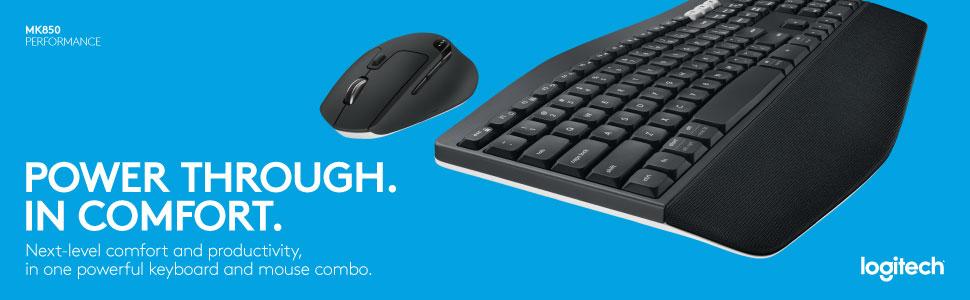
Logitech MK850 Multi-Device Wireless Keyboard and Mouse Combo, 2.4GHz Wireless and Bluetooth, Curved Keyframe & Wireless Mouse, 12 Programmable Keys, 3-Year Battery Life, PC/Mac, QWERTY UK Layou


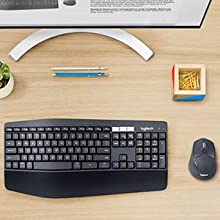
Built For Comfort
The oversized, cushioned palm rest and curved keyframe gives you support for all-day typing. Adjustable tilt legs offer the perfect typing angle. And the contoured design and soft rubber surface of the mouse fits comfortably in your palm.
Enhanced Productivity
The oversized, cushioned palm rest and curved keyframe gives you support for all-day typing. Adjustable tilt legs offer the perfect typing angle. And the contoured design and soft rubber surface of the mouse fits comfortably in your palm.
Also, your keyboard won’t require new batteries for 36 months and your mouse stays powered for 24 months.
Multi-Device Mastery
Start typing on your computer, then switch to your tablet, phone or computer with the touch of a button. Your mouse pairs with up to 3 devices for seamless multi-tasking.*
* Any USB-equipped or Bluetooth Smart ready device that supports an external keyboard (HID profile).
A True Power Combo
Finally, a keyboard and mouse combo that truly works together. DuoLink allows your mouse buttons to have a different set of actions when you hold the Fn key. You can also move the mouse with the Fn key down to perform gesture-controlled actions.*
*Download Logitech Options Software to enable Logitech DuoLink.
 | 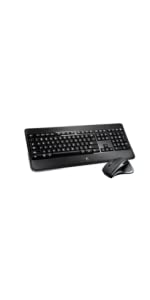 | 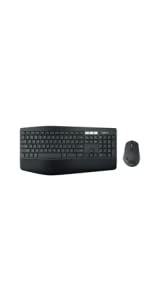 | |
|---|---|---|---|
| MK850 | |||
| Connectivity | USB Logitech Unifying | USB Logitech Unifying | |
| Connected devices | 1 device | 1 device | Up to 3 devices |
| Compatibility | Windows (XP, Vista, 7, 8, 10) | Windows (XP, Vista, 7, 8, 10) | Keyboard: Windows, Mac, Chrome OS, Android, iOS Mouse: Windows, Mac, Chrome OS, Android |
| Battery life | 36 months* | Rechargeable, 10 days* | Keyboard: 36 months (2xAAA batteries pre-installed) Mouse: 24 months (1xAA)* |
| Keyframe | Plunger | Scissor | Plunger |
| Palm rest | Yes – Large flat palmrest | Yes – Flat plastic palm rest | Yes – Extra-large curved cushioned palm rest |
| Adjustable keyboard height | Yes (3 tilt positions 0, 4 and 8 degrees) | Yes (2 tilt positions 0 and 8 degrees) | Yes (3 tilt positions 0, 4 and 8 degrees) |
| Tracking | Laser | Track-on-glass | Advanced optical tracking |
| Scrolling | Hyper-fast | Hyper-fast | Hyper-fast |
| Caps lock indicator light | Yes (on LCD screen) | Yes | Yes |
| Weight: | 845 g |
| Dimensions: | 43 x 21 x 2.5 cm; 845 Grams |
| Brand: | Logitech |
| Model: | 920-008224 |
| Colour: | Black |
| Batteries Included: | Yes |
| Manufacture: | Logitech |
| Dimensions: | 43 x 21 x 2.5 cm; 845 Grams |
olles Set für den Preis
Da ich auf der Suche nach einem neuen Set war, wurde ich auf diese aufmerksam. Positiv ist, dass es eine Ablage fr die Handballen gibt und die Maus sowie Tastatur ber Funk ist. Fr den Preis ist das alles super, nur die Maus knnte unserer Meinung nach beim klicken ein bisschen leiser sein.
excellent quality easy to pai
excellent quality and very easy to pair with pc and mobile, much better than k780 bought previously, a good replacement for my old MK850. Battery might not last as long as my old mk850 but one year is quite acceptable
Logitech Mk850
Molto comoda la possibilit di gestire pi device con un solo KIT e tramite la pressione di un solo tasto.
Utilizzo il kit sempre tramite bluetooth e non ho mai avuto problemi.
La tastiera ergonomica, comoda e silenziosa, ma i tasti sono un po’ “lenti”: per chi abituato a scrivere molto velocemente potrebbe essere un problema.
Il mouse comodo, ma con scroll rumoroso.
Ottimo il consumo: dopo 2 anni devo ancora cambiare le batterie (sia tastiera che mouse hanno un piccolo switch che permette di staccare l’alimentazione ed aumentare la durata delle batterie).
Soddisfatto dell’acquisto
Features Top! Tippgefühl ok
Ich habe mir dieses Set bestellt, da mit die Kabelage auf dem Schreibtisch zu viel wurde. Des Weiteren fand ich das Flow-Feature sehr interessant, welches es ermglicht, per Maus-Zeiger zwischen mehreren PCs zu wechseln.
Insgesamt kann ich eigentlich kaum Negatives an dem Set finden. Hier trotzdem zunchst die Punkte, die ich mir verbessert wnschen wrde:
Negativ:
– Relativ schwammige Druckpunkte der Tastatur. Ist aber eine Gewhnungssache, da ich von einem Cherry MX Board mit mechanischen Schaltern komme.
– leichtes Quietschen einzelner Tasten schon am ersten Tag (aber wirklich nur sehr leicht, strt die meisten sicher nicht)
– Funktionstasten nur ber FN-Taste. Warum nicht einfach eine paar dedizierte Knpfe insbesondere fr Lauter/Leiser drber oder neben dran? Platz genug ist bei der Gre ja (z.B. an der Stelle mit dem Logo). Cherry lst das mMn seit Ewigkeiten sehr elegant (s. Cherry Stream, Cherry MX Board)
– neugierige Software, am liebsten htte Logitech, man legt einen Account an, um seine “komplexen” Einstellungen in der Cloud zu speichern… Alle paar Jahre, die ich so eine Einrichtung mal machen muss, schaffe ich das auch erneut.
“Analyse Statistiken” werden optional auch noch abgefragt. Da Frage ich mich, welche Analyse-Daten von einem der sensibelsten Punkte, dem Eingabegert, versendet werden…
Positiv:
– wertige Maus mit Zusatztasten
– zumindest fr mich keine Latenzen bei der Eingabe sprbar
– Wechsel zwischen PCs klappt ohne Probleme mit Switch-Tasten
– Flow-Funktion ist auch sehr hilfreich, kann aber ab und zu mal etwas haken und am anderen Bildschirm “hngen” bleiben
– leises Tippen verglichen mit einer mechanischen Tastatur
Insgesamt bin ich mit dem Angebot zufrieden. Vor etlichen Jahren waren die ersten Funk-Muse noch sehr unzuverlssig, zitternde Cursor und teils stark verzgerte Eingabe und damit einhergehende unprzise Navigation habe ich in so negativer Erinnerung behalten, dass mir seither nur kabelgebundene Eingabegerte auf den Tisch kamen. Dies hat sich aber deutlich gebessert. Einmal verbunden, ist zumindest auf schreibtischblichen Entfernungen nicht mit Verbindungsabbrchen zu rechnen (Hatte vorher schon hnlich positive Erfahrungen mit der K400 am TV gemacht, bzw. Probleme bei zu groer Entfernung). Die Tasteneingabe sowie Mausbewegung erfolgt mit fr zumindest mir nicht mehr sprbarer Latenz.
Tastatur und insbesondere Maus machen einen hochwertigen Eindruck.
Sicher ist das Set nicht fr alle Spezialisten geeignet. Der absolute Schalter-Fan wird hier genauso wenig glcklich wie ein “Profi”-Gamer. Die Maus bietet z.B. keine unterschiedlichen Abtastraten. Fr mich ist das Set aber aktuell durchaus OK.
Nach kurzer Eingewhnung kann ich auch auf dieser Tastatur blind und schnell tippen (auch wenn ich mich auf der Cherry hinsichtlich Druckpunkt noch wohler gefhlt habe..). Die Maus erfllt fr mich ihren Zweck. Und das durchaus auch in Spielen, wobei ich eher gemchlichere RPGs spiele. Bei Zeiten werde ich mal Quake 3 raus kramen und schauen, wie sich das mit dem Set anfhlt. Aber zumindest beim sogenannten Casual Gaming sollte dieses Set keine Hrde darstellen.
Wenn man das Setup mit mehreren Empfngern fr ein Eingabegert raus hat (Unifying Software von Logitech wird bentigt), lsst sich auch das Flow-Feature sehr bequem einrichten. Dies ist neben den nicht mehr bentigten Kabeln fr mich ein besonderer Vorteil. Derzeit benutze ich das Feature, um flieend zwischen meinem alten und gerade neu installierten Rechner hin und her zu wechseln (ich habe zwei Monitore). Zuknftig wird dies sicher auch beim Home Office mit dem Firmen-Laptop ntzlich sein.
perfetta, ma...
L’ho comprata per affiancarla al portatile quando sono alla scrivania con il monitor esterno. Perfetta in tutto. Mi piace per com’ ergonomica, precisa l’inserimento molto fluido e veloce ma ho un problema.
Quando tasto dal portatile… tutto cosi:
C5a6 06nd6, n6n s6 c60e gest5re q4esta s5t4az56ne.
(Ciao mondo, non so come gestire questa situazione.)
Per quando sono alla scrivania va bene ma fuori assolutamente impossibile usare la tastiera del portatile…
OK but could do be improved
I’m using the keyboard for general business use and it works well. I’ve not had any of the problems with dropped characters or connections that others have reported – I’m on W10. The mouse fits my smallish hands fine and is bigger than the basic mice often supplied with new PCs. The keyboard action is OK but it is quite noisy for a premium keyboard. However the getting started ‘instructions’ are very poor! I only got it to connect once I had installed Logitech Options.
Quiet, comfortable to use, low error rate
I use this for my work machine: 10-12 hours/day, typing text and editing spreadsheets. I worked my last keyboard so hard that it wore out and the keys started sticking! I like the shape of this keyboard, the wrist rest, and the way the mouse fits my hand. And the quietness of the keys and the “soft” feel as they reach the bottom of the travel. Very easy to connect.
Not sure about the extra buttons! Good keyboard for a heavy-use work machine.
Gute Kombi für den Büro-PC + iPhone im Stände
Ich bin mit Tastatur und Maus sehr zufrieden und nutze sie jetzt tglich im Bro am Windows Computer und gleichzeitig am iPhone. Ein paar Infos, die mich vor dem Kauf beschftigt haben
-Gre der Maus: Die Maus wirkt auf den Bildern kleiner als sie ist. Und das ist gut so, denn sie liegt sehr gut in der Hand.
– Lautstrke: Die Tastatur ist beim tippen sehr leise, die Maus dagegen ist normal-laut. Hier htte ich mir leisere Klickgerusche gewnscht.
– Umschaltzeit zwischen PC und iPhone: Maximal eine Sekunde
Ein paar Tipps fr die simultane Nutzung mit dem iPhone:
– Das iPhone lsst sich mit der Tastatur aufwecken und per PIN-Tastatureingabe entsperren.
– Mit alt+Leertaste ffnet man die Suche und kann so jede APP ffnen
– Alt+C, bzw. Alt+V stehen fr Kopieren bzw. Einfgen
– FN+11 sperrt das iPhone wieder
– FN+F1 ffnet den Homescreen
– FN+F12 ndert die Tastatursprache (Deutsch/Englisch/Emoji)
– Die FN taste lsst sich “einrasten” mit FN+ESC. Die Einstellung kann auch fr PC und iPhone unterschiedlich eingestellt werde
Ergonomica e completa
Forse mi sarebbe piaciuta ancora pi silenziosa, ma nel complesso ha tutto ci che cercavo in una tastiera di questo tipo.
Spie che indicano il blocco maiuscole, messaggio a schermo per indicare attivazione e disattivazione del blocco maiuscole e numeri, utile, anche se io lo uso poco, il fatto di poter comandare pi dispositivi. Il mouse lo adoro, soprattutto per la possibilit dello scorrimento infinito (quasi 😉 ) della rotella che accelera non poco lo scorrimento delle pagine senza usare il cursore laterale. Molto ergonomico (solo per destrorsi) ed il notevole peso che da stabilit, viene compensato dai pattini (teflon?) che lo fanno scorrere molto bene.
La ricomprerei
Super Tastatur/Maus Kombinatio
Super Tastatur/Maus-Kombination. Funktioniert einwandfrei. Getestet mit meinem Gaming PC zuhause (Desktop, mit Unifying Receiver) und 2 Laptops (Bluetooth) von der Arbeit sowie meinem Surface Pro 3 (Bluetooth).
Ein Arbeitslaptop ist fast nie in Benutzung, daher habe ich fr gewhnlich den Gaming PC, das Surface Pro 3 und mein anderes Arbeitslaptop verbunden. (Desktop per Unifiny Receiver, Laptop und Tablet per Bluetooth).
Befindet man sich mit den Gerten im selben Netzwerk (Desktop und SP3 z.b.), kann man einfach vom SP3 auf den PC wechseln indem man die Maus ber den Displayrand hinaus schiebt. Hier gibt es beim Wechsel von Bluetooth <-> Unifying Receiver zwar eine kurze Verzgerung, diese ist aber verschmerzbar.
Ich hatte das Set im Angebot fr 60 gekauft und kann mich nicht beklagen, lediglich eine Tastaturbeleuchtung vermisse ich hier. Die gibt es allerdings beim etwas teureren Modell (siehe Logitech Webseite).
Der Empfang per Unifying Receiver ist absolut lagfrei, bei Bluetooth hingegen gibt es ab und zu Verzgerungen.
Great for switching between 3 devices
Love the fact that I can switch between 3 devices and it is incredibly easy to set up. Would be better if it came wit 3 dongles not just the one, however most devices nowadays do have bluetooth.
Lovely, smooth, comfortable keyboard and mouse
Love this keyboard and mouse set. Yes, you’re paying top dollar, but you’re paying for quality.
I had never bought a keyboard and mouse for myself before – I’d always had hand me downs – so I spent some time in a shop trying out the typing action and the hand position on the mouse. On this keyboard the typing is smooth, the keys at a natural curve to ease position stress – and I love that I can easily switch between typing on 3 different devices at the click of a button.
The mouse, while not my first choice of shape, has been easy to adapt to – again with easy switching between 3 devices. I love the extra ‘gesture’ button it has which you can change the use of to interpret gestures, or, which I have done, open specific programmes or apps (calculator) at the click of a button.
I’ve had them 4 months now and I’m very happy with my purchase.
Ensemble clavier/souris sans fil de trs bonne qualit. Depuis un an que je les utilises je ne regrette absolument pas et je recommande volontiers.
Touche ractives et sans bruit, repose poignet agrable et la possibilit de pouvoir utiliser cet ensemble avec 3 appareils grace a la fonction d’appareillage que l’on switch via les touches blanches afin de choisir sur lequel on souhaite l’utiliser sans devoir dbrancher/Rebrancher est trs trs apprciable.
si je devais mettre un bmol, ca serait sur le repose poignet qui marque si par exemple un ongle vient le gratter (mais que l’ont peut faire partir en frottant)
Pour ma part, je l’utilise au quotidien sur un pc fix, un raspberry et au besoin sur la troisime touche.
Works with hik vision nvr I was surprised
Bought this for a home office not in a work situation. Have two laptops connected by Bluetooth and also my nvr hidden in the attic wireless via Logitech Unifying Wireless Receiver with no issue to the mouse. Perfect fow what I wanted. Should last me a long time only thing I miss is the keyboard is not back lit but I’m guessing it is to save battery life.
Decent keyboard for typists with very useful 3 device connectio
A full sized keyboard with decent spring loaded keys. I purchased this at a discounted price and whilst I use it most days, I don’t think it warrants it’s high price. Keys are a bit noisy, especially the space bar. As a touch typist at approx 100 words a minute, I find this keyboard a bit clunky and the keys a little high for me which makes the wrist support on the keyboard pretty useless. Sadly a US layout but full sized. Having a specific on/off switch is good and prevents keyboard from connecting accidentally and draining battery life. Blue tooth connectivity is good and having the ability to switch between 3 devices whilst continuing to type is really useful. Keeps up with my speed of typing without many errors. Mouse works well too. Overall, a decent full size keyboard suitable for typists. Just amazes me every time that I use it at how over priced it is. Still, figure I’m getting my money’s worth (eventually!)
Souris peu performante
La qualit de la roulette de la souris est faible.
La roulette en mode dbrayable bouge toute seule lors du dplacement de la souris, causant des scrolls intempestifs l’cran. De plus, il est trs difficile de paramtrer la sensibilit de la roulette correctement dans “Logitech option”. Par exemple, impossible de l’utiliser dans Google map, un mouvement de 1 mm dclenche un d/zomme de 10km.
Par ailleurs, le passage entre plusieurs appareils fonctionne la perfection.
En conclusion, le clavier est convaincant et la souris est correcte hormis la roulette.
Nice keyboard and mouse
It took some time to get it working correctly, but now it is up and running it is perfect. Receiver had to be moved to the front of my pc as i was getting alot of interference at the back. works perfect now.
Vielleicht auch weil ich von allen vorangegangenen Updates profitiere bzw. alle Kinderkrankheiten ausgemerzt sind.
Ich habe mich jetzt lnger nach einer vernnftigen Lsung umgeschaut damit ich Laptop und Desktop Rechner bedienen kann. Diverse Google Abfragen und Foren gelesen, Amazon Rezensionen studiert und trotzdem auf die Nase gefallen aber dazu spter mehr.
Mein Ziel war es ein Switch zu vermeiden um nur eine Tastatur und Maus anzuschliessen.
Der Bildschirm lsst zwei Rechner zu und ich kann dort dann PIP/ PBP
Somit musste nur Tastatur und Maus noch mitspielen.
Herausforderung war das nie bei einem Set zwei Funk Empfnger dabei sind (mir zu mindestens nicht bekannt) .
Somit brauchte ich eine Variante aus Bluetooth (kann der Laptop) und Funkempfnger (Desktoprechner).
Da bei vielen (bei mir auch) oftmals der Igel in der Tasche zu Hause ist, griff ich das erste mal dann zu einer gnstigeren Version ein anderen Marke die auch beides konnte, fr mich war es nix da es stndig Probleme beim Wechsel zwischen Funk und Bluetooth gab, das war sehr nervig, noch andere Punkte die mich strten aber dazu gesondert.
Dann habe ich mir die Logitech bestellt … es war, ist und wird es hoffentlich bleiben der absolute Knaller.
Der Switch zwischen beiden ist mit den Tasten berhaupt kein Problem.
Knopf und eine Zahlenangabe bei der Maus welches Medium gerade angesteuert wird, bei der Tastatur genau das gleiche und funktioniert super.
Dann fand ich nach einer halben Std. eine Funktion raus, sobald ich beide Rechner parallel laufen habe, brauche ich nur mit der Maus an den rechten Rand des Bildschirmes gehen und sie switched von allein zum anderen Rechner … aber damit nicht genug ich kann dann sogar per Drag & Drop Daten von dem einen Rechner zum anderen Rechner schieben, natrlich nicht mit rasender Geschwindigkeit aber fr bei Dokumenten kein Zeitverlust sprbar.
Das alles funktioniert wirklich richtig gut und ohne Probleme, ich war und bin noch aus dem Huschen und rgere mich eigentlich warum ich nicht direkt die Logitech genommen habe.
85 sind gut investiertes Geld.
Die Tastatur:
ist weich im Anschlag, ergonomisch geformt und die Handballen-Sttze an der Tastatur war fr mich immer ein Grauen, aber ich muss sagen es ist wirklich angenehm das sie aus einen festen Material besteht und keine Geleinlage hat.
Die Maus:
Ist von den Gerusche wie eine normale Maus also nicht leise sondern normal.
Sie reagiert schnell bzw. So schnell wie man es sich einstellt. Liegt gut in der Hand, auch ergonomisch geformt, ist nicht zu gro aber auch nicht zu klein.
Ich denke die Gre passt fr Mnner wie auch fr Frauen sehr, aber ich denke wenn man sehr groe Hnde hat knnte diese Maus etwas klein sein aber dieses Problem hat man dann auch bei allen herkmmlichen Musen.
Es gibt unzhlige Mglichkeiten alles Maustasten zu belegen, schn ist eine erweiterte Variante der Gestensteuerung (FN + Gestenschalter an der Maus) und ich kann durch Bewegung vorne, hinten, rechts oder links der Maus sehr viele individuelle Funktionen festlegen.
Die Software:
diese wrde ich jedem empfehlen zu installieren da die vorher genannten Funktion auch nur darber einzustellen sind aber auch evtl. wichtige Updates darber gesteuert werden.
In Summe ist die SW aber leicht und intuitiv zu bedienen und kann auch von einem nicht so versierten Anwender sehr gut eingestellt / bedient werden.
Batterie / Akkuverbrauch:
ich habe Batterien zur Zeit laufen die mit dabei waren und in den zwei Wochen habe ich nicht wirklich sprbar etwas festgestellt das diese sich entladen haben whrend der Ruhephasen 🙂
Dies ist fter ein Problem bei Multi Tastaturen und so auch bei meinem ersten Fehlkauf.
Nichtsdestotrotz kann jeder in den Bluetooth Einstellungen unter Windows den Batteriestand nachschauen.
Ich freu mich wenn ich Ihnen bei Ihrer Entscheidung weiterhelfen konnte und Sie ein paar Infos aus dieser Rezension gebrauchen knnen.
I bought this set as I have I have one desk with one screen and two laptops. I was a bit worried reading some reviews (read it was a dust magnet, there were issues with the sleeping mode and could not use options the Logitech ‘Options’ software on a professional laptop given admin access is usually required). I bought it nonetheless along with another unifying USB dongle. It was easy to setup, and I plugged and setup the 2nd dongle on my personal laptop in order to Synch it to the keyboard/mouse as nr. 2, then moved the dongle to my professional laptop. From now on it’s just a matter of pressing 1 or 2 and keyboard/mouse connect to the right laptop straight away. None of the issues mentioned above materialised. Only concern was the scroll wheel I found too sensitive until I found that the button underneath stops this function. So overall very glad I bought it!
Its a Logitech
Logitech is one of our short listed brands when it comes to finding computer accessories. It is too soon to give it full review so giving it 4 stars until then. Bought it mainly because the keys and width are of a decent size to allow touch typing not small and flimzy.
Hand Rest, I could do without it.
Very good, I needed it because I use multiple computers fairly often and it works sort of like a KVM switch. Overall good! I recommend it.
The rest is a bit useless, it just take up space, but it’s great otherwise.
Not cheap, but solidly made and feels like much better quality than the product I had before
I bought this product to replace an older Logitech keyboard combo I’d had for a few years.
Two days in, I’m pretty pleased. The keyboard has a nice, solid, quality feel about it and I’d expect it will last a long time. The mouse – well it’s just a mouse – but the problems I had had with the previous one, such as juddering, freezing, jumping, have completely gone.
There is a software installation required to make this all work, but it was easy to do and quick.
Not a cheap product, but I bought it specifically because it has both Bluetooth and USB-wireless connectivity. I’m not disappointed in the least and glad I moved to buy something more upmarket.
Fantastic Keyboard for multiple devices
I really love this keyboard. As a standard keyboard it works well. I don’t typically go for ‘ergonomic’ keyboards or built in wrist supports but I have found both to work really well on this keyboard. As others have mentioned the wrist support does attract dust but I find a quick roll with some blue tac sorts it out. Ideally I’d like the wrist support to be detachable but it’s not a major issue. Where this keyboard really shines is the connectivity. I’ve got it paired with three different devices (Mac, iPad, PC) and you can switch between them with a press of the dedicated buttons. Additionally if you setup the Logitech software that comes with the product you can “switch” between computers by moving the mouse beyond the screen edge, which makes it perfect for anyone who uses multiple machines on their desk. I appreciate this isn’t typical, but it really is a massive benefit to those who do. I’ve never been so impressed by a keyboard and mouse before, and never felt the need to review one prior to this.
Pragmatic and comfortable
I work all day at home with this keyboard and mouse. The keyboard height and curve shape are comfortable and the mouse is responsive and comfortable. After pairing my android phone bluetooth with the keyboard and mouse, switching between my laptop and phone is relatively easy (great for make long notes on phone and long detailed text messages). The keyboard is comfortable to work with all day. [My gaming teenage kinds like to complain that the key travel doesn’t suit them, but I don’t won’t a noisy loud clicking keyboard – I’ve never wanted to go back to IBM XT keyboard construction and can’t understand why gamers want that either]. The mouse has a very free spinning wheel which at first seems to spin too much, but it’s fantastic – a short middle finger flick on the wheel and it can spin for 15 seconds, brilliant if you need to scroll up and down PDF/LibreOffice/Word documents with dozens of pages
Great responsive combo
Bought to replace a (not that old) Microsoft Sculpt Comfort Keyboard and mouse that had become unstably laggy. I’d begun to think it was my PC.
Simple comfortable keyboard that is really responsive. I’m not even using many of the special features yet but I really rate it.
Maus gut - Tastatur gewöhnungsbedürftig ...
Ich habe mich fr diese Combo entschieden, da ich die Multi-Device-Fhigkeit brauchte. Dazu war dies ein relativ gnstiges Modell, das auch noch eine vollwertige Tastatur mit Ziffernblock hat. Die Extra-Tasten fr die Device-Umschaltung wurden hier auf die sonst recht wenig verwendeten Tasten “Druck/Rollen/Pause” gelegt, anstatt Doppelbelegungen bei den Funktionstasten vorzunehmen. Wobei ich in dem Kontext nicht ganz verstehe warum man fr die Device-Umschaltung nicht zustzliche Tasten, bzw. einen Drehknopf eingebaut hat. Letzterer htte den Vorteil das man immer erkennen knnte welches Device gerade aktiv ist… Aber das nur am Rande.
Was ich jedoch nach einigen Tage Nutzung jetzt sagen muss, ist das die Tastatur auch als solche nicht das Gelbe vom Ei ist. Die “ergonomische Form” mag eine Frage der persnlichen Vorliebe sein – aber fr mich ist es nicht unbedingt das Richtige. Ich hatte gehofft mich daran zu gewhnen, werde aber damit nicht richtig warm.
Auch das “enge” Tastaturlayout mit der kleine Enter-Taste ist nicht so mein Ding. Insbesondere strt es mich, das die Tastatur trotzt des recht kleinen/engen Tastenfelds einen recht groen Platz auf dem Schreibtisch verbraucht.
Der Tastenanschlag ist im allgemeinen leise und gefhlt recht przise. Ein Ausnahme hierzu stellt jedoch die Leertaste dar, die zum einen laut im Anschlag ist, und zum anderen beim Hub auch noch ein nerviges quietschendes Gerusch von sich gibt. Ich denke aktuell darber nach die Combo aus dem Grund zurck zu schicken – oder aber mir absehbar doch noch eine andere Tastatur zuzulegen.
Wenn man mal in Relation setzt das die Maus, mit der ich sehr zufrieden bin, alleine schon 45 EUR kostet, und ich fr die ganze Combo nur 60,- bezahlt habe, dann ist das schon ganz ok – die 15 EUR ist auch diese Tatstatur durchaus wert.
I love this desktop setup
Yeah great setup ive always been a logitech fan and for the price you cannot go wrong some peripherals where missing but the main part where included, it was pretty much brand new i would have never know it was refurbished if it didnt tell me before i ordered!
Good keyboard, but shortcuts are not obvious
Overall this is a nice keyboard and mouse set for working from home. I like Logitech products generally and this one fulfilled my expectations in most ways. A big plus point is the unifying receiver which is easy to set up and allows me to transition between my home and work setup (both Logitech) very easily.
The reason for a loss of one star are the keyboard shortcuts. They are not obvious at all, so finding where the Windows key is, how to take a screenshot on a multi-monitor setup etc. was a bit of a pain. My Logitech keyboard at work is a lot more obvious/simpler than this one.
Here’s some shortcuts to help if you get stuck:
Fn + Alt + Insert – Single Screenshot on Multi Monitor Setup
Fn + Insert – Screenshot (if multi-monitor will capture all screens in one)
Start is equal to the Windows Key – so Start + Left Arrow will push an active screen to left side (right arrow for right side, up arrow to maximise)
Die eierlegende Wollmichsau gibt es nich
Ich habe die Combo jetzt eine Weile. Anschaffungsgrund war die Mglichkeit zum umschalten zwischen verschiedenen Gerten. Bei der Konkurrenz habe ich nichts dergleichen gefunden, daher spielt Logitech hier in einer eigenen Liga.
Ich bin soweit ganz zufrieden, bis auf ein paar Kleinigkeiten erfllt die Combo ihren Zweck.
+ Umschaltung funktioniert problemlos
+ Gute Treiberuntersttzung (Plug and Play)
+ Bluetooth und Logitech Unify werden untersttzt
– Tastatenlayout ist nicht optimal. Blindschreiber haben schwierigkeiten
– Die Oberflche der Maus zeigt bereits erste Verschleispuren
Verbesserungsvorschlge fr ein mglichen Nachfolger wren zudem:
* Eine Tatsaturbeleuchtung sollte verfgbar sein
* Es sollte die Mglichkeit geben per Software zu definieren ob sowohl Maus und Tastatur gemeinsam umgeschaltet werden. Im Moment muss man beide separat schalten.
* Die Maus sollte einen Laser bekomme
Gute Tastatur+ Maus, grottenschlechte Bedienungsanleitung!
Die Erstinbetriebnahme lie mich schlicht verzweifeln, zumal weder dem Produkt eine vernnftige Anleitung beilag noch der Supportseite von Logitech zu entnehmen ist, welche Schritte man durchfhren muss, um die Tastatur mit dem PC zu verbinden. Sowohl in der Verpackung (durch schematische Abbildungen), als auch auf der Supportseite werden zwar grundstzliche Schritte hierzu beschrieben, das Wichtigste jedoch fehlt – nmlich, dass man die Tastatur erstmal einschalten muss! Ich habe erst nach – gefhlt – Stunden und nur durch Zufall einen stricknadelgroen Knopf an der rechten Tastaturseite entdeckt. Nach dem Einschalten funktionierte es tadellos! Warum erwhnt der Hersteller diesen Einschaltknopf mit keiner Silbe?!?
Abgesehen von diesen Startschwierigkeiten luft alles wie man es sich wnscht. Auch die Maus liegt gut in der Hand, wobei man allerdings anmerken muss, dass sie relativ schwer ist, wodurch sie beim Bewegen nicht ber die Schreibtischunterlage “gleitet”, sondern eher schabt.
Great keyboard and mouse with smooth key movements
Needed a comfortable keyboard with easy key depression but with a solid feel.
The MK850 has lived up to expectations.
The accompanying mouse is also excellent and the ability to allow the switching of mouse and keyboard between multiple devices is actually proving to be a useful feature.
After 4 of weeks of use both items are performing very well.
Vengo del anterior modelo que empez a fallar a los 2 aos, est est bastante bien. El primer da se hace un poco raro por la disposicin de las teclas, al estar algo ovalado, pero enseguida te olvidas.
Como punto en contra dir que la almohadilla de tela que tiene es algo sucia, hubiera elegido un tejido ms sufrido.
No he probado la opcin de conectar a otros equipos, pero la verdad que fue uno de los motivos que me hizo decantarme por este modelo.
Beim Aufbau meines neuen Arbeitsplatzes habe ich mir neben einem neuen Monitor auch Maus und Tastatur zugelegt. Wichtig war mir, dass beides “aus einem Set” kommt und es nur einen Connector fr beide Gerte gibt.
Ingesamt war ich schon immer positiv angetan von Logitech, und die MK850 Kombination besttigt dieses wieder:
+ Super Schlichtes Design, Maus und Tastatur folgen einer hnlichen Designlinie und ergnzen sich super!
+ Bei der Verarbeitung von Maus + Tastatur gibt es nix zu meckern! Bei dem Preis aber ein Muss wie ich finde 🙂
+ Die Maus ist fr mich persnlich exzellent geeignet, angenehme Gre, nicht mit Funktionen berladen, ich mag die sich leicht gummiert anfhlende Seitenflche. Eventuell ist die Maus fr grere Hnde jedoch etwas zu klein.
– Bei der Ablageflche bin ich sehr gespalten, auf der einen Seite finde ich die Gummierung sehr angenehm, auf der anderen Seite wird die Flche sehr schnell dreckig/staubig und das sieht sofort
+ Tippgefhl ist “leicht trge”, aber fr lange Texte wie ich sie teils schreibe sehr angenehm.
* Die drei Wechseltasten zwischen Gerten benutzte ich nicht und kann da auch nichts zu sagen.
+ Batterien waren mit dabei, Verpackung und gesamte Aufmachung schlicht, aber schick
Final: Besonders positiv war ich aber von den Funktionen, Gesten und Einstellmglichkeiten der Logitech Software berrascht. Ich nutzte beides in Kombination mit einem MacBook und die Gesten von MacBook Touchpad kann man auch auf der Maus ausfhren! WOW!
Fazit: Sicherlich keine Maus fr Gamer und keine sehr groen Hnde, aber fr einen soliden Arbeitsplatz und klassische Office-Arbeiten 1A! Preislich finde ich den UVP von 120 deutlich zu teuer, 85 aktueller Amazon-Preis sind schon besser. Aber mein Tipp: Gebraucht ber Amazon Warehouse kaufen und fr 60 wird man glaube ich sehr zufrieden sein. Rckblickend wrde ich das Set auch fr 85kaufen, denn ich habe keinerlei ernsthafte Kritikpunkte! Top! 🙂
Sollte Euch mein Feedback bei der Kaufentscheidung helfen, freue ich mich ber einen Klick auf den “Ntzlich-Button” 🙂
Kompakt und alles an seinem Platz - perfekt für User mit mehreren Desktop-PC's oder Laptop's
Wer billig kauft, kauft zwei mal… Diesen Spruch geb’ ich auch immer selbst von mir, wenn mich diese Erkenntnis wiedermal ereilt, weil ich zu gierig war mir was ordentliches zu kaufen.
In diesem Fall geht es um ein Tastatur-Maus-Set, welches ich fr’s Homeoffice bentigt habe. Ich nutze einen Mac und Laptop – beide mit dem gleichen Zusatzbildschirm verbunden. Um nun nicht dauernd die Tastaturen hin und her schieben zu mssen, wollte ich eine die mit beiden Rechnern arbeiten kann.
Nach dem ersten Fehlkauf kam ich dann auf dieses Set von Logitech. Da ich nicht bermig viel Platz auf dem Schreibtisch habe, kommt mir die kompakte Bauweise sehr entgegen. Trotzdem ist alles an der richtigen Stelle und man findet sich intuitiv zurecht. Die Tastenanordnung ist zum mittleren Tastenfeld gerichtet, was da Tippen sehr angenehm macht. Der Tastendruck ist sehr schn definiert – nicht zu hart, nicht zu weich, nicht zu laut, fr mich perfekt. Multifunktionstasten sind bei den F-Tasten zugeordnet worden, welche man zum Teil auch ber die Software ‘Logitech Options’ anpassen kann. Das Tastenlayout ist fr Windows-PS’s wie auch fr den Mac geeignet, was mich besonders freut. Zustzlich bietet die Tastatur eine weiche Handballenauflage.
Tastatur wie Maus werden ber herkmmliche Batterien betrieben (1x AA bei der Maus und 2x AAA bei der Tastatur, im Lieferumfang enthalten). Auch knnen beide Gerte mit einem Schalter ganz einfach ein- und ausgeschaltet werden.
Die Maus liegt sehr gut in der Hand und hat fr mich die genau richtige Gre. Zu klein, wie teilweise von anderen beschrieben, finde ich sie nicht. Praktisch finde ich, dass das Mausrad einen Freilauf hat welchen man ein- bzw ausschalten kann. Da geht beim Scrollen die Post ab (:
Die Zuordnung der bis zu 3 Gerte passiert auf Tastatur und Maus mit den dafr vorgesehen Tasten. Diese Einstellung kann man auch ber die zuvor genannte Software anpassen. Verbindung baut man entweder ber den mitgelieferten Unify-Adapter oder Bluetooth auf. Obwohl mein Laptop BT htte, habe ich hier den Adapter in Verwendung, da ich hier schon mit anderen Tastaturen oder meiner Thinkpad Mouse Probleme hatte. Am Mac steht die Verbindung direkt ber BT.
Fr mich ist dieses Set nach der ersten Kurzzeiterfahrung wirklich gelungen und bietet fr mich genau das was ich gesucht habe. Htte ich meine alte Tastatur noch, wre die Rezession sicher nicht so lang geworden.. (:
Preferivo la MX5500 che non fanno più da molto tempo...
La tastiera sicuramente di ottima qualit, personalmente essendo abituato alla MX5500 che purtroppo non fanno pi, mi trovo male su alcune abitudini.
I tasti funzione sono tutti uniti mentre ero abituato ad averli pi piccoli ma raggruppati a gruppi da 4, avendoli tutti uniti spesso e volentieri sbaglio il tasto ad esempio premendo F7 al posto di F8.
Non ci sono tasti programmabili o assegnati a particolari funzioni come per esempio il controllo volume, l’azzeramento volume, la calcolatrice e altri tasti che era molto comodo averli diretti e non doverli cercare col tasto “fn”.
Manca il tasto stamp quindi se occorre, e me occorre spesso, devi premere la combinazione “fn + ins”.
I tasti del mouse laterali sono troppo piccoli, anche in questo caso preferivo quelli dell’altro mouse.
Il mouse comunque comodo e molto ergonomico.
Come lati positivi la qualit sicuramente ottima e i tasti sono di piacevole pressione e non fanno molto rumore anche se non silenziosissimi.
Logitech, tornate a produrre la MX5500 aggiornata ad oggi! 😉
El tacto del teclado me parece excelente, muy cmodo y no me he encontrado con el problema que dicen algunos usuarios de que pierde algunas pulsaciones de teclas cuando el teclado se queda en reposo un tiempo. He visto que hay una actualizacin de firmware para ese caso, pero desde luego yo no he tenido que instalarla.
El ratn tambin me parece bueno. Tiene un movimiento suave y preciso sobre la mesa y un botn que alterna el movimiento superrpido de la rueda de ratn, sin clics de progreso, y el normal de toda la vida, con clics. Al principio tena una sensacin rara al usarlo sin clics y pero en cuanto te acostumbras te preguntas cmo has podido vivir con el modo antiguo. Es una pasada.
De momento encantado con la compra y la repetira.
Non è meccanica ma ha un ottimo feedback
Come da titolo la tastiera ha un ottimo feedback dei tasti e se siete alla ricerca di una ottima tastiera wireless con la durata delle batterie veramente infinita questa la scelta giusta. Il mouse dotato di tasti aggiuntivi sul lato che sono programmabili tramite il software della logitech e personalizzabili per singola applicazione (cos come i tasti fn della tastiera) quindi per me un bundle molto valido che mi sento di consigliare sopratutto a chi ha esigenze particolari di produttivit con tasti programmabili sulla tastiera e sul mouse per accelerare il lavoro. Detto ci nulla esclude che proprio grazie alla sua personalizzazione dei tasti io la usi anche per giocare qualche volta e devo dire che sono soddisfatto.
Comfortable and quality keyboard/mouse
This is an outstanding keyboard and mouse, I’ve been using for about a week and love the feel of it, very responsive and does not miss first key ever like some have reported. Both keyboard and mouse link to laptop via one dongle and phone via Bluetooth. Really is a great keyboard and comfortable mouse, can’t fault it and I’m using all day for work.
A decent keyboard and mouse
I use the keyboard on Mac and Windows and there’s no problem with connectivity or compatibility.
Things I like:
– Pairing is simply a case of holding a button on the keyboard and mouse, with a code required to be typed on the keyboard.
– Wrist pad is comfortable
– Mouse scroll wheel can be click or smooth, like other Logitech mice
– Works with Bluetooth and Unifying receiver
Things I don’t like:
– Mouse batteries are towards the rear of the mouse, which makes it heavy at the back and less than comfortable to pick up
– The task switching button under the thumb area can be pressed fairly easily by accident
– In a quiet room I can hear a clicking sound from the mouse after scrolling the wheel, which sounds similar to a HDD crunching
– Pairing button would be better moved away from the other two thumb buttons and less easy to press by mistake
Excellent, don't forget to try Logitech Flow if you have PC & Mac!
Very good kb and mouse Bluetooth combo with support for up to 3 computers. If you happen to have 2 computers side by side (a PC and Mac in my case), you can use Logitech Flow (free software that comes with it) to literally move your mouse cursor seamlessly (well, a .5 second delay maybe) between them! Move your mouse to the edge of one screen, and it moves onto the other (even between Mac/PC). Not only that, but it auto-syncs your keyboard too. Really handy. Highly recommended.
Sleek and great for multitasking.
Nice keyboard with a good typing feel. The design is nice a sleek. The unifying tech is useful, I even pair it to my phone and text with it when I’m at my desk.
Only issue would be that the wrist rest doesn’t give you a lot of space.
UPDATE: After a month this keyboard is annoying me. The spongy wrist support is a dirt magnet and already look awful. The lack of separation between F and other control keys makes using the keyboard a pest in low light or when in ‘full flow’ and when using KB shortcuts. An Example… to increase audio volume you have to hold Fn + F10, if you hit F11 by accident (the keyboard wills you to do this) then you turn off the machine. I urge caution if you are thinking of buying a “full sized, full layout keyboard”, this one behaves more like a compact keyboard (it does very well in that role). The lack of dedicated media buttons, keys too close and the dirt magnet make me hanker for my old K330. The multi device support is a great idea but I find ‘Mouse without borders’ (see below) has made that feature redundant during daily use.
Original Review
I would recommend this keyboard and mouse combo for daily general use depending on your workflow, I would not say it is the best if you use keyboard shortcuts extensively or for programing (probably not good for gaming either). I love the ability to connect to three machines and save desk clutter – this is the main selling feature and it works well and is a far cleaner solution than the KVM switches of the past.
The Keyboard is well shaped, ergonomic and has soft feel keys. You can tilt the keyboard using the usual wee flip out legs on the bottom – Logitech has put two sets of these, one for four degrees and the other for eighth degree – nice!
I usually go for the MX ‘Cherry Red’ clickity-clack keyboards and usually find the louder they are the more I like them, however, I like the feel of the K850 – it is quiet but the keys depress far enough (6mm maybe) to feel ‘positive’. I am not a touch typist but almost – I find this keyboard takes my eyes away from the screen more than it should due to lack of grouping of/spacing between ancillary keys, it lacks tactile feedback.
This is a full size keyboard, however, the layout has a slightly ‘compact’ feel to it. The main QWERTY keys are fine but the control keys are not. The function keys have no space between F4 and F5 nor between F7 and F8. I like having F keys in groups of 4 with space between the groups. In similar fashion the ESC key is hard against the F1 key. Further, there is very little physical separation between the number row and the F-key row. In practice, I have to actively look for F5 rather than using peripheral vision/muscle memory or tactile feedback to just find it. The ESC key also suffers the same problem, it is crowded. Other keys that, in my opinion, are too crowded and too small are Shift, Cntrl, Fn and Alt on the left side of the board.
In general, this keyboard does not make it easy to find ancillary keys by feel. This does make coding or using keyboard driven complex apps slightly more difficult to use and I would imagine gamers would find this problematic too. I’m quite old school I use keyboard shortcuts extensively and prefer this to using a mouse. However, this layout may suit most users better.
The other negative is the key printing (see photo). Logitech have tried to make this keyboard OS agnostic – or rather include key labels for both windows and mac, the result is not pleasing at all. So rather than having the “Win” key you have a key labeled ‘Start’ in bold white, a horizontal line and then ‘Alt’ in a grey colour. It’s a bit busy but the main keys are cleanly labeled. This does not bother me too much but I imagine it would make finding the pipe or tilde key difficult for less confident PC users. Perhaps this is aimed at users who will connect to a windows and a rain mac/other machine?
The wrist support is a soft rubbery type fabric, it feels nice but is an absolute dirt magnet. No One likes a dirty keyboard but we all hate cleaning nooks and crannies so I would not buy this for a teenage boy… This is a poor choice of material in my opinion. The fabric seems designed to trap dirt, it won’t just wipe away but gets ingrained into the fabric itself. This will become a big annoyance for me as the KB ages.
The Mouse is very good. It has three thumb buttons for forward and back and device selection. I do wish they had separated the forward back buttons from the device select button slightly or made the device selector feel different. It works on a shiny surface but I do notice it is smoother on a proper mouse mat. I’m not too fussy about mice as long as they have a scroll wheel, forward thumb key, back thumb switch and center mouse button. This mouse has all of these plus horizontal scroll.
The thumb wheel is good and includes tilt (horizontal scroll). The wheel has two modes, free wheeling for rapid scroll down long documents and a ratchet setting for more precise scrolling – the button behind the wheel selects this. It feels nice in hand and encourages a good arm/hand/finger position. However, the center click are not very easy to use without accidentally ‘scrolling’. Probably not a good mouse if you are into CAD.
Other than that the mouse feels precise but is also zippy. I use two wide monitors (about 4500 pixels) and can go to screen edges and over to the other machine (see below) without running out of mouse mat. The acceleration algorithm is really good, I am quite happy with the default settings but it is configurable in software (and most OS’s…).
Multi-Device Support
You can pair the KeyB/Mousey combo to 3 devices via Bluetooth or the (1 included) unifying receiver (tiny wee usb dongle). You can use the unifying receiver one one machine and Bluetooth on others or all bluetooth or all unifying receivers (only one included). It just works and just works very well. Once setup, you just press one of the numbered white buttons to select the device and pair to that device – you have to do this on KB and Mouse which is annoying but this also allows you to be mousing on one PC while ‘boarding’ on another (should you care to do that, why I do not know).
Software
Logitech Options is the software suit which allows you to adjust mouse and keyboard settings, key assignments (per application), mouse speed etc – it is a reboot of ‘Setpoint’. You can also install advanced features such as ‘Flow’ (move mouse from one PC to another). I installed Options, got annoyed because it wants to connect to ‘the cloud’ and then discovered a conflict between Options and my own custom software (to allocate keys etc) – my audio volume became uncontrollable so I uninstalled Options.
I tried ‘Flow’ briefly but found it to be more of a dribble than a steady flow, perhaps my mouse has prostate problems? To be fair, my setup is a bit complex and my main PC probably has old copies of Setpoint and other trash that conflicted with Flow. I need to reinstall this PC and maybe try again. There is good support on the Logitech website and people seem to like it but I did not persist with Flow – there are better alternatives.
In general, I dislike Logitech’s software and find it works best when uninstalled;) Modern operating systems are more than capable of using all the standard features without adding bloated control apps. While it allows you to customise the combo I find there is no *useful* function that can be achieved within applications or by small third party utilities. I must say, ‘Options’ is optional, it’s not needed to use the combo with multiple devices.
Alternative to ‘Flow’ [MS Mouse Without Borders, Windows only]
If you have a need to move the mouse/kb between Windows machines then you should search for “Microsoft Garage Mouse without Borders”. This is a MS app that essentially shares any mouse/KB between all (Windows) PC’s. I have two Win 10 boxes on my desk. Number 1 has the Logitech KB/Mouse connected via Bluetooth while the second machine has an old wired KB/mousie – I can use either mouse on either machine (and also share clipboard etc) just by travelling the mouse over (KB follows mouse). As the Logitech is only paired with one machine I can still connect it to two other devices!
So, my setup with regard this product is as follows. I use Mouse without Borders to share KB/Mice both ways between my two Windows 10 boxes – this is only one of the three connections. Device Two is a Linux box. Device Three is a Tablet (using BT). The Bluetooth setup was seamless. Switching between devices is flawless and very satisfying.
Recommended?
Yes, it does work very well. it is built well and any problems with Logitech’s software are most likely easy solvable and options to Options exist. I will probably look for another fuller ‘full sized’ keyboard with better tactile feedback for my coding/CAD/Photoshop machine and consign this KB/Mouse to my ‘office’ machine and for tablets etc.
Just one more Inch!
Had this just been an inch bigger and the ancillary keys spaced better … sometimes an inch really does make all the difference!
Very good se
The set is very good and easy to setup. Allows up to 3 devices to be connected to KB and mouse! The compatibility for Mac is perfect for keyboard and mouse! For daily work is perfect! Didn’t tested for gaming but probably will be good too.
Exzellente Kombination für Produktivitä
Eine tolle Tastatur-Maus-Kombination, die fr Produktivittsarbeiten sehr viel Spa macht.
Maus:
– liegt hervorragend in der Hand
– schne, softtouch-Oberflche, kein billiges Plastik
– gutes Gewicht und Gre
– gute Anzahl an programmierbaren Tasten
Tastatur:
– guter Anschlag, relativ leise Tasten
– Handballenablage ist sehr bequem
– zwei verschiedene Winkeleinstellungen zum aufrichten der Tastatur
– Windows und mac-kompatible Tastenbeschriftungen
Benutze die Kombo zum Schreiben, Fotos und Video bearbeiten und zum gelegentlichen Zocken. Fr Egoshooter nur bedingt geeignet, da gibt es bessere Optionen.
Wrde mir nur wnschen, dass die Einrichtung etwas leichter wre, funktioniert nicht sofort mit Plug and Play, zumindest bei mir, und keine Beleuchtung der Tasten sowie keine dedizierten Mediabuttons.
Tut dem Ganzen aber kein Abbruch, tolle Kombination, wrde ich sofort wieder kaufen.
Important key missing!
I haven’t had the issues other people have had regarding it sleeping too quickly and missing keys. I think it has come with the firmware update straight out of the box. Also I find the keys to be quite comfy and responsive and I can type quicker than I could on my gaming keyboard because the travel is so much less. HOWEVER! Look at the product photo and observe that the context menu button is missing! The one that usually lives next to the Right Control. It’s not like there’s no room, there’s a pointlessly big fn key. LOGITECH WHY DID YOU DO THIS? As a developer I use that key quite a lot and it’s really annoying for it not to be there.
Luckily picked this up courtesy of Black Friday, whatever that is, but at its discounted price it’s an outstanding deal. Here’s why:
**Superbly engineered, the keys almost do the typing for you, a light touch is all that is required.
**Supremely comfortable, with a lovely almost imperceptible curve ad camber that takes half a day to get used to, but you then realize how un-ergonomic all other keyboards are.
**I thought I’d miss the backlight (my previous keyboard being a K800, which died after a splash of lager or two upset it) but you don’t, that’s a battery life-killing gimmick anyway. Do you want to write or stare at the pretty lighting on your keyboard?!
**It works out of the box, instantly, just remove the battery saver, plug the dongle thingy in and go. I found it worked perfectly and instantly with both my Macbook Pro and Windows 7 Pro Desktop PC.
THERE IS JUST ONE ANNOYING DOWNSIDE… and here is is. I bought this to flip between aforementioned Macbook and PC, so I can do two jobs at once, both badly. No such thing as multitasking is there? Anyone who tells you there is, is not to be trusted.
Guess what? It only comes with one bloody receiver.
Ah ha! I have TWO spares from the K800 (keyboard and mouse came with one each) does this Keyboard talk to either of the K800 receivers though? Does it buggery.
I guess if one of my devices had Bluetooth it wouldn’t have been an issue, but they don’t so it is. Another 9.99 order for another dongle it is then.
Otherwise, I love it and will try hard not to spill lager beer on it.
Phantastisch!
Die Maus liegt super in der Hand und gleitet butterweich ber den Schreibtisch. Der Funktionsumfang lsst keine Wnsche offen. Das Mausrad kann man zwischen stufenlos und stufig umschalten und untersttzt auch horizontales scrollen per Neigung nach rechts oder links. Es gibt auerdem drei frei belegbare Sondertasten, was bestimmte Sachen wirklich komfortabel macht. Habe mir eine zum Beispiel mit “Bildschirm sperren” belegt. Muss nun also nicht mal mehr die Tastatur anfassen, wenn ich den Arbeitsplatz mal kurz verlasse und vorher die Maus in der Hand hatte.
Auch die Tastatur gefllt mir gut. Hier schrieben einige, sie wre schwergngig. Kann ich absolut nicht nachvollziehen. Die drckt sich deutlich leichter, als meine vorherige. Sie ist nicht ganz so leichtgngig wie eine Laptoptastatur – aber ist das der Mastab?
Auch die Funktionen berzeugen. Auch hier kann man manche Tasten frei belegen. Oder die Voreinstellung lassen, mit der man zum Beispiel ganz schnell den Taschenrechner starten kann.
Optisch stimmt auch beides. Tastatur und Maus fhlen sich wertig und einfach gut an. Ich mag es sehr, damit zu arbeiten. Ebenfalls sehr praktisch ist, dass man bis zu drei Rechner fest koppeln kann. Und dass Tastatur und Maus auch Bluetooth knnen, ist ebenfalls ein groer Pluspunkt.
Wer ein gutes drahtloses Maus-Tastatur-Set sucht, kann hier getrost zugreifen. Logitechs lange Erfahrung mit Tastaturen und Musen kommt hier komplett zum Tragen.
Travaillant dans l’informatique, j’ai plusieurs machines chez moi, principalement des PC portables dont je n’apprcie pas trop les claviers, trop resserrs et sans pav numrique. (sauf avoir un 17″ mais dans ce cas l, ce n’est plus un portable mais un transportable).
Etant trs satisfait de mes prcdents produits logitech, j’ai tout naturellement opt pour ce kit clavier/souris bluetooth.
Pourquoi bluetooth ? aujourd’hui la plupart des ordinateurs en sont quips nativement, et cela permet de connecter plusieurs priphriques (casque, souris, clavier, tlphone) sans se soucier du cblage. Et surtout, viter les produits sans fils avec un “dongle” 2.4 Ghz qui immobilise un port USB.
Cependant, ce le MK850 est galement pourvu d’un dongle… pour les machines sans bluetooth. Logitech pens aux diffrents cas d’usage.
Le design est agrable, le clavier lgrement bomb vers le centre, avec un repose-poignet au toucher agrable. La souris est ergonomique, un peu trop peut tre a mon got, mais parce que je suis gaucher… a quand des kits pour gauchers ??
Le gros point fort du MK850, c’est la possibilit de grer jusqu’ 3 machines diffrentes et de passer de l’une l’autre en appuyant simplement sur les touches blanches 1, 2 ou 3 du clavier, ou sur le bouton 123 ct souris.
Fini les 3 claviers/souris, les cbles, les branchements / dbranchements interminables…
De plus, Logitech propose son logiciel Flow, pour passer d’une machine l’autre facilement, et de copier du texte, des images, ou des fichiers, entre ces machine.
Dernier point, comparativement aux autres souris sans fil ou bluetooth que j’ai pu avoir dans le pass, les produits de cette marque sont galement rputs pour leur sobrit nergtique. Et pour viter toute surconsommation des piles, un bouton marche arrt est prsent droite du clavier, et sous la souris.
Le seul dfaut que j’ai pu lui trouver est le bruit des touches du clavier. Cela ne me gne pas directement, mais cela peut irriter mon entourage, d’o le 4 toile pour le niveau bruit.
En rsum, un excellent produit qui rend mon travail plus agrable.
great keyboard, great customer service
I bought this keyboard to work with my MacBook, when it was on an elevated stand.
I also needed to install Parallels on my MacBook to get Windows 10, which has a slightly different key placements, and this keyboard works with both. The keys involved have one symbol in white and the other symbol in grey, making it easy to see which one to use, depending on whether I’m using Mac or Windows.
One day out of the blue, the keyboard stopped working. Since it was still in warranty, I contacted Logitech, sent details of my Amazon purchase, and they sent me out a replacement one as soon as possible. Great customer service.
Best keyboard I've ever used
Mouse accuracy – really good, better than any other wireless mouse I’ve used
Very comfortable, both mouse and keyboard
Quiet key actions
I like the ability in the s/w to disable the insert button
I can pair it with my convertible tablet without needing to use a USB port for the dongle
I can pair it with my Android phone – useful for Whatsapp replies whilst at my desk. Switching between is really easy.
Pairing is easy
Wrist rest is really nice
Both keyboard and mouse have on/off slider buttons in easy to reach places
Programmability of mouse buttons is quite good
Thumb multiple desktop/windows overview button is really handy
Mouse scroll is smooth and sile
Very well designed keyboard with Bluetooth to connect to your phone or tablet.
This is a very well designed keyboard, particularly if you are a touch typist. Very easy to set up. The Bluetooth facility to connect to your phone is very good, though setting up the link was a little confusing, but now works very well.
I am very pleased with my purchase.
I would recommend this product.
Great product works as discrived. I never had any lag or power down issues but I did update the software right out the box.
Keys are easy today type with and it looks nice for a keyboard and mouse. Only thing I would say is a miss the spaces between the “F” keys and the print screen but I suppose you can’t have everything.
Fantastic!
Works a treat! I want to switch seamlessly between my work laptop and personal laptop. I view them both through the same 27″ monitor. Now I can flick the view from HDMI1 to HDMI2 on the monitor then press a button on the keyboard and mouse, and they follow. Perfect. No connectivity or lag issues as noted in other review. Only minor disappointment is the mouse doesn’t really work on my ceramic table. Finish must be too mirror-y. The previous Logitech mouse was fine. Will have to buy a mouse pad. Oh well.
I would give it 6 stars if I could.
I would give it 6 stars if I could. The Logitech flow function allows both mouse and keyboard to switch between computers seamlessly.
I can move my cursor between my PC and Mac and the keyboard will automatically follow. Loving it on the first day already. Must have if you have more than one computer.
... as a daily driver in my office after being bored of multiple keyboards and mice taking up too much ...
I use this as a daily driver in my office after being bored of multiple keyboards and mice taking up too much space. Got it connected to a desktop, my surface pro and my phone though the latter isn’t the most useful if I’m honest.
Switching between devices is a doddle and the desktop switching button on the side of the mouse is a nice touch. The logitech software that allows you to map different actions to buttons is straight forward to use and allowed me to set things up quickly, it’s also not essential as it works fine straight out the box.
The mouse is comfortable, a good size and feel with all buttons easy to access – even the device switching one at the back. It moves freely over the desk without a mouse mat and has a decent enough level of accuracy for work but I’ve not used it for any gaming. Lastly for the mouse it has lateral scrolling on the mouse wheel! Love that feature on a mouse though I appreciate it is probably not relevant for everyone.
As for the keyboard it’s comfortable and rest at a nice height with the legs all the way out, the typing experience is ok but it isn’t as good as a mechanical keyboard. That being said the ergonomic aspect feels good and I can overlook my preference for mechanical keyboards in favour for it being wireless and supporting multiple devices.
I think it’s useful for a specific use case, not for people who only want it to control 1 device. If you have multiple machines though this is great.
The mouse is not up to the MX pro but is still fantastic. I think the keyboard is good to very ...
if you have more than one device it’s a breeze to switch between them. The mouse is not up to the MX pro but is still fantastic. I think the keyboard is good to very good.
Took it to Kenya whilst on business - typed all my texts and emails via my smart phone thus avoiding having to take my laptop
Never understood why there was any negative feedback on this wireless keyboard and mouse. As a touch typist, It has proved to be exactly what I had wanted. Took it to Kenya whilst on business – typed all my texts and emails via my smart phone thus avoiding having to take my laptop. Going out again in May and will do the same again. Already have someone else interested – early Christmas present perhaps!! Thank you.
So far, great!
I was a but apprehensive about this keyboard, the receiver on my MS wireless comfort desktop had snapped and I needed a new keyboard and mouse as a separate receiver isn’t available for that product. I spend a lot of time in front of a screen and wanted a good quality replacement. The keyboard is very comfortable to use, the keys are quiet and the action is very nice.
The mouse is a nice size and comfortable in the palm, there’s a thumb rest fashioned into it. I think it’s right handed only for that reason.
It’s a bonus being able to use both on other devices. Highly recommended.
I bought this to replace the Logitech Cordless Desktop MX 5500, as I do a lot of home working. Switching between my work laptop, home laptop and home desktop on my small desk was a pain. No longer, with the MK850 switching is a breeze.
This keyboard and mouse can pair via Bluetooth or Unifying receiver to up to 3 devices. Then swapping between paired devices is as simple as pressing one the white keys numbered 1-3, and clicking a button on the side of the mouse to cycle between 1, 2 and 3. The combo comes with a single Unifying receiver. I put this receiver into my home desktop, I paired to my laptop using Bluetooth and my work laptop using a Unifying receiver I have with my older Performance MX mouse (approx 2014). The pairing process was smooth and seamless for the more modern machines. I did try to use Bluetooth for the work laptop but the one I had at the time was older with Window 7 and did not support the enhanced bluetooth needed for these devices. I have a new work laptop now so could try bluetooth with that but it works great with the receiver still in it so I’m going to leave it alone. For the windows 7 machine which had the Setpoint software on it, I had to go into the Unifying software to pair the mouse and keyboard. I had trouble with this the first attempt but it worked fine the next time I tried. However there is a workaround using the unifying receiver if you have trouble pairing with a particular machine, which is to plug the receiver into a different machine, and pair to that using the Options software, then just plug it back in the original machine!
The work laptop with its unifying receiver is also still paired with this older mouse that I keep in the laptop case. So when I’m at work I switch on that mouse and it works perfectly as it did. When I’m at home I leave that mouse in the bag and click the device button on the new mouse. It all works very smoothly.
If you use the new Logitech Options software (replacement for the older Setpoint software) on all your devices you can configure something called Flow which will seamlessly switch mouse and keyboard between your devices as you move your mouse cursor off one screen onto the other! I haven’t tried that yet as I don’t have admin rights to my work laptop so I can’t install Options on that. Note that you don’t need Options to use these peripherals.
The keyboard in this set is the K850. I don’t know if this can be purchased separately. It has a better more positive action than the MX 5500. With that, many keys would stick a little if you strike them at the corner. This does not happen with the K850 When new it feels quite “rubbery”, a very damped travel, and is very quiet. In use however this loosens up considerably and gives the feel similar to many other keyboards of reasonable quality, together with the usual slightly clacky noise you get from most keyboards that get heavy use. It’s not a particularly noisy keyboard by any means, but it is a big contrast between new and virtually silent and worn in. It has a traditional key layout with all the function, control and cursor keys in the “right place” for a UK keyboard. The “windows key” is labelled the start key as it has a different function on a mac. The keys with different function or mapping on a mac are labelled such, with a line separating their displayed mac function from the windows function. The keyboard has two tilt angles from the folding support legs, 3 if you count “flat” with the legs folded away, which I use. The main keyboard area has a slight curve for ergonomic reasons but to me it just feels like a comfortable “normal keyboard” in use rather than a special ergo one that would need getting used to. The fixed palm shelf is some sort of soft touch textured rubber with a woven fabric texture. It feels nice but I’m sure it will trap dust and debris and will not be easy to clean.
The mouse is labelled the M720 and can be purchased separately as the “Triathlon M720”. This is a much less sculpted affair than past mice like the MX Revolution, and a bit smaller. It is clearly designed for right handed users but while not ambi, I think left handers could use it without it feeling too awkard. The issue for left handers would be the button placement. It has two programmable thumb buttons which default to browser forward and back. The button behind these is the device switcher. The free spinning (“Hyperfast scrolling”) scroll wheel functions like most mouse wheels as a “third button” if you click down on it, and supports side scrolling if you tip the wheel left or right. Behind this is the mechanical switch button to toggle between free spinning and click to click function on the scroll wheel. Gone is the software controlled function of the MX Revolution but you gain the standard third button function in return.
I can’t comment much on battery life as I’ve only owned it for 4 weeks now but the manufacturer claims 24 and 36 month life from the mouse and keyboard respectively, from the non-rechargable batteries supplied. 2 x AAA for keyboard and 1 x AA in the mouse. The Options software still reports battery full for both. Certainly far better than the 2-3 weeks of heavy use from the rechargeable Performance MX and the 4-5 weeks from the MX Revolution.
In summary I’m extremely happy with this purchase. I wouldn’t have bought either separately without the multi-device capability but even without that capability, the keyboard is the best I’ve owned and the mouse is about as good as the Performance MX.
Ein Monat später schaut's anders aus
Die Verarbeitung fhlt sich sehr gut an. Die Tastatur ist sehr leise, doch nur im ersten Monat. Danach wird sie lauter und lockerer (abhngig davon wie viel man sie verwendet). Der Bluetooth Adapter sollte eher nher an Tastatur und Maus sein, sonst ist die Verbindung nicht konstant gut. Logitech Software sehr einfach und praktisch gestaltet. Das Feature, dass die Tastatur mit bis zu drei verschiedenen Gerte verbunden sein kann, ist sehr praktisch.
Die Tastatur ist sehr zu empfehlen, hat aber noch Verbesserungspotenzial.
Worth the Money
Great keyboard and mouse. Both have a quality feel and the keyboard is a lot easier to type on with the curved surface and keys. Also can be used on 3 devices (bluetooth). Simply press the button to switch between devices.
Llevaba varios meses detrs de un pack teclado + ratn inalmbricos para sustituir los que tena, tras horas y horas durante aos y aos de darles trabajo duro y casi a diario. Tras mirar muchas comparativas y rankings, en los que generalmente se hace foco en los dispositivos para gaming que disparan los precios, buscando a travs de Amazon fich el Logitech MK720. Tras comprarlo me arrepent a los pocos das puesto que el ratn era increblemente malo. Tras otros meses demorando una nueva adquisicin, por fin me decant por el MK850 pese a las malas experiencias con el otro modelo; no me importaba que fuera levemente ms caro si supla las carencias de su hermano pequeo; ahora puedo decir que estoy sumamente contento con la compra.
El teclado es fantstico, muy buenas sensaciones en las pulsacin de las teclas, est en Espaol, teclado completo y en un espacio “reducido” (hasta con reposamuecas). El ratn tambin me gusta mucho, la ergonoma, desplazamiento de la rueda, posibilidad de desconectarlo, etc. Si le sumamos que el conector por bluetooth no ocupa nada, y la posibilidad de memorizar hasta 3 dispositivos sobre los que rotar con una sola pulsacin, merece sobradamente la “inversin”. Como nica pega le podra achacar que no utiliza las mismas pilas en el ratn (AA) que en el teclado (AAA), lo que resulta extrao, por lo dems compra recomendada.
After reading many reviews pro and con, I decided to purchase it and am happy I did so. I downloaded the software update (as other reviews recommend) so that after the keyboard goes into sleep mode it doesn’t miss the first key pressed which wakes it up. I like the ability to customize certain function keys and the mouse buttons. I programmed the two buttons on the side of the mouse to page up & page down which I find helpful when surfing the web.
Sencillamente magnfico, teclado a la altura de su coste. Muy bien el emparejamiento con varios dispositivos y el pasar de uno a otro con pulsar un botn.
Lo uso de forma intensiva y la duracin de las pilas es muy buena, el agarre del ratn es muy cmodo y el teclado tiene un reposamuecas que me ha permitido quitar la almohadilla que tena que usar con el anterior. Si el teclado es bueno el ratn es espectacular, sensible, preciso, rpido, con botones laterales configurables y con la posibilidad de usar el scroll rpido o normal.
Ni un problema de sincronizacin o conexin, ni por bluetooth ni con el USB que incluye.
Incredibly comfortable keyboard, the palm rest is exactly the right size and exactly the right place/shape/angle for me. Not silent by any means, but quiet enough and with a comforting resistance that is often lacking in keyboards.
I use this keyboard on an Arch Linux machine, with i3wm. I have also tested in with Gnome Desktop Environment and it works equally well. It was plug and play, so I havent needed the software available in the Arch AUR for configuring the universal USB.
The mouse is a multi-button mouse and I have been able to customise the extra buttons to work in my own, mainly cli set-up. Its comfortable enough but the scroll wheel spins too freely for my liking and has an annoying click with the resistance turned “on”.
Kombination mit Startschwierigkeiten.
Bislang hatte ich mit kabellosen Tastaturen nicht viel Glck. Bei der ersten Lieferung versagte die Tastatur nach etwa 14 Tagen den Dienst. Bei der Ersatzlieferung “verschluckte” die Tastatur auch nach kurzen Pausen jeweils den ersten Buchstaben.
Seit einem Softwareupdate vor ca. einer Woche funktioniert endlich alles zu meiner Zufriedenheit. Bestechend einfach ist das Umschalten auf Handy oder Tablet. Ich mchte diese Mglichkeit nicht mehr missen.
Der Fehler war mit dem Verschlucken von Buchstaben war lange bekannt, 1 Stern Abzug weil es mich rgert, unfreiwillig den Tester fr nicht ausgereifte Gerte spielen zu mssen.
Ottima, perfetta dopo l'aggiornamento.
Ho acquistato questo kit durante i giorni Black Friday/Cyber Monday a circa la met del prezzo originale. Un vero affare, la tastiera e il mouse sono costruiti con grande qualit, hanno una plastica solida e resistente. Sia i tasti della tastiera che il mouse hanno una precisione ed una usabilit ottima. Li ho provati solo con un PC Windows, non ho provato le modalit tablet e Mac.
Unico neo, appena arriva la tastiera presenta un problema; quando si riutilizza la tastiera dopo un breve periodo di inutilizzo, il primo tasto digitato non viene recepito. Basta collegarsi al sito della Logitech, nella sezione supporto ed avviare l’aggiornamento. Logitech ha individuato e sistemato il problema, dopo l’aggiornamento la tastiera sar veramente perfetta.
I just purchased this keyboard and mouse combo, and installed it 2 hours ago, so this is just my first impression.
Pairing with one pc using the included receiver was fine – no action needed at all – just plug it in.
Tried paring it with a Mac mini from 2012 which didn’t seem to work, because typing in the displayed on screen code had no effect. My assumption is that I had too many bluetooth devices, because after I removed a few, it connected. The mouse connected immediately before I tried paring the keyboard so this was a little strange.
First impression when typing on this keyboard is that it feels a little different because it is curved, but it also feels incredibly comfortable, which surprised me. I bought this for the multi device support (Mac and PC and Macbook), but never thought the ergonomics would be meaningful.
Handrest feels nice – is softish.
The mushy feeling that some reviews have complained about is understandable. The keys are in some kind of stealth mode feel a little “numb” when typing on them. To be honest though, I feel it gives it a bit of a quality feel, and feels solid too. While typing now though I notice already that some keys are starting to give the more traditional clicking sound, although still muted.
The mouse is… a mouse (for right handed people). Easy to switch between computers. Has a fast scroll wheel. Would have liked to have the option to choose a clicking scroll wheel like some of the other Logitech mice have (click between two modes). But it is ok…
I had my doubts when reading the reviews, but after my first impression, and even after some pairing issues, I am really glad I bought this combo!
Will update review if this honeymoon period passes quickly…
UPDATE 2018-02-25
OK, honeymoon over. It still works fine – the keyboard keys have loosened up and are “normal” now, with still a very slight dampened feel to them, but I suspect in a few more months that will wear out.
The “missing of the first character” as some have mentioned, I have not really experienced I think, but I am sometimes unsure if the Mac was just slow waking up or if it missed it completely.
One thing I have noticed is that after successfully logging in on my Mac, they keyboard seizes to work altogether. This has only happened 3 times or so, and is quickly remedied by turning the keyboard off and on again. Could the High Sierra, or Logitechs drivers, who knows.
One more thing is the placement of the gigantic FN key to the right of the space bar between the CMD and ALT key. This is annoying when in Sweden especially looking for the “Alt Gr” key which is typically where the FN key is. Also on the left side the FN key has been placed between the CTRL and ALT key. This is annoying when you are used to blind typing…
I continue to use it, and now writing this review realised why I had troubles with the ALT and CMD keys 🙂
The numeric keypad is one of the reasons I still use it – I can blindly type the numerics, but we will see if I eventually revert to the K811 instead.
A very good keyboard/mouse combo
This is a very good keyboard/mouse combo. The MK850 keyboard and mouse provide wireless connectivity to a PC or a Mac or mobile devices using the built-in Bluetooth. You can also use the included Logitech Unifying USB dongle to create a link. You can pair with more than one device and switch between them using the three white keys. It’s a classy pice of tech.
I think the only things to watch out for are the curve of the keyboard and the softness of the key press – that won’t be to everyone’s taste. As others have said the keyboard sometimes goes to sleep and you can miss a keystroke as it wakes up. Overall though it provides speed and comfort.
Ich finde das Set sehr gut, wie bei anderen Rubberdome Tastaturen die ich hatte sind die Tasten am anfang nicht ganz so przise (Tasten sind punktuell schwergngig und man verliert dadurch einzelne Zeichen, manche wrden behaupten Rubberdomes sind generell nicht przise) aber wenn man ein bisschen damit gearbeitet hat ist es kein Problem mehr da sich die Tasten in ihren Fhrungen ‘einarbeiten’. Dann fliegt man drber ohne Probleme (bin 10 Finger tipper).
Was mich aber am meisten strt ist das die Tastatur ein bissl klapprig ist, es scheppert wenn man damit tippt, es ist nicht so schlimm das man in einem normalem Bro damit auffllig wre, aber in einer sehr leisen Umgebung knnte es strend sein.
Die Maus ist sehr gut, habe sogar eine dezidierte fr daheim gekauft. Was mir bei dem Set gefllt ist die Untersttzung fr mehrere Rechner, verwende es entsprechend, funkt reibungslos.
Hatte das Problem mit den verschluckten ersten Tastenanschlag nicht wie andere das beschrieben haben, es gibt aber bei Logitech ein Firmware Update dafr. Da ich das Problem nicht hatte kann ich dazu keine Aussage treffen. Upgedated hab ich trotzdem, funktioniert reibungslos, leider nur unter Windows…
Ho comprato questo set di mouse e tastiera per associarli a 3 dispositivi contemporaneamente e non avere la scrivania occupata da pi mouse e tastiere. Tra i kit in commercio questo il migliore a marchio Logitech, cosa che si riflette anche sul prezzo. Purtroppo questo modello era afflitto da un bug fastidioso che faceva perdere alla tastiera il primo carattere al risveglio dello standby, ma fortunatamente Logitech ha risolto il problema con un aggiornamento firmware rilasciato proprio in questi giorni, quindi correte a scaricarlo sul sito! Per il resto sia la tastiera che il mouse sono pressoch perfetti: i materiali sono di qualit e il feedback della tastiera silenzioso e morbido, permettendo di scrivere molto velocemente dopo un po’ di pratica. L’unica cosa che mi fa storcere un po’ il naso la dimensione del tasto invio un po’ ridotta rispetto al normale. La connettivit da promuovere a pieni voti, potendo collegare fino a tre dispositivi diversi, tra PC, Mac, Android e iOS: il kit fornito di un ricevitore unifying che di default associato al numero 1 sia per la tastiera che per il mouse. Il numero 2 e il 3 sono utilizzabili con la connessione Bluetooth, che oltre ad essere molto veloce nell’associazione funziona in modo affidabile e preciso.
Parlando del mouse c’ da dire che un’evoluzione del M705 che possedevo prima, migliorandone di molto i materiali e il design. L’autonomia l’altro punto di forza di questo kit, con una durata di due anni e mezzo per la tastiera e due anni per il mouse, e per esperienza passata posso dire che le stime della Logitech sono veritiere. Installando il software di gestione dal sito Logitech possibile usufruire di funzionalit ancora pi avanzate come le gestures e la personalizzazione completa dei tasti. Sono in definitiva molto soddisfatto e consiglio quindi caldamente l’acquisto, soprattutto in virt della correzione tramite aggiornamento dell’unico grande difetto di questo set di mouse e tastiera.
am 06.12.2017 hat Logitech im Supportforum eine neue Firmware bereitgestellt.
Dieses behebt endlich das Problem, das die erste Tastatureingabe wenn sich die Tastatur im Sleep-Mode befindet nicht an den PC bertragen wurde.
Das Update besteht unter Windows aus eine exe Datei. Diese wird ausgefhrt und aktualisiert im ersten Schritt die Firmware der Tastatur und im nchsten Schritt die des USB Unifying Dongel.
Neben der K850 Performance, ist das Update auch fr K375s und K780 geeignet.
Somit gebe ich nun vier Punkte.
Einen Stern Abzug jedoch fr den schleppend langsamen Produktsupport.
Gekauft habe ich die Tastatur im April 2017 und das Problem an Logitech adressiert. 7 Monate spter ist es nun endlich gelst, – vermutlich aber nur deshalb weil der Beschwerde-Druck zugenommen hat.
Works great. Ability to switch between multiple devices is amazing – I use apple macbook pro, MS surface, and windows laptop.
If only a single press would switch both mouse and keyboard together, or if the keyboard vendors and monitor vendors could work together it would be even more amazin!
Liked it so much bought a second one for the office!
Viele der Klagen meiner Vorrezensenten kann ich nicht besttigen. Weder empfinde ich die Tasten schwammig”, noch ist sie strrisch” und Probleme mit einem Ruhezustand und daraus folgendem Verschlucken von Eingaben habe ich auch nicht. Im Gegenteil, mit dieser Tastatur zu arbeiten ist sehr angenehm. Auch die Maus funktioniert einwandfrei und liegt gut in der Hand.
Eigentlich ist die Tastatur fr Office-Arbeiten perfekt, aber:
Ich habe mir angewhnt fr W10 einige Tastenkrzel zu verwenden. Z.B. Windows-Taste + Pause”. Geht aber nicht, denn die Pause-Taste und einige andere fehlen. Ich hatte vorher die Maus-/Keyboard-Kombi MK710 und vermisse deshalb diese Mglichkeit, wenngleich es meinen beengten Verhltnissen am Schreibtisch durchaus zugutekommt, dass die Tastatur etwas kleiner ist als meine alte. Ebenfalls verzichten muss man auf separate Volume- und Abspieltasten. Diese sind jetzt nur ber die Tastenkombinationen Fn + entsprechender Funktionstaste” erreichbar. Ein Preis der Kompaktheit.
Das Pairen mit einem zweiten Empfnger in einem anderen Rechner (Unifying installieren!) ist einfach und die Flow Funktion, die es ermglicht, dass man mit der Maus einfach weiter fhrt zum Bildschirm auf dem anderen Rechner, erweitert meine Schreibtischflche deutlich, weil nun eine Tastatur-/Maus-Kombination fr 2 Rechner reicht. Ein dritter Rechner (bzw. Empfnger) ist mglich. Das konnte ich aber noch nicht ausprobieren. Natrlich muss fr die Flow-Funktion auch auf dem 2. Rechner die options”-Software installiert sein.
Nicht gefllt mir, dass es anscheinend keine Beschreibung zu diesem Set gibt. Ruft man die Supportseite des Herstellers auf, traut man seinen Augen nicht. Unter downloads” kann man nur die options-Software laden. Aber genau zu dieser htte ich einige Fragen, die nirgends beantwortet sind. Unter Erste Schritte” ist gar nix vorhanden, nur wieder der options-Download und die FAQs beantworteten nur das Allergrundstzlichste. Auch die (englischsprechende) Community ist keine Hilfe. Zum MK850-Set findet man nur die Klagen zum fehlenden Manual.
Mir ist das ein Rtsel. Da entwickelt Logitech fr Broarbeiten ein nahezu perfektes Maus-/Tastatur-Set und lsst die Kufer mit der options-Software im Regen stehen.
Absolutely perfect. Works with three unifying receivers (only one is included unfortunately), so you could easily use one keyboard and mouse to control 3 computers. Works on Linux computers as well (Raspberry PI). (I always synchronize Unifying receiver with keyboard or mouse on WIN computer)
No dropping out; synced with Win10 & OS X Sierra 10.12.4
I also bought a second unifying receiver when I bought this keyboard and mouse.
I installed the unifying software to both OS X Sierra 10.12.4 and Win10 with Creator Update.
Plugged the one receiver into the Mac and ran the Logitech Unifying Software and turned the keyboard and then the mouse off and on again as prompted during the wizard setup routine. Then I did the same for Win10.
The keyboard and mouse were seamlessly registered on both computers.
I then installed the Logitech Options software to be able to tweak the setup if I want to. At least one person here has questioned the Logitech services running in the background but I’m cool with Logitech up to now; I’ve been using their products for a couple of decades, I think, and they’ve never let me down so I figure I’ll trust them until that changes.
The keyboard doesn’t drop out, at all, on either computer like they do for others here.
Five stars – this product is excellent.
Heavyweight keyboard and mouse
This is a high quality old style keyboard and mouse from Logitech, with modern tech. It’s good, but possibly not for everyone. The key action is very soft, with a longer length of travel than I’ve experienced for years as a laptop user. The mouse is high quality too, but quite heavy and definitely for right-handers only. The ergonomic angling is very welcome though, and It’s been a treat to have a full-size num-pad. I’d recommend this for users wishing to return to the larger keyboards of yesteryear, but read the reviews and try-before-you-buy, if you can.
Feeling A Bit Qwerty?
If you are under the misconception that a keyboard and mouse do not really matter and should only be an afterthought when it comes to your computer – then think again. After all just think about all those hours you’ll be spending pressing keys and moving that cursor. The last thing you want is to become frustrated at a substandard keyboard or end up with reparative strain injuries form a strangely shaped mouse.
To that end please welcome the Logitech MK850 Wireless Keyboard and Mouse. One of the latest releases in Logitech’s very extensive arrays of keyboard and mice. It’s a full-size ergonomic wireless keyboard and mouse featuring USB and Bluetooth connectivity. It offers the normal QWERTY keyboard layout, concave keys (slightly descending on one side), adjustable legs, and a large cushioned palm rest. The mouse features a “hyper fast scroll wheel” and an array of programmable buttons – the function and speed of which can be controlled via the included software or just through Windows. A very useful feature included is the ability to pair the mouse and keyboard to three separate devices such as your computer, laptop and tablet (if compatible). You can “hot swap” between them easily allowing you to control your devices from one point and from one keyboard and mouse saving you the trouble of having to connect or disconnect.
The keyboard requires two AAA batteries and the mouse requires one AA battery which are included. In terms of battery life it is claimed that they will last 24 months however this is totally dependent on their frequency of use (I’m expecting to change them a lot sooner.) I’ve came across a few reviewers commenting that for this money they would expect and like a rechargeable battery and charging/docking station. Personally I disagree – it’s a lot quicker and easier having to change a disposable battery infrequently than what it would be to realise that your mouse is dead and you have to wait until the battery charges before you can use it. There is however a battery indicator light so you can see at a glance the remaining charge.
When it comes to comfort this is where the MK850 comes into its own. It has been designed and developed with comfort in mind as it is a total pleasure to use. The design of the keyboard makes typing for long periods less stressful and cushioned palm rest is the right firmness and size for correct wrist support. The mouse (while pretty large) is comfortable to hold for long periods of time and it smoothly managed to glide across any surface I threw at it. The build quality throughout is excellent with both the keyboard and mouse being solid and robust. A lot of thought and planning has gone into these items at the development stage and it shows. It is easy to use both devices and while there is no manual included, setup was quick, easy and painless.
One of the few negative points I can mention is that I don’t like the included Logitech software. I feel that it is cumbersome and unnecessary as the majority of features can be controlled through windows without the need for yet more background software running. My second point on the software side is that it frequently wants to update. Seriously why does a keyboard and mouse driver and the software need so many updates? Personally I’ll say install it, have a look and if you don’t need it then uninstall it (most users won’t miss out).
While nearly one hundred pound may seem like a lot of money (and it is) for a keyboard and mouse, the quality and features on offer will not let you down. Logitech has produced a stunning piece of kit that will last you years and perhaps more importantly make day to day use of your system that little bit easier…
I purchased this combo as I use multiple devices and it does what it does.
The following are things that I have noticed:
The keyboard is ok but the keys have a squidgy feel when pressed. Also if the keyboard is not used for a while it goes to sleep so when you press the first key it may not register as the keyboard is waking up.
The mouse is ok but I am comparing it to the MX Master, which is the best mouse on the market at the moment.
Update 27/11/2017.
For the amount of money spent on this, I’m getting fed up with the the power saving mode. If you can control it (i.e. turn it off) that would great but it goes into it to quickly and to wake it up you will always miss the fist keypress. To me that is a fault that needs correcting,
so would not recommend considering the price tag.
Update 12/01/18
It looks like Logitech have been busy. Because out of the blue, Logitech released a firmware update (Note: In all the years I have used Logitech products, it’s the first time I have seen a firmware of a keyboard). As a result of the update, the problem I found when you push the first key to wake up the keyboard but the character is not registered is gone.
Therefore 5 stars given.
A high quality keyboard/mouse combo that sports a number of great features, but it’s not all good news.
This combo supports multi-device connectivity, with its primary connection being via the provided Logitech wireless dongle. The combo feels very good quality and solidly constructed and the mouse and keyboard can be configured to work in unison to support some useful features. However, whilst the mouse is impressive, the keyboard is suited to a different sort of typing-style/work-load than mine so it’s not to my taste.
Good points:
– multi-device support: this is great and works really well; I have my work PC hooked up as the primary Logitech wireless connection and my Kindle Fire and phone as secondary Bluetooth connected devices; there is a bank of three selectors on the keyboard and mouse which allows you to switch between the required device and it really does work very nicely: type away on Word on my PC then flick to my phone to respond to an email, the switch is flawless and I haven’t had any issues with the keyboard, although neither of my non-PC devices support the mouse so I haven’t tested this.
– The mouse: the mouse is stupendous, a really nice shape to fit in the palm and a plethora of button functions – left/right mouse, centre wheel mouse push, wheel mouse left/right click, thumb switch, hyper-fast or ratcheted scroll wheel. It is also extremely configurable: install the Logitech configuration software and you can program the mouse buttons to almost any functionality you can think of to control your PC; additionally, the Fn key of the keyboard can be configured to work in unison with the mouse to expand the range of possibilities – very clever – I’ve configured the wheel push to “Lock Computer”, and there is a nice “gesture” feature whereby pressing the thumb switch and flicking left/right/up/down docks the current window to that position (not as easy as using the keyboard shortcuts, but, you know).
Normal mouse movement is nice and smooth and I have the wheel set to hyper-fast scrolling which is fabulous for flitting up and down the screen (however, see below for slight drawback with this).
– The keyboard: On first trial I thought the keys were a little squashy for my taste, but on extended use they are comfortable to use and responsive. The keyboard has a good collection of “smart” functions – Media buttons, browser home/back/search, even a calculator launch all selectable in combination with the Fn key ( handily there is an Fn key on either side of the keyboard ).
The keyboard is solidly constructed and stays in place during use and has an integrated soft palm rest – if you like that sort of thing – it is also ergonomically designed with a nice curved hump in the middle which is no doubt great for touch typists; however, not for me ( see below ).
Less good points:
– The mouse – not much to say here, overall I really like it and I’ll miss it when I switch back to my old keyboard. The only problem is that the hyper-fast scroll mode sometimes decides like taking a walk and it can be quite hard to control the screen movement – don’t know what causes this but it is only very intermittent.
– The keyboard – unfortunately this has not worked out so well for me. I just can’t get comfortable with it; I’m no touch typist and I’m also a software developer which means a considerable number of my keystrokes are non-alphanumeric and I’m afraid the ergonomic curve of the keyboard just gets in my way; worse, there is no “Break” key available on this keyboard – a vital key for software developers – and although I’ve scoured the Logitech support I see no evidence that it is supported via another key combination; this keyboard does not appear to be programmable in any way (I have raised a support ticket but had no response yet).
Conclusion – I really well thought out keyboard/mouse combination with very useful multi-device support. It is certainly well-built and the keys are nice to use. The winning feature from my point of view is the mouse but I’m sure the keyboard would appeal to a touch typist with a more standard working pattern: unfortunately this is not me.
Excellent quiet keyboarding mouse
We recently bought a 52 inch smart TV and I acquired this so that I could sit in my armchair and play the Sims. The keyboard and mouse synced easily with my Macbook, finding it immediately and connecting, and worked flawlessly. My daughter andI have been enjoying hooking the Macbook up to the big screen and passing the keyboard between us to take turns playing Sim families we create together. The ergonomic design works well even with it on a laptop tray and it has reduced the strain on our wrists. The mouse glides well and is very responsive. If I had any suggestions as t what would make this better, it’d be for it to be backlit. It’s not, and a lamp makes it easy enough to see. The box is nice and sturdy and hasn’t gone to tat despite the keyboard and mouse being taken out of it repeatedly, and stores neatly on a shelf on my entertainment centre. It comes with a dongle as well to use in place of built-in wireless Bluetooth, but I haven’t had to use that.
Logitech make some good quality products, often more competitively priced than branded products and I’ve bought many of them over the years. The product under review is at the time of writing pitched more at the quality end of the market than the value.
The keyboard is a large wireless key and comes with a matching mouse and usb connector which can theoretically be linked using bluetooth to three separate devices. e.g. pc/Mac, tablet and phone. In the box are very basic pictorial pairing instructions
Windows
========
I followed the instructions putting the usb connector into a port and pressing buttons, it paired with my pc running Windows 7 professional immediately. The keyboard functions as a pc keyboard does layout wise.
Mac
====
I paired an iMac which took longer than the pc. A certain amount of rebooting pressing buttons and then it connected to an iMac. (It has to be said that I follow all bluetooth pairing for any device to the letter, virtually nothing connects first time but they all do after some random key pressing…..)
Good points
=========
The keyboard is slightly curved and comes with an textured in build wrist rest. This is ideal if you like fore arm support. The key board is quiet, if used during a teleconference and you might get away with some back ground typing during the routine parts of an agenda. The keyboard has an inbuilt separate number pad.
The mouse works well and the thumb wheel is great for scrolling through pages. I prefer this type of mouse to the Mac supplied one as a brief brush across the surface of an Apple mouse can advance accidentally to a place you didn’t want to be.
The not so good points
==================]
The product does not have an instruction manual at the time of writing. I cant work out how to access some of the multi function keys. Random key pressing and cntrl, shift, cmd, alt, fn failed on this occasion. The product is so new it appeared briefly on the company web site with a promotional video which then vanished. If you want help then you have to register with Logitech. The product isn’t yet listed as a choice to ask a question about! The helpdesk came back quite quickly with a response with some answers – how to use the function keys, but not the whole lot, nor how clearly to pair with 3 devices and what happens when you want a forth. They did say the keyboard is Windows and Mac layout and I think that means that although a key might appear twice you access it with say shift in one place for Windows and the other for Mac, if both dont work.
They keyboard ‘sleeps’ so if you don’t use it for a while the first key press must wake it up but it doesn’t type the letter. Its amazing how many words still exist as another work with the first letter removed, and how you can also add the wrong email address if you don’t check carefully before hitting send.
The wrist rest, attracts dirt, its a textured surface to not easy to clean. I hesitate to say it shows up crumbs and dandruff as you’ll imagine me a computer addict with no time eat at a table and to wash my hair!
Overall I like the product, but it is let down by the lack of instructions on use. Hopefully the manufacturer will produce these soon as it looses a star without.
Well designed cordless keyboard and mouse which is a pleasure to use.
This cordless keyboard mouse combo is excellent and a cut above what I’m used to but it is rather pricey.
It comes well packaged and looks the premium product that it is. I really like the design of the keyboard and its palm rest which is shaped to give you a very comfortable working position. Also, depending on your preference, it can be set to zero, 4 or 8 degrees of slope. So far I have only used it on my main computer but it can be paired with three devices. Battery life is said to be three years for the keyboard and two years for the mouse which, if true, is quite impressive. The mouse glides effortlessly and the scroll wheel is very sensitive. Set up is plug and play, no fiddling about with instructions or downloads.
My only slight niggle, and I’m sure it’s something I’ll get used to, is that the keyboard sleeps quite quickly and you can miss the first letter when you start typing after a few minutes.
Almost perfec
On the whole, most things are quite positive about this keyboard and mouse. It connects easily to my Imac, but both the keyboard and the mouse have a tendency to lose connection if not used for a while. Bluetooth enables it to be quickly connected to an Ipad or phone, which could be very helpful. It is a very large keyboard too, almost twice as big as my Apple keyboard, but this is to be expected, as it has a very useful number keypad, as well as a wrist pad which takes up a lot of room too. The keyboard is ergonomically curved, which is supposed to make it easier to type. The keys themselves need quite a bit of pressure, and feel quite spongy to me, which results in a lot of inaccurate typing. This is my main problem with this keyboard, but it is probably something that I will get used to, as it very different to an Apple keyboard. The long battery life for both mouse and keyboard is a big plus too.
Un kit di mouse e tastiera wireless di alto livello, adatto a chi sta davanti al PC a lungo e non vuole risparmiare su quelli che sono gli strumenti fondamentali.
La tastiera, a differenza di quanto mostrato nelle foto ha effettivamente layout italiano. E’ una tastiera estesa, completa di tastierino numerico e di tasti direzione (le frecce) separati e non integrati nel tastierino.
Alla base presente un comodo poggiapolsi morbido e confortevole che aiuta a non affaticarsi durante la digitazione, anche se in realt io difficilmente ci poggio i polsi. E’ una tastiera curva, non so quanto questo possa essere utile ma di sicuro non sgradevole.
I tasti sono ben realizzati ed hanno una forma concava e non piatta. Son presenti nella parte inferiori i classici piedini per rialzare la tastiera.
Il mouse di dimensioni standard, anche se realizzato in modo asimmetrico e non adatto ai mancini. Buoni i materiali sia come sensazione di robustezza che come grip: il mouse non scivola in mano e la presa efficace. Il peso non regolabile come nei mouse gaming, ma almeno nel mio caso pesante a sufficienza.
Dispone di tre tasti programmabili e la rotella di scorrimento stessa pu essere utilizzata per diverse funzioni (pu essere cliccata sia a destra che a sinistra).
Ottima anche se non necessaria a tutti la possibilit di collegarla a tre diversi dispositivi sia attraverso collegamento Unifying (con ricevitore unico per mouse e tastiera ovviamente incluso nella confezione) sia attraverso Bluetooth. Una volta collegati i diversi dispositivi possibile passare dall’uno all’altro attraverso la semplice pressione dell’apposito tasto funzione. Peccato che rispetto ad altri prodotti della stessa casa che dispongono della stessa funzione manchi sulla tastiera un incavo o un apposito supporto per reggere tablet o telefono.
Sia mouse che tastiera arrivano gi con le batterie installate (va tirata la solita ed apposita linguetta che le isola) e che in accordo alle specifiche dovrebbero durare ben tre anni per quello che riguarda la tastiera e due anni per il mouse. Non ho ovviamente riscontri ma in linea di massima la mia esperienza con i prodotti Logitech che i tempi indicati sono di solito piuttosto attendibili.
Su ambedue le periferiche comunque presente un piccolo interruttore (nella parte inferiore per il mouse, in alto a destra per la tastiera) che permette di spegnerli.
Non ho riscontrato nessun problema nella connessione ne’ con PC ne’ con periferiche bt.
Alla prova pratica la tastiera effettivamente silenziosa come dichiarato anche se, appena uscita dalla confezione, i tasti mostrano una certa “viscosit” nella corsa. Sembra quasi che i tasti siano ammortizzati e l’ultima parte della corsa rallentata. Anche al rilascio del tasto come se il ritorno alla posizione iniziale sia lenta, cosa che rende un po’ fastidiosa la battitura delle doppie.
Come avevo comunque letto, effettivamente l’effetto scompare dopo poco lasciando spazio ad una tastiera davvero confortevole nella digitazione. Bisogna prenderci un po’ la mano, in particolare per la curvatura che porta la parte centrale ad avere tasti pi alti, ma dopo poco ci si abitua.
Alla prova pratica, la digitazione diventa piacevole e complessivamente veloce. Anche il rumore prodotto dai tasti abbastanza attenuato, ben diverso dal clic secco di uno switch meccanico.
Mi molto piaciuto anche il mouse, scorrevole e preciso anche nel click dei tasti. Non male anche la rotella, molto fluida (forse leggermente troppo) e, dopo aver configurato la sensibilit, anche abbastanza precisa.
Nel complesso un prodotto di qualit che, in particolare per quello che riguarda la tastiera, richiede un po’ di rodaggio e di abitudine.
So che non necessario in una tastiera non da gaming, ma mi sarebbe piaciuto che fosse disponibile la rotellina per la regolazione del volume (come ad esempio sulla Orion 910). Per quello che riguarda la retroilluminazione invece, sebbene gradita capisco che avrebbe ridotto troppo la vita delle batterie.
La qualit comunque c’ e si vede ed anche se il prezzo non basso per me resta almeno adeguato . Un plus la possibilit di collegamento multipla a pi periferiche che sebbene come gi detto non utile a tutti, davvero ben funzionante ed immediata.
Excellent wireless and mouse combo which is easy to set up and functions very well
This is a super product. When I opened the packaging the keyboard was attached toa black card on which the connection instructions were printed in diagramatic form. Following the instructions was easy and in no time at all I had the keyboard and mouse connected wirelessly to my computer. The ergonomic design of the QWERTY keyboard with its palm rest is very comfortable to use and the mouse functions very well. All in all this is an excellent product which I can definitely recommend
The Logitech MK850 set oozes quality, there is a very nice feel to both products, they are tactile and look classy.
No pairing issues at all – connected without fuss as you would expect these days. Paired with a Dell laptop.
The keyboard is very adjustable, however you like it tilted. The wrist rest (or palm rest as Logitech call it) makes typing comfortable, as comfortable as my Microsoft 5000). Typing is soft, if you are looking for a mechanical clanky keyboard this is not for you. Nice to see the Caps Lock light is there *the 5000 lacks one). After using the keyboard for several days I really like it; it’s very responsive and suits my typing style.
The mouse is also great quality. My wife has been using it and like the way it feels – very smooth and very responsive. Why didn’t I use it? Well I am one of the poor 10% who are left handed and this is specifically for “normal” people. Tempted to dock a star for the bias! A real shame that manufacturers don’t bear us in mind, or at least have a mouse everyone can use (the 5000 came with a mouse I can use). (I have the Logitech MX610 but annoyingly lost the dongle).
Overall a lovely keyboard and mouse (for some!) combinatio
This is the new keyboard from Logitech. The keys are quite heavy but they have a nice feel to them. The bonus is they are very quiet so one is not disturbing anyone else while working. Personally listening to loud clattering keys been pressed at high speed by a proficient typist I find disturbing and irritating.
The raised, padded rest at the bottom of the keyboard feels comfortable too. I’ve never owned a keyboard with it before but I think I will come to like the experience.
I’ve never used a curved keyboard before either. so I think that will take some time to get used to.
The whole keyboard feels really well made and impressive.
The mouse looks great. The wheel has a nice resistance to it and I like the pace it scrolls the page.
However, the mouse is heavily slanted to suit a right-handed person. I can work around it but I will probably stick to my neutral mouse for now. It’s a shame because its such a nice mouse.
Installation was really easy. On Windows 10 both mouse and keyboard pretty much started straight away.
On the back another clever touch is the twin flaps sizes to raise the keyboard at the top. So one can have two heights to work with.
Keyboard great - mouse not so much
This is a keyboard and mouse designed to work together. The instructions seemed minimal and although this set can be used with up to three devices, I only tried it with my main computer.
I ditched the mouse very quickly. I see on the box it has “hyperfast” scrolling. To me that meant pages either scrolling far too quickly, drifting on after I’ve released the wheel, or bouncing back, both of which were annoying. I couldn’t see any instructions on changing the sensitivity of the movement and scrolling. There are a few buttons on the mouse, not just the standard two plus wheel/button 3, but in the end I decided it just wasn’t accurate enough for gaming, and it was too irritating to use for everyday work, so I quickly moved back to my wired mouse.
The keyboard, however, is great. I touchtype, and found it easy to use, with positive action and not too loud. The fact that it’s wireless is a real plus here, as I can set it to one side off my desk if I need more space. It’s good to know the batteries will last for years, and I was glad to see that the batteries provided are good quality ones, not cheap and nasty. The keyboard has little legs to adjust the angle, and the built-in wrist rest is good if you don’t support your hands while typing.
If you do regularly use a keyboard with more than one device, then it’s probably well worth getting this for the ease of use, but otherwise, I suspect the price is a little high for what it is.
Passt perfekt zu Windows und Mac OS
Die erste Tastatur die nahtlos beide Welten verbindet und dabei sowohl Mac OS (inkl. Gesten) wie auch Windows bedient. Die Tasten fr Strg, Alt wie auch Cmd und Alt sind sauber verteilt und es macht Spass damit zu arbeiten. Da ich viel mit Remote Desktop (TeamViewer, Citrix, Hyper-V, VMWare) arbeite waren vorher fr jede Remote-Lsung eigene Tastenkombinationen besonders fr Copy&Paste anzuwenden. Das ist hier deutlich besser.
Ein Punkt Abzug fr die noch etwas schwergngigen Tasten, die nicht gleich zurckspringen sondern gedmpft den Fingern folgen. Dies ist etwas gewhnungsbedrftig.
This is a combination of keyboard, mouse and unifying transmitter that can be connected to three separate devices.
The keyboard is excellent, very comfortable to use, with a soft palm rest. Three levels of slope are available, flat, 4 degrees, and 8 degrees.
The mouse, again, is of typical Logitech quality, with a scroll wheel that can be switched to a high speed mode for locating pages from a large document at speed.
The Unifying transmitter is a clever device, only needing a single transmitter for both keyboard and mouse, saving USB space on your main computer.
However the greatest use for this combination is the ability for the user to switch the keyboard/mouse to three different devices. The keyboard can be used with Windows and Apple operating systems.
I can see this combination saving much time under the right circumstances.
Top marks for this piece of kit, it does everything it says. I have never been disappointed with Logitech products.
Good quality products to use at work
**UPDATE** I’ve now been using this mouse and keyboard for a month on a daily basis at work. I am used to having to press the keys on the keyboard slightly harder however the keyboard also causes me problems!
It seems to go into a ‘sleep’ mode of sorts very quickly, and when I come back to type I find the first key never types. It’s starting to get a bit annoying. Also, it sometimes struggles to do a copy and paste using Ctrl and C, it just doesn’t work, and requires me to press around with the connection buttons again for a while before it starts doing it.
I love the feel of the keyboard and mouse compared to the standard work issued cheap combo, so I will keep using it despite the few niggles with the keyboard.
I decided to take these into work as I spend more time at my work PC than at home, and I use a gaming mouse at home anyway.
First things first the little USB connector that picks up the keyboard and mouse is tiny and it doesn’t need to install anything so I could use it on my work PC straight away!
The little guide included was a bit confusing, you had to press an array of buttons on the keyboard and mouse, but after a small amount of time of faffing they both worked.
The keyboard is nice and light, comes with a built on wrist rest and feels very good quality. The keys however are slightly resistant compared to other keyboards I’ve used so I think it will take some getting used to. I’ve sometimes noticed on emails I’ve missed a random letter out of words as I didn’t hit the key hard enough.
Also, if you stop using it for a short amount of time you need to hit a key to seemingly wake it up. Again I’ll need to get used to this as I’m often typing sentences with the first character missing! However, I suppose this helps the long battery live which it states is 3 years. Another downside is the wrist rest is quite hard to clean and it keeps little crumbs in it very easily.
The mouse is brilliant! I love not having a cable getting in the way on my desk. It’s very responsive and the mouse itself is very comfortable to use. The wheel spins very quick too!
Overall this is a good improvement on the work supplied products which were quite plasticy. I just need to get used to the keyboard!
High quality and lovely to use.
I’ve tried a fair few wireless keyboards and mouse combos, and this one stands out a mile.
Very easy to setup, you just add the dongle to the USB port, press a button on the keyboard, one and the mouse, and all is done. OR connect them via Bluetooth if your device has no USB.
Comes with batteries.
Can be used on PC, laptop, phone, android, Xbox etc etc … in fact seems to work on any of my devices with either USB or Bluetooth.
The keyboard is big, with a nice ergonomically curved keyboard, that’s really easy and comfy to use. There’s a built-in soft pad to take pressure off wrists. And the mouse is click, comfy, and very sensitive in use.
Not a gaming keyboard/mouse, but a really high quality combo for daily/prolonged use.
Good quality, functional and ergonomic - but you may be better choosing separates...
What’s good:
Very comfortable to use
Well-thought out convenient package
Quite slim and light
36 month battery life on keyboard
Built-in padded wrist rest
What’s not so good:
Unifying receiver is for Logitech devices only
Slightly resistive keys might not be to everyone’s tastes
Separate device purchases might be better for your individual requirements
Unknown price (at time of review)
Not best suited for left-handed mouse users
Keyboard is not backlit
Wrist rest is not detachable
Not best suited for gaming
I have long been a fan of Logitech computer products having owned various keyboards, mice and other paraphernalia over the years. In the past my keyboard and mouse buying habits would have had me purchase a specific keyboard and a specific mouse – for instance I have previously purchased ‘Gaming’ keyboards and ‘Gaming’ mice that I felt fitted my particular priorities with more rugged construction designed to take a bit more of a hammering. I then changed my computer usage away from heavy gaming and moved towards more sophisticated products like the DiNovo Edge keyboard which is still fabulous to this day – although a lot of the letters of the keyboard have worn away (a perpetual problem with a lot of keyboards after extensive use).
This MK850 is a new product at the top of the tree of Logitech ‘combo’ packages of keyboard & mouse, which offers you a pre-configured pair of devices that communicate with your computer through a single unified bluetooth receiver (which is very small in profile so doesn’t stick out much at all – and can also be used to pair up to other bluetooth devices if you require).
The keyboard is a nice, comfortable affair. It is quite slim in profile but there are still two pop-out feet at the back to raise it to two different heights if need be. The keys are nicely weighted and don’t clatter – some people might find the slightly dull resistance to the key travel irksome but others will value it, so it’s a personal preference thing. The travel on the keys is just right for my needs. There is a slight convex curve to the profile of the keyboard which is intended to make it more ergonomic to type on, although the keyboard stops short of going full-ergo with differently spaced keys – it’s a nice balance. The wrist rest is built into the frame of the keyboard and cannot be detached. It is cushioned material which is not something I’ve experienced before as part of a keyboard itself, often you’d have to purchase a separate gel wrist rest – if you happen to do a lot of typing. I rather like it. The keys are clearly marked with white or grey symbols depending if they are primary or secondary functions. How long the markings will last I don’t know as of yet, but all keyboards I have used previously have had markings wear off after time, usually along the bottom row of letters.
A little research on this model’s predecessor the MK800 (incorporating the K800 keyboard) shows illuminated keys with a presence sensor. From my use of the K850 I have not been able to find any kind of keyboard backlighting. Perhaps that was a considered omission in order to boost battery life?.
The keyboard takes AA batteries and comes equipped with 2x Duracells. The packaging and documentation suggests you can expect a charge to last for about 36 months.
The mouse is a right-handed ergonomically designed high-end mouse – although it not aggressively right-handed it is shaped enough to make it clearly intended for use as such, and there are a couple of thumb buttons positioned above where your thumb rests. It tracks well on my desk with no issues, and there is a button in the centre of the mouse that allows you to switch the wheel from standard notched rotation to free-wheeling mode. It’s a nice feature but it’s down to personal taste as to whether you would actually find yourself using it in day-to-day life. The mouse comes with 1x Duracell battery which is purported to last for 24 months.
As the model I received was pre-release I cannot confirm if there is intended to be any accompanying software that might provide additional configuration. As it stands though this keyboard and mouse simply works out of the box and functions as expected.
I am unable to comment on any perceptions of value-for-money as I do not know what the retail price of this model will be.
The package is clearly of good quality, and the pair of devices work well. In practice you may want to look at individual keyboards and mice to see if there is a better separate combination of products that might better suit your individual needs or budget. There is certainly a market for a ‘combo’ package of quality products for those who want to take the fuss out of having to make a potentially more complicated decision.
Great keyboard and mouse wireless combo!
I am really pleased with this superb mouse and keyboard by Logitech. Having moved from a desktop PC to our current Windows 10 laptop a while ago I have never been happy with the touch pad and laptop keyboard. This now solves those problems. The one USB device (neatly stored in the mouse with the included Duracell battery) slotted in and worked immediately to activate both the mouse and keyboard (battery also included). There is a very slight delay for the keyboard to wake up after the first key is pressed but then it all worked perfectly. The mouse and keyboard have a pleasing and comfortable design that feels natural and works well. The keys have a nice sound to each click that I hadn’t realised I missed. Overall, I am very happy with these products but will update the review if any new points become apparent. Thanks for reading.
Impressed
This is actually a lovely Keyboard and Mouse and definitely a premium product and better than we had before. The keyboard is quite big (the wrist rest if quite large) but that isn’t a problem as we have a big desk. The mouse is very good and works much better, even when not on a mouse mat. Took us 10 minutes to connect it up properly and very impressed. Works on a Raspberry Pi as well.
I think this is a keyboard for casual and office use. I also don’t believe it is for people that can touch type, because even though it is very comfortable, the keys need a bit of hard pressure for the stroke to register. We currently use Logitech Illuminated KB K740 – UK layout and the resistance is completely different.
So please consider this before buying.
It seems that the set that I have is a pre-release item as I can’t find any mention of it on Amazon nor on Logitech website. Therefore, I can only review the item as it came out of the box which means no in depth instructions on any secret/hidden features – I can’t find any.
(This was true until I got to the paragraph below about batteries. It turns out that the mouse has a secret key which is indicated by a raised hyphen close to the bottom of the mouse. Press this and you get the option to look at all your open windows – the same effect as using alt tab. A neat feature and I’m very pleased with it!)
Set-up was relatively straight forward, apart from windows not remembering the mouse on restart. I remedied this by plugging my old mouse back in and pairing the new mouse in Bluetooth settings. Both the mouse and the keyboard have a nice a comfortable rubberised feel that I like. The mouse and keyboard have a fairly regular setup with the usual assortment of keys – no bells or special windows keys to start media player etc, just standard F keys and a qwerty layout – take a close look at the picture for further requirements.
The mouse is powered by a single AA battery and the keyboard uses 2 AAA batteries – all three batteries Duracell were supplied.
What we have here is an absolutely solid keyboard and mouse combo that should last for a few years. Recommended.
I was given this item free for purposes of review. That’s important, because normally there is no way on Earth that I would pay nearly 100 for a keyboard and mouse. It’s important because this package has changed my way of thinking, and if anything happens to this set, it’s quite likely that I’ll take a deep breath and hand over the cash for a new one. I do think it’s that good.
Even the packaging gives a feeling of high quality. Though some documentation would have been nice. All you get is a diagram on the cardboard liner of the box. It’s adequate, but even a leaflet would have been nice, and easier to file away for future reference.
Inside the box, you get the mouse, keyboard, and a dedicated USB dongle which you can use as a sort of alternative to regular Bluetooth – this will be especially useful for Raspberry Pi users (see below)
My one niggle is that using the keyboard reminded my of my days using the ‘keyboard’ on the old Sinclair Spectrum computer. (You’ll need to be ‘a certain age’ to know what I mean.) It’s quiet – no clack-clack-clack when you type – but the trade-off is that – for me anyway – it feels strangely ‘dead’ to use. But that may be just a personal idiosyncrasy. In fact, both the keyboard and mouse are highly responsive and at least equal the performance of my wired keyboards and mice (mouses?).
Bottom line – I really like this set, and would happily pay the full asking price to replace it if necessary.
And now the note for the Raspberry Pi users…
Getting this to work drove me nearly crazy. The Pi found the mouse and keyboard with no problems, paired with no problems… but they just wouldn’t work. I spent several hours on Google searches, trying every ‘fix’ I could find – all with zero success. They just wouldn’t work via Bluetooth on the Pi.
My solution? Eventually it dawned on me that it was staring me in the face. The set comes with a ‘dedicated’ dongle designed to work specifically with the mouse and keyboard. I used a Windows computer to pair the dongle to the keyboard and mouse, and once that was done, they work with anything you connect the USB dongle to – Including the Pi.
True, it means you still lose the use of a USB port, but that’s better than losing two. And the wireless setup looks really neat and cool with the Pi..
The Logitech 3 in 1 Keyboard and Mouse
This is a nice quality keyboard mouse combo for Mac and PC. It uses the M720 Triathlon mouse and the K850 keyboard. Together they provide options to connect wirelessly via a USB dongle with the Unifying Receiver or Bluetooth Smart.
There’s a driver Logitech Options on their site. This allowed the combo to work properly via the USB dongle. Windows had already downloaded a Unifying Reveiver application. I can’t currently successfully connect via Bluetooth as I get an intermittent connection to the PC – something to do with USB 3.0 and/or its age. Logitech provides a long USB lead for the dongle to avoid this for wi-fi. I’ll add to this later when I get round to building my new PC.
The combo will work with upto three items. The mouse and keyboard have three white switches for this. Switching between say Mac and PC is claimed to be almost instant.
The 1000dpi mouse has side forwards and backwards buttons for surfing. The scrolling is smooth. The switches are positive in use. The keyboard is very nice to use and is near silent. I have a Microsoft sculpted keyboard which this beats hands down.. It’s humped and curved to assist typing and hand strain. There are no media keys to speak of but a few function keys nod to them. The keyboard has markings for Mac and PC. Both mouse and keyboard have on/off switches.
It will pair with an iPad Pro/Air. The keys work well. It takes a little getting used to the command key but not too hard to do. I don’t have a Mac
It’s not cheap but feels good quality. Working with three devices is a great money and space saver and no wires.
wonderful to use
The Logitech products are always excellent – it is such a good brand. And this combo of keyboard and mouse is a proud example of that. The packaging is high class, the keyboard looks beautiful and is so nice to use, especially with the wristpad at the front. Keys are positive and responsive. The mouse is very good as well. An essential purchase in my view when you use a laptop for serious typing, e.g. college essays (as my son is doing). I’ve given this to him – now I need to get another combo for me!