Logitech MK850 Multi-Device Wireless Keyboard and Mouse
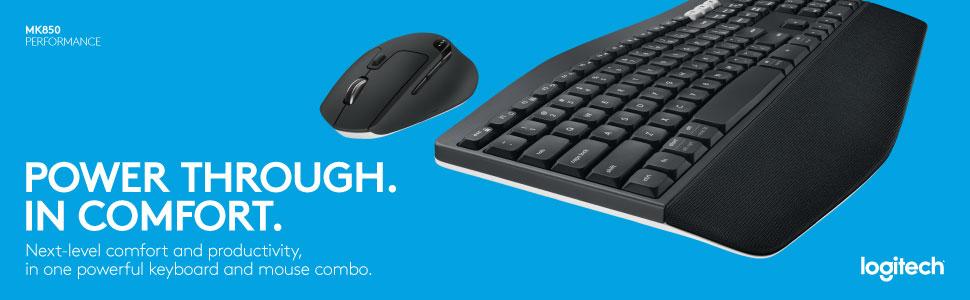
Logitech MK850 Multi-Device Wireless Keyboard and Mouse Combo, 2.4GHz Wireless and Bluetooth, Curved Keyframe & Wireless Mouse, 12 Programmable Keys, 3-Year Battery Life, PC/Mac, QWERTY UK Layou


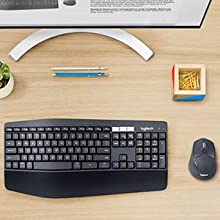
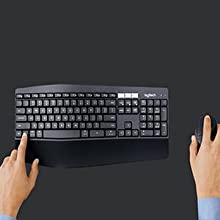
Built For Comfort
The oversized, cushioned palm rest and curved keyframe gives you support for all-day typing. Adjustable tilt legs offer the perfect typing angle. And the contoured design and soft rubber surface of the mouse fits comfortably in your palm.
Enhanced Productivity
The oversized, cushioned palm rest and curved keyframe gives you support for all-day typing. Adjustable tilt legs offer the perfect typing angle. And the contoured design and soft rubber surface of the mouse fits comfortably in your palm.
Also, your keyboard won’t require new batteries for 36 months and your mouse stays powered for 24 months.
Multi-Device Mastery
Start typing on your computer, then switch to your tablet, phone or computer with the touch of a button. Your mouse pairs with up to 3 devices for seamless multi-tasking.*
* Any USB-equipped or Bluetooth Smart ready device that supports an external keyboard (HID profile).
A True Power Combo
Finally, a keyboard and mouse combo that truly works together. DuoLink allows your mouse buttons to have a different set of actions when you hold the Fn key. You can also move the mouse with the Fn key down to perform gesture-controlled actions.*
*Download Logitech Options Software to enable Logitech DuoLink.
 | 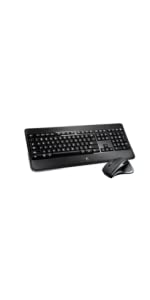 | 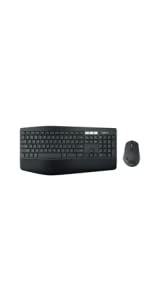 | |
|---|---|---|---|
| MK850 | |||
| Connectivity | USB Logitech Unifying | USB Logitech Unifying | |
| Connected devices | 1 device | 1 device | Up to 3 devices |
| Compatibility | Windows (XP, Vista, 7, 8, 10) | Windows (XP, Vista, 7, 8, 10) | Keyboard: Windows, Mac, Chrome OS, Android, iOS Mouse: Windows, Mac, Chrome OS, Android |
| Battery life | 36 months* | Rechargeable, 10 days* | Keyboard: 36 months (2xAAA batteries pre-installed) Mouse: 24 months (1xAA)* |
| Keyframe | Plunger | Scissor | Plunger |
| Palm rest | Yes – Large flat palmrest | Yes – Flat plastic palm rest | Yes – Extra-large curved cushioned palm rest |
| Adjustable keyboard height | Yes (3 tilt positions 0, 4 and 8 degrees) | Yes (2 tilt positions 0 and 8 degrees) | Yes (3 tilt positions 0, 4 and 8 degrees) |
| Tracking | Laser | Track-on-glass | Advanced optical tracking |
| Scrolling | Hyper-fast | Hyper-fast | Hyper-fast |
| Caps lock indicator light | Yes (on LCD screen) | Yes | Yes |
| Weight: | 845 g |
| Dimensions: | 43 x 21 x 2.5 cm; 845 Grams |
| Brand: | Logitech |
| Model: | 920-008224 |
| Colour: | Black |
| Batteries Included: | Yes |
| Manufacture: | Logitech |
| Dimensions: | 43 x 21 x 2.5 cm; 845 Grams |
Gama alta de logitech
De los mejores teclados y ratones que hay en el mercado en logitech. Muy buena ergonoma. Muy cmodo y aunque un poco caro. La calidad se paga. Lo volvera a comprar sin dudar. Cuando te tiras muchas horas delante del ordenador te das cuenta que merece la pena pagar un PLUS por tener algo de calidad extra. Lo volvara a comprar sin dudarlo
Great keyboard and mouse - with one big flaw
This is a good keyboard and mouse set that I’ve now been using for 1.5 years.
The keyboard is comfortable to type on, although I do find the keys a little loud.
The mouse wheel has a nice feature where you can either lock it so it moves in steps or have it free-wheel, as per your preference – a nice touch!
But, I have one big problem with the mouse – the position of the forward/back and Easy-Switch buttons. For me, the forward/back buttons are set too far forward, such that I need to adjust my hand to use them – a real PITA for gaming! Where I’d expect to find the back/forward buttons, is the Easy-Switch button – this means I press it accidentally on occasion, suddenly losing keyboard/mouse input and wondering why! *Really* annoying when gaming!
If Logitech provided a means to disable Easy-Switch (I don’t need it), this would be a 5-star review – but they don’t, despite installing their crappy, bloated, data-slurping Logitech Options software :-/
So far so good!
On day two of using this product and so far I love it. I like that the keyboard and mouse only use up one usb port. It is super quick and responsive. Great for working from home
Ottimo set tastiera e mouse
Voglio partire proprio dalla cosa che non mi piaciuta. Lo scatolo contenente il mouse e la tastiera era completamento rotto sembrava gi aperto e persino le plastiche all’interno erano rotte. Sotto questo punto di vista sono rimasto completamente deluso.
Per quel che riguarda invece mouse e tastiera da 3 giorni che li provo e devo dire che sono veramente due prodotti eccezionali! Li uso sia per il mio MacBook che per il computer fisso e le funzionalit multidispositivo sono strepitose. Il collegamento sia tramite usb (la chiavetta usb inclusa nel prezzo) che tramite bluetooth stato una sciocchezza, molto intuibile e veloce.
La tastiera ha bisogno un po di rodaggio ma molto comoda e bella da usare.
Mouse niente di particolare ha i tasti che permettono di andare avanti e indietro che qualche volta sono utili.
Spart viel Platz auf dem Schreibtisch
Gute Ergonomie und sehr praktisch zur Verwendung an mehreren Rechnern. Ich habe mir noch einen 2. Unifying Empfnger angeschafft und verwende die Maus/Tastatur-Kombi an mehreren PCs unter Win und Minze. Schnes Arbeiten durch schnelles Umschalten auch wenn beide Systeme gleichzeitig auf meinem dann geteilten Schirm laufen. Ich habe die Ausgabe fr das doch etwas teurere Set nicht bereut.
Really excellent replacement / upgrade
A work item, replacing an older Logitech but on a completely different design / ergonomic level. I’m still discovering some of the functions but am very, very impressed with this. Also, great value.
Die beste Tastatur die ich bis jetzt hatte
Ich habe mich fr diese Tastatur entschieden, weil ich auf der Arbeit (Homeoffice) mit zwei Gerten arbeiten muss (MacBook und Windowslaptop).
– Die Verbindung mir den zwei Gerten war sehr simpel
– Das Switchen von einem Gert zum nchsten ist echt schnell
– Die Verbindung ist stabil
– Was ich auch sehr schn finde, dass da Symbole von der Mactastatur drauf sein
– Die Funktionen mit der notwendigen Software kann man ndern und es so anpassen um das Arbeiten leichter zu machen
Mein Fazit ist, dass ich die Tastatur mit der Maus sehr empfehlen kann. Ich finde fr den Preis bekommt man eine gute und ergonomische Tastatu
Amazing
This is simply amazing. I’ve connected to three different laptops and saved lots of space on my desk. Easy to switch between laptops and easy to use. Would definately recommend
This has saved me putting away the other keyboards/mice when not in use. Switching from pc to work computer is so much easier (1 set for all). Very nice. One of my best buys.
This has saved me putting away the other keyboards/mice when not in use. Switching from pc to work computer is so much easier (1 set for all). Very nice. One of my best buys.
Main feature, one keyboard/mouse for multiple PC's.
Bought 4 years ago, mainly for the ability of both keyboard and mouse to switch between multiple receivers. As same desk is used for work and home PC’s, having a single mouse/keyboard is very convenient (you’ll need to source the additional receiver – I reused an old one). Wrist rest looks like a dirt magnet, but wipes down ok. After heavy use, some of the keycap lettering has rubbed off. Ergonomically, its a bit spongy, but no worse than average. On the plus side, I can’t remember the last time i changed the batteries.
Tolle Tastatur, Abzüge in der B-Note
Ich hatte anfangs eher die Befrchtung, dass die Tastatur durch die Ergonomie eher schlecht zum Tippen ist, wenn man kein 10-Finger-Schreiben beherrscht wie z.B. bei der Microsoft Ergonomic. Glcklicherweise ist diese Tastatur fr jeden geeignet, egal ob 10 oder 2 Finger. Die Tastatur sieht optisch schn und wertig aus, fhlt sich aber auch so an.
Die Maus ist ebenfalls super. Funktioniert einwandfrei, luft problemlos, gleitet schn, klickt nicht zu laut und fhlt sich rundum angenehm an.
Einzige Kleinigkeit, die mich bei der Tastatur gestrt hat: Manche Tasten hatten einen zu weichen Anschlag, wie z.B. die Enter-/Return-Taste, Leertaste oder STRG. Alle anderen Tasten waren sehr angenehm im Anschlag.
Ich hatte die Qual der Wahl zwischen dieser und der MX Keys, habe mich aber aufgrund des noch besseren Schreibgefhls und der Beleuchtung fr die MX Keys entschieden. Nichtsdestotrotz empfehle ich jedem, der nicht so viel Geld ausgeben mchte, diese Tastatur weiter. Im Bundle sind beide Komponenten wirklich das Geld wert.
A good multi device keyboard and mouse combo
The Logitech MK850 works with your desktop, phone, and tablet, and it’s roomy, ergonomically minded design is also a gift to aching wrists. But the keyboard experience itself was marred by mushy-feeling keys; the wrist rest is a dirt magnet so I can see it getting really dirty over time and difficult to clean.
Pros
Comfortable design
Switches among desktops, phones and tablets with ease
Bundled with a smooth, solid mouse
Seven programmable keys
Cons
Keys feel annoyingly squishy
Too big to be truly portable
Für meine Bedürfnisse perfek
Ich habe mich nach herber Enttuschung ber ein Microsoft Sculpt Set und dem Lesen diverser Tests fr das Logitech MK850 Performance Tastatur-Maus-Set entschieden. Die Tastatur ist fr meine Bedrfnisse perfekt, der Tastenanschlag hervorragend, die Platzierung der Tasten genau so, wie ich sie als Vielschreiber bentigt. Ich htte mir noch eine separate “Druck”-Taste gewnscht, die Screenshots ohne FN-Kombination ermglicht htte.
Die Maus ist fr meine Hand genau passend und von den Funktionen her ebenfalls genau richtig.
Ich habe dann noch einen weiteren Unifying-USB-Empfnger gekauft. Damit kann ich meine beiden Rechner mit einer Tastatur / Maus bedienen und locker an Tastatur und Maus von PC zu PC hin- und zurckschalten. Dadurch konnte ich den USB-Umschalter aussondern, der permanent Probleme bereitet hat. Die Mglichkeit, an Maus und Tastatur bis zu drei PC (in meinem Fall bisher zwei [ich berlege gerade die Anschaffung eines dritten Empfngers fr den Laptop]) durch Drcken der Tasten1, 2 oder 3 mit einer Tastatur / Maus zu bedienen, begeistert mich jeden Tag erneut.
Wie lange die Batterien halten ist fr mich zweitrangig. Ich verwendet wiederaufladbare 1,5 Volt Nickel-Zink Akkus in allen meinen Gerten (Fernbedienungen etc.) und bin mit dieser Kombination auch bei der MS-Sculpt und anderen Tastaturen / Musen gut gefahren.
Das Logitech MK850 Performance Tastatur-Maus-Set ist fr mich einfach nur perfekt.
Molto soddisfatto anche se..
Sulla tastiera posso solo dire che comoda per un uso personale/ufficio, l’appoggia palmi rende la digitazione pi comoda e la possibilit d cambiare device molto comoda nonch veloce. Sono contento anche del mouse, anche se il click centrale non comodissimo, va spinto in un modo specifico, un po’ innaturale, e purtroppo un comando che va usato spesso nell’applicazione di disegno 3D che uso per lavoro. Con l’uso ci si impara a fare l’abitudine per rimane fastidioso
Producto de calidad, funciona con varios dispositivos y ergonomico
Es un producto de calidad pese a ser un teclado de membrana.
El tacto es bueno, tiene una leve elevacin en el centro del teclado que facilita la posicion correcta de las manos. Es algo ancho en el esntido de que a mi personalmente me sobra el reposamunecas, dejando un mayor espacio en la mesa.
El ratn funciona a la perfeccin, anteriormente tenia el m710 y la forma hundida de la parte derecha lo hacen un raton levemente mas comodo que este, no mucho, en cambio la textura de este es mejor asi como la disposicion del bloqueo de la rueda central, ya que en el anterior se accionaba en ocasiones
Really good.
Best keyboard and mouse. Has the option to use Bluetooth which saves me from tying up a usb port.
Only downside is the textured design of the palm pad means lots of dirt and dust gets stuck in it and is hard to clean unless you have some kind of air blower. If it was smooth could have just wiped.
Great quality material and easy to use
Purchased for son-in-law and he says:
Keys are so soft, and easy to type with.
Mouse fits perfectly in hand and very comfortable
Functions are as advertised
Keys are a bit close together but you get used to it after a couple days
Mouse scroll is very sensitive and different to a normal mouse
Good quality material is used and feels very sof
Klare Kaufempfehlung,wer Logitech kennt,kennt die Qualität.
Zuerst das Negative zum Verkufer:Die Tastatur und Maus wurden nur in der Originale Verpackung ohne Umverpackung geschickt.Somit konnte jeder sehen was sich in dem Pckchen befindet dies geht ja mal garnicht und gerade zu Corona Zeit wo eine Kontaktlose Zustellung erfolgt.
Zum Produkt selbst.Ist eben die alt bekannte Qualitt von Logitech,mit ein bisschen Fachwissen und Verstndnis ist die Installation sehr einfach.Ich habe meine zwei PC konfiguriert und somit ist es nur noch eine Maus und eine Tastatur fr beide Gerte die auf dem Schreibtisch liegen.Preis Leistung passt hier.
Buen teckado, pero...
El teclado y raton van bien oero si no tienes el adaprador para el teclado sin obtaculos va bien pero si esta escondido se desconecta y hace cosas raras. Por lo demas el raton se adapta bien y sus botones se pueden configurar ak gusto, el teclado tiene buen tacto y es vuestion de acostumbrsrse al que esta curvo.
Cumple muy bie
Fcil configuracin tanto en Windows como MacOS y dispositivos mviles (Android e iOS).
Su funcin de hasta tres dispositivos es la bomba, recomendado totalemnte ( en mi caso uso 2 usb y 1 bluetooh).
Lo malo del producto son las teclas, las letras, smbolos y nmeros vienen con una pegatina que da la sensacin de durar poco.
Love i
I love this keyboard and mouse. Premium look and feel and comfortable to use.
The best feature is that it can be set up to switch between 3 devices so i have it connected to my laptop, work laptop and phone.
On the downside, keyboard layout is slightly non-standard.. Probably to look prettier, but usability suffers depending on the task.
versátil
Tengo una pantalla que conecto a un PC windows y a un porttil MAc. Ahora puedo manejarlo todo con un nico teclado y ratn.
El cambio entre ordenadores es super fcil y adems el teclado est adaptado a Windows y al Mac,y parece tener la calidad que se le presupe a logitech.
Great în so many ways I love i
I choose it jus because was easy to switch between 3 computers but I start loving after start using it. Great touch, keys are great at touch for office use is the best I used until now. Bluetooth is stable, switching fast between computers.
Buena relación calidad/precio. Muy versátil
Tanto el teclado como el ratn funcionan perfectamente pero destacara su versatilidad frente a la calidad que uno siente en relacin a otros productos de Logi.
El apoyamuecas es fijo y se ensucia con mirarlo. Los plsticos de ambos productos cumplen su funcin, muy prcticos, pero no tiene calidad premium.
Por el precio que pagu, menor a 40, creo que no se le puede pedir ms.
War wirklich überrascht - einfach klasse Kombi
Habe das Set eigentlich wegen der Maus mit dem Umschalter an der Oberseite gekauft aber das Set ist einfach klasse. Das Umschalten ist super einfach und die Anwendung Flow zum automatischen Umschalten ist was ich mir schon immer gewnscht habe.
Das ich kein Gamer bin konnte ich zu diesem Punkt nichts sagen.
Gutes Keyboard mit problematischen Bluetooth
Die Tastatur sieht super aus und ist hochwertig verarbeitet. Es lsst sich gut darauf schreiben, Bluetooth Verbindung funktioniert gut und Reichweite ist super. Die Maus, welche mir weniger wichtig war, hat mich positiv berrascht und meine alte Logitech in Rente geschickt.
Schwchen und Kritikpunkte:
Kein ergonomisches Keyboard, werde mit deswegen eine neue Tastatur zulegen, welches ergonomischer ist.
Beim Wechsel von einen auf das andere Gert ber Bluetooth gibt es aber manchmal Probleme. Musste viel mit dem Treibern rumspielen, bis der wechsel ohne ewige Verzgerung funktioniert hat. Mag auch daran gelegen haben, dass ich andere Bluetooth Gerte in Verwendung habe.
Die Handauflage lsst sich nur schwer reinigen, aber das erzieht einen wenigstens, nichts am PC zu essen.
Der Standby Modus wiederum hat mir sehr gut gefallen und mich nicht weiter gestrt.
Tastiera ottima,con qualche ma..
Ottime finiture dei materiali usati anche se il design un po’ datato.Mi piace la precisione e la morbidezza dei tasti, accompagnano la digitazione con scorrevolezza. Nessun problema con il BT in un attimo l’ho connesso al fisso ed al portatile . Comodi i “pulsantoni” numerati per passare da un PC all’ altro. L’ho ordinato nero ed arrivato grigio..il che non mi disturba troppo ..ma non ci che ho ordinato. Ho rimandato indietro una Perry ergonomica perch non mi era piaciuta affatto e non mi va di rimballare nuovamente tutto solo per il colore.. oltretutto manca il cavetto di prolunga per il suo ricevitore!!…A parte questo “fastidio” la tastiera un signor prodotto, ma il suo prezzo un po’ alto, un prodotto che comprerei con soddisfazione tra i 70 e gli 80 euro.
Not suitable for left-handers
This is a nice keyboard and mouse combo but, if you are left-handed as I am, the mouse isn’t very comfortable to use and I couldn’t get it into a position that I could work with it. Decided to keep them both and purchase a more lefty friendly mouse.
Ottima tastiera davvero comoda e con un buonissimo feeling
Premetto che ho deciso di provare la membrana dopo anni di tastiera meccanica, non so se sia un difetto mio, della tastiera oppure una semplice differenza tra le due ma con questa tastiera ho dei problemi a digitare la lettera “O”, a volte sembra che non vada a fondo… Non saprei, potrebbe essere difettoso il mio articolo o semplicemente sono abituato con il feeling meccanico che diverso, questo lo valuter nei prossimi giorni.
Detto questo, tastiera e mouse ottimi, ho fatto la scelta del Layout US perch ho sempre utilizzato quello, ma devo dire che in generale la tastiera molto comoda, sia a livello ergonomico, sia perch essendo Wireless non mi incasina la scrivania con tutti i cavi, sia per le funzionalit di multi device che ha il Bluetooth, permettendomi di utilizzarla su pi dispositivi.
Non sicuramente una tastiera da gaming, per penso il suo utilizzo sia piuttosto palese, considerando che la utilizzo dalle 8 alle 12 ore al giorno sono nel complesso molto soddisfatto, eccetto per quel piccolo problema delle “o” che probabilmente dovuto ad un pezzo difettoso della mia.
Per quanto riguarda il mouse invece devo dire che mi ha sorpreso in positivo. Ha un tasto per sbloccare la rotellina, il che rende la navigazione in documenti o su browser davvero leggera, e spesso la utilizzo come anti-stress… Per ci che mi piaciuto moltissimo il tastino in basso azionabile comodamente con il pollice che ti permette di navigare velocemente tra le finestre aperte, una bomba davvero.
Nel complesso sono soddisfatto, poi per carit ha i suoi difetti, come il poggia polsi a retina che cattura lo sporco ed difficile da pulire, o questa fastidiosa “o”, per la consiglio molto.
Muy agridulce
He tenido un Microsoft 900 durante 2.5 aos cuyas teclas empezaban ya a ir bastante duras.
Este me atrajo por su conectividad a 3 dispositivos y el ratn con botones y gestos. Primero lo compr por 90 y llanamente no lo vale, al menos el teclado, y ambas piezas tenan fallos (debajo). Devuelto.
A los pocos das baj a 52 y ya es ms razonable habindolo probado (re-comprado y escribiendo desde l).
Con el ratn encantado, sus personalizacin de botones y gestos (que responden muy rpido) es muy amplia (aunque nunca tanto como con AutoHotKey, pero mucho ms difcil tambin).
Eso s, la primera unidad el botn lateral frontal haca click sin actuar hasta que apretabas ms. Se notaba que los dos botones laterales tenan un click diferente entre ellos. La segunda unidad, clicks iguales y funciona bien.
Sin embargo el teclado:
-Las teclas vienen “duras”, pero no duras de mecnico, sino duras de “mullidas”, como si hubiera algodn o goma dentro y cada tecla/zona con una fuerza distinta. Conforme vas clicando unas decenas de veces desaparece y ya se comportan normal. Raro (ambas unidades, y si miras reviews de youtube por eso dicen “mushy”, porque solo lo prueban unas horas), pero como va desapareciendo voy a omitirlo.
-Diseo y materiales generales plasticoso, que no s si es por el color, parece ms baratejo. Es difcil de explicar, pero no transmite “premium” (que no lo es supongo, pero por 90…)
-La ergonoma… Tiene una elevacin por el medio que supongo ayuda, pero no se convierte en un teclado de esos partidos ergonmicos.
-La primera unidad temblaba algo por el centro y cruja el lateral izquierdo. La segunda unidad parece construida adecuadamente.
En fin, entre el precio habitual y la calidad recibida la primera, no lo vale aunque no haya mucha alternativa.
Por lo que he acabado pagando… Bastante bien aunque no estoy convencido del teclado todava, falta echarle horas.
Tampoco hay muchas opciones con lo que quiero (pack y mouse con botones/gestos) as que toca acostumbrarse.
Super keyboard and mouse combo from Logitech
A very good wireless keyboard and mouse combo. Easy to set up and really nice to use. Bought it to use with an Apple standalone 27 inch screen and MacBook Pro laptop.
Great mouse, Good keyboard, BUT!
I got this set for home office back in November and was excited, as I normally really like Logitech products.
The mouse is great but the keyboard … well let’s say it’s putting a lot of strain on my marriage and potentially threatening my living condition.
1st time I started using it I though it was a time machine because that clicking of the keys took me Steiger back to 1995. The clicking of the keystrokes is so loud that my neighbours have asked if there is a wood packer and/or if we are having constant works being done.
My spouse started wearing ear buds and threatening to leave if I don’t get a new one, due to the noice level.
So my veredicto is:
Mouse is great, ergonomic of the keyboard is great, but the noice level of the keystrokes is fatal.
Great purchase
Best purchase I’ve made in quite some time. The seamless switch between devices is wonderful. I use a desktop for work and have a laptop at the side to work on separately. 1 button press on both keyboard and mouse and it switches over. It’s a little more expensive than others but definitely worth it for the extra devices and its quality.
Buen teclado y rato
El boton para escoger dispositivo, est en el pulgar y eso es muy comodo, hay otros de Logitech que lo tienen en la parte inferior del raton y hay que levantarlo cada vez.
La calidad es buena en general y muy mala en concreto con las patas de inclinacion, se rompen con solo mirarlas y Logitech dice que no tienen P/N para venderlas como recambios, eso me parece un desastre
Flow funciona bastante bien, no tan bien con VPN. En algunos equipos sigue funcionando y en otros no, no hemos logrado averiguar porque.
Super Tastatu
Ich habe mir die Tastatur fr’s Home-Office (um meinen privaten und Dienstrechner gleichzeitig zu steuern) gekauft, da ich weder meine Tastatur umstecken wollte, noch zwei unterschiedliche Tastaturen mehr verwenden wollte.
Mit der Tastatur bin ich rund-um glcklich, die Einrichtung war einfach und der Wechsel zwischen meinen Computern, ist schnell und reaktionsschnell.
Bin wirklich glcklich mit der Tastatur und kann sie nur weiterempfehlen. 🙂
Der einzige Wermutstropfen ist die Handballenauflage: die ist sehr bequem und fhl sich gut an aber auch ein kleiner Staub und Schmutzfnger.
Man kriegt sie zwar einigermaen sauber aber wirklich wie am ersten Tag sieht sie nie lnger als einen Tag aus.
Alles andere: super!
Good keyboard and mouse for office use.
Bought this after the old cheap set I originally bought for occasional use wore out after 8 hours a day every day for nearly a year.
The keyboard and mouse is robust and responsive. You can connect it to up to 3 devices which is quite handy.
This is not suitable for gaming really. The keyboard would be too soft for that and the mouse a bit heavy.
This is really geared towards general office use.
Well made and ergonomic. Let down by poor documentation.
So far so good. Have attached to PC and Android phone. Documentation is exceedingly sparse. Still trying to work out how to change device to phone without it booting the PC out of hibernatio
Las patas de goma de desencola
Ya es momento de sacarles los colores a Logitech referente a las patas de goma de sus teclados, se desenganchan muy facilmente y ni si quiera vienen de repuesto por si las pierdes.
Pienso que por el precio de sus productos, deberan mejorar en este sentido.
Por lo dems el conjunto cumple con las caractersticas descritas.
Better than other similar products in my opinio
The mouse is very ergonomic. I tried this just because I bought one of the MX mice when I was suffering from RSI and have found it great and the shape of this one is similar. Keyboard works fine, and combined they seem better than the two Microsoft versions of similar products which I’ve previously purchased.
Gutes Preis-Leistungsverhältnis für diese ergonomische Tastatur-Maus-Kombinatio
Ich habe eine Tastatur-Maus-Kombination gesucht, die ich parallel mit einem Windows-PC, einem Mac Mini und einem iPad benutzen kann. Dafr ist die angebotene Kombi von Logitech einfach perfekt! Tastatur und Maus knnen entweder per Dongle oder direkt per Bluetooth mit den Gerten gekoppelt werden. Die Umschaltung erfolgt ber drei nummerierte Tasten auf der Tastatur bzw. einer Taste auf der Maus.
Die Tastatur hat ein angenehmen Tastenanschlag und sind optimal, auch fr lngeres Schreiben. Die Maus bietet den blichen Komfort, das Scrollrad kann per Knopfdruck von Leichtlauf” auf Widerstand” umgestellt werden und arbeitet sehr przise. Installiert man sich die zugehrige Software unter Windows bzw. Mac OS, bieten sich weitere Einstellmglichkeiten.
Alles in allem eine sehr gute und ergonomische Kombination, die nur besser werden knnte, wenn man statt der normalen” eine Vertikal-Maus bekme, dass fnde ich persnlich noch ergonomischer.
Ich wrde diese Kombination jederzeit wieder kaufen.
Estupendo teclado
Un teclado perfecto, cmodo, y muy fcil de manejar. Solo tuve un pequeo problema para configurar el teclado en el ordenador con algunos smbolos que no se marcaban al pulsar las teclas (como por ejemplo la @). Vi que era un problema de como tena configurado el teclado en el Windows 10. Ese problema no me ocurra con otro teclado que tena as que me extra un poco, pero por lo dems estupendo. Tiene un tacto muy bueno, y los plsticos son de calidad.
Batteries that came with it didn't last long in mouse, but they were duracell, so might just be the battery and not that the sleep is bad, but not sure. Keyboard batteries still going, maybe the mouse didn't sleep as much as it could, I know hair or fluff can keep a mouse awake so maybe that's to blame. I've swapped for some superior varta's so let's see. The handrest and mouse coating materials aren't my favourite and won't last as long as what logitech use on their other devices but in the short to medium term will feel better so it's a trade off I guess. Other than that I have no complaints, I type on keyboard with multiple computers for a living and this is perfect. I'm left handed and mouse is more suited for righthanded but it really doesn't impede me or annoy and is one of my favourite mice so far. Keys feel and sound good to type on.
Batteries that came with it didn’t last long in mouse, but they were duracell, so might just be the battery and not that the sleep is bad, but not sure. Keyboard batteries still going, maybe the mouse didn’t sleep as much as it could, I know hair or fluff can keep a mouse awake so maybe that’s to blame. I’ve swapped for some superior varta’s so let’s see. The handrest and mouse coating materials aren’t my favourite and won’t last as long as what logitech use on their other devices but in the short to medium term will feel better so it’s a trade off I guess. Other than that I have no complaints, I type on keyboard with multiple computers for a living and this is perfect. I’m left handed and mouse is more suited for righthanded but it really doesn’t impede me or annoy and is one of my favourite mice so far. Keys feel and sound good to type on.
Great Keyboard & Mouse set with one annoying flaw
I purchased this keyboard and mouse set for use in my home office, switching between several Windows and Mac devices.
Overall my experience has been excellent and I have purchased 3 more sets for other members of the family and for my office.
Hardware:
The products are generally well built and ergonomically designed with the keys semi-quiet and mouse clicks satisfying. There is one exception to this as mentioned in the title. After several months, one of the keyboard feet broke in normal use. I managed to super glue it back together but alas it only lasted a few weeks before breaking again. In the end I had to order replacement 3D printed parts from France for 12 a pair (which took a month to ship). Just for clarity – Logitech DO NOT produce replacement feet. Honestly for a product this expensive it’s a bit ridiculous that there is no replacement for the feet – there should really be a spare pair in the box. Without the feet the keyboard is virtually unusable for me.
Experience:
Switching between devices is generally seamless (although sometimes when switching from Mac, back to Windows the keys sometimes don’t swap back unless you go into Logitech Options and toggle the Windows layout off and back on.
The mouse shortcuts that can be customised per app are brilliant and I absolutely love the thumb button. These shortcuts have had a huge impact on my workflow and I honestly can’t go back to using a regular mouse. One annoying little caveat here is that sometimes the shortcuts stop working and I have to turn the mouse off and back on again. This happens a few times a week.
Overall with the exception of Logitech’s stupidity in not supplying spare keyboard feet – I wholeheartedly recommend this produc
Logitech MK850
Great once you have managed to get computer to accept and link. Can turn keyboard and mouse off after use. Windows 10 eventually accepted new keyboard and its new innovations. Took some getting used to but now really pleased with it. Keys slightly raised but soft to touch.
Superb
Thrilled with this new keyboard. First wireless and ergonomic keyboard for me. Actually feels like a pleasure to type! The keys depress easily and without the usual click-clack of cheaper keyboards. The ergonomic design was easy to adapt to and feels quite natural (as you would expect from an ergonomically designed piece of equipment). Feels like a very good investment in my home office.
Muy práctico, muy contento.
Esta muy bien, muy contento. Por fin tengo las tres maquinas y un solo raton/teclado para controlarlos. Voy escogiendo de uno a otro por el switch (escogiendo el 1,2 o 3). Muy buena la tecnologa unifying , que ya haba probado en otros productos de la marca, con el switch , realmente muy prctico.
Lastima que el switch no este implementado en todos los productos unifying.
Despus de casi un mes de uso diario trabajando como desarrollador java desde casa con este teclado y ratn me he acostumbrado enseguida a la elevacin en el centro del teclado (mi anterior teclado en casa era de teclas de perfil bajo tipo porttil) y aunque no noto una gran mejora en la ergonoma tampoco es molesto.
El ratn es muy cmodo y preciso con buen tacto en la rosca y botones.
Me ha gustado que el teclado es igual de silencioso que mi anterior teclado que ya lo haba comprado expresamente por ser silencioso.
Algo que me disgusto en un principio, aunque enseguida me acostumbre, es que las teclas “largas” tipo “Enter”, “borrar”, “Maysculas” adems de la barra espaciadora, tienen un tacto y sonido muy diferenciado del resto de teclas, mucho ms amortiguado lo que se le hace que el escribir no sea tan fluido en mi opinin personal.
Funktionalität super, Pairing mit Unifying Receiver eine Katastrophe!
Verpackung geffnet, Batterien eingelegt, Unifying Receiver in den USB-Port gesteckt und nach der Anleitung in der Verpackung verbinden.
Einfach … dachte ich! Aber so einfach wie es auf dem Karton-Boden beschrieben ist funktioniert es leider nicht … es FUNKTIONIERT so GARNICHT !
Die Tastatur hat sich dann nach mehrmaligem USB-Receiver ein- und wieder ausstecken verbunden, die Maus nicht.
Kurz und knapp … Man MUSS den LOGITECH TREIBER installieren und darber Maus und Tastatur verbinden, obwohl Windows 10 schon automatisch einen Treiber gefunden und installiert hat. Die ANLEITUNG in der Verpackung ist also FALSCH. Sehr frustrierend wenn man einfach nur mal schnell seine neues Equipment ausprobieren mchte!!!
Allerdings muss man den Vorgang ja zum Glck nur einmal machen, danach bleiben Keyboard und Maus mit dem USB-Receiver, auch nach ausschalten/ausstecken, verbunden.
Bluetooth dagegen funktioniert so wie in der Anleitung beschrieben sehr einfach.
Und die Umschaltung zwischen drei Gerten, z.B. Desktop-PC, Laptop und Tablet ist einfach genial und funktioniert gut.
Nicht gut finde ich, das es keine Status-LED fr NUM-Lock und fr FN-Lock (Funktionstasten immer aktiv) gibt.
Auch htte ich persnlich es gut gefunden, wenn die LED fr das gerade aktive Gert (1, 2 oder 3) immer, zumindest gedimmt, leuchten wrde.
Der kleine Antirutsch-Pad an der 4-Neigungsverstellung ist schon am 2ten Tag abgefallen, weil ich die Tastatur 2…3 mal auf dem Schreibtisch verschoben habe ohne sie anzuheben. Mein Fehler … hmmmm? Das sollte eigentlich klargehen fr ca. 90.
Die Handballenauflage mit dem Stoffbezug fhlt sich zwar angenehm an, ich mchte aber nicht wissen, wie die nach ein paar Monaten aussieht.
Da wre ich auch mit hochwertigem Kunststoff klargekommen, den kann man wenigstens ohne Probleme reinigen.
Schauen wir mal.
Im Groen und Ganzen bin ich zufrieden!
Gute Haptik, schnes schlichtes Design.
Umschaltung zwischen Gerten mchte ich nach einem Tag schon nicht mehr missen.
Batterien/Akkus (AA) kann man einfach tauschen, kein fest verbauter Li-Ion-Akku der nach 2 Jahr kaputt ist.
he best thing s the ability to swap between devices
So simple to connect by bluetooth to a phone, laptop or computer, firestick etc. the downside is the limit to 3 devices but this is a great keyboard for when you use multiple devices and want to quickly switch to use on your laptop, desktop or a firestick or even your mobile phone.
Very impressed by this device and certainly worth the small premium over other keyboards.
Great Buy
This is really good value for money when you consider it’s manufactured by a reputable company for keyboards and mice. both are well constructed and can accept a few knocks here and there (don’t make it a habit though!). The palm-rest is nicely textured and soft and padded. The keyboard height adjustment is great too. The mouse – as always – takes a bit of getting used to. Soft to touch and nice grippy rubber on the wheel.
Excellent keyboard and mouse
I’ve had Logitech keyboard/mouse combinations that used the universal dongle before. I always found them irritating because they would loose signal when I had my laptop in certain positions. I also didn’t like that the dongle would take up a usb port on my laptop, often forcing me to carry a usb hub around with me.
This keyboard and mouse, connected via bluetooth (no dongle needed if you have a bluetooth enabled computer) are perfect for me. No signal loss no matter where I place my laptop. The soft area in front of the keyboard is perfect for resting my hands on while typing and the key presses feel great. The mouse is a nice handful and works perfectly on every surface that I’ve tried it on.
Excellent product!
Very happy
I am very happy with my purchase as I am a heavy user. Silent keys and ergonomic, the mouse is very fast to scroll up/down, looks really professional and nice.
They are very easy to setup too.
EXCELLENT!! HIGHLY RECOMMEND!!
I bought two of these as working for home and use one on office and the other in living room when working off laptop or ipad on TV. Works really well and great feature being able to work across 3 different devices from this one keypad and mouse. Keys are definite and firm and register every time. Any errors are human! If the keypad seems not to be being picked up then just tap the white keys that are registered to that device and it connects no problem. Highly recommend!
Beschreibung unvollständig
Beide funktionieren gut und lassen sich schnell umschalten. Leider ist die Funktion der mittleren Taste unter dem Rad nirgendwo beschrieben, man muss es selber rausfinden.
Perfekte Tastatur + Maus Kombination für den Alltag im Homeoffice und Zuhause
Diese Tastatur + Maus Kombination ist das perfekte Duo fr den Homeoffice Alltag und fr die restlichen Rechner zuhause. Die Besonderheit an dieser Kombination ist die Untersttzung von bis zu 3 verschiedenen Gerten, auf denen per Knopfdruck sowohl an der Tastatur und der Maus umgeschaltet werden kann. So kann ich mit einer Tastatur und einer Maus meinen privaten Desktop Rechner, mein privates Notebook und mein dienstliches Notebook benutzen ohne dafr etwas umzustecken. Einfach perfekt.
Gute Verarbeitung und super Konnektivitä
Ich habe mir dieses Set als Ersatz fr ein Cherry-Set gekauft, mit dem ich wegen stndiger Aussetzer sehr unzufrieden war. Vorneweg: Dieses Set reagiert einwandfrei – keine Aussetzer, keine Eingabeverzgerung.
Da ich mein Firmennotebook und Privat-PC mit der gleichen Maus und Tastatur betreibe, war meine Idealvorstellung ein Set, dass sich mit mehreren Endgerten verbinden lsst. Kurz vor Aufgabe habe ich dann dieses Set entdeckt.
Es lsst sich ber den Unify-Adapter und Bluetooth koppeln. Als drittes Gert ist mein iPhone mit der Tastatur gekoppelt. Das Umschalten geht kinderleicht ber drei graue Tasten (1, 2, 3) ohne Umstecken von Empfngern. Die Bluetooth-Kopplung mit einem Windows Rechner und dem iPhone funktionierte schnell und einfach.
Das Design ist funktional. Keine Sonderlocken, Funktionen wie Lautstrke sind ber Tastenkombinationen (FN+Taste) nutzbar.
Perfekt wre die Tastatur noch mit Tastenbeleuchtung. Aber da dies ein Luxus-Feature wre, ziehe ich davon keinen Stern ab.
Eine Anmerkung zu den Rezensionen, die ein zu leichtgngiges Mausrad beklagen: Die Maus hat unterhalb des Mausrads einen mechanischen Knopf. Mit ihm wird das Mausrad-Verhalten umgeschaltet. Verhalten 1: Es dreht gefhlt wie meine Inliner-Rollen ewig nach (super fr sehr lange Scrollbalken) oder Verhalten 2: Es verhlt sich wie ein normales Mausrad mit entsprechendem Raster”. Eventuell sind darauf ein paar Nutzer reingefallen”.
Ich gebe das Set nicht mehr her. Die ca. 90 (Warehouse Deal) war es wert!
Works well with Mac OS!
I bought this because I didn’t want to pay for the magic mouse and mac keyboard. I’m 80% on Mac and 20% on Windows. The mouse is fully configurable, you can set extra buttons to works as gestures. With this set, my productivity remains constant and it’s a huge relief for my wrists, comparing to a touchpad.
Geniale Lösung
Wenn mann mehrere Rechner hat und die ber einen Monitor mit gemeinsamer Maus und Tastatur betreiben mchte ist das die perfekte Lsung. Ein Laptop und ein Desktop PC an einen 32″ Monitor mit der Logitech Maus & Tastatur funktioniert wunderbar und das Umschalten ist ganz einfach. Einziger Mangel es gibt keine separaten Lautstrketasten sonden man muss ber die Funktionstaste gehen.
Does everything we asked of it and more!
This kit really tidied up my wife’s lockdown office. The keyboard acts as a full Apple keyboard with our 2010 iMac, which only runs the old High Siera OS, as well as providing a full Microsoft keyboard for her up to date laptop. The keys are all marked up with the variations in keyboard layout. Best of all, the supplied software enables the mouse to move between the devices as if they were in an extended desktop setup. It even switches the keyboard to which ever device has the mouse pointer. The mouse picks up all the gestures and functions of the Apple mouse. The ergonomics and the build quality are superb.
Comodidad y silencio
Pues dos hay en casa y, s, un buen teclado. Para trabajo en mbito domstico, excelente por su “silencio” al teclear. Hay que “aprender” a utilizar sus teclas, sus atajos. No le pongo el “5” porque se cuelga de tanto en tanto y hay que reiniciarlo, pero si trabajas con hasta tres dispositivos (le falta “copia y pegar” de uno a otro…) es gil, aceptable. Consumo de pilas, con alto uso, 1 ao, que est muy bien. S lo recomiendo pero teniendo en cuenta que no es perfecto.
Still the gold standard of multidevice wireless keyboard and mouse combos
This works fine. The mouse is nice to handle and has plenty of heft. The keyboard is sufficiently clicky, and while it is not a tactile experience that will transform my life, I have no real complaints. Very occasionally there are issues with the radio reception of the keyboard, but not enough to make me want to change to a different one.
Very good experience with multi device capability
Works very well, and the receiver + bluetooth connections work very well. Switching from one device to another is very easy and instantaneous. In terms of disappointments, my earlier ergonomic keyboard ( from Microsoft) was much better at separating the two hands so that stress on the wrist/hand was minimal. Also, the keyboard could have had a softer feel. When you type, there is a clicking noise with each keystroke. This definitely needs improvement.
1 keyboard/mouse 2 ( or 3 computers)
First impressions (UK keyboard) after a month of daily use.
Tested on Windows not on Mac.
Documentation, a bit sparse.
Great arty web pages selling us the ‘sizzle’ of product X less about the nitty-gritty.
Set up – had to install the Options software on my Windows 10 before I could get mouse or keyboard to work.
But perhaps that was user error.
Keyboard
no off switch – it is annoying that have to pull out the batteries when pairing you mouse and keyboard with the easy-switch software or when travelling.
very slight hump in the middle of the keys (ergonomic), but not enough to be off putting or noticeable in use.
Sturdy keyboard, no wobble on the desk or flexing while typing.
Folding 2 front legs give you options for 2 different height apart from flat.
Slightly softer plastic keys, not hard & shiny.
has caps lock light as expected
no num lock light (but software can put num lock/caps lock on the screen for a couple of seconds)
windows & mac keys – cons lots of symbols crowded on some keys e.g. @ and #
You loose 3 keys: print screen, scroll lock and pause/break (replaced by easy-switch keys)
mouse seems a delight
mouse moves smoothly on desk. Has an off switch.
No lag so far. (has this on the M310 mouse).
I don’t use the full features of the mouse. Don’t use any artistic software to heavily test it.
Batteries – can use standard rechargeables, so no worrying about the lifetime of a built in battery.
Switching between machines on one keyboard.
This was the killer feature for me.
I have a locked down work laptop (Win 7) and a Windows 10 machine.
More Logitech docs on what is possible would be helpful.
I work on both throughout the day, so this saves desk space and me switching to another keyboard/mouse.
Using the Easy-Switch key on the Keyboard and Mouse I can switch to the other device.
I was pleased this still worked on an old locked down Windows 7 machine.
I cannot install the Logitech Options software on this machine but that does not affect switching.
However it is not perfect. When I want to switch machine I have to switch both the keyboard and mouse e.g. press the 1 key on the keyboard and the one key on the mouse.
There is no option to press the keyboard or mouse key only and automatically switch the other mouse/keyboard -why?
The mouse only has one button to switch so you have keep pressing the button until the relevant number is lit up.
Connectivity
You get one USB Receiver. I have 2 older USB Receivers from older Logitech wireless keyboards.
You can also use the Bluetooth on your laptops but I have not tried this.
I leave the 2 USB receivers in my two machines to enable the easy-switch.
So far so good
I have used MS wireless keyboard since 2012. It still works but it became too dirty and I wanted to change. So chose this one. Someone said it is a dust magnet but I do not feel that. My hands are usually very dry. I think it is also related. Sometimes it lose the bluetooth connection. USB connection was very stable though.
TOP!!
Tastatur und Maus funktioniert problemlos an meinem PC per Funk und Smartphone und Tablet per Bluetooth. Daher 5 Sterne.
Es ist zudem sehr ergonomisch und fr meine Homeofficearbeit sehr zu empfehlen.
Mir fehlt jedoch bei der Tastatur ein wenig mehr haptisches Feedback. Der Tastendruck ist sehr weich aber dafr auch sehr leise.
Auch die Maus ist sehr leise und das finde ich gut, bei langer Bildschirmarbeit halt auch sehr hilfreich.
USB Dongle fr FUnk wird mitgeliefert, jedoch kein Bluetooth Dongle. Daher kann ich es nicht am meinem PC per Bluetooth verbinden.
Aber so stand es auch in dem Lieferumfang.
Neuer Status:
Ich muss leider ein Stern abziehen, da ich feststellt habe das die Tasten unterschiedliche Druckpunkt haben. Bsp. Die Taste 5 ist sehr weich gegenber die andere Tasten.
Great keys
I liked the keys and the ergonomics of this keyboard. i have had Logitech products before and liked them, therefore, I decided to update the keyboard form the one that came with my PC which was very inferior to this one.
Great ergonomics but Bluetooth can lose connection at times
Great keyboard and mouse. I love the look and feel of them both. Also being able to connect to up to 3 devices is a great space saver.
However losing connection with the PC can be an issue especially if using Bluetooth. It seems to work great most of the time, but occasionally just disconnects even though I have everything on Windows 10 set to High Performance to stop the OS from trying to save power by powering down devices. My experience with the USB dongle is much better so I am now using this most of the time.
Would I buy one again. Probably, but the Bluetooth connectivity needs to be made more reliable. Then maybe it would have been a 5 star product.
Nice to the touch
This Keyboard is far more advanced than any ones I have had in the past, but it is great that I can hear that I have actually struck the keys firmly enough, previously with the more flatter boards, my spelling was atrocious! Although it is a little more pricy, it is well worth it, the quality shows.
Brillia
Simply blown away by the quality and performance of MK850 Performance Set. the mouse and keyboard combination is brilliant. It’s a shame that I cannot install logitech software to customise the mouse on work computer, but the keyboard is amazing and mouse is perfect size and soft leather touch. also really useful is the quick multi task button on the mouse.
Excellent for people who have Mac and Windows
This is an excellent keyboard and Mouse combo for anyone with both Apple Mac and a Windows machine. I have a Macbook for my personal stuff and Windows machine given by work. With this I can leave them both open and switch between the two seamlessly.
The keyboard has both keyboard layouts printed out on it so you don’t have to guess where the command key etc. is if you forget. It’s easy to set-up with Bluetooth and it means your devices don’t have to have dongles plugged into them.
You can also set-up Mac gesture controls and short-cut keys so it still feels like a Mac and when you switch to using Windows those short-cut keys will do whatever you programme them to do on Windows. Great idea implemented very well.
Perfetto per un "topo d'ufficio".
Non ci sono troppe cose da scrivere.
I dispositivi sono entrambi perfetti e contribuiscono ad un miglioramento sensibile della qualit del lavoro.
Da non sottovalutare la possibilit di accoppiare 3 diversi dispositivi.
Utilizzato con schermo wide-screen, nei quali visualizzavo il PC e il Mirroring dello smartphone, passavo in un attimo dal controllo e digitazione dell’uno o dell’altro.
I dispositivi vanno in standby se non utilizzati, anche se io preferisco spegnerli e riaccerderli la mattina.
Consigliato.
Gewohnte Logitech Qualitä
Das Logitech MK850 Performance Set eignet sich hervorragend fr den Einsatz im Home Office. Sowohl die Tastatur als auch die Maus machen einen qualitativ hochwertigen Eindruck.
Die Tastatur hat einen guten Druckpunkt und ist zweifach im Winkel verstellbar. Die Maus bietet insgesamt 4 einstellbare Funktionstasten, die sich ber die App programmieren lassen. Das Mausrad besitzt einen Freilauf. Hierdurch wird schnelles Scrollen ermglicht.
Das Set lsst sich problemlos mit dem Computer verbinden. Hervorzuheben ist die Mglichkeit, dass das Set gleichzeitig an mehreren Computern verwendet werden kann. Hierfr kann das Set an einem Rechner via Bluetooth und an dem anderen mittels Funkgeber verbunden werden. Ein Druck auf die jeweilige Pairing Taste ermglicht einen spielerischen Wechsel zwischen den verschiedenen Computern.
Impressive
Been using this for a month now and I have to say that I am impressed. Have not gamed with it, but have been using it for internet browsing and work and it has never failed. Product has a quality feel to it and works well. I have it setup for my phone, TV and computer and when using all three in one room with a simple press of a button I am altering between the devices with ease.
Spitzenproduk
Tolles Produkt.
Es lst die technischen Herausforderungen perfekt, mehrere Gerte zu bedienen. Auf Knopfdruck lsst sich von einem PC auf den anderen wechseln. Sogar das automatische Wechseln beim Split Screen Modus wird untersttzt. Das was die Software meines LG Displays eigentlich schon knnen sollte, aber nicht kann, lst das Gert mit Leichtigkeit.
Im Einsatz seit Monaten ohne einmal zu laden.
Die Handauflage ist weich und aus einer Art Gummi, leider recht schmutzanfllig.
Ein top Produkt!
Combo perfetto per uso lavorativo
Set acquistato per uso lavorativo, workstation per CAD: mi ci sto trovando molto bene.
Tastiera usata anche in combinazione con Vertical Mouse Logiteh, con lo stesso ricevitore.
Mouse usato anche con laptop, sia con ricevitore USB che con Bluetooth.
Funzione Flow interessante e funzionale per gestire fino a tre computer collegati alla stessa rete contemporaneamente, con una sola tastiera e mouse senza dover usare i tasti di selezione: raramente il passaggio da un terminale all’altro si blocca, ma probabilmente a causa del collegamento di due mouse.
Fedora Core & Windows 10
Perfect to save space whilst working from home. I need to use 2 operating systems and this works great when needing to switch between them.
It’s a nice keyboard to type on with responsive keys, mouse is OK & nicely sculpted to the hand.
You’ll need an additional Bluetooth dongle for a Linux set-up if you don’t have it built in. The universal dongle slots straight into the windows box.
Ergonomie leicht verbesserungswürdig
Ich verwende das Set tglich fr die Arbeit und etwas fr Gaming.
Pros
– Multi-PC funktioniert tabellos (1 PC mit beiligendem Dongle, 1 PC ohne Dongle, 1 iPad Pro 3rd ohne Dongle)
– Batterielaufzeit ist gut (nach 6M ohne Abschalten: Maus ist auf low, Tastatur auf high)
– Das Config-Tool funktioniert tadellos.
Cons (Die ersten beiden Punkte sind recht subjektiv)
– Die Maus ist etwas schwer zu bewegen (Gewicht der Maus, Material der Gleiter). Ich habe die Gleiter durch PTFE Gleiter getauscht und ein Gaming-Mauspad verwendet. Dadurch geht es einigermaen.
– Der Widerstand der Tasten auf der Tastatur ist relativ hoch. Man muss sich daran gewhnen, wenn man vorher etwas leichtgngiges hatte.
– Die Handballenauflage ist etwas kurz und sammelt Staub
– Die Maus ist relativ kurz. Ich habe groe Hnde (20cm zwischen Mittelfinger und Handballen). 1-2cm lnger wren fr mich besser.
Wanted a premium keyboard mouse, got exactly tha
was looking for a new keyboard/mouse at work. majority online seem the same old lame old, priced between 20-50. don’t get me wrong they all seem okay, but I wanted premium. also, noticed the mouse for those often seem very small and tacky.
so, I opted for this and boy am I pleased. it just oozes quality. the mouse is quality. the keys are so soft when you type, almost as if there’s a cushion under each key. The wrist rest pad thing is perfect, just a great sleek premium keyboard and mouse. love it. Set up is simple, it downloads Logitech’s own software from which you can customise settings for both keyboard and mouse (change function of buttons etc). there is a side button under the back/forward tab on the mouse, I have this set to ‘show/hide desktop’. Gamechanger!
sadly, not been able to test the multiple device option, other than that 10/10.
Love i
When my old Microsoft Natural Ergonomic 4000 keyboard died after 14 years of faithful service I spent quite some time looking at options for its successor. At the moment I am working from home, like many fortunate enough to be in a position to do that, and I am constantly switching between 3 different devices – 2 work laptops and my own.
I choose this to simplify my keyboard-hopping life and it has been perfect for this. The Logitech Flow feature, which requires installing the Logitech Options software on each device, allows me to simply move my mouse off one edge of a screen and it appears on the corresponding edge of the screen of a completely different computer. It can optionally switch both keyboard and mouse or just mouse, and using the button selectors I can override the active system on one or both devices so the keyboard is controlling one computer and the mouse another. It works seemlessly with Mac and Windows, and using the Logitech USB receiver and Bluetooth on different devices.
I find the keyboard comfortable and tactile to type on, perhaps a little noisier than I expected but it is far from the clackety-clack of the old IBM Model-M keyboards. The mouse is also comfortable but is handed, so if you like to use your mouse with your left hand you might be less happy.
I am very happy and impressed with the set. It is an expensive option, but if it lasts as a long as my previous keyboard then I view it as a worthwhile investment.
he best keyboard I've ever used
I’ve used a lot of Logitech keyboards, and this is easiy the best, it feels SO NICE to type on, the raised center i wasn’t sure on but when you actually use it, its a joy to type on. I just switched from PC to Mac and this keyboard has been the main reason I’ve loved moving back to mac, because i have a familiar feel yet mac layout. LOVE IT!
Perfect keyboard for long writing
I am very pleased with all features of this keyboard and mouse, feels smooth and fast reacting. The Bluetooth connection without needing a usb receiver to plug in (comes also in package just in case) makes it an amazing addition to my already full office where there are cables everywhere.
I use this keyboard for about six hours a day for work and have found that it is very comfortable to type on.
One problem I have found is that the function keys do not have spaces between each group of four, so evey time I go to press F5 or F8 (two keys that are used regularly in my particular line of work), I often end up missing because my fingers expect to feel a gap either before or after.
Regarding the mouse, I’m happy that this one is a good size. It’s getting more and more difficult to get one that isn’t too small that isn’t designed for gamers. I don’t have particularly big hands but most mice that come in office sets are tiny and uncomfortable. This one is perfect and has enough buttons to be productive without being overly complicated.
Build quality is up to the usual Logi standard and will hopefully last a good while, given the relatively high price of this set, although I’m not entirely sure that the soft touch wrist rest won’t wear out first.
I would have given this 4.5 stars if I could because of the function keys, but I’ll leave 5 because otherwise it’s a really nice keyboard and mouse.
If this review has been helpful to you then please click the button below – thanks!
Logitech MK850 Performance Kabelloses Tastatur-Maus-Se
Bin ganz begeistert von dieser Kombination. Das USB-Empfangsteil steckt bei mir in einem USB-Umschalter fr einen 2.Rechner. Zuvor die Funktastatur Logitech EX 110 im Einsatz. Die bentigte Ihren relativ groen Funkempfnger fr die Signale. Dieser wiederum per USB-Kabel verbunden mit dem Umschalter. Batterien fr Tastatur und Maus wurden gefressen da permanent aktiv – auch bei ausgeschalteten Rechnern. Jetzt ist das anders. Trotzdem praktisch kein Verzgerung nach Einschalten von einem der Rechner. Dazu die Ergonomie beider Teile. Einfach eine Freude.
Non posso farne a meno in ufficio
Svolgendo un lavoro d’ufficio che prevede l’intera giornata lavorativa davanti a un computer, ho acquistato questa tastiera ergonomica diversi mesi fa.
Nonostante la forma leggermente ondulata, scrivere su questa tastiera confortevole; penso inoltre che la mia velocit di digitazione sia leggermente aumentata. I tasti sono molto silenziosi e la conformazione leggermente concava permettono di guidare il dito verso il centro del tasto, diminuendo, almeno nel mio caso, alcuni errori di battitura.
Il mouse molto preciso e dotato di 5 tasti programmabili. La possibilit di effettuare uno scroll molto veloce con la rotellina utile soprattutto nei documenti molto lunghi.
Altro aspetto che mi ha convinto a prendere questa tastiera la possibilit di poter trasferire file con la tastiera/mouse tra PC diversi.
possibile associare fino a tre dispositivi alla tastiera/mouse; anche tablet e cellulari. L’associazione pu essere effettuata tramite bluetooth o tramite il dongle in dotazione.
L’unico aspetto un po’ tedioso la difficolt nella pulizia del poggispolsi della tastiera che tende a trattenere lo sporco.
sehr gut verarbeitetes Tastatur & Maus se
Seit 3 Monaten habe ich die MK850 jetzt im Homeoffice Einsatz. Wichtig war mir die gewlbte Tastatur, das leise Tastengerusch und die Lebensdauer der Batterien. Es fhlt sich alles sehr hochwertig an. An die Konnektivitt mit 3 Gerten habe ich mich schon gewhnt. Es ist sehr praktisch, mit einem Tastendruck einfach das Gert wechseln. Das einzige, was mich strt ist Logitech Flow deshalb habe ich es Deaktiviert und schalte lieber Hndisch hin und her. Auspacken, Batterie einlegen und Empfnger in den PC. Nach wenigen Minuten war alles eingerichtet. Der Tastaturanschlag erscheint am Anfang etwas weich, man gewhnt sich jedoch sehr schnell daran. Ideal ist die leichte Wlbung der Tastatur, ein kleiner Unterschied der sich an manchen Tagen am Feierabend bemerkbar macht. Sehr angenehm auch der Tastendruck er ist kaum hrbar. Die Tastatur ist angenehm flach, die Neigung in 3 Stufen einstellbar. Die Mausgre finde ich OK. Praktisch auch die vorbelegten Funktionstasten. Die Funkverbindung machte bisher keine Probleme. Dieses Logitech Set hat einen stolzen Preis. Die geringe Lautstrke und die gelenkschonende Ergonomie, die Verbindungsfhigkeit mit 3 Gerten, hier muss jeder selbst entscheiden was es einem Wert ist. Ich arbeite sehr gerne damit. Gut fand ich, das der Lieferung ein zweiter Unifying-Empfnger beilag, ob er Standardmig beiliegt oder ob er sich versehentlich in die Verpackung gemogelt hat kann ich nicht beurteile
Angenehm fürs Office
Verbindung erfolgte einfach und schnell, habe mich jedoch auf Grund der bekannten Sicherheitslcken von Unifying dazu entschieden einen Bluetooth Tongl zu kaufen. Ansonsten sehr angehnem aber gewhnungsbedrftigee Tastatur mit einem sehr weichen Druckpunkt. Die Maus liegt auch angenehm in der Hand. Die Verarbeitung ist sehr gut. Der Energiebedarf scheint gering zu sein, da ich sie seit dem Kauf noch nicht mit neuen Batterien fttern musste.
Die Verbindung mit anderen Gerten wie Handy oder Laptop per Bluetooth funktioniert ebenfalls sehr einfach und auch das Switchen zwischen diesen Gerten. Von Verbindungsabbrchen wie ich es in manchen Bewertungen gelesen habe, habe ich nichts gemerkt und das bei tglichem Gebrauch. Dass eine Kabellose Verbindung eine maximal Reichweite hat und dass man auf aktuelle Treiber achten sollte muss klar sein.
Funktioniert aber kein Handbuch und schlechter Logitech Suppo
Tastatur und Maus funktionieren, sind ergonomisch und man kann mehrere Rechner mit einer Tastatur/Maus verbinden.
Ein Punkt abgezogen da kein Handbuch beiliegt und auch nicht als Download nicht zu finden ist.
Auf Antwort vom Support dazu warte ich jetzt schon fast 2 Wochen.
High quality and easy hook-up. The solution I’ve been looking for.
Connected to both systems (PC & laptop) instantly and without issue.
Mouse is nice feeling.
Keyboard keys are super quiet but the curved shape might take some getting used to.
Love the buttons to switch between systems.
Added/unexpected bonus; button #3 allows me to connect keyboard and mouse to my iPad Air 2.
PAck excellent, partage d'ordinateurs, agréable en saisie et manipulations
La souris est facile d’utilisation (droitier), le clavier galement. appairage facile avec plusieurs ordinateurs, ce qui vite de changer de claviers/souris chaque fois.
Conforme aux attentes.
A noter, clavier un peu “bomb” et surlev, avec un support pour les poignets.
Good keyboard and mouse. I would recommend.
The keyboard and mouse came in good packaging, with batteries included (one AA for the mouse, and two AAA for the keyboard). The keyboard is in UK English layout (that is the one I ordered).
Please read through below and consider your own purpose and preferences. Some of what I consider an advantage may not be seen as so from a different point of view.
I use the mouse and keyboard for general typing and for programming. I use Windows and Mac (not tested for mac yet). I have had this product for 3 days now.
Advantages:
– Keyboard has a full numpad and functionality buttons (ins, del, home, end, page up, page dn).
– Keyboard has an indicator for when the Caps lock button is on.
– Keyboard buttons are firm and do have a smooth “press” feel to them. The keys are not shallow (like laptop keys), but rather sink in when you press them. (I see this an advantage, you may not).
– The keyboard has 3 buttons that are dedicated to switch between 3 devices. I have not used this functionality yet, but definitely useful as I use a work computer and 2 personal computers.
– The mouse has a button (next to your thumb) dedicated to switch between devices. Each time you click the button, it switches to another device. It also shows you if you are connected to device 1, 2 or 3 via illuminating numbers on the mouse.
– The mouse is slightly large in size and is comfortable to use. I prefer large mice than smaller ones. Only larger devices I have used before are technical ergonomic mice that are ordered specially.
– The mouse click does have a sound and feel. I see this as an advantage. Unlike other mice that are extra smooth and do not make any sound or have minimal click response.
– The mouse has 3 customizable buttons (next to your thumb rest) that you can use for almost anything! this is a great functionality that was not in the product description (at least I did not see it). I have set one to copy and the other to paste. I have always been looking for a way to copy/paste simply with the mouse (like in Linux). It is very easy to customize and change the mouse settings using the software (installs automatically on Windows 10).
Disadvantages:
– No indicator for when Num lock is on.
– The keyboard is about 45cm X 15cm. The width is slightly big (not too much). In order to use keyboard and mouse, my mouse arm needs to be away from my body (slightly less ergonomic).
– No automatic power saving option that is available in other keyboard and mouse sets.
To consider:
– The keyboard has a rest pad at the bottom (as seen in the photos). You may or may not like this.
– The scroll of the mouse is like a wheel. Unlike other mice (that I am used to) that rotate in discrete manner and stop. This scroll rotates like a free wheel continuously until you stop it (think of spinning the wheel of a toy car).
Overall, a very good set I would recommend. I had bought a set last week (around 20) and decided to replace immediately with this one.
Excellent piece of kit. Perhaps a little overpriced but I'm a stingy bastard.
This is a great piece of kit for me personally, I use my computer for gaming and media, largely from my sofa or dining table, and the mouse works on any surface I put it on without tracking problems. The ability to reassign mouse buttons through the Logitech application has come in very handy for general volume control (my audio output was lagging when I used the HDMI to TV cable as a source, but changing to PC speaker output lost me the ability to remotely adjust volume. Changing the function of the side buttons on the mouse solved this for me) as well as for different functions on specific games. I’m not a fan of the middle wheel button as it has too many functions too close together to reliably click the right one mid game, but again this can be remedied by switching to a different button. Overall I’d say this set solved all the problems I needed it to without me realising it would even do so before I bought it. The Bluetooth function is useful for freeing up USB ports although because my Bluetooth adapter is also my wireless card it does cause lag when I’m downloading a lot so I’m not currently using it. A dedicated internal Bluetooth adapter would probably solve this issue.
Excelente
De entrada cumple con todo lo anunciado.
Despus de decidirme por este producto he de decir que es una excelente compra. La conexin bluetooth directa y la conexin 2.4 a travs del mdulo USB funcionaron a la primera, de una forma fcil.
Instalado en un .Mac mini 4,1 de mediados del 2010 con el dispositivo que incluye en un USB 2.0, funcion sin problemas an sin tener el software propietario “logi”. El software para .Mac se instal bien y funciona bien.
Tambin lo instale en un HP porttil con Windows 10 pero esta vez directo como dispositivo bluetooth y como en el anterior todo perfecto.
El tercer equipo que instale es un AIO lenovo con Windows 10, tambin directo con bluetooth. Tambin fcil y funcional.
Una vez activado en los equipos la opcin “flow” con el software “logi” puedo decir que funciona perfectamente. Saltando el puntero del Mouse entre los tres equipos de una forma fluida y sin ms problemas. Probado el intercambio de archivos entre las tres unidades con un resultado satisfactorio.
El teclado tambin cambia entre las tres unidades rpidamente al pulsar el botn blanco con el nmero correspondiente.
Las teclas me resultan cmodas y se intuye la calidad en la construccin, aunque an es pronto para valorar ese aspecto. No utilizo el PC con un gran volumen de escritura con lo cual el comportamiento del teclado para la funcin de escritura intensa lo desconozco.
Compra muy recomendable
Conexión con 3 dispositivos
Fue el principal motivo para comprar este combo: la posibilidad de conectar a varios dispositivos a la vez e intercambiar entre ellos a travs de un botn o una tecla. La conexin se puede hacer con el dongle usb Unifying incluido y por bluetooth. Es muy fcil. De todas formas est explicado en castellano en la parte interior de la caja.
El teclado.
Se nota buena construccin. Muy cmodo y silencioso en las pulsaciones de todas sus teclas excepto la barra espaciadora. Tienen una leve curvatura que se adapta a la yema de los dedos.
La elevacin en forma de ola del teclado junto al reposa muecas viscoelstico consiguen que tenga una posicin cmoda en mis jornadas laborales de 8 horas diarias. Adicionalmente, tiene unas patas con dos alturas distintas para buscar la mejor posicin.
El intercambio de conexin entre dispositivos se hace con las 3 teclas blancas dedicadas.
No aprecio que se manche con facilidad de huellas, eso s, la viscoelstica tiene un mallado que hace que cueste un poco limpiarla de alguna pelusa.
Es el mejor teclado que he tenido.
Puntuacin 9/10
Ratn.
Es un ratn con el tamao perfecto para mi mano teniendo agarre palm grip. Tiene un gran tacto, idntico al teclado por lo que tampoco aprecio que se manche fcilmente con huellas.
Tiene buena construccin y muy cmodo con esa pequea hendidura para el pulgar.
La sensacin de la rueda tambin es de buena construccin, y una gozada cuando est libre pulsando el botn disponible.
Los clicks son audibles, espero que sean duraderos y se cumpla con lo anunciado.
En cuanto a la precisin, ninguna queja, lo esperado para un ratn de 1000 dpi. Funcionamiento perfecto sobre la mesa sin alfombrilla.
El intercambio de conexin entre dispositivos se hace alternando con un botn en la parte superior izquierda.
Puntuacin 8/10
Autonoma.
Prometen un par de aos de autonoma, pero solamente llevo con ellos un mes de uso y no puedo opinar al respecto, slo que se apagan cuando estn un rato sin usarse y se encienden al pulsar una tecla o botn, y en el caso del ratn adems cuando detecta desplazamiento.
Software.
Funcionamiento perfecto en Windows 10 y Debian 10. En los dos sistemas operativos tienen acciones asignadas por defecto en los botones y teclas adicionales. En el caso del teclado se corresponden con el icono de la tecla, y se accede al pulsar junto con la tecla Fn. En el caso del ratn, por ejemplo en Windows 10, el botn de la zona del pulgar es para intercambiar de aplicacin en ejecucin. Solamente en Windows y Mac se pueden reconfigurar a travs de la aplicacin Logitech Options, adems de otras cosas como actualizar el firmware del Unifying.
No es barato pero creo que al precio de 85 que fue cuando lo adquir merece la pena, si se requiere de conexin con varios dispositivos.
Excellent item - exactly what I needed
The ability to switch between different devices with a click of a button is very handy
The keyboard itself is ergonomic and easy to use on Mac and Windows
Also love the fact it has the mac keys printed in grey on the keyboard – perfect when trying to use this keyboard with any Mac OS
Super Maus- und Tastatur-Set für den Preis
Hatte ursprnglich eine ergonomischer geformte Tastatur von Microsoft getestet. Meine Frau kam damit allerdings nicht zurecht, da die Tasten teilweise zu weit auseinander entfernt waren.
Dies ist bei dieser Tastatur nicht der Fall, dafr ist sie aber weniger ergonomisch geformt. Die leichte ergonomische Form verbessert die Nutzung allerdings trotzdem deutlich, weshalb ich im Ganzen 5 Sterne gebe. Die Tastenanschlge sind zudem sehr leise und fr uns ausreichend, auch wenn es natrlich noch leisere gibt.
Das Umschalten zwischen insgesamt 3 Gerten funktioniert super schnell und mit nur einem Klick auf Maus, oder Tastatur. Die Maus liegt sehr gut in der Hand und die zustzlichen Tasten sind alles sinnvoll belegt.
Ich wrde das Set definitiv wieder kaufen.
Ottima
Ho comprato questo kit per poter controllare il pc dell’ufficio (WINDOWS) e il mio MAC.
Devo dire che funziona benissimo. L’ho configurata in 5 minuti (scaricate il software!), tra l’altro con due modalita’ diverse una con bluetooth e una con la chiavetta Logitech unifying.
Il prezzo e’ effettivamente elevato ma il prodotto vale!
Velocemente, si passa da un dispositivo ad un altro senza problemi (per ora lo utilizzo da un mese).
L’ergonomia e’ eccezionale!
Lo consiglio, magari cercando qualche offerta sul prezzo.
Pensavo meglio ma non male
Kit preso usato arrivato puntuale e in ottime condizioni.
A mio parere la bombatura nel mezzo non mi sembra comodissima perch sono sempre stato abituato a tastiere piatte.
Il poggia polsi comodo ma avrei preferito fosse pi rialzato.
Tasto centrale della rotellina troppo duro. Alcune vole schiaccio quelli laterali.
Nel complesso un buon prodotto per la cifra pagata.
Ich bin absolut begeistert!
Das ist die beste Tastatur-Maus Kombi die mir seit vielen Jahren ber den Weg gelaufen ist. Dazu muss ich sagen, dass ich in solchen Sachen generell nur auf Logitech setze und selten enttuscht werde. Aber dieser Set ist nochmal eine riesengroe Steigerung. Maus und Tastatur sind beige extrem ergonomisch und angenehm zu bedienen. Der einzige kleine Kritikpunkt bei der Maus ist, dass die Taste zu umschalten zwischen den Kanlen zu nah an den Vor/Zurck-Tasten sitzt und deswegen ich manchmal aus Versehen die Kanle wechsele, statt wie gewollt zurck zu gehen.
Der Tastenanschlag ist wirklich sehr angenehm, soft, mit einem klar definierten Druckpunkt und dabei wunderbar leise.
Die Verbindung klappt auch perfekt, sowohl mit dem Dongle, als auch via Bluetooth. (Ein Tipp: den Dongle nicht hinten in die USB Slots vom PC reinstecken. Ein Signal geht nur sehr ungerne durch ein metallisches Gehuse und metallisches Innenleben. Entweder vorne anschlieen, oder das mitgelieferte Verlngerungskabel nutzen. Dann gibt es auch keine Aussetzer.) Die Mglichkeit zwischen verschiedenen Kanlen umzuschalten ist einfach genial. Ich arbeite oft von zuhause mit meinem Arbeitsnotebook. Der Komfortgewinn ist wirklich sehr gro! Das Umschalten zwischen meinem Heimrechner und Arbeitsrechner dauert jetzt nur 1 Sekunde. ich brauche jetzt keine x Tastaturen, wo ich jedes Mal doch auf der falschen tippe, oder stndiges Kabelgefummle. Klare Kaufempfehlung!
The mouse is a little small to operate the page forwards and back buttons
A very nice combo. Keyboard is excellent, But the mouse is a little small to operate the page forwards and back buttons easily. My back of hand rubs on the mouse mat when moving the mouse. I have average sized hands.
If you can set it up then it's grea
Comfortable to use with some really clever features. I love being able to switch between PC, Mac and phone. The instructions are non-existent; Logitech just assume you know what they were thinking when they designed it.