Logitech MK850 Multi-Device Wireless Keyboard and Mouse
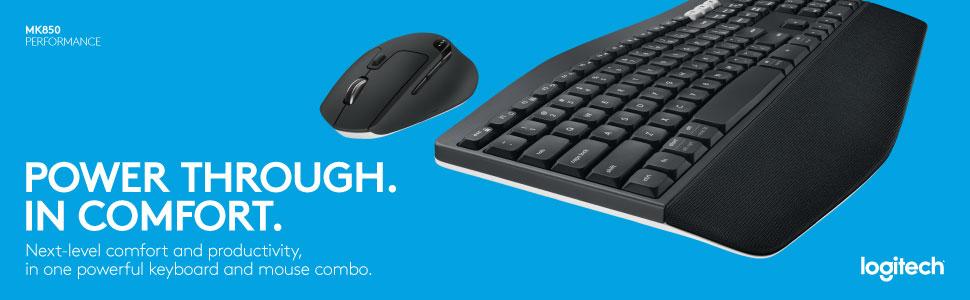
Logitech MK850 Multi-Device Wireless Keyboard and Mouse Combo, 2.4GHz Wireless and Bluetooth, Curved Keyframe & Wireless Mouse, 12 Programmable Keys, 3-Year Battery Life, PC/Mac, QWERTY UK Layou


Built For Comfort
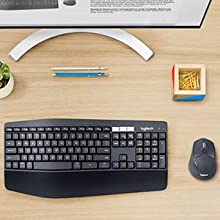
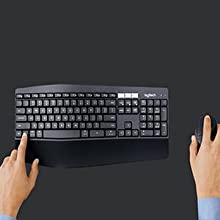
The oversized, cushioned palm rest and curved keyframe gives you support for all-day typing. Adjustable tilt legs offer the perfect typing angle. And the contoured design and soft rubber surface of the mouse fits comfortably in your palm.
Enhanced Productivity
The oversized, cushioned palm rest and curved keyframe gives you support for all-day typing. Adjustable tilt legs offer the perfect typing angle. And the contoured design and soft rubber surface of the mouse fits comfortably in your palm.
Also, your keyboard won’t require new batteries for 36 months and your mouse stays powered for 24 months.
Multi-Device Mastery
Start typing on your computer, then switch to your tablet, phone or computer with the touch of a button. Your mouse pairs with up to 3 devices for seamless multi-tasking.*
* Any USB-equipped or Bluetooth Smart ready device that supports an external keyboard (HID profile).
A True Power Combo
Finally, a keyboard and mouse combo that truly works together. DuoLink allows your mouse buttons to have a different set of actions when you hold the Fn key. You can also move the mouse with the Fn key down to perform gesture-controlled actions.*
*Download Logitech Options Software to enable Logitech DuoLink.
 |  | 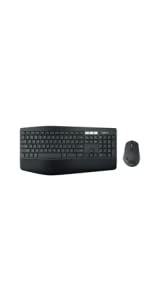 | |
|---|---|---|---|
| MK850 | |||
| Connectivity | USB Logitech Unifying | USB Logitech Unifying | |
| Connected devices | 1 device | 1 device | Up to 3 devices |
| Compatibility | Windows (XP, Vista, 7, 8, 10) | Windows (XP, Vista, 7, 8, 10) | Keyboard: Windows, Mac, Chrome OS, Android, iOS Mouse: Windows, Mac, Chrome OS, Android |
| Battery life | 36 months* | Rechargeable, 10 days* | Keyboard: 36 months (2xAAA batteries pre-installed) Mouse: 24 months (1xAA)* |
| Keyframe | Plunger | Scissor | Plunger |
| Palm rest | Yes – Large flat palmrest | Yes – Flat plastic palm rest | Yes – Extra-large curved cushioned palm rest |
| Adjustable keyboard height | Yes (3 tilt positions 0, 4 and 8 degrees) | Yes (2 tilt positions 0 and 8 degrees) | Yes (3 tilt positions 0, 4 and 8 degrees) |
| Tracking | Laser | Track-on-glass | Advanced optical tracking |
| Scrolling | Hyper-fast | Hyper-fast | Hyper-fast |
| Caps lock indicator light | Yes (on LCD screen) | Yes | Yes |
| Weight: | 845 g |
| Dimensions: | 43 x 21 x 2.5 cm; 845 Grams |
| Brand: | Logitech |
| Model: | 920-008224 |
| Colour: | Black |
| Batteries Included: | Yes |
| Manufacture: | Logitech |
| Dimensions: | 43 x 21 x 2.5 cm; 845 Grams |
Great keyboard and mouse
Good keyboard with 2 different tilt angles 4 and 8 degrees.
Mouse is wonderful with loads of extras great for my mac, variable speed scroller is good too.
They both can be paired to 3 devices and can be switched from one to another with single click of butto
I bought these primarily because I wanted a wireless keyboard as I work from home and am getting tired of the wires everywhere. I was not too fussed about the mouse because I already have a faithful and ergonomic mouse. But I hadn’t appreciated I do not need to use the unified receiver, I can just use bluetooth, and that it would take less than 20 seconds to sync both devices to my laptop. And while I love my faithful mouse, I will acknowledge this new one is incredibly smooth, really responsive, and can be synced to multiple devices at the same time, which my other cannot. The keyboard I am using to write this review, and it is very nice experience. I definitely recommend this for home workers. I cannot speak to gaming though
Good when you get used to i
I like the feel of the keys and when you get use to the curve of the keyboard it’s fine. The palm rest is fine and the material is comfortable. Nice that it automatically switches key position to match windows or iOS when you swap between devices.
My only gripe is, and hence 4 stars, the little rubber pads keep falling off. I work with a pc and an iPad Pro and it is so easy to switch between the two. The problem is i tend to slide the keyboard across the desk when switching between the ipad and pc to be in front of the screens. The little rubber feet are stuck on with double sided tape and they keep falling off. I may have to try supergluing them on.
4.0 out of 5 stars can't go wrong with Logitech.. for £80.. good produc
All good up to three devices under control.. with the unifi dongle for non supported
High quality mouse, but keyboard is a dissapointment.
I love the mouse in this set. It is ergonomic, responsive, and well built, unlike a lot of cheaper Logitech mice. The keyboard however is let down by the built in palm rest that feels like a strip of cotton stretched over a frame that you can feel when you rest your hands on it. Disappointing for such an expensive desktop set.
Great Keyboard
I have 2 of these now. One is over 5 years old and is still going strong. I must admit that most of the letters have worn off the keys but it is still really nice and comfortable to use. Having just purchased a new one I can say that the bouce has also deteriorated over the time that I have had it. It is now my office keyboard and my nice new one is at home. The mouse is also great. This is will worth paying the extra for the quality.
(This might change in a few months after use)
Keyboard feels sturdy, the keys feel nice, the mouse is also quite nice.
Holding down the 2/3 device keys on the keyboard activates pairing mode (Bluetooth) for them – had no problems pairing it to my laptop
ONE THING about the mouse that I’ve noticed in the reviews, and admittedly took a little while to figure out myself;
If your mouse wheel spins freely – The mouse wheel is Not broken, just click on the button above the mouse wheel to enable/disable the free spin.
Will be testing this thoroughly as a software enginee
Not too bad keyboard and mouse combinatio
I bought the keyboard and mouse combo because I need to connect between mac and pc. it works really well. Switching from one device to another is seamless. The M720 was fantastic. It take a day or two to get use to it. They keyboard unfortunately is less than satisfactory. I kept making mistake while typing on this keyboard. The key appear to be sink too deep for my short fingers and it appear to slightly slow to response in my case. So I was getting incorrect order of spelling. It probably need a little bit of time to get use to.
Overall, the mouse is good, the keyboard need a bit of time to get use too.
Logitech MK850 Keyboard and Mouse
I love this product, the ability to switch between laptops etc is great. The only issue I have is that sometimes I get multiple repeats of the same letter, despite a single keystroke, not sure if this is a problem with the device or PC? Also I think for battery saving reasons it regularly reconnects of you pause the read a document etc, and this can delay progress a little . Overall I would recommend this produc
4.0 out of 5 stars Good multi-device
Mouse a little bit noisy while scrolling , than I expected, but reacts pretty well. Keyboard works good. I am not using it for gaming. Miss me alot prsc button.
I love using this keyboard for work
I’m a product designer/educational writer for a health and wellbeing company. I use my computer every single day so I need something comfortable, good for general use, and wireless. I did a lot of research and settled on this. I usually only buy Logitech stuff because I know they are quality for the price.
The first keyboard had a faulty power button, but they replaced the keyboard and it came in two days as it has a two-year warranty.
My only complaint is that I wish the buttons did not rub off as quickly. For general use, you won’t notice for a good few years. But for me, I use the keyboard every single day and the buttons started wearing after about 9 months of use, but this is mild cosmetic wear, it did not impact performance.
The Logitech mouse that comes with the keyboard is brilliant. It’s basically a gaming mouse packaged up for office use, it’s the best mouse I’ve had. Just one complaint is that the mouse at this price point should be a soft click. The battery power however is said to last 2-3 years, incredible. I can confirm I used my last one for 9months and the batter power was still around 70% which I thought was incredible.
Overall, love the mouse and keyboard. When this breaks or wears out in the next however many years, I will probably just buy the next model. You can’t go wrong with this. I got it for 65 in a sale. But for me under 80 is a good deal.
Brillant connections just using unifying recievers
With two PC’s to the same screen and limted desk space I got feb up switching around keyboards etc. This product solved that as switching.is now just a key press away. So my new set of keyboard and mouse is a winner.
I got my set to operate two PC’s neither of which has bluetooth so initally used the provided receiver on one and a usb bluetooth addition on the other. The problem with the bluetooth is you can’t boot up and enter the BIOS on boot up because the bluetooth is not active immediately!
Then I noticed the receiver it came with was a unifying type (not a special bluetooth device as first thought) and so I dug out a spare logitech unifying receiver and paired the keyboard and mouse with that instead of bluetooth – you need to use the ordinary unifying software to pair extras not the software that comes with suppied receiver. Once paired with the extra receiver, it can even be moved to any other PC that does not have the unfying software. So it works on my dual boot PC and happy in windows XP as well.
End result both PC’s can have immediate use of the gear and can enter BIOS if you need to on boot up. Simply switching between the computers by using the 1,2,3 special keys on the keyboard and selecting the 1,2or3 on the mouse.
Bottom line is connections can be either Bluetooth or unifying receiver or a mix of both!
I may end up using the 3 switch to use this great set on a smart TV as well as the two PC’s
Good, but could have been grea
I like: The seamless ability to switch from work laptop to my PC without moving the unifier around each time. I like the mouse, which is well made and has two scrolling modes.
I don’t like: The keyboard is a little small, and the “wrist rest” does not feel adequate (thick) enough to support your wrists. The keyboard feels cheap to me. Okay for work but not great for gaming. I personally would like quieter keystrokes too. Still, I am coming from a Microsoft Comfort Keyboard which was amazing to use and had a great wrist support, but the mouse started to die and the keyboard was probably going to be next (both were 15 years old!) so it was time to change things.
So my conclusion….if you frequently PC game, as well as work from home – i would probably go with the new microsoft comfort curve option. However, if you don’t game and have a laptop/pc and work from home and want the minimum fuss and ease of use, then this would be perfect.
4/5, loses 1 star because of the small, not very comfortable keyboard.
Great for multiple PC’s
Bought this as I have a multiple devices and pcs at my desk that I swap between frequently. Works really well apart from intermittent issues with my MacBook Pro. When connected to the MacBook Pro via Bluetooth the connection tends to drop and then reconnect after a second or so, sometimes when waking the mac from sleep mode it won’t connect to the mouse. Other than that works really well with windows devices
2 PC ,eine Tastertu
Ich habe 1 win10 und eine Win 7 Rechner mit der Tastertur beschreiben wollen
Laut Inbetriebnahme mit Win 10 ging alles laut Beschreibung ok schalterstellung 1 gewhlt
Fr Wind7 Rechner habe ich sep Funk Empfnger bestellt
Win 7 Installation hat nicht funktioniert
Habe den 2 Empfnger dann inWin10 Rechner zur Inbetriebnahme eingesteckt , als ob er alleine wre. Zur Inbetriebnahme hatte ich zuvor Tastertur und Maus auf Schalterstellung 3 gestellt
Habe dann diesen Empfnger in Win7 Rechner gesteckt und konnte alles auf Stellung 3 betreiben. In Win 10 Rechner habe ich Funkempfnger fr Stellung 1 von allererster IBS eingesteckt
Nun hatte ich beide Pc s an Tastertur und Maus gekoppelt. Ohne blu das war mir wichtig
Also die Beschreibung zur Ibs von Logitech war berhaupt nicht vorhanden
Habe ich mir fr diesen Preis besser erwartet
Tastertur ist sehr angenehm zu bedienen
Michi