WD 18TB My Book Desktop HDD USB 3.0 with software for device
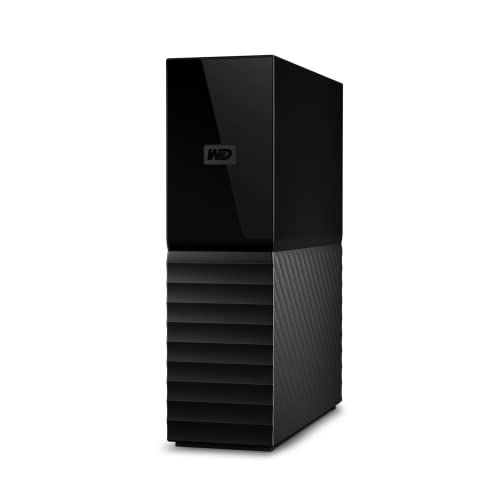
WD 18TB My Book Desktop HDD USB 3.0 with software for device management, backup and password protection works with PC and Mac


WD Quality
Designed to meet WD’s demanding requirements for durability and long-terms reliability, we stand by the trusted My Book desktop storage.
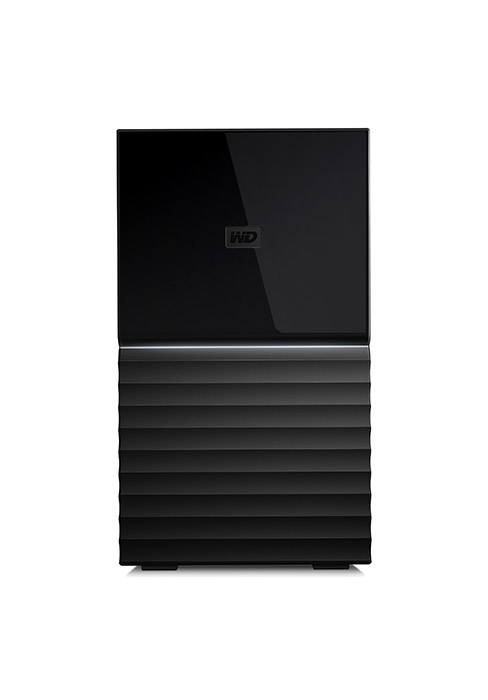
My BookComparison Metric
Up to 22TB | Capacity(2) | Up to 44TB |
No | Remote Access | No |
1 x USB 3.0 | USB Ports | 2 x USB 3.1 |
5.5 x 1.9 x 6.7 in | Size | 6.3 x 3.9 x 7.0 in |
Included | Backup Software | Included |
256-bit AES | Hardware Encryption | 256-bit AES |
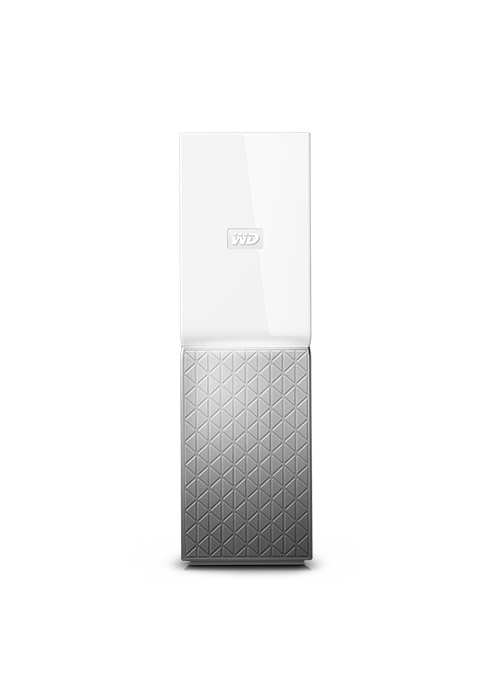
Up to 22TB | Capacity(2) | Up to 8TB |
No | Remote Access | Yes |
1 x USB 3.0 | USB Ports | 1 x USB 3.0 |
5.5 x 1.9 x 6.7 in | Size | 5.5 x 2.1 x 6.9 in |
Included | Backup Software | Included |
256-bit AES | Hardware Encryption | No |
- My Book Duo

- My Cloud Home
(1)Download and installation required. Terms and conditions apply. User account registration may be required.
(2)1TB = 1 trillion bytes. Actual user capacity may be less depending on operating environment.
Product specifications subject to change without notice. Pictures shown may vary from actual products. Western Digital, the Western Digital Logo, WD, the WD logo, My Book, and My Cloud are registered marks or marks of Western Digital Corporation or its affiliates in the U.S. and/or other countries. All other marks are the property of their respective owners.
2022 Western Digital Corporation or its affiliates. All rights reserved.
| Weight: | 1 kg |
| Dimensions: | 13.93 x 4.9 x 17.06 cm; 1 Kilograms |
| Brand: | Western Digital |
| Model: | WDBBGB0180HBK-EESN |
| Colour: | Black |
| Batteries Included: | No |
| Manufacture: | Western Digital |
| Dimensions: | 13.93 x 4.9 x 17.06 cm; 1 Kilograms |
I purchased two 24TB versions of these drives on Black Friday 2019 for 397.99 each. They come with WD Reds inside, and a plastic tool is supplied to remove the lid. Thus, it is easy to remove both drives and does not void your warranty. Each DUO in my case contained two 12TB WD Reds (for a total of 24TB of storage), which is also stated correctly in Amazon’s product description. When plugged in to my computer a single drive of less than 24TB is display. This is due to the actual versus advertised capacity using different multiples to calculate the total size (1000 vs 1024). I will not be using the enclosure and do not have much to comment about it, though it is really small and it does come with both USB 3 and USB-C type cables if you are wondering.
This is the most cost effective way to obtain genuine WD Reds and not white label versions that require the 5v pin trick after being shuckled. Purchasing bare 12TB WD Reds at the time of writing were hovering around 300 each. WD Reds speak for themselves in terms of performance, with lots of Youtube reviews available.
Looking to upgrade my current external hard drive I was after something faster and with more storage. I was actually looking at the Seagate drives, but this one was at a good price over Black Friday and therefore I decided to give to give Western Digital a go.
It was a good buy, worked straight out of the box and is easy to use, it also runs very quietly. The bundled back-up software looks perfectly adequate even if I haven’t used it as I prefer to use the same third party product across all my devices.
I’ve only got one minor niggle and that’s the lack of an indicator light to show its on, aside from that this WD My Book suits my needs perfectly.
So far so Good!
Initial review is, it is working fine.
14.19 per TB great value for money.
Let’s see how this performs over the coming year.
Targets for next year’s Prime Day and Black Friday Sales – 12TB and 14TB versions at less than 14 per TB.
Good storage capacity for the price.
Arrived a couple of days late but that’s OK now that I have it. Could have packed better in the Amazon box. Transferring files at the it’s running 5 and a half hours. Not running hot. Hardly any noise. Comes exfat format. So far so good.
Massive storage capability at a reasonable cost per TB
Quiet reliable operation. This is my fourth WD. They work very well with Apple iMac. All sorts of files are stored. Videos and stills take up most of the space.
Great Hard Drive
Worked as soon I plugged it in. No need to even format it. Been great so far. And it was a great deal at 112
Only gripe is what the storage space is advised at and what the actual usable space is in this case 8 TB advertised 7.27 TB actual usable space
I purchased this on black Friday at a steal of a price. Its in use with my xbox one x, which recognised it instantly and was so simple to set up. 8tb for under 115.bargai
External Hardrive (NAS Drive) 8TB in Raid 0
I purchased this 8TB NAS drive as a back up to a forerunner I have of the same drive in the same size, which it still going strong.
I am running this drive in Raid 0 for DSLR photography storage, video storage and the data source for the Plex media server.
Raid 0 setting sees the two 4TB red WD drives as one disc (8TB), and a Raid 1 which the drive can also be set to allows mirroring of the 2 drives across 4TB.
I like the new design, and I am very pleased with the whizzy speed in Raid 0.
I can’t comment on this as RAID enclosure because I only used it for a few minutes out of curiosity, but what I can say is that this enclosure contains 2 x 8TB WD Red NAS drives, and cost 150 less than the 2 x individual 8TB WD Reds I needed to upgrade my NAS (QNAP TS253Pro) storage. The drives are screwed into easily accessible, removable caddies, so they were swapped one at a time with the ones in my NAS, waiting for sync in between, then the 2 x 4TB WD Reds from my NAS were put into this enclosure. I’ve doubled my NAS storage, acquired an 8TB RAID enclosure, and saved 150 in the process.
Note: When mounting this enclosure on the QNAP NAS it’s seen as an external drive and not a RAID enclosure, so can’t be used to expand QVR storage for example.
8tb WD Hard drive at Bargain price!
Great price for an 8tb drive, came next day as usual. Was hard to prize if out of the case, you will need a Torx 10 screwdrive head at some stage. The case was a write off after this, but out it came, and the phat WD Red drive it contained is now snug in my NAS at almost a 3rd of the price of a standalone hard drive!
Thanks WD 🙂
Please read if you are going to dismantle these 8Tb Drives :)
So; like many others I decided to dismantle one of these and stick it in my PC. Dismantling is not that hard and there are YouTube videos that show you how to do this.
Do bear in mind that you need a torx screwdriver (not an allen key) to unscrew it once you get it out of the case (which only has to be opened from one end).
I get the drive out and put it in another USB caddy in order to copy data to it. It’s nice and fast lovely.
However; when I put it in the PC; nothing, I do not see the drive in the BIOS or in windows (“Nooooo! I’ve just invalidated the warranty and now it’s broken”).
I try it in multiple PCs and with multiple different SATA cables. No dice.
Then I realise when I put my ear to the drive that it’s not even spinning up. There isn’t enough power I think.
This is almost true… the issue is that these drives have a pin on the SATA connection (number 3) that disables SATA power. If you google “wd sta 3.3v issue” you will find an article on this.
The easiest way to get around it is to use a Molex to SATA adapter (about 2) to power it and you’re golden.
Hope this helps others.
Solid drive with one cavea
This seems like a great, reasonably priced product which Im happy with. Hassle free setup, good performance and reliability thus far. The lack of activity light (or any lights) and no power button (meaning the drive needs to be physically plugged/ unplugged at the socket) are a little disappointing and the reason for the star drop. Overall though a good purchase.
Bought this as it is on a deal for the 6TB version and received next day, it is going to replace a 2TB Toshiba external drive I bought back in 2014 which is almost full now.
So far it seems to be doing what it says, it worked right out of the box and came with a AC adapter, USB 3.0 cable and software on it pre installed.
Used CrystalDiskMark v7 to test the drive and got slow speed but then I realised I was plugging through the USB 2.0 port (see Pic). I then used the USB 3.0 port on my laptop and it significantly improved (see 1st Pic). I’ve uploaded the pics incase anyone can find them useful.
Is it better than my last external drive? Well time will tell but so far it seems so. Some people have said the drive dies after a few months so I will update in the future and will give a 4 Star Rating for now.
Pros
1) Silent
2) Fast
3) WD Red inside
4) Formatted into exFAT to support big files out of the box (recommend reformatting to NTFS).
Cons:
1) Glossy finish -> I would prefer a matte finish instead
2) Pricey
great disk
Have this set up on my server as a network share, seems to be perfectly responsive and the capacity is great. Only downside is it uses somewhat odd size 12v jack so it wouldnt work with my 12v splitter and power brick
AGGIORNAMENTO 29 NOVEMBRE 2019 Purtroppo dopo poco pi di 20 giorni ha cominciato a grattare tipo trattore quando in funzione e vibra molto se lo tenete appoggiato sul mobile.. PECCATO PERCHE WD ERA UNA BUONA MARCA DI CUI MI FIDAVO.
AGGIORNAMENTO 31 OTTOBRE 2019 Dopo pi di 48 ore ininterrotte di lavoro impegnativo leggermente tiepido e funziona egregiamente..
Arrivato rapidissimo.. Ordinato luned alle 15 arrivato marted mattina alle 9.30.. ben imballato e pronto all’uso. Unico neo che sono 10.90 TB e non 12 ne tantomeno 14 come diceva la descrizione. Lento in scrittura ma lento lento davvero… come da foto arriva al massimo a 20 MB/S pi veloce non scrive. Questa cosa proprio non va bene… gli altri che ho sempre della WD in scrittura vanno a 30..
WD 3TB MyBook Desktop HDD. Good.
The device worked correctly out of the box. Has adequate capacity. Could be more for value for money. I use it for backup of system and files of my Laptop. It does take some time using Easus Todo but that may be due to other factors. I am satisfied with it’s performance.
Great drive!
After some research on Amazon Questions I’m glad that I chose this product. It was very easy to set up for my 2008 iMac (a recent bargain from Amazon ) and is busy backing up all my files with Time Machine.
Good solutio
Bought 2 of these for professional video editing purposes for a project which requires a lot of storage. I have 2 editors working from 1 of these systems each. Raid options as expected, high quality drives. Only downside is connectivity. Fastest connection is via USBc but we had hoped to be able to connect to older Thunderbolt enabled systems via an adaptor. Unfortunately this system is incompatible with the USBc – Thunderbolt 2 adaptor which is a shame. It just means you will need recent systems to make the best of it.
Disconnection and disk locking.
Used with an iMac. I use it as a Time Machine backup drive. Works as expected then for no reason disconnects… then locks.
If one shuts down and restarts immediately on the lock occurring the issue is resolved until a few weeks later. If one does not then the problem becomes much worse and requires messing about with the system through terminal.
I expect it is a driver issue, something WD has had for years (10 yrs to my knowledge) with the Mac.
If you’re looking to disassemble (also referred to as shucking) this drive and use it internally in your NAS or PC, this will work just fine. I have mine running in a Synology 1 bay NAS and it’s great! The drive inside the enclosure is a WD White label drive but it’s actually a WD Red just with a different label which is nice. Keep in mind drives 8TB and up use new tech which makes them louder so remember that if the sound is a factor for you (you can hear the read/write head clicking when in use).
Excellent value
Bought two of these with the intention of backing up and mirroring a lot of data. Working well so far – no issues.
They do spin down when not being used for a while, so be prepared to wait 10-12 seconds before you’re able to access data. Can’t go wrong for backup drives, though.
NOTE: ALL hard disks are sized in GiB (Gibibytes) not GB (Gigabytes) even though they use the term “GB”. So these are 8.0 GiB drives and will show up as 7.27GB in Windows.
I bought this to backup multiple PCs in our house, the main desktop and a couple of laptops. The bundled software can be installed as many times as you like on multiple systems, and the data from each is kept separate on the backup drive. It is very easy to use and keeps multiple versions of files, not just the last one. After the first full backup, subsequent backups only include new or changed files.
I was initially utterly dismayed to see that the file timestamps are not preserved on the backup drive, leading me to think that a restore of, for example, a load of photos would result in their timestamps being meaningless, but I thought this would be completely bonkers for backup software to behave like this, so I did a test restore of some files and was relieved to find that the restored versions did have their original timestamp info put back, so this information is obviously being stored somewhere in the backup, albeit not on the files themselves. You can restore files to their original location or somewhere else. All in all, a great drive with great software, and after a long period of having no backups after the online service I used was shut down, we are now safe again!
Excellent purchase.
Bought at an Amazon Prime discount – and well worth the money. Routine backups are very quick and easy and though there have been review comments about noise, haven’t actually found this to be a problem. Just good to have data secure.
I’ll straight up admit that I bought this purely for shucking the drive out of. For those that don’t know, these external units are simply desktop hard drives contained within a pretty enclosure and have a SATA to USB interface fitted. I run a media server at home and opted to (Void the warranty!) and remove the bare drive from this unit and fit it to the media server.
From my perspective it was difficult to get open but that isn’t the intention here. It’s a quiet drive in comparison to others and from experience Western Digital drives have proven to be very reliable. It has a nice premium finish.
I’d recommend it for use in it’s current fashion and for the bare drive within it!
— Edit—–
I have changed the file format to NTFS and now it looks like stable. But I’m not sure for how long. I need to do more tests on this drive to find out exFat failed in Windows 10 Pro.
I request a replacement and Amazon send it next day to my home. I really appreciate Amazon customer service. So I ended up by keeping the replacement drive and original drive by paying the replacement.
I have change my ratings from 1 to 4 starts due to Amazons fantastic customer service.
—Edit—
It was working fine for couple of days. Then it stared to hang and unresponsive. I unplugged it and replugged it several times to make it to work. This my book suddenly disappeare from Windows explorer and reappear only if I reopen the Windows explorer. Then I have to wait longer until it recognise by Windows. I installed the wd utility program. It says drive is working fine. What a joke.
I have wd elements 10tb, wd elements 2tb, wd elements Portable 4tb, Maxtor portable 4tb. All those drives work fine. My 2tb wd elements drive works fine even its 7 years old.
I’m going to return it to Amazon before I lost all my data on it. I have to back up everything before I send it back.
MY STRONG ADVICE IS DON’T BUY THIS DRIVE EVEN ITS IN HIGHLY DISCOUNTED PRICE. WD WANTS TO CLEAR THOSE FALTY DRIVES THOUGH AMAZON. PLEASE AVOID THIS ANY COST.
Thank you
I have Synology D216Play which had 2 x 3GB WD red hard drives (in a Raid 1 array -so 3GB storage nominally).
This was getting full. I looked at upgrading these to 2 x 6GB (or larger) but the prices of WD red drives seem to ramp up a lot for anything over 5GB – and what would I do with the existing drives???
The WD Mybook Duo seemed to present a possible solution. If I got one of these then I could use this to backup my desktop (the largest consumer of space on the NAS) and use it for desktop backups.
Amazon wanted 369 for a new 12 TB or 414 for a new 20TB – these contain 2 x 6TB or 2 x 10TB WD Red drives. This, you will note, is less than the cost of the corresponding two drives!!!!!
Having just bought a pricey new Gigabyte laptop, my budget was very tight and an Amazon Prime Warehouse Deal of 290 for a 12TB reconditioned Duo proved irresistable.
It arrived and was indistinguishable from new except that the WD product info stated that the software and manual were on disk. They were not but downloading them from WD proved no big deal. Oh yes, there was no “disk Replacement tool” – a piece of plastic from what I can make out – but a credit card proved adequate to levering the top off to get at the disks.
After some initial experimentation, I decided to abandon my original plan. It seemed that taking the Duo disks and installing them in the NAS whilst taking the NAS disks and installing them in the Duo made more sense. It was a little more involved than this suggests – and very time consuming – but fairly straightforward. After a couple of days of Raid array rebuilding and ensuring all disks were thoroughly checked for bad secors etc, I had a NAS with 6TB (well, 5.86 TB usable) of Raid 1 storage and a Duo with 6TB (5.45TB usable) of Raid 0 storage.
Ok, so I’m now using the NAS to backup all our household’s systems (I use Macrium Reflect V7 for this as its the best backup software IMHO) and copy the Macrium images to the Duo (I’ve got it as a Network share). I also use cloud storage too but this is a review of the Duo so I won’t decribe my paranoid backup system any further except to note that if the house burnt down I can recover from such a disaster.
The Duo is quite compact and comes with a couple of alternative USB leads (USB-C to USB-C and
USB-C to USB-A), PSU (UK plug adaptor included). If you were intending to just plug it in to a PC and use it as an external drive then it’s all pretty straightforward stuff. I can’t now recall how the disks were configured but I did have to format them. It is a very compact unit and its construction is quite nice-looking – better than the “plastic case” description might suggest. The unit makes very little noise – its much quieter than the PC fan for sure – and in Raid 0, I find disk access is quite fast. In use, on a Windows system, once its formatted, your system just treats it like any other disk and you can copy, drag and drop files etc as is usual. If you configure it as a JBOD then you end up with two disks of equal capacity. I prefer the Raid 0 configuration -it seems faster and I find it more convenient for Windows to “see” it as one disk. Whtehr Raid 1 is useful or not would depend on whther you are relying on the Duo to perform backups – in which case Raid 1 may be a sensible proposition (though bear in mind your effective storage capacity will be that of one disk).
My only real criticism of the unit is that removing (and inserting) disks to and from the Duo’s HD carriers is not quite as trivial a job as the manual’s diagrams indicate. The screws have rubber grommets which are a real p.i.t.a to deal with. My NAS’s disk carriers are a joy in comparison……….no screws. I can’t believe WD are saving much with this rather silly, fiddly, arrrangement. It’s not a deal breaker mind, and if you are not wanting to get at the physical disks it won’t bother you at all.
Overall, this is a very worthwhile purchase and reresents an absolute bargain if compared to the cost of just buying the two WD Red disks themselves.
Works well
Bought this to backup my extensive media collection, and to work with my MiBox. Works seamlessly and I’ve used it every day for months. No problems so far. Hope this continues. Well pleased
The 3.3v pin issue aside, which is only a problem on certain power supplies, these drives are perfect for shucking and adding cheap mass storage to any home server. Certain enclosures may require the taping off of the 3.3v pin in order to get the drives to spin up though! The drives pop out with a bit of pressure on the bottom, so you can perfectly preserve the outer shell, then a torx screwdriver is all you need to release the drive from it’s mountings.
Excelente en relación calidad - precio
Este es el tercer WD My Book que compro a lo largo de varios aos… ya tengo uno de 3TB, otro de 4TB y este de 8TB. Curiosamente todos me han costado igual con una diferencia de varios aos… increble lo que ha ido bajando el precio del TB.
Tena mis reservas en comprar este a pesar de estar muy contento con los anteriores por haber ledo en muchas crticas aqu que eran muy ruidosos… esta claro que los que hacen ruido deben estar defectuosos y lo suyo es mandarlos de vuelta a fbrica. El mo es muy silencioso, al menos de momento que tiene apenas una semana. Espero que lo del ruido no aparezca con el tiempo, desde luego en mis otros My Book no ha aparecido y el ms antiguo creo que tiene ya cuatro aos.
La pega que le veo a esta actualizacin del My Book es que le han quitado la luz que indica si est funcionando… no es que sea algo vital, pero no entiendo ese cambio. A m me resulta prctico saber si el disco est operando en un determinado momento.
Otro cambio que hay respecto a las versiones anteriores es que ahora el disco duro viene formateado en exFAT en lugar de en NTFS como vena antes. Es cierto que uno puede reformatear en cuanto le llegue el HD, pero me ha parecido interesante indicarlo aqu en la review.
En mi opinin es un buen disco duro y si lo compras a buen precio (yo por ejemplo lo pill rebajado en el Prime Day) es una gran compra.
Great storage solutio
Been copying files over for the last 12hrs and it seems very quiet and it’s running pretty cool.
Not a fan of usb 3.0, would prefer usb-c but so far seem a solid connection.
It came in it’s retail box packed into a bag. Looked abit rough on arrival but seems to have survived its trip across Europe.
An absolute must have.
I buy on Amazon often and rarely review. I am compelled to review here. I initially bought this drive on sale to strip its drives and discard the rest for a NAS. I’ve now got two fully functioning My Books both running RAID 0 and one mirroring the other. They’re on constantly and no issues in terms of noise from fan or drive.
Like most, I was purchasing these for the drives inside, rather than for use as an external unit, typically proving to be the cheaper way of buying larger drives when they’re on offer.
The WD 6TB My Book Desktop contains a WD60EZRZ drive – a Western Digital Blue, 3.5″ SATA III drive – 6Gb/s, 5400 RPM disk with 64MB Cache. In open air, spin and seek noise seems to be better than a now-neighbouring Seagate drive, appearing to be very similar to some of my older WD Green drives (which I think these newer Blue drives have largely replaced in the last few years). For use as a video-hosting server drive, it’s pretty much ideal – low power on idle, 5A peak during full use, remains cool even during prolonged usage.
It’s simple to open the case itself – a small flat-nose screwdriver or some plastic cards will do to pry the top-end open (from there it’s just a case of pushing), and you’ll need a Torx (T10) to remove the drive from the inner mounts. There’s youtube videos about removing it from the case and what to watch for it you plan on removing it (just needs a bit of care to watch snapping off some plastic clips when doing the initial steps).
Purchased on 17th June 2019 for 87.49.
I’ve been waiting for the right moment to add some storage to my PC so when this 6TB hard drive went on offer I went for it.
I already have a 5TB Western Digital Elements external hard drive but it’s been really low on space for quite a while so it was time to get another one.
The hard drive arrived well packaged with plenty of protection. It came complete with a UK power adapter and USB 3.0 cable.
I love the look of this hard drive, the mixture of glossy and matte panels works really well and the rectangular design with the ridges looks very stylish. I actually prefer this design to the rounded design of my Elements hard drive.
I literally plugged it in and it was good to go, it already had the latest firmware and was pre-formatted so I could see it on my PC.
I ran the CrystalDiskMark v6 hard drive benchmark utility and as you can see from my pictures it scores an impressive sequential read/write score of over 190MB/s which is pretty impressive for a mechanical hard drive.
The usable space on my Windows PC shows up as 5.45TB which is down to the conversion of the units and is perfectly normal and the same for all hard drives.
Overall, this was a great buy at a great price and I would throughly recommend it if your looking to add some additional space to your PC.
I bought this solely for the 10TB drive within. It turned out be a PMR WD 10TB white drive with 256MB Cache. This is essentially a WD Red, so I’m very happy chap.
It is very easy to shuck. Watch a few videos online to get the idea (some people are more elegant than the others going at it with a screwdriver…). I installed the drive in a PLEX server, swapping out an older 2TB drive, which I put back in the My Book. Once you connect the My Book with a different drive inside, you’ll need to initialise and format it – you can’t just do a straight swap and keep existing data afaik.
Nice looking enclosure, good build quality, supplied power pack came with UK and EU plug which was handy.
I Bought the WD 8Gb Single drive version.
I’m guessing other reviews stating how noisy it is, are talking about the duel drive version.
I’ve not heard it making any noise except for the usual startup sounds. Also it takes a few seconds to spin up when you haven’t used it for a while, I’m guessing it contains a NAS hard drive inside.
The whole unit seems smaller than other external drives I’ve used in the past with only a slightly larger power plug and no big power supply brick in the middle of the cable.
It’s fast! I was copying a large 4gb video test file and getting a max of 190mb transfer rate from the WD drive to an internal SSD. From the SSD to WD drive it was more like 180mb. Using a USB 3.0 Port.
Using CrystalDiskMark6 gave me the results below
It seems to perform very well in real world file copying situations as well as bench marking.
So far I am really pleased and would recommend it.
Sequential Read (Q= 32,T= 1) : 199.597 MB/s
Sequential Write (Q= 32,T= 1) : 200.457 MB/s
Random Read 4KiB (Q= 8,T= 8) : 0.798 MB/s [ 194.8 IOPS]
Random Write 4KiB (Q= 8,T= 8) : 2.843 MB/s [ 694.1 IOPS]
Random Read 4KiB (Q= 32,T= 1) : 0.823 MB/s [ 200.9 IOPS]
Random Write 4KiB (Q= 32,T= 1) : 2.787 MB/s [ 680.4 IOPS]
Random Read 4KiB (Q= 1,T= 1) : 0.748 MB/s [ 182.6 IOPS]
Random Write 4KiB (Q= 1,T= 1) : 2.789 MB/s [ 680.9 IOPS]
Test : 1024 MiB [I: 14.4% (1076.3/7452.0 GiB)] (x5) [Interval=5 sec]
OS : Windows 10 Professional [10.0 Build 18362] (x64)
I bought a few of these when Amazon had them at a crazy low price and they were perfect for me to upgrade my nas with as all had WD Red drives, some of the drives I have been able to register via the WD portal for warranty and the ones that I could not I’ve just held on to the enclosure in case of warranty issues later. If they drop this low again I would happily get a couple more.
Didn’t easily load onto iMac
For a non IT person I found it difficult to load the disc onto my system and no easy to follow instructions. After IT guy loaded it has worked fine on Time Machine
Nun schon meine vierte 8 TB HDD dieser Baureihe und alle OK!
Bei der 8 TB Version handelt es sich um eine WDC WD80EZAZ-11TDBA0.
Weitere Daten knnt ihr dem Screen von Crytal Disk Mark entnehmen.
Nach dem ich nun 4 Stck der 8TB HDD`s in Betrieb habe und viele der Rezensionen gelesen habe nun das folgende.
Einige beschweren sich wegen der Vibrationen.
Lsung: Ein Schwamgummi. Simple, kostet nix und macht die Platte leise.
Andere beschweren sich bzgl. der Laustrke der Festplatte selbst.
Erklrung & Lsung: Und zwar erwrmt sich die Platte beim schreiben und fngt an eine art krazendes gerusch zu machen. Dem kann man ganz einfach entgegenwirken wenn man hinter/unter/davor einen Lfter anbringt welcher entweder Luft ins oder aus dem Gehuse befrdert. Dieser Luftschtrom reicht schon um die Platte selbst bei voller Auslastung ruhig zu halten. Eine ander Mglichkeit wre es, die Platte aus dem Gehuse auszubauen (#garantieverlust *HUST*). Dies wrde ich erst dann empfelen wenn die Platte z.B. problemlos ~3 Monate gelaufen ist oder wenn euch die Garantie egal ist (Spter nicht jammern!)
Fr das was die Festplatte kostet ist der Preis ok. Der preis schwankt teils recht heftig wobei auch der ein oder andere Deal eine rolle spielt. Ich habe 2 neue und 2 warehouse deals gekauft und keine Probleme.
Bezahlt habeich zwischen 120,- (WHD) und 150,- Euro. (Regulr).
Ich habe aber auch schon Preise von um die 180,- gesehen. Sprich es lohnt sich hin und wieder zu warten und nicht erst zu kaufen wenn euch die Bits & Bytes berlaufen und ihr “gezwungen” seit.
Leider sind Festplatten ja ein gut welches weniger an Preisverfall leided (@ WD: Ihr knntet das ndern dann kauf ich evtl. Nr.5 ausser ihr wollt mir eine schenken. 😀 😉 ).
Also, wer viel platz brauch und mit einigen kleinen “Macken” leben kann ist hier gut beraten und die 8 TB version ist auch keine SMR Platte. *HUST*.
good product but ....
The disk drive is ok, but the power unit no. Fortunately i have another WD drive and i can use the new one with the power unit of the old one. But if i want to use the two disks at the same time i can’t.
I’m using this for secondary storage, freeing up space on my NAS.
I bought a couple of the 6 TB version. Anything that would be irritating to lose, I copy to both drives for redundancy. It’s a big chunk of storage and it can keep up with my gigabit wired network when copying through my laptop’s USB 3 ~100MB/s.
I’ve read that it’s noisy. Mine’s not. It just whirs away quietly.
I recommend this drive.
No soy un entendido de los ordenadores pero ya tenia una versin de esta misma marca y modelo pero en 6TB y una entrada de USB. Haba leido malisimas opiniones de que no venia en el packagin original, que no venian cables de red, algunos diciendo que produca un ruido insoportable, alguno que otro diciendo que se calentaba a niveles exagerados, sin led…. en fin TODO MENTIRA.
El paquete me ha venido bien precintado y con todos sus componentes bien colocados. Es un puntazo que viene con un cable USB-C a USB-C lo cual para mi (que trabajo con iMac) me ha parecido un puntazo porque he pasado 6TB de archivos de un disco duro a otro en unas 10horas. OJO QUE EL OTRO CABLE DE CONEXIN QUE VIENE ES DE USB a USB-C.
Ruido tiene el justo y necesario (y eso que trabajo desde el propio disco duro SIEMPRE). Cuando exporto archivos de video de Premiere si que se oye que se pone a trabajar pero dentro de unos niveles completamente normales, por 300 no te van a dar tecnologa de la NASA, har ruido siempre, pero lo dicho, es muy poquito.
En cuanto a calentarse, he de decir que nada de nada. Ya lo he testeado dndole bien de caa procesando archivos 4k y nada, sobrevive.
Ahora viene la cosa, yo tengo un ordenador hecho a medida para procesar fotografa y video sin perder un segundo. Si tienes un ordenador normalito y le das caa pues lo mismo arde el disco duro, tu ordenador y la casa ya que sino no me explico los comentarios que he leido.
Como conclusin: sin ruido exagerado, mantiene la temperatura, velocidad adecuada y perfecta siempre y cuando pueda soportarla tu ordenador y de lo contrario paciencia, o lo mismo este no es el producto que necesitas. Recomiendo la compra 100%.
Great value drives
Shucked it, taped the third pin and it’s currently sitting in my server working away. No complaints, great value when you get a discounted deal. I now have two of these.
Excellent product, very easy to use (albeit I’ve not used the WD software as I’ve bought it to add to an Apple TimeCapsule.
In addition, if I’ve got a lot of files I want to move off my laptop quickly I can unplug it from the TimeCapsule and plug it directly into the laptop.
It’s also quite compact, so if you really need that amount of storage on the move, it would fit in a laptop rucksack.
I purchased the 20TB for backups. During setup, I mistakenly used the included usb-a to usb-a cable but the included usb-c (device) to usb-a (computer) cable is the correct one. This is where a user guide would be useful (not included, but download from WD support). I thought there was a power problem, because the fan would start up then stop a few seconds later, but once it was connected to the computer, it worked fine.
Once recognized, it works just like any other drive. I changed it to RAID 1 (so it’s a 10TB mirror) which was very easy with the free WD Discovery program (download from WD). I also downloaded the free Drive, Security, and Backup utilities. The Discovery program (v3.2.256) also acts like a hub to these programs, which makes managing and configuring the drive very convenient.
The Backup program (v1.9.6941.25593) is basic, to put it kindly, and I would not recommend it. The number of options is tiny but the major issue is that it does not let you backup system files, like from Windows directory or sub-directories. This is a big disappointment, as MyBook Duo is heavily marketed as a backup device and some Windows files like HOSTS are critical. Instead, WD offer an (old – 2016) but free basic version of ‘Acronis True Image’ as an additional download which you will need if you want to backup System files. This lack of quality WD Backup software for such an expensive device targeted towards maintaining backups, is a major failing.
The Drive program (v2.0.0.54) lets you check the disk for errors, change RAID, sleep settings, turn on/off the LED etc. Simple and functional but I do find it slow.
The Security program (v2.0.0.48) lets you put a password onto the device. This can be disabled for the machine it’s setup on, so you do not have to keep entering it all the time.
Overall, it’s nice and quiet, and relatively quiet during backups. I’ve only had it a week and no problems. I’d give it 5 stars but the WD Backup software lets it down badly, which is important because I imagine this is why most people purchase this device. If you are not backing up system files, just ordinary personal files however, then you should be perfectly happy with the software. It would be nice for the USB-C port on the back to be highlighted/marked in some way also.
Having read dozens of reviews of these WD MyBook Duo drives, the conclusion I had come to was that they are very loud, but otherwise ok. I found a ‘used’ one on the Amazon Warehouse at a vastly reduced price, so I was happy to give it a go for myself. I was chiefly interested in using it in RAID 1 (mirrored mode) as an expansion for my QNAP T451 NAS although I decided to also try it directly connected via USB to my Macbook.
Dealing with the ‘noise’ issue first, I’m not sure if I’ve been exceptionally lucky, but other that when it first switches on (you get a brief flurry from the fan, just to prove it works) it is basically silent (other than a little bit of clicking of the HDD heads getting in the right position). There’s no audible fan noise and it seems to run pretty cool. I wasn’t worried about noise as it was going to live in a cupboard with my NAS, but I’m glad it’s very quiet in case plans change and it moves out of it’s under-stairs home. When testing via USB, it was tucked away on a bookshelf behind the sofa with a long USB3 lead and noise was not an issue.
Speed is very good plugged into my Macbook. As you can see from my screenshot, in RAID 1 (mirror) mode it achieves ~100MB/s Write and ~135MB/s Read over USB 3.
When plugged into my macbook, it takes a little while to be recognised, but once it is, it responds quickly and seems very solid. It comes up formatted as a single drive using the capacity of both drives with data striped across them both (RAID 0). This is a terrifying proposition (to me at least) as if one of the drives fails, you lose all the data on both. Luckily you have the opportunity to install an app (Windows or Mac, download from the WD website) that can change the formatting of the drive. You thereby have 2 alternatives:
RAID 1 – only gives you half the capacity but if a drive fails, all of the data is safely on the other drive
JBOD – which treats each disk like a separate drive, so if one fails, you only lose the data on that drive – data on the other is safe.
The big advantage of how it comes set up is you get one nice big drive, and it works faster than either of the other 2 options. Fine for a backup as it’s unlikely both your main disk and the backup would go at the same time. Whether it’s worth the risk as a storage drive is up to you…
The drives inside are WD Reds, which are designed for NAS use, and regarded as some of the more reliable drives you can buy, so you should get many many hours of use without any issues.
One annoying thing on the Mac is that when you wake your Mac from sleep with the drive plugged in, the WD software will frequently alert you that there is a RAID error. There is no error, it’s a false alarm. The best way to deal with this is to simply uninstall the WD software after you’ve configured the drive to your requirements. It has very few functions, aside from changing RAID modes and giving annoying alerts! You can always reinstall should you need to change the RAID mode (which will also wipe out all of your data).
Solution!
I am a photographer and use this drive for my day-to-day needs. The drive is very fast and easy to set-up. I use it in RAID 1 for added protection. It looks very modern and sleek and in line with the WD’s new style of products in this range. For the price this is one of the best high capacity RAID drives on the market.
I have a huge amount of data, both on my PC and on external storage and it all needs to be backed up. This 10Tb unit will keep me going for quite a while and didn’t break the bank either. it is quiet in use and does the job I need it to do. It’s only downside is that its data transfer is a bit on the slow side. This is perfectly ok for use as backup storage, but I would want to use it for regular and continous access. That said its still a good unit and I would recommend it.
Reliable with huge amounts of space
Always can rely on Western Digital. Brilliant product, hasn’t failed me and I know some people aren’t a fan of the noise or separate power cable but it’s necessary and ensures everything works well.
Mit 149,99 EUR kommt die Platte auf einen hervorragenden Preis von 18,75 EUR pro TB bzw. unter 2ct pro GB.
Verbaut war bei mir eine WD80EZAZ mit hervorragenden SMART-Werten, welche zwar ohne Vibrationen luft, jedoch wird (wahrscheinlich) der Schreib/Lesearm stark umhergerissen, woduch man die Festplattenaktivitt deutlich fhlen & hren (“dumpfe Schlge”) kann. In einem NAS wrde ich sie daher eher nicht verbauen (Hinweis: Fr den Betrieb als interne Festplatte muss der 3.3 Volt SATA-Power Pin abgeklebt werden).
Anbei der CrystalDiskBenchmark ber die USB 3.0 Schnittstelle (SATA III zieht bei den Rand. Read Werten zu u.g. Rand. Write ca gleich auf.).
__
Sequential Read (Q= 32,T= 1) : 183.337 MB/s
Sequential Write (Q= 32,T= 1) : 184.924 MB/s
Random Read 4KiB (Q= 8,T= 8) : 0.864 MB/s [ 210.9 IOPS]
Random Write 4KiB (Q= 8,T= 8) : 2.595 MB/s [ 633.5 IOPS]
Random Read 4KiB (Q= 32,T= 1) : 0.817 MB/s [ 199.5 IOPS]
Random Write 4KiB (Q= 32,T= 1) : 2.549 MB/s [ 622.3 IOPS]
Random Read 4KiB (Q= 1,T= 1) : 0.689 MB/s [ 168.2 IOPS]
Random Write 4KiB (Q= 1,T= 1) : 2.577 MB/s [ 629.2 IOPS]
Test : 4096 MiB [F: 0.0% (0.0/7452.0 GiB)] (x5) [Interval=5 sec]
__
Insgesamt wrde ich sie als Backup (oder gebackupte Festplatte) empfehlen.
WD spends the wd book duo (20 TB) two WD Red drives, which is an excellent choice. The configuration/setup options and the recovery options in case of a hdd-damage could be better.
Great external hard drive
Probably my last external hard drive, before SSDs take over entirely, so I went for the 4TB version. Works with my iMac’s Time Machine seamlessly, and big enough that I could partition it to provide a back up for my Boot Camp Windows usage, and have a third section dor useful data storage. The 4 TB seems pretty unobtrusive, and I live in a small market town, which is pretty quiet most of the time. Love it.
Brillia
I nearly didn’t buy this because some people thought it was noisy. It isn’t! It is the quietest disk I have ever owned. Fast, reliable and easy to use. I rarely write reviews and rarely give five stars but this is a justified exception.
Ho acquistato My Book da 3 TB per sostituire il mio precedente My Book da 1 TB, ancora in uso dopo 7 anni di ottimo servizio, ma che iniziava a imballarsi un po’ ad ogni avvio. Eccellente la gestione dell’ordine, arrivato in largo anticipo; il prodotto risultava ben imballato e perfettamente conforme, l’installazione facile e rapida, l’unit veniva immediatamente riconosciuta dal computer, e il sofwtare a corredo (WD Discovery) si installava senza problemi.
La mia unica perplessit, ed il motivo per cui non do la massima valutazione, sta nella scelta commerciale di WD di fornire l’unit formattata in ExFAT, dettata probabilmente dalla volont di renderla maggiormente flessibile per i diversi tipi di OS e di macchine. Tale scelta pu per risultare molto indigesta per un utente di Win10 che abbia un archivio con molti files di piccole dimensioni. Appena avviato il primo backup, mi sono accorto subito che lo spazio sul MyBook veniva consumato molto rapidamente ed in misura molto maggiore rispetto alla dimensione totale dei files copiati. Inoltre la velocit di scrittura era notevolmente rallentata, e dopo 14 ore erano stati copiati solo 500 GB dei 1000 GB complessivi. Alla fine il backup non riuscito, perch i 2,7 TB del MYBook non erano sufficienti a contenere pi del 75% del mio archivio da 1 TB. Per dare un banale esempio, una cartella di 4500 icone tipo PNG da circa 50 KB, che sul’HD del mio computer (formattato NTFS) occupa circa 220 MB, un volta trasferita sul MYBook va ad occupare circa 4 GB. Si resa quindi inevitabile la riformattazione del MyBook in NTFS, che pu essere fatta facilmente utilizzando lo stesso software WD Drive utilities installato dal MyBook (il fatto che WD abbia previsto questa opzione evidenzia che il problema esiste ed ben conosciuto).
Una volta riformattata l’unit in NTFS, la performance cambia radicalmente! Il primo backup stato completato in 6 ore e lo spazio occupato su MyBook ovviamente uguale a quello dell’archivio originario. Il backup automatico (che ho settato giornaliero) funziona regolarmente, il software mantiene in memoria gli ultimi cinque backup, e per questo motivo, se si vanno ad esplorare le cartelle su MyBook, si troveranno i files spostati o cancellati ancora nella posizione originaria oltre che nella nuova posizione; all’atto del ripristino, se si sceglier il backup pi recente, i vecchi files verranno ignorati.
Sono pertanto complessivamente soddisfatto dell’acquisto, e confido che l’hardware si riveler di ottima qualit come i prodotti Western Digital acquistati in passato. L’unica nota negativa il lavoro aggiuntivo di riformattazione che ho dovuto fare, e ho potuto decidere di fare avendo una minima esperienza; un utente meno esperto nella mia situazione sarebbe giunto alla conclusione di aver preso una fregatura, non riuscendo a copiare un archivio di 1 TB su un drive da 3 TB nominali.
Hasta ahora solo llevo un mes de uso y no puedo valorar durabilidad. Pero como producto es bastante redondo y sencillo. Dos discos duros (siempre de la misma capacidad) que se pueden configurar de 3 modos de forma muy sencilla desde la aplicacin que viene por defecto: 1-RAID 0 (la informacin se graba en los 2 discos de forma alternativa. Esto da mxima rapidez y capacidad, pero necesitas otros discos externos para hacer backups); 2- RAID 1 (solo grabas en uno de los discos, y el otro hace una imagen o backup exacta de forma automtica; esto implica que solo tienes la capacidad de un disco, el otro es una copia). 3- JBOD. Esta opcin configura los 2 discos como discos individuales para el uso que tu quieras.
Un ejemplo de uso:
Por mis necesidades, yo he elegido la 3a opcin. Tengo un Mac Mini con 512 gb SSD, pero utilizo uno de los discos WD (de 3Tb en mi caso) como complemento de almacenamiento, ya que con los 512 gb no tengo suficiente. En total son 3,5 Tb de espacio. Y con el segundo disco WD lo utilizo exclusivamente para copia de seguridad de todo con la aplicacin Time Machine. Asi, en lugar de utilizarlo en modo RAID 1 (que solo me hara backup de su disco gemelo, y no del disco Ssd del Mac), el modo JBOD me permite que con una aplicacin de backup como Time Machine, me haga copias tanto del Ssd del Mac como del disco WD.
Capacidad: La capacidad que seleccionis es la total. P.e. si peds 6 Tb, os vendran 2 discos de 3TB.
Nivel de ruido: el ventilador, si lo tiene, no hace ruido. El disco s hace algo aunque no molesta.
Rapidez: no es ultra rpido (los discos son de 5400 rpm), pero la conexin Usb s.
Tiene 2 Usbs concentradores es decir permiten cargar aparatos.
Sencillo de configurar.
Comentario a fecha 29/01/2020: Revisando la opinin, confirmo todo lo anterior. Pero aado informacin acerca de la aplicacin de gestin de discos de WD. Al menos para la versin de OSx (Mac). La aplicacin de configuracin y gestin de los discos es sencilla y tiene las opciones necesarias. Pero la tuve que desinstalar.
Provocaba incompatibilidades con la gestin que OSx hace de los discos duros, haciendo que la unidad se desconectara a menudo, llegando incluso a no reconocerla. Una vez tuve que formatearla.
Viendo en foros vi que haba usuarios OSx que les pasaba lo mismo y la solucin pasaba por desinstalar la aplicacin de WD. Una lstima porque era sencilla y til.
Like many i suspect, i was less interested in the enclosure and more in the internal drive. In this case it is PMR WD white label 8TB drive with a 256MB Cache. This is a rebranded version of the WD Red drives which retail for almost twice the price! the drive is incredibly easy to remove and has been installed in my Synology NAS, greatly increasing it’s capacity. I’d recommend this drive if you’re looking for a good quality internal drive to use in a NAS etc, or equally if you need reliable desktop storage.
great piece of equipme
his particular model was a little bit temperamental initially to set up compared with other models I have got ( have no idea why ) but now it has been in operation for 6 weeks as Time Machine and everything is fine and dandy hopefully with 6TB I won’t have to buy another one for a very long time
Very good product, very profesional selle
The product is excelent – meet my expectation. The seler was very prompt in sneding the product that
arrived in time and in very good condition in a proper coverage.
WD is very good – all HDD I bought from Amazon UK of this label are very good, never loosing data with them.
For me is very important because I am medical doctor, radiologist, and I archive very interesting cases for scientific purposes.
Bei mir ersetzt die 8TB HDD das ltere 3TB Modell von WD. Auch die 4 Jahre alte 3TB HDD luft noch einwandfrei, war allerdings voll. Ich benutze die HDDs an meiner Xbox One X/ Xbox One als Spielearchiv. Auer dem Speichern von vielen Filmen, als Aufnahmemedium am TV oder Speicher an der Konsole sehe ich hier auch keinen sinnvollen verwendungszweck. Allerhchstens noch als Backup fr den PC, wobei SSDs auch weniger fehleranfllig sind.
Gehuse:
Das Gehuse ist edel und uerst leicht. Es besteht zur Hlfte aus mattem Plastik mit Lftungsschlitzen, zur anderen Hlfte ist es in Klarlkackoptik. Das Design erinnert stark an die erste Xbox One und eignet sich deshalb auch perfekt als Speicher fr diese. Es ist ein Stromanschluss und ein USB Anschluss vorhanden.
Leistung:
Die Installation geht natrlich flott, ebenso eine mglicherweise notwendige Formatierung. Die HDD ist fr das Alter der Technik extrem schnell und erreicht fast die 200 MB/s Grenze. Das bertragen von 3TB auf die 8TB dauerte nur knapp 6 Stunden. Dabei brach die Geschwindigkeit auf maximal 100 MB/s ein, was immernoch recht gut ist.
Lautstrke:
Hier gibt es Sternabzug. Meine alte Western Digital ist flsterleise und “rattert” nur ab und zu unter Last. Das neue Modell ist zwar grundlegend leiser, dafr dauerhaft immer wieder zu hren. Das Gerusch entspricht dem von alten PCs Rechnen. Grummelndes Klacken trifft es wohl am ehesten. Bei mir traten diese Gerusche jedoch nur beim schreiben auf. Bei den oben genannten Verwendungen wrde man hauptschlich lesen, daher ist das Problem nicht ganz so dramatisch.
Fazit:
Eine schnelle HDD in schickem Design, die massig Daten aufnehmen kann in entsprechender Variante und bei den meisten Anwendungen nicht zu hren ist. Klare Kaufempfehlung.
Large capacity, aim to buy it when discounts are available
Based on reading reviews, other than HGST drives, the WD drives are the most reliable, better than Seagate.
The capacity is quite big.
You should look for discounted prices, as the prices of the product are quite high.
Le produit , avant utilisation sur le long terme, est plutt pas mal, mais avec quelques lacunes.
Aspect positifs :
1 Produit assez simple, voire trs simple installer, avec l’aide d’une documentation en Franais assez complte (ce qui est rare), et des aides en ligne, disponibles en franais trs complets
Conseils pour l’installation :
Le produit est livr au format NTFS avec tous les logiciels de gestion dessus : ce qui est un peu inutile, car ils ne sont pas jour (datent d’un an dj) et la configuration du mode RAID (0 ou 1) ncessitera obligatoirement le formatage du disque avec tout ce que cela implique…..
Donc conseil : tlcharger et installer WD Discovery depuis le site WD, logiciel qui est le gestionnaire de base – accs, jection, enregistrement, installation de nouvelles versions logicielles…etc du disque (ce qui est trs bien expliqu sur le site WD). Installer ensuite WD Drive Utilities qui est indispensable pour la configuration physique et la maintenance du produit, ce qui peut se commander partir de WD Discovery.
Attention : une fois install et configur en mode raid 1 ou 0, la vrification complte de l’tat des disques m’ a pris 5 heures, soit 300 minutes environ (Windows 7 – My Book Duo 4 TO). La barre d’avancement du procd varie par pas de 10 %, durant en moyenne donc 300/10 = 30 minutes. De quoi penser tout naturellement que le programme est plant ou que le disque est dfectueux ( ce qui m’a pouss solliciter, bien inutilement, la hotline de WD)……/ mais non : Patience !
2 Connectique la hauteur : usb-c et 3.1, augurant de vitesse de transfert apprciables (pas pour moi qui suis en usb 2.0)
3 Bruit : trs modr, avec une frquence plutt basse et un volume bien infrieur celui de la ventilation d’un PC Lambda
4 une hot line trs ractive et cooprative (mail, tlphone) intervenant rapidement des la premire sollicitation, mais on devrait pouvoir s’en passer avec les quelques conseils ci prsents.
Aspects ngatifs
– Un bouton dit “d’alimentation” qui est situ sur la face arrire (assez peux judicieux) du produit et qui surtout semble totalement inoprant.
– La fonction mise en veille qui se rgle (temporisation) depuis WD Drives Utilities semble galement inoprante : la seule faon de le mettre en veille c’est de l’jecter (dconnexion) , fonction qui marche bien depuis WD Discovery; pour le reconnecter, il faut dbrancher/rebrancher le cble usb……
– lacune dans la documentation : si la procdure de changement physique d’un disque dur est bien dcrite, en revanche la procdure pour rcuprer l’ensemble des donnes restes sur le disque dur valide pour les mettre en miroir sur le nouveau disque remplac (en cas de configuration RAID 1), n’est absolument pas dcrite….C’est dommage quand on achte un systme 2 disques dur configurs en miroir, justement pour se sortir du mauvais cas d’un crash de disque…..
WD security et WD Backup : pas installs et pas utiliss car inutiles pour ma propre utilisation, prfrant l’excellent FreeFileSync pour mes sauvegardes (forte recommandation gratuite).
Sometimes struggle to actually find on new machines without the firmware updater, WD’s proprietary software, which makes a portable drive a bit of a challenge, making sure you install WD programs in order to find and use your data.
Been perfect in use, so far, matching the speed as quoted.
Vor dem Urlaub gekauft um Daten zu sichern, FP wurde auch von Explorer und WD Software erkannt.
Nach dem Urlaub, wollte weitere Daten aufspielen.
N I C H T S
Die Platte arbeitet zwar, es erscheint auch kurz die Eieruhr von Windows und das war’s dann (!!!)
Platte lsst sich absolut nicht ansprechen, bzw. erscheint nicht, somit ist auch ein Formatieren der Platte und Neustart ausgeschlossen.
An zwei PC getestet sowie mit andern USB Kabeln, immer dasselbe Ergebnis
N I C H T S
Das war’s dann
Da hier sensible Firmendaten aufgespielt wurden und ich die Platte nicht formatieren kann, muss ich wohl auch auf einen Garantieanspruch verzichten, da ich die Platte mit den Daten unmglich irgendwo hinschicken kann.
Von daher htte ich doch mehr auf die negativen Rezessionen achten mssen, denn drei FP der vorherigen Generation laufen einwandfrei.
Update:
Nachdem ich nun nochmals Zeit hatte, die Platte nochmals hervorgeholt hatte, die gesamte schon installierte WD-Software -per cleaner- komplett gelscht hatte (jene die sich als Installationsroutine auf der FP befunden hat), dann die Software nochmal installiert habe und dann ein aktuelles Update gefahren hatte, die Platte dann angeschlossen hatte, wird die Platte nun erkannt und luft nun seit ca. 2 Wochen einwandfrei. Ich hoffe das, das nach meinem nchsten Urlaub auch so bleibt.
Daher erst mal von 1 auf 3 Sterne, wenn es dann in 3 Monaten noch so ist wie heute, gehe ich auf 4 bzw. 5 Sterne
Update -2-:
Luft immer noch einwandfrei, kein Problem mehr aufgetreten, war scheinbar zu Beginn definitiv ein Software Problem. Daher wieder ein Stern dazu.
and not the drives) its fine. It also came with European standard 2 pin ...
Works perfectly as advertised! It might be a bit noisy if you plan on keeping it next to you but if you put something under it that absorbs some of the shaking (which is what makes most of the noise, and not the drives) its fine.
It also came with European standard 2 pin plug in addition to the UK normal plug which was great because I didn’t have to use the adapters I bough
Typically good WD product, just with one oddity you may need to check
I’ve always had good experiences with WD raid drives over about 12 years, only one has ever failed and it rebuilt no problem. Only oddity with this one is that it appears to stay unencrypted once you’ve entered the password if you keep it powered. So even if you eject it, and / or turn off your computer (Mac in my case) it’s still unencrypted until you remove the power to the drive. So I just remember to unplug it, but it does seem a bit odd, and worth checking if security is important to you. Other than that, it appears to be performing as well as my existing WD Duo’s, which is very well indeed.
Reliable choice
Bought this product a year ago to use as an external hard drive for my PS4 Pro. I’ve used it consistently since then and there’s been no drop in performance over the past year. Can barely hear the fan when it’s in use. Please note, unlike the 4TB version this does require a plug socket.
Western Digital 8TB HDD..
IMO a very great product, it is vey “Quite” in operation, look’s great next to my PS4 Pro & has ton’s of storage, highly recommended for all PS4 owner’s with a large collection of game’s…
After a few weeks of using this drive, I am very happy with its performance. I bought it specifically for storing and playing home and purchased movies on my TV.
The disc came pre-formatted as ExFat, which meant I could store larger files. It connected immediately to my iMac and file transfer was rapid. Although I use a Mac, the external drive needed to be formatted as a Windows disc to be read by my TV.
I have had a lot of trouble getting movies to play from a USB drive on my late 2016 Sonia Bravia “smart” TV, unlike other brands that work immediately. It has taken a lot of time and frustration to learn the tricks to get the Sony to work. I was careful to clear the TV’s memory and completely restart and reboot the TV before connecting the new WD USD drive. The USB drive then worked, but it does take a while for all the titles on the drive to be recognised and become playable. Having said that, once the movies are visible in the menu they play perfectly, and picture and sound quality are excellent.
The WD drive is silent and unobtrusive, and it has plenty of space for my needs. At the price it is very good value and I will buy more as external data storage for my computer.
Lo he usado durante dos das y muy contento, la verdad.
Me obsesion un poco con la cantidad de opiniones hablando del ruido exagerado. As que dude un poco.
El caso es que he debido de tener suerte en ese aspecto.
He tenido en total cuatro discos duros externos en aos, todos diferentes y no lo noto mucho ms ruidoso. Lo normal.
Lo nico malo que no tiene botn de apagado.
Dentro lleva un WD Red NAS de 8TB.
Si alguien duda de comprarlo, decirle que merece la pena.
He copiado del tirn 4’24 Teras a una velocidad media de 120-138MB.
I traded up to this monster having had a terrible time trying to get two 8TB Seagate Backup Plus Hub drives to connect / work / save consistently (I have reviewed these separately, if you’re interested). I am so glad I did, despite the additional cost, because the experience has been wholly positive – a pleasure to set up, intuitive, simple software and nothing but quiet reliability since I started my backup schedule. Using the Seagates I was starting to wonder if my USB ports or other bits of my (relatively new) PC were failing but evidently not so – the WD has behaved perfectly straight out of the box – up and running in minutes. Even the product registration process was easy. So, for me, this gets a 100% recommendation. Expensive but worth it.
Works with Xbox One / S / X
Had older model to the 3tb for my Xbox One, needed more space so got the new model 8tb.
Looks great, quite like the Xbox One X it’s sat next to.
It’s slighly louder than the old 3tb model mainly due to vibration. So I’ve added some little rubber feet as it’s on it’s side in my set up.
Works perfectly with the Xbox One X giving me a eye watering 9TB total install space.
Only just started loading data onto this but so far very pleased. The drive is very quiet and only makes a gentle ‘clunking’ noise whilst data is being written / read — I was concerned that it would be very loud as there seem to be a number of reviews where the reviewers were disappointed by the noise these drives make … I can only imagine these were defective units?
Pretty good price for such a large capacity dual-drive which I use in Raid 1 mode so all my data is backed up within the drive. I’ve been using WD’s older style 8TB My Book Duo since May 2016 (which cost 270 vs. the 304 I paid for this drive) and haven’t had a single issue with it. I use these drives to backup large volumes of photographs and video as I’m a photographer.
I bought the 2x3tb model.
It’s a nice looking unit that I have connected to my iMac for backups and to store my large collection of files.
It needs to be mains powered, has USB and thunderbolt connectivity.
Mine is setup as a mirror pair to give me redundancy in the event of a drive failing, this seems to work well, and so far the drives have worked okay.
One thing I note and others have too is that it can be a bit noisy, which if it’s sat on your desk can be annoying.
In the end I bought a 2 metre cable so i could hide it in a cupboard next to my desk to muffle the noise.
So far so good, had it for about 4 months and its working fine.
Highly recommended.
This was recommended to me by a computer expert who said in his experience this brand is the most reliable. I has not crashed, unlike the other brand I bought and returned to Amazon.
The first hard drive had to be returned as it would continually disconnect and then would not even mount on the MacBook at all. Tried to reformat several times but the problem kept reoccuring. I returned the drive as I needed a reliable back-up device. The replacement was sent very quickly and I was given ample time to return the faulty drive. I cannot fault the customer serivce I received.
I immediately reformatted the drive for mac and so far it has not given me any problems. I only use it every now and then for backups. I haven’t used the back-up software as I have bad experiences with this type of software in the past.
I would recommend this drive but if you do happen to receive a seemingly faulty one, return it for a replacement otherwise you will compound your frustration by tying to fix the issue. If it were not for the faulty first drive, I would have given this product 5 stars.
Excellent backup drive
Love this drive, using to backup files from my Mac and have the 16TB drive running in RAID 1 (Mirrored). Drive is not too big so doesn’t take up much space. The drive is very quiet whether running idle or copying files to the drive.
Very impressed with the performance, have copied a lot of data to it in a lot less time than I expected. After copying files over past several hours, the casing is still cold to touch.
Very good external drive
Fast and reliable. I am using it since I received it without any problem whatsoever. I am using it with my Nvdia Shield for my plex server and it is fantastic
Great External Hard Drive for PS4 and Xbox One 👍
I have only just been using them on me gaming consoles. So far I have had no problems at all. The only thing I can say is. It’s noisy when installing games. I have very sensitive hearing and anything like a clicking sound drives me crazy and I can’t sleep. So I have used a car cleaning sponge and lay down the hard drive flat on top of it. On the floor to dampen the sound from the drive vibrating on the table and clicking as much. I must say. It works great and the hard drive as better air flow going flow it. As their are air breathing holes underneath it and on top. So I’m very happy now.
VORWORT:
Ich war erst skeptisch, als ich hier oft gelesen habe, wie laut die externe Festplatte von WD sein soll und habe lange davor zurckgeschreckt sie zu kaufen. Da die Preise der Konkurrenz einfach nur viel zu hoch sind und ich zwei 8TB Platten zur Spiegelung brauche (gnstiger als RAID Gehuse + 2x8TB HDDs), habe ich mich dazu entschlossen es einfach zu probieren und mir selber ein Bild zu machen. Ich habe bei 191 pro Stck zugeschlagen.
ERSTER EINDRUCK UND PROBLEM:
Nach einem etwas trgen, aber noch vertretbar langsamen Start, fing mein Schreibtisch an Subwoofer mit ca. 90Hz zu spielen. Die Tischplatte hat als Resonanzkrper der Vibrationen gedient und ein tiefes, aber gleichmiges “Brummen” im Zimmer erklingen lassen. Und das brachte nur eine der beiden Festplatten alleine zu Stande.
Dagegen hilft weder ein neues Gehuse (und wenn, dann muss es explizit zur Dmmung von Vibrationen gemacht sein), noch das Ausbauen oder auf die Gummife stellen.
LSUNG:
Daher der Stern Abzug, denn meine Platten liegen auf ca 1cm dickem Schaumstoff um sie stumm zu bekommen. Alternativ hatte ein anderer Kunde in seiner Rezension beschrieben, dass er selbstklebende Dichtungsstreifen an das Gehuse geklebt hat. Hilft bestimmt auch sehr gut und sieht nicht doof aus.
FAZIT UND ZAHLEN:
Ich bin sehr berrascht, was Festplatten heutzutage alles leisten knnen und bin nahezu zufrieden mit dem WD MyBook.
Beim Schreiben und Lesen liegen die Werte bei Crystal Diskmark 64-Bit zwischen 178MB/s und 196MB/s. (Im Schnitt und im Screenshot zu sehen, sind es 188MB/s im Lesen und )
Beim bertragen von mehreren hundert Gigabyte, schwankte die Transferrate zwischen 120MB/s und 180MB/s, je nach Daten.
Im Schnitt waren es ca 145MB/s
Bei vielen kleinen Daten fllt die Datenrate auf mindestens ca. 70MB/s und pendelt sich meistens auf 100MB/s ein.
Ich kann diese Festplatten sehr empfehlen, wenn die Lautstrke entsprechend durch Modifikation gedmpft wird. Sie sind schnell und wirken sehr robust, vor allen Dingen im ausgebauten Zustand (Youtube Videos erklren wie).
Die Zeit wird zeigen wie zuverlssig diese WD HDDs sein werden. Bisher hat mich dieser Hersteller nicht enttuscht.
Da ich denke, dass manche Leistungsdaten vom Gesamtsystem abhngig sind, gebe ich auch mal die Spezifikationen meines Computers an:
– Windows 10 Pro (Version 1709 / Build: 16299.15)
– Samsung 850 Pro 256GB SSD
– Intel i7-8700K (6×4,8Ghz)
– Asus ROG STRIX Nvidia GTX 1080Ti OC11GB
– Asus ROG Z370-E Gaming Mainboard
– 32GB DDR4 2800Mhz RAM
– Corsair 750Watt ATX Netzteil mit 80+ Gold Zertifikat
– Corsair h100i v2 All-in-One Wasserkhlung
– 3 weitere 1TB HDDs fr Verschiedenes
Product works really well…just one point to note for anyone thinking of connecting it to a USB port enabled wifi router…it would seem that wifi routers won’t recognise an external USB RAID hard drive (only standard external hard drives). This is due to the fact that to see the hard drive, windows drivers need to be installed to recognise it (and obviously wifi routers don’t have them).
Hope you get the Vibe!
I always buy WD products, i personally think they are with Hitachi drives. The only issue i have is that there is some slight vibration that bothers me a bit. I have 2 of these; one is vibrating & one is not…. Good value for your money.
Note de 5 parce que j’ai l’habitude d’acheter les My Book de Western Digital (1 par an), et je n’ai pas de souci avec.
Jusqu’ici je prenais le My Book premium storage 4To, mais il a t remplac par ce modle. C’est donc le premier My Book nouvelle gnration que je prends.
Au niveau quipements, il n’y a pas de diffrences. Il est livr avec l’adaptateur secteur et son cable USB 3.
Ce qui change :
– Nouveau design
– Format en usine au format ExFat. (NTFS sur les anciens modles).
J’ai d le reformater en NTFS (windows) car il s’ouvrait sur Windows 10 mais n’tait pas reconnu sur un autre PC sous Windows Vista SP2 (alors qu’il gre normalement le ExFat). Depuis le reformatage (depuis l’utilitaire WD), a fonctionne sur Vista.
J’utilise habituellement WD security pour crypter le disque. Chose tonnante, la version du logiciel ne dtectait pas ce disque (et la recherche de mise jour depuis le logiciel indiquait qu’il tait jour). En fait, la nouvelle version du logiciel WD Security se trouve sur le disque dur et pas encore en ligne sur le site WD (penser le rcuprer avant un ventuel formatage du disque).
Une fois les logiciels installs (ou mis jour), tout fonctionne parfaitement.
Terrific!
Excellent and totally reliable. In fact my air con had a drainage problem and leaked quite a bit of water all over the drive suddenly. I thought it might short or break down but it still kept working without a hiccup. Really well built and designed. I tried connecting via both USB A and C connectors and they work seamlessly on 2 different computers.
I needed a large drive to back up my PC and NAS drive to store away from home and I had been looking at the WD My Book for a while. I have 2 4Tb versions which have both been working for a couple of years. I unpacked the drive and plugged it in and it appeared and was ready for use. I do not use the built in backup as I use Aomei which I find more reliable than Aconis 2016. I am have up 2Tb from my NAS drive and it worked fine.
The only oddity is that sometimes it clunks not sure why. My other drives do this but this one is louder. If you buy one, and I see no reason why not, watch the pricing carefully as it has varied by 25 in the last 3 days on Amazon.
Thus far it’s been a great drive. I’m using it for secondary backup duties. It’s large and fast and does what I need it to do at a reasonable price point. It is however a noisy thing. If you’re used to very quiet hard drives smoothly whirring away on your desk unnoticed until the light flickers you’ll be very surprised at how much noise this one makes. I certainly was, I thought it was toast at first but it’s definitely not the sound a failing drive makes. And it’s completely normal apparently. WD use a different drive technology for this one and that makes it noisier. You can use a search engine to find out the details from WD themselves. So if you can stand the additional noise then I recommend this drive heartily. I can’t recommend it for use in the living room attached to a media server or something because the noise may be unacceptable to you. But sitting behind my array of monitors in the computer room next to a row of other WD drives it’s perfectly acceptable.
and easy plug & play utility
Does exactly what it says on the tin, and easy plug & play utility. For mac users a format will be needed when you first start but there are plenty of guides online that can help you with that.
Big reliable storage and a good price
I keep coming back to Western Digital – reliable and ,when you buy this series of drive, very cost effective.
I use WD drives for editing big video projects, and the only one that failed was due to me dropping a drive. This one keeps up with my needs and keeps my operation costs to an affordable level.
If 4 TB is what you need - this wo'nt let you down.
When buying this “My Book” it became the third of the same – all three are in perfect working order.
(The first I have had for more than eight years – hard at work every day.)
Warmly recommended!
Ich bentigte fr meinen PC und der PS4 die Mglichkeit Backups zu machen und hatte die Wahl zwischen NAS oder einfacher externer Festplatte. Da ich das Anwendungsprofil fr ein NAS nicht mal im Ansatz erflle, wurde es also die externe Festplatte.
Ich wurde nicht enttuscht:
Die Festplatte sieht gut aus und bietet mehr als gengend Platz fr meine Backups und Dateisicherungen. An einem USB-3.0-Port erreicht sie eine gute Leistung und die Daten lassen sich bequem rberschaufeln. Fr die PS4 habe ich sie auf exFAT formatiert und kann sie auch dort problemlos verwenden. Die Vibrationen stren teilweise, sind aber nicht dramatisch.
Volle Kaufempfehlung!
Arrived within 24 hours of ordering and worked right out of the box. I’m using it on my Xbox One, it was recognised instantly and seems to be working fine. If it doesn’t then I’ll be back on!
P.S. I rarely give 5 stars for anything!
Excellent storage capacity at 8tb, this is my second 8tb from Western Digital, I have a few 6tb and 4tb as well and have always found them totally reliable more so than seagate. This new design makes a odd sound I hoping it’s going to be as reliable as my others, my slight nervousness is the reason I’ve only given it 4 stars
As described and arrived on time. I struggled a little at first with setting up the backup software but got there in the end. Seems to work well enough. Four stars simply because I expected a light on the front to tell me that the backup was working.
I needed lots of storage space and so I purchased two of these. They are good products. However. as my computer shut down unexpected in the middle of using one, one corrupted within a few weeks of its purchase. I could still see what was on it but could not add new folders etc. I purchased a third and copied everything from the corrupted one on it. This worked perfectly. I then re-formatted the corrupted drive and it was as new. Since then I have had no trouble with any of the three drives – two hold massive amounts of data and the third I am saving just to rescue any possible future issues! Would have given the devices five star had the drives been able to cope with a computer shutdown in the middle of storage without corrupting.
good hard drive and works well with android TV surprisingly, no indicator light like everyone else has mentioned.
when it starts up it does make a bit of noise but nothing compared to what my old hard drive which was replaced by this one sounded like, after transferring all my data over i still have around 4TB left so that should last me a while for now.
I got this about a week ago, an upgrade for an older 2TB model. The product itself is much smaller and lighter than I had anticipated which is a positive. The plastic shiny material is a fingerprint magnet but the overall aesthetics of the product are very good. The biggest negative about this is that it seems to be designed to stand upright only, I’m cautious to lay it down on its side in case it causes an internal issue with the drive. I have already knocked it over three times now just because of how light and unstable it actually is. It seems to be heavier on one side, a very slight knock to the left sends it right over whereas if it’s knocked to the right takes a significant amount more force for it to fall over. It defiantly needs a base to stabilise it if you are going to design it to be stood upright. The real drive space is 7.27TB. I manage to achieve an average transfer rate of around 100mbps when moving data on to the drive which is more than three times faster than the older model I have. Overall very happy with it, just needs stability improvement.
I guess I am what some people might refer to as a data hoarder. I have terabytes worth of stuff all saved to my computer, which is fine, but it requires lots of hard drive space. I have a five TB worth of space inside my pc, but I’ve been thinking for a while that it might be a really good idea to have a backup, in case the worst should happen. At first glance then this seems like the perfect solution. A huge chunk of hard drive space, with software that automatically does your backing up for you, neatly packaged into a speedy external unit that can be removed from the location quickly if necessary.
So how is it? The answer is, as far as I can tell, it’s great. It sits on the desk, looking stylish as all hell with it’s glossy black case. It barely makes a sound, even when in full use, and it couldn’t possibly easier to use. You literally just plug it in, turn it on, and start sticking files on it. Everything seems absolutely perfect, and unless this just randomly dies at some point, I have absolutely zero complaints.
Western Digital continues it’s reputation for producing quality computer storage at fair prices.
At under 20 cms in height and a couple of hard back books in width, the My Book is a compact, elegant storage system in a stylish black case. It’s used in the upright vertical position only, there is a ventilation outlet on the top which shouldn’t be blocked and rubber, non slip feet on the base.
I approached this with caution, having used a previous backup and storage system that never worked well and was a nightmare to set up on my Windows 10 laptop.
My Book isn’t like that. You don’t have to be a grade 1 ICT expert to use it. At first I was a bit daunted – where was the instruction leaflet?
There was a web address for support with problems and a set up diagram showing how the My Book linked to a mains supply and then via a USB connection to the PC/Mac/laptop.
Affix the UK three pin plug adapter (there’s a European two pin adapter too), attach and plug in the My Book, then link the My Book to your PC or laptop via a USB port. That was the hardware set up. No lights flashed to indicate anything was happening but there was no need to worry.
The My Book was instantly recognised by my laptop where it appeared as the F drive, and the set up options came on screen. Follow the on screen instructions, choose the option to back up and away you go. The software files contain an extensive and well-written and instruction leaflet, but it wasn’t needed for a simple back up. I could also have chosen to back up from my Dropbox, should I have wished.
It really was that simple.
The My Book appears in your menus not as My Book, but as Western Digital so be prepared to scroll down and find it.
Mine is for home office rather than commercial use so features like the WD Security built in file encryption (optional in set up) aren’t as important to me as they may be to others.
For the purposes of this review, I set it to run automatic back ups for an evening and it ran these with no apparent ill-effects or delays to the system.
It’s easy to choose which elements of your system to back up.
Should it all go pear shaped, there are instructions on how to format and erase the My Book and download the drivers.
If you want an easy to operate, compact back up storage system, with encryption and the option of scheduled or constant back ups, then this is an ideal choice. Five stars from me, as it does what I want with no fuss at all.
This new November 2016 version of the WD My Book is similar in size to the previous version, however the design of the enclosure is dramatically changed.
The drive comes with a 240V UK power supply, and USB 3.0 cable. Usable storage space on the drive will be around 7.21GB.
The drive is preloaded with software, including programs to allow an access password to be added. A nice feature allows the drive to be automatically unlocked when a predetermined user is logged in to the computer it is connected to. The auto backup feature runs autonomously when setup using the ‘friendly’ program.
There are two felt type feet on the bottom of the drive, with none on the sides, which hints that it should only be used in the upright (tower) position.
The glossy material on the top half of the casing is a pain to keep clean, as it picks up finger marks very easily, however if left on a desktop as intended it does look smart.
‘The WD 6TB – My Book Mac and PC – WDBBGB0060HBK-EESN’ is natively fully compatible with both Mac and PC. The enclosure remains with a similar black plastic exterior that they have always used although the design had changed at least a couple of times over the years and this is a fancier version with the lower half featuring a network of moulded horizontal and diagonal lines in some areas but with a completely plain top section and used exclusively for the Mac and PC series. Connection is by USB 3.0 with no provision in this instance for USB C, not yet common on PCs but used to the exclusion of just about everything else on the most recent MacBooks. An adaptor for use with a recent Macbook will then be essential. Neither Windows 10 nor OS X El Capitan are mentioned but it is usable with both.
WD’s choice of exFAT for this series is a good one as another brand had formatted their backup drives with NTFS, not normally readable by Macs, and offered as a solution free download of software specifically to allow your Mac to be able to read the data; WD’s is the tidier and simpler solution.
The drive includes a pre-installed encryption feature which can be optionally used; whether it is needed or not may depend upon how and for which purpose the drive is to be used. At home and used for media or personal project files, it probably would not be needed; used in a work environment for financial spreadsheets, databases or other data where protection from prying eyes may be essential it may be needed. WD’s Smartware package is included for basic and Cloud backups. The software is a modified, pre-licensed version of Acronis and apparently provided in Mac and PC versions! Alternatively, you may choose not to use the software and just use the drive for whatever you wish. It is advisable to copy and backup the provided files in the event that they may be needed later, even if not now!
Physical stability is a minor issue with ALL vertical enclosures, but is possibly better with this than some others as it is quite wide relative to the internal HDD. Some Blue-tack (easily removed) or double-side foam tape (less easily removed, but possible) can be used to stabilise. Functionally, no fault has yet been found and it has been used repeatedly as interim storage to transfer data sets between PCs and locations. Consideration is now being given to adding the 8TB model.
In use the drive is sufficiently fast to read and write (by comparison with and experience of many others), is sufficiently quiet, and has the capacity to be really useful. However, WD’s Book drives can be expensive relative to others but they sometimes claim that high-performance drive units are employed rather than cheaper desktop-rated drives as used in some alternatives.
Tested using a HP desktop running Windows 10
The unit is neat, just under 20 cm tall (although some of the Amazon images make it look like a desktop tower PC) and it doesn’t take up much desk space. The cabling provided is also fairly space friendly (leads not overly long and not overly thick).
The My Book worked for me straight from the box, true plug and play, so there was nothing more complicated to do to set it up than put the power lead in, then connect to the PC with the USB cable provided. My HP PC recognised it immediately and I could swap files around with no other software updates needed. It runs quietly, and so far there doesn’t seem to be much lag time in file transfer, although I’ve not used more than 1TB of the 6TB capacity.
At the moment, I’m not using the automatic back-up features, so can’t comment on the effectiveness of those. The pre-loaded software for that functionality takes up 168 Mb of actual drive space (even putting into a single neat folder), so on a 6TB disc there’s no problem leaving it there to use later.
The true value in an external hard drive is reliability and durability – there’s no point backing up onto a drive that’s more likely to fail than the PC it’s supporting. This review is written a few days into the working life of the unit and all is working nicely – but if any signs of failing occur, I’ll come back to edit the review and reduce the 4 star rating.