WD 18TB My Book Desktop HDD USB 3.0 with software for device
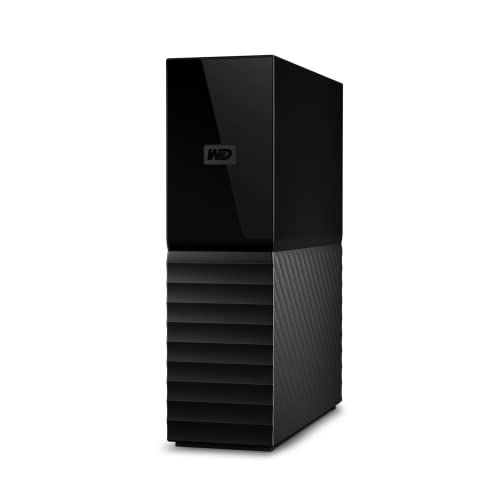
WD 18TB My Book Desktop HDD USB 3.0 with software for device management, backup and password protection works with PC and Mac


WD Quality
Designed to meet WD’s demanding requirements for durability and long-terms reliability, we stand by the trusted My Book desktop storage.
My BookComparison Metric
Up to 22TB | Capacity(2) | Up to 44TB |
No | Remote Access | No |
1 x USB 3.0 | USB Ports | 2 x USB 3.1 |
5.5 x 1.9 x 6.7 in | Size | 6.3 x 3.9 x 7.0 in |
Included | Backup Software | Included |
256-bit AES | Hardware Encryption | 256-bit AES |
Up to 22TB | Capacity(2) | Up to 8TB |
No | Remote Access | Yes |
1 x USB 3.0 | USB Ports | 1 x USB 3.0 |
5.5 x 1.9 x 6.7 in | Size | 5.5 x 2.1 x 6.9 in |
Included | Backup Software | Included |
256-bit AES | Hardware Encryption | No |
- My Book Duo

- My Cloud Home
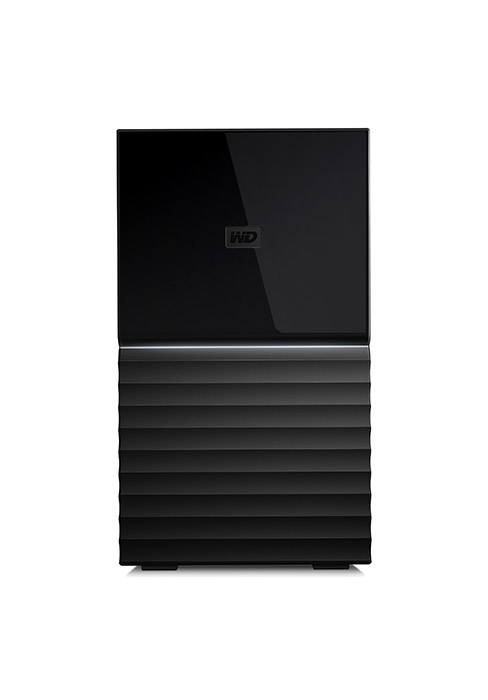
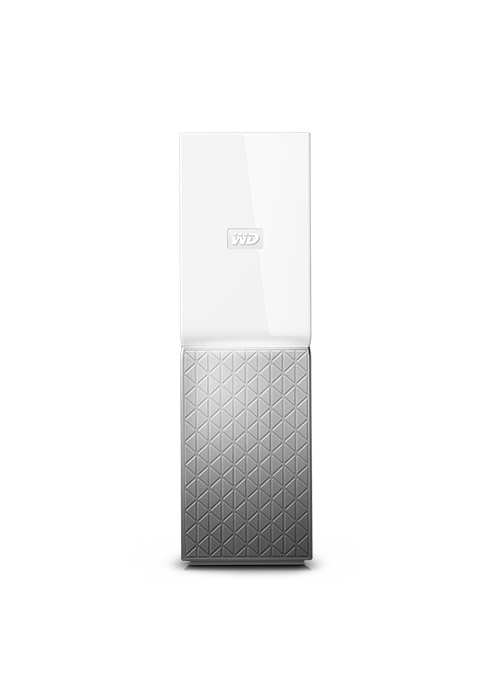
(1)Download and installation required. Terms and conditions apply. User account registration may be required.
(2)1TB = 1 trillion bytes. Actual user capacity may be less depending on operating environment.
Product specifications subject to change without notice. Pictures shown may vary from actual products. Western Digital, the Western Digital Logo, WD, the WD logo, My Book, and My Cloud are registered marks or marks of Western Digital Corporation or its affiliates in the U.S. and/or other countries. All other marks are the property of their respective owners.
2022 Western Digital Corporation or its affiliates. All rights reserved.
| Weight: | 1 kg |
| Dimensions: | 13.93 x 4.9 x 17.06 cm; 1 Kilograms |
| Brand: | Western Digital |
| Model: | WDBBGB0180HBK-EESN |
| Colour: | Black |
| Batteries Included: | No |
| Manufacture: | Western Digital |
| Dimensions: | 13.93 x 4.9 x 17.06 cm; 1 Kilograms |
Does the job
We have tried a number of clouds so that the family could share files, photos etc.
We wanted one to use for sharing graphics and other products items and files.
It was easy to install and use, and the storage capacity is great, it does as the product description says and holds a lot of files.
Once I have some more money, I will definitely be purchasing more of these products.
WD 14TB My Book Desktop HDD USB 3.0
hdd works out of the box, what you get 14tb after formatting is 12.7tb, still plenty of room, the data speeds while using usb3.0 average between 130mb/s-170mb/s on a amd ryzen 5 2400 3.6ghz.
case is easy to open if you want the hdd inside for installing somewhere else, mine was an april 2022 drive.
temps in enclosure run around at 41C but have gone to 53C, until i placed an external fan on a vent.
bello capiente...ma rumoroso
bel prodotto, rapporto qualit/prezzo ottimo…capiente da 4tb nella mia versione, unico neo abbastanza rumoroso….nel complesso velocit da HHD, normale
Nel complesso ottimo prodotto, ben robusto e rifinito bene…WD
astreine USB Platte mit ausreichend Platz
Ich soll hier ankreuzen “leicht zu erkennen”… Was soll das denn ? Sie steht im Regal und wenn ich sie ansehe, erkenne ich sie. Habe einige WD Platten ohne Enttuschungen in all den Jahren. Habe mir eine kleine Moosgummiplatte druntergestellt, da die Bewegungen vom Kopftrger sonst auf meine Regal-Holzplatten bertragen werden. So macht sie also lautlos ihren Job, sichert mir hier alles vllig automatisch und macht mich zufrieden. Also Empfehlung von einem IT Spinner 🙂 Gruss aus Mnchen, Axel Ricke
WD My Book Hard Disk Desktop, 4TB, USB 3.0
Ho dato 4 stelle sulla fiducia perch un precedente WD, non dello stesso tipo, mi durato solo 5 mesi, ma fortunatamente Amazon, essendo ancora in garanzia, mi ha autorizzato il reso e mi ha rimborsato quanto avevo speso.
Note: Falsely Advertised On Amazon As WD Red Drives. Came With Another Model Of WD Drives.
The WD 36 TB (Usable 32 TB) Has 3 Raid Options To Pick From.
Has Built In Hardware Encryption (Password Protection Future).
Connectivity Is Via USB C, And The Box Had 2 USB Cables (USB C to A, and USB C to C Cable)
Also Mine Came With 2 Power Cables (3 pin UK type and 2 pin round type).
Gehäuse zerspringt sofort mit 2 recht schweren 10 TB-Platte
Gert einfach herausgenommen, um es aufzustellen und das Gehuse zerspringt sofort. Offenbar sind die 2 10 TB-Platten da drin zu schwer. Tut zwar der Funktion keinen Abbruch und dachte, die Garantie drfte damit hinfllig sein. Direkt an Western Digital gewannt und denen ein Foto hingeschickt. Die haben Austausch angeboten. Vorsicht trotzdem, beim Herausnehmen. Weil ansonsten ordentliches Produkt.
Great but noisey
Very easy to setup and get working and great price for the capacity, but it is quite noisy and seems to make clunks and whirring noises even when I’m definitely not reading from or writing to it. They aren’t the fastest drives inside it but as a drive for backups etc (basically that you’re not going to be running video editing from etc) it’s great.
Other than the noise and speed though it’s great for a storage device and with the current range available I’d probably get it again.
Super Massenspeicher mit leichtem Heartbea
Ich habe gleich 2 je 14 TB Festplatten von WD gekauft, worauf ich meine Daten gespiegelt sichere und bin bis dato damit auch sehr zufrieden damit. Allerdings muss ich Sie beim Homerecording immer vom Netz nehmen, da beide ein Gerusch produzieren, das entfern an einen leisen Herzschlag erinnern. Strt bei der normalen Computerarbeit wenig, beim Recorder allerdings schon. Aber das ist fr mich zwar schon etwas lstig, aber kein wirkliches KO-Kriterium. Sind halt immer noch mechanische Festplattenspeicher.
Il magazzino che regge bene
Finalmente dopo pi di 2 anni senza un HD esterno, ho trovato la giusta occasione per acquistare un hd doppio, da impostare in RAID1, per una maggiore sicurezza dei dati (foto / video in particolare) ed il mio archivio per dei lavori, funziona molto bene, a parte qualche piccolo intoppo. Ogni tanto gli prende una crisi, in fase di copia di file di grosse dimensioni e si “incaglia”, per poi tornare alla sua velocit di scrittura (90Mb/sec in RAID 1), pi che sufficiente per le mie esigenze. L’ho testato anche condiviso in rete e con un p di ingegno ed un router decente, funziona come fosse un Cloud. Davvero soddisfatto, speriamo duri un bel p. Gli HD interni sono due WD red da 6tb l’uno, vediamo quando e se, uno dei due dovesse tornare nel paradiso degli hard disk, come si comporter alla sostituzione…
I bought a WD 20 TB My Book Duo Desktop for its drives. I was pleasantly surprised to see it came with 2x10TB WD Red Plus drives (not WD Red as advertised).
The unit itself is not that impressive but I wasn’t planning to use it anyway.
The drives themselves run a bit hotter (40-46 C) than the old WD Red (33-37 C) but that’s within specifications (0-65 C) maybe because they run at 7200 rpm vs 5400 rpm.
I couldn’t notice any difference between the old and new drives in term of noise except during drive
initialization when WD Red Plus drives make a number of “click” sounds for about 1 min. That’s one time when drive is installed first time.
In terms of performance, old WD Reds and new WD Red Plus perform similarly for large data (~130 MB/s) with the only difference new WD Red Plus is more constant around that figure than old WD Reds which performance varies between 120 -137 MB/s.
Spartanisch
Dies ist bereits meine sechste baugleiche, externe Festplatte. Htte ich mit den Vorgngern nicht so gute Erfahrungen bezglich Haltbarkeit und Schnelligkeit gemacht, htte ich ein anderes Fabrikat gewhlt. Oft rgere ich mich darber, dass es keine optische Anzeige fr den Betriebszustand der Platte gibt. Ist sie im Ruhezustand oder ist sie noch beschftigt? Zwei Minileuchtdioden und minimal mehr Elektronik wrden Abhilfe schaffen. Auch wenn die Platte dadurch etwas teurer wre, wrde ich sie erneut kaufen, denn die anderen fnf arbeiten sehr zuverlssig! So aber bleibe ich bei WD, mybook mit 8tb weil ich sehr, zufrieden bin.
I’ve been using Western Digital drives for years, as anecdotally I’ve found them to be more reliable than Seagate. Thus far, this 14TB external drive is no exception. I regularly write and read data from this drive and find it to be more than capable of large data transfers whilst staying cool and quiet.
Inside the enclosure is a white label 14TB drive, which I believe to be a varient of the WD Red NAS drives, which bodes well for reliability. Via USB 3.0, I am getting around 200mb/s read speeds and 180mb/s write speeds, which is excellent for a HDD, especially via USB.
The drive isn’t silent when operating, but it’s certainly much quieter than my Toshiba N300 drive which easily drowns out the WD when both are being used. The drive also runs cool, topping out at around 45C when writing in an open air environment with plenty of ventilation.
The only complaint I would have is that WD are still not using USB-C connectors, having to keep a specialised USB Micro-B cable around is a real pain when everything else I use has USB-C. It’s a minor complaint, but the difference for a manufacturer to use USB-C over Micro-B is around 25p per connector, so it’s definitely doable from WD’s side.
Pros:
– Runs cool and quiet with proper ventilation.
– Large capacity for the money.
– Shuckable should you want to remove the drive from the enclosure (this does void warranty).
– White label WD drive inside, similar to a WD Red NAS drive (but much cheaper).
Cons:
– USB Micro B.
– Can slow down after an hour or so of solid writing, but you won’t find a hard drive that doesn’t do this.
Overall, thus far I’m very happy with the drive, sustained writes maintain a decent speed and it stays cool and quiet when in use. I’ve had several external WD drives and all are still working to this day, so I have confidence that this one will continue to do so too. Though if you have crucial data, you should always back it up, no drive will last forever!
12tb capacity
Works fine with my windows 10 p.c. Capacity is less than 12tb though. Quiet, fast and reliable so far. I’ve not used the backup software as I use Goodsync across all my drives.
Product is amazing
The storage device is amazing for such a reasonable price and preforming quick and really quiet I would recommend to anyone that needs a lot of storage easy and lightweight good for office and home use.
Due to the nature of my work, i am required to store lots of data in the form of RAW image format, and 4K video footage. And although this particular unit I have purchased from Amazon, my two previous units have been purchased direct from WD.
Admittedly, these drives are not as fast as an SSD in transferring files from a device to HHD or HHD to SSD as their technology is relatively old compared to SSD. These are not Solid State Drives. That said, their transfer rates are acceptable vs overall storage space of the drive.
For this purchase, i chose the 12TB version; I have two other WD My Duo drives at 8TB each and these have not faltered in the two years of ownership. I expect i have cross transferred 1000’s of GBs of data between them in the last two years and they have not missed a beat. I’m more than happy with their performance and durability.
All three of my drives are configured to RAID 1; mirrored for back up from drive 1 to drive 2. I do not use the WD software that comes bundled with the drives. Admittedly, the NTFS for Mac software is something you need to install to allow the drives to work with Mac’s.
In my opinion, these drives are almost perfect for my circumstances and when comparing these particular drives to a 4 or 6 bay NAS, for me at least, the WD My Duo drives are a better solution. Should I require access to my files remotely, I would choose the NAS route.
Plenty of capacity, seems very reliable and easy to use
I have Acronis backing up my main computer every night onto this drive. No drama at all with it, it’s just giving me some peace of mind that my data is backed up.
Un disco duro con buena velocidad pero un poco ruidoso
El disco duro es elegante en cuanto a diseo y bastante compacto. En cuanto a velocidad de transferencia de datos tiene una muy buena velocidad (hasta unos 175 Mb/s). Lo nico negativo es que el ventilador es bastante ruidoso y de vez en cuando se escucha un pequeo golpe, que me imagino que ser debido al movimiento del cabezal entre sectores. No afecta para nada a la funcionalidad, pero no esperaba que el equipo se pudiera escuchar incluso por encima del ruido de un ordenador de sobremesa.
I’ve only had this hard drive for a day and I haven’t tried many similar modern products, so take this review with a grain of salt. But this external is noisy. It’s not a constant white noise that you get used to, it’s a varied and heavier sound, as if it was changing gears or something. I wouldn’t say it’s really loud, but it is distracting.
Another issue I found is that sometimes it is still active even when I am not reading any files from it. Normally, I expect that when I close all windows that are looking at files on this external and if I stop any transferring or programs that are reading off it, then it should stop ‘thinking’ and I should be able to ‘safely eject’. With all my other externals (these are all not wall-powered FYI) that works fine. But with this external, it somehow is still thinking when everything is closed, I can’t eject it and it makes noise. Usually I can then eject a few minutes later, but not always.
Appears reliable after 6 months of use
As a collector of recordings I needed a backup ,for the various discs containing my collection. Yes it took literally days to copy everything across to this huge disc, but that just goes with the territory and nothing specific to this hard drive.
My back up is now my prime drive that I switch between my computer and my smart TV – an LG 55 inch Oled which surprisingly can handle this huge hard drive as an external USB source.
6 months on it has proved to be a reliable part of a perfectly reliable media player system.
Good product missing a pa
I have had several WD products and they have all been reliable. I bought this one to pair up with my new 24 in. IMac on order. When I got my system and went to hook the drive up I was missing the US plug attachment on the power cable plug in. I had the European and Asian adapters but no two pronged US.
Instead of returning a purchased a 39$ power adapter and used the European plug to US capability. Seems to work fine. I just think the QC at WD should be better.
First of all, I love Western Digital. I have over 30 hard drives (portable and powered) and majority of them are WD. Purchase this item as a powered backup for redundancy purposes. The price was fantastic and shipping was fast and reliable.
My only issue is that inside the box, the instructions booklet showed an image of 6 different “heads” for the power plug – yet the box only had 2. 1 was installed on the adapter and was the UK head, the other is the India head. Neither is of any benefit to me in Australia! Very dissapointed about this. Fortunately, I have adapters but any other non-tech consumer would have been stuck!
This is the only reason I gave a 4 star rating – otherwise would have been 5 starts all the way!
I got this WD 36TB My Book Duo so that I can backup my backups on a bigger drive, whilst also having extra space and to use it as the main HUB Storage for all my things. I managed to transfer 6.5TB of Data from my Seagate Backup Plus 8TB Drive to the WD 36TB in around 12-16 hours which makes me feel a lot happier and less stressed about the possibility of losing everything by having just ONE hard drive storing all my work as I store a lot of Videos/Photos/Games and PC Backups etc as I do a look of video work as a Videographer and for YouTube. Overall, fantastic, wasn’t too sure about buying at first but now I did, definirely happy so far. It’s only been a few days though, but if anything happens I will update the review (13/09/2021).
Pros:
– Lots of storage
– Easy to use
– Fast transfer speed
Cons:
– Can be nosiy with fan and rattling when using i
Does what it's supposed to do
There were alot of comments about this getting too hot and very loud, I have it connected to my PS5 to store my games and play my PS4 & VR games from this drive and is absolutely silent. Does exactly what I want it to do perfectly.
Exactly what you expect from WD
Needed an external hard drive as I had run out of space again! Was debating with this or trying the Seagate drive. I have 3 WD hard drives already and they are going strong 15 years later, so I decided on tried and tested. As expected, a high quality sleek hard drive that does exactly what you want. Plug and play – no set up required. Copying large batches of files at a time is a little slow, but that doesn’t bother me. Would highly recommend any WD external hard drive.
0 Watt Stromverbrauch trotz Netzteil
Macht alles, was ne Festplatte eben machen soll. Kann keine Defizite feststellen. Im Gegenteil.
Positiv ist anzumerken, dass trotz eigenem Netzteil bei ausgeschaltetem PC/Laptop KEIN STROMVERBRAUCH zu verzeichnen ist. Ich habe dies extra nachgeprft, weil ich es einfach unmglich finde, dass selbst der Fire TV Stick von Amazon stolze 10 Watt zieht, auch wenn man nicht mal TV schaut. Das macht die Festplatte nicht. Ist der PC aus, ist die Festplatte ebenfalls aus und verbraucht KEINEN Strom. Ein eindeutiges Plus.
Really good drive
Western digital have been making storage for years and they are a brand name you can trust. It comes with its own software which you can choose to use. I don’t because it’s just a storage device for me. It looks great in black and is fast enough. Good hard drive
Exactly what I needed.
My old backup drives are still working, but it’s just not worth the risk to not back them up again.
This was easy to install, quick and easy to format, nice and quiet, data transferred over quickly and the access times are just fine.
Great price for 6TB too !
Just the job
Plenty of space and made a reasonably quick job of transferring 2.99TB of data from 2 smaller disks.
My only criticism is the lack of any indicator light to tell you its actually on and working! My smaller ones from WD, both have them. With this the only way to tell it’s on is if it’s getting warm or by the clunks and whirrs when it’s plugged into my Blu-Ray player.
One star off for this sloppy omission.
Solid & quiet & super value
I’ve not noticed any noise from the two I bought. VERY cost effective storage.
I bought two so i can backup to two units in case one fails. This worked out a LOT cheaper than buying 4 bigger drives to expand my DROBO unit. In that case i’d need 4 x something like WD Ironwolf 3Tb drives costing around 86 quid each & I’d end up with almost the same 8TB space but costing around 340 quid!
Two of these instead gives me 7.x Tb plus a backup drive the same size for half that price (and they are not noisy like the DROBO)
Just to mention. I own a lot of WD externals, some standard MyBooks & some MyBook Essentials… never had one fail yet. I’ve even got some 10 year old WD Firewire MyBooks still going strong.
Finally, they look nice sitting on the desktop.. maybe not important, but they are quit stylish.
Perfect for all my backups
Bought this to make a backup of all my hard drives as it would be very useful having everything all on one drive rather than keep on sifting through piles of old hard drives to find things.
Says it is compatible with Windows 8.1 and 10. I have a Windows 7 machine with only USB2, it recognises the drive and gave me 5.45TB space. It’s been copying from a 2TB portable overnight and still copying away – there has been no issues so far.
Very happy with this backup drive.
Veloce, capiente, rumoroso
gi il terzo hard disk di questa tipologia che acquisto: il primo da 6TB, il secondo da 14TB ed il terzo da 12TB.
Offrono tantissimo spazio per quello che costano, e sono rimasto piacevolmente sorpreso dalla velocit offerta dal 12TB e dal 6TB (il 14TB, non so perch, risultato molto pi lento).
Per farvi capire: riesco a montare video in 4k della BMPCC 4k in RAW su Davinci Resolve con un iMac 27″ del 2019 senza problemi. Certo quando comincio ad applicare delle color pi pesanti e a usare pi tracce video comincia a faticare un pochino, ma non questo lo scopo di questo hard disk, quindi non mi pesa.
Unica pecca che davvero rumoroso: non credo di aver mai usato hard disk pi rumorosi di questi.
P.S. Nella versione da 12TB era incluso anche un programma di BackUp automatico, programma che per non sono mai riuscito ad utilizzare (anche questo per me non un problema, ma magari a qualcuno pu interessare saperlo)
Early days ye
Using WD beta software to index thousands of photos very slow first pass took 3 days
Then WD switched on turbo mode that worked on my laptop
I guess WD will charge for this software when it comes out of beta mode
But the drive in itself is fine just what you expect from Western Digital
Beware when purchasing this item.
The storage capacity was advertised as upto 14tb, but the storage was actually only 12.73tb, so I was not impressed. Also, have had a lot of problems opening the device each time.
I don’t know how good this device is. But the My Book backup software etc. is a big let down so far. Registration to WD was problematic as was installing the WD software. Still unable to get the apps working (“WD Discovery will be back shortly”) but did get registered eventually.As a backup, the manual states the installers are on the device availble for install – they are not.
Therefore, presently unable to perform secure backups which was the whole reason for the purchase. If all else fails will have to use Bitlocker or VeraCrypt – which will take a long time on a 14TB device!
The device also “thuds” every few minutes, although otherwise is quiet.
Edit – I have since been able to access the manuals (they had an http 500 error before) and have been able to set an access password. The job of creating this new backup has begun and I’m very pleased with the performance. So the device is worthy of 4 / 5 stars; but my experience has been let down by WD website and app issues hence the 4 star overall rating due to cutomer experience.
Value for money gets 5 stars. With the deal of the day, 14 TB was a great value.
So far I have bought 12 of these WD My Book Duo drives (The 24TB capacity model). I have 3 NAS servers at home, one of which is a media server, another is used to backup the media server and the third is my main network server for all my data.
I had previously purchased WD Red 6TB drives to populate the servers and as time has gone on, the drives have started to get quite full (Each server takes 6 disks in a RAID 5 config, meaning that each server had around 27TB of storage space available).
I had been looking to upgrade the servers to a higher storage capacity, but reader, as you know, buying hard drives is very expensive and for some bizarre reason, prices can fluctuate by around +/- 100 in a day on Amazon, which makes no sense whatsoever.
I found out about “shucking” drives which is an ok way of getting drives of a higher capacity at a cheaper cost to go inside servers, but they can have issues with one of the pins needing to be covered so that the drive will power up. I don’t know if my servers would have that issue – and as the drives in the servers are in a RAID config, I didn’t want to run the risk of losing all my data.
I then saw these WD My Book Duo drives that come with WD Red drives inside them. I downloaded the manual to see if the drives can be easily removed – and it said in the manual that Western Digital provide a plastic tool for popping the drive box open so that the individual drives can be removed. So, I took the plunge and bought 3 of these so that I would have a total of 6 x 12tb WD Red drives. On the day that I placed the order, they were down in price – and if you put these in your “wish list” you can monitor on a daily basis how frequently the prices change. I bought them on a day when they had dropped in price by approximately 100.
So, thanks to Prime, the My Book Duo’s arrived the next day and I set about removing the disks from their cases. This was a bit fiddly at first, but once I got the first drive out of it’s plastic holder, the rest were easy. I downloaded WD’s own drive diagnostics program from the WD website as I wanted to make sure the drives were all ok and had no bad sectors. I have a external hard drive enclosure that I connected each drive up to in turn and ran the extended diagnostic test that checks every single sector of the drives. This takes around 18-20 hours per drive, but my data is important, so I was happy to take the tests slowly. All 6 drives passed the tests and I was then able to put them in the NAS.
While the diagnostics were running, I used that time to backup the main media server NAS to it’s backup server, just to be on the safe side and then when all 6 drives had been thoroughly tested, I set about putting them in the media server. I won’t bore you with that process as it’s irrelevant to the review, however, it worked ok and at the end of it, I had around 55TB of usable space on the media server.
Once that server was completed, next time that Amazon reduced the price of the My Book Duo’s again, I purchasd more for the rest of the servers.
And, best of all, as I had previously used 6TB WD Red drives on my servers, once each disk had been removed and partitions deleted, I was able to put 2 6TB drives inside each My Book Duo so that I have additional backup storage available for all my other data.
So – if you plan on shucking the drives to increase capacity in a server, these are the best way of buying WD Red drives. If you plan on just using the drives as they are, inside the My Book Duo enclosure, then again, these are the best way of buying WD Red drives. WD Red’s are the best drives for use on servers and I also find them to be the best to use for backups.
Quietest hard drive I've ever had
When I plugged it in I thought it was dead until it showed up on my screen, it’s that quiet.
apart from that, it works exactly as it should
I expect to get 3-4 years out of it before I need a new one , if it dies before then I will edit this review accordingly.
One star for tech support as its something I’ve never needed in over 30 years of using external drives.
Il Backup per eccellenza!
Possiedo due Mybook Duo di questo tipo ed uno con il vecchio form factor (quello a forma di libro).
Secondo me il modo perfetto per fare un backup dei nostri dati ed essere abbastanza sicuri di averli salvi.
L’hard disk contiene due dischi diversi, a seconda del taglio nel quale lo acquistate.
Se prendete quello da 12Tb come me ad esempio, avrete 2 Hd Western Digital Red da 6tb ognuno.
Impostando il raid 1 la capienza di questo hard disk si dimezza quindi il vostro computer vedr un hd da 6tb ma ogni cosa che archivierete verr duplicata nei due dischi da 6tb ognuno.
Quindi nel caso di rottura di un disco avrete tutti i dati salvati nel secondo disco e l’unica cosa da fare sar quella di acquistare un altro hard disk identico a quello rotto ed inserirlo nel case, per fare in modo che tutti i dati vengano di nuovo duplicati.
un ottima soluzione, certo non velocissima e vi sconsiglio vivamente di lavorare ad esempio in una libreria lightroom stivata in questo Mybook duo, ma potete tranquillamente archiviarci le librerie nelle quali non lavorate pi.
Comunque consigliatissimo, l’unica valida soluzione per fare backup in modo facile e sicuro.
Nice capacity drive.
I bought a 6TB seagate drive initially as it was on sale for 83.49 which is a pretty decent price per terrabyte however it soon become apparent that it was a bad buy for reasons beyond the scope of this review.
I returned it and noticed this one was on sale for 129.99 (8TB) I didn’t want to really be spending more but I was running out of space fast so I bought this one whilst waiting for my refund on the previous one to complete.
I mainly use it for playing movies and it does that job well, Just be aware it can make a low ‘knocking noise’ when in use, Apparently a lot of high capacity drives do this even more so when its a helium drive (filled with) as this one is. Its not really noticeable through the day but on a night when the TV is turned down it can be noticed (my drive sits on a glass tv unit, I’ve tried putting sponge legs under it or sitting it on foam buy it doesn’t help at all.
Kind of ironic as helium drives are supposed to run quieter and cooler but to be fair this is the hottest external drive I own. It doesn’t affect its operation though.
It comes with free acronis backup software (needs to be downloaded separately from acronis, search for ‘acronis backup for WD’).
The drive has Hardware encryption to keep the contents safe, you can also use the WD software to put the password in automatically, So you don’t have to punch it in every time you log into windows but its still going to protect the contents if its ever moved from your PC.
A pretty solid buy I’m glad I paid extra.
Good, but a bit noisy
I bought this to increase my external storage capacity (backups, music, photos, etc. The price had been reduced around Black Friday, which was a persuading factor. It arrived when expected and was simple to set up. My only negative comment is that it’s quite noisy even when it’s idle. I now only plug it in when I need to.
Shucking grea
I got this for shucking. That is, the practice of getting external hard drives that are priced more cheaply than internal hard drives (despite often containing the same drives) and opening them up to use in your computer or another device. Some external drives have an enclosure designs that come with a risk of voiding warranty during the shuck. Fortunately this drive opens up very easily. You don’t really need to “shuck” it at all. I easily took out the two 10TB drives and have them in my Synology NAS.
They work great. Highly recommended if you see this in a sale. Perhaps you should stop buying more expensive internal drives for literally no reason.
Quiet and simple to use, however when plugged in to my pc the pc would not boot unless I disconnected first which was very annoying. Upon investigation I worked out that this could be resolved if you format with NTFS rather than exFAT. I had to google the issue as there was no help from WD. Since doing this it works fine without needing to disconnect.
Quite noisy
Creaks and clunks in use on a table, using as a xbox series x drive for over 100 older games and all fit and run perfectly, still 5tb spare so spare is perfect for such use
Good quality mass storage.
Good quality drives with a large capacity. WD tech support very helpful if needed too. Nice understated look. A bit on the noisy side, but that’s to be expected with this sort of drive.
This is the Western Digital My Book Duo 20TB capacity.
After owning several portable external hard drives, it’s nice to have everything backed up on this beautifully designed desktop external hard drive.
I don’t leave this hard drive plugged in so it’s not in constant use, a lot of people have problems with external hard drives failing because it’s constantly turning on and off daily.
My use-case is primarily photos and films.
For more of my unboxing videos check out my Instagram and YouTube channels @signedfo
Cheap and fas
As many other reviews have stated these are relatively fast drives within, so plenty of cheap storage space that doesn’t take an age to copy. Much faster than the Seagate 8tb drives I’ve been using previously.
So far so good.
8TB version behaves like CMR!!!
I was worried when looking at the price that this is going to be SMR (shingled) disk. But I am happy to report that the 8TB version behaves like CMR (conventional) when completely filled up, few GB deleted somewhere in the middle and write speed while filing up that free space is no slower than brand new 150-160MB/s. I kept original exFAT format in case that matters. I was lucky to pick this drive up when the price gone down to 130. Yayyy!!!
The time will show how durable this drive is but based on how it works during its first few days I definitively recommend it.
Solid performance and backup options at good price poi
I have bought a couple of these for my home NAS server for primary and backup. They are a cheaper option than building out an internal RAID array, and are easily expandable given the number of USB 3 scokets on modern motherboards.
Performance is good – on a single file copy across gigabit LAN, I can get 100MB per second data transfer (read and write). It drops significantly when there are 2 active file streams – multiple I/O requests don’t seem to be a strong point – but you would only notice this on file transfers. If you have multiple streams going for the family (each only requiring a few MB/sec for hi-def transfer) you will not hit an issue with stutter etc.
Performance of the initial backup was very impressive – around 300MB per second transfer (both primary and backup drives were connected to the same PC for this initial backup).
Very fast and Mac compatible
Excellent speed. Ordered this as our previous WD backup disk is old and I wanted to get some fresh hardware in the mix. Our entire system is nearly 8 years old, so it’s difficult to say if the slow time machine backups were due to the older drive, but the new one did an initial full backup of 1.6 TB in 8 hours. Our old drive was taking – at times – 8 hours for an incremental backup; that said, it was much faster after – possibly because we closed everything else up on the Mac.
The Mac recognized the drive right away but I still reformatted it.
We got the 4TB model. It comes with a separate power source.
Quando mi arrivato sono rimasto colpito dalle dimensioni: davvero piccolo. Alla fine si capisce che c’ un solo disco all’interno (di ben 14 tb) e poco spazio attorno. Non ci sono led o altri sistemi di controllo visivo. Per capire che funziona bisogna avvertire il rumore. Il rumore non quello del disco, ma quello della struttura esterna che, essendo di plastica, non assorbe bene le vibrazioni del disco quando in scrittura o indicizzazione. Ho una scrivania di legno con una lastra di vetro sopra e avverto un piccolo rumore di fondo quando il disco in funzione. Questo per me un difetto che poteva essere risolto usando un sistema interno di smorzamento delle vibrazioni migliore di quello montato. Non ci sono ventole e il sistema di raffreddamento garantito da delle feritoie superiori ed inferiori. Comunque non ho mai rilevato surriscaldamenti anomali anche dopo diverse ore di funzionamento. Nella parte posteriore un attacco USB (credo di tipo 3) e il connettore per l’alimentatore. Null’altro.
Uso un sistema MAC e non ci sono stati particolari problemi di utilizzo. Le utility fornite sono le stesse che per i sistemi windows, tranne che per l’utility di backuo automatico che non disponibile per i sistemi operativi della mela. Tuttavia esiste TimeMachine che fa bene il suo lavoro. Io uso un software commerciale per i miei backup e non ho riscontrato problemi. In dotazione anche un software di controllo dello stato del disco su tre livelli e un sistema di sicurezza mediante una password di accesso.
Ho scelto questa marca perch possiedo da quattro anni altri due dischi di questo produttore (serie desktop) e non mi hanno mai lasciato a piedi. Tuttavia ogni quattro o cinque anni preferisco cambiare i dischi che uso per le cose veramente importanti e usare quelli pi vecchi per usi pi ludici.
In termini di velocit si comporta come dichiarato dal produttore: per gli utilizzi di archiviazione (per i quali stato concepito) va pi che bene. Ho notato un fastidioso ritardo nell’attivazione quando il disco si trova in modalit di riposo, ma una cosa accettabile perch meglio che il disco, in fase di prolungata inattivit, vada in modalit di riposo: ne aumenta la durata della vita.
Non sono un professionista e non lo uso per lavoro. Archivio e conservo tutto quello che un giorno voglio ritrovare e, per questi scopi, per me va molto bene. L’unico difetto sulla qualit costruttiva del case. Ma la plastica impera ovunque, purtroppo.
Saluti
This Hard drive is working fine and appears to be quite fast and accurate file transfer. The size is okay and it sits neatly on a level surface.
The reason for 4 stars for me is that
1) It comes with a 1 metre cable that I think is a bit tight for most people and almost no cost for a longer one if supplied instead. I had to buy another. (Not a fault) but for me annoying
2) There is no external led to see if on. I like my other drives that have an on or off LED
3)If you disconnect the drive via Eject or fully disconnect and then turn it back on it cannot be found without going through the WD software.
Small issues but drops a star. Otherwise all good
Reliable storage but noisy compared to WD Elements
Brought for my iMac, partitioned for Time Machine and mass storage. The unit is much noisier than the WD Elements and can often be heard churning away at night time.
Very good produc
Ready to use for with my MacBook. Love this!
It’s fast enough and a little noisy but it does not bother me. Happy with it. Only issue: if you set up a password and then accidentally delete WD discovery from your mac/pc it will not recognise the HD. Be aware
Cheap alternative to buying dedicated hard drives
Note I bought this and removed the hard drive from inside and put it in my nas. This is cheaper than buying dedicated hard drives somehow but the drive is very good I bought the 8tb version and have been filling it up slowly to 5tb currently. The speeds are good mostly limited by my network speed which is really good.
I have purchased 2 of these in total. Both when discounted on amazon.
First one delivered was dead on arrival. Amazon asked me to do a RMA with Western Digital. I was a little surprised by this as I purchased the item direct from Amazon. WD responded very well and replaced the item within 14 days. paying postage in both directions.
I have been using the device now for over a year and it has now developed some coil whine from the power supply. It works perfectly apart from this.
The second unit has had no issues and both are used daily.
The transfer speeds are some of the best on the market and I find that copying files to and from the external drives is same as internal drives when using USB3.
Whilst I had initial issues (And now coil whine) I still recommend them when they are discounted.
Good device
I have a large amount of data I use it for Plex storage with my iMac. This 6Tb unit will keep me going for a long time and didn’t break the bank either. it is quiet in use and does the job I need it to do. It’s only downside is that it has no mains indicator light. That said its still a good unit and I would recommend it.
Elegancia con mucho almacenamiento
Necesitaba un sistema RAID 1 (en espejo) y WD ha hecho este dispositivo perfectamente para usuarios domsticos. Elegante y a buen precio.
Cuando se utiliza hace algo de ruido como es lgico ya que es HDD y cuando se enciende el ventilador hace mucho ms ruido. A mi se me ha encendido el ventilador dos veces y fue en verano.
El software que controla el sistema RAID no me da mucha confianza, esto lo podr comprobar el da que se rompa un disco y esperemos que funcione…
El programa que trae es para hacer copias y no para sincronizar archivos.
A mi me vino con el enchufe ingls pero este problema fue rpidamente solventado por Amazon.
El botn que trae en la parte trasera para apagar no funciona muy bien. Hay que pulsarlo bien para que se apague, si se te escapa el dedo del botn lo que hace es suspender el dispositivo y hay que apagar y encender completamente para que vuelva a funcionar.
Por el momento estoy contento y a la espera de que salga una actualizacin del software que de ms confianza.
Needed 6TB extra storage - got i
Needed extra capacity for my plex server. Bought this to strip the drive out (WD Blue), but couldn’t be bothered. So it gets used whenever I turn my plex server on. Works well.
Easy to setup. After playing with RAID 0, RAID 1 for a while, I decided that JBOD mode (two 12 TB drives) is the best way to use this. Inbuilt password protection is not available in JBOD mode however I trust Bitlocker better than any other encryption, Bitlocker is safe and easy to recover in case you forget password. I read a few articles and they suggested that WD drive data may be lost if the enclosure fails and you can’t find same enclosure. One thing to note, this is 10.9 TB x 2 drives not 12 TB x 2 drives.
For some reason HDD manufactures uses 1000 instead of 1024 to calculate drive size. This one has two 12,000,000,000,000 Kb drives which is when divided by 1024 four times (KB, MB, GB, TB) comes to 10.9 TB in Windows language.
Perfect as a DropBox backup device
We use DropBox extensively for our small company use. We have been working remotely for about 8 years since getting rid of our server and it allows us all to work remotely whereever we are. So far so good but one big worry as we rely more and more on it and generate vast amounts of data is that its not a secure backup system. None of us now have a PC with a large enough hard disk to download all our DropBox data and in fact we hadly store anything locally and rely on having a decent internet connection to synchronise and download data with the cloud as required.
Backing up from DropBox is difficult and they dont offer any tool to make this easy, there is a limit on the number of files that can be downloaded at any one time and folders are downloaded as .zip files. Not very user friendly!
This WD drive changes all that, given the credentials it logs into our DropBox account and is busy downloading everything and saving them as individual files. I expect this to take a week or two to complete, but I will sleep easier at night when its done knowing I’ve got a secure backup that I can store securely.
Capacidad a un precio excelente
Despus de mi experiencia con los WD EFRX en mi Nas Synology me compr este disco duro externo y no podra estar ms contento. 28 TB, posibilidad de raid1, independientes o un solo volumen (yo lo tengo en raid1). No es totalmente silencioso o como mi nas, pero apenas hace ruido. Posibilidad de encriptacin… En fin, muy buena compra sobre todo si pillas una de las ofertas buenas de Amazon. Adems incluye dos cables usb, los discos son muy sencillos de extraer si los quieres o tienes que cambiar y el diseo est muy chulo. Pasa totalmente desapercibido y no es nada voluminoso para lo que ofrece.
Consejo: Cuidado a la hora de darle formato para segn qu usos. Infrmate bien antes de cual es el formato adecuado. Admite prcticamente todos los tipos. Con Mac a mi me va fenomenal. Ni un problemas hasta ahora.
GREAT FOR PHOTOGRAPHERS
This is a brilliant and lovely looking hard drive to sit on top of my desk next to the iMac. Its always plugged in, and is a great amount of storage for the price. I stick to WD now for all of my jobs so they’re backed up as they’ve been reliable for the last few years.
Shucked from enclosure and performing well so far inside PC
Bought in late June as i was downsizing from an aging 4 x 6TB WD red RAID setup to a single disc setup. I have shucked the drive (removed from enclosure) and covered the first 3 pins with polyaimide tape (also amazon) to get around the 3.3V issue and the drive is now happily working away inside my PC. Noise is fine…its no worse than a single WD red that i previously pulled from the PC, and in fact probably a good bit quieter. The model i received was a wd120edaz. I will probably buy a second one at some point to create a mirror but am very happy. It was easy to remove the drive from the enclosure too so it could be put back in and returned in the event of failure but, given how cheap these are in comparison the bare 3.5″ drives, its not a major issue just to replace – i mean this was about 180 when on offer and a real wd red is currently 330+. And as everyone one knows the white label drives inside these are basically wd reds…a tremendous saving.
Easy to use and reliable
Great hard drives, this is my third and intend to get another when I run out of space again. First one died on me in the end but with two drives it warned me one of the two had died, bought a new drive for the bay, repaired the mirror and now is working fine again. Peace of mind and great.
Great value storage on a huge disk
This product is great, I use it to store video and video editing, backups etc, it’s got heaps of space, great value per GB, it’s pretty fast too, probably double the speed of my 2.5″ portables, close to 200mb ps,
Not much more to say about this, it’s been great for me, if you need a lot of storage, this is really good value and fas
This was bought solely to extract cheap official WD Reds and for that it does a fine job.
If I were to use one of these for their original purpose I don’t think I would. The idea of it needing a basic OS and the housing dying leaving your data stranded is bizarre. You should be able to just pop them straight out and suck the data out.
I’m sure some people have a use for the hardware encryption thing but it should be optional, not mandatory. I wouldn’t trust any data I valued to a system that does this.
Another solid external disk from WD to add to my ever-growing collection – must start sticking some of these off-site!
Went for the My Book version this time, purely because at the time it was cheaper than the Elements version – I have absolutely no use for any of the WD software, I just want reliable USB 3 disks I can copy stuff to and from
Again, my only real gripe is the funny socket type on the disk unit so you can’t just use a standard USB cable if you happen to lose or damage the supplied one. Apart from that, it’s quick, and a good size and, touch wood, reliable.
it works already 6 months and does the job
+ 2 x WD RED 12TB w/NASware 3.0
+ very easy disk (de)installation
+ both disks w/o any surface/sector errors (checked w/low level formatting)
+ under Windows 10 daily usage w/o any problems
+ attached software enough for declared/expected functionality
+ solid and enough quiet case
+ looks nice, especially w/front panel light
– 5400 rpm disks quite warm compared to enterprise WD HGST 12TB 7200 rpm (approx. 5-7 deg.more)
– 5400 rpm disks consume more power compared to enterprise WD HGST 12TB 7200 rpm (approx.2-3 W more)
2 days so far and not disappointed
People were complaining about the noise. It’s fine, you need to be in a completely quiet and silent environment to hear the HD’s working or the fan.
No users guide so you need to know a little bit about how to connect it. Software is stored for both windows or Mac.
Transformed it from raid 0 to raid 1 in about 3min and there drive is fast enough using the usb-c connection.
Both had are the wd red, saw someone complaining about being wd blue.
The usb cables are good quality and appears to be reliable.
Se trata de un disco duro de gran capacidad. He comprado el de 12TB y el de 14TB. Si esperas a una buena oferta, los puedes conseguir a un precio muy interesante, por lo que los hace recomendables si necesitas una gran cantidad de almacenamiento. Te voy a contar una serie de cosas sobre el de 12 y 14 TB que son los que he comprado, para que las tengas en cuenta y decidas si son interesantes para ti:
–En primer lugar, para usar estos discos duros necesitas dos cables. Uno que conectars al puerto USB de tu ordenador y otro de alimentacin. As que, si pensabas que slo era el cable USB, siento decepcionarte. En tamaos tan grandes de almacenamiento, necesitan alimentacin y por tanto dos cables y no uno. Un detallito, para que no pierdas tiempo como yo. Cuando sacas el alimentador de la caja, viene con clavija inglesa puesta. Hay un botn para sacarla y poner la europea. Yo pens que haba que pulsar el botn, y ah me tienes un par de minutos presionando y que no sala. No hay que presionar, hay que deslizar y sale a la primera. Pero la forma del botn, incita a pulsar, y as no sacas la clavija en la vida.
–En segundo lugar. Hace ruido? Mucho. No es en s el ruido del disco duro al girar. Es ms, el ruido de las vibraciones de la caja al moverse dentro el disco duro. As que, si tienes pensado ponerlo encima de la mesa del ordenador, yo lo descartara. No hay quien lo aguante. Yo lo que he hecho con uno de ellos es ponerlo debajo de la mesa, sobre una superficie de goma EVA que absorbe las vibraciones. De este modo casi no lo escucho. Encima de la mesa, directamente, no lo aguanto.
–Qu disco duro hay dentro? Un Red, un White, o es un Red remarcado a White? Tanto en el de 12 como en el de 14 TB, me he encontrado discos duros White. Algunos dicen que son discos remarcados por WD y que en realidad son Red. No son tantos mis conocimientos como para saber si WD ha hecho eso. Lo que si os puedo decir, es que he tenido un NAS durante varios aos con discos duros RED y no los oa, y a estos discos si los oigo. Sin duda son unos buenos discos duros, pero no creo que sean RED. Alguno se preguntar porqu a algunos les interesa el color de la etiqueta del disco duro que hay dentro. Sencillo, los discos duros RED son de los ms caros que vende WD y son especiales para estar 24 horas encendidos en un NAS. Con un disco normal, no puedes hacer eso. Estos discos, cuestan mucho menos que un RED y las caractersticas no voy a decir que sean iguales, pero si son parecidas. Los modelos son WD140EDFZ y WD120EDAZ, ambos son de 5400 rpm y obtienen velocidades de 220MB/s tanto en lectura como en escritura por USB, lo que no est nada mal. Al revs, son valores extraordinarios.
–Ahora que he dicho, que se puede sacar el disco duro de la caja, a lo mejor alguno ha pensado que lo puede usar en otros dispositivos como almacenamiento interno. Si te decides a hacer esto, te comento: Primero, perders la garanta. Segundo, la apertura es fcil, busca en internet, hay muchos vdeos. Con un destornillador y unos plsticos rgidos lo abres en unos minutos. El conector sata, del disco duro, es de tipo empresarial. Y eso que significa? Significa que tiene un contacto ms, y a lo mejor no funciona en tu pc. Tambin hay vdeos en internet que te explican como taparlo para que te funcione en un PC. No obstante, los My Book que he abierto, yo no los quera para un PC. Los he sacado y los he usado con un NAS Synology. En este caso, no he tenido que tapar ningn pin, me los ha reconocido a la primera el NAS, y ah estn funcionando, a una muy buena velocidad, durante mucho tiempo, pero producen ms ruido que los discos duros que he tenido RED en otros NAS. El ruido, como he dicho antes, es por la vibracin que se produce en la carcasa al ponerse en movimiento los discos duros. Estas vibraciones se pueden minimizar, pero para algunos pueden ser molestas.
CONCLUSIONES
Y qu nota le das? Me lo recomiendas?
Estas dos preguntas son las que todos nos hacemos cuando compramos cualquier dispositivo, y la respuesta es siempre la misma: DEPENDE DE PARA QU LO USES Y CULES SEAN TUS EXPECTATIVAS. Si necesitas un disco duro de gran almacenamiento, rpido y fiable, es una muy buena opcin. Algunos te dirn, que 14 TB en un solo disco duro es mucho si se estropea. Tienen razn. Pero tambin almacenas mucho en un solo disco si no se estropea. Es la pescadilla que se muerde la cola.
Si necesitas silencio, hay trucos para que las vibraciones disminuyan y se oigan menos, pero no es precisamente silencioso este disco. No te lo recomiendo para ponerlo encima de la mesa del PC. Si lo buscas para meterlo dentro del ordenador, ten en cuenta que tiene conector SATA empresarial y tendrs que tapar o anular uno de los pines. Busca en internet, antes de comprarlo, ves cmo lo hacen otras personas y ya valoras si te merece la pena hacerlo.
WD 4TB My Book
Great value for 4TB despite of all the comments about being noisy this unit is really quiet and super easy to set up. Very quick with USB 3. I bought this slightly cheaper from the Amazon warehouse as there was a minor dent on the package but the product was perfectly fine. The only problem was that there was no GB adapter for the mains plug but luckily I had another lead from an old WD unit which worked. Amazing value that you can get 4TB of storage for under 90.
Acquistato in offerta lampo senza molte speranze perch non riuscivo a capire come potesse un HD da 12TB, per giunta con contenitore ed interfaccia USB 3.0, essere cos economico. (Me lo chiedo ancora adesso!).
Dopo averlo collegato ed attivato in maniera oltraggiosamente facile ho cominciato ad utilizzarlo riempiendolo con svariati TB di film senza alcun problema o rallentamento. Lo uso come archivio, silenzioso, veloce ed efficiente.
CONCLUSIONI: Devo essere stato baciato dalla fortuna! Per ora, per, posso dimenticarmi di prenderne un altro perch il prezzo praticamente raddoppiato.
Aggiornamento 15ago21: Beh, nuovo colpo di fortuna e rapido acquisto a 222,99, ragionevole!
CONCLUSIONI: Funziona benissimo e non fallisce, evvai!
WD products hit the spo
I use quite a few WD products in my home. WD cloud which is very good. This high capacity HD is fast and easy to use. Huge 14TB HD and plug and play / secure. Only negative is the slow write speed. Using USB3 it should be a bit faster on the file transfer. No complaints though.
Bought 3
What can you say? They’re hard drives with quite a lot of capacity. I’ve got a few WD drives. They all seem good. I’ve only actually used 1 of the 3 I bought, the others will be used shortly. They do the job!
Wie alle Rezensenten schon geschrieben haben, ist eine WD-White Label WD80EZAZ Platte verbaut.
Inzwischen besitze Ich 3 My Book 8 TB.
Die ersten beiden laufen absolut leise, schnell und zuverlssig.
Nachdem Ich dann noch ein 3. My Book 8 TB dazu bestellt habe, traute Ich meinen Ohren nicht.
Die Platte war dermaen laut, das es nicht auszuhalten war.
Der Schreiblesekopf schlug dauernd extrem hart am Anschlag an, das man dachte, das er gleich durch das Gehuse kommt.
Auch die Plattenzugriffe waren extrem laut.
Angstvoll beobachtete Ich dauernd die Smartwerte, die sich aber nicht verschlechterten.
Nun kann Ich die Rezensenten verstehen, die das Laufwerk als unaushaltbar laut beschreiben.
Um kein Risiko einzugehen, lie Ich die Platte von Amazon austauschen und siehe da,
die ausgetauschte Platte war genau so leise wie die anderen beiden.
Es kommt wohl scheinbar auf das Herstellungsdatum an, was man fr eine Platte erwischt.
Meine Leisen waren von September/Oktober 2019 und die Laute war von Januar 2020.
Wenn man also ein leises Laufwerk erwischt,
hat man eine klasse und schnelle Sicherungsplatte auf die man sich verlassen kann.
Ich kann das WD My Book 8 TB uneingeschrnkt weiterempfehlen.
Uses exFAT as a default!
I started to use this and filled it up pretty quick – then I realised it was in exFAT format which lacks full indexing support. IF you search files a lot – please reformat it to NTFS if on windows as you will be stuck once you’ve loaded it with data!
Large mirrored storage
Using in RAID1 setup with MacBook Pro. Setting up you need to chose macOS journaled encrypted, then wait an hour before beginning to transfer data or do a TimeMachine backup. Getting 200Mbps speeds even with the RAID1. Very robust storage solutio
Nice 6TB USB drive
Comes pre formated with exFat file system – nice as this is compatible with Windows systems or Apple Macs
I had to convert it to MS NTFS for a program that works on Windows
Easy to use – just plugged it and working within seconds
Plug in and off you go. Easy.
USB3 interface with the correct supplied cable means fast transfers over an appropriate port on your machine, and so far, so good. On a cash/TB basis, this is pretty much the sweet spot.
So far so good!
So far so good. There is an occasional vibration noise and spin up time isn’t the best. It was cheap and with vast storage though. Would I trust it as anything other than backup storage device, I don’t know.
A whole hunk of storage space.
I got this for a great price on amazon (it was on offer). I was considering buying two WD Red drives separately to upgrade my storage capacity, but happened across this unit which contains the red drives I was going to buy at a much cheaper price. I have an internal 8tb seagate drive but I have noticed that these drives connected by USB C are much faster than my internal drive on 6gb sata. This is probably because the unit comes configured as a striped raid out of the box, no not surprising that it is faster than a single drive I suppose. Easy to setup, I just plugged it in and the drive was detected immediately and I started using it. Installation of the software to manage the drives is recommended, and also before you start copying files onto the drive I would recommend thinking about how you want the drives configuring as reconfiguration will wipe all data from the drives so best configure it first. Options for configuration arestrip (default setting for speed and capacity), mirrored (for data security) or JBOD (for capacity).
archive storage
Hi I am an avid collector of tv series , films and especially documentaries, well my collection has grown to over 50tb using 3, & 6TB back up hard drives so now I wanted to use larger drives to cut down the number of units attached to my computer ( at 1 stage I had 12 attached at once) also to give me extra storage and to enable me to achieve back up of my collection. Well I bought the 10tb drive which arrived very quickly and well packaged ( the 10tb drive only gives about 9.25tb storage ) once I formatted the drive it worked perfectly 1st time and on that drive alone I managed to store all my documentaries’ with room to spare . I will buy more drives in the future after I saved some money , I am a pensioner and this drive is not cheap but well worth it’s value. thank you very much.
Excellent for Recording Freeview Programmes from Digital TV
I bought this to record programmes from Freeview on my Digital TV, and it works perfectly. Very satisfied as it took me two minutes to set up. Great 6TB capacity for the price. Highly recommended.
WD 6 TB My Book Desktop Hard Drive - Black
We bought two of these WD 6 TB My Book Desktop Hard Drive – Black and they arrived the next day. The price is the best. Keep it up Amazon. Many thanks. Checked for bad sectors and found none. Very happy with the hard disk. My advice is always to buy from WD.
Great value for the money
Great value for money, inside 6TB WD Red HDD.
I got it only for 2 HDD to fit my FreeNAS.
HDD got some issues, but they got replaced under WD Warranty in about 5days.
Probably some issue from the factory. HDD were not accessible, than they did not show up after boot.
I’ve used WD external hard drives for years and always found them to be very good
I use it for my Time Machine back up on my Mac
I was using another WD drive which after years of use was giving some trouble, not terminal but not 100% either, so thought it time to replace it just in case so purchased yet another WD
My previous one was only 1TB but thought I’d order the 3TB version this time
I’ve partitioned this 3TB into 2 partitions so I have 2TB for Time Machine Back Ups and 1TB for extra storage
I’ve marked the rating down by one star as the drive is a little bit noisier than my previous WD but it’s really not that bad
While the drive itself is quite straightforward to use, as long as you know how to switch to raid 1 and have the right expectation about the speed of a 5400 rpm mech hard drive, the noise is unbearable.
It is quite evident to me the software developer who write the firmware does not understand temperature control algorithm at all. The fan kicks in really late, really hard and release really late. In a room of 25C, under normal stress, the fan switch on about 5 min after starting copying when hard drive is 50-55, and keeps going even after when it drops back to 50 again, and it is LOUD! It is like having a working vacuum cleaner right next to you. I will suggest to take the lid off before starting a long access, which seems to help.
Massive storage
Got this for 160 in the Black Friday sale, highly worth it at that price point. The drive is only 5400RPM, which is fine for file storage, I would not recommend this for gaming however.
The drive is shuckable if you’re looking to turn this in to an internal drive, but of course your warranty would be voided.
I was unlucky enough to buy mine right before the 10tb version dropped dramatically in price and paid almost twice as much for 12tb but thats usually the way tech stuff goes.
The drive itself is brilliant. Nice and fast, i’m getting around 200mb + transfer speeds on large files.
Absolutely no complaints. Huge capacity and easily upgradable.
I guess you can connect it to 2 different computers or a pc and laptop or a router etc but haven’t tried that as it’s only connected directly to my PC.
I figured out that Windows 10 disables write caching by default so the drive seemed slow on first use.
You need to head into Device Manager but only do this if you are definitely going to eject the drive properly before unplugging it from the computer. For me it always stays powered and plugged into PC.
Another successful shucke
I bought 6 of these 8TB drives (and 3 WD Element drives – you could only order a maximum of 3) and ‘shucked’ them all to go in a FreeNAS server I was building. It’s a pretty simple process, and with a little time and effort to can even remove the drives without damaging the enclosure. I think I broke 3-4 plastic tags doing all 9. Some of them weren’t recognised and needed the 3rd pin covering, but it’s easy enough to do with some kapton tape, and they are now all running happily inside my home-built NAS. Saved me several hundred pounds over buying internal drives of the same capacity, and whilst the warranty might be an issue should I have problems with any, I can afford a few to die and simply replacement them before I’m worse off. You can also use the circuit board with other SATA drives to make them USB3, which I’ve done with a couple of old SSD’s I had knocking around.
Wir haben mittlerweile mehrere WD My Book Festplatten im Einsatz. Als Backup, oder regulrem Datenspeicher. Da ist es schade, dass den Festplatten von auen keine Kennzeichnung mitgegeben wird, welcher z.B. eine Angabe zur Plattengre macht. Am WD My Cloud NAS angeschlossen wacht die Platte nicht mehr aus dem Ruhezustand auf. Das ist nicht gut gelst. Direkt am iMac angeschlossen, tritt dieses Problem nicht auf. Schade, dass es WD hier nicht schafft, innerhalb der eigenen Produkte solche Funktionalitten sauber umzusetzen. Daher einen Punkt Abzug.
Good value Drive
Bought this during black friday week, and it represents great value.
Drive is a simple USB 3.0 attached external drive, with some WD software to help automate backups.
Speed is excellent at around 180MB/s for large files, much faster than I expected for a mechanical drive.
Overall a good value external drive with plenty of space.
Massive!
Great value, and a massive Hard drive. I did notice that I wasn’t getting as much use out of the same storage size as my old HDs, so be careful you format it efficiently
PREGI:
– Economico. Pagato 99 euro il 4 Tb (gennaio 2020)
– Design gradevole
– Velocit buona. 134 MB/s in scrittura 173 MB/s in lettura
– Basso consumo! Durante l’uso assorbe circa 6 Watt (altri Hd che ho consumano 10-14 watt) Un dato che sembra insignificante ma se moltiplicato per tutti i MyBook in circolazione accesi come nel mio caso h24x365 giorni l’anno un sacco di energia risparmiata.
DIFETTI:
– Non ha un pulsante di spegnimento/accensione (nn che mi serva, deve rimanere sempre acceso)
– Non ha spie e Led di alcun tipo.
– bello ma molto “plasticoso” e non so quanto sia veramente efficace nel dissipare il calore.
– La faccenda della crittografia hardware una vera fregatura. Se si rompe il box l’Hd diventa inservibile, credo anche viceversa. Se qualcuno vuole rubarmi i dati… o arriva da remoto (e i dati li vede tranquillamente se non li proteggo diversamente) oppure mi ruba fisicamente il dispositivo con tanto di cavo e alimentatore …e i dati li vede lo stesso (sempre se non li ho protetti). E comunque di sicuro i dati da tenere al sicuro non li metto su un semplice hd esterno. Quindi la crittografia hardware oltre che ad essere fondamentalmente inutile anche dannosa per il proprietario.
NON ho avuto problemi di formattazione con Mac. Cavi di lunghezza adeguata. Rumorosit nella norma.
Venditore “FabioStore” tutto ok. Arrivato nei tempi.
Great things in small packages
This external hard drive is very quiet when not in use but connected, response time is good, WD white inside (red actually) I’ve had this for some time and can say that I would definitely purchase more of them in the future, currently working as a Plex media storage device and is working wonders.
Great reliable extra storage
Really quick and straight forward setup and format. I use it as an external storage extension for my Xbox one x and so far so good. Although it is mains powered it powers on and shuts off with the Xbox.
You know why you want this...
Trmendous high-capacity external storage capabilities with the reliability that you would expect from a Western Digital drive. Definitely get this if it’s on sale, which it often is.
Also, it’s easy to shuck and inside is a white label red 😉
At a time where one pays about 200 for a single 6TB red drive, this is an absolute steal at around 250 for two in a housing (not sure what impact that may have on the WD warranty though, if the drives were taken out and used otherwise).
Out of the box, the unit is set up as RAID 0, to offer or show 12TB when connected to your PC.
Quick download of Western Digital’s drive tool and you’re able to reconfigure this drive for RAID 1, which enhances data security in mirroring the two 6TB drives, which means, should one of them fail, the second drive retains your data and allows replacement of the faulty drive.
Connecting to a USB3 or USB-C connection, the drive comes with two cables for this purpose, I’ve found the data throughput at around 100mb/s on large, single files, which made copying of all important data a doddle. Using the Western Digital data backup tool, regular backups also don’t take longer than a few seconds and don’t impact PC performance during the process.
+ side, value for money and good performance for home or small business use.
– side, external mains (UK plug) power supply and I found it to be rather awkward switching back on when the PC was shut down (drive doesn’t show or restart automatically when restarting the PC, but that might be just me or the way I’ve set up the connection?).
Wd purple inside
FYI inside are WD purple drives as of December 2019. Model inside is wd60efrx. This info is only if you want to shuck the drive. All 3 I bought are purple.
Superb HDD storage device
Absolutely brilliant bit of kit. I wouldn’t buy any other make. Very reliable and easy to use. I have purchased these Several times over the years. Never had a problem.