WD Blue 3D NAND Internal SSD 2.5 Inch SATA – 1 TB, Blue
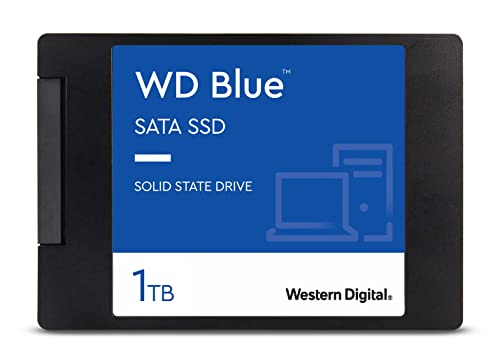
WD Blue 3D NAND Internal SSD 2.5 Inch SATA – 1 TB, Blue – High Performance
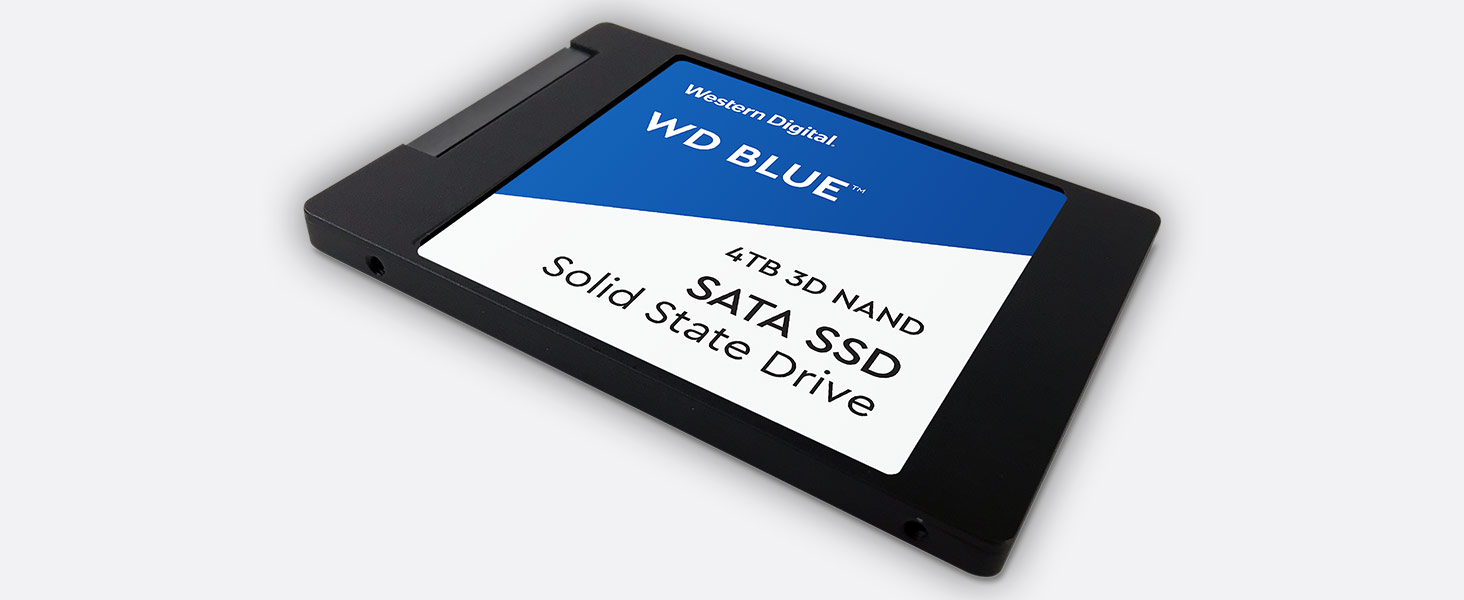 High capacity
3D NAND SATA SSD for capacities up to 4TB
” data-position=”triggerHorizontal” />
Step Up Beyond SATA
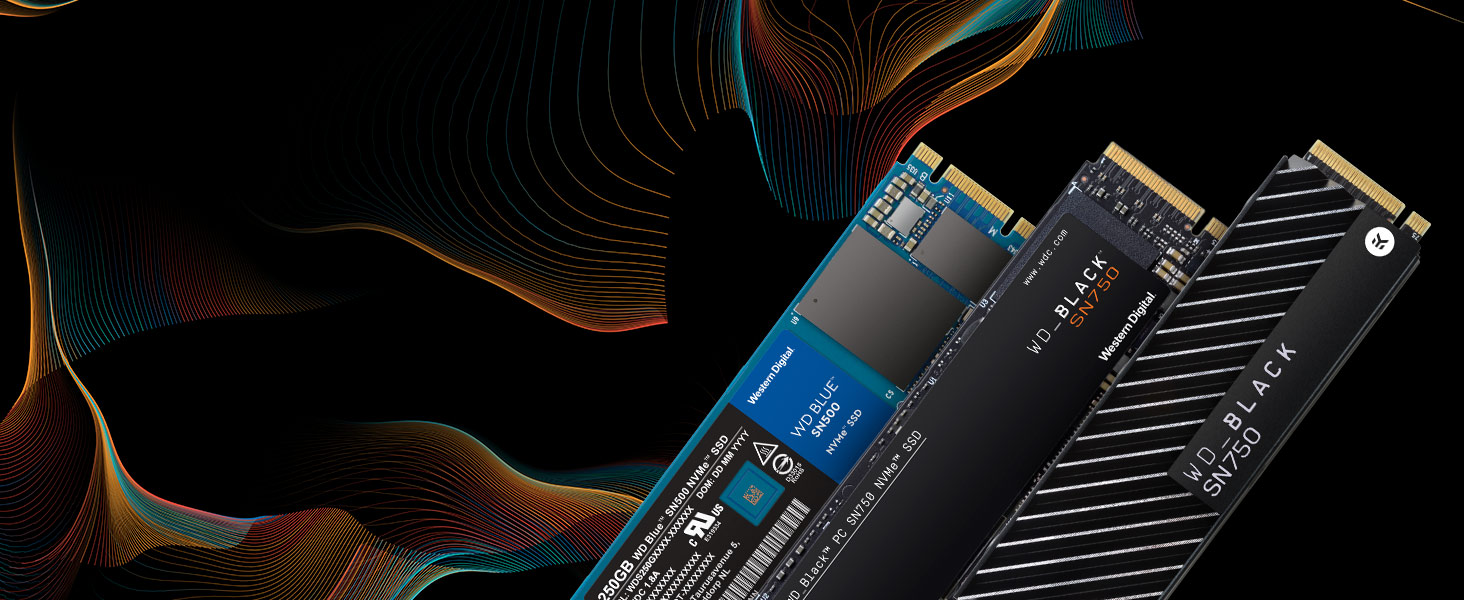
Western Digital is setting the pace by providing a range of performance NVMe SSDs. You get the quality and confidence of the Western Digital brand plus the cutting-edge speed of today’s NVMe.
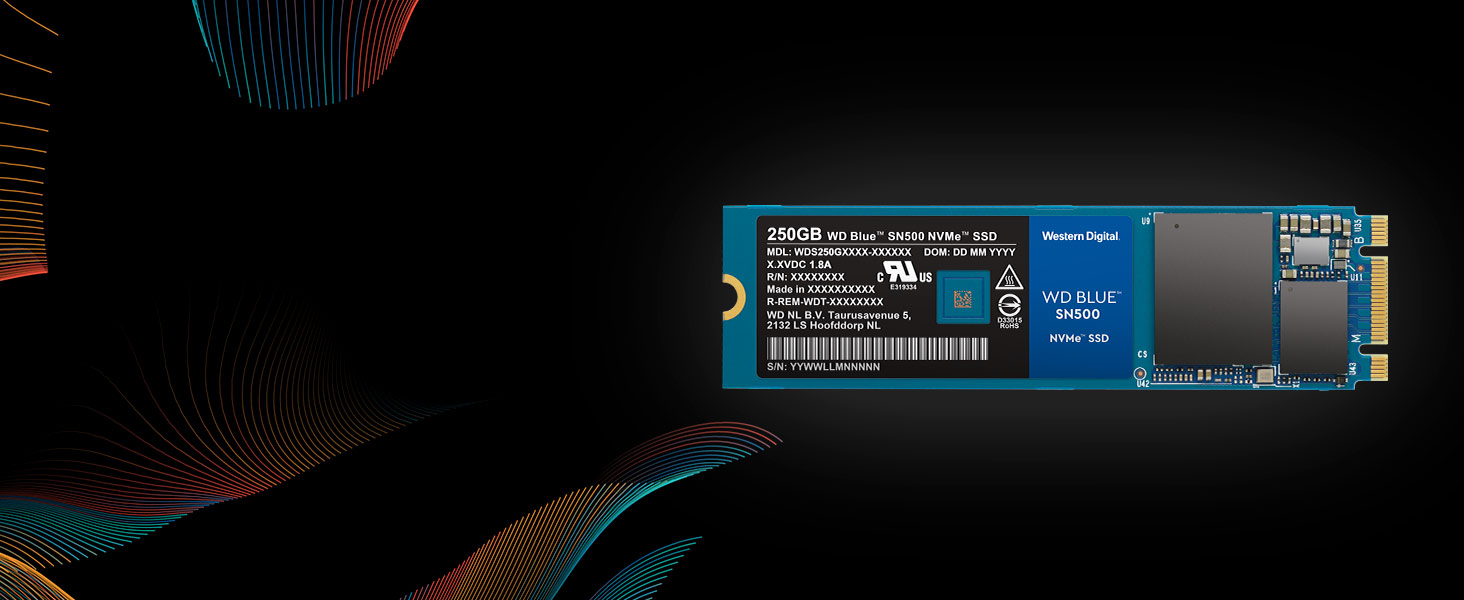
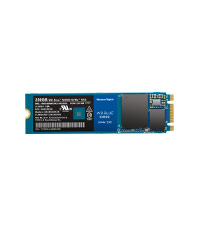
WD Blue SN500 NVMe SSD
Step up performance three times over our high-end SATA SSDs with a superior NVMe solution for high-performance and mainstream PCs. The WD Blue SN500 NVMe SSD will give your system the boost you need.
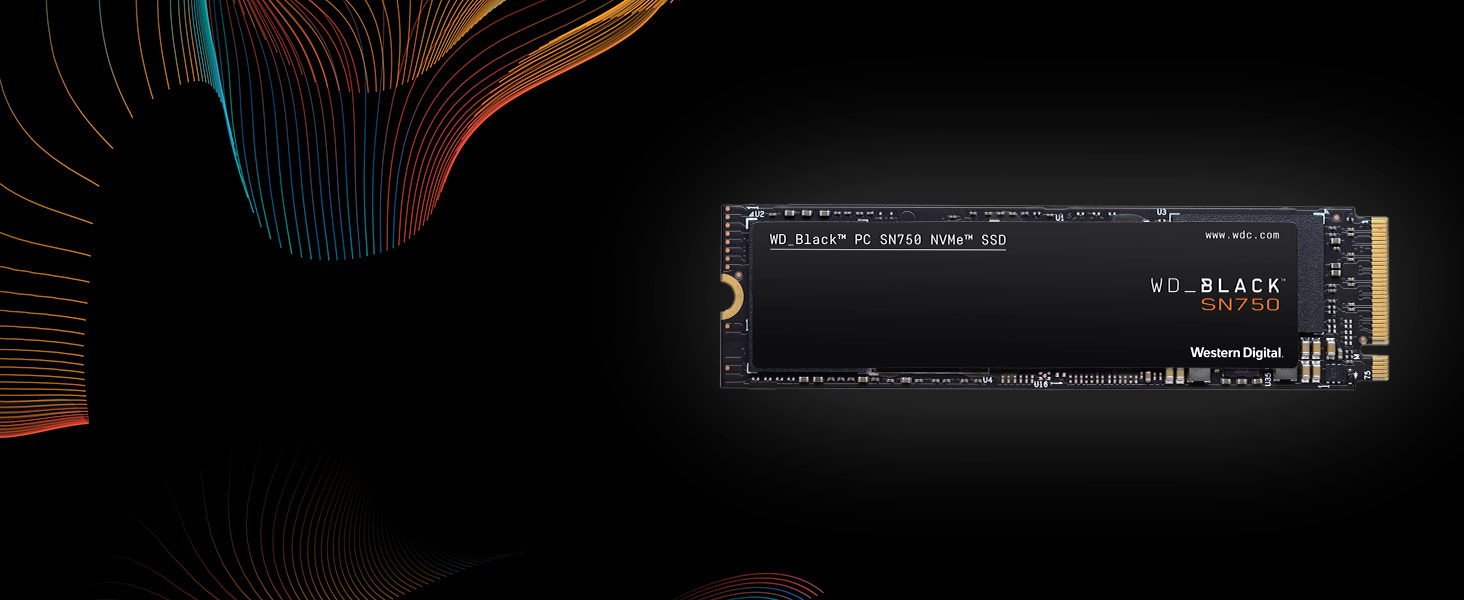
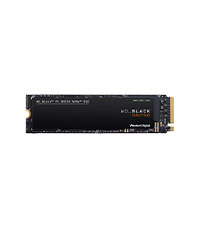
WD_BLACK SN750 NVMe SSD
The WD_BLACK SN750 NVMe SSD delivers top-tier performance for gaming. With speeds up to 3,470MB/s, the WD_BLACK SSD rivals some of the best performing drives to help give gamers a competitive edge.
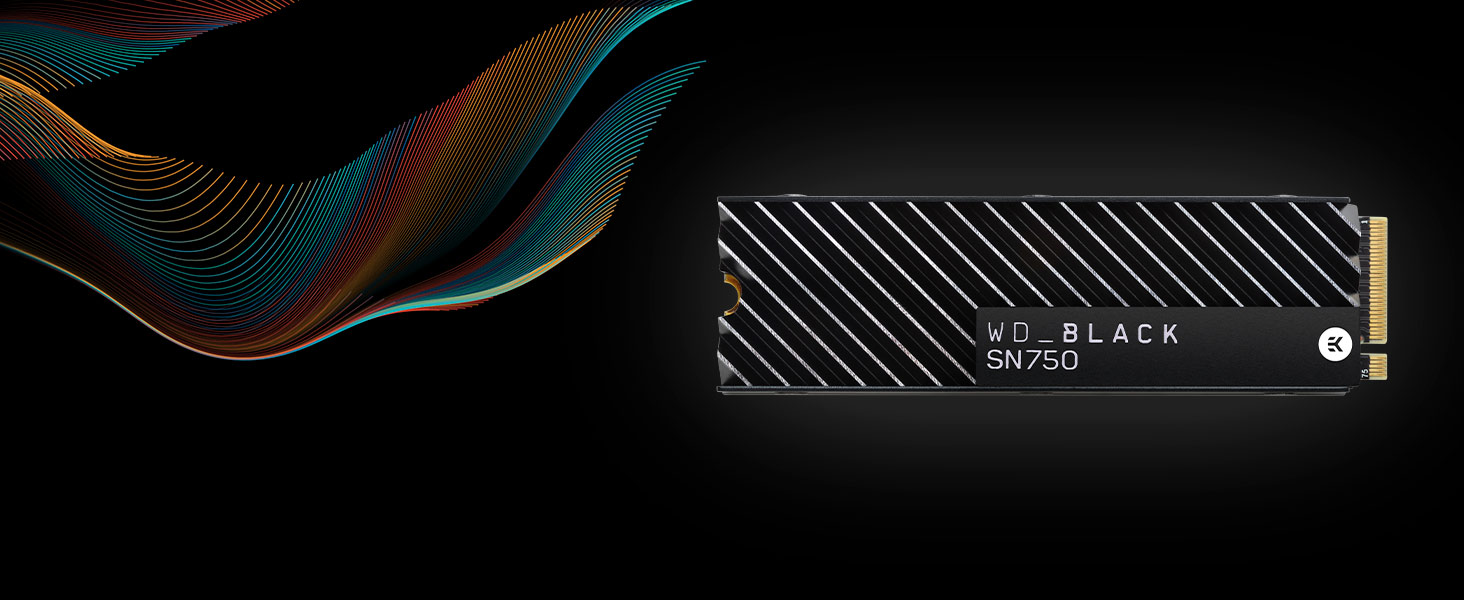
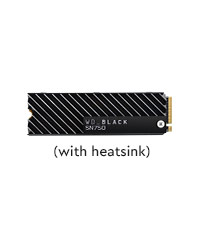
WD_BLACK SN750 NVMe SSD with Heatsink
The WD_BLACK SN750 NVMe SSD with heatsink is designed to help keep your drive running at peak performance for longer periods. Its sleek design helps your drive maintain optimal levels of performance.
WD Blue 3D NAND SATA SSD
WD Blue SN500 NVMe SSD
WD_BLACK SN750 NVMe SSD
WD_BLACK SN750 NVMe SSD
Ideal For PC enthusiasts, creative pros Creative pros, media Gamers, hardware enthusiasts Gamers, hardware enthusiasts Form Factor SATA 2.5”/7mm & M.2 2280 M.2 2280 M.2 2280 M.2 2280 Interface SATA III 6 Gb/s PCIe Gen3 8 Gb/s up to 2 lanes PCIe Gen3 8 Gb/s up to 4 lanes PCIe Gen3 8 Gb/s up to 4 lanes Sequential Read Speed up to 560 MB/s up to 1,700 MB/s up to 3,470 MB/s up to 3,470 MB/s Sequential Write Speed up to 530 MB/s up to 1,450 MB/s up to 3,000 MB/s up to 3,000 MB/s TBW up to 600TBW (4TB) up to 300TBW up to 600TBW up to 600TBW Highest Capacity Available 4TB 500GB 2TB 2TB See our family of portable SSDs
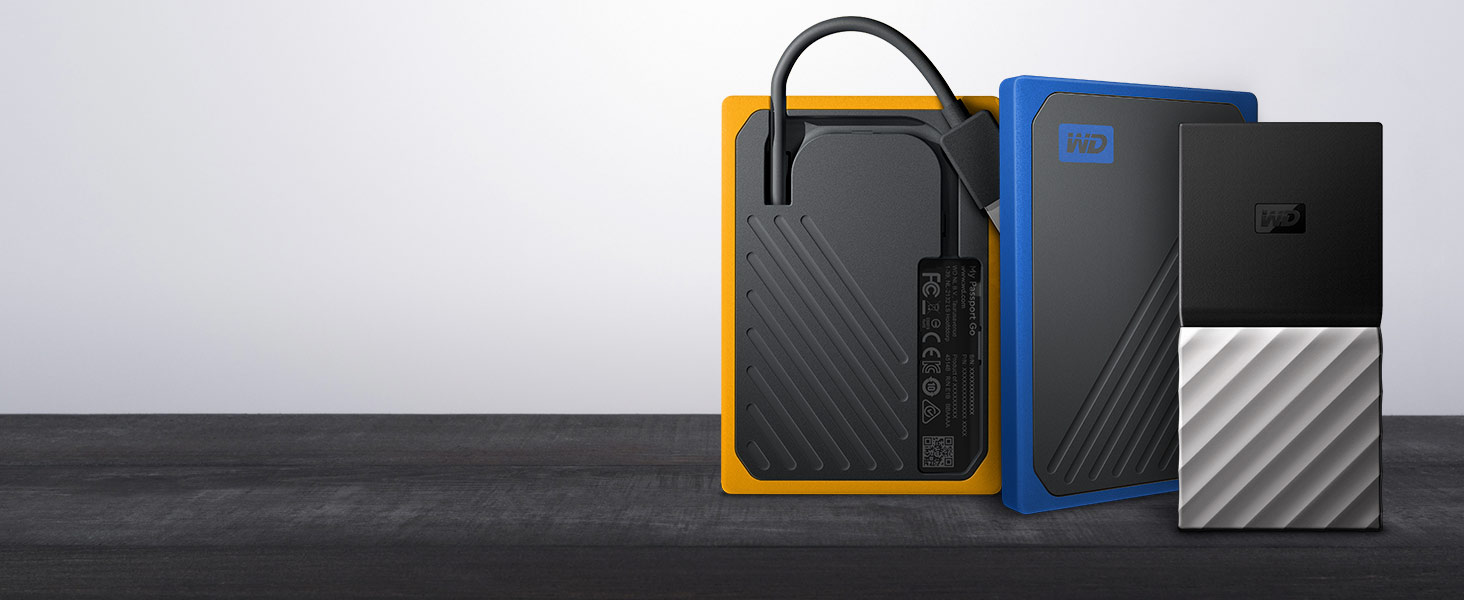
WD has a portable SSD for every need. With an integrated cable, My Passport Go is the drive built to travel. Or transfer files at blazing fast speeds with My Passport SSD.
My Passport Go
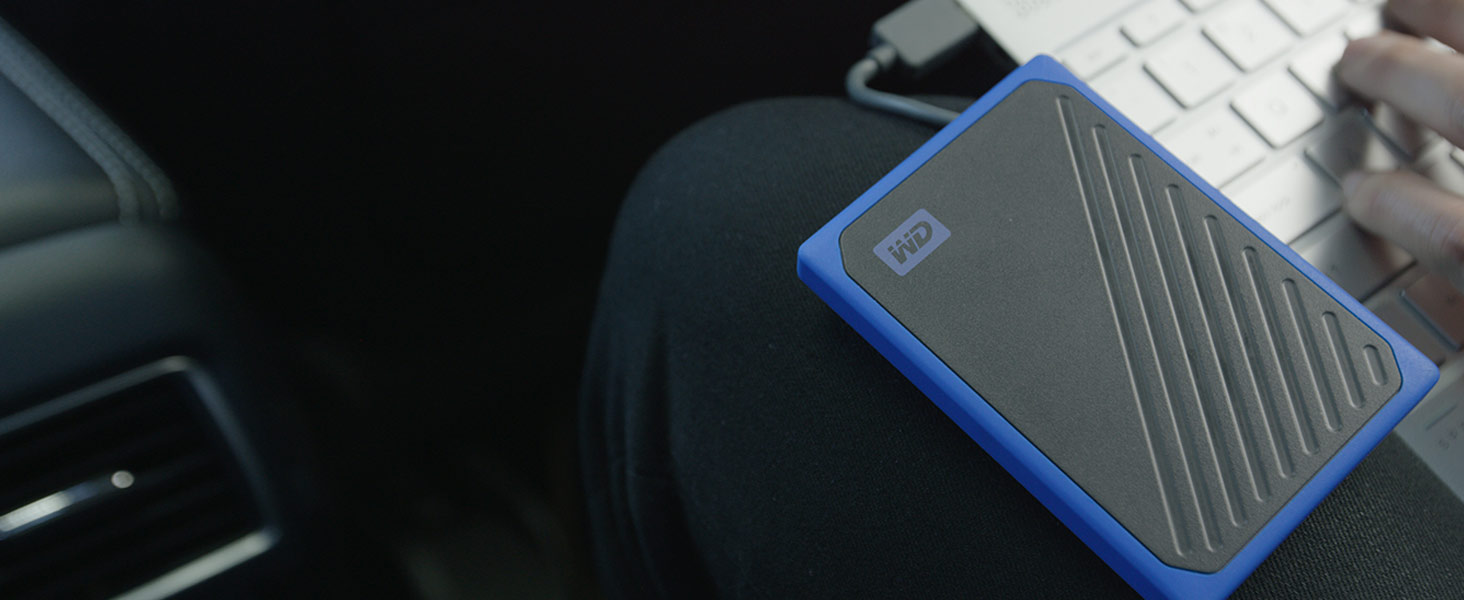
The My Passport Go portable drive fits right into your on-the-go life. Small and light with a built-in cable for convenience, this durable SSD fits in your pocket for wherever you go next.
MY Passport SSD
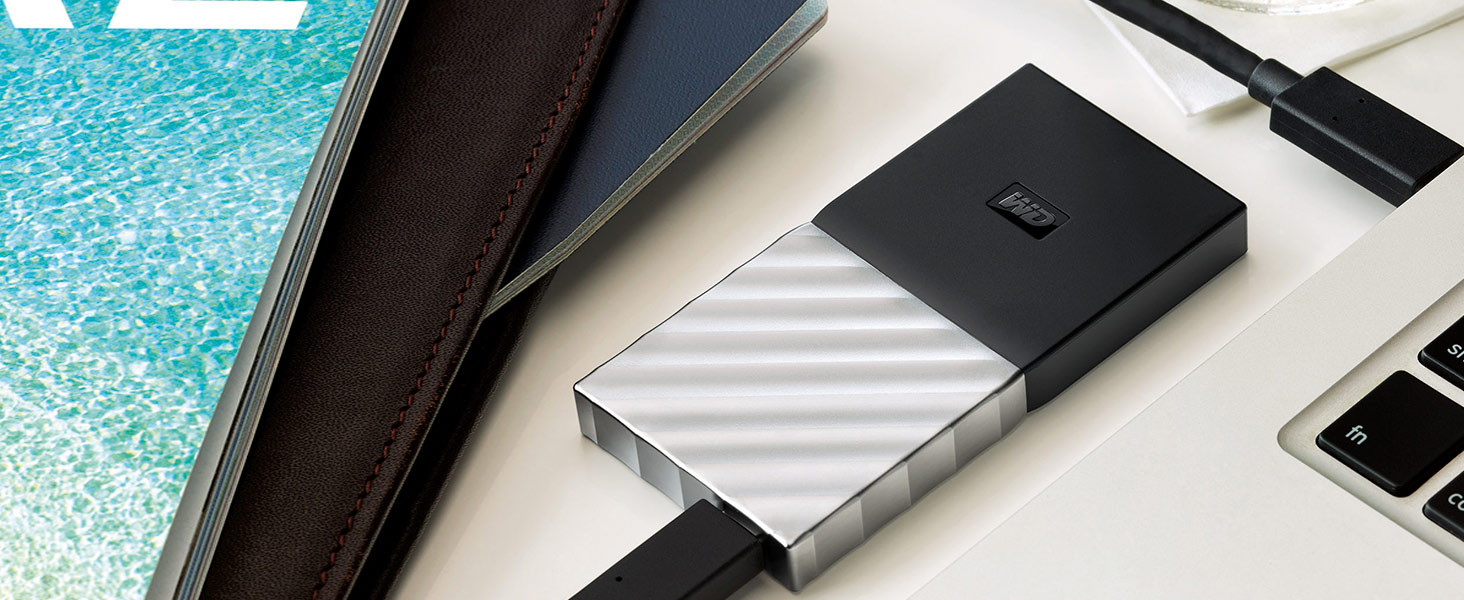
With My Passport SSD, you get the best of both worlds. It’s incredibly small. But it holds up to 2TB. It’s blazingly fast. Up to 540 MB/s. Yet with a sleek, shock-proof design.
| Weight: | 37 g |
| Dimensions: | 10.03 x 6.99 x 0.71 cm; 37 Grams |
| Brand: | Western Digital |
| Model: | WDS100T2B0A |
| Colour: | Blue – High Performance |
| Batteries Included: | No |
| Manufacture: | Western Digital |
| Dimensions: | 10.03 x 6.99 x 0.71 cm; 37 Grams |
Great SSD. Compact and fas
A perfect SSD for everyday use. It’s easy to install, just make sure that your motherboard has an M.2 slot. Great for compact builds where other components of the computer may take up a lot of space in the case like the GPU. I changed my boot drive to the SSD and now my computer boots up within 30 seconds and feels a lot smoother.
Works great!
I now own four of these 500gb drives, running 2x mirrored striped to give a total of 1tb storage with mirror in ZFS. M.2 is just a great format overall, they’re really easy to install, low power and fast enough for most applications. Sure, you don’t get NVME type speeds but for just storing data without the noise and power requirements of hard disks, these are fantastic.
Drives fail. It happens with every brand and drive type, which is why I have them mirrored. The 5 year warranty makes these totally worthwhile. If one does fail I can just get a replacement under warranty!
I purchased two of these bad boys to replace my pair of 1TB SSD’s (boot drive and gaming drive). At the time they cost me 175 each and they have now gone up to 210 each (here on Amazon). I initially used them in my X399 rig but they are now housed in my new X570 gaming rig. The X570 chipset fan keeps them cool at around 30c to 33c at idle. During gaming, they go up to about 46c. These WD M.2 storage drives are really great. They don’t miss a beat and they come with 5 years warranty which is fantastic. If memory serves, no other company offers 5yrs warranty on their M.2. so I am a very happy bunny. Highly recommend.
Super fas
I will never buy a computer again unless it has an SSD drive. What a difference. My Laptop starts up in about 8 to 10 seconds. Starting a program is almost instant. Even Norton starts after about 4 or 5 seconds. In the last 6 weeks, I have fitted the WD Blue 1TB to two laptops and an HP desktop. You need the 1TB in my opinion. The laptops only have an Intel i3 Processor but now responds like an i7, or better. I highly recommend upgrading any old laptop. If your laptop doesn’t have an M.2 slot then go for the WD 2.5 SSD. I fitted 1 of those as well. Made the same massive difference. BYE BYE to HDD
I now have a couple of Wd products and never had any problems with any of them. I’m going from a HDD to this and the difference is night and day. A big improvement. Everything is running so much quicker especially with windows starting. Would recommend it to anyone. I only wish i went for maybe a slightly bigger version. very easy to install.
Thumbs up
Used as my only drive in a mini pc build. Fast windows loading times and fast install too. For the price it’s hard to find a better solution for capacity and space saving.
Bit more difficult to install m.2 in acer a315 -21 than 2.5 inch (no easy acess panel to m.2 slot) … had to take back off laptop … but about 15 screws later … and a bit of manipulation and persuasion … i presented m.2 to the slot and screwed it down … great … now have massively faster boot time … and opens programmes/apps in a flash … also can use 1 tb hdd as “extra storage” whilst booting windows fast from ssd … Obviously no where near as fast as NVMe … but my laptop only supports sata bus .
Results of crystaldiskmark bench not far off read/write speeds WD claims … good value @ just over 50 for 500gb … 3 years warranty once registered serial no. with WD … A great upgrade for any hdd laptop (or desktop) …
Cracking SSD for price
This SSD is good value and works very well at a decent capacity for pricetag. Installed it to replace a failing drive delivering a lot of error messages. Works well. Easy to install. Computer running much better for a complete refresh. Arrived really quickly too.
Speed is key, but capacity is good too. XD
I use this amazing M.2 SSD for all my games, I run my OS off of a normal 120GB SSD, and everything else goes on this beast. It’s fast and wonderful 😀
I consider it worth every penny, and if the 2nd M.2 port worked on my mobo, I’d get a second one of these.
Good but fiddly.
Bit fiddly to install simply for the fact that the drive is tiny and the screw is minute. If you get one of these make sure you have a precision screwdriver. Apart from that it is a great drive. Load times are way shorter. Hope it lasts cos I’m loving it.
Very handy
I bought this for extra storage apart from what I also have. What I love about these is the fact that there are no cables involved just plug it into an m.2 slot initialize it and you are good to go
Just the job
This fitted my 9 year old laptop perfectly. And since installing it’s like a new machine, lightning fast. And for the price I would say well worth it, a bargain. Certainly a lot cheaper than a new laptop.
Easy to install and fas
Easy to install – gone are the days of spending hours screwing and unscrewing cases to replace stuff. I wanted a clean boot so I didn’t clone my drive. Slipped Out the old one, popped in the new one – booted from USB and away we go. Took about 10 mins to install Windows 10 from scratch. Drive runs perfectly – speedy and doesn’t run too hot either. Great value and now have much more space than the standard drive that came with my laptop.
Very good
Great item brought for my son for Christmas speeded his pc up and he is happy. Only issue I had was there was no mounting screw but I did have a spare one luckily
It’s a bit tricky to install if you don’t have a magnetic tip screwdriver, I’d recommend getting two as one is a little small for gaming. Speed is great though, games load up nice a quick, I’m always the first to load into game because of this!
Great value
Ordered to get an older gaming laptop back on track, and it did the trick,to an extent. Really good value, not the fastest out there but certainly decent at what it does.
Great value storage solutio
Great value drive and a good amount of storage. I’m using this for storage in my LG Gram 13″which has 2x sata/pcie slots and came with 256gb installed.
I can feel the base of the laptop warming up when writing a lot of data, but no problems so far
Would recommend pcie for boot drives if your system allows.
10/10
Bought this with a SATA III to USB 3.0 External Converter cable and replaced my conventional hard drive with it surprisingly easily. Used the free AOMEI backupper software from internet. Plug in the converter cable to your new SSD drive and your computer when it is on and running as normal and run the software. Select full backup from the software options and let it carry on. When its finished turn off your computer, remove the normal HDD and replace with the SSD (you may need a new SATA lead if its an older computer). Switched it back on and the computer booted in around 30 seconds flat, everything is lightning fast even straight from boot up. Don’t know how I managed before.
My daughters laptop is a different machine.
Had already installed the bigger version of this in my desktop machine. So pleased with the increasd boot up times so didn’t hesitate to get one installed into my daughters almost dead laptop. This has changed the laptop into a new machine and for very little cost.
This an NGFF M.2 drive that is fast as an NVME M.2 drive but it fits in a SATA drive encl.
Just slots in and the other end is screwed down. Great to purchase with a SATA drive enclosure to use on an old laptop or desktop computer as a boot drive so that when in the future you do build that PC using an X570 motherboard you already have a drive for one of the 2 M.2 slots. Obviously you will then purchase an NVME M.2 drive for the other slot to use as your boot drive.
I bought this to go in a Dell G3 laptop that comes with a SATA based M.2 slot but had only a 1TB hard disk in it. It wasn’t a quick hard disk either and installing games and updates meant I was waiting ages before I could join in on the weekly gaming activity with my friends.
Having verified my laptop had the right type of M.2 SATA slot, I bought this and migrated Windows and all my programs over to this and kept my hard disk for just file storage. The performance difference is just staggering. One game that took about 4 minutes to load, now loads in 15 seconds. Most improvement gains in terms of loading up is a similar factor of improvement.
When checking suitability of M.2 SATA products it is important to note than there are two principle formats; SATA type and NVMe type and they have slightly different pins. The NVMe type are much faster because they connect through the PCIe bus, whereas the SATA type uses the old serial bus which has a maximum throughput. The two different chips are slightly different and it is important to make sure you know which type of slot your computer has.
Moving from mechanical hard disks to SSD type storage is one of the most effective ways of increasing performance. Whilst your processor is still the same speed, all files can be fetched and modified much more quickly.
Look no further!
Had to do the diskpart thing (never sure why and its common for all new ssd I’ve purchased). Just google that and you can set up this amazing ssd. As said before I have bough so many so this is one of the best for value and performance. No need to spend ridiculous amounts when this does the job. I use it for gaming and I love it 🙂
I used this as an upgrade to my Macbook Air 2012 which only had 128GB, which was quite a big size SSD back then, but now as SSD prices get cheaper the WD 1TB Blue M.2 SATA SSD becomes a viable upgrade. Using a M.2 NGFF converter adaptor card and an expensive iFixit pentalobe P5 screwdriver I was able to open the Macbook air, and replace the SSD using a Torx 5 screwdriver as well. The WD Blue 1 TB SSD fits perfectly, note that the chips all lie on one side of the board, which means that the drive will fit inside the adaptor. Note that this is a M.2 SATA as opposed to a M.2 NVME SSD, the former being slower technology, but the only one that is compatible with the Macbook Air 2012 chipset. The process of installing Catalina and Windows 10 using partitions was straightforward. If you are looking to upgrade the Macbook Air 2012 then this SSD drive is perfect for you.
Excellent drive. It works as promised. I won’t add performance test results because there are plenty online. I work mostly with Java/Android/iOS projects and all works as expected. I did not notice any performance difference with my MacBook NVMe drive when doing real work. Happy with the unit. It might not last as a Samsung 8xx but I am not expecting to use the full lifespan of the unit.
I recommend it if you want to save some money. Quite honestly, any ssd from a reputable brand is OK nowdays. I might look for something better if you were doing rendering or you need and Extreme workstation performance.
Good value for the money.
I went with the most seemingly reasonable m.2 card at the time, now I know more about them an nvme card would have been a better choice. It worked with the Asus bios format, I couldn’t figure out how to install Windows 10 until I used the secure erase bios method, from then on it was a simple & quick install. Temps are in the low 30’s regardless of use. It’s now half the price I paid for it so quite a bargain if you don’t mind a few more seconds at boot.
There is slow access times when searching drives & folders in explorer but this could be a windows 10 issue. Had it installed since March 2018 & drive shows as good in crystal-disk-info.
01/12/2021 still in use & no change in performance.
Info:
Room temp: 15.7c
Drive temp: 28c
Power on hours: 13859
Power on count: 186
Drive health: Good
You won't go back to a hard drive
I had a 5 year old hard drive which took minutes to boot up, yawn. It was going to fail sometime. I decided to clone it with a cable and SSD. The price and name looked good. I bought a cable and downloaded software. It was easy to install. Now it’s very fast and boots up in a few seconds. You won’t go back to a hard drive!
2Tb WD Blue SSD.
Bought this too replace a mechanical 2tb HDD, and got a good deal on the price for Black Friday.
Cloned the drive over using Macrium reflect which was a painless, and easy process.
The difference in boot up times now is like night and day so very happy.
Great SSD 250gb good storage for someone who wants things in certain areas to run a little faster. However it’s quite expensive. But that is understandable, as SSD’s are new.
But if you’re looking for decent storage, faster response time in certain apps games and over storage needs. I would reccomend this.
It's an ssd with useful software that sometime works
I really like the drive cloning software.
Used it on a friends severely fragmented hard drive, had to shift a lot of data to get it under 250gb. Alas the clone didn’t work so I had to do a standard install but my friend is so happy with it. Before start up took 25 minutes. Now, less than a minute.
Great Product. Garbage Migration software
Can not speak to the ongoing performance of the new SSD as I only installed today, but a 62 SSD (incl shipping) is a lot better option than a brand new laptop. I did boot up with the new SSD installed & it looked pretty fast, compared to an old, failing HDD & my PC desktop was identical, having cloned the old drive.
So, having checked several technical reviews for this SSD, all positive, I bought it to replace the dying HDD in my 5 year old 17″ laptop (way too many important things on the drive for me to lose). As The old drive was in a bad way, I paid for next day delivery. Just WOW! brilliant service: Purchased at 17:45ish, delivered by 10AM next day. 5 stars for this part!
As I was replacing the drive in an OEM build laptop, I just cloned the existing drive. Although my normal preference would be a fresh install on the new drive; previous nightmare experiences with the difference between OEM & retail copies of Windows, where your OEM activation code gets rejected by retail install, decided me on the path of least resistance. Or more precisely lesser resistance.
A word of advice if you are cloning an old drive, avoid the WD supplied copy of Acronis! It will only install on a system that ALREADY has a WD drive installed (?!). This wasn’t possible for me as none of my systems had a WD drive, so catch 22. I would have had to install the new SSD in a system JUST to be able to install the provided software on a USB drive to, then, uninstall the SSD to perform the cloning & install on the laptop :/
Instead I downloaded a copy of the free EASUS Drive Copy software & this was a doddle. Install this software, create bootable media, boot failing laptop from the media, clone drive (connecting new SSD with external adaptor), install new SSD. Simples! (if you have the experience & confidence to install a drive in your laptop. Plus a way to connect the SSD of course).
From a mild state of panic yesterday, as my laptop started the HDD death spiral, to a feeling approaching bliss, with a fully functional, faster laptop today. NOICE!
Good drive
Bought this to install in an old laptop which was dual booted with Win7 and Lubuntu. After cloning, initially would not boot, but I yanked it and reinstalled it a couple of times and it eventually worked. Didn’t recognise the Windows partition, though, and took ages to boot, probably because grub had shoved it’s head up it’s arse when trying to find said partition at boot time. So, ended up just reinstalling Lubuntu and now it runs snappily enough.
Not quite as good a bit of kit as Crucial’s MX series, but then again it’s about a a fiver cheaper, and I’m possibly comparing apples to oranges here as the MX drives I bought went into newer, more capable machines than the old laptop this went into.
THis drive was purchased to use in a FIDECO enclosure which I have reviewed separately. It will be used with a Google Pixel Book as external storage.
When I had assembled the drive into the enclosure I plugged it into my desktop PC which is running Windows 10 Pro latest version. The drive was recognised, so I set the partition as active and told it to format the drive. This failed as incomplete format. I tried 3 times without success. I thought the drive might have been faulty, so plugged it into the Pixelbook , and it was recognised, and formatted, but in FAT32 which I did not want. Windows would still not recognize the drive !!
I then installed on the PC , AOMEI Partition Manager. This worked. So I deleted the the FAT32 partition and replaced it with a NTFS one. It now works at last. I think it might have worked if it was installed on the motherboard, but I had problems as an external drive.
Moved some 80,000 + JPEG and RAW files onto it. it took 30 minutes to move 380 mb of files , which is not to bad. It did get a bit warm though.
The Crystal Mark scores are Random Read 348.3 and Write 449.6 quite respectable speeds for an external drive.
The scores would have been faster if it was mounted internally . A USB C thumb drive , a Philips 132 gb gave a score of 101.1 and 63.22.
So it was a fairly cost effective way of using one of these M.2 SATA drives as a small form factor external drive.
It works very well with the Pixel Book. And with any other computer with a USB C port.
Easy to use and gave a new lease of life to an old PC
Chose the blue SSH over the green after reading reviews that indicated the green wasn’t always particularly fast. Has made an old PC we have at home usable again. Easy to install and migrate data from the old HD with the cloning software available from WD’s website – this saved a lot of hassle that I’ve faced when using other SSDs that don’t come with cloning/migration software.
Fast and reliable drive.
Fast and reliable drive. This is a brand that I trust from the budget Green to the WD Black for high end, never had a issue with any of the many drives I have purchased
Great boost for an old laptop.
My Toshiba laptop was struggling to cope.
I previously installed the maximum RAM.
I had a few hard disk problems as well, which chkdsk resolved.
Time for a new disk and it had to be SSD.
I chose WD as a well-known and reliable brand.
Installation was a piece of cake.
I used a free copy of Macrium Reflect as the copying software.
I already had a cable to hook up the SSD externally for the copy.
I then chose the “Clone disk” option to create an exact copy of the laptop disk.
Did not need to Partition or Format the SSD.
Once that finished, I switched off the laptop.
Removed the laptop battery, removed the existing laptop hard drive.
Fitted the new SSD into the laptop.
Switched on!
All systems go!
Laptop is now quicker, runs cooler and should be more reliable.
Very pleased!
Have just bought a second one, for my sons laptop.
Fitted to brand new Lenovo laptop perfectly
Replaced a small Samsung version in a brand new Lenovo laptop. This was so much cheaper than buying the same pre-installed. Used free cloning software. Pity copy software is not included, that would be the icing on the cake
Easy installatio
I replaced my Windows 10 main hard drive with this SSD. Easiest installation I’ve done in a long time. Disk management to initialise the drive then Acronis True Image (free download from the WD web site) to clone the drive, Swap the SATA cables and restart. I uninstalled the Acronis as it otherwise sits as a background task and uses CPU resources.
My laptop is now so much faste
I have a 5 year old laptop and like to do video editing so I upgraded it from 4GB to 16GB of RAM and decided to swap out the old HDD to this much faster solid state drive. This WD Blue seemed to be coming up in the top 5 of most of the review sites so I ordered it. I have to say it’s given my laptop a new lease of life. It really is so much quicker than it was before from boot up time to heavy use. I put it in an external enclosure and plugged it into one of my USB3 ports then used Minitool Partition manager to transfer my operating system and all my installed programs to it (That was unbelievably easy. Just pick the source drive and the destination drive and 22 minutes later it was all done) then I opened up my laptop, took out my old drive, popped this one in and booted it up straight away with no issues at all. Can highly recommend.
Fits 2.5 inch slot.
I choose the WD solid state drive because I have used WD drives often in the past and had no trouble. The drive is being used as a dedicated drive for video editing of 4K videos. I thought it might speed up the rendering process of the massive data content of 4K clips; I do not think it has made a significant difference but I am pleased with having the dedicated, clean installation which I am sure will be better in the long run.
By the way, remember that the BIOS knows that it is there after the easy installation; however for Windows to use it, the drive has to be formatted and given a drive letter. Find drive management in Control Panel and carry out this process.
Recently expanded my storage with three of these everything went fine and has worked well so far. Got them at a reasonable price for Western Digital at the time. Gave four stars for value for money, as all higher capacity ssd’s are never cheep. Two drives used for software storage and one partitioned in half as a general storage drive and editing drive. No issues yet.
Decent SSD
Worked well out the box as a replacement for my existing smaller SSD and seemed to be quick with fresh install of Windows and Visual Studio. Haven’t done a definitive speed test yet but initial impression is that this is a decent quality SSD at a good price for a 500gb one.
High Speed and Good Value for Money
I purchased this SSD to put in a Chuwi 14 inch Pro. The WD500GB M.2 2280 appears to be very fast. It was not recognised automatically so I needed to configure. See the following video as good guidance – how to configure a M.2 SSD – Linx 14 Upgrade with Transcend 256GB M.2 SSD – YouTube
I cannot comment upon long term reliability yet but I’m expecting ten years.
Great ssd
My quad processor laptop has been loading and running very slowly despite 8gb of ram. I therefore decided to change my mechanical drive with a ssd. I already own a WD external drive that I bought almost 15 years ago and is still working with no issues. I therefore chose the WD blue ssd which was also cheaper than other products. My laptop with a ssd is as quick as an iPad and I know I made the right choice. I think mechanical drives are too slow for modern processors and the large amounts of ram and I would recommend a ssd upgrade.
I downloaded the Acronis cloning software from the WD support website. In order for the Acronis software to work I had to connect the WD blue ssd to my laptop via a USB adapter since the provided Acronis version only works when it detects a WD component. Unfortunately the Acronis software did not work and after several attempts of uninstalling and reinstalling it, I gave up. Windows 10 also did not add the ssd to the list of the computer drives. However I also downloaded the WD ssd Dashboard which recognised the drive and I was certain the ssd was working. Eventually I realised that within the Dashboard there is a link to Acronis cloning software that was different to the one in the WD support website. Once I used the new link from the Dashboard, Acronis worked although the instructions were not very clear. I used the automatic cloning option and then I just pressed yes and it all worked, but I was not sure it worked until I put the cloned ssd drive in the laptop. The cloning process took around 4-5 hours for 240gb of data.
Overall I am very pleased with the product but the cloning process did take much longer than other reviews suggest.
PS4 Pro has better support for SSDs than PS4
I used the SSD for my PS4 Pro and speed is noticeably faster than the original PS4 Pro drive. Bear in mind, though, that PS4 Pro system does not fully support SSD speeds. Still PS4 Pro has better support for SSXs than PS4. I wouldn’t buy the drive if I had PS4 only. Something to bear in mind.
Great SSD
The SSD that I had been using in my laptop for the past two years was pretty much at capacity ( 250gb ) so I looked for a replacement, after much looking and YouTube reviews I settled on the WD Blue, setup was very easy using the free Macrium Reflect software, I cloned the whole disk in just over 30 minutes and installed in the laptop
The first boot took around the same time as usual, about 25 seconds to full usability but after I used Mini Tool to create another partition and rebooted it is now fully useable in around 12 seconds, everything on the laptop works as it should but I now have over 200gb free space
At the price it is very good value and I recommend it without hesitatio
I picked one of these up to use in a Mini ITX build that has limited space for 2.5″ or 3.5″ drives. I wanted something large capacity that I could use in the M.2 slot to take full advantage of it.
SPEED / GENERAL
Nothing too technical here as the super specific details don’t matter that much to me generally – its very fast, just like any standard SSD. Not NVME speeds however at a certain point you get diminishing returns on speed (is 8 seconds to boot to Windows instead of 10 seconds really worth spending twice the cash?) and I’d much rather have a 1TB thats still pretty fast than a 500GB for the same price. Windows boots quickly, games load quickly, Adobe software loads quickly – nothing more I could want. I have a 2019 MacBook Pro that are well known for having super fast SSDs however in all honesty I’ve hardly noticed any difference when booting Adobe on both the machines.
OVERALL
For the 115 this cost me it is an excellent drive and I’d buy one again any day of the week. 5/5.
Seemed too good to be true...
This drive makes a huge difference over a traditional drive. Fitted to an HP EliteBook 840 which had a similar size mechanical drive already fitted. Start-up is 10X faster and the machine has taken on a new lease of life. So cheap too.
Great speeds
I’ve always used other manufacturers SSD/Nvme’s but I saw this at a decent price and have used WD HDD in the past so I know they are good and thought it was about.
Install was a breeze as always with these new m.2 drives and once I ran the Crystal benchmark I was impressed with the output which was
561 Read and 529 Write which was exactly what WD has said in the description. There are some other stats but these are generally what manufacturers use to flex their muscles.
I couldn’t be happier with this WD M.2 SSD.
Good speed and good value or money!!!
I bought the 250GB WD Blue 3D NAND to install it in a LincPlus P1 laptop and works perfectly! 20 seconds to login to Windows 10. I used Macrium Reflect to copy the original partitions onto the new disk and worked very nice. It took 5 minutes for the cloning process.
Be sure to fully updates your windows and install any programs you want to use, before you clone the partitions.
The read/write speed is very good for SATA.
After a couple of years of very noisy hard disk operation on my home workstation I decided to take the plunge and replace the labouring HDD with a large capacity SSD. Prices have now fallen to the level where buying an SSD with enough capacity to comfortably house a complete O/S like Windows 10 is feasible within a limited budget.
This SSD from Western Digital was well priced and came with a free copy of Acronis True Image, so that I could quickly clone the O/S and programmes from the old boot disk, without needing to change any settings or lose files (although I do urge you to do a complete backup first, onto an external drive, before starting). My HP workstation did give me a few problems with the recognition of the new drive, cured by taking out the old HDD after some annoying issues with the HP BIOS settings. But this was the HP machine’s fault, not the SSD or Acronis True Image. I recommend enlisting the help of a PC savvy friend if you’re not confident about all this.
Anyway, after the swap of drives I now have a silent PC and one that carries out commands, opens apps, edits photos, etc., much faster than before. If you have a slow PC and can swap the hard disk, then this is the most cost-effective performance improvement you can achieve, before spending money on more memory or a faster graphics card.
I did require a drive cage to install this 2.5″ drive in a 5.25″ bay in my PC, which came with all the screws and cables I needed, so think about that as well – Amazon sell them at low prices. The latest ultra-thin laptops make it impossible to swap storage drives so, if you think you’re going to need to upgrade in future, buy one with a swappable drive accessible by the end-user. Older laptop drives are nearly always user-accessible through a small panel on the underside, or under the keyboard (YouTube videos showing how to do this are available for nearly every laptop model as far as I can see).
My next job, when budget allows, is to install a similar SSD from WD to move all my apps on to, so as to speed EVERYTHING up!
I have in the main always gone for WD drives as they have been so reliable in the past. SSD tech isn’t new to me but it was so expensive against a fast HDD. I went for the 1TB option and cloned the ‘C’ drive which I have to say was a bit on the scary side ! Using the WD software it was an easy’ish task and I’m happy to report all is well
For those (Like me) who have multiple drives, and are cloning the ‘C’ Master drive, I would suggest removing the data cables from all but the source and target drives ( C Drive + New drive ) so as not to make any mistakes …. when done, reboot, … making sure only the new drive is available to the system …as you may get an error message saying something like ‘boot error press any key blah blah.’….. Then reboot with the other disk drives adding one at a time for each re-boot … I have four HDD and replaced the data cable on each reboot …might not be the quickest ..but it worked for me ….
Of course if your only using this as a new or additional data drive you won’t need any of this Bull you fit it add it as a new drive …and that’s it …
SSD unit that made my computer fast again with Windows 10
It was perfect for me, I swapped my HHD in my computer for the SSD after cloning my old drive and now my computer is fast again with windows 10. I can use my old HHD as a external drive to store things and leave the SSD drive to keep software. The SSD doesn’t need a defrag, it can be quickly optimised with the defrag tool in Windows
A bit of struggle to see the drive but now it works.
I bought a 250Gb SSD M.2 drive installed in a USB enclosure. When connecting the enclosure to the computer, I was not able to see the hard drive. I had no ideea where the problem is, is it the SSD or the enclosure. I was lucky because my motherboard supports SSD M.2 so I installed the SSD into my computer and still my computer was not able to see the SSD in My computer. So I had to make the folowing steps: went into Disk management in My computer, the SSD was there but I had to format and allocate a letter for the SSD. After doing this, the SSD was in My computer ready to be used and now back in my external enclosure. Both are fine and working. Very satisfied with the WD SSD M.2.
very easy to install just like a normal drive really
i took a small SSD drive out and upgraded to this one i am not into all the tech stuff let’s just say it works very well and is fast boot up time really happy with i
Seems a fair bit slower than my 2.5″ssd but still boots quicker than old drive. Good to have a drive that doesn’t take up too much space.
Tiny screw is very fiddly but that’d apply to all M. 2 drives. Will definitely get a larger capacity next time.
Reasonable value from a well known brand - can probably find cheaper, and prices are coming down.
Great SSD for my needs, I had two 120gb Kingston v300 drives before, which where close to full, and are now in external USB cases, this 500gb gives me all the capacity I need and then some for my main OS Drive plus a large part of a Visual Studio 2019 installation, SQL Server 2017 and a host of other utilities, 60gb of music and a ton of PDF’s/eBooks, still got 310gb left! (Admittedly after a clean install of Windows and a culling of old unused apps and games) but my computer has space to breath now! Highly recommend, even though it is not the fastest drive out there it is still quick, and there may be cheaper brands out there, but I was skeptical of their reliability, can also probably get faster drives for the same money, so worth having a look, prices are also starting to come down dramatically for all SSD’s, so keep an eye out for deals, if you want a no nonsense, good enough, it-just-works SSD you can’t go wrong with this.
5 more years for my PC thanks to this
My boyfriend works in IT so it’s on his recommendations that I got this hard drive and he is the one who installed it on my computer. My PC hasn’t crashed once since and runs more smoothly than before with a faster loadup of the user session and the video games on Steam.
M.2 SATA drive
Opted for the M.2 format as my motherboard has two M.2 slots (ASRock B450M Pro4 – one is rated for NVMe and the other for SATA III speeds).
Perfect for my setup and no cables to worry about!
Good bang for your buck M.2 Sata data drive that has fast read and write speeds.
I recommend this if you are building a PC on a budget or upgrading your storage capacity without breaking the bank. It is also good to pair it with another solid state drive for even more memory.
Unlike other drives, this one won’t cost a lot, and read and write speeds won’t be much different, at a noticeable level at least.
Best all-round m.2 sata SSD
Bought this to replace a ageing 2.5″ Samsung SSD 120Gb so I went for a 1TB size. The drives performance is about the best you can get for a sata drive, perfect across the board with Crystal Disk Mark.
Came well packaged but annoyingly did not come with a m.2 hold down screw and my motherboard didn’t come with any so keep this in mind when ordering.
I managed to snag a 500gb WD blue SSD in a sale and I am shocked at the performance, it’s way above that I expected.
What’s even better is these SSD drives now come with a 5 year warranty, this has been upped. The TBW is very generous and I can’t see anyone using these for “average” consumer use would hit the limit. I edit video’s and work with some pretty large raw file’s and even then the total write endurance of these drives I can’t see myself reaching them.
I did a quick test in Adobe premiere pro and imported a few test files from this drive and it felt as fast as more premium drives like my 850 Evo by Samsung.
Very impressive read and write performance. Good job WD, I will be sure to pick up more of these in the future.
Bought this SSD (500Gb M.2 Blue) to upgrade a new laptop I had bought, a HP Gaming 15 which only came with a 1tb mechanical drive and was sluggish in Windows, but otherwise the specs were great for a low end gaming laptop. (I5 8300h, 16gb Ram, GTX1050Ti 600 US to UK import).
Installation was a breeze, and after booting to the drive and installing the OS the machines responsiveness has increased exponentially.
The machine went from 1m15s boot time to around 8s.
Windows and apps now open instantly where as from the 1tb mechanical drive it could sometimes take 3-5 seconds to open certain windows or apps.
This drive series (Blue) is a great mid range, mid price product designed more towards faster random read/write performance than the WD Green series which is more designed towards power saving and efficiency.
Both have similar large file transfer speeds but the Blue edition have much quicker random read/write speeds which is more beneficial in an OS environment.
If you need balls to the wall performance then the Black series is the one to go for, albeit with an increased price tag.
These current series of blue M.2 drives have also just been replaced with newer quicker line of products carrying the same product names, but again at an increased cost.
For price / performance these Blue series drives hit the sweet spot especially for boot drives where you’ll be storing your operating system.
Nice compact high performance SSD (well it should be it’s a SSD)
After cloning tis SSD my PC is booting up in half the time my data transfer rate (over a gigabyte network) has now doubled Can’t think of any negatives.
Ask me in a couple of years and I’ll be able to answer about longevity etc but short term it’s a big thumbs up
Amazing SSD cannot be faulted
The SSD by Western digital so we will know that it would be reliable. I’ve purchased the Blue 500GB replacing Kingston A400 SSD and I can say that this SSD is far more responsive than the other..even though they both have relatively the same read speeds, it’s also to do with the response times that make a system feel snappy.
I would happily recommend this SSD to anyone for its reliability and speeds.
Hi
So I ordered this SSD as my mechanical HDD was getting on for 5 years old and had done quite a bit of work, so thought before it crashes I will upgrade. The idea being to clone my existing C: drive and at the same time speed the PC up.
My mother board is a Z97 from ASUS and has four 6G/s SATA 3 ports. so can handle SSD drives. So before you start this process here is what I recommend.
1. Do a ‘checkdisk’ on your old main drive because if there are any errors it (old C: drive), the drive won’t clone.
2. If you are using the ‘Acronis true image’ program that is available free from WD then you need to buy an SSD disk that is the same capacity as your old disk or the clone wont work as it seemed to want to clone the empty bit of the old drive.
3. If you don’t want to spend the extra 160 odd on an extra TB like me (My old disk was 2TB and the SSD is 1TB) then be prepared to pay for another program that can clone bigger drives to smaller drives like EaseUS Partition Master. (20 odd ish)
4. You don’t need to buy an external USB connector to clone the drive just disconnect your other drives inside your PC and use those SATA ports.
5. Don’t expect the drive to perform as per the MNF claims. WD reckon the is drive reads at 560MB/s and Writes at 530B/s as you can see from the attached picture my read speed wasn’t far off but the write speed is way off their claimed speed. (writing may be a more complex process, who knows..)
6. This drive is slimmer it seems than the slots in my PC so you might need an adapter sled.
Overall I am not disappointed but it was a lot faffier than I expected it to be and it does perform faster than my mechanical drive which is now drive 3 in the picture running at 120MB/s write speed. The product is a a 5 start product, but it got 4 because of the install complexities.
T
Easy to set up and use.
SSD was easy to install into the purchased enclosure. Didn’t fancy trying to install it directly into my laptop, already a relatively small SSD installed. This additional storage needed formatting, but that was easy to do and now have oddles of fast access storage readily available.
Buy one! Absolutely buy one!
So I have now bought three of the 500gb M.2 SSD drives and I the only conclusion I can come to is that they are fantastic!
I used one to replace the boot drive in my lenovo Y700 gaming laptop and then used another as a boot drive for my gaming laptop as well as using a 1TB 2.5″ SSD for the general storage location. Both the laptop and PC are fully booted up in about 30 seconds. For the 3rd one I am using as a external storage space by installing it in a USB C caddy. By doing this I have super fast transfer speeds over thunderbolt.
I would recommend anyone to buy the M.2 for the speed and price. Especially against similar nvme drives.
Exceeded value reliable SSD
WD have a great reputation in the memory department, this SSD is no exception. This was purchased to upgrade an old laptop, this simply slotted right in with no issues. The performance upgrade compared with a traditional mechanical drive is instantly apparent. I would highly recommend anyone with the older mechanical hardrive to upgrade to a new SSD. The case is good quality with the usual universal mountings. The universal connection will fit most computers. To sum up, great SSD for the money, available in many different storage sizes and should fit most computers existing connections a worth while upgrade or addition to any pc/laptop
The WD Blue 256GB M.2.SATA drive performs very well with ~550MB/s sequential read/write speeds. This is much better the the WD Green model for example, and I have not noticed any issues with heat in my Acer Travelmate laptop. Windows boots in seconds off this drive, and it really is easy to install. Recommended
Good value and reliable SSD
I have used WD Hard Drives over many years and unlike other makes (Seagate being the worst, I have had 3 failures in a relatively short period of use, Samsung 1 failure after 2 years) I personally found them to be very reliable, I still have one in use after 15 years !
I then decided to upgrade to SSD’s, I know I should have done it ages ago but when I first considered it prices were ‘silly’ and out of my budget.
Alright, they aren’t as cost effective as HDD still but are now more affordable, especially the WD Blue range.
I first bought a WD 1TB one for my top of the range i7 Sony 17″ laptop, and the speed difference, especially ‘boot up’ is really noticeable.
When my wife used my laptop one day, she then wanted to see if her less powerful i5 Sony 15″ laptop would benefit so I thought I would give the 500GB model a try, this was the size that was originally installed in the laptop and is more than enough for what she does.
Once again she found not only the boot up time but also the general response was definitely a step up.
I just wish I had upgraded a lot sooner !
I do have another earlier top of the range 17″ Sony lap[top which I used for video editing, and have only just got it up and running with Windows 10.. now this has TWO 320GB HDD’s in it, and if it still works with a reasonable speed and performance, I will upgrade those to WD SDD’s too… probably two 500GB ones !
All in all these WD SSD, have been worth the money, as there is now no need to buy new laptops for myself and my wife !
UPDATE 16 Feb 2019 : Just ordered 2 more and they will be here tomorrow !
Easy to install -- what a difference!
My new(ish) HP laptop has a 1TB hard drive and it also had a 16GB M.2 Optane memory module for recovery purposes. I’m not a big fan of recovery partitions, I do a clean install from standard Windows 10 USB stick every now and then.
I took the back cover off and replaced the recovery module with this M.2 solid state drive. Installed Windows on the SSD and deleted all the Windows partitions on the HDD.
Now I have a super speedy machine booting off an SSD and a TB of storage for all my data.
Wow! Just installed this into my 2013 iMac. It’s like a new computer! Rapid to install new OS X and zippy on startup. No more spinning ball of death! If you have an old 5400 platter HD and can afford to get these…go for it.
Didn’t find much information about the exact speed difference between eMMC and SSD, so thought I’d include the benchmarks for all three types of storage I’m now using on an Acer Swift 1 SF113-31-P20U laptop. The tests were done after booting, without any other foreground software running.
So, quite a profound difference in terms of raw numbers and the SSD benchmark is certainly very good for the money. As for real-world difference as an upgrade… not as much as I expected, probably because it’s quite a low end laptop and the SSD is not necessarily the bottleneck. The computer feels smoother, rather than faster, and seems to make more of a difference in terms of loading large files for games, for instance, than snappy responsiveness.
Great performance and dependable brand.
These are going on sale often to make sure you grab them then as I made the mistake of buying it before a massive price drop
Why ever do people sell laptops with only a 32GB eMMC? Windows 10 refuses to update due to insufficient room. So I installed this. But since it does not come with a screw, and the laptop also did not supply a spare screw to fit an mSATA SSD I had to buy one, or rather a whole packet of screws. I then had to clone the eMMC onto the SSD and make the latter the boot device. That was the hardest job. The free sotware available with the device was of no use in cloning.
Just works fine
Used this to replace an IDE disk (not a system disk) that was beginning to slow down (or so it seemed). Fitted in 10mins and that included cleaning out the dust in the PC. Configured fine. Worked fine ever since. Of course much much faster data access. And inexpensive enough to be a no-brainer…
Great value and works grea
I bought this drive to replace the 128tb that came with my computer. I am really happy with this drive. My old drive was constantly over 90% full and therefore was slow for an SSD and often hung during bootup but now all those issues are gone and having 8tb free will ensure a much longer life for the SSD
Impressive performance boos
Really only bought these as I remove my drives a lot and find it a pain looking for the keys to my caddy.
I’m also worried about removing traditional drives in case they get dropped or accidentally put near magnetic sources.
My computer was grinding to a halt so I bought this drive to back up my WD Black 320HDD with a view to putting in a new computer. Stuck in an IcyBox dual drive caddy in and mirrored the old drive. After a quick format and mirror, this drive it booted and loaded all apps within a few seconds – whereas before it was taking minutes! Loads a 2gb Outlook.pst almost instantly so now I’ve got a fully functioning machine again with little fuss. Can’t believe how it’s altered the overall performance of my machine… best part is I can put off buying another machine for at least a year or two!! Bonus!
Initially, I was skeptical/worried about SSD for lots of read/write operations, but after using them at work for a couple of years now I’m sold on the idea of performance over longevity. From what I understand they distribute write operations in such a way that they try not to write to the same address which helps improve this. Either way, they are small, convenient, light and can take some grief so will probably last longer than my other HDD anyway.
As they were such a good price I bought 2 anyway, so I can have a double back up even if one does eventually fail.
As I do lots of video and editing work, the 2TB M.2 drive seemed perfect for my use.
It was incredibly easy to install as a secondary internal drive, only a slight jiggle to seat it properly and screw in. A quick format of the card later and away you go.
I’m getting reasonable speeds of 500MB per second which is just about what I need for Multicamera editing without any delay in playback.
I’ve not yet tried a test of thousands of smaller files but I’m unlikely to be doing this with the drive.
It’s too early to state the durability of this ssd and without extensive testing, its impossible to know
basic M2 SSD, it works as intended
his is a standard M2 type SSD, efficient but not mind blistering speeds.
I got this as a 2nd SSD for my PC (already having an M2 NVME installed) the speed from this are nowhere near as fast as my main SSD, but I knew this when buying.
but for cost/speed/storage comparison it is a good buy.
Value for money
Great piece of kit, updated my Acer F5 Gaming laptop. Came with the standard 256 SSD.
After some trawling the net i found that i could only go upto 500gb.
I’m Really impressed, although speed still the same, the ease of fitting and speed of delivery were great.
Highly recommend for the price
Great SSD
Not sure what all the issues are about? had this drive 4 years almost 5 years straight with my pc being on everyday..my pc is put into sleep 5 times a month if it’s lucky! I edit videos and play games so quite heavy usepeople need to realise a HDD is slower but will always be more reliable hell my HDD is still working after 7 years of usebuying a SSD will make your pc faster but also won’t last as long.
Could have come with a screw for the m.2 drive. And there was no software included. Shame because Samsung makes it very easy to use their software. Western Digital do seem to have software online, but it didn’t work for me at all.
There’s not much I can say about this drive really, it’s the cheapest 1TB M.2 drive I found, M.2 drives are easy to install and it’s very quick in real-world conditions.
Just make sure your motherboard can accept M.2 SATA drives! There are currently two types of M.2 drives available, SATA and PCI-Express. Some motherboards may only accept one kind and will not recognise the other.
My Asus Z370-F motherboard for example has two M.2 drive sockets on it. However, whereas it can accept PCI-E M.2 drives in either socket, only one of the sockets is compatible with SATA M.2 drives. Moral of the story? Check your motherboard specification first before ordering.
The bit I’ve pasted in below is what Asus recommend you check before buying an M.2 drive.
M.2 SSD Buyers Checklist:
Whether your motherboard/notebook supports M.2 SATA or M.2 PCI-Express (hint: check the specs page!)
The type of keying (B/M/B+M) supported by the motherboard/notebook socketIf it is PCI Express, whether it supports 2x or 4x PCI-Express.
The maximum length of SSD drive supported (2232 to 22110) (hint: it should say on the PCB)
I have installed this SSD in my HP ENVY 15″ as the System drive, upgrading from the original 128GB facility. I did test a 1TB Crucial SSD before but it failed after about a month. I have been using a WD Blue SSD as a system drive in my desktop with no issues and decided to go WD for the laptop. What a good choice. Replicated the original with Acronis True Image and it was straight up and running in seconds. I now use the laptop more than the desk system as it is quicker and easier. It has been heavily used for 2 months and there have been no issues at all, which is what you should expect, but it is good to know. My laptop is now operating with 2TB SSD & 2TB hard drive using an Intel i7 processor and it is brilliant. Thanks Western Digital!
Great drive, great price.
I have put a fair number of these into older laptops and SFF desktops to replace the old spinning rust drives, though beware that the Samsung 860 is sometimes cheaper and is my #1 preferred replacement drive, it has a higher TBW rating and a longer warranty, with this drive my #2.
There is not much in it though TBH, so keep your eyes open and check the prices and if this drive is a keen price it is a no-brainer and you will not be disappointed, it offers great performance for this type of drive, 100TBW and a 3Y warranty.
Great price for a great product.
When I saw this item was on sale for 94, I knew I had to snag it. Western Digital produce some great products and for the price I paid, I certainly haven’t been let down. Personally, I use this Solid State Drive as external storage. I am aware that it can be used internally, which is great too. It provides phenomenal speeds and was easy to format with my Mac. Overall, a great purchase and would definitely consider buying more of higher storage capacity in the near future.
Great value
Great value for 1Tb of SSD. Windows 10 boots off this in about 5 seconds. No complaints.
I’ve now ordered 3 of these. 2 for my PC build last year and 1 to replace an old HDD in my laptop. Laptop seems like a brand new machine.
Totally transformed my old(ish) MSI laptop which was definitely getting a bit sluggish. Startup is now a matter of just a few seconds and even loading fairly massive apps such as Adobe Lightroom or Photoshop is no effort at all. If you are lucky enough to have an M.2 slot available and you are still using a normal HDD then just buy one of these. You won’t believe the results.
so fat so good, it is reliable and fas
had one from crucial previously and unfortunately the one I had was less quality-built: motherboard could not find the drive or the drive was disconnected while in the middle of running it. Then bought this one, as WD has been my long time choice of mechanic drives. so fat so good, it is reliable and fast.
500gb for this price is fantastic.
Does exactly what I wanted from an SSD. Loading times have been greatly reduced whilst gaming and with the large capacity, I’ve barely filled it. Western Digital are a well known company with years of quality manufacturing, so even though the price is low, its not going to be a subpar piece of hardware. So far no complaints at all.
Installed on an Asrock b350 pro 4 running ryzen, drive was initialized after instal giving me about 233GB free , read and write speeds are good so this was a great purchase, and don’t forget to register the drive with WD to take advantage of the 3 year warranty.
Fixed slow hard drive performance issues
Quiet and speedy – just as expected! Transformed my HP Pavilion Desktop and extends it’s useful life. Check your Windows Experience Index (Control Panel –> Performance Information and Tools) to see if it is your Hard Drive performance that is slowing up your PC first before purchase (or if something else slowing it down)
It has breathed new life into my old laptop!
The WD Blue 250GB NAND SSD 2.5″ was a very straightforward swap with old HDD. Runs really fast and has reduced heat issues and fan usage. Would recommend. Has breathed new life into my old Sony VAIO VGN-FW41E laptop which now comfortably runs Windows 10 with absolutely no issues.
I'd never had an SSD up until building my new ...
I’d never had an SSD up until building my new gaming pc, so I really do notice the difference dramatically. Very fast, the pc boots in a matter of seconds and I’m within the program of choice ready to work within 30 seconds.
My first foray into SSDs and I am well impressed. WD is a preferred make for me, do happy with this.
Used with a fairly new Windows 10 installation on a Ryzen based system, I found Acronis True Image 2018 was incapable of cloning the HD, so I tried the excellent Macrium Reflect – free Standard Edition, which managed the task in 30 minutes, Again I will dump Acronis!
Well worth looking at some of the SSD usage tips on a Google search to optimise the SSD use, and get the free WD SSD Dashboard.
Overall system performance improved significantly
In combination with Neoteck Aluminum USB 3.0 to NGFF M.2 Hard Disk Box SSD External Enclosure Case Converter Adapter for Windows XP Vista Windows7 8 8.1 MAC Linux-Black , this makes a really nice external drive, easy to put together, very fast and very compact.
I formatted it as exFAT so that I could read and write on Mac’s and PC’s – it works perfectly on both.
Very easy to install and rapid speeds, for anyone installing this make sure your bios settings are correct otherwise the drive will not be picked up – check the forums for your motherboard model to see what settings to change as they aren’t normally set as default (took me about 30mins to notice this)
that’s not the fault of the SSD though in anyway
This drive is a fantastic addition to my new build, having used mechanical drives for many years and the length of time it takes to set them up, this was a breeze. The drive is basically a small circuit board with a connection on one end you insert into the M2 socket and a semi circular cut out at the other that the screw goes through. Easy installation into MSI x370 Carbon motherboard (with Ryzen 1600X + 16gb DDR 4 ram). Installed windows 10 with usb 3 flash drive and was ready to go within 5 mins. Once fully set up, Windows now boots to login screen in less than 20 seconds. The drive is fast and responsive, however as this drive is 250gb (Windows 10 comes in at around 25gb), I have installed all my software on to this SSD and set up shortcuts to libraries for each user on to an internal SATA drive to save on space. A simple to navigate dashboard console can be downloaded from manufacturers site, this displays all the details about the drive & updates can be initiated through the software. My only regret is (on a very tight budget ) I couldn’t afford a larger capacity, but would not hesitate to purchase one of these WD drives again.
Went for this over the samsung evo 850. The ...
Went for this over the samsung evo 850. The laptop feels very fast now.. Only be aware that as this is normally installed as a second drive , the bundled Acronis true image does not handle this setup. The software expects this to be a replacement drive rather than a second drive. So you end up with a successful clone which cannot be booted off. Eventually had to reinstall windows which in hindsight was easier than trying other clone software. Neither easeus nor macrium worked