ASUS ZenWiFi AX Whole-Home Tri-Band Mesh WiFi 6 System(XT8
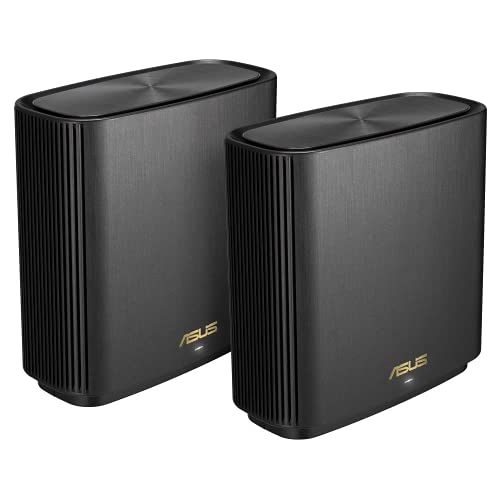
ASUS ZenWiFi AX Whole-Home Tri-Band Mesh WiFi 6 System(XT8), Coverage Up to 510sq m or 5500sq ft or 6+ Rooms, 6.6 Gbps WiFi, 3 SSIDs, Life-Time Free Network Security and PS5 Compatible, 2.5G Po
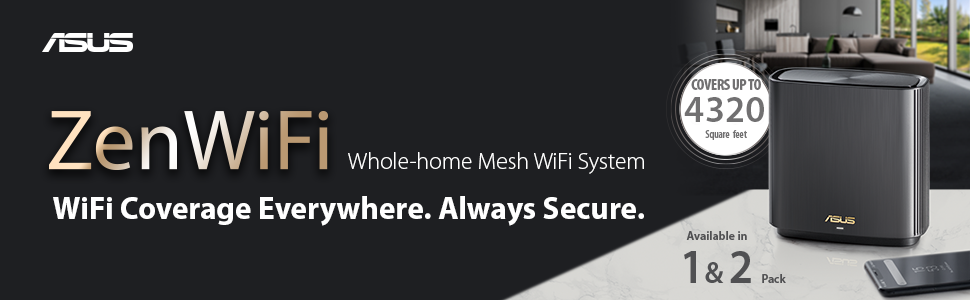


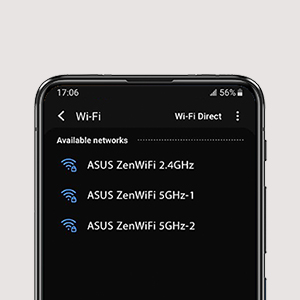

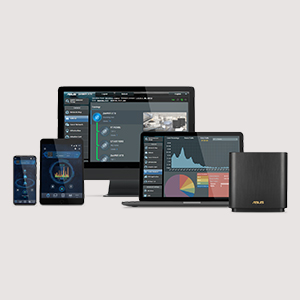
Commercial Grade Security
- No Subscription Fee
- Protection Against Attackds
- Block Access to Malicious Websites
- Infection Detection and Blocking
Smart Looks for Smart Homes
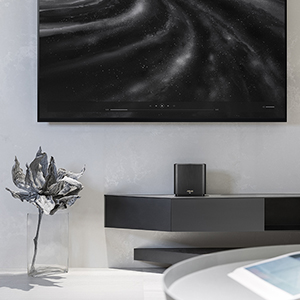
ZenWiFi AX works perfectly with smart-home services — including Alexa skills and IFTTT — and is available in black or white to suit your décor.
AiMesh Technology
Even non-experts can quickly set up AiMesh technology, while more experienced users will appreciate the comprehensive advanced networking features.
| Dimensions: | 16.2 x 16 x 7.5 cm; 716 Grams |
| Model: | 90IG0590-MO3G20 |
| Batteries Included: | 1 Lithium Ion batteries required. |
| Manufacture: | ASUS |
| Dimensions: | 16.2 x 16 x 7.5 cm; 716 Grams |
| Origin: | China |
Excellent coverage for whole house. Being a virgin media customer with hub 3 & 350mb internet speed package, I used have very slow WiFi speed ( If I was lucky I’d have 60 to 80mb speed ) and intermittent coverage. With this product I’ve used VM HUB as modern and this router as my main WiFi router now I get in excess of 350 other side of the house. Well recommended.
Super fast but range is not as expected
This router replaces a 3 pack of Google Nest Wifi pucks in a 3 bedroom house. The speed is blazingly fast and on my wired and wifi 6 devices I am getting nearly close to the max of my gigabit connection when in range. The speeds have also improved in the devices upstairs where I saw a drop previously in some rooms however I am doubtful of the 4400sq claimed range. My house is only 1500 sq foot and the rear security cameras which were previously covered by the Google Nest Wifi cut off intermittently and they are located about 5m away in line of sight of the router behind a single wall. All in all, the upgrade has improved my performance heavily for most devices apart from those on the outskirts which is basically the camera’s.
You won't be disappointed and future proof well worth the money
These are amazing. Was very sceptical because of the price but you definitely get your monies worth. Excellent range my plusnet hub would not reach my office and when it did it gave 2mb but now the main node which I have plugged in sat next to my router covers over and above the range I needed and gives me the full 57mb speed. Although the 2nd node is in my office which I can make use of my 4 devices. I now have a reliable range across the house and the entire street! Love the parent controls as I can switch off the access to the Internet when they are not listening. Not explored the full features but this more than surpasses my expectations. Wireless 6. Fantastic kit!!!
On the box it says that it covers 4,000 sq.ft. unlike the product description on Amazon claiming 4,800 sq.ft.
I have coupled this with an existing ASUS WiFi Router I have at home (GT-AX11000) and it seamlessly connected using AiMesh.
The whole setup was straightforward and only took a few minutes with excellent coverage compared to previous mesh routers I tried (Google WiFi and many tp-link models).
Worlds apart from any other WiFi I’ve had
Easy setup, simple to secure. Full coverage throughout the house and gardens BUT 2 units are not enough, 3 is a minimum I’ve gone for 4 units since I live in a sprawling bungalow with a lot of garden.
You must follow the instructions for multi unit setup to ensure they all communicate properly but simple to follow and they do work.
No signal drop off even in the furthest part of my garden.
Ideal for our new norm of home working.
Simple setup with strong reliable signal
I bought two to create a mesh network, they were simple to setup and I now have a strong reliable signal across the whole house – better still I haven’t had either the kids or wife complain to me about slow internet or drop outs!
Solid wifi
Solid wifi 6, love the ax backhaul, great for file transfers. Had a couple of issues with the trend FW, but easy to switch off if it plays up. Overapl impressed.
IT was a bit cumbersome to install and took a few tries especially as I was trying to get work computers, mobile devices, kids school from home environment, and satellite TV with a number of wireless devices to share the main decoder, but once I connected the main decoder wired everything fell into place.
I have had the devices up and running for 3 weeks, I have 2 WFH setups using teams and zoom regularly and 2 teens using google classroom for schooling as well as SKY TV and 4 Sky Q mini boxes and 4 phones plus tables all running on the meshed network and all connected to Virgin media 350Mbit connection. I have had no issues so far so all looks very good. The most difficult thing was connecting the Sky router and the printer wirelessly
I got fed up of my family blaming me for poor wifi, and fed up of me being on 24 hour call out to fix wifi issues that are impossible to fix anyway, and just a few mins later everything goes back to normal in any case, and then I get blamed for messing around with it! So to improve my wellbeing I thought I’d buy a mesh wifi system. We live in a converted barn, big but not huge at around 3,500 sq feet across two floors. It’s long, if you imagine a barn, and the broadband enters at one end of the barn, so wifi is variable at best at the other end. I’ve tried all manner of repeaters but they’re temperamental and patchy.
I installed this yesterday as so far it’s excellent. It has three units and is ever so slightly fiddly to set up I found. The app is amazing and my tip is to use that to optimise the location of the units in the first few hours and days. Wifi is now super fast everywhere and so far, zero dropouts, but I will keep you posted. I’ve connected to my broadband provider’s router and it’s fine. I’ve left the wifi on from the broadband provider’s router too so we have two networks until I’m brave enough to switch off the old one to save energy and minimise interference.
One tiny issue I have is on look/ feel/ quality: I expected the units to be weighty like a SONOS speaker or small bag of sugar but they’re a bit lightweight so they don’t look or feel that premium. And the plugs are bulky and ugly. To save a few pence the manufacturer has integrated the transformer into the plug, not the unit, and then on top of that you also have to select a UK plug fitting adapter which you slide on the the already-ugly plugs making them feel quite wobbly and fragile. A bit cheeky with a product costing over 300.
Update June 2021: I’m about three months in now, and it started being temperamental about six weeks ago to the point I almost returned it or smashed it up out of frustration. I did some reading and the advice was to switch on a setting which reboots it once a day. I’ve set this for 3am, and since then it’s been pretty infallible. The kids are amazed by the wifi they can get in the garden as well as in every nook and cranny of the house.
Nonetheless I’ve marked it down a point as it still drops out occasionally and the issues I had can’t be excused on a 300 piece of kit from a major manufacturer.
Solved problem of not getting a signal in various rooms due to 9 inch thick solid walls.
Solved problem of not getting a signal in various rooms due to 9 inch thick solid walls. Had tried various powerline wifi units with varying degrees of limited success. Highly recommend this product. Easy to set up straight from box
I read up a lot on mesh routers before purchasing this product. I wanted to ensure this would work with my providers (ISP) modem/ router (Talktalk). There was little information I could find on the Internet about using the Asus mesh set up with Talktalk. I took the plunged and although I had some set up issues initially it now works very well.
The wi fi signal between the two units seems very strong which in turn gives excellent coverage throughout my property. I have previously used wifi extenders, but this works much more reliably with improved stability.
It’s not cheap but a reliable home WiFi is so important these days, I couldn’t recommend this enough.
The App is also very intuitive. Now able to to turn off the WiFi on any device as required. So can turn off the children’s WiFi on a timer or whenever appropriate. Great all round.
I live in a *very* old house (like, 17th-century old) – it’s actually two terraced houses that were turned into one at some point it its past, which means that there’s a very thick external wall separating two sides of the house. Add to that the space between the upstairs floor and the downstairs ceiling are filled with a kind of limestone wadding, and it meant that the WiFi signal from my Virgin router would barely from the bedroom to the upstairs hallway, and *never* reached downstairs. I added a more substantial router, but even that struggled to provide decent signal downstairs.
After installing this, I now have full WiFi strength all over the house. I installed the main router in the same spot as my old router in the bedroom, and then the second unit in the kitchen directly beneath, and between them they easily provide full WiFi coverage throughout this entire old house.
Great for delivering quality WiFi in older buildings. Powerful feature set.
I am an experienced IT pro, so I expected to do a fair bit of customization on this unit. More on that later.
The basics:
Initial setup is pretty easy. The app finds the devices and the node attaches to the master pretty easily as part of the setup. As we are all advised, I updated the firmware during initial install, to get off on the right foot. This went well, except the node had a bit of a meltdown and needed to be manually powered off and restarted, after which everything went well.
One problem I did run into related to power. These things are really hard to find right now. I bought mine from the Amazon UK store, but they were shipped from the EU with EU-style 2-prong plugs. So, I went back to Amazon and bought a pair of EU->UK adapters. Problem solved.
Next came placement. You want to strike the balance between the devices being widely enough separated to cover the whole space, but close enough that they maintain good communication with each other. I am in a 250 year-old set of cottages with 18-inch thick solid stone walls, so this is not a trivial challenge.
Initially, I tried to live with just the Wifi backhaul between the nodes. This was OK but the layout of the property really compromised the signal. (If you click on AIMesh in the control interface – app or web admin page – It will classify the connection OK/Good/Great, so it’s pretty easy).
So, next I tried a hard-wired backhaul using NetGear PowerLine adapters to pipe Gigabit over the house electrical wiring. This improved the backhaul connection considerably. However, the connection is not always really stable and this caused a number of remote mesh node dropouts, with consequent internet disconnection for any clients attached to that node. It also sometimes caused the remote node to lose its mind a bit and need rebooting.
So, eventually, I caved, bought a really long Cat6 ethernet cable and wired them together. The ASUS picked up the connection instantly and connectivity between master/node is excellent. Since I have had this arrangement in place, everything has been super stable and performance excellent. As a bonus, I have been able to mess around with placement, since Cat 6 cables can be really long, and I have been able to find unobtrusive locations for master and node but still get excellent signal coverage.
Now, configuration:
To set the context, here are the things I needed to set up:
1. Custom LAN subnet and DHCP configuration, including many static leases
2. Virtual server port forwarding to Kubernetes and OpenVPN server
3. QoS to keep my son’s gaming habit from overwhelming everybody
4. DoS protection
5. Custom SSL certificate and CA for device management
6. Multiple guest networks
7. Dynamic DNS
I quickly found that I didn’t like the app for managing all of the above. Others with simpler configurations may like it just fine. Or perhaps it’s just that I am too used to the more traditional management UIs using an embedded web server. Anyway, I abandoned the fancy app and HTTP’d directly to the master node (immediately reconfiguring it to HTTPS only) from where I found myself in the excellent, familiar, but subtly expanded web admin interface. Everything an experienced ASUS user would expect to find is exactly where it should be. (I don’t understand why some vendors think it’s a good idea to continually rearrange an established UI.). You will also find new areas to manage things like the mesh. (The Traffic Analyzer is particularly nice – good job ASUS.)
So, in summary, an excellent, capable, powerful mesh router, but you probably want to find a way to leverage the hardwired ethernet backhaul to get all of its potential.
Stabile, schnelle Verbindunge
Bis ich das ASUS-System hatte gab es immer wieder Probleme mit Verbindungsabbrchen. Probiert habe ich mehrere Systeme — auch das noch teurere System eines Mitbewerbers. Es ist jetzt mglich gleichzeitig auf zwei Fernsehern und einem PC fernzuschauen, Internetradio zu hren, Mobiltelefone laufen auch ber das WLAN und Downloads sind gleichzeitig mglich.
Wird der Fernsehempfang gewnscht lsst sich der Router nicht als AP betreiben. Das ist auch nicht schlimm, da dieser dann sein eigenes Netzwerk aufbaut. Ein reibungsloser Betrieb ist mit AVM oder Telekom Routern mglich.
Ein Foto der Einstellungen fr Magenta habe ich angehngt. Das System wird mit optimierten Einstellungen ausgeliefert. Es ist nicht ntig Einstellungen auf der Benutzeroberflche vorzunehmen.
Nach vier Monaten kann ich sagen, dass dieses Wifi-System ohne Probleme luft. Von der Geschwindigkeit bin ich immer wieder erfreut.
Negativ: Nichts. Der hohe Preis strt, aber Probleme nerven mehr.
WiFi6 is a game change
Wifi6 is a game changer. We get 910Mbps to the house, getting around 850 on average over WiFi. We went for the one box rather than the pair as we live in a fairly small new build with walls made of tissue paper and get pretty good signal all through the house considering it’s just the one router.
What I will say is we had to make sure to dedicate one of the Tri band wavelengths to the AX WiFi 6 to get the best speeds.
Best value for money
Excellent router easy setup and config via desktop or mobile app. Have thick walls Victorian house two walls you still get top speed 3 walls plus reduces speed to around 60% of what’s available very pleased ended up with 3 of these. 2 in the house one outside to cover garden would highly recommend.
Solid and Fast but some firmware versions more stable than others.
Ok have had these XT8’s for about 8 months. Apart from a few teething issues – around firmware upgrades. Talking of which I would recommend performing the firmware upgrades by downloading to a pc and uploading via the web interface. I have a 2.5 GB wired backhaul with a total of 4 nodes and a separate none wireless router. I ended up sticking with 3.0.0.4.386_25224 firmware and it has been solid as a rock. I don’t think I have had to reboot them once (well not due to an issue with the XT8s)
Speed wise I have seen 870mbps over Wi-Fi 6 (iPhone 12) and 550mbps over Wi-Fi 5 (iPhone 6) and my full 916mbps over wired connection.
Bought the single unit to replace a glitchy Netgear Nighthawk. The difference between the two devices is night and day.
It took seconds to setup as advertised using the slick iPhone app. The house is now absolutely drenched in super quick wifi and I am I getting the maximum out of my Virgin Media subscription + 10%! Don’t hesitate, this device is superb!
Not had need to delve deeper into the browser based settings yet nor have I setup a second node with a backhaul so cannot comment on either.
Excellent produit pour étendre ou remplacer son réseau wifi de sa box internet.
Utilis pour remplacer le wifi de ma box fibre, sur 2 tages (avec un NAS rseau au 1er et la box au rdc), la liaison est excellente.
En ethernet j’obtiens plus de 950Mb/s soit le debit max de ma fibre.
En wifi c’est aussi excellent partout : 500 a 620 Mb/s en Wifi AC (je n’ai pas d’appareils utilisant le wifi6)
Il faut attendre que les led s’allument en blanc (a peut prendre quelques minutes d’optimisation). Si le dbit n’tait pas bon, il peut nanmoins tre judicieux de forcer la bande 80MHz du wifi 5GHz afin d’avoir tout le dbit.
Je suis vraiment satisfait.
Transformative
Performance and stability is better than anything I have used to date. I have the satellite unit at the far reaches of my usual WiFi range where I can’t get a good signal with just the one unit, but adding the satellite gives me very stable and fast WiFi in this area. I’m not getting the full bandwidth this unit is capable of, but considering I’d normally be lucky to get 8Mbps if devices even connect at all, to be getting 400Mbps and rock solid stability tells me all I need to know.
This is for the 2 set XT8/AX6600 unit.
Insanely fast!
I have had this product for a few months now in a three floor house, where wired connections are not an option. On a wireless connection across floors, I have an unbelievable increased speed compared to my previous mesh router. While I used to get 40mbps across the wifi on speedtest, I now have an insane 600! This is with a wifi dedicated backhaul.
I am running over virgin media. Note: I achieved 200-400 mbps on wifi until I switched the virgin media hub-3 into modem mode and disabled its router function – that brought me up to >600 and with more stability.
Love the various tech options in the router interface and the very good phone app. I can monitor and turn off internet on individual devices if needed.
I have used many wifi routers over the years (Asus, linksys, d-link, portal) and I’m really impressed with this equipment. The only niggle is sometimes my iPhone-7 can get confused when switching between routers while walking through zones. The new Asus firmware update seems to help but need more experience to be sure.
Finally, I found setup to be quite easy and trouble free, just needed to follow the instructions with the original setup.
Fantastic produc
Really easy to set up. Broadband speeds were improved massively. Connectivity has not dropped since being installed. Range was amazing.
Very expensive but well worth it if you are a really heavy broadband user.
Excellent, however some features have privacy issues.
Superb coverage and speeds, setup was easy enough, and the web ui is pretty well laid out and easy to use. The mobile app is ok, a lot of actual control is only available in the web ui. I had a cheap mesh network before (Tenda MW6 with 3 nodes) that whilst a massive improvement over the WiFi coverage and speed provided by Virgin’s routers, could still be overwhelmed if everyone in the household was on Zoom , Teams, signed into various VPNs, with someone streaming video, and someone else gaming etc. This has been rock solid so far, and simple things like being able to choose that the 2.4ghz and 5ghz channels are single or separate SSID’s can make a big difference to productivity. Other basics, like being allowed to choose what the LAN ip address for the primary router is, meant setting up did not require reconfiguring everything on the network (again).
Lots of advanced features that I do not currently need, but may in the future, and a mostly sensible and straightforward layout so I’ve never felt lost in the menus.
A lot of the features, like AiProtection and QoS, require acceptance of Trend Micro T&C’s that are pretty invasive from a privacy perspective.
Assuming you don’t need one of the features that Trend Micro cover, and can thus ignore/decline their T&C requests, I’d highly recommend these even though they are quite pricey.
Pricey but quality product.
Very good extender on Virgin WiFi. Pit router into Modem mode and run the Mesh Wifi through the house. Also works great as hardwired if you’re close to the hub and extender hub….pricey but for total control over devices think it’ll pay dividends managing the kids screen time!
Purchased a 2 pack of the AXT8, after many weeks of research and agonising over the cost. But, I finally lost my patience with intermittent, slow and sometimes non existent virgin media, alleged 200mbps broadband. As most people now realise, its not the virgin infrastructure but their god awful hubs (superhub3, oh no its not).
I wasn’t sure if I needed one or two, as we only have a small semi detached, but we have an outdoor space with large tv at the bottom of the garden and even with extenders etc. has made coverage there checkered, with either no signal or about 2-3mbps..
First job is to go onto Virgin Hub admin site and change router to modem mode. Then plugged in two Asus units, downloaded app and just followed the instructions. Firmware update (bit challenging) later and boom!
Main unit is downstairs at the front of the house and other is upstairs at the back. Now get 210mbps near the main unit, 90-165 upstairs and even 48mbps at the bottom of the garden, approx. 20m from the house. Stable, reliable broadband at last. Virgin must be loosing hundreds of customers with their awful hardware, I think they should have a chat with Asus!
Second node has severe issues wirelessly connected
Can’t get the node to work wirelessly without a ton of continual dropouts. Removed the node and it worked fine. Might try wiring in the second node to see if that helps.
Update : Wired in the second node and now seems to be working very well. No dropouts , great speed. My advice would be to not bother with this unless u can wire it i
Superb kit, excellent value for money
Superlatives fail me. This kit is 200 cheaper than Netgear’s Orbi WiFi 6, but in my large house offers better coverage and faster connections, observed via a fantastic iOS app that has the added bonus of free parental controls and security protection. Setup took no more than four minutes and the firmware in both units updated to the latest version without a hitch in the next five. Rarely have I used kit that it so well designed that it’s use seems completely effortless. Highly recommended.
Update: Several weeks on, this wonderful kit continues to delight – no issues whatsoever. A firmware update was automagically delivered with minimal intervention, parental controls functioning well.
ABSOLUTELY FANTASTIC
Bought these to replace Netgear orbi wasn’t expecting much for 300 less but in my house they have been fantastic! I have a 1000mbs connection and regularly get 700mbs on the 2nd node! What an incredible piece of kit for the price!
makes virgin superhub 3 usable
hese look great and are fantastic pricey but worth it i never got a signal in my kitchen and bedroom but now 500meg all over the house no dropouts low ping on my ps5 will tide me over until wifi 6a is ou
The business
I replaced my old velop AC system because it kept disconnecting, This one is much faster, is rock solid and exudes quality. The App is also much more informative than the Linksys equivalent.
Absolutely brilliant!
I bought this to try and fix the WiFi around an Edwardian house with thick walls following a ‘best buy’ review by one of the PC magazines. Up to this point I’d been using powerline adaptors, and trying to get coverage around the house. This WiFi mesh is absolutely brilliant: easy to set up, and I’m getting full broadband speed >200mbps all over the house. In some rooms that’s 4x what we were getting before. I can’t recommend this enough. Worth the money and the wait (was out of stock for a while).
Worth the money for a three storey house
This is a fantastic bit of kit and worth the extra money.
We have a three storey victorian house with lots of thick walls, chimney breasts and recesses (which are also the only places we can put the nodes in). My previous setup of a combination of wired (cable and powerline) and wireless access points worked to a degree but didn’t give me full coverage with multiple blackspots and very low connection speeds beyond the living room or basement.
I have a temporary setup in place until I can cable in a wired backbaul and send another cable back down from where the first node is to a switch in the basement where the virgin router is. For now I have virgin 350meg going in to our basement in the middle of the house and the supplied router in router mode with wireless disabled. This is where my PC and xbox currently wire in to the virgin router along with some other smart devices and hubs. A cable runs from a gigabit switch up to the middle floor where the first node is situated in AP mode.
From there, a second node is connected via wireless backbaul on the top floor landing.
I’ve separated the 2.4ghz and 5ghz channels but not had to tweak much else.
Initial setup including firmware upgrade was about 15 minutes and everything just worked. I kept my previous SSID names and every device auto connected.
I can now get 100meg plus all over the house and even 40meg at the top of the garden. Close to the first node it’s about 250meg on 5ghz. Not the full connection speed but perfect for my needs (no WiFi 6 devices yet but this is future proof).
Moving between nodes is seamless but can some sometimes take a couple of seconds.
I couldn’t justify paying double the cost go the “other” well regarded wifi 6 mesh network and I’m glad I didn’t.
Amazing products
I relied on the Virgin router, had 1gig speed but wifi reception was unreliable even from 4-5 meters away in the kids room, I resisted paying for a separate router but the kids had enough and i invested in buying this after researching a lot – i must say it is incredible , took me 10 minutes to connect , made the virgin router a modem and now we have 500-600 mg on the phones from the room and 200 from the computers in the room where we had unreliable 10mb before. incredible product Asus Mesh AX with wifi 6. amazing
Stable but at a sub-par connection speed
Update: I changed the LAN cable connecting to the modem to a CAT 8 one. The connection to my devices is now boosted to over 600Mbps. Not bad! Changed to a 5 star.
Easy to setup. Like its other WiFi products, it is highly customisable to suit your needs.
Just a bit strange that the WiFi connection never give me a connection over 1G. Average at only 4-500Mbps. Almost half of what I was getting from my other WiFi 6 router I was using.
Easy to use and ultra reliable
We have a house over three floors and had continually suffered from WiFi connectivity issues. Range extenders helped slightly but didn’t cure the problem. However, the Asus system has made a huge difference. Very simple to set up – less than 30mins from unboxing to having it all set up and ready to go. The app is very simple to use and manage. Had five people working remotely, three children home schooling with live lessons on with no discernible drop in performance. Units are very unobtrusive and gentle on the eye. Yes, the system is at the more expensive end of the range but the removal of IT Helpdesk role at home is worth it!
Extremely Fast - some instability
After much research, I decided to spend a bit more to get the latest WiFi 6 mesh technology.
The XT8 set seemed to be a good option for me, as it included 2 mesh points, latest standards, and subscription free parental controls.
My setup is a virgin media SuperHub 3 in modem mode, 500mb connection, and the ASUS routers connected to each other via wireless backhaul.
When connected to the mesh point with an iPhone 12 (so I assume using WiFi 6), I am able to see 520mb+ in speed test apps.
My devices all seem to get really good speeds regardless of where in the property I am, and it has around 30 devices in total connected.
I also use some of the port forwarding etc, which all works great.
The downside to this great kit though is that it can be unstable.
I’ve tried various configurations, but every once in a while it just crashes and disconnects every device. This is not ideal when everyone is so reliant at the moment.
A simple hard reboot solves the issue quickly, but my previous Ubiquity kit just worked consistently without issue.
On balance, the kit is really good, so the stability may be tolerable. But I’m hoping a new firmware will be made available to resolve the root cause.
Great Wi-fi mesh system
I researched many different mesh network ‘extenders’. I was looking for an AX wireless system that could handle up to 40 devices and could extend wireless throughout my stone built 4 bedroom house. I was slightly concerned about setup having read the reviews however having set this system up I would say that as long as you set the two routers up in the same room and follow the instructions the setup was simple. I also upgraded the firmware after the setup and it took in total about 15 mins to setup both routers, a new network, and upgrade. Post setup I now have full wireless around the hose (where previously I had one bar in some rooms) and I have one of the routers for the ground floor and the other on the first floor landing.
I would thoroughly recommend this system if you want to strengthen Wi-fi, connect many devices and stabilise usage for wfh/ learn from home.
Must have
My entire house has a strong signal and i still get my isp speed i paid for which is a virgin media 100mbps connection
Connected to the second router i get no less that 80mps and up to 100 wirelessly
Also has greate management for device as well as prental control setting
Massive improvement of stock isp routers
Asus Zen Wi-fi xt8 - simply brillia
ASUS zen Wi-fi XT8. Bought from Amazon to upgrade from Netgear gaming router and have not been disappointed. Simple, straightforward and reliable setup which has gone on to be totally stable with superb coverage about the home and gardens. It’s not the cheapest but is the best I’ve ever used, and can be extended with additional units if you live in a castle!
Simple and Effective
Looks elegant. The setup process is simple. Effective – excellent speed, stability and range. Configuration can be done via mobile app or web interface. Nice product with a nice UI.
Great product - no more deadspots
Easy to set up initially, however once i upgraded the firmware and restarted the router I had to unplug all the nodes and begin abd bring the nodes and router physically together again to resync them. The main problem I had was the older laptop couldn’t see the new network. After uch googling, I realised this product defaults to WIFI-6, and older devices cannot pick it up. Even though websites say that wifi-6 is backwardly compatable it didnt pick up my old devices.
Eventually I found in the app I could disable “ax” (WIFI-6) and it reverted to “ac” (WIFI-5). The app is very detailed in what you can do. Would highly recommend. At least it is future-proof, as my older devcices get upgraded in the next few years will switch it back to wifi-6 . No more deadspots. I have a large 5 bed L shaped house. router is at one end, one node I placed upstairs at the bend and final router at the far end of the L. So the app shows the far end connects to the middle node back to the router. I get full download/ipload speed at all points. Amazing especially after trying extenders, powerline adaptrrs, more powerful rotuters etc over the years.
Made a huge difference to the WiFi signal upstairs. Had been struggling to get 50Mbps in one room. Jumped to 330Mbps straight away! Easy to setup, like the admin UI which shows you what your devices are doing from a network perspective, easy to setup a guest network.
A great upgrade from broadband provider's route
Using the broadband provider’s router, I’d struggled with poor wifi for quite some time – coverage was bad, and performance wasn’t great either. With a 200Mb broadband connection the best speedtest result I could get on any of the wireless devices was around 100Mb, while wired devices got full speed.
The Asus ZenWifi AX was well recommended in online reviews, and looked like it would suit my use case well. I’d say it took a couple of hours to set up, partly because I have a small home network with a good few devices, and partly because I made a few mistakes in the initial configuration using the iPhone app. I’d recommend using a wired connection and a web browser to get everything set up, if at all possible.
Having had this in place for a couple of months now, the difference is night and day. With the second unit, we get strong coverage all the way to the end of the garden, and throughout the house. It comfortably handles all that we ask of it, and there’s no more complaints from the kids about YouTube videos not streaming properly.
I was planning to follow the reviews here with using the app to pair install but due to wanting a black one for the lounge and a white one for the office they didn’t arrive together… worse than that the white one was lost in the Amazon internal shipping process twice. Third time lucky. Hint tick the box to get the parcel wrapped although can’t see that on the app. The one coming in from Barcelona to the UK kept getting lost. When it did arrive it’s address sticker was on a cellophane wrapper of the box stuck on. It had fell off.
Waited two weeks for the second one. Thus set up the first one in the meantime so didn’t pair out of the box. The trip point on why the 5 ghz backhaul isn’t used is on the Asus page Google asus support FAQ 1012132
If you have set up the hub with smart connect set off, you have to set it back on with Smart Connect Dual-Band Smart Connect (2.4 GHz and 5 GHz) and Band 2.4 GHz and 5 GHz. Save etc. You do the pairing as per the instructions but toggle the Smart Connect to on if you have turned it off in the meantime by separating the bands.
That triggers the backhaul on the 5ghz-2 band if you dont do that the backhaul wont be enabled on the 5ghz-2 band, backhaul may use the 2.4ghz band. That’s what happened to me, said the signal was weak and was using the 2.4ghz band for backhaul. Didn’t make sense to me says it was showing 800+ on the 5ghz band connection speed on the old router on line of site through a thin wall, across the landing and lounge – the two position points. Toggling changed this to “good” on the aimesh network app map shows this (green line). Bit of classic screwy programming telling you the connection was weak when it wasn’t connected correctly.
You can then change enable smart connect to off thereafter if you want to customise the 2.4Ghz channels. Use 20mhz band with for a upnp renderer so switched this back to off. Kept the SSIDs on the 2.4ghz and 5ghz-1 band as the same. Turned off the broadcast SSID of the 5ghz-2 so it’s invisible… but you don’t need to do that. It is the backhaul band since it moans if you try to rename it to the same as 2.4ghz / 5 ghz-1 telling you the backhaul band must have a different name.
Bit more reading you can also use the backhaul band as well on devices other than backhaul (needs to be enable above as 160mhz when configured above to max out). Reckon best not to use it for devices just keep that for backhaul if you arrnt using wired ethernet to connect the mesh, which is why I hid the SSID. Any wifi 6 devices you could use on that I guess as the lower 5ghz band could get crowed but if you haven’t got any, not an issue.
I also enabled WiFi agile on the 2.4 GHz band. Asus says it works better on your modern internet devices quickly switching nodes. Internet of things devices. Thought this might be better on the Humax eye camera, boiler heater switch and Airstream upnp renderers. I had been watching via the app whether they had been connecting to the logical closest node. Seems about right now. I didn’t tune up the switching parameters on RSSI left those as predefined. Just WiFi agile as described, the smart toggle as described else the backhaul wont connect on the 5ghz-2 channel if you are manually pairing the Mesh routers and using wireless backhaul. I tend to pick my own WiFi channels using InSSIDer rather than use the auto feature. Take up squatter rights on 1, 6 or 11 on the lower bandwidth. Ditto on 5ghz-1. Signal isn’t propagated so far so isn’t an issue. Left the backhaul band 5ghz-2 on auto select.
My 5 ghz tablet I take to bed faithfully changes nodes between the upstairs lounge node and the office hub which serves the bedroom side of the house. The upstairs lounge node serves the downstairs kitchen and dining room. Open balcony affair with a wrap around upstairs lounge, antrim dining room / sun room. Upstairs office hub serves the five bedrooms (Office one) on two floors. Utility room gets the signal from the lounge mostly. So the house divides into two discrete areas. The backhaul 5 ghz top band linking through the office wall across the landing across the lounge to the node. No way you could install Ethernet cable into the office from the lounge without it showing. Had been using power line adaptors for this link and others but too problematic having pinned the issue down to ripples in the power. Get the BT Ethernet internet from the Smarthub2 on the lower floor just below via one BT black disc bought from Amazon into the Asus hub in the office. The BT disc ethernet port at the back is cabled into the Asus hub (both sit on top of a tall Ikea office unit). It was that using a powerline adaptors throu the house wiring that was causing grief with my old Asus tri band 3200 and TP link setup to the office. Basically power line adaptors turned out to be unreliable in the house with frequent glitches, mesh and wireless is better.
All is good now. Think this is where people have issues where they can’t get the backhaul working correctly since its not enabled when they add an aimesh to an existing configured hub. The Asus FAQ above “[Wireless] How to configure the Smart Connect on ASUSWRT?” is the key. Wonky programming…. best described as a feature. So you got to configure that correctly if you manually add a mesh unit unit rather than the two pair out of the box purchase and set up. Think this is why the reviews split into good and bad. The bad reviews trip on getting the backhaul to work correctly since they have manually configured and not stumbled over the secret that they need to toggle smart connect on during the pairing of the Mesh, as per the FAQ referenced for exact parameters, the unit is listed in that FAQ. The good reviews are either not using wireless backhaul or purchased two units together and used the automatic pairing.
Useful tools obviously inSSIDer and Fast.com app.
Footnote.
On use for a month had one instance where the backhaul was triggered to orange on the app rather than green. The original issue. Needed the node switched on and off cleared it. Software reboot didn’t. Two months in all very stable and reliable.
Did an over the air firmware update on both nodes in situ, all ok. Did the original one out of the box on both units before pairing. Originally due to the second unit getting lost in the post configured the white unit destined for the office as the hub. Backed that up. Restored that on the black unit and did a factory reset on the white one, then did the pairing.
The node has a spare Ethernet port which you can also use, giving one aditional Ethernet ports on the node unit, you can use a network switch to give additional ports, use network switches on both units in the lounge and office for traditional Ethernet cabling of devices. The USB port which can be used as a music server is only available on the hub. The other USB port on the node isn’t available for use. Obviously the hub one supports upnp across the mesh.
USB port can also be used with a 4g dongle, did test, works like my old Ac3200. Hopefully BT Openreach is reliable enough not to need to use it.
All in all impressive mesh solution.
Footnote 2 (November 2021) now on full fibre to the premises (FTTP)
Reviewed the wireless backhaul speed on the net since it wasn’t shifting the data fast enough. The tip on the net works. You make Wireless Mode “Ax only” on the backhaul band. Enable 802.11ax / Wifi6 mode, 20/40/80/160 Mhz and enable 160 Mhz band (force the bandwidth to 160 Mhz for Max speed, not Auto). Think it’s the Ax only forces it into the top speed but getting the other parameters right helps. Now speed tests show similar whether it’s on the backhaul or not.
Also need to ensure Smart Connect toggle is set to on and activate the management settings. This steers your device between nodes (Asus material on that). The defacto settings work. Originally it appears I had this setting off which left the devices to use their own intelligence, fine with slow broadband. Once on full fibre to the premises you need to ensure that Smart Connect is set on via the WiFi setting screen and the toggle shows the band’s bunched together. This is critical since the devices stopped being steered without this (probably with the higher bit rate the intelligence I was using in the devices by themselves failed to jump to the best node). You can alter the default steering property parameters, seemed complex but doable if required. Left as is and see how it goes. My tablet is now moving around the house to the nearest node, it had stopped. That goes for all other devices in the house.
I’d also take it off automatic band selection. Test bands as to which are the best, keep it manually set. Getting a wired connection out of the node on backhaul fast.com test checks whether the backhaul is good. First footnote and WiFi speed checks on the normal 5ghz band.
Footnote 3. Bought another node now. Disconnected the Smarthub2 on FTTP go in via WAN setting PPPoE, login [email protected] password bt. That is a fixed built in login that’s default if you replace the BT supplied router. So back to where I was with Virgin 200 Mbit/s service in London, own equipment, but in rural Wales with FTTP and an Asus xt8 mesh rather than the rt3200 in London. Speeds 800 and 700 in the office and lounge nodes. Three WiFi points in the property. The house is like two detached houses in size so needs good coverage. Interesting the master “home” supplies the two nodes via the backhaul going up on one and across the property on the other, not daisy chaining. The mesh management screens work well. A development from the original Asus software. For backhaul connection you hit the optimise button and it selects the best connection for the mesh topography, although you need to work on the settings for a bit e.g. ax only, 160 Mhz bandwidth etc for the backhaul. Having found the best mesh backhaul route you can then twig the direction of the devices to help it along a bit. Between floors the backhaul with the fast.com test reveals the full 900 Mhz speed. Across the house, diagonal to the other node, 720 Mhz. The Asus menu via PC gives backhaul rates. As said in the text, good to check the node via link for green connection equals good but the Asus software also grades the links.
Footnote 4 June 2022
All was going well till Asus released “ASUS ZenWiFi XT8 Firmware version 3.0.0.4.386.48706 (2022/05/03)” this is buggy I reverted back to 3.0.0.4.386.46061. Useful forum snbforums look under AsusWRT Official. They have threads running on each software version for the XT8. The 3 series are the official releases you pick up from the software firmware updates from the Asus site – can get back releases from the Asus site. I reverted each node back to the 3.0.0.4.386.46061 early 2022 release. No issues with that there after. Expect the fix for 3.0.0.4.386.48706 July time 2022 or so. Will go back to the current released when fixed.
Doing a manual firmware update isnt that difficult, just fiddly. To May 2022 since I’ve had it all of the delivered firm updates have been fine. Possible the historic negative reviews were using a buggy release of the firmware similar to 3.0.0.4.386.48706. Something to watch out for, negative reviews on a duff quarterly or so firmware update.
Seems a good idea to keep an eye on the snbforums for the Asus XT8 if you get issues after a firmware update. I’m eyeballing that to see what they will say about the next release. It was the WiFi backhaul that was effected by this release in question and long passwords, two issues.
The other recent issue I had was with the top band 5GHz backhaul getting knocked out and the network running slow. The app under the network view picture, if it doesn’t show the green link and “good” means the backhaul is degraded. Fast speedtests will show a drop of speed.
There were two things going on when this happended, big military operations going on at the local live firing range and a new HP laptop top I had put on the network. One of the two. The world of WiFi some bands use “DFS” frequencies. DFS is used by radar, so a shared frequencies. The router will once a day tests whether a DFS frequency is being used if tuned into it and on automatic channel selection move off this. I use manual channel selection which the experts on said forum say is better. Always have. The 5ghz-1 band not backhaul, and 5ghz-2 band was on a high DFS channel. DFS marked channels are country dependent. I moved the 5ghz-1 back to channel 32 which is an non DFS channel in the UK. Had shifted it out of the way of BT Smarthub2 router which don’t use those shared frequencies in the UK. So back to 32. Rural area, wide housing distance have never seen anybody else use the 5Ghz band, in London it was cluttered.
The issue might have been a radio harmonic generated by the HP laptop which clashed with the backhaul messing up the DFS daily check on the 5Ghz-2 band which took down the link or that 3 week military local training operation. All is now fine and stable. Fingers crossed.
The other thing I did was to put the 5ghz-2 backhaul beacon slap in the middle of the top band. So I moved that up from the lower point away from the 5ghz-2 channel. Wiki provides tables of Wifi frequency allocation by country. I set the beacon to channel 112. The whole 5ghz-2 backhaul band in the UK is taken up by the mesh if you select 160mhz band which you should to force Wifi6 on the backhaul and also hide the SSID. That gives speeds that are way above 1Ghz wired Ethernet on the backhaul and will accommodate Openreaches FTTP 920 speed service to the premise. E.g.. it will give you a wired speed connection between the mesh nodes if the distances are not long. Wired PC into the mesh will show no speed loss on a speed test over the mesh. Lesser devices connected via the 5ghz-1 band I’ve only seen a top speed of 720. Obviously these issues won’t concern you if you haven’t paid for the RR broadband service from your provider. A good backbone speed does allow fast internal networking, printers, file transfer etc hence the need to get the 5ghz-2 backhaul band on wifi6 by forcing the 160 bandwidth, not automatic in the settings. Green is good on the network map from the app, not green the backbone is compromised.
Footnote July 2022 Firestick interference
Might not have been the military radar upsetting the backhaul so you lost the “great” connection shown by the green lines on the app e.g. the backhaul was degraded so it stops using the dedicated top band. If using an Amazon 4k stick with the Amazon remote that comes with it, it uses its own WiFi that transmits on the same channel as your router. You can see it on inSSIDer popping up. A Google of Amazon Firestick Inference on Wi-Fi reveals it. See Reddit posts. The fix is to buy a newer Amazon Alex Firestick remote, they use Bluetooth. Can go the hole hog and connect up with an Ethernet / USB converter. The first should do the trick thou. Pulling out the Firestick did stop the issue which started to become regular. Having another beacon clashing with the channels isn’t good that’s sitting close to the router. Something to watch out for if you use an Amazon Firestick. Only specific models use WiFi to connect the remote back to the Firestick, the 4k one, is one of them. That’s the story.
The low cost option to stop the pesky tranmission of the beacon from the Firestick when not using it you hit hibernate the Firestick rather than leaving it live. You press the centre home button to make it up again and up pops the beacon. Pausing / hibernating stops the beacon so in the night or whenever the mesh is auditing it’s backhaul it doesn’t get confused with the Firestick sitting on one of its channels. I believe this was the root of the issue.
Even with the Bluetooth remote the Firestick still puts out a WiFi SSID that is used for mirroring. Much message board stuff on that issue with people trying to get rid of it.
Don’t buy a Ethernet / USB stick with an OTG cable if not designed for the Firestick. Again that didn’t work. The Firestick must have a proprietary way of using Amazon’s own Ethernet / USB Firestick box they sell. Will test later. Waste of money if you try to mix and max yourself a Ethernet / USB adaptor with a cable and Firestick. You will find many posts of people having difficulties with OTG cables on the Firestick.
More testing. You can use the Amazon Firestick Ethernet accessory to sort out the issue. You connect up the accessory, pull the Ethernet cable out. Delete the WiFi connection to your router so it stops connecting that way. Plug Ethernet cable back in. Move the Asus routers channel off where it was. Had mine in 36, set to 52 away from it since the Firestick will still send out the Mirrorlink beacon SSID you can’t turn off. That then separates your mesh clashing with the beacon. All’s been good since then. Stayed “green” all the way on the app diagram. See picture. The SSID for the 5ghz is shown in the image. Firestick beacon on the left with the arrow (pesky broadcast that starts up and stops from time to time). Next the 5ghz-1 band you connect to on a three mesh system I have (middle bar) plus the backhaul channel beacon on the right – hidden SSID name. Image via InSSIDer app which is very useful to check neighbourhood channel layout.
So yes beware the Firestick on the Asus mesh but there are solutions. Connecting via the Amazon Ethernet accessory is the cleanest solution. Others to suspend the Firestick when not in use but obviously might effect things when it us turned on or stop broadcasting the Asus SSID, connect via Mac address and change channels… Just buy the 14 box and do what I said above, disable the Firestick WiFi and change router channels to leave the beacon you can’t turn off, merrily transmitting intermittently but off the manual assigned Asus channels .
Jury still out (August 2022) on whether it was the hot heat wave which made the backhaul disconnect and shift to the 2.4ghz band or DFS radar interference (local military radar and the local port). Now shifted the 5ghz-1 to a channel within 36 – 48 inclusive. Following UK regulations router software does not need to check for DFS transmission in that range, 52 and above it does. Suspect it was tripping up on the DFS test, fixed channel and gave up. You check the WiFi log. It did link the 5ghz-1 band channel and the 5ghz-2 with failure. Suspect tripped on DFS on 5ghz-1 and then closed down 5ghz-2 backhaul. Keep in the range 36-48 and this shouldnt happen.
Lasted a week now but then the hot weather has gone. Running latest firmware. Released in the summer had the same issue so either running hot in the hot weather or using a fixed channel in the 5ghz-1 band which shares with DFS solution put the beacon on 36-48 range. For the backhaul 5ghz-2 band use 160mhz bandwidth, WiFi 6 so you get 1ghz+ Ethernet backhaul speeds although on 160 bandwidth it takes over all of the UK top end band (5ghz-2). Don’t hide the SSID for that. July issue of the firmware tells you not to. It synchs up faster if you don’t hide it.
In summary for manual channel selection and wireless backhaul:
2.4ghz 1, 6, 11 (might need 20 mHz bandwidth if pairing upnp)
5ghz-1 32-48
5ghz-2 112 selecting 160 bandwidth, wifi6 for backhaul.
A great piece of ki
This mesh system is, without doubt, one of the best on the consumer market, however you need to be careful on setup to avoid some issues I found.
1. If you plan on having a Guest Network don’t bother. Although a guest network is supported it isn’t supported over both nodes. Only the main router. Which means if you have a big property your guests wont see the network.
2. Turn off Adapative QoS setting. I found when this was on lots if connections would periodically drop off the network ( I have over 40 connected) As soon as I turned this off . The system was stable.
If you have deep pockets and want the best Wifi 6 for your home, you wont beat this ki
Simply Brillia
I’m an avid review-reader. Asus Zen XT8 came out consistently near top of most lists. I was worried that two units would not be enough for our large house (the modem is in the attic), but two is perfectly sufficient. I strongly recommend the WiFi 6 standard; for the first time in years I have stable connections without needing to use Powerline / Mains extenders. My office is a converted garage about 40 ft. from the ground floor Zen node, through 3 solid walls. Signal strength is a full 4 bars @ 2.4G and 2 bars @ 5G. Broadband speed test around 40 Mb/s (speed to house 70 Mb/s) This is perfectly acceptable for general work-related tasks. Set-up was a doddle; the mobile app is very good indeed. HOWEVER, to take advantage of WiFi 6 in my PC I had to swap out the WiFi card, for which you need a reasonable confidence opening up the box. This was simply achieved in my case with no more than a Phillips screwdriver. (TP-Link Archer TX3000E worked much better than old PCIe adapter; no driver required with Windows10)
Premetto che non sono un tecnico informatico ma un appassionato utilizzatore che utilizza i PC per home video foto ecc. Ho avuto qualche problemino nell’inserimento nella mia rete Gbit ethernet casalinga dove andavo a sostituire delle Aiport Extreme Apple, per l’assistenza contattata via mail (risponde in italiano) stata puntuale ed ha dato indicazioni preziose, per cui ho risolto velocemente. Avevo considerato anche prodotti Netgear Orbit e Lynksys per avere un WiFi aggiornato alla versione 6 e con 3 bande (una 2.4 GHz e due a 5 GHz di cui una riservata al collegamento fra satelliti se non si ha una rete in cavo ethernet in casa), per hanno costi superiori e sulla carta un ingombro maggiore, un consumo elettrico superiore, e le performance dichiarate sono solo leggermente superiori a questo prodotto Asus. Comunque per il momento nel mio caso stanno andando bene. Poi chiaramente ognuno valuti in base alle proprie esigenze.
Not cheap, but recommended for houses with many floors and rooms.
First off, this is not cheap, but if you want a WiFi Mesh solution to cover the whole of your house with a few floors with speed. This router will help.
My old AC WiFi router was on the G/F and I live in a house with 3 floors with lots of bricks, metal beams, appliances, wooden trusts etc. So signals from the old router were not optimal. It was not possible to watch a 4K film on the G/F using a source from the 1/F via WiFi.
Internal transfer speed was at best 12MBs.
Having changed to the Zen XT8, 4K streaming using WiFi were no longer an issue. Internal transfer speed went up to 65MBs.
There are many functions on the APP. I don’t use 90% of them. If you are an advance user, I am sure they will be very interesting to you.
The setup was very simple. Just follow the on-screen instructions on the APP. Nothing complicated. Most WiFi devices just worked, because I used the same SSID and password. Some devices did require a WiFi scan and needed to input the password again.
Once it is up and running, you forget it is there, that’s the beauty of it.
From sealed box to up and running, time taken: 30 minutes.
The best mesh WiFi 6 system
The best mesh WiFi system, I have been really impressed and it works great in a old Victorian house with solid brick walls, covers the whole house that is over three floors and 4 bedrooms and even the large garden. Cannot fault it, easy to set up and control.
Up and running very quickly.
Set up was very easy with the app and within 40 minutes all my devices were up and running (I have 40ish devices) they all appear stable without any drop outs and when I tested my speed around the home and garden I am achieving between 156 and 460mbps so very pleased with the result. The bonus to all this is they also look great rather than your typical router.
I have installed a wired backhaul however I think they are still using the wireless one, I will check this and sort once I get some time to do it. Either way they are working great.
I decided to buy 2x XT8 (WiFi 6 version) to replace 5 Plume pods for my home mesh. Always had great experience with Plume, so the XT8 really had to perform well for me to be happy with the move, and it couldn’t have gone any better.
Was a simple installation and setup process, took max 10 minutes. It’s easier if you have a bit more technical knowledge, but can be done as a complete novice. Once you’ve used the mobile app to get the nodes paired, definitely go to the web app as it’s 1000x better and you’ve got a lot more options and gubbins that you can change to enhance performance.
Started out using the 5ghz band 2 as the backhaul link between satellites, and it worked for the most part, but my walls are made from concrete, so decided to go whole hog and put in an ethernet backhaul, which has improved performance from the satellites considerably.
They’re incredibly reliable, just remember to turn off the WiFi on your modem and not plug any other devices into it if you’re using the XT8 in router mode, otherwise you’ll run into IP assigning issues. The XT8 does not work well with DHCP turned off, and i lost all access to them when i tried to use the modem as DHCP server. Involved a factory reset of the whole system.
Performance is amazing, getting an extra 50mbps down when compared to my previous mesh system. These things really can handle anything you can throw at them. Receiving well over 850mbps down when using ethernet from one of the satellites as well, which is pretty decent. WiFi i get just over 600 mbps down, but i do not have a WiFi 6 network card in the laptop, so can be forgiven there.
If you’re looking for a top performance mesh system, this is definitely the answer!
Excellent produc
I bought this, as I had major troubles with the netgear night hawk, so I put that one aside and decided to buy something better but more expensive. Its easy to setup, done it in 15mins max. It has lots of functions that can be used and does have a app that can do many tweaks. I like the fact that I can create a mesh network and also I can create guest networks that can seperate the WiFi networks, as I have some WiFi products that can only work on the 2g WiFi. A mesh network mixes 5g and 2g WiFi together to create a seamless WiFi, but that also means some problems with connect with 2g WiFi products. So luckily this product can create seperate WiFi for these situations. U can schedule the box to do a weekly reboot which can keep it working in better shape. Overall brilliant product.
Great range and app based software setup as a mesh node additio
Incredibly easy to add this into/onto an existing Asus router supporting mesh and I did it via the mobile phone app. Fascinating to watch it pair up autonomously, great job to the teams who put all if that together. If I ever need wider coverage I’d happily buy another to extend my mesh. Good range/penetration BTW which was my primary requirement, don’t care as much about bandwidth/speed
Questo prodotto al momento il migliore che si possa trovare in commercio ora
Wifi 6 e ora dall’ultimo aggiornamento anche Tri-band con il sistema mesh.
Con dispositivi compatibili wifi 6 d il meglio di se, ovviamente lo consiglio sopratutto a chi ha una connessione FTTH, solo in questo modo lo si pu sfruttare al meglio.
Purtroppo ho una casa con muri molto spessi e il segnalo passava poco con sistemi precedenti. Ora posso effettuare videochiamate spostandomi da una stanza all’altra senza nessun problema e alla massima qualit.
Simple to configure
I have had the mesh system now for about a month and haven’t had any problems with restarts etc
The system itself was very easy to configure, took about 10 minutes in total including locating the units.
Increased speeds by over 10x
I was nervous about spending the money on a router upgrade, considering I only upgraded to my last router, Linksys WRT3200ACM not too long ago. However since working from home, my connection in the “home office” has been anywhere byween 2 and 20mbps (paying for a 360mbps service). After setting up the ASUS XT8, which was simple enough after downloading the app, I am now getting speeds in excess of 200mbps at the furthest point in my house. A device with wifi6 compatibility is getting the full 360mbps with no issues. Even if you don’t have wifi 6, the increased coverage and speed of the XT8 is phenomenal. I highly recommend this, even if you have a modestly sized house, it really does the job.
ASUS ZenWiFi AX (XT8) is very good addition to your home network
I have suffering for the long time as my computer was able to receive only 20 -25 Mbs over electrical socket AC1300 adaptors from incoming to the router 350 Mbs and WIFI was nearly dead at the point. I assume it was down to the fact that foil packs with rockwool was fitter in between celling and next level floor. Router was located on ground floor where desktop we located on first. Direct distance between them was about 4 meters.
I have placed one ASUS ZenWiFi AX (XT8) next to the router and put another next to the desktop. So I became able to get all 350 Mbs now, and all other devices connected by WIFI on 5 — 10 meters started receiving Internet around 150 — 300 Mbs.
I became very impressed very fast Internet connection any ware in my 3 floor house and garden.
Funciona estupendo. He montado 1 router con 3 nodos en una casa grande de una sola planta donde el router de la fibra llega por una de las esquinas de la misma. Ahora tengo internet y una conexin estable en toda la casa. Incluso si estoy en movimiento.
Para conseguir buenos resultados hay que colocar con cuidado los nodos para que su eficiencia sea la mxima. Para eso viene muy bien la app del movil, donde puedes revisar las conexiones de los nodos de forma individual. Lo ideal es usar pasillos y no tener paredes entre los nodos y el router. Pero como buena red “mesh” puedes colocar los nodos para que unos se vean a otros y lleguen despus al router.
Despus de estar media hora probando diferentes configuraciones y usando el “speed test” de google, en el punto ms lejano al router consigo unos 450 Mb/s y 4ms de latencia, de los 580 Mb/s y misma latencia que podemos medir al lado del router.
El cable siempre es mejor solucin, pero no era viable cablear tanta superficie para llegar de un punto a otro.
El resumen es que estoy muy contento con la compra.
Bought this product for Wi-Fi 6 tri-band mesh and it works a dream. Rock solid and insanely fast and doesn’t look like a mechanical spider.
My only criticism (besides the price) is the interface looks like a website from 2005. ASUS, like all the old school router makers, still can’t design a GUI to save their lives (have they not seen a Google Wifi?). But besides those gripes, the tech inside this little white box is best in class.
Bathed in beautiful wifi!
Having connected it to my (awful) virgin superhub I now now longer have the terrible signal and frequent connection drop outs that plagued my streaming before this. The house is now bathed in superfast wifi and yet to have a single issue. The set up was easy and the range covers our 5 bed house
Replaced some Draytek kit (Vigor 2860 and AP901) as I upgraded to full fibre 1000mps. I’ve been very impressed with this kit. Easy to setup. Works at full speed and gives a strong signal throughout the building. Like the lifetime subscription to the Trend Micro security scanning. The level of control over the device is excellent and to be honest, more useful that much of the ‘extras’ on the Draytek kit. For the advanced user there is more than enough control.
Pros:
Really like the dedicated wireless backhaul capability. Mine is wired so I can use the additional 5ghz band to make wifi even faster.
Built in security from Trend
App is good and gives you a good range of functionality.
Web interface gives you even more functionality.
Mesh seamlessly hopes between nodes. I was doubtful of this as I already had a router/AP configuration on my old Draytek kit, but this does seem to work much more seamlessly.
Doesn’t interfere with other mesh kit – e.g. Philips Hue, Sonos etc. (which are on different bands).
Issues:
Sometimes needs a reboot (every couple of weeks or so) – this seems to be a common problem noted in forums and seems like the kit just hangs. I have no doubt it will be fixed in firmware, but for now it is only slightly cumbersome as I have set the kit to reboot overnight once a week. Not had a problem with this since.
All in all I highly recommend this, having been using it for a month or so.
I had my doubts about some of the reviews on here, but I went for the plunge. I wasn’t sure if I need 1 or 2 devices, we have an old house with very thick walls and have a few dead wifi rooms upstairs and in the garden.
Before installing this router I thought I explain my current setup. I have Virgin broadband to fix my black spots, I had connected a long cable from the router to another old SKY router upstairs. This router provided WIFI upstairs. For the back of the house and the garden I used another RJ45 slot on the back of the router to a powerline adapter. In the back of the house I had the powerline adapter this time connected to an old BT router. My son room need faster internet connection to play online, so he also has a wired connection from the router to a network hub in his room. This all worked fine but I did have 3 different WIFI SIDs. It was a pain keeping the other two routers updated.
Setup was easy, I just put my Virgin router into modem mode, then connected my ASUS router to Virgin. I rebooted the ASUS. I installed the app on my iPAD and went straight into setup mode.
With 1 router I now have no blackspot in the house. My WIFI 40% faster in almost every room. The one room that had no WIFI at all was my sons bedroom who plays xBOX. He can play online fine using the new WIFI. He switched from hardwired to WIFI and hasnt noticed any difference.
Overall I very happy with this device, it had made my network quicker and simpler to manage. Note I am only using the 1 router, so cant comment on how it performs with 2.
Hard wired
I have a 3 storey house and a virgin superhub. Am getting great speeds throughout the house. No more deadspots. I hardwired the satellite hub to the main hub after setting them wirelessly when close to each other. Enjoying shutting the net down a 10pm for all devices for the children using parental control. I have had the unit for a couple of months and it is working flawlessly in that time.
Well where do i start? Bought these from Very as got 30 discount and 50 for BNPL (buy now pay later). I was initially very hesitant buying these as much more expensive than the BT Whole Home and TP Link M9 (even though latter is quite expensive).
have Virgin Media 3.0 Hub which is awful to say the least. The wifi signal barely reaches the kitchen from the lounge, let alone the bedrooms. The aerial put inside one of these is approx 1″ which is why they are awful.
After reading up on the comments for all 3, saw that the setup on these are quite simple and not as lengthy as the other 2. Also the wifi radius seemed to be further with higher speeds. So decided to bite the bullet and bought these last week.
Setup was very easy, don’t need to mess about with anything.
1. Keep hub on router mode
2. Connect all the leads so you are all ready when it connects, this includes cables to your devices or switch box as well to hub.
3. Download the app for Asus Zenwifi using the QR code in the manual
3. Switch on both units in same room, one next to the virgin hub of course.
4. App will connect to the unit and will take you through to setup
5. Separate the 2.4 and 5ghz and name them individually so you can connect devices to either
6. Create username and password for the Asus login
7. Once the setup is complete, log into virgin hub and change to modem mode
That’s it. Took me literally 5 minutes to do all this. I didnt even put the 2nd unit upstairs and decided to test the wifi speed. I have 350mb and each room hit well over this in each room of the house. I didn’t even needed the second unit and i live in a 3 bed semi.
Conclusion – Super easy setup, wifi signal is super strong, much stronger than the BT and TP Link (from what i have read) and speeds are above 350mb (was hitting 380mb on average). Bit pricey, but these are well worth it.
Amazing!
Easy to set up, almost plug and play! Amazing coverage, even in the dark spots of the house. I have always struggled, as we live in a older house with solid walls. I have had 3 BT Wholehome routers in the house, but still struggled and they became intermittent. Plus, I am on Virgin 500MB/ps speed, however the BT ones only cover 100MB/ps. With only two boxes, these cover a wider part of the house and reach great speeds…..
Best purchase of the year.
Expensive, but well worth it if you want to cover blackspots and / or increase your speeds in these areas.
Excellent WiFi signal throughout the whole house
Bought to solve WiFi problems, especially upstairs in bedrooms, replacing BT homehub WiFi which was poor.
Had to update WiFi drivers on one old Lenovo laptop (that use an old Intel Wifi card) to be compatible with WiFi-6 standard, but all other devices just worked immediately. The ZenWifi AX gives much improved transfer speeds, but more importantly is far more reliable – connections no longer drop repeatedly. Basically it just works. Also I was impressed with the ZenWifi management APP on a phone – use of Bluetooth for initial configuration is clever and it remains useful even once all is set up and working.
Quality product - Very stable
Ignore the low reviews.
Really good setup. Funnily enough when I tried to hard wire my sky q box it destroyed the network and meant the node I plugged it into dropped the 5ghz connection between the units.
Removing sky q and putting back to WiFi solved the issues.
This is an issue with sky not ASUS.
Now getting 550mbps on WiFi when I pay for 500mb to the router and get the same speed on wired and WiFi. This is the speed connected to the extra base unit which is connected to the other unit via 5ghz channel.
The app is very good and only web page config has everything and more.
Easy setup
Very easy installation. If you have a WiFi 6 enabled device this will provide wireless access to the full bandwidth available. I have 200Mbs Internet, and with this now get 207mbs over wireless.
Location, location, locatio
UPDATE 10 Sept 2020: Running well with no power cycling required. ZenWifi set to autoreboot at 4am every day. Speeds remain good and stable. All IOT devices are connected to 2.4GHz whilst the rest are distributed between the 5GHz-1 and 5GHz-2 (160MHz) channels with a couple wired. No complaints. Coverage is good to all parts of the house. Even “poorer” areas get at least 80-100Mbps of the 1Gig down connection.
ORIGINAL REVIEW:
Having just upgraded from BT FTTC to Virgin DOCSIS 3.1 1Gig (~1000/50Mbps up) package, I decided to get this Asus ZenWifi AX mesh system with the intention of using a wired backhaul. I have a few Wifi6 devices (Note 10/XPS13/Alienware 17), a few Wifi5, and a bunch of webcams on various legacy standards. Before the ZenWifi arrived, I was getting suprisingly good coverage from the Virgin Hub 4 in our 4 bed Victorian semiD house, with the exception of our kitchen which has been extended where the connection speeds were closer to 20Mbps up/down.
With some trial and error, and patience trying various settings over a period of 2 weeks, I settled on using the 2nd router via a wired backhaul. When we renovated, the house was cabled with cat5e with an unmanaged switch which made this much easier and tidier to achieve. So the end setup is as follows: Virgin Hub 4 (modem mode) – ethernet cable – ZenWifi WAN port – ethernet cable – gigabit switch – ethernet cable – 2nd ZenWifi WAN port in AiMesh mode. This provides the best speeds and connection stability. Having said that, even with the 2nd ZenWifi router in wireless backhaul mode, the speeds are already pretty fast, but wired up, I am now getting ~450Mbps down in my kitchen using my AX clients connected through the 2nd ZenWifi router. Next to the 1st ZenWifi router, I’m getting 700-800Mbps with AX clients which is very impressive. More important than speed, however, is stability, and I haven’t had any issues over the last month or so of ownership. Roaming from one node to the next appears to be seemless, although I haven’t tried doing so whilst on a Zoom meeting, for example.
Pros:
– Fairly easy and automated initial set up through the mobile app, although it does take a little longer than you expect despite the relative lack of button pressing
– Raw speed and range – placement of the 2nd mesh node is crucial, especially when using wireless backhaul
– When using wired backhaul, the ability to utilise the160Mhz 5GHz-2 band which supports the highest throughputs (although there are no widely available 4×4 clients at the time of writing). This third band is otherwise used for wireless backhaul.
– A myriad of settings available for the prosumer. For most people, however, the Android/iOS app will sufffice, but if you like to tinker like me…
– Full complement of 4xgigabit ethernet with a multigigabit WAN port and USB3.0 port on both units. You essentially get two routers you could use separately for the price, which is not necessarily the case with other brands’ mesh kits.
– Price (it’s cheaper than other comparable ‘premium’ AX mesh kits)
Cons:
– Optimising the setup for best performance does take some time as the stock firmware already allows for a lot of customisation.
– Personally I found the white finish a little cheaper than expected. It’s very plasticky. I somehow expected a more metallic finish.
– My wired speeds are not as high as when connected directly to the Virgin Hub 4 (750-850Mbps down ZenWifi AX vs 900+Mbps down Virgin Hub 4). I tested using Speedtest.net, Samknows.com, etc. Using Samknows.com RealSpeed, I know that my Virgin Hub 4 connects to the internet at the advertised 1gig down speeds. Upload speeds are not an issue and I consistently get 40-50Mbps which is near enough to the maximum advertised upload speed.
– AC plug is poorly designed. The clip-on/interchangeable UK plug does not click on tightly, and the lead comes out the end of the AC adapter instead of the bottom/side.
FAST and excellent range.
Arrived today & seems very fast. Super easy set up (plug in, turn on, DL the app & follow the steps on the app). Really simple.
Speed (via Ookla) is the same whether laptop plugged directly in to the Virgin router as a modem (219mbps) as it is plugged in at the satellite on the opposite side of the house, connected only by default wifi backhaul.
This is despite being a big long house, with 4 solid walls plus floor/ceiling in between the 2 nodes.
I will add that the 1st unit is on the floor behind the TV stand (hidden) and the 2nd is on the floor upstairs right by the external wall (i.e. i couldnt get them further away if i tried).
The connection is excellent (-47db) and frankly I’m impressed.
Sadly mine turned up with a damaged cable with the copper visible, so will have to go back, but i’ll be replacing it ASAP.
Easy to setup, no complaints!
So far so good, easy to setup and was up and running quickly. No issues so far though it’s early days. Second node is hard wired but via a wireless connection to main hub, connection was still great.
I’ve replaced a bt whole home WiFi setup along with a Netgear X4S router which has cut down the number of units I’ve got in the lounge so whole setup looks alot ‘cleaner’. Only need 2 units and they’re nice looking units so perfect on a shelf or side table.
Set up took 2 minutes!
Easiest router set up ever via the app, literally took 2 minutes to do.
After using it for a couple of days the signal strength throughout the house and garden has improved drastically as well.
Cannot fault.
Working just great!
I bought these (plus a separate unit – to make 3 in total), to replace another mesh system that occasionally dropped out on me. Once I had understood the benefits of wifi 6, the decision was a no-brainer. There’s some great videos on YouTube worth watching!
FYI, I chose to have 3 units based on having a modified 1960’s house – with lots of steel inside it. I have deployed one on the ground floor, one in a spare bedroom and one in the loft. We are getting truly amazing speeds – especially those family members with wifi 6 enabled phones!
There are many really good features on the devices – but one of the best for me is the ability to schedule a ‘reboot’ – which I do every morning at 4am. (If you don’t reboot your router on a regular basis, then you really should!).
Brilliant wifi 6 coverage
The Asus zen WiFi xt8 was very easy to set up. The app is super easy to use and has lots of features. We now have complete wifi coverage in our large four bed family house. The signal stretches way behind our huge garden too. No drop outs at all even when everyone is connected. This is a brilliant mesh solution for smart homes with a large amount of devices connected, such as WiFi light bulbs, ring door bells laptops, TV and games consoles and phones.
Zoom!
I bought these to use with BT 910Mbps FTTP. They work great with speeds up to 600Mbps on wireless ac. I haven’t had a chance to test wifi-6(ax) yet.
I plugged the router straight into the BT wall box which is effectively a modem. This means the BT Smart Hub isn’t required at all.
Setup super easy and the mobile app is awesome.
Straightforward setu and, solid connection, but not convinced by Trend Micro provided features
Expected more of a faff after reading the reviews, but found the setup reasonably straightforward. These were purchased to replace an old home LAN setup that was increasingly unstable, with intermittent dropouts.
Used the quick start guide – downloaded the phone app, plugged in the APs and updated the firmware in 10 to 15 minutes. I use double NAT, with the home LAN the only connection into the ISP modem. And with a few home devices set for 10.x IP range, needed to change the factory DHCP settings. Found it much easier to use the browser based manager, rather than the phone app, to do this. Still took a few goes to figure out (you have to reset the host / gateway IP on one page first, and then the DHCP range on another page second), but other than that it’s quite a nice and clear set of features, controls and monitors.
Am not currently using the Trend micro provided monitoring feature; if you would like to use the features must agree and consent to their data collection policy:
“Please note that your information will be collected by Trend Micro through AiProtection, Traffic analyzer, Apps analyzer, Adaptive QoS and web history. ”
Not all of those features should require Trend Micro to have access to your home LAN activity, so it loses a star for that.
Otherwise, solid and fast enough connection, with good coverage through several Victorian brick walls.
Contrairement aux autres commentaires, l’installation est on ne peut plus simple. Il suffit de brancher les deux routeurs, les sparer de 1 3m, d’activer le bluetooth sur son smartphone, tlcharger l’app Asus, et suivre les instructions. Tout au plus, cela prend 5 minutes et il n’y a rien configurer en particulier (sauf un nom de wifi et un password). Pour les fonctions avancs (VPN, …, rien de trs compliqu non plus.
La porte du signal est vraiment bonne. Avec deux routeurs en mesh, trs bonne couverture sur 250m (un tage) malgr les murs en brique. Idem pour le jardin qui fait +- 300m.
Je recommande le produit, trs content !
Really fast wifi and connectivity
This is lightning quick, however it is very expensive and I would not recommend purchasing this unless you can make use of the fast wifi. It is also very expensive for 1 unit, around 230 or 400 for 2.
Wifi 6 is quite new and most likely will only work on wifi electronics from 2020 so you won’t be able to make use of speeds above 30mb/s unless you upgrade.
The coverage of the wifi is also not as large a range as advertised and struggles at transferring data between floors. The distance also affects speeds, so wifi speeds dropped to around 4mb/s at further distances.
The software that comes with the mesh network is very solid and robust.
It also functions great as a router, and I’ve replaced my router with this uni
I don’t usually write reviews but after having read the mixed ones on here I felt the need to set the record straight. This is a great piece of kit, its very simple to set up, just follow the instructions on the quick start guide. I have a Virgin Gig 1 connection so put the Virgin router in modem mode & rebooted it. I bought a Cat 7 Ethernet cable from Amazon to connect the Virgin modem to the Asus router. I have a laptop with a WiFi 6 adapter & can get speeds to 1.2 gig when in the same room as the main router. I also have a switch connected which is also getting 1 gig speeds. I live in an old house with thick walls which the Virgin router struggled to reach upper floors, with the second node now in the spare bedroom the whole house has very fast WiFi. One reviewer was complaining about the lack of documentation because there are a lot of advanced settings if you’re so inclined – it took me about 2 mins on Google to find that the user guide for the CT8 model applies to the XT8 model too – Asus could have made this clearer but there is a 152 page guide available for those that want. The mobile app works great too and setting up a guest wifi network takes about 3 clicks & you can share the credentials via QR code too. I’m wishing I’d bought the Asus XT8 system much sooner.
I have Virgin Media broadband and had, like a lot of people, unreliable wifi from the Hub 3. This solved that. It was easy to set up, it couldn’t have taken more than 10 minutes. I just disabled the wifi on the Hub 3, so I could hide it away with the LAN connections out of sight. So far, my wifi has been perfect. A lot faster too. I pay for 350Mbps broadband and my PC, connected by wifi. upstairs and as far as you can get from the router is now getting speeds of around 380Mbps. Previously it was around 220Mbps, though as I said, it was unreliable. My wife has been working from home, with endless Zoom meetings, which had been problematic, but that is now solved. I just wish I had bought this ages ago.
Stable with great coverage
Connected to a Virginmedia hub 3 modem. Easy to set-up, literally took me minutes and has provided me with great coverage and very stable. The node is placed the other side of the house – roughly 17 metres away, passing through 3 brick walls and the connection is strong over he whole house and garden. The phone app is informative and intuitive to use. The actual router and node are quite large and boxy compared to some, not particularly stream lined – in size about the same as an average paperback book but maybe two – three times as thick. I’ve not really experienced any issues or problems, so despite the high price tag I think it’s worth it.
Impressed!
I finally succumbed and decided to buy a mesh system and after much cogitation, went for the ZenWiFi AX.
I have to say, I have been incredibly impressed. Setup was all very straightforward and went without a hitch – even if the instructions are, to say the least, “sparse”! But having got the units connected to my BT modem, and the node installed some 40 feet away from the router (both downstairs), I now have an incredible strong signal all around the house (4 bed – 2,500 square feet). Previously whilst sitting in bed surfing, my phone would struggle to connect reliably because the signal there was so weak. 5GHz was essentially unusable and 2.4GHz flaky at best. I now have an “Excellent” signal according to my phone and 600 Mbit sync speed. 4k Netflix streams start *instantly* and since installing on Sunday, I have not had a single dropout or disconnect on any of the dozen or so devices around the house.
WiFi 6 is perhaps overkill for me at the moment, but I figured this would be an upgrade which should last a while and inevitably more and more of the bits of kit I buy will be WiFi 6 enabled. Also the dedicated back-haul on WiFi 6 is probably beneficial, gaining higher speeds for any given signal strength.
So all in all, I am delighted with these units. They look good – not too intrusive – are easy to install and seem to be very high performing and very reliable. I cannot fault them, even if 400 is quite a lot of money to spend on a WiFi upgrade!
Excellent Speeds, Very Stable
I have used a few routers in my time….BT home hub, Sky, and I am now on the Virgin Media 1Gbps with their super hub 4.
That is a very good router but failed to deliver signal – I live in a large Victorian House with extension and loft conversion and including a Garden Room leading to the medium sized garden….
I could not get WiFi in the 2nd reception room….or the loft or the Garden… I used power lines (due to our electrics would only connect downstairs and not to the upstairs sockets)
Boosters always needed restarting and were unstable…. then I found Mesh networks and ASUS ZENWiFI ….it just works !
I have put the VM router into modem mode…. using a primary ASUS node as the router, then connected the other 2 nodes within a couple of metres of the main node. (Once they set up unplug and find a suitable area for them further afield). It is important to actually put VM /BT /Sky router into modem mode then once it has restarted I turned everything off …then connected and turned everything back on and set up was then seamless.
One is placed on the first floor gaming room, and one is placed in the Kitchen…I am now getting maximum throughput to the point of 750Mbps in every downstairs room of the house. About 600Mbps on the first floor.
The Garden and Loft I get about 100Mbps (they are quite a distance from the node) so I then purchased a further 2 nodes (one for the Loft itself and one for the Garden Room) – so now I get 650Mbps in the Garden (right to the bottom of the Garden where we have another seating area) and the same speeds in the loft.
Very happy that we can finally connect everywhere and with all our devices (total of 60 devices within the household)
I also Game and I downloaded a 80GB game in about 15min !! (Connected to the node via 2.5Gb Wan port)
Very happy that these have enabled us to actually utilise the service we paid for from VM.
And obviously we can take them with us if ever we move.
One last thing : i think its always good to reboot once every 3-4 days so I have set up a timed reboot to occur Mon & Fri at 04:00am
The only minus point is lack of documentation for expert options.
Easy to set up
Stable
Look good out on the side or shelf as very stylish
Excellent speeds only bested by Orbi I am told)
Highly recommend 9/10
Good way to move to wifi 6
Have been using Asus routers for a while now in an AIMesh so when I wanted to upgrade to wifi 6 I naturally stuck with Asus. If you into IT then they are simple to setup and less nerdy shall we say than many routers on the market now so they blend into the house a little better. Like the AIMesh setup as tried google wifi for a while and whilst they give good range and simplicity wanted more control over my router so ended up with them sat behind another router which then gives you the Double NAT problem.
Performance wise I am getting faster connection speed on my wifi 6 enabled laptop than I get over my gigabit wired network. I’ve got a dedicated wired backbridge between the routers as already had one setup but if you don’t one of the 5GHz bands is used purely for that and can’t be used to connect other devices to so whilst it in theiory has 1 2.4 Ghz band and 2 5 Ghz bands you can only use 1 of each in AIMesh mode.
Yes they are an expensive investment but if you want to upgrade to wifi 6 whilst still supporting all legacy hardware then these are a great option.
Brilliant top of the range wifi mesh
My 4 bedroom house is now filled with fill signal wifi that is extremely fast and stable, my previous BT wireless router would continuously drop its signal and perform poorly. Nothing like this with this Asus, perfect wifi all the time.
The quality of the units is typically Asus, very nice build quality, even the box feels quality.
The setup was absolutely pain free using the asus app, just needed to plug the two routers in and it was up and running without issue within a few minutes!
Asus XenWiFi AX (XT8)
After reading the professional reviews I decided to purchase the ZenWiFi AX pair. Setup was very easy but I did experience the odd drop off with my iPhone, however this seems to be remedied with later firmware. I have 30 devices connected across both router and node. I reboot both devices daily at 3am and they have been rock solid. I have setup a repetitive ping on 2 pcs (pinging their respective wireless connected node) so far apart from the 3am reboot they haven’t lost their connection. I have a dedicated 1Gbps backhaul to the second node.
Good outdoor coverage in back garden, 40 feet from router with no noticeable impact on speed.
Build quality seems to be ok but I think for the price it should have been a bit better e.g. the laminate on the top of the devices should have been thicker to conceal the plastic underneath.
Smartphone App appears to be better on iOS than Android. Web App is very comprehensive but in need of an update as it’s the same as my old ASUS router I purchased 10 years ago.
Overall I’m very pleased with the purchase
TL;DR
If you have a lot of WiFi devices and need speed, stability and range – just get it, you won’t regret.
I’ve had a lot of routers and mesh networks, pretty much from every brand, and this is by the the most stable, fastest and seamless network.
I’ll cut to the chase now – in order to get most of it you need you tweak settings a bit. It’ll work plug & play, but it really shines once it is fully setup.
1) For initial setup, it needs to be close together, connected via wireless backhaul – easiest to do with the mobile app. Once done, I would recommend wired backhaul between nodes, however 4×4 160MHz 4800Mbps backhaul is fast enough, even at a distance.
2) Setup 2.4GHz, 5GHz-1 and 5GHz-2 networks as 3 separate SSID and don’t use smart connect.
Use 2.4GHz for all IoT smart devices, 5GHz-1 for TVs and non-WiFi 6 gear, and 5GHz-2 for WiFi 6 gear only (set network as AX only)
3) From then on, I recommend using web browser console, you have more settings there and it’s easier to use.
4) For those working from home on VPN and having issues with MS Teams calls and Outlook desktop client – use your broadband provided kit as router with wi-fi off, and switch ZenWifi to AP mode.
5) Turn off smart connect, don’t turn on any QoS or AI protect stuff
6) Tweak roaming mode to your own needs. I’ve included sample settings for 5GHz-2 network which gives full 1.2Gbps, I also get 1.2Gbps on 5GHz-1, this maxes out our 910Mbps fibre optic broadband anyway.
With all above, our 2 x Galaxy S20s and laptops with Killer 1650 M.2 Wifi 6 AX are a lot more responsive – not to mention much faster max speeds – that’s thanks to improved latency on WiFi 6, regardless whether it’s 5GHz-1 or 5GHz-2, but separation gives better overall performance kids with their TVs and tablets are not impacting our work.
Note 1 – currently it is not possible to use 5GHz-2 network in 4×4 mode, so max you can get is 1.2Gbps rather than 4.8Gbps, but this is irrelevant since you would need multi WAN internet connection to go over 1Gbps anyway, and gigabit is plenty fast.
Note 2- NAS functions (whether FTP or Samba) maxes out at ~67MBps (536Mbps) even with Samsung T5 which gives me over 500MBps (4Gbps) when connected directly to PC – that’s not great, but fast enough for a NAS.
Note 3 – I’m currently on firmware 25524, it is stable, no issues, everything gets signal across 3 floors and in both front and back garden – and I have rather large network:
2 x XT8 in AP mode
3 x network switches
4 x 4K smart TVs (2 wired, 2 wireless)
5 PCs (2 wired, 1 on VPN all the time)
5 tablets
4 x TV streaming devices (1 wired)
4 x phones
7 x Ring devices
14 smart plugs
9 smart speakers
13 other smart wifi devices
To finish off I’m going to add that the actual hardware is a lot smaller and lighter than I thought it is, less obstructive, looks very good in any room, it shows quality and it’s very well designed and built.
Highly recommended, especially considering it is actually cheaper than WiFi 6 mesh from other brands.
UPDATE:
Attached 2 more screenshots with speedtest over wire and wireless. Can’t get much better than that!
Very impressed with the range and speeds
After watching videos on youtube i decided to buy asus zenwifi ax6600 mesh system as it is future proof and its cheaper than the lynksy velop and the net gear orbie wifi 6 mesh systems. the reviews on amazon are abit mixed so i know i took a chance when buying this system. The set up was easy i was up and running within 10 minutes. I put my virgin media v3 hub in modem mode and connected the asus router via ethernet cable used the asus app to set up a new ssid. the nodes had a firmware update which took 5 mins to update. once then set up was complete and then placed the routerin the front room and 1 node upstairs. I have full wifi around the house. Its a medium size house with thick walls and i now get very good speeds in the garage room/games room. In the front and back garden which gives my smart cameras perfect connections. As of yet i have had 1 problem with my wifes apple iphone it dropped off the wifi a couple of times but reconnects straight back. I have not experienced this on my android phone. I would highly recommend. Finally getting the speeds i pay for.
Brilliant whole home solution with lots of features
I have a fairly large 5 bedroom house and have always struggled to get decent wifi in some areas. I had been using a Netgear tri- band router with powerline extensions, but coverage was still not ideal. following the COVID 19 situation, I found myself competing for bandwidth with my wife and 2 children. With all the MS teams, Zoom meetings, streaming and gaming going on, my broadband was struggling.
My initial plan was to get an Asus GT-AX11000 as the main router with the ZenWiifi XT8 as nodes in a mesh system. I was however unable to get hold of that router (at a decent price anyway). so I thought I would give the XT8 a go on their own.
Set up using the mobile app was simple, basically it guides you through setting up one unit (doesn’t matter which) as the router and then set up the other as a node nearby. Then move the node to another location. To my surprise the first unit alone was sending out a strong enough single to cover over 80% of the house. I put the node upstairs and got a good strong connection to the router. Coverage now spread to the rest of the house and also was able to get decent speeds outside in the garden and in front of the house. I was able to wire in a few devices by ethernet cable into the node. There was no difference in speed to the than anything wired into the node vs the router.
This is a tri-band router, with a 2.4ghz and two 5ghz bands, the units connect to each other wirelessly via the 2nd 5ghz band which is dedicated for that purpose, unfortunately I didn’t have the ability to connect them by ethernet which would free that band up. However you can combine the 2 bands into a single one using a feature known as smart connect. Coverage and speed are both great and Iwas also able to move around the whole house and garden without losing connection. There are lots of features, many are of course in common with other Asus routers.
Pros
Great coverage
Stable, have not lost any coverage or connection to the node so far
Aesthetically pleasing, ie doesn’t look like an alien spider
Great parental control features, can turn off any device connected and can even limit what can be done ie stop streaming/ gaming, but allow surfing etc
Dual Wan, was able to plug in a 4G USB dongle with a data sim. If the primary connection goes down, The router can be set to automatically switch to a 4G network, tried this by unplugging my modem and it works very well
Has other built in feature like Aiprotection and Aicloud
App is easy to use
Straightforward setup
Expandable, you can add further nodes/ Asus routers
Future proof, has wifi 6 and can be used with other newer Asus Routers later on as nodes in a mesh
Cons
Expensive, you may be better off considering the wifi 5 version, CT8 which is similar in features but significantly cheaper
Complex, although the app is simple, web configuration is more complex and the is a bewildering array of options
Firmware issues, I have not had problems, but many have, sometimes a firmware release may cause problems, but it is possible to rollback to previous, I would advise waiting a little while before updating to the latest firmware
Superfast and easy to install
My kids have been on at me for years about the wifi and I have kept upgrading my virgin service to the max. They still moaned!! It arrived this morning and within no time had it installed and finally they are happy, over 500mbps in every room and around 300 at the bottom of the garden.
Setup was fairly easy
Received these today via Amazon Prime. Setup took about 30 minutes, including a firmware upgrade. Connected the XT8 router to my EE Smarthub 2 BIA ethernet. The signal from the XT8 router goes through my chimney stack to the node XT8. Fairly easy setup.
The ASUS ZenWiFi AX6600 XT8 is a little expensive, but works flawlessly without buyers remorse.
Does what it’s supposed to, does it well, and does it in style. Super simple to set up and the default settings can be ‘set it and forget it’ for the non technical user, though I recommend exploring the intuitive user interface at you’re own leisure for piece of mind. There is much more advanced settings to tinker with for the more expienced users to get carried away with… Our pack of two units are set up between two terraced houses (family) separated by a corner terraced house (neighbor) and the performance and reliability has been flawless so far. Highly recommended, even if a little expensive, but no regrets at all.
Great WiFi coverage, and great additional features
Great product. I love the app that comes with it too. Loads of functionality beyond just providing great WiFi coverage. The Parental controls are great, and you can set up your own vpn too along with the built in security features. Great product!
Nice mesh solutio
Brilliant signal, easy set up. Setting up with Virgin hub 3 was a pain. It doesn’t let internet through when connected to the router bit works if connected to computer ethernet. Solution is enter the the setup page of router using 192.169.50.1, go to the DHCP and enter the computers MAC address and all will work.
The pair of Asus ZenWifi AX routers arrived much quicker than the Amazon due date. i have had the system for nearly two months. I put my Virgin Media router into modem mode and connected to one Asus 6600 using the 2.5 gps port On the Asus 6600). The Asus AX6600’s set up was very straight forward as they recognised each other. The AX6600’s communicate with each other using a hidden channel high above the other traffic. I set up just one SSID for the user side. Our wifi signal is now so superb that it is hardly mentioned. Coverage includes front & back gardens.
A worthwhile upgrade over 88u
Worth it if you want screaming wifi over the whole house.
Easy to setup. Not sure why people are having issues? Using the app it is a doddle!
I’m using this with 160mhz backhaul currently. May upgrade to gigabit backhaul in time.
Why?
The node can lose signal sometimes. Must be firmware issue. Signal is ‘great’.
The fix so far is a scheduled router reboot (automated) at 5am daily.
Pricey, but so far very good
So this package is really good once installed but there are a few things that would have helped greatly pre and during installation.
First up I have BT Infinity with the fastest line speed possible in my location.
I replaced the modem a few days earlier (a new Draytek Vigor 130 and tested that and there were much fewer/no issues compared to the old EIC one).
I am not a techie so some of this will be obvious no no’s if you are, but here goes..
Make sure you give your new network a new name. Once following the instructions on the app, make sure you update the firmware on all the units (takes about 10 minutes) otherwise they will not link up.
As for ethernet cabling if that is the plan (I have 4 units including the router) then you have to directly ethernet cable 2 units to the router when installing (although you are best to set them up in a large room together with just the router cabled to the modem and all other devices switched off).
The other unit/node was daisy chained by ethernet cable from one of the 2 nodes cabled directly to the router.
The third ethernet slot on the router links to an 8 port TP Link switch which seems to work fine.
Overall coverage/speed and lack of outages have been excellent in the first 2 days. It’s pricey and a little awkward to set up but so far I’m very pleased with it.
After contemplating whether I should upgrade my Almond+ securifi router, i decided to go ahead and purchase the XT8 twin pack. I am glad I made the upgrade, I live in a Semi Detached property with roughly 60 meters or more from the front of the house(where the router sits) to the bottom of the garden. My almond router was amazing but I was not getting my full 500mbps from the Virgin package. Although the almond has smart features and was working great until recently i struggled to have all my devices remain connected. This was a breeze to setup roughly 2-3 mins and it was done, ilI currently have dedicated ethernet backhaul rather than wireless and after testing the speeds I can confirm i get full 500mbps in all my rooms including the kitchen (furthest away). My two issues are you are unable to disable the dedicated wireless backhaul even if you are wired and also my Almond router even though it wasn’t mesh gave me smart functionality without another hub and also reached the garden although only just, the asus xt8 does reach my garden but the signal is very week i get roughly 20mbps in the middle of my garden. Also without the ethernet backhaul i roughly get 320mbps so wired is much better, and I currently have upto 25 devices connected plus any guests that may want to use it, so far no issues. as many reviewers have stated there is no in app speed test but apart from that and a 3 year warranty i would definitely recommend this over the ac3000 as this is wifi6 and you would eventually be buying other devices that will support wifi6.
My Virgin router is hidden between a tv and 200 litre fish tank. I live in an Edwardian house and walls are around 10 inches thick.I have a repeater that we all have to link to, and it doesn’t handle traffic well
I was contemplating the cost and mess of having my house CAT 6 cabled until a clever IT guy at work suggested a mesh network. And he was right, I now have access all over the house at up to 200Mbps, and even good numbers in the garden.
Is it expensive? Yes. Is it worth it in a house full of kids? Definitely.
So far so good I had the ax92u dual package and replaced it with with these now in my 4 bed bungalow the walls are brick so the signal strength isn’t the best but I know that and need a third so I get a reception in my rear garden so far they have been rock solid but I’ll report back if there are any flaws like the ax92u’s constantly disconnects from the internet on latest firmware so I rolled it back and had constant node crashing so returned for these as they are the newer version with WiFi 6 at you disposal! Knock a star off for poor range and the ax92U’s could reach further and rates for less distance!