ASUS ZenWiFi AX Whole-Home Tri-Band Mesh WiFi 6 System(XT8
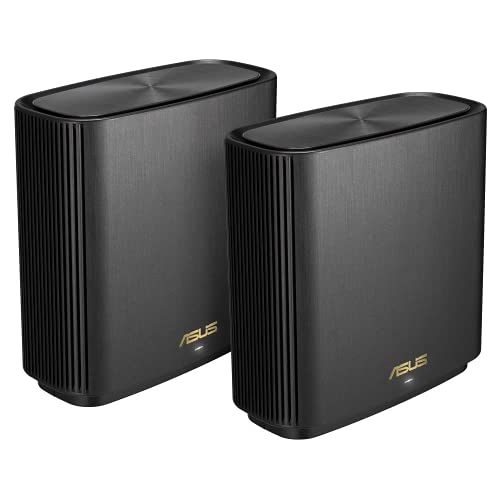
ASUS ZenWiFi AX Whole-Home Tri-Band Mesh WiFi 6 System(XT8), Coverage Up to 510sq m or 5500sq ft or 6+ Rooms, 6.6 Gbps WiFi, 3 SSIDs, Life-Time Free Network Security and PS5 Compatible, 2.5G Po
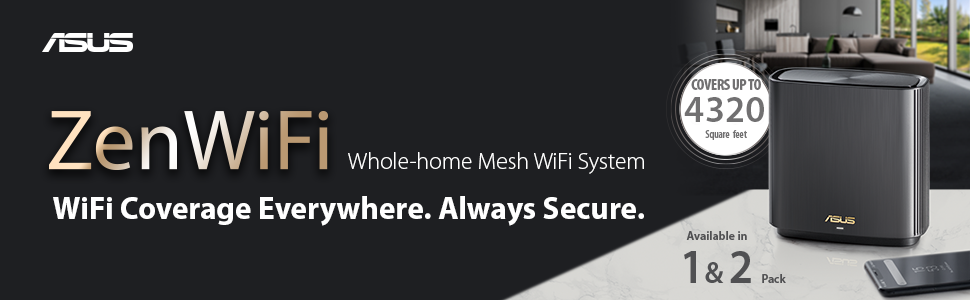


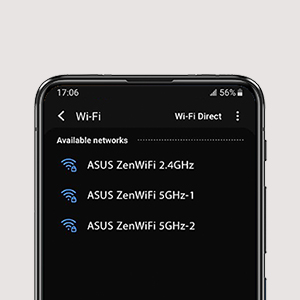

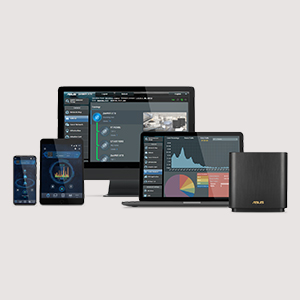
Commercial Grade Security
- No Subscription Fee
- Protection Against Attackds
- Block Access to Malicious Websites
- Infection Detection and Blocking
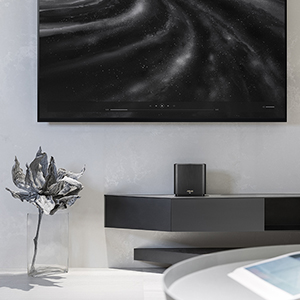
Smart Looks for Smart Homes
ZenWiFi AX works perfectly with smart-home services — including Alexa skills and IFTTT — and is available in black or white to suit your décor.
AiMesh Technology
Even non-experts can quickly set up AiMesh technology, while more experienced users will appreciate the comprehensive advanced networking features.
| Dimensions: | 16.2 x 16 x 7.5 cm; 716 Grams |
| Model: | 90IG0590-MO3G20 |
| Batteries Included: | 1 Lithium Ion batteries required. |
| Manufacture: | ASUS |
| Dimensions: | 16.2 x 16 x 7.5 cm; 716 Grams |
| Origin: | China |
So far so good
Bought two units to replace the 4 Google Wifi units that still weren’t working as I needed.
I bought one for the house and one for the outbuilding office. As it turns out one unit in the house reaches the outbuilding (20/25m away), but the same unit struggled to reach far side of the house (not a mansion) but I think it’s the chimney breast in the middle that makes it hard for signal to pass. Anyway, I ended up putting the second unit upstairs on the other side of the house and now everything works very well. Impressed so far, will update if anything goes wrong.
Sensational Signal
We had just had fibre fitted to the property and I was really excited about having lightening download speeds after years of slow downloads. Sadly the router that came from the provider was frankly rubbish. Even using a highly rated WiFi extender did not help my cause as it proved unstable. After lots of research I decided this was my best option – not only were speeds meant to be good but there are free built in parental controls.
After buying the ASUS ZenWiFi XT8 and a whole new set of CAT 8 cables (the older CAT 5 cables were slowing things down!) I can confirm the speeds are indeed lightening fast – I am getting over double the wireless speed of the broadband providers router. I have one unit on each floor of the house and everything works amazingly well.
The parental controls are great too, as I can switch off the internet to the child devices as and when required and also schedule daily periods for use.
All in all, I would highly recommend this.
Easy to set up & improved my WiFi across whole home
I needed to improve my wifi at home – no longer working very well. This product was recommended as one of the best by the Consumers’ Association (Which?) – my own experience: easy to set up and has been working very well for the past week – great coverage across the home and much improved wifi capacity – just remember that when you change your home wifi set, you will have to reconnect all your connected applicances (TV, printer, smart plugs, smart lights, etc.) I was surprised how smart my home has become over the past 2 years!!
Excellent WiFi coverage and speeds at last!
Purchased over Christmas 2021 following research on the best upgrade for wifi6 capability. The discount price at the time helped the decision.
I read all the reviews and on balance felt there were more positives than negatives. A big help was the review and detailed set-up instructions by LG, it’s the top most review. followed these to the letter and has been very stable so far. Although the access points use the 5Ghz backbone channel to connect not a hardwired connection as LG suggests. Thanks to LG for sharing your knowledge.
Firmware upgrade today has improved the link between the two AP’s.
I had a previous older ASUS AI mesh compatible router and although not ax capable it provides extended coverage within our house extension and is perfect for the roomba. Adding the older router to the ai mesh was easy from the desktop browser.
The app works well and is useful for checking status of the network and devices.
WiFi 6 and better speeds
I have two broadband services coming into the property.
One is fibre, the other standard broadband.
I’ve had previous ASUs routers before and I do find them reliable and updated with new firmware for many years.
The XT8 gives access to the informative ASUS software, which I personally like.
It lets me monitor traffic, gives me tools to reduce issues.
I can setup vpn within the router if I want.
Big reason for this router is it allows me to link 2 broadband packages, in either fallback or split traffic according to other criteria.
I have switched the wireless off on my other 2 routers.
The signal quality at close range is very good and since I’ve had it there have been a couple of firmware updates.
As a make, I have found ASUS to be reliable, versatile in how to set it up.
The software can be accessed through a simple IP address and changing passwords is straight forward.
It has wpa3 as well as wpa2, so if your device supports the newer standard, then good.
My work pc supports wifi6, so does my mobile and a couple of other devices, which is good.
I only got the single device as I can use my older asus router if needed as an extender.
It takes up minimal space and fits in to my white wall background fine.
Works fine with the ASUS app as well.
It has a 2.5GB Ethernet port on the back as well as a standard USB 3 port.
All I can say is my experience has been quite positive, and I use it everyday.
****Update****
I recently struggling to get my 160MHz range to show.
this happened after doing a couple of firmware updates, as I had originally been able to see it.
After this latest update and doing a complete reset of the system I now have it back again.
It is the freq with the least interference, caused especially by living in a flat in London.
So far it has remained stable.
On my PC using a intel AX200 card, speed varied between 1.4 – 1.7Gbps
Works very well
Bought the two unit system, in order to provide good wifi in a cottage with an internal 60cm stone/cob wall. The interconnecting signal copes well penetrating the wall at an oblique angle. The app does all the setup for you. For the dummie the only unclear instruction was concerning which port to use on the existing modem/router – WAN or LAN. LAN is the answer.
Excellent produc
I live in a fairly large house with thick walls and heavy concrete slab between the floors
(>4,000 SQ.ft.). Previously had a draytek firewall with 4 access points, patchy, not completely satisfactory. APs stopped receiving firmware update so needed to replace. Suitable replacement draytek system with wifi6 would have cost in excess of 1,500 ( house wired with CAT6, i installed previous system and found the process not user friendly. I was not eager to repeat).
Replaced with 3 of these. Setup very easy through app. Straightforward to modify setting through app or web GUI. My skills in this regard are overall very modest, general knowledge only. I can follow instructions, that’s about it.
Setup<30 minutes, more from me taking my time than anything else. Slight delay in installing initial firmware update, but not a big deal. "Router" in main living room, connected to ISP router via switch in garage (previous cabling installed by prior owner, not a good place for useful wifi coverage). I expected to need to use an Ethernet backhaul, but was delighted to find that it was not in any way required. Wireless 5-GHz-2 backhaul more than adequate. You might need to use wired connection if you have>500Mbps connection and connection speed is absolutely crucial in all parts of your house, otherwise it’s unlikely. 1 node in study at front of house, second in central position upstairs. The house is bathed in stable wifi with nearly no speed difference compared to direct Ethernet connection to ISP router. In addition, the garden has a stable wifi connection throughout. Good quality connection to approx 30 metres from any node through walls.
Included security software more than adequate for the vast majority of home users.
Some of the difficulties mentioned by other users could be due to prior firmware versions, which according to problems mentioned ASUS users forums may have introduced some issues. Current version (3.0.0.4.386_45934) seems stable without major issues.
I would recommend without hesitation, especially if you have a house with internal architectural “complexities”. Much easier than using a standard firewall with wired access points, also much cheaper. Expensive by compared to other available mesh systems for sure, but worth it.
Undescribed/Untold Settings in Manual .the signal quality boosted custom settings
I followed steps from MANUAL and i couldnt get the same speed as my router(500 Mbps) instead was only getting (100 mbps) throu out the house, but when I changed the settings as instructed from a friend this was rapidly uplifted to near by speeds of my router across the house.
Signal penetration through walls is better in 5GHZ and was much better than my BT mesh.
Overall satisfied with this and would recommend to who ever needs the thirsty internet to devices in your home.
Only thing was its too pricy 330, whilst my BT mesh was 80.
Impressive route
I have recently moved from Virgin Media to BT FTTP 900mbps package so I understand the limitations that the ISP supplied routers can face. This has been the best router I have ever used.
Getting some of the key figures out of the way –
Speeds on Wi-Fi 6 using an IPhone 13 Pro Max within 10m of the router normally range between 880mbps & 720mbps.
At the furthest point away from my router within the house (Average 4 bed detached new build) I will still see speeds of 350mpbs and that doesn’t seem to changed throughout the day at all. Ping is around 7/12ms & upload stable between 100mbps – 130mbps.
Over Ethernet using a cat 6/7 cable I see speeds between 1.1gbps & 900mbps (This can vary but normally sits within this range) ping tends to be lower between (3/7ms) upload speeds the same as Wi-Fi.
This is a Tri-band router but I have left the router on auto and it seems to manage the traffic well – I have many smart home products that use 2.4ghz & the connection has been solid even on my Nest Hello doorbell which I had multiple connection issue when it was connected to the Virgin SH3 (I didn’t have any connection issues on the BT SH2 I must say)
Setup with the FTTP couldn’t be easier. You simple plug the router into the BT ONT and login to the ASUS router using the App & enter the below details –
[email protected] with a password either blank or “BT”.
Once In, you can leave the router to its own devices like I did or change the settings as you require.
30m away from the house I can still get signal with just the one router. I personally don’t think many people would need to take advantage of the Mesh capabilities & get the second router but this will also vary on the size of your house & wall thickness etc.
Range is not as.....
Replace a BT Home Hub 2 on full fibre 900 with twin XT8 system – HH2 WiFi is very restricted and doesn’t support WiFi 6 capabilities, additionally had irregular device drop-off’s which became annoying, probably not the hub as home is made dense concrete block and metal roof construction – setup wasn’t as simple as the app suggested as failed to connect via Bluetooth to initiate setup, but simply connected to the WiFi directly via phone and then followed each step as guided – within minutes all was connected and whizzing along – BT Hub would push between 100 / 200 mbps on average – this installation has jumped to a steady 700mbps over WiFi 6 so can’t complain there, however the hoped range improvement hasn’t materialled, in fact I’d say reaching outdoors is actually lesser than the BT hub in same environment – wondering if a third unit would make a difference?
In summary, pleased, yes because of the general speed (For example; smart TV’s on demand services is almost instant now – no spooling wheel) and stability but range is lesser than hoped and that could be a factor for some if you’re wanting WiFi down end of a long garden etc. Thus not warranting 5 stars.
Awesome.. the best one in the marke
I have two sets now (4 in total). The mesh system works out of the box and my WiFi speeds have gone up from 30 mbps to 200+ mbps. Very stable and since this is triband.. one each of 2.4GHz and 5 GHz are available fully for all the devices.
The best wifi kit out there
So ive had the Asus 88u and the ASUS RT-AX89X. The Zenwifi destroys both of these routers. There really really good. I can’t stress enough how much better these boxes are. I had the 88u for 2 years and I was really impressed but the Zenwifi steals the show.
Surprisingly easy to setup, ideal for hi res audio.
Having purchased and setup many wireless routers and extenders over the years I’m always a little nervous when one of the selling features is easy setup, in my experience this is usually far from the case, I was actually surprised how easy and quick it was to get up and running straight out of the box, provided you stick to a simple wireless network, ie using the same ssid & password for the 3 wireless bands. So far wireless coverage has been excellent, 2200 sq ft house unit located on ground floor in centre of house, we’ve noticed an improvement in speed and stability with multiple device’s in fact biggest difference has been improvement in sound quality of high res audio on my audio system.
There are a lot of extra features most users won’t require such as ability to separate the 3 wireless bands with their own ssid & passwords, band width limiting or priority, parental control of individual devices to limit content and set use timers.
Overall very pleased with the product, I did purchase the optional wall bracket, not from Amazon but another well know online site as it was half the price.
Better than expected
I initially bought a 2 pack directly from Amazon. They seemed pretty quick, so I bought another one mainly to expand the 5GHz Range. The main problem I found was that my smart devices (which only run on 2.4Ghz) would lose connection at random times of the day. Tried just about every setting to make them work but in the end decided to reconnect my old router which now runs only on 2.4Ghz (mainly smart devices) and the new XT8 Mesh just runs on 5GHz. It’s now a great network and I don’t have any Wi-Fi issues.
Update: 14th April 2022
I tried to register the product today but have found it was previously registered some 3 months before I bought it.
Amazon sold the item to me as brand new but it clearly wasn’t.
When I opened the packaging it appeared brand new and I connected to my home network.
Obviously, the item could have had something malicious installed by the previous owner.
Amazon are going to refund the item so I can get a replacement and get it registered for the warranty
In this instance Amazon have really let themselves down.
Great router not enough suppo
cannot change the regional of the router but over all is good
there are Lot of configuration can be set but it take ages to figure it out of each function
it would be great to have a tutorial for the configure setting
Works well but rather expensive
Fixes most problems with our virgin box and power line repeaters. The two give usable signal through our 4 bed detached allowing smart tv to connect in bedrooms over Wi-Fi without constant buffering and bandwidth warnings
Great coverage but a little quirky to set up
The system itself, once working, is great and stable. The issues sometimes occur when adding on an extra node. It took a while for me to get the second one added without logging into the first one manually. I’ve had this for around 4 weeks so far so it will be good to see how long this stability continues with my current ISP who is Virgin Media. But happy so far!
I initially purchased a pair of these XT8s to replace an existing Asus router which was being used instead of the rather dodgy Virgin not so superhub 3. Whilst the original Asus router worked very well on the whole, it was never going to reach outdoors, especially to the rear of the house.
Setup was a breeze, unplugged the old router, connected these and within around 6-7 minutes was up and running (the longest part was the firmware update). Everything managed through the app and the good thing was it was the same app as the previous Asus router.
These XT8s extended the coverage of WiFi significantly around the house (3 bed semi). Not only that, speeds are a lot more consistent. The original Asus router speeds dipped a little as expected depending on where you were. The XT8s are expensive (I purchased these when they were on offer but still). However, the difference these make is unreal.
As a side note, I still could not get a steady connection to the garage at the rear of the house which was frustrating (outside was weak but inside would drop). I eventually took the hit and purchased the smaller XD4s to supplement the XT8. Not only did they pair within minutes with the XT8s, the signal now to the garage is incredible. With more and more emphasis on wireless outdoor cameras etc. yes this was an expensive outlay but definitely worth it in my opinion in the long run. Hope this helps
Route
Was easy to set up with virgin router in modem mode. Wi-Fi signal best I’ve ever got throughout the house (1920s house). App good too in my opinion. We’ll worth the money. Delivered within 48hrs.
Très bon routeur AiMesh
Cela fait plus un an que je l utilise.Facile a installer en moins de 10 min
Trs fiable trs bon dbit
J utilise de peu la fibre optique et je peu dire que les Debit sont trs trs bon
Le rseau wifi rien a redire je n au plus de coin mort depuis j ai le routeu
Best Mesh WiFi
I’ve setup a lot of mesh systems and the XT8 is one of the best in terms of signal strength / coverage, speed and stability.
A lot of problems can be resolved by correct placement of the nodes to ensure reliable connection between the two nodes themselves and devices. Ideally if you have a laptop you can use WiFi signal strength software to find best spot to place the 2nd node. If you can, having the two nodes hardwired together using an Ethernet cable is best and frees up the dedicated 5Gz radios used for backhaul to be used for more bandwidth for devices but for most people this is not an option without running in cable between two rooms.
Other tips make sure both nodes are updated to the latest / same firmware and setting them to auto-reboot at 3am every night / few days ensures nothing starts to slowdown.
In good working order you can be getting 800Mbit + on devices that support WiFi 5 and have the grunt to support those speeds like latest smart phones etc.
You can use these to replace Sky broadband routers – requires a bit of configuration- (you will lose sky talk but not a problem if your not using it anyway and use WiFi calling on your mobiles for instance).
ASUS are releasing patches almost monthly to add new features and patch security vulnerabilities something other hardware vendors should be doing many others still only releasing 2-3 patches over the entire lifespan of the product despite know security vulnerabilities.
Outstanding
It just works. Very easy to add extea nodes. I bought one more single unit as my house seems to have led lines walls.
Best money i have spent of wifi. I have been frustraied with wifi i. Thia plqce for 2 years and this has fixed i
Amazing WiFi 6 speed. Difficult to get the best settings. Mobile app far from good but usable.
Bought July 2020, currently Dec 2021. In the middle I had bought a AX mini as add-on to the mesh.
—
Amazing speed. I got the 550Mb/s rock solid from Virgin Cable linking the AX downstairs and in diagonal to where I have the computers. I have currenlty 33 devices connected (workstations, laptops, nas, phones, tablets, etc).
BUT it has its problems
– NOT for everybody. Difficult configuration adjusting the settings not clearly explained even on the forums (netbuilder.net) and testing each of them until you get the best. Otherwise, from the default ones I only got around 350Mbps and almost return it back after paying around 450gpb for them.
– 160MHz it is almost impossible where I live (West side of London city). Sometime you get it for a while until it detects the radar signals.
– 1200mbs steady up and down with iperf3. The logs puts that the uplink connects up to 2.400Mbps, but it changes dinamically.
– I had problems with some equipment (tablet, phone) when I am in the MIDDLE of both AX and it is like it doesn’t know to wich of them to connect and the conection DROPS completely and you have to force the re-connects.
– The mobile APP is useful but weird and the Parental controls, specially the time scheduling it is a mess when you want to add or take out devices. You have to disable the schedule first otherwise you will loose them. Also sometimes it gets stuck not allowing full access to the devices near the switching scheduling.
– NOW the firmware looks stable and I could get them working for more than one month without problems, but at start I had to put a scheduled weekly reboot.
Very expensive but does the job
Fantastic for getting great broadband around the house. I bought this in the Black Friday sale, not a chance would I of paid the full price for it though. Everyone puts a value on something but, 430+ for the 2 pack is very steep.
The reason I only gave 4 is because registering the Asus product is an absolute nightmare, to the stage where I left it. There is no contact email to contact the company… seriously!!!!! Just a help page that keeps taking you back to the same page. I should imagine if I have a problem with it its going to be an absolute joke trying to sort it out and I will be contacting amazon for help.
That said, it does give great wifi coverage
Does the job brilliantly
Absolutely happy with the purchase. Does the job excellently – with very little setup necessary.
Allows you to do loads of things OOTB and most importantly – it’s stable and the signal is consistently strong across the house despite thick walls (approx 140 square meters of internal space) and well into the large garden.
Connection between the two nodes (wireless) is strong as well.
Most complete WFI 6 Mesh route
This is a modern router with very complete software and many options. This may be too complex as your first router. Only downside is that software is still getting many updates that can in some cases cause devices to loose connection. But software and power are all good and it is easy to alter your network to your needs. Having partental controll and mallware detection forever working without extra licences is a blessing.
I feel future ready with this.
Crazy fast Internet everywhere
I bought three of the Asus XT8’s – 2 for my house and one for an external office. All connected with an Ethernet backbone and about 50 devices total attached – ranging from PC’s / Macs and smart home stuff. I noticed a fantastic improvement compared to the Virgin Router and an old Netgear I had. Now been using this for 2 months and not a single issue. I have it on a one week rebooting schedule just in case but I don’t even think I need that. Very pleased with the performance – I’m on the 500mb plan from Virgin and I am speed testing at 550mb download in my office. My only disappointment is that I should have bought them sooner rather than think about it for two months and try and make do with my old Router.
Top class route
Amazing router. Fills the whole house with WiFi6 goodness. Cant believe how much better it is over Google Wifi. Was simple enough to setup with the asus app. No issues.
Replaced RBK50 Orbi
My Netgear orbi RBK50 died just before black friday and this was on offer so I thought id give it a go. Very simple to set up, app is far superior to the orbi, wifi speeds are better, wifi range is better.
Very pleased with this device especially at the price, i was not expecteding it to have superior range to the orbi and in a smaller box as well!
Very impressed
Took maybe 20 minutes to set up and we went from having literally no wifi upstairs to being able to get it all over the house and even at the bottom of the garden which was a nice bonus , would highly recommend
Unbelievable Performance
Living in an older house with all brick walls the Virgin Hub 3’s wifi I was using before was pretty terrible. I could get close to 200 mbs over WiFi if stood next to the hub which is in the middle of the house. The kitchen and lounge frequently had no connection or was very slow, maybe 1 mbs. The back rooms and upstairs had no connection at all. Coupled with this, the virgin hub’s WiFi would just drop out for no reason, sometimes multiple times a day. Virgin is the only ISP providing fast broadband in the rural area where I live so I had to find a way to make it work.
I was kind of getting by with some power line extenders, but they were pretty flakey, and could not be trusted for work etc.
I bought a 2 pack of these, and crikey they are unbelievable. 10 mins to set up and I now have 220 Mbps in every room in the house and have had zero drop outs since I got them. Moving around the house works seemlessly, and I’ve had no issues when going from one router to the other. Bandwidth is amazing with many devices connecting simultaneously.
I don’t know how they do it, but it’s like magic. It’s a bit of a cost outlay, but already proving to be so worth it.
Virgin will try and sell you their own mesh wifi devices, and will charge you a monthly fee for the privilege, but I can’t imagine they will come close to these, plus I’ll have these ready to go if I switch ISP in the future.
From my experience, if you are struggling with WiFi coverage / reliability, these will change everything and having super fast WiFi everywhere just becomes the norm.
Improved my virgin wifi
I bought one unit knowing if needed I could add any imesh router at a later date if needed. However this alone covers my whole house and I now get full speed in all corners of our home even where there were previous dead spots. Amazingly, the WiFi signal is actually faster download speeds than wired. My best computer related buy in years.
Works well as a node for the ZenWiFi AX XT8 system
Relatively quick, problem-free setup. Currently used as an AiMesh node to extend an existing two-unit ZenWiFi AX XT8 system. The XD4 has a WAN port and a LAN port when sold as an individual unit. Range is great and works well in wired backhaul mode. Really compact. It doesn’t have a third band (being a dual band AX router), so it doesn’t extend the 160MHz 2nd 5 GHz channel which the XT8. Highly recommended for those who do not need the additional gigabit ports and features of the XT8, which runs about 50% more expensive.
Absolutely Does the Job
At last – the resolution to poor WiFi in our home which has walls as thick as a castle. Easy to set up and provides full signal strength not only inside the hose but also in the garden. Highly recommended.
Good but..
Easy setup but the quoted coverage is far from accurate. We live in a small 3 floor house (less than 1400 sq ft). Internet is provided via 5G on the top floor with the satellite hub on the middle floor. With this setup wifi coverage on the ground floor was very weak, we couldn’t even connect the ‘Ring’ doorbell, so we ended up buying an extra unit to cover the whole house. Since then it has been very stable, although at quite an expense.
Not the simplest installatio
The initial installation was problematic however since then it has been working a treat. Connectivity throughout the house is greatly improved over the Virgin Media Wi-Fi. I wish I had installed one earlier!
Superb!
We have a fairly large, 3 floor, 5 bedroom detached home and had struggled to get decent WiFi coverage throughout. Installed the ZenWifi AX 2 pack yesterday. The main router is on the middle floor with the satellite node downstairs in a corner, connected with Ethernet backhaul. The signal strength throughout the house is now excellent and we can take full advantage of the FTTP connection. Easy to setup, minimal configuration needed but lots of options if you want to tweak. Very pleased.
Just buy it!
A brilliant WiFi solution! After dithering for what now seems an eternity wanting a better WiFi system for my home (large Victorian terrace with lots of difficult areas) the 3 piece system solved everything.
The only thing that could make this better would be HomeKit compatibility.
Huge improveme
Before putting this in place I was having loads of issues with the signal from my Virgin router not reaching where I was working in the house, or being quite slow when it did (110mb next to the router, 10-20mb in the bedroom). With this in place the speed is pretty much exactly the same as if I was in front of the router.
The third mesh system i've owned - by far the best so fa
We used to have an Orbi mesh system, and after that I had purchased the Netgear Nighthawk..
Both of them had their hiccups, the nighthawk being a royal pain to set up and had constant stability problems.
I’ve had the ASUS XT-8 for nearly 2 months now and I can say i’m super impressed.
We have Ethernet ports in some rooms in our ~100 sq m apartment so I decided to set these up in AP mode. One on either side of the apartment (As the bedrooms are one end and living/kitchen the other side – the middle has a hall, toilet and storage areas so no need for great Wifi coverage – but it’s still there). I believe I have at least 30 devices connected at any given time and I rarely ever notice a drop in performance or stability. Devices roam freely between the two nodes and there is not a single blind spot in the apartment.
I must say I was weary because it had one less node, but the performance and range seem better than the 3-node nighthawk!
The only reason I wrote this review was because yesterday my Girlfriend unplugged one of the two nodes by mistake and it was the first time i saw less than full bars on the wifi signal since we bought the ASUS. In fact, it was the first time since buying them that I had a single problem or had to restart or, well, do anything to be honest.
At least, for my property size and needs – unbelievably great!
Great mesh with loads of control and customisations
Wanted to upupgrade my ageing WiFi 5 mesh to improve performance and signal strength to a WiFi 6.
I set out to find a mesh that allowed me more fine-tuned control than what I had, have stats per devices and ideally some kind of parental controls and network security included that didn’t require monthly fees, so I went for the ZenWifi AX XT8.
I have to say that I am very satisfied with its peformance and the compreenshive app, which has plently of details and configuration options, and the web admin has even more options to fine tune your network.
All in all, great product.
Extremely simple and effective
I was skeptical on Mesh WiFi, but this product is fantastic. Extremely easy to set up and now improved my connection from 30Mbps to a stable 200+ Mbps.
I fully recommend buying this if you need a boost to your entire household network.
Crazy Fas
Was easy to setup.
Very stable and reliable connection. I’m using the 5Ghz wireless backhaul.
Works perfectly with my BT FTTP connection and blows away the BT home hub.
Getting an average speed of 400-600mbps in most parts of the house on my AC phone. Not tested with an AX device yet which will likely be quicker.
Admin UI looks a little dated but has all the features most people need.
Nice fast WiFi, but few features in AP mode
These made the WiFi in my house stable. I have them connected over Ethernet backhaul. The only issue is that in AP mode, you lose the family features. These could be retained for Wireless devices but they are not.
Great result, a huge uplift in signal
Forced to move our office upstairs well away from the router in the downstairs extension I struggled to get a good throughput. I tried WiFi, powerline networking and an extender for WiFi but my 200Mbps virgin connection rarely bettered 42Mbps in speed tests through the walls. Cue the Asus system and now I get the full 200Mbps signal at all points in the house, it is just awesome. Not a cheap solution, but it does deliver. The house is a 4 bedroomed detached, with a large extension and conservatory. The signal passes through a cavity external wall and multiple internal walls to link the two devices, and wireless anywhere on the property.
Solved all my WiFi problems
This is an excellent piece of kit and has solved all my WiFi problems. We’ve just upgraded to BT FTTP @ 300MBPS and the BT Home hub2 that was supplied was fine if you were sat in the same room as it, but anywhere else and the WiFi connection speed dropped massively. Plus you could not split the WiFi bands so smart devices kept connecting to the slower 2.4ghz. My work office setup in the upstairs bedroom was also suffering. All this from a 300mbpd FTTP!! I’ve tried Devolo Magic 2 Wifi Powerline adapters but they still didn’t provide the connection speeds they market. So I bit the bullet and bought the Asus ZenWiFi XT8. One unit in the living room connected to the BT FTTP ONT modem ant the other unit in my upstairs office. We’ll the difference is incredible, I get a full 300mbps WiFi all over the house and the handover between the units as I walk around my house is perfect. I’ve set the 3rd WiFi band to a dedicated backhaul and it provides an excellent connection between the units. I tried using the powerlined to provide an ethernet backhaul but they couldn’t match the speed and reliability of the built in 3rd WiFi band option. After more than 2 years of working from home due to Covid my Internet and WiFi issues are well and truly over. I can thoroughly recommend this Asus ZenWifi XT8.
Wish I bought this set sooner!
We have a virgin hub 3.0 500mbps package and use 20+ wifi/smart devices around the house. We were experiencing constant cut outs in internet and our wifi wouldn’t reach the far ends of the house (3 bed house), and also we wouldn’t get anywhere near the broadband speed we paid for. We had virgin engineers out two times, they gave us wifi extenders for free but nothing seemed to help and we just suffered through the wifi cut outs and poor performance on simple things like wifi video calls.
I did a bit of research and came to realise that the virgin provided router is too simple to deal with the number of devices we relied on for wifi and that could be the reason for the cut outs in internet and slow network, let alone the poor wifi range, so i decided to look into buying a good router. After a lot of research i came decided on the Asus ZenWifi TX8 as it was amongst the top in all reviews with free parental control and no need for subscriptions and a more “reasonable” albeit still expensive price, and I am glad I did!
Setup was very simple, logged on to my virgin hub and switched it to modem mode, disconnected all the ethernet wires from the virgin hub, connected the asus routers as advised and using the asus app (which by the way is very easy to use and i like that you can see the number of devices connected the signal and which node they are connected to and use parental control etc, very nice and easy) and it was all set up and ready to use in no time and im not a techy person or some sort of expert on these things, but had no trouble at all. The handy thing is i named the ssid and pass same as my virgin hub and that helped avoid reconnecting my 20+ devices .
It ticks the boxes on all accounts wifi range (now reaches all far corners of the house including back garden), the speed we are getting is closer to the 500mbps we are paying for (although this is device dependent I believe – on my iphone i get 500mbps but my old laptop only about 200mbps but still better than before) and most importantly we have not experienced any cut outs in internet so far (using for 1 week now), before we’d get a cut out 2-3 times a day!
Overall ecstatic about this purchase, kicking myself for not having done it earlier! Suffered through poor zoom calls and slow/poor connections throughout the whole of lockdown. I can now have video calls with great picture quality and reliable connection. I would definitely recommend.
Wifi 6 cobertura igual que cualquier otro
Lo que me ha gustado la facilidad de instalar y lo poco que se tarda en ponerlo en funcionamiento, y lo que no me ha gustado es que coje la misma distancia que mi router wifi de movistar, yo esperaba que siendo el ms alto de la gama que dice que de cobertura de ms de 500m, pues uno que he comprado llegara bien a 150m, que mi casa es de 100m pero la verdad me ha defraudado pues lo he puesto en el centro de la vivienda y en las esquina de la vivienda de una planta ya le falta alguna rallas de cobertura al wifi…….
Make sure you are at firmware version 3.0.0.4.386_42095 and it's great!
Like other reviewers I’ve had dropout issues with the latest firmwares. Since I re-flashed to firmware version 3.0.0.4.386_42095 it’s been stable. Some have suggested going as far back as 3.0.0.4.386_25790. Once I got the right firmware in it’s been great. SNBForums has a lot of good info.
The app is fine for simple setups i.e. the vast majority of people. Anything more in depth needs to go via the web gui.
I’ve dropped a star as while the hardware is great, Asus should not be releasing firmware updates that s kill stability for nearly all user.
Excellent système MESH
La documentation n’est pas trs prcise et l’installation fut difficile. Mais une fois install, quel plaisir !!! le dbit a x40 dans la chambre de mon fils et x4 dans toutes les autres pices. L’application ASUS pour suivre et paramtrer le routeur est excellente et permet de mettre en uvre une vraie QoS adaptative. Je ne regrette pas mes soires analyser tous les tests sur les routeurs. Le tri bande me permet d’viter de tirer des cables.
Wi-fi as it should be
This is what wi-fi should be like!!
For years wi-fi has disappointed me, either not fast enough, doesn’t reach far enough etc etc. Not anymore!!
This mesh network is quite simply superb. It maxes out my 300mbps internet connection anywhere in the house, moves between the nodes effortlessly and has eliminated the need to run cables around the house.
I have the main node connected to my router and from there I’m wire free. The node downstairs runs over wifi only and it’s perfect.
There’s another review on Amazon that was very helpful talking about using a 5ghz network to run the back haul. Read it, like it and enjoy hassle free, fast wi-fi.
Not cheap, but definitely worth it.
ASUS Zen: ten out of 10
Simple to unpack and install, the coverage around the house is excellent, especially when we used the old ASUS router as another node.
Would be nice to have another Ethernet port on each of the Zen cubes and for it to work with Alexa as it claims to be able to do. But all in all, value for money and wide, fast, hassle free coverage you can’t beat Ze
Yo tenia un router Asus RT-AX88U y 3 Asus ZenWifi XT8 en mi casa de 400 mt2 y funcionan a la perfeccin, en toda la casa con excelente seal de bajada y subida y si bien la seal llegaba al quincho ( 35 mt de distancia ) lo compre para ampliar la seal en todo el patio trasero por lo que tengo seal en los 2300 mt2 de terreno y por tanto tengo cmara wifi que aprovechan esta seal. Tengo una Red Aimesh que se configura fcilmente a travs de la app Asus Router !!
Un wifi stable rapide et un routeur comple
Un systme wifi Mesh facile installer grce une application trs bien faite et trs complte pour la partie routeur . Le wifi est stable et trs puissant : 2 satellites installs dans une maison de 200 M2 avec tage + sous sol et la qualit du wifi est trs bonne dans tous les endroits. Supporte trs bien une multitude d’appareils connects en simultan. Un systme certe honereux (quoique infrieur ses concurrents directs) mais clairement trs efficace.
Ultra Fast and Ultra Configurable, if on the right firmware
These are fantastic, and cover a 3 storey house with ease, providing everyone reliable coverage. Only issue I have had was firmware: on the latest version Sonos devices refused to work, so I’m on an older 2020 version to get these online.
Does as promised
After buying the ORBI 853 which failed to set up exchanged for this one to replace my old ORBI. It worked seamlessly. Tip when you set up make the 2.4g network with the exact same name (SSID) and password as the router you are replacing. This way when you switch it on and the old router off you don’t need to go round every bulb etc re connecting it to a new network just turn them off and back on – they’ll pick up the new router. Set up the separate SSID for 5g and then connect TV’s etc to that. Things like the ring doorbell now connect more reliably and faster so recommend this product. Connected are 50+ devices (bulbs, tv’s, speakers etc) and seems to handle without issues.
I changed my ASUS ac3100 and ac2100 (aimesh) for this two and I can really feel the difference and the stability of the aimesh. The only issue I have is one wall can not pass throughout the 5Ghz only I got 2.4Ghz, this happen before, looks like this wall is heavy.
I changed my ASUS ac3100 and ac2100 (aimesh) for this two and I can really feel the difference and the stability of the aimesh. The only issue I have is one wall can not pass throughout the 5Ghz only I got 2.4Ghz, this happen before, looks like this wall is heavy.
Top Quality Route
I have around 30-40 devices connected to just one of these, including a myriad of smart devices, high speed laptops/desktops, tvs and consoles and I’ve never had a problem with it.
Great full speed wifi & cabled
Been using them for about 3 months great an I never drop around my house on wifi an I even get full speed for my pc using cat 8 cables really good quality an not big ever so can put anywhere an it will look tidy. Would recommend for anyone that wants full speed an good wifi all over the house easy to set up aswell.
Cannot game on it. Latency spikes.
Bought this to replace my ubiquity gamers edition mesh.
Of of the box it was an easy setup, I was very impressed. That is until I started playing an FPS on the first night. All wonderfully smooth until the first spike happened. Latency went from 20ms to 450ms for a good few seconds. Causing me to perish. At first I thought it must be the Activision servers, so carried on and it happened again….and again. These latency spikes were the most ferocious I had ever encountered. They have continued ever since and thus I cannot play my favourite game.
I tried changing settings, but this ultimately broke my 5ghz wireless backhaul. Had to reset both master and node and reconfigure. Tried loading on older firmware, and this seemed to lessen the frequency of the lags but they still persisted. Now I am stuck with two expensive useless boxes. I wish I had stuck with ubiquity.
Edit : with the latest updates and creating the 5ghz backbone manually between the two routers, it has proved to be very stable and competent. It is now an excellent device and I am getting very close to my full 1gbit connection speeds from BT. I currently have a mix of 20+ devices attached to the 5ghz and 2.4ghz channels. Throughput is blistering. Recommended.
Simple. Fast. Efficient wifi across all devices with great range.
Great product. It is small and minimalistic. Can fit almost anywhere and looks elegant. Signal is good and works well for what I have at home. The range is effective. I can throttle kids devices so they don’t hog the bandwidth when I need it for work which is great. Simple set up. You need a switch if you want to link them all up via LAN cable to improve the back haul connection, they only have 1 lan port, thats Incase you need to connect multiple devises, but the wifi 6 hasn’t failed me so far. The app is great too, I love the GUI, shows which device is connected to each node. You can also dedicate devices to an individual node, I.e. tv to node 1 in lounge. So it won’t be searching Etc. The app does it all for you. Remote access. Seamless transfer of device across nodes when changing location in the house with no loss of signal, it’s really smart and detects when to switch node for optimum signal automatically. To install VPN you need to use a computer through browser. However once installed you can activate and deactivate from your device. This is helpful to gain access to media regions / work vpn quickly and remotely. All in all I highly recommend. It’s great value for money, reliable no glitch system, with no issues so far. All devices work and run well. You can add Alexa devices and they all connect smoothly from smart switch to CCTV. All in all I’m very pleased with my decision to purchase this over other devices.
Best Router I have used
First of all, very fast delivery & at a good price from Amazon.
I have just started using 5g internet from Three & the speed is fantastic, but due to to the position it has to be in & the design of my home the WiFi has always been a problem, even with BT. Then I installed the Asus Router, it was extremely easy to set up & it was up and running very quickly. I have now got a supper fast connection thanks to Three & thanks to Asus not only all over the house but in the garden to.
I would definitely recommend ASUS ZenWiFi AX Tri-Band Mesh WiFi 6 System(XT8).
I bought the 3 pack version to work with my ASUS RT-AC88U router (with my Virgin hub) and am very pleased with it.
I already have CAT deployed across the house so am using the “Ethernet Backhaul” option. It’s removed all WiFi dead spots, I can even now get a 20mgb connection from the end of my garden, which is about 30m from the closest node (but does have pretty much direct line of sight through some patio doors).
They were very easy to set up and have been reliable so far (2 weeks at the time of writing this).
I work at home a lot, and can now walk through the house on a video conference from one room to another and not lose connection.
The app shows what kit is connected to what node, you can easily rename them to something suitable to your deployment which
makes it easy to track connections.
Very happy with my decision to buy this ki
The Asus ZenWiFi XT8 is a dual 5Ghz 802.11ax router with a 2.4Ghz band additionally (full capability tri-band wireless 6.6Gbps; 1.2Gbps 5Ghz-1, 4.8Gbps 5Ghz-2, and 600Mbps 2.4Ghz) theoretical throughput respectfully at 80Mhz, 160Mhz wide on the two 5Ghz bands and 40Mhz width on 2.4Ghz band, and it does support DFS 5Ghz channels in band A & B concurrently well, in a real-world environment.
Theoretically, the Asus ZenWiFi XT8 is tri-band ethernet wireless at 6.6Gbps with a 2.5Gbps WAN ethernet port and three Gbps LAN ports. But within our wireless configuration was 1201Mbps OFDMA 2 antennae manual channel selection 36-64 only, and channel selection restricted in the router interface. And 2402Mbps OFDMA 4 antennae channels 100-140 only, and channel selection restricted in the router interface. And 286.8Mbps on the 2.4Ghz band at 20Mhz channel width but it will support 40Mhz width.
Note: The Asus XT8 does not support 5Ghz band C channels 149 to 161 which is permitted without a license in the UK at 200mW or lower indoors with TPC, and I wish Asus would keep up with the licensing law for wireless in countries, so if you need to use those 5Ghz band C channels don’t buy this router. I don’t know if all Asus wireless routers have the 149 to 161 channel restriction but it should be removed for the UK to 200mW with transmit power control (TPC) or 100mW without it on wireless band C 5Ghz.
Attention is lost in the router interface and it isn’t as good as open-source router interfaces, but I know zero open-source routers that support 802.11ax wifi 6 standards and this is the main reason one would buy this wireless router for future-proofing.
It has a quad-core 1.5Ghz processor, 512MB of random access memory, and six antennae for wireless and is housed in a nice-looking box that stands upright, eg it will keep the wife happy without protruding antennae for they are enclosed in the unit and comes in white or black colour. It has a USB 3.0 port for a 4G dongle or USB storage device as local cloud storage.
The unit runs really cold without generating almost any heat. And it has a 3-year warranty in the UK, but I think it’ll last longer than that with its lack of heat generation.
The radiated power of the 5Ghz DFS band B channels is higher than the restricted power output channels 36 to 64 band A that we noticed with the Asus XT8 router. It absolutely bangs out a signal on 5Ghz between channels 100-140 band B for good area coverage and is the best I’ve seen for a 5Ghz wireless router on these channels. And I suspect it is transmitting more than 200mW for the power is permissible to higher levels, 1W, on DFS band B but most wireless routers don’t do it for simplicity. It would perform beautifully in an area of 25 metres cubed through two brick walls and likely better than that in reality at lower speeds than 200Mbps throughput on 5Ghz band B channels (5Ghz-2).
For 802.11ac clients, the bandwidth would be 866.7Mbps and 1733Mbps respectfully on the 2 and 4 antennae (streams) at 80Mhz, so bear this in mind if you have lots of 802.11ac clients its 256QAM OFDM streams but some 802.11ac clients do support 1024QAM as a none standard modulation for 802.11ac.
The router does support a 160Mhz wide channel on a 5Ghz-2 band (4804Mbps OFDMA) which is reserved for the backhaul wireless mesh if you have more than one unit and it connects as a wireless mesh node(s). And 40Mhz width channel (601Mbps OFDMA 1024QAM) on the 2.4Ghz band. The 2.4Ghz band radiated signal wasn’t as good as other 2.4Ghz wireless routers I’ve seen.
I have no doubt this wireless router mesh would work lovely in a mesh with 2 units for larger 4-6 bedroom houses over 5Ghz in those houses where running ethernet cables is difficult but it was not tested in a wireless mesh setup. But that is where the Asus XT8 excels on the 5Ghz performance on the 5Ghz-2 band B wireless whether reserved for the wireless mesh or wireless clients in its own right as in our case for power, coverage, and throughput.
One of the reasons for obtaining an 802.11ax was for power saving on wireless clients, eg: an iPhone 12 Pro Max, and the battery when on 802.11ax wireless is lasting almost three times as long as when it was and does use 802.11ac standard wireless routers!
If you have only 1 unit or the backhaul is ethernet cabled then all three wireless transceiver bands are available for the wireless clients, and this is the configuration we have in use. We had the channels and bandwidth set to automatic, and it set the 2.4Ghz at 20Mhz width and 5Ghz both bands to 80Mhz width in our environment which is a high population wireless area.
Effectively the maximum theoretical throughput for all the wireless bands at maximum bandwidth 160Mhz (5Ghz-2 Band B), maximum 80Mhz (5Ghz-1 Band A), and 40Mhz (2.4Ghz) is 6.6Gbps for those environments that have the frequency available and the clients, 802.11ax wifi 6, with 1024QAM with little to no wireless interference. But don’t expect to get anywhere near those wireless speeds in real-world environments or the widest width channels on automatic channel width, and the ethernet ports don’t support those speeds.
The Asus XT8 supports 802.11ax and therefore WPA3 security out the box, we have a wireless transceiver, the widest and highest power with 4 antennae on WPA3 AES security, and two 2.4Ghz & 5Ghz transceivers (2 antennae) on WPA2 AES security for clients wireless devices that don’t support WPA3, eg: separate SSIDs. We have an array of some 25 wireless clients or so with some 2.4Ghz only and 802.11ac & 3 * 802.11ax client standard devices and experienced no issues connecting clients to their respective wireless band and security (WPA2/WPA3) and WPS worked flawlessly even with the oldest 2.4Ghz wireless band printer whilst pairing. Over half of the selection of wireless clients we use are Apple equipment.
The quad-core 1.5Ghz processor didn’t seem stressed at all with most of the features enabled including deep packet inspection (DPI) for adaptive QoS and application flow monitoring which is very demanding processor-wise. The Asus adaptive QoS and scheduler are very good.
The wireless router settled on channel 9 (2.4Ghz 20Mhz), channel 40 (5Ghz-1 80Mhz), and channel 112 (5Ghz-2 80Mhz) respectfully for each wireless transceiver after 2 days of operation. It is recommended you leave the router alone and settle on automatic wireless channels for about 4 hours at least before performing throughput speed tests, eg: it takes that time to sort itself out on the best channels.
I did notice that the latency for 802.11ac clients was quite high on the 5Ghz wireless band at around 4ms to 11ms periods. But the latency on 802.11ax wireless clients was quite remarkable at under 2ms and very consistently low with almost zero spikes/peaks, well, to be truthful, I couldn’t get the latency over 2ms to a client on the LAN from wireless on an 802.11ax wireless client with every client wirelessly connected. If you can only use wireless for a gaming console or gaming laptop and it has 802.11ax wireless then that’s the way to go, and I do have a gaming laptop with 802.11ax wireless in use.
In real tests of throughput the Asus XT8 router gave a performance on 2.4Ghz on 802.11ax to iPhone 12 Pro Max 65Mbps with ten or so clients connected with a great deal of interference, and our maximum easily achieved at 220Mbps throughput for our broadband speed on either of the 5Ghz wireless bands under 802.11ax wireless standard with 15 clients or more connected with the test being done on 802.11ac & 802.11ax 80Mhz wide channel; this was throughout our 2 bedroom house. We are pretty sure it will outperform throughput requirements for mosts people on wireless even at 500Mbps or even higher with all tri-bands for clients in a 3 to 4 bedroom house…
At 25 metres from the router through two red solid bricks walls, it achieved a throughput speed of 160Mbps on DFS channel 112 (80Mhz wide), and the whole of the back garden our speeds was maximum for our broadband at 220Mbps throughput through one solid red brick wall with the iPhone 12 802.11ax Pro Max. The wireless router is centrally located in the house on a shelf in the living room and performs best on 5Ghz-2 banging out a signal on DFS band B wireless channels.
The parental control system was a bit of a waste of time in our case, we basically have some guests that visit the house and we wish to restrict their access to less than pleasant social gathering material, eg: very adult and pornographic material! This was not possible by SSIDs but only possible by MAC address by either reject or accept which is pointless in this day and age with rotating MAC addresses for privacy on smartphones. Take note router manufacturers’ parental control needs to restrict access by guest SSIDs and SSID solely reserved for children on wireless as well as fixed MAC address filtering that can of course be spoofed or rotated for privacy by almost anyone, eg: with the SSID the user connects to cannot be spoofed so it’s more full-proof internet filtering for wireless at least and it would put those 9 guest SSIDs available to some use. Fortunately, we have an upstream firewall that does excellent internet filtering, timed and very accurate, and with little chance of bypass.
The DPI, QoS, 2-way IPS, and monitoring use Trend Micro for classifying, prioritizing, filtering for threats, and monitoring respectfully, and those parts are excellently implemented in the firmware. And the Trend Micro service is free for the life of the router. The DNS resolver for the router isn’t the best in the world as it will not support DNS over HTTPS or DNS over TLS, something that could be easily added for privacy.
The router has 3 types of VPN functionality both in and out, eg: OpenVPN, IPSec VPN, PPTP, and a proprietary Instant Guard Asus VPN. And it can be controlled by an Alexa or IFTTT routine(s).
Backhall.
Very good router/mesh system, not tri-band meaning the mesh connection is using one of the bands for data between the APs unless you use LAN for backhall.
App is a bit slow on the connections info, sometimes a reboot is needed.
But all that said, they aren’t to bad.
Buy It Now
Our Virgin router is less than serviceable and, despite being on their all-inclusive package, we couldn’t get their range extenders. It’s not even as if we live in an old thick-walled house! The signal away from the router dropped to almost nothing. Streaming facebook vids and youtube proving to be as bad as dial-up in the ’90s! Out of the box, plugged in and a small amount of set up and, bang! This thing has changed our internet experience. In our bedroom, the strength was never more than 2 or 3 mps. Now, we’re getting 200 plus. A seriously good piece of kit. I had thought of buying the 2 pack but, because this is so good, we’ll just stick to the one. Buy it now if you’re having problems with Virgin and its range, you won’t regret it.
Recommended with small flaws
Firstly, this is a premium price for a good product. The plastic feels a bit cheap but this is compensated with the less intrusive design.
Pros:
Easy set up with Virgin Media in modem mode. One is in the front room, one in the sun room. I don’t experience much loss and approx 210mb across my 4 bed detached.
I also use it with NordVPN through OpenVPN protocol and this was easy to set up for novice like me.
Cons
I tried to do the split set up with 2.4ghz and 5ghz signals as recommended in other review. However this kept dropping the signal on my phone or laptop. I had to turn on/off the WiFi on device to get back on. Having a one signal with combined frequency has resolved this.
Parental controls are good which is main reason why I purchased it. Its easy to switch off all devices for bedtime or restrict certain devices. You can also prioritise devices for when you work from home.
I would have liked another router for upstairs although it doesn’t appear to be an issue.
Fianlly, documentation (or lack thereof) could have been better.
I would buy again.
Getting the most out of my Virginmedia 1Gig Fibre
After obtaining the Virginmedia 1Gig Fibre I wanted to get the most out of it around the house.
After a lot of research and testing, the only way to get 1 Gig speed or close to it around the house is to invest in an AX Tri-Band Mesh system and the best one to do this based on value for money is the ASUS ZenWiFi AX.
Easy setup, works great.
Replaced my mains 2 gang socket with wireless repeater built in with this as mobile devices kept getting confused when connecting to the extender then connecting back to router. My router supports mesh so i paired it with this, works a dream & really fast using wireless backhaul, best of all , all the mobile devices in my home work great with the mesh system. So far all good, can now get wifi in my garden.
Fantastic WiFi coverage
Great quality product. Can be quite difficult to setup if there are problems with other devices like the virgin hub 3 which proved difficult.
But once the configuration with the hub was sorted it was fine.
Giving a strong WiFi signal throughout the house. Could not ask for more.Great product.
Great route
Great router system that has greatly improved wifi coverage in our house. Important benefit is that these allow setting up the router to connect with a VPN server directly, which means that every device using wifi is behind that VPN connection as well. (you will have to subscribe to a VPN service that offers the protocol to do this, but Youtube is your friend to explain all this)
Very good mesh system, excellent coverage.
I bought these to replace a BT Smart Hub 2 following FTTP 1GB upgrade. I live in a 4 bed house, loft conversion, extensions to the rear and proper thick brick walls between rooms. SH2 just couldn’t cut it, max DL was around 400mbps max.
I initially bought an Asus RT-AX89X to replace the SH2. On paper it fitted the bill, but try as I might, I couldn’t get any WiFi speed above 450mbps, I tinkered with the settings, made sure that AX was enabled and also tried beta firmware. Nothing made a significant difference.
I bought these XT8’s initially to have as mesh routers, crazy expensive if you include the RT-AX89X just for decent WiFi. I configured them through the Asus app on my iPhone and fine tuned using the Asus webpage. I still couldn’t get decent WiFi speeds, so I thought I’d remove the RT-AX89X and just use the XT8’s. This was much better, easy to configure and using Ethernet backhaul, the WiFi speeds are much better. I have split the 6G WiFi off so that ax enabled devices can connect to it. After settling down, I’m getting consistently about 750mbps around the house and even the full 900mbps through the speed test page in the Asus webpage.
I returned the RT-AX89X and will continue to use the XT8’s. I get excellent coverage around the house and into the garden. The second floor coverage is excellent too, 630mbps+.
If you’re torn between this and the RT-AX89X, then this wins hands down.
Very easy to set up doe snot need a expe
Slightly panicked when box arrived as I thought the routers were going to be massive, once opened they are a bit smaller than a Virgin hub 3.
Setting up was extremely easy once I read the instructions properly.!!
Once you switch you phone or tablet to the new WIFI signal, you have to go back into the app and let it finish setting up. This took less than 10 mins. Do not unplug any routers until your app confirms set up complete…If you do you will have to reset them and start again…!!
There was also a firmware update that popped up on the app during the set up.
My wife’s Galaxy S20 when connecting to the new WIFI showed it as very fast. when joining, this has never happened the whole time I have been using Virgin Hub 3.
All devices have definitely speeded up when on the internet. I managed to stream a movie which was 1080p no problem at all, never been able to previously could only stream 720p due to the slow router.
We now have signal all over the house.
Virgin refused to help when my fibre WIFI signal decreased in my house, I have been with them for years with no issue`s with my WIFI signal until a year ago, they blamed it on everything else but not their equipment.
I bought the Asus AX twin mesh router in the Amazon sale with 100 knocked off, so in my mind it’s a bargain.
I’m now not getting it in the neck from other family members about the “rubbish” Virgin WIFI.
Finally blazing fast and rock steady WiFi
Wish I’d have bought the ASUS ZenWiFi network years ago! Ok, I know it’s pricey. But if you work from home in a data intensive job like I do then the ASUS is so worth every penny. From the super easy set up to the blazing fast connection speed to the rock solid stability. I struggled with TP Link Deco P9s for about a year. The Decos were a constant frustration with intermittent connection issues. The straw that broke the camels back when I started having to reset the whole Deco network every month or so. We’ve had the ASUS for about 2 weeks and it’s been absolutely floorless. We run a home network of mainly Apple devices including laptops, iPads, iPhones, and 3 Smart TVs, oh and a PS4. We have a 600MB Virgin Media package and get 600 in the same room as the router (and the room directly above it). Wired connection to one of the nodes is around 450mb. The lowest speed is 200mb in a bedroom. We have a fairly large 4 bed house and we have x4 ASUS to cover the whole house. I believe the max you can go to is 5 units.
Beaucoup de déconnexions intempestives
Modification de mon avis aprs plusieurs mois d’utilisation.
Bonnes performances, bonne couverture. Le paramtrage reste dlicat et le systme peut devenir trs instable selon les combinaisons de paramtres.
Aprs de nombreux ttonnements j’ai dfini une configuration qui fonctionne bien et du coup je remonte ma note 4 toiles.
The Alfa Romeo of mesh routers
This is genuinely an impressive bit of hardware let down by overcomplex software. When it’s working the speeds are simply staggering compared to a normal router or Wi-fi 5 mesh. The problem is the undercomplex App and overcomplex web gui. Pair that with what I view as shoddy firmware and you have some issues. The latest firmware for these *43170, is buggy and will regularly lose nodes or restart randomly. I downgraded the firmware to 42095 (from March) and all is well. However, this is way below my previous Nest Wi-fi for ease of use.
If you are prepared to put in the time to hack about with firmware and advanced wifi settings this can be truly excellent. I wonder if a little more care about firmware testing could make this a 5 star product, not 3.5
Great little wifi node for adding to a mesh network.
Very easy to add the my existing Asus router to make a mesh network. The interface easy to use and very configurable. Gets great signal to part of the house that was previously poor.
Fantastic, easily configured mesh system, let down by a faulty supplied ethernet cable!
Purchased to replace a basic (cheap!) dual-band mesh system I’ve been running with for a couple of years which was starting to throw up some issues, particularly regarding slow device handover and Apple HomeKit disconnections and automation failures.
Installation of the ZenWifi with my existing modem/router should have been easy once I connected the supplied ethernet cable to my existing modem/router. However after almost 4 hours of multiple resets, retries with iPhone app, connecting with laptop, trying different setup configurations, the ZenWifi units would just not connect to the internet. At this point I had the packaging all ready for a return when I thought ‘one more try’ but, this time, I disconnected the SUPPLIED ethernet cable connecting the master unit to my TP-Link modem router and used an old one of my own – bingo! – had the units setup and connected in a couple of minutes. Moral of this story is to never fully trust a connecting cable supplied with the product!
The difference compared to my old setup is phenomenal. Full internet speed via wifi with all iOS and MacOS devices everywhere in the house, including the back garden, despite the fact that the house is 18th Century with 2 foot thick walls. All IoT devices work flawlessly. Wireless file transfer to my NAS is 4 to 5 times faster that with the old mesh system. Stability seems as solid as a rock. Haven’t even bothered to ‘tweak’ any settings as the default out of the box configuration seems to work just fine – if it ain’t broke, don’t fix it!. In saying that the configuration options are plentiful, either accessed via the phone app or the web interface.
In summary, although relatively expensive, this system is worth every penny if you have a need to bolster your WiFi and have a multitude of devices to connect, including some with WiFi 6. Just be wary of using the supplied ethernet cable if you have setup problems! Highly recommended.
My bigggest concern was whether this ASUS ZenWifi Mini unit could be easily added to my existing mesh WiFi setup powered by ASUS’s larger and more powerful ZenWifi AX units. It was as simple as placing the Mini close to the main router/node, opening up my ASUS Router App, selecting the diagram showing my existing mesh set up and pressing ‘Add Node’. 3-4 minutes later it was automatically configured with no further steps required. I now have the Mini in my study with an Ethernet cable supporting my so called ‘WiFi’ printer. But that’s another story…most wireless printers actually need to be wired to a network to work consistently.
ASUS ZenWiFi XT8 a t plac dans le salon et dans le bureau l’tage. J’utilise la technique du backhaul pour relier les 2 boitiers mais cela ncessite une connexion ethernet entre les 2, une chance j’ai plusieurs prises ethernet que j’ai reli dans le sous sol puisque tous les cbles au mme point. Avec cette technique j’obtiens un signal wifi de grande qualit surtout en 5ghz. Les appareils un peu plus loign du boitier se connecte en 2.4ghz, c’est bien aussi. En conclusion trs content de ce routeur d’autant plus il possde une multitude de rglage mais aussi un antivirus trendmicro vie.
Homeworking saviours
The saviour of home working!!! Our BT speed through most of lockdown, during the day, was hovering around 2-3mbs, and that’s connected via wire, not wireless. Needless to say 2 people working from home trying to do video calls was impossible. Finally I invested in a 5g router, and to assist the signal around the house purchased this bundle. What a difference. Over 5g we are seeing speeds north of 50 even as high as 300. I paid for pro installation which, value for money and ease, was money well spent.
How WiFi should be
My Virgin Hub 3 was OK up until it was mildly tested. Wife working from home on a Teams meeting. Son watching Youtube on his tablet. And myself running mining on 2 computers that had continuous but very low internet use. What started stuttering? The Teams meeting.
I ordered a single one of these. Put the Virgin Hub 3 into modem mode. Plugged this in. Set the 2.4G WiFi to connect to my home automation devices, printers and what not. Set the lower bandwidth 5G WiFi to connect my WiFi 5 devices. Set the higher bandwidth 5G WiFi to connect to our 2 WiFi 6 laptops. A 5 port gigabit switch was plugged into the Asus to connect various wired devices. 2 gaming wired devices were connected direct to the Asus.
No problems so far. WiFi 6 laptop is connected at 1200Mbps at 3-4 metres away. 2nd WiFi 6 laptop is connected at 900+Mbps on the 1st floor. Devices could manage around 150Mbps on the second floor. No stuttering as of yet.
Amazing performance
Did all the reviews on wifi6 mesh routers and settled on the ASUS Zen based on price and performance. Great coverage and download speed everywhere in our 3 storey townhouse and the app is brilliant for controlling all the features that come for free (but are subscription only on other routers)
Excellent WiFi , pricey but worth it.
Transformed WiFi in my house. From easy setup to excellent speed and stability. This has been the best mesh I have owned. Pricey but worth it compared to cheaper alternatives.
Good Signal
Really good product takes a while at the start to set up but creating a dedicated backhaul and linking to Alexa on the app is very simple and around 1 day after setting up the routers they become stable and very good. Highly recommend to be able get fast wifi.
Fast and stable
I live in an old house where the walls are 0.5-1m thick in places. It was impossible to get a connection throughout the building. So I would connect multiple routers to a PowerLine and this as my backlan. It worked well until the PowerLine devices started to fail.
Now with the latest WiFi functionality and the dedicated WiFi backlan, I am able to strategically place my ZenWiFi devices thoughout the house.
I now have a stable and fast connection.
Initially I was a bit sceptical about the price but after a month of having them. I was a worthwhile investment.
Excellent bit of ki
Currently working at either end of my house through multiple walls.
Some minor niggles which I forgive easily given its performance …
The install wizard should be expanded to cover the different modes of use and not assume a router mode install. Initially I ran it in access point mode until I worked out how to get rid of my BT home hub (DrayTek Vigor 130 in case this helps anyone). I found some reliability issues /poor stability with the wired clients list, and setting up static DHCP assignments more awkward than it should be.
Don’t understand why buying the black version is more expensive.
Bottom line though – excellent.
So far so good
Had a few problems at the start with connecting devices. But I think thats due to my thick walked brick and concrete house. Other than that it’s been reliable so far for the past few months. Time will tell. Nice features and easy initial set up.
Using mine on Virgin media
Amazing speeds, solid brick walled house
This has completely changed the WiFi experience for all family. We have 7 people in the solid brick walled house. We used to get 30-40 Mbps in some of the bedrooms now we get 330-380 Mbps. Should have upgraded sooner.
WiFi 6 shows a massive improveme
Worked very well straight out of the box. Bought to replace a Devolo 1200 WiFi set up that used the mains electric wires of the house. Set up a mesh of 3 to get a good coverage in garage which is 40 feet in front of house. Now have 60 Mbps down and 18 Mbps upload ( required for cctv) Ecellent and now at WiFi 6 standard
Excellent function and performance
Purchased to replace my ISP-supplied router after studying reviews of many alternative tri-band routers. I bought a third AX6600 at the same time to extend coverage, but coverage and performance is so good from the two included devices that I think I might return the extra one.
Reasons for rating: guest network and mesh network support, performance, included network protection, unobtrusive appearance, ability to assign specific IP addresses to specific devices + many more configuration controls and tools, and it was very simple to set up.
Excellent! Simple setup, reliable and powerful performance.
Power on, set up, and presto! Very satisfied with the purchase.
In the past I always had to go to some lengths to set up a network configuration that would give me the speeds I want consistently (300+ mbps) throughout the place. It was usually comprised of multiple APs and / or power line repeaters and / or anything else you can think of. I recently moved to a new place, which presented new challenges, but after reading several reviews I decided to get this set of two routers. I followed the instructions to set them up, which took about 10 minutes, and then placed one router in each corner of the property (~12 m apart with 3 walls in between). I now have consistent speeds between 300mbps and 450mbps through the apartment and also have strong signal on all outdoor devices, doorbell, cameras, etc. Very satisfied.
This review is for the XT9s
Firstly these are so much better than the XT8s that i tried around 18 months back. On paper there is not much difference between the two but in real life this couldn’t be further from the truth. The XT9s were a breeze to setup and I was up and running in 15 mins. I live in a 950
Sq ft apartment in London with brick walls and found the range and speed to be consistent. There were no black spots. I have a Virgin 500 mbps plans and I got speeds around 250 – 400 depending on my location. No drop outs, however I did find the satellite using the 2.4ghz randomly for wireless backhaul connection. This impacted the overall speed and this was despite me setting 5ghz-2 as a dedicated wireless backhaul band. This happened a number of times and was sorted by scheduling an auto reboot every 24 hours on the app. The app is good you can do loads of tweaking if you want to. The XT9s are a far better choice than the Eero Pros, Deco X90 and X95. Better/consistent performance for lesser money. I got a great deal on these on prime day.
I have given it 4 stars and not 5 as I could not achieve full speed even seated next to the router.
You get what you pay fo
I had drop outs every day using my virgin super hub, which in turn would take out my best products, my sonos speakers etc so decided to upgrade. Amazing setup and app. The range is a lot better than the virgin hub but not as good as I’d expect for the price. It just about gets from the front of a standard terraced house to half way down the garden. Very happy with the stability though and will be getting another to cover the huge house I have when I eventually (never) get rich
Strong!
I’ve had so many different wifi systems, including the most recent Google Mesh Wifi. None of them have been able to penetrate my Edwardian double brick walls. Until this! It’s connecting at 2000Mbps through two double brick internal walls when the google system could hardly get a weak signal through (50Mbps).
And it’s smart. I’ve connected one of the four points (I bought two sets of two) to powerline backhaul and put it in my garden office. It priorities the powerline instead of, what google does, flip flopping back to the wireless backhaul.
Clicking a weblink on a mobile phone opens the page instantly. Before it would take a second or so. Or just give up.
I should’ve bought these a year ago. Expensive but they work amazingly well.
The only negative would be, it took a few attempts to update the firmware. And the app, and web app, are geared to people who know what they are doing with technology. Which means they are highly configurable but probably confusing for the layman.
Incredibly Good!
Big house with line in at one end. Mesh system works as expected. Incredibly simple to install, use and control with app. WiFi is many times more effective and stable than virgin media. Both units provide an incredible range each and together they are phenomenal.
ASUS ZenWiFi AX Whole-Home Tri-Band Mesh WiFi 6 System(XT8) - Does not like other brand extenders
Nice solid mesh system. Not the best of speeds but certainly up there with the best. No problems with WiFi5 clients connecting on a WiFi6 setup. The WiFi backhaul is stable and overall system performance is great. Some clients are not discovered right away even if they are pinging just fine. For example, one NAS on a wired connect came up on the client list right away while another of the same brand and same model, also a wired connect came up on the list of clients after 3 days.
However, one thing the XT8 does not like is any other brand extender being present on the network. It allows the extenders to get connected and stay connected. After a few minutes of random time period, clients connected to the extender do not have internet access. I have tested by setting up the same name SSID with same credentials as well as a different named SSID for the extender. It is as if that traffic to and fro from the clients on the extender is blocked! Basically ASUS is telling you to get additional ASUS nodes ONLY if you wish to extend the WiFI coverage. Therefore you might as well throw away your collection of extenders if you wish to fancy a WiFi6 mesh network brought to you by ASUS. Please note that the extenders cannot be a part of the mesh, and the XT8 want no part of them in any which way.
IMHO ASUS should be upfront and say that they do not permit any other brand extender to be a part of the ASUS WiFI network.
The best products always cost more but you get what you pay for.
Does what it says on the tin and the mobile app works a treat and very easy to install and much more stable by the sounds of things since firmware updates and had no issues since installing and I have 4 units, overkill but peace of mind should I need to extend the wifi to remote areas or outbuildings or outside for a social gathering etc..
These units can cope with higher speeds than cheaper ones to it all depends on your needs and future proofing I guess and the type of wifi signal you are trying to boost and your current internet speeds.
Excellent produc
These are a good looking and highly functional set of WiFi Mesh routers. They are easy to set up and both the Web GUI and mobile app are functional and easy to use. The web GUI features layer 7 application analysis allowing you to view your top used apps and devices. It also allows visibility of security events to see what attacks are being blocked. I’ve owned previous ASUS routers and found them reliable so have high hopes for this one. The mesh provides gret signal coverage all around my house where previously I would have dead spots and weak signal in certain areas.
USB storage allows access to your data from inside or outside your network and can act as a UPNP, iTunes or other (SAMBA) media server. I haven’t quite figured this out properly yet and having problems streamin mp3 from an iphone where this works from a laptop.
Help is widely available from ASUS but is limited detail and I have yet to try contacting support.
I bought this to help extend the range of my ASUS RT-AX82U router as it was struggling to reach the back corners of my house upstairs.
It was very easy to set up with the ASUS router app and the WiFi signal and speed is hugely improved now. Highly recommended when paired with a compatible AiMesh router.