Wacom Intuos S Pistachio, Bluetooth Pen Tablet &ndash
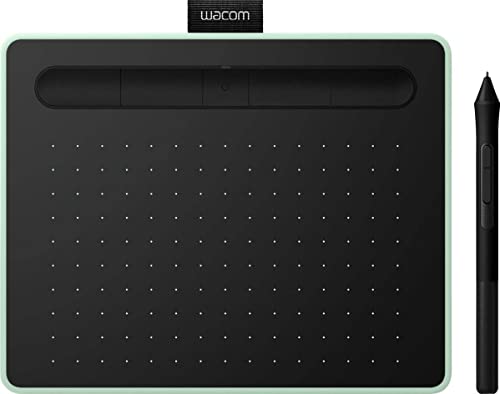
Wacom Intuos S Pistachio, Bluetooth Pen Tablet – Wireless Graphic Tablet for Painting, Sketching and Photo Retouch with 2 Creative Software Downloads, Ideal for Work from Home & Remote Learning



Corel Painter Essentials 8 & AfterShot Pro 3
Corel Painter Essentials 8 allows you to release your inner artist with a wide variety of painting styles, Natural-Media brushes and photo effects. Get the most out of your pen tablet and create an authentic, hand-painted look every time.
With Corel AfterShot Pro 3 you turn your passion for photography into unforgettable memories with powerful processing tools and presets to enhance any image from good to great.
(both are 90 days licenses)
Clip Studio Paint Pro
With natural pen strokes, quick colouring, unlimited tones and 3D figure templates, it has everything a budding comic-book artist or manga lover needs to bring action to life.
Clip Studio Paint Pro is a 2-year limited software use license, with the option to upgrade to an unlimited version at a discounted rate or to continue to use it as Clip Studio Paint Debut version after expiration of the 2-year period.
Boris FX Optics
Boris FX Optics is an award-winning collection of products for creative photo editing. It contains hundreds of Hollywood-grade filters that let you create a unique look and feed to your photos. Plus, add effects like lightning, smoke, and more with Particle Illusion from Boris FX, included in Optics.
(1 year license)
Real-time education with all the tools of the classroom
Teachers, students and virtual teams all benefit from Wacom Intuos and the new educational software bundle. Teach and learn remotely with Collaboard, Explain Everything, Kami, Limnu and Pear Deck. Wacom makes virtual learning and interaction more human, engaging and effective.
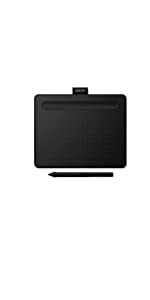 | 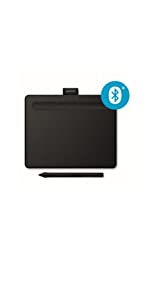 | 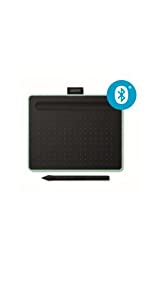 | 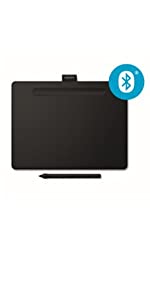 | 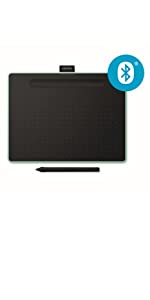 | 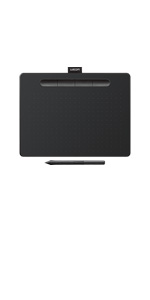 | |
|---|---|---|---|---|---|---|
| Size | Small | Small | Small | Medium | Medium | Medium |
| Active Area | 152 x 95 mm | 152 x 95 mm | 152 x 95 mm | 216 x 135 mm | 216 x 135 mm | 216 x 135 mm |
| Bluetooth connectivity | No | Yes | Yes | Yes | Yes | No |
| Free software: Creative and Education | Yes | Yes | Yes | Yes | Yes | Yes |
| Colour | Black | Black | Pistachio Green | Black | Pistachio Green | Black |
| Weight: | 250 g |
| Dimensions: | 20 x 16 x 0.88 cm; 250 Grams |
| Brand: | Wacom |
| Model: | CTL-4100WLE-N |
| Colour: | Pistachio |
| Batteries Included: | Yes |
| Manufacture: | WACOM |
| Dimensions: | 20 x 16 x 0.88 cm; 250 Grams |
Industry standard device used everyware
Works as expected, no issues, we use hundreds of this at work.
Bought for osu! and it does the job
Got this for osu! and have gone up 3000 ranks since. Not saying the tablet is the reason but can’t say it wasn’t eithe
Happy als Anfänger und Hobbynutze
Ich war wegen der grsse zunchst skeptisch aber das kleine pad ist ideal! Installation und Bedienung sind intuitiv und es gibt keine Probleme.
Lediglich den Zugriff zu den angepriesenen Software downloads habe ich bisher nicht entdecken knnen, ist aber auch nicht so wichtig fr mich
Echtes Plug'n Play, auch mit Linux!
Grundstzlich mu ber das Produkt ja nichts gesagt werden, nur zu einem Punkt mchte ich Stellung beziehen, weil es hier mehrfach gefragt wurde:
Ich habe das Tablet sowohl per Kabel als auch per Bluetooth an einen LInux-Rechner angebunden und wollte natrlich sofort wissen, ob auch z. B. die Drucksensitivitt korrekt untersttzt wird. Getestet habe ich mit OpenBoard, Xournal und MyPaint. Speziell in MyPaint kann man die verschiedensten Pinseleffekte auswhlen, und ich kann nur sagen: Super, wirklich spitze!
Ich bin kein Grafikprofi, aber selbst ich schaffe es in wenigen Minuten, nette Zeichnungen auf den Bildschirm zu zaubern und dabei die Drucksensitivitt z. B. fr verlaufende Tinte zu nutzen! Und das alles, ohne einen Treiber installieren zu mssen oder sonstige Konfigurationsnderungen am Rechner vorzunehmen, also echtes Plug’n Play wie schon oben gesagt!
Tolles Produkt, auch fr Linux uneingeschrnkt zu empfehlen!
Dreamy. Works great with Blender Grease Pencil.
This drawing tablet is a joy to use. It works like a charm with Blender Grease Pencil. Also I like that Wacom works on Linux with zero configuration needed.
Very good for beginners
If you’re starting with a drawing pad, I recommend this. One issue is the driver this pad uses can drain the battery of a laptop but shouldn’t be an issue for a desktop pc.
Great beginner wacom
It works well.
I’m a beginner, it does everything I want and I’ve had no problems with it.
Recommend If you’re starting out. But recommend larger size if you’re more professional level
ableta para iniciarse en el dibujo digital
est muy bien, sobre todo por su tamao. Comoda de usar y con los botones en el sitio preciso.
El boli tiene excelente sensibilidad y viene acompaado de demo de 3 software a elegir de una lista, eso si, de momento solo he descargado uno y es una licencia de prueba de 2 aos….. por tanto no te dan una licencia completa del software.
"Fast funktionsfähig, aber noch zu entwickeln, siehe unten".
Wacom ist ein Synonym fr die Industrie, das Modell an sich funktioniert, aber Bluetooth ist langsamer als die Kabelverbindung. Ich dachte zuerst daran, eine Modellversion zu bestellen, bei der man mit den Fingern zoomen kann, als ich es ausprobierte, war die Oberflche des Zeichenblocks rau, wie feines Schleifpapier. Wenn Sie bei diesem Modell z.B. Adobe Photoshop-Einstellungen hinzufgen und auswhlen, bleibt es nicht im Speicher, sondern Sie mssen es beim nchsten Start erneut auswhlen, Sie mssen sich dafr einen Software-Fix besorgen. Bei diesem Modell muss man als Hilfsmittel eine Maus verwenden — fast ein funktionierendes Wacom”.
Gutes Produk
War als Geschenk fr meine Schwiegertochter. Sie hatte sich aus den zahlreichen Angeboten das beste und preiswerteste Produkt ausgesucht. Meine Schwiegertochter ist da sehr gewissenhaft und wird sich bei ihrem Wunsch schon etwas dabei gedacht haben. Aus diesem Grund kann ich dieses Produkt auch empfehlen.
einfache Handhabung für einen guten Preis
Ich habe jahrelang mit der Maus Bilder bearbeitet und bin nun auf das Zeichentablet umgestiegen. Am Anfang war es natrlich ungewohnt, aber mittlerweile will ich es nicht mehr missen mssen.
I bought it intending to use it to draw, but actually i use it now a lot of times as primary input, instead of using the mouse. it takes sometime to get used to it, but my advice to you is that you hide your mouse for 1-2 days to be forced to use pen. it has also some good features and programs that guide you with i
I bought it intending to use it to draw, but actually i use it now a lot of times as primary input, instead of using the mouse. it takes sometime to get used to it, but my advice to you is that you hide your mouse for 1-2 days to be forced to use pen. it has also some good features and programs that guide you with i
Brilliant graphic table
To be honest, it looked rather bland. It is a black matt piece of plastic with bumps all over the drawing side. But when set up it is amazing. The pen feels a bit big to use but once you’ve got used to it you can use the software to create great pictures. You have a choice of 3 software packages to download but they are only valid for a year. I’m new to using tablets like this but it was easy to use, although a bit more difficult to master.
Best solution for remote white board sessions
Since COVID and when many people started working from home, I was hearing complains of how difficult it is to do a white board presentation remotely, and it is not the same, and other excuses. I have been using tablets before, so I knew how much better option is, than a mouse for such usage.
So, since I am working from home always, I decided to get one, and try it myself.
It is the closest you can get to a marker. Needs a bit of time to get used to it, but once you do, there is no better option to avoid communing in the cold and rain, than this.
Next step, buy a better mic!
Only negative thing is that in year 2022, I was expecting a USB-C connector instead of the Micro-B it has.
I had read so many stories of driver problems with Linux, I left it sitting in the box for a while. I should not have bothered. It worked fine.
Youtube was a great help with configuration for apps like Gimp etc.
Premetto che il primo oggetto del genere che acquisto, la tavoletta ottima, molto sensibile l area di disegno abbastanza grande, non do il massimo dei voti solo per qualche limite nell usabilit a causa della procedura di installazione che non proprio semplicissima, oggetto acquistato usato ed arrivato in condizioni perfette
Once you’ve got the hang of it…
This was really *really* easy to setup on my MacBook. Using it took a little getting used to, but the guides an software made that pretty straightforward. Once I’d got the hang of it, it became the perfect photoshop companion. I’ve not yet moved from using the trackpad for normal curser selection activities or navigating the OS. However, this is definitely my go to for photo editing.
Id definitely recommend this, even if you’re a photo editing beginner!
More flexible than a mouse
Nicely made with alot of pressure sensitivity for drawing and photo editing. Pen takes a bit of getting used to not ergonomically the easiest to hold.
Perfect for photo editing
Wonderful little tablet, its actually a bit bigger than I expected. I do some photo restoration and this tablet is ideal.
It’s small enough to easily put away when I’m not using it, but large enough that I don’t feel I’m losing out compared to the larger ones.
Response is great, I wish the buttons were along the side though rather than along the top. Just personal preference.
It’s a brilliant little tool if your looking to make editing easier.
Finally upgraded from my old secondhand Intuos 3 and this was a very welcome shift! Lightweight, pleasant to hold, the pen holder and buttons feel fine so far, no technical issues that I’ve noticed. The storage of the spare nibs in the end of the pen is handy, and I’m sure I’ll be glad of it and stop lightly mourning the loss of an eraser button on the end of the pen, once I actually have to change the nib for the first time.
The medium is, in my opinion, a perfect size. Although I know that’s very dependent on what surface one uses the tablet on.
The inclusion of 2 years’ use of Clip Studio Paint is very neat too! I’m personally used to Paint Tool SAI and continue to mostly use that but this has given me a good opportunity to give CSP a go and see what all the fuss is about. It seems great so far. I know a lot of people who use it as their primary art programme. I will say though to anyone unsure, this includes the version that lets you do animation, but only 1 second’s worth. But if that’s not a deterrent for you then yay!
TL;DR: does what it says on the tin and I’ve had no trouble with it so far! (Mine was no Bluetooth, and medium sized, and black.)
Currently use a Wacom Intuos Pro Medium at work and on my main desktop for 3D modelling uses. I bought this for work on my laptop.
In general, it’s a good tablet that does what it needs to at this form factor and would recommend if you are a beginner or want a small tablet. Unfortunately the small button on the pen regularly gets stuck under the frame when you press it down which is incredibly frustrating. If I adjust my hand position, it helps but that’s not ideal having to relearn a hand position I’m used to for 15 years!
I think it’s a great tablet, I like the pen a lot, it’s easy to grip and comfortable due to the soft touch rubber grip.
The included cable is long enough for my needs, and when connected with the wire there is very little lag and drawing with this is a pleasant experience.
Unfortunately when in wireless mode it begins to lag to a noticeable extent, and for me it’s to the point where I’d rather not use it wirelessly.
Overall I think it’s a good tablet, but I’d recommend picking up the wired version.
The ultimate connector of people
I use this to teach with online. The Wacom has fast become the ultimate,indispensable tool. Not to hot on Chromebook but that is not Wacom’s fault. Using this you can describe, discuss and illustrate as you would in a classroom. Work through problems and illustrate, the ultimate tool!
Excellent all round tablet.
Great tablet, easy to set up and works perfectly with Affinity Photo and Blender 3D.
I must add that the build quality seems to be head and shoulders above the Huion tablet I had previously so I’m very happy that I switched to Wacom.
Love i
I bought as a gift and it went down really well, even tried it myself and have to say its really good i’m trash at drawing but the person I bought it for loves it and has found drawing on the computer to be great fun.
Works with Linux, detachable usb cable
I’ve had a smaller Wacom in the past and always found them to be difficult to use when drawing accuracy needed
This medium intruous is a nice step up and much easier to use
The detachable usb cable (micro to A) is welcome change too to let you swap out longer or damaged cables – having bought the non Bluetooth version to avoid some reponsiveness issues reported by others
The Wacom tablet is brilliant with Microsoft whiteboard. It really helps with additional skill building and the battery less pen is a brilliant thing for the morally conscious consumer. It didn’t work for me one day which made me a little nervous that I had bought a dud however a quick Google led me to restart the Wacom tablet on the computer. It’s really a great thing to use if you’re trying to be creative.
Great Little Gadge
Nothing wrong with it, owned two. Great surface texture for sketching and handwriting. Stylus is nice. But for serious drawing you will simply need a bigger one for more control.
I bought this for my nephew to use as he does CAD and Photoshop work. I had let him try my Wacom Intuos Pro prior to this and he’s more than happy with this Intuos Medium model.
There is a difference in the stated between the Pro models and this version of the Intuos. I’m referring here to the pressure sensitivity, however, in practice this hasn’t caused any problems for my nephew’s usage. Looking at the price difference between this tablet and my own Intuos Pro, it’s very hard to justify the Pro version. I think only someone doing actual painting/drawing with the tablet might find the higher sensitivity noticeable (perhaps for extremely light pencil strokes).
This Inuos Medium cost less than I paid for my Small Intuos Pro so I think that in future I’ll be unlikely to go Pro. This tablet is just very good value. It’s also about the same overall size as my Small Pro while having a working area of 8×10 inches compared to 6×4 inches on the Pro Small.
One final thing I like with this tablet is the recess on the tablet for placing your stylus. I always end up with my stylus rolling about the desk as I can’t be bothered with the standalone stylus storage that I have.
So those are my thoughts and I hope they can help you.
Compared to XP-Pen and Huion tablets I’ve tried, including their recent ones, this Intuos performs better thanks to its superior pen. Initial activation force is very low, ideal for me as a light drawer, and lines are steady. The shortcut keys are somewhat useless due to the odd positioning up top forcing you to reach your hand over the drawing surface and block your drawing hand. I ultimately ended up only using the left corner key as a quick undo. If you use a keyboard for shortcuts, this won’t matter much to you. My only real problem with this tablet is the loss of tracking accuracy with continuous strokes, which can be fixed by lifting the pen off the surface and putting it back on.
I think it’s fantastic, I waited a while before writing a review to be as informative as possible..
At first it threw me off getting used to it but I got used to it over time, you really don’t need anything more expensive then this for home office graphical work, you can mess around with the settings to make it your own and there are tutorials all over the place.
If you go for something off-brand you may not have the access to the right information on the Internet as you get with the this unless you know what you’re doing already.
One thing I’ll say would be the transition from Bluetooth mode to hardwire connection. When I want to plug it into my computer, it had a hard time understanding what it is and can be finicky, Bluetooth works way better for me. That could just be me and its a slight annoyance if anything
Hope this has been helpful for anyone, would recommend
Wonderful
This is the 4th Wacom tablet I’ve ever had, in my decade as a digital artist and this one is probably my favorite due to how well it works without any cables, making it super easy to use when in small spaces or traveling.
Ich habe dieses Grafiktablett aus verschiedenen Grnden gekauft: zum einen ist es bei der Bildbearbeitung/Retusche grundstzlich wesentlich natrlicher in der Handhabung als die bliche Maus. Die Vorzge der Arbeit mit Druckempfindlichkeit etwa fr die Deckkraft und/oder Gre von digitalen Pinselspitzen liegen einfach auf der Hand.
Zum anderen wollte ich tatschlich wieder zu WACOM zurck, nachdem ich eine ganze Weile ein Konkurrenzprodukt benutzt habe, da mein altes, bewhrtes WACOM-Tablett nicht mehr mit einem neuen Rechner bzw. MacOS funktionierte.
Das erwhnte Konkurrenzprodukt war nicht wirklich schlecht, hatte aber immer wieder Probleme bei der Projektion der Display- auf die Tablettflche, die zwar meist schnell behebbar waren, aber trotzdem nervten. Ich habe den Eindruck, dass die (mir bekannten) WACOM-Tablett-Treiber hier insgesamt besser/zuverlssiger sind. Insbesondere haben Sie den Vorteil, dass man Einstellungen programmspezifisch speichern kann, whrend das China-Produkt (welches brigens eine sehr motivierten Support hatte!) nur globale Einstellungen kannte. Da man in verschiedenen Programmen in der Regel unterschiedlich arbeitet, ist das fr mich ein groer Vorteil!
Auch dass der Stift — wie schon immer von WACOM gewohnt — nicht eigens aufgeladen muss, sondern energietechnisch rein passiv ist, ist natrlich ein groer Vorteil.
Weitere Aspekte:
–das Tablett (hier eben die Medium-Gre) bentigt — bei hnlich groer aktiver Flche — weniger Platz auf dem Schreibtisch als der chinesische Vorgnger und auch als das alte WACOM Tablett davor. Das ist natrlich immer angenehm.
— die Gre Medium ist fr mich, wie ich finde, optimal: man hat auch mal ein bisschen Platz fr etwas gestischeres” Arbeiten/Zeichnen, wenn es sein muss und ggf. auch fr die Projektion eines Zusatzmonitors auf die Flche. Das knnte bei der S-Gre u.U. etwas eng werden.
Grundstzlich kann ich mir aber auch vorstellen, dass Nutzer mit vorwiegender Detailarbeit auf einem einzigen Display tatschlich mit der S-Gre auskommen knnten.
Die Anzahl der Druckstufen ist m.E. vllig OK auch fr differenziertes Arbeiten bei Retuschen und digitalem Malen/Zeichnen. Klar: mehr ist immer besser, aber man muss das sicher in Relation zum Umfang der Nutzung und zum aufgerufenen Preis sehen. Und da schlgt sich dieses Tablet ziemlich gut, finde ich.
Eine Sache ist die Beschaffenheit der Oberflche, die sich bei der Arbeit mit dem Stift durchaus deutlich rauher anfhlt, als das bei meinem alten WACOM und auch beim zuvorigen China-Tablett der Fall war. Andererseits geht es auch ein bisschen in Richtung Bleistift auf rauherem Papier”, was auch wieder ein etwas natrlicheres Gefhl ist als bei anderen sehr glatten Oberflchen. Letztlich drfte das eine sehr persnliche Sache sein, ob man es mag oder nicht. Fr mich htte es vielleicht ein wenig glatter sein knnen, aber auch wieder nicht so glatt wie beim alten Tablett –solche gefhlten Qualitten sind halt sehr individuell zu werten.
Nicht so persnlich ist allerdings die mit Sicherheit deutlich schnellere Abnutzung der Stiftspitzen auf der rauheren Oberflche (ich meine ich htte sogar etwas ganz feinen Abrieb sehen knnen). Hier kommt dann wieder der Nutzungsumfang ins Spiel: fr Vielnutzer knnte es ein wichtigeres Argument sein, wie oft neue Spitzen gekauft werden mssen, als fr diejenigen, die das Tablett eher nur gelegentlich fr spezielle Arbeiten der Maus vorziehen.
Zu den (nur) 4 Funktionstasten kann ich nicht viel sagen: ich benutze sie eher nicht, aber sie lassen sich natrlich im Treiber sicherlich sinnvoll belegen. Poweruser werden berdies mglicherweise zustzliche Tasten oder auch den Touch Ring der (aber auch deutlich teureren) Pro Version vermissen.
Dass dieses Tablett keine Touch-Funktionalitt hat, strt mich persnlich berhaupt nicht –ich gehe sogar eher davon aus, dass ich sie abgestellt htte, gbe es sie hier. Mir ist die Bedienung rein durch den Stift vllig ausreichend.
Last but not least gibt es hier aber die Bluetooth Konnektivitt, wenn man das Tablett kabellos am Rechner verwenden will: das ist erst einmal natrlich verlockend, da die Handhabung ohne strendes Kabel natrlich etwas flexibler ist (und der [reale] Schreibtisch auch gleich etwas aufgerumter aussieht…).
Allerdings bemerke ich bei der kabellosen Anbindung durch Bluetooth (die schnell und einfach einzurichten ist) an meinen 2 Jahre alten iMac eine gewisse Verzgerung bzw. einen kleinen, aber sprbaren Nachlauf” der Pinselspitze am Display gegenber der Stiftspitze auf dem Tablett.
Es fhlt sich ein bisschen so an wie die (zuschaltbare) Kurvenglttung in manchen Programmen, die insbesondere mit der Maus gezeichneten Linien zu mehr Gltte verhelfen soll. Es ist nicht megastrend, aber fr mein Empfinden doch ein bisschen irritierend, weil die Direktheit bzw. ganz direkte Entsprechung von Stiftbewegung auf dem Tablett und der Curserbewegung auf dem Display nicht ganz perfekt ist.
Aber auch hier gilt: wie strend es wirklich ist, wird von der individuellen konkreten Arbeit am Tablett abhngen — fr Detailarbeiten mit vielen eher kurzen Strichen” ist es m.E. beinahe zu vernachlssigen, whrend es fr eher grozgige, lange und schwungvolle” Zeichenstriche oder Bewegungen ber das weitere Display allgemein als strend oder etwas unnatrlich” empfunden werden knnte.
Fr mich ist allerdings das Zeichengefhl bei Anbindung des Tabletts ber USB letztlich angenehmer.
Fazit: ich bereue den Kauf nicht (zumal zum gnstigen Black-Weeks-Preis…) und mein irgendwie (noch) akzeptables, seinerzeit gut halb so teures China-Tablett geht nun in den Ruhestand.
Wegen der kleinen Einschrnkungen in Zeichengefhl (Grad der Rauheit der Oberflche) und dem festgestellten Bluetooth-Nachlauf” gibt es aber nur 4 von 5 Punkten.
This is my first graphic tablet and it is very good since it comes with application. The shortcut buttons easy to rearrange and they are just under your hand. However sometimes it just goes only window mode, so I can’t reach some places on my screen which is a bit frustrating. I don’t know if my pc or the tablet itself causing it but when I restart my pc the it’s good again.
perfect to start editing on PS
I bought it to start editing on PS and now I cannot live without! Super easy to set up and to customise the buttons. It is not that big but for my small desk is perfect, if you have more space the bigger one is definitely the way to go though
Very intuitive and precise.
This is to replace my smaller Eacom tablet which is wired. This has made all the difference in that I sit back at the desk and can even have the tablet on my lap, or stand with it. Having Bluetooth has made my working more adaptable.
If your are looking to upgrade go for it you will not be dissapointed.
Looking to invest in a tablet, again go for it.
As a photographer I have always used Wacom and never once have I went hmmmm.
Amazing for drawing and editing photos.
I wanted to use this to edit photos and to draw on photoshop and Im not disappointed. I’ve had it more than a year and Ive only gone through 2 nibs so its super worth it.
I must admit I was a bit apprehensive about which graphic tablet to purchase to help with my editing in photoshop and finally opted for this one. The pen and base have a great quality feel to it and work really smoothly with my iMac. My only issue was with the installation and setting it up fully within the settings of my Mac but all in all I would recommend this product to anyone looking to buy their 1st Graphic Tabley
Wacom is the best brand
I have been using a Wacom a4 square tablet for many years, back when they cost a fortune. I needed something for a home workstation and bought this. Is very accurate, minimal lag, if any at all, nice pen size and weight and good feel on the surface.
I will now buy a big version to replace my very old Wacom that has been working perfectly since 1998 – and it is only because the cable is getting frayed through constant use.
The first thing you notice is that it is smaller than you think. The box contains the tablet, which has rubber studs on the back and four mappable buttons along the top, the stylus, and a USB cable. Software is downloadable from the Wacom website. It’s a cinch to set up – you can pretty much just plug it in and use it straight away, but the software allows you to remap the buttons on the tablet for your own chosen functionality, configure the screen size (important if you are using multiple monitors and have your desktop extended across them all, as the tablet assumes that the complete width of all your monitors is a single screen, unless you tell it otherwise in the app) and so on. The stylus doesn’t use batteries and has some spare tips inside – just unscrew the barrel and they’re stowed inside.
It takes a bit of getting used to. As soon as you hold the stylus over the tablet it works as a mouse, and if you tap on the tablet surface it registers as a click, so if you really take to it I suppose you could even ditch your mouse. Of course, the tablet works with graphics software such as Photoshop and Gimp, but it also works with the likes of Microsoft Paint, Paint.Net and Windows Ink within Windows 10. For my purposes (sketches during courses) I found that Microsoft Paint or Windows Ink were absolutely fine. Sure, these “lesser” packages don’t support pressure sensitivity whereas the likes of Photoshop do, but for me they were perfect. The hardest thing to remember is that as you draw on the tablet, nothing appears on it, just on the screen, but after a little while I found that it became second nature. Weirdly I did find that if I tried drawing in Paint.Net with the tablet some things didn’t work so well, such as if I wrote with the stylus, or tried to draw freehand circles, but it was fine in other programs.
If you’re a trainer like me and you want something that will let you doodle on the screen, present courses remotely with a virtual whiteboard, or if you fancy dabbling with photo editing, this tablet is small, light, portable, and doesn’t break the bank. Of course, bigger and snazzier ones are available, but this one was a brilliant buy for me.
I love everything about my tablet, sure, there are more expensive ones out there and I was tempted to spend a little more money but so glad I didn’t. This fits my needs perfectly and you will find that you don’t really need a huge tablet as you only actually draw on a tiny space. Whether it’s photo editing, illustrating or manga that floats your boat, this tablet will be great. This Wacom came with some free trials of software and I have been using the Clip Studio Paint almost exclusively, it’s mainly geared towards manga/anime/comics but is also brilliant for illustration and art. This tablet is a great investment for those wanting to try digital art and don’t be fooled by it’s size and price – remember that old saying “Good things come in small packages”. It’s simple to use and set up, the pen has really good pressure sensitivity and there are some shortcut buttons on the tablet but I never use them, I learned the keyboard shortcuts pretty quickly (old gamers never die) but others may find them useful. Great little tablet, you can’t go wrong with it.
Good start for art enthusiasts. Great price.
Are you an art enthusiast? Don’t like messy desk with paint and eraser dust? Don’t think twice and get Wacom. I looked at other options but none of them seemed robust. It will take some time to adjusted to drawing on the tablet and looking at the screen, so hang in there.
Absolutely love this
Easy to install and fun to use once over the learning curve. Works wirelessly with my MacBook Pro and lets me doodle, draw and diagram. Nice to the touch and feels well built. Legit.
Should have bought it March last yea
After a year of trying to write maths equations with the mouse on Zoom, (I got quite good actually), I caved in and got this. OMG, life changing.
I did find the set-up a bit tricky, instructions could have been clearer.
I really enjoy using it, despite being an Apple Pencil/Procreate snob. It’s made my tutoring so much easier. Just get it.
Check the rocker switch.
The rocker switch had a habit of jamming down on the first one I had. It made it hard to use.
I returned the whole thing. The new one is alright.
Great tool for teaching
Got this for online teaching, but this has now all but replaced my use of whiteboards in the classroom as well. Very convenient for writing on the screen, slides, etc.
The Bluetooth also means I’m not bound to my desk while using it.
I’m a designer and I purchased this tablet to create hand drawn lettering. I did consider the screen GFX tablets but felt that was going to be overkill. I opted for the non-bluetooth versions and saved around 30, since I didn’t trust the responsiveness and expected latency. For the same reason, I do not use a wireless mouse.
The build quality is good. The button are firm and ‘clacky’. The pen is light but seemingly good quality. Drawing on the tablet gives a slightly feel of friction and scratchiness, but this is a good thing. It feels like the two surfaces bode well with each other. It doesn’t feel like a thoughtless rough, plastic on plastic.
The tablet connected immediately to my 2015 iMac.
There’s 4 buttons at the top, each can be assigned a function using the software which you need to download. so too can you assign functions to the 2 buttons on the pen. So far, I’ve only assigned undo to the tablet itself.
Pressure sensitivity (something which I oddly forgot about) was surprisingly effective. There feels like no movement in the pen nib or the tablet and literally works by ‘squeeze’. IAt default, it’s not too light nor strong. I spent a great deal of time experimenting with this and I produced some satisfying results.
The pen position on the tablet is relative to the screen, so you can’t attempt to reposition the cursor on the screen elsewhere with the pen on the same spot as the tablet. The 7 inch diagonal area of the tablet represents the actual areas of the screen. so if you want to go to top right of the screen, you will always have to move the pen to the top right of the tablet. This means that there is quite a bit of arm movement. With that in mind, a graphics tablet (of this type) would never replace my mouse, since a mouse requirement minimal movement, however the tablet has a definitive and effective use in my graphic design work.
Recommended!
Complete beginner review
I had no prior experience using drawing tablets before buying this but wanted to pick one up as a novelty to use for online classes and trying to make some digital art.
The pad itself has been great, very accurate and consistent while using both bluetooth and being plugged in.
The battery life is amazing one charge lasts around 18+ hours of use for me.
And the included 2 year clip studio paint licence is amazing value and one of the main reasons that i opted to purchase this version of the intuos as oposed to a wacom one or non bluetooth enabled intuos
Overall very happy with the purchase as it has allowed me to do everything i wanted with this single purchase.
Easy and simple to use
Win 10 recognised it but you still need to download the drivers. Follow the address on the instructions inside. I’m using it with GIMP and there are no issues whatsoever. Product when registered comes with a few 90 day trails of painting and photo editing software.
A brilliant pointing device that will enhance your user interface
Even on an old 2011 iMac, this is brilliant pointing device that has changed how I use software packages such as Adobe CS5 Illustrator & Photoshop.
So much better than using a mouse for these creative programs. Although i also have a mouse connected, it is rarely used now I have a Wacom.
Furthermore, it works so well as a pointing device for all other software such as MS Word, Excel and Mail programmes.
A brilliant piece of kit that will enhance your user interface and improve your creative skills with a Mac or PC.
I purchased this primarily so that I could do my online live lessons to my class and I needed a way to draw on my whiteboard as I would in class. I could have got the cheaper version but went for this one as I wanted to have a bluetooth connection to my Macbook Pro.
It was easy to install and connects quickly when I use it. It takes a bit of getting used to in terms of where it is on the screen and sometimes the lines can be a bit jerky but that may be one of the applications I am using as much as the pen.
Overall may very happy with it and of course, I can now use for a bit of image editing as well so win win.
Great general use table
Replaced an Intuos 3 with this — only because the drivers for older Wacom tablets are not up to date.
This small tablet is good for Photoshop and Indesign use. Build quality is okay, but not as solid as the older, beautifully built models. This is good for beginners; good for pros.
Does not break!
This is great for digital artists. I personally reverted to using the ipad now but this digital tablet has served me well for the past 3 years and has not broke, you can also customise the pen buttons
2nd Wacom tablet for animation and digital drawing
Previously brought the S size equivalent for my son who is keen on animation and digital drawing. That version didn’t have as many buttons or separate nibs, but my son who’s now quite experienced is really enjoying the potential and capability of this tablet and also the free software which comes with a pass code with the tablet.
Overall a great little produc
Easy to setup, shame there is no storage case available or a practice tutorial. Nice and compact and I love the ability to switch screens for multiple monitors. Overall a great little product for those of us wanting a first purchase digital drawing table
its perfect, the minty colour is beautiful
I bought this to replace my old 2011 version as Wacom no longer makes drivers to support the latest mac/windows updates, it was frustrating to replace perfectly good hardware because of lack up to date driver however this is just as good as my old one. The colour is beautiful, the working area is exactly the same this one doesn’t have the nifty rubber/eraser mode on top of the pen like the old pens did but that’s okay. I’m a designer by trade, this works wonderfully with all the adobe software, 100% would recommend.
useful for all graphics professionals
For a long time I resisted getting a tablet and pen as I am a dedicated mouse-user for all my Mac apps when I’m working. However, in my work, I’ve been drawing a lot of hair lately and I don’t think I could have done it half so well without this little Wacom. I cant recommend it highly enough.