WD 2 TB My Passport Portable HDD USB 3.0 with software
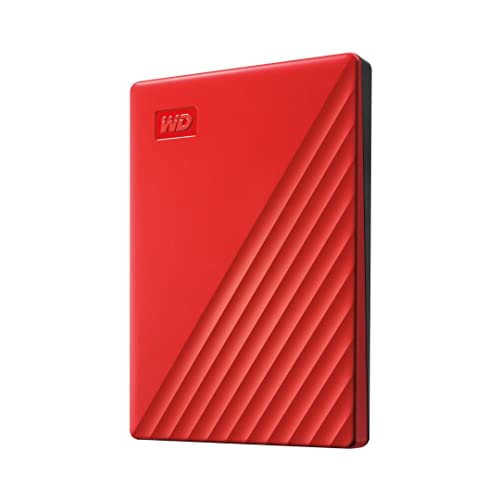
WD 2 TB My Passport Portable HDD USB 3.0 with software for device management, backup and password protection – Red – Works with PC, Xbox and PS4
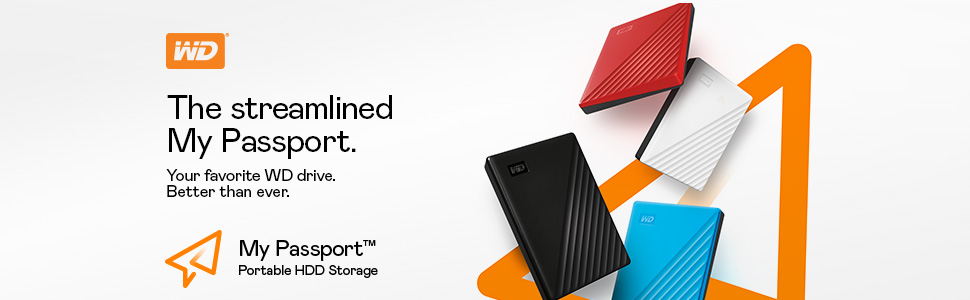

Slim style.
Make the most of your journey with style that suits you. The new My Passport has been redesigned to feature a convenient, slim form factor and is available in a range of vibrant colors.
Backed up.
Make sure everything you create while on your own life journey – photos, videos, music, and documents – doesn’t get lost. The My Passport drive comes equipped with backup software that can be set to run automatically to your schedule. Just pick the time and frequency to back up important files from your system onto your My Passport drive.
Locked down.
Make sure everything you create while on your own life journey – photos, videos, music, and documents – doesn’t get lost. The My Passport drive comes equipped with backup software that can be set to run automatically to your schedule. Just pick the time and frequency to back up important files from your system onto your My Passport drive.
Super easy.
My Passport portable storage is ready right out of the box including all necessary cables. And with SuperSpeed USB, you can quickly start backing up everything in your life and keep driving forward.
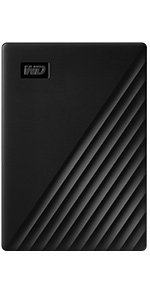 | 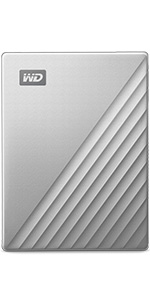 | |
|---|---|---|
| Technology | HDD | HDD |
| Interface | USB 3.0/2.0 | USB-C/3.0/2.0 |
| Password protection | Hardware Encryption | Hardware Encryption |
| PC/Mac Ready | WD Backup for PC | WD Backup for PC |
| Shock resistant | PC | PC |
| Great for | Backup & Storage | Backup & Storage |
Western Digital, the Western Digital logo, WD, the WD logo, and My Passport are registered marks or marks of Western Digital Corporation or its affiliates in the US and/or other countries. USB-C is a mark of USB Implementers Forum. Mac is a mark of Apple, Inc. All other marks are the property of their respective owners. Product specifications subject to change without notice. Pictures shown may vary from actual products. 2022 Western Digital Corporation or its affiliates. All rights reserved.
Troubleshooting:
Undiscoverable by PC and cannot be repaired via software – Connect to another computer to verify if issue is with local host or product. Additionally product MUST be safely removed or ejected from host as not properly removing product form PC will also create issues such as mentioned below.
For Password protection, must install included software to enable password protection.
drive clicking, this device requires USB power only we would recommend trying the device on another computer, try another cable
Every trip needs a passport. The My Passport hard drive is reliable portable storage that gives you the confidence and freedom to move forward in life. With a sleek new design that fits in the palm of your hand, there’s plenty of room to store, organize and share all your photos, videos, music and documents. Perfectly paired with WD Backup software and password protection, the My Passport drive helps protect the contents of your digital life. The total capacity available on a 5TB drive is 4.6TB. The storage industry as a whole measures capacity in decimals. Windows based computers measure based on the binary, that’s why the drive shows as a smaller capacity
| Weight: | 120 g |
| Dimensions: | 10.72 x 7.49 x 1.12 cm; 120 Grams |
| Brand: | Western Digital |
| Model: | WDBYVG0020BRD-WESN |
| Colour: | Red |
| Batteries Included: | No |
| Manufacture: | Western Digital |
| Dimensions: | 10.72 x 7.49 x 1.12 cm; 120 Grams |
I’ve got four of these, and never had an issue with any of them. I would buy more of them, but hopefully four will do me for a while haha.
Would definitely recommend!
Have to say anything carrying the WD logo, has become (for me ) I know a brand I can trust for durability; that’s what you really need is peace of mind. Not a lot of brands I can say that abou
Poor product – it died on me & i lost 3 TB worth of very important files which would cost over 700.00 to retrive
just died on me one day, started clicking. WD said they would reeplace the drivee as still under warranty, but not pay for retriveal of my lost files.
The whole point of the files is to back-up and keep my files safe??
I have consistently bought WD HDDs over the years as their reliability is generally considered better than that of other manufacturers. Touch wood, none have failed me to date. The storage capacity question is odd – it is what it is so 5*. Likewise the tech support question – I’ve never needed to use it, so I’ve given it 3* just for being there! And yes, it is small, therefore portable, which is why I bought it, so another automatic 5*.
Bought as a gif
My son asked for this particular size so I bought it for him to back-up his computer information.
I myself have a few of these devices and they are very handy to have as back-up storage for files, pictures, video or audio clips.
Their portability and ease of use also make these an ideal solution for your back-up needs.
Brillia
Brilliant device. It got bit hot after transferring 400GB not sure if it is normal or not.
I am very pleased with the Hard drive.
Rubbish cable
For real world use I found this gave me transfer speeds of around 25Mb/s
The usb C cable and adapter are super cheap and bulky connectors, add a decent quality cable onto your order. However these are only free extras so I haven’t deducted any stars
Good produc
This is the no. 4 WD hard disk I bought, they all working well
Easy to use
This drive is easy to use and set up. I leave it permanently plugged in on my PC and with the provided software, it is set to back up my entire PC once a week. Shame the software appears to be time limited though, although it is active until 2028, so I can’t complain really. This drive is highly recommended and does the job well.
Excellent value for money
I bought this (4TB size) to replace an older 1TB drive that was almost full. Both drives are of the same brand and type, and I fully expect the new one to last as along, and be as reliable as the original one.
Excellent read and write speeds via USB3. Very good price as well considering the 4TB capacity.
You simply can’t go wrong with this – highly recommended to others.
It works!
Unlike every cheaper drive I’ve tried it actually works (so far), well worth paying slightly more rather than wasting as much money on junk.
compact and super simple to use
I bought this to offload a number of videos, photos and phone backups from my windows PC.
simply plug it in, wait a few moments and it’s ready to use – super simple!
It works as well as it should
It’s a usb hard drive, there is no issues with it. Comes packaged well enough for the delivery driver to play rugby with it.
Does the Job on LG TV and is small and quie
Good value for storage capacity. Plenty fast enough for recording on LG TV and TV had no problem with the 2TB size or identifying and saving directly. Cable short for TV but 3m cable purchasable via amazon meaning it can be stored on floor and still cabled to TV. Will leave others to comment on the speed and technical aspects, but if you looking to record an LG TV this works well
just read back other reviews and see others have complained about it being noisy. it really is. you can hear the disc spinning inside. I’m using for Time machine and some extra storage space for my new M2 Mac Mini. set up/formatting and partitioning was easy. Would recommend but be aware of the noise thing!! just have to play my music even louder now!!
I purchased this as a Time Machine for my M1 MacBook Pro and haven’t been disappointed. Though this isn’t the ‘Mac’ version that WD sells, the only (official) difference is that products are formatted differently out of the box. Well, that’s what Disk Utility is for! So save yourself some money.
The Ultra version of My Passport features a half metal enclosure (though to be frank it’s like tin) and USB-C cable with USB-A adapter, making it convenient for any modern Mac. The drive is much smaller than I anticipated and could easily fit in a jacket pocket! Though the lack of protection suggests this wouldn’t be a good idea…
Being sat on a desk with its rubber feet, quiet operation and sleek design, I think this makes the perfect Time Machine companion. A general rule of thumb is that your Time Machine should be at least twice the size of your Mac’s drive, so 2TB seems to be the sweet spot for most people. Also keep in mind that the 4TB model is not only a lot more expensive but also twice the thickness.
No issues!
First delivery of this was a dead disk. The device light comes on when connected but no further interaction – all manners of connection failed across multiple desktops and laptops. Nothing audible nor any signs of movement. Got on to product support and they agreed disk is faulty and sent out a replacement.
The replacement works fine – connects first time. So now I got 5TB in a single disk, hurray. Noted what other reviews said about the connection cable, I will try get a better quality one to try – speed is poorly. Between another USB 3 disk (“X”) via the desktop to this 5TB disk (type C), over the same USB powered hub (100w), the speed maxed at 30MB/s, with a bit of 31. Slightly slower speed, averaging about 22MB/s when copying from same 5TB disk to itself. Maybe 5400rpm answers it.
This is copying 120GB folders and files.
I am after the capacity, much less about the speed.
Further tests, copying from X drive to internal SATA disk on another computer over the same LAN, the speed peaked about 40MB/s, mostly in the region of 32MB/s. Copying back to the same SATA disk peaked at 82MB/s, mostly 45MB/s. The SATA disk is for storage rather than speed, 5400rpm.
While writing this, I also discovered that using my alternative type c cable (not sure if it is better or worse than the supplied short cable), along with the type c – A adaptor, has been stable, compared to (a) the same cable and adaptor to the usb port on the front panel (motherboard header), and (b) the same cable on to the type c, front panel on mb header. In both cases of (a) and (b), the drive “disappeared” / disconnected when not in use for say 2-3 minutes. I assume that’s because of the quality of the cable and lack of power. Using the powered USB hub solved the problem. But next on shopping list is a good quality type c cable.
Happy to give 5 star however for many people speed will be important. In longer term with larger capacity, this disk with its speed will quickly rank near bottom. When I start using this for live reading and writing video processing and scratch temp it will struggle to keep up. So, 4 star.
–Update–
With a new 100w type c cable :
— On type c header on motherboard,
– copying from from the X drive to the 5TB, this peaked at 40MB/s, with a bit of 41,
– writing back to the 5TB (copying) peaks at just over 13MB/s (didn’t achieve the 22MB/s above)
— On type C with USB adaptor into the 100w powered USB hub
– copying X to 5TB: surprisingly, this time it is peaking 20MB/s (second test, same outcome)
– copying 5TB to itself: also just over 13MB/s
Rather confused with the lower speed with the new type c cable. Is it doing some load balancing / queueing.
I then tried copying one file 565GB from same X drive to the 5TB (over 100w hub), peak is 20MB/s. Copying the file to 5TB itself, same as above, just over 13MB/s.
Not sure what to make of it. A big tanker indeed but not sailing in a rush.
I had problems previously with using this as a back up disc and storage disc it would not back up always and eventually it caused an internal disc failure. I am trying again to use for one or the othe
I bought this to help me keep a common data source between my various devices. I wanted to password by protect the drive to prevent accidental deletion or editing by one of my super helpful kids. The password protection works on Windows platforms but does not work on Chromebooks. I have to use a Windows device to remove password protection before I can access files via a Chromebook, then use a Windows device to put the password protection back on. It would have been better if the description & marketing information made this clear before purchasing. The software that came with the drive doesn’t work, tech support didn’t have this covered in an FAQ despite it being a well known issue. If you download the latest version of the free software from their site, you’ll be up & running immediately, if you wait for an answer from their tech support, you may be waiting a long time. Hardware good, software & support need to improve.
I had been using a 2T hard drive from the same people but it is not portable, too big & heavy. I decided to go for the benefits of a small & neat SSD especially as I was buying a new PC which has an inbuilt SSD. I keep my old HD fully backed up but switched off. If I did get a wipe-out attach at least a have a “vault” copy.
I tried to register the SSD online but it was not recognised. I contacted WD and they tried but failed to register it for me. A few days later they came back and said that they had proof it was a legitimate WD device and they registered it on their records for me. A load of firms would just wash their hands.
Quite please with it all – except that the data cable is far too short & it sits too high on the PC. The bonus is that it now has good airflow, as SSD’s can really heat up.
After my old hard drive bit the bullet, it was time for an upgrade. I’m not hardware savvy when it comes to hard drives, but I knew that I wanted a large capacity, portability and a durable piece of kit.
I spent a good amount of time looking for the product I wanted, until eventually this drive found its way into my eyeline. Having used it for some time now, I can confidently say, that it was worth the money. The 4tb (3.6tb) capacity was more than enough for what I used it to store. The USB-C connection was a modern touch and so far way more reliable than the micro USB of my old drive.
The build quality is great, and the overall look is professional and very showing of its premium price point.
In ending then, I am very pleased with the product, it is everything I needed it to be and then some. If you need such mass storage as this, it is worth picking up.
This drive has been very valuable for storing content that I needed to move off my laptop to free up some space. Transfer rates are good and it works well.
I have a few external drives and one comes with a nice and handy carry case. The case is better and it provides some protection from direct impact when transporting the drive. This WD drive doesn’t come with such a case, which is why I’ve marked it down on the portability score.
I use this one as a TimeMachine drive on my new iMac and it does a great job. It’s plugged into the USB3 port and it is fast. I have another one of these drives for my samples libraries for Logic, Spitfire and EWQL. Again, plugged into USB3 port. The drive keeps up with the demands of Logic Pro X no problem.
Very happy with these drives.
Does what it’s meant too, decent enough as a backup drive. Good enough speeds, it does warm up over use but it doesn’t get hot, other reviews exaggerate. Overall I recommend.
A solid HDD made by a reputable firm…which is why I paid slightly more for a WD one. The downside is that it’s actually a 3.6ish GB HDD. A lot of HDD’s always have a little less but this amount is a bit of a kick in the teeth as we use it for storing our raw and completed vlogs on for YouTube, so every bit of storage matters. Anyway, I wouldn’t say that I’m not a fan, as I am. I just wish that there would be more usable room on it or at least you had prewarning as to its ‘real’ capacity.
Bought for use with Time Machine back-ups on my Mac, plugged in and tucked away behind the Mac.
No issues so far, small compact unit, easy to tuck away out of sight and leave to do the job of holding back-ups for the computer. I’ve attached a pic of the unit to show size in relation to keyboard and trackpad. It’s normally tucked away out of site at the back.
I had a 2TB Passport drive but that just filled up so bought this 4TB model. So small and light and powered off the Mac USB-C port. Really quick to copy nearly 3TB of data (4 hours !) . Always bought WD disks and have only ever had 1 disk failure and that one was over 5 years old. I use it as an offsite backup for a NAS system so it is perfect for this. Also great it’s preformatted for a MAC and includes the USB-C converter so that saves 10.
Typically top-quality drive from WD. I purchased this to provide additional storage and backup for my new MacBook M1 Max. It functions perfectly, with extremely fast data transfer, for example flawlessly handling four simultaneous streams of HD video and a fifth audio stream, all of 40 minutes’ duration for a Final Cut Pro edit.
2Tb drive, used with Macbook M1 with 256Mb internal storage. Comes with USB-C to USB-C connecting cable with an adapter to connect to standard USB port.
Nice size. Lightweight and easily carried in a sleeve or case, with a Macbook.
I have this unit formatted into two x 1TB drives. One for Time Machine backups, the other as external storage, which is quickly necessary on a laptop with only 256Mb of internal storage. Set-up as a Time Machine drive was straight forward, as was formatting and partitioning the drive, after looking online for instructions first!
So, why only 4 Stars?
There are two reasons, the first of which is quite minor but irritating. As can be seen, the case colour doesn’t match the Macbook colour.
Secondly, and most importantly, the drive comes loaded with bloatware from Western Digital. A 2Tb drive is down to around 1.8Tb out-of-the-box with the excessive amount of unnecessary software that Western Digital try forcing on people. Personally, I paid for storage, not second-rate software. Luckily, a quick format gets rid of the unwanted software.
From what I could see I had not dought as to why it wouldnt work as any other harddrive would. But once formatted and plugged in, the HDD doesn’t not support most newer games
This drive was initially installed by my Windows 7-running desktop but it stalled before completing and was then not recognised so unable to use it with that machine. It did work with my W10 laptop, which was the intended use, so all was not lost. Other than that, no problems to date [approx two weeks].
i bought the 4TB one and it’s only 3.6TB even after formatting the drive its still only 3.6TB so be warned if you do need 4TB.
the write speed is 121MB/s witch for me is good enough becuase i just got it for backing up my PC every blue moon just in case windows 11 Deeside’s to brick my pc when i down grade to it 🙂
I’ve bought a number of WD drives over the years and have found they have always been reliable, hopefully, this will prove the same. I like the password protection, knowing the data is kept safe, if the drive is lost or stolen. There is some backup software that comes with it but I can’t comment on it as I haven’t used it.
Picked this up recently in the black Friday sales as a new hard disk for my Xbox Series X. To get 5TB for less than 90 was too good to pass up. I have transferred all my games to this drive and they all run absolutely fine, highly recommended.
I always buy these backup devices in pairs, make two copies of everything. You’ll learn the wisdom of this the very first time you have a hard drive failure or a virus/hack. I’ve had no less than three fail over 20 years, all “security encrypted” so any recovered data was just pudding. (Something else you learn, don’t bother with the included encryption software, a profound yet useless technology.) Lost six months worth of unique music recordings, never again. Two backups, I mean, why wouldn’t you? And disconnect from the internet when you’re not using it, those ransomeware hackers can get into these devices too…which makes two backups even more crucial. Three? Well, I mean, who has the time…
Ordered this as emergency backup after my WD MyBookLive NAS drive sent out a “Critical–unable to mount drive” warning! It arrived very promptly, thank you, and I connected it immediately to my Lenovo A-I-O PC’s USB port and it started copying files with no hassle. Very fast when copying from the SSD drive and adequate from the old NAS.
There was no adaptor nor user manual in box but Amazon offer a hot link for a downloadable PDF. There was a completely unreadable multi-language sheet and I discovered that someone at WD decided it was a good idea to put a black label on the case with black lettering so trying to register the device on their website was fun!
Also this has a mechanical drive so it does not appear on various WD product options, just the solid-state configuration.
However for 4Tb storage under 80 this is a cheap option to give me time to figure out what caused the original error message
Wanted to use it as a time capsule back up. It did back up the data but won’t work as a time capsule to back up data daily It is very small in size and very portable, just dissappointed I can’t use it for my back up.
I want to correct the false information left in many reviews from people that simply don’t understand what they have bought or how to use it. There is nothing wrong with the speed or size of this hard drive, let me explain.
A common complaint is that they have bought a 5TB drive and only got 4.5TB. That’s how hard drives are made and it has been for decades since they were first designed. Yes, a 5TB drive will only have 4.5TB in the same way a 32GB memory card will only have around 27GB. It isn’t a rip-off or a con, that’s how they’re measured. I’ve seen ludicrous things like people asking Amazon to send them the missing 0.5 TB in the post (?) or complaining that if they bought 6 apples then they wouldn’t expect to only get 5. True, but would you eat ALL of each apple? Even the core? No, there’s nearly always a bit of waste in anything you buy.
As for the speed, it transfers data at the rate of a steady 121MB per second as you can see from the image I have uploaded. The reason people get lower speeds is that they’ve plugged it into a USB 2.0 port instead of a USB 3.0. Look for a blue USB port, plug it in there and the speed will be fine! If you have a green port then that’s fast too. I’ve had no issues at all with speed at all, despite this drive drawing all of its power from the PC.
People complain about how slow it is when it’s plugged into USB 3.0 because it has very low speeds when they’re copying lots of files. Again, this is the user not understanding how hard drives work. They will always copy big files faster than lots of small files. Think of it like me tasking you with carrying a big box from one side of the room to another. It may be heavy but it’s just one thing to move. Now imagine me tasking you with carrying 100 tiny boxes from one side of the room to the other, being able to only carry one box at a time. It will take you longer because you have to keep going back and forth – just like a hard drive does!
There is nothing wrong with this drive at all. It’s fast and so small it fits in a shirt pocket. I didn’t have to do any set-up at all, just plug it in and off I went. There was the usual Windows error message saying the drive had errors but then when you click to repair the drive” it says it doesn’t need repairing because there are no errors! That’s a quirk of Windows 10 that I have with every drive I ever plug it.
Buy it and enjoy it – it’s great!
4 TB of storage in a compact package, exactly what I wanted.
The speeds are as good as you could expect out of a HDD, reading and writing at around 120MB/s.
It’s slightly thicker than a previous 1 TB WD model I own, but has the same footprint (see photo).
It ships with a USB-C to USB-C cable and a small dongle thing that turns it into an USB-A to USB-C, so you’re covered regardless of your host machine.
The benchmark software I’m using reports the size as 3726GiB.
Overall, I’m very happy so far.
Although it states this as 5TB, that’s a bit cheeky. It’s 5,000,945,201,152 bytes, but this is actually 4.54TB – so it’s a bit misleading to call it 5TB. That being said, you get a heck of a lot of storage for the money. Great that the port on the drive is USB-C too. Yes, it’s never going to be as fast as an SSD, but then again it’s a fraction of the cost. Still pretty pleased with the purchase.
I’ve tried most of the main brands for external storage devices and found WD to be the most reliable… in fact I’ve never had a WD drive fail.
The latest one I bought is also a bit slimmer than previous versions, so it’s nice and handy to slip into a pocket for portability.
I ordered 2 of the 2TB Hard Drives 4 months ago and was a bit weary due to alot of reviews saying they had crashed and people had lost data and so far they’re performing as expected, no crashes, no failures or loss of data after 4 months of use. Worried about some of the bad reviews? Just always make sure you have your data in 2 or 3 separate places in case of failure but so far these hard drives have performed well.
5TB is plenty of space for my private use. I bought two of them to use the other one for backup. They are compact, fast and don’t require a power source (so no power cable to carry around/trail on the floor). I’ve used this brand for several years. They are robust against dropping occasionally. They perform exactly as expected. Price is fine too. I expect I’ll continue to use this brand in the future.
It’d be nice if it could be even smaller, but it’s pretty small already; choice of a few different colours would be nice too, but now I’m being picky.
Very fast ssd extra storage. Bought at 500gb as a trial and I’ve been amazed at how small this unit is. Speed I think is limited by USB 3 connection, even so its quick and plug and play to use
Had two of these for a while now, to give them a good test before reviewing. Use them as back-up drives. They work well and I am very pleased with them. Had various Western Digitals and have always been pleased with them.
Bought for a ps5 although I believe it can only hold ps4 games. This isn’t an issue as the majority of the games are from the ps4. So far so good, we moved all the games from ps to this drive, moved all the games from an older smaller drive to the ps then swapped the drives and moved them all back to this one and there is still a lot of room left. Hopefully between the console and this drive, there won’t be any more ‘no space to update’ notifications!!
Its really fast if you connect it through provided USB cable. No problems with loading times even the most demanding games etc. Only if the cable was a little bit longer. Another small issue that the case seems to unseal a bit. So far it doesn’t cause any problems but makes you worried about the durability.
Wanted more mobile storage and this drive fitted the bill. Always used WD drives for many years. The down side to this purchase was when registering the drive with WD I had an email back from WD saying that my drive was more than 5 years from the manufacturing date to being registered. So it seems that I have unknowingly purchased old stock.
I’ve got a couple of WD products and they have always been good (please, not famous last words!). So had no hesitation in buying this item. Works fine, seems to be fast – or should I say, works great for me; have all photo’s stored on it and use Lightroom to access them with no lag.
Recommended.
Bought as additional storage to work alongside xbox series s. Allows storage of multiple titles, currently holding 60 games with space to spare. Will not allow X/S optimised games to run from it (have to be run from console storage) however you can download next gen titles to the device and transfer to the console when required quicker than downloading.
I bought this to act as a video editing store and in this it works well. I use it with DAVINCI RESOLVE so I can scroll video like a pro even using a PC. Not sure how long solid state drives work but at the price I am happy so far.
Worked without trouble on my older macbook (2011), but as expected at the speed of the older USB connection. I cannot speak for the full speed of copying until I upgrade my computer.
It is useful as it has a new/old usb convertor on the power line. It bridges the time whenI am using the older larger USB connection and the time when I will be using a newer computer with the newer smaller usb connector.
fits in pocket and also pc drawer.
has password protection if needed
very fast
arrived next day and i put it to the test straight away
wish id bought a couple at this price (48) but next day i looked at it it was 76
This SSD is used for backup. This is only the second external SSD that I have used so it is early days to assess reliability. However it is a WD product and I have used their external hard drives for many years without experiencing problems so am not expecting any problems with this unit.
Very light, I use it plugged into my Xbox One S and it works perfectly for games. Good price.
It does get a little warm but that’s fine with the type of storage this uses.
My Xbox One is always running out of storage, and my traditional USB HDD was messing around, so thought i’d invest in an SSD, as i’d read good things about them.
This thing is tiny compared to a external 2.5″ HDD. Like a quarter of the size.
I’m amazed at the difference. Slow games like Forza Horizon load soo much quicker, i swear changing cars is almost instant, compared to what feels like forever, with the standard xbox HDD.
I would recommend one of these whole heartedly, over a cheaper HDD storage solution. Just wish i’d gone bigger than 500gb. Should have gone for the 1TB.